❌

Normal view

★ HAYLOU Velo combina estilo para o dia a dia, carregamento sem fio e uma grande tela AMOLED

21 October 2026 at 22:53

A HAYLOU anunciou nesta semana o HAYLOU Velo, um novo smartwatch que combina design contemporâneo com recursos práticos para o dia a dia. Com uma estrutura de liga de zinco, carregamento sem fio e duas pulseiras intercambiáveis incluídas na caixa, o Velo oferece uma alternativa versátil para quem deseja um smartwatch que combine com seu estilo pessoal e sua rotina diária.

Uma tela brilhante e um design diferenciado

O Velo conta com uma tela AMOLED de 1,96 polegada, resolução de 410×502 pixels e brilho máximo de até 1.500 nits, trazendo cores vibrantes e detalhes nítidos no pulso, mesmo em condições externos com muita luz.

HAYLOU Velo
Divulgação/HAYLOU

Uma estrutura central de liga de zinco, vidro 2.5D e botões de liga de alumínio conferem ao relógio uma aparência limpa e contemporânea. Disponível nas cores preta e branca, o Velo foi desenhado para combinar com uma série de estilos do dia a dia.

Duas pulseiras, mais maneiras de usar

O Velo vem com duas pulseiras intercambiáveis: uma pulseira texturizada com padrão ondulado (para um visual diferenciado) e uma pulseira de silicone macio (para treinos e dias mais ativos). A troca entre elas permite aos usuários adaptar o relógio a diferentes roupas e ocasiões.

HAYLOU Velo
Divulgação/HAYLOU

A personalização continua na tela, com mais de 200 mostradores disponíveis online, suporte a mostradores personalizados, quatro layouts para o menu principal e cinco estilos visuais.

Recursos inteligentes para a conveniência diária

O Velo mantém os usuários conectados com chamadas via Bluetooth e notificações inteligentes, além de ferramentas úteis, como controles de música e câmera, assistente de voz e localização do celular. Os usuários de Android também podem responder a mensagens do WhatsApp diretamente pelo pulso.

HAYLOU Velo
Divulgação/HAYLOU

Com mais de 100 modos esportivos e monitoramento diário de atividades, o Velo foi construído para acompanhar os movimentos ao longo do dia, desde as atividades da rotina até os treinos.

Carregamento sem fio, menos complicações

O carregamento sem fio torna a recarga do Velo simples e conveniente. Sua bateria de 300mAh oferece até sete dias de uso, dependendo das configurações e do uso.

HAYLOU Velo
Divulgação/HAYLOU

Com classificação de resistência à água de 1ATM, o Velo foi projetado para lidar com respingos cotidianos e chuva leve, mas não é indicado para natação ou banho.

Preço e disponibilidade

O HAYLOU Velo estará disponível nas cores preta e branca por meio dos canais oficiais de venda da HAYLOU e de parceiros varejistas selecionados em todo o mundo. O preço de varejo estimado é de aproximadamente US$45, com o preço final variando de acordo com o mercado, o varejista e o período promocional.

Para mais informações, acesse o site oficial.

Sobre a HAYLOU

A HAYLOU é uma marca global de tecnologia de dispositivos vestíveis inteligentes e áudio, comprometida em tornar a tecnologia cotidiana acessível. Por meio de produtos de áudio inteligente, dispositivos vestíveis e tecnologias práticas de saúde, a HAYLOU cria experiências confiáveis e agradáveis que ajudam as pessoas a levar vidas mais saudáveis, ativas e conectadas.

NOTA DE TRANSPARÊNCIA: O MacMagazine recebe uma pequena comissão sobre vendas concluídas por meio de links deste post, mas você, como consumidor, não paga nada a mais pelos produtos/serviços ao usar os nossos links de afiliado.

Apple Music’s New Identity Turns Sound Into Moving Images

21 October 2026 at 22:34

Apple Music unveiled a new brand identity on October 21, combining a revised wordmark, a sonic signature, and moving visuals shaped through physical experiments with sound. The project brings together Apple Music and TBWA\Media Arts Lab, with an original composition by British producer Fred again.. and NEST Acoustics providing the musical foundation.

The concept is described as “made by sound.” Rather than treating music as a soundtrack added after the visuals were finished, the creative process used audio to generate movement that could be filmed and incorporated into the identity.

The reveal explains how Apple Music intends to connect its visual and audio branding across different settings. The wordmark, musical-note symbol, filmed sequences, and short composition each contribute to that identity, while the rollout determines where audiences will encounter them.

Sound Becomes Part of the Image

According to Wallpaper’s account of the project, the team played musical notes through a transducer, which converts audio signals into physical vibrations. Those vibrations moved a shallow bath of mineral oil, producing ripples and shifting refractions.

The resulting patterns were captured on camera and became material for the visual design. Fred again.. and NEST Acoustics also developed a short composition that serves as the identity’s sonic signature.

The experimentation also influenced the composition. Fast Company reports that too many notes, or notes pitched too high, created excessive movement and made the image difficult to read. Those tests helped establish constraints for the musicians as they developed the sonic signature.

The result came from adjusting sound and image together. The team could observe how a musical choice changed the liquid’s movement, then refine the composition with the visual response in mind.

A Heavier Wordmark Joins the Moving Visuals

The refresh also changes the service’s typography. Wallpaper describes a customized version of Apple’s SF Pro typeface, with bold, lowercase lettering accompanying the Apple symbol.

The musical-note icon is another component of the system. Together, the lettering, symbol, motion, and sound create several ways to identify Apple Music, depending on the setting.

Those distinctions help explain why a single screenshot cannot represent the whole project. An app icon must remain recognizable at a small size. A video sequence can use time, movement, lighting, and audio to establish a different impression.

The new identity therefore needs to be considered both as a collection of individual elements and as a coordinated presentation. Someone may prefer the animated treatment while responding differently to the static lettering; those reactions concern different parts of the same design.

Introducing a new identity for Apple Music, physically shaped by an original composition from @fredagainagain1 and NEST Acoustics. https://t.co/LFXLIfexPL

— Apple Music (@AppleMusic) October 21, 2026

The Film Shows the Physical Production Process

A companion film documents the work behind the identity. iClarified’s coverage describes a 78-second sequence moving between the practical setup and the finished visuals.

The team submerged acrylic versions of the musical-note symbol and wordmark in mineral oil. Fast Company reports that the oil was selected for its viscosity, helping create the appearance of glass rippling under sound. Filming the moving liquid and refracted light produced the distortions seen in the finished sequences.

The behind-the-scenes approach makes the production method visible. It gives viewers something specific to examine: the relationship between a musical composition, a physical response, and the image recorded by the camera.

It also provides a useful distinction between inspiration and execution. Saying that a design is inspired by music is broad. Showing sound physically influencing the material being filmed explains how that idea entered the finished work.

The Rollout Extends Beyond the App Icon

Fast Company’s reporting identifies Apple Music, TBWA\Media Arts Lab, Fred again.., and NEST Acoustics as collaborators. It says the identity will begin appearing across original content and event programming this week, with marketing, product, and other experiences following later.

That describes a staged introduction rather than a single moment when every Apple Music surface changes. Viewers may encounter the new presentation in promotional or editorial material before seeing it consistently elsewhere.

The announcement is about branding. It does not, by itself, establish changes to subscription plans, playback quality, recommendations, or the music catalog. Those product details require separate announcements.

A stylized white musical note icon with a chromatic glow on a black background.
Image Credit: Apple Inc.

A Musical Idea Gives the Refresh Its Focus

The strongest part of the project is the clear relationship between its subject and its method. A service built around listening has used a composition to influence its visual identity, giving the sound and moving image a shared origin.

How successfully the elements work across everyday settings will become clearer as the rollout progresses. For now, the reveal offers a concrete account of creative collaboration—and a reason to look beyond the icon when assessing Apple Music’s new appearance.

The post Apple Music’s New Identity Turns Sound Into Moving Images appeared first on AppleMagazine.

💾

Enjoy the videos and music you love, upload original content, and share it all with friends, family, and the world on YouTube.

MacVoices #26283: Live! – ‘Pro and Tell,’ Duo Delays, Apple at $5 Trillion, and Affinity for iPad

By: Chuck
21 October 2026 at 22:21
Apple’s upcoming “Pro and Tell” event sparks speculation about new MacBook Pro models, while iPhone Duo preorders raise questions about shipping delays and retail availability. The panel discusses Apple’s $5 trillion valuation, why HomeView won’t launch in the European Union, and the anticipated arrival of Affinity Studio on iPad, including how it could transform creative workflows and provide yet another powerful alternative to Adobe Creative Cloud. 

💾

Apple’s 2026 Designers of Tomorrow Explores Creativity Beyond the Screen

20 October 2026 at 19:47

Apple’s 2026 Designers of Tomorrow exhibition opened October 20 at Hôtel de Maisons in Paris. Returning for a second year in collaboration with Design Miami, the showcase is curated by Rodman Primack and organized around the theme of presence. A similar exchange between digital exploration and physical production appears in Bünyamin Aydın’s work with iPad Pro for Les Benjamins, where sketches and shared references helped develop a fashion collection.

The featured participants are Salem S. Charabi, Isabel Rower, Yoonjeong Lee, and Parafernalia. Their work provides a starting point for examining a broader creative question: how can an object encourage someone to stop, pay attention, and engage with their surroundings?

For Apple readers, the exhibition also offers a different way to think about creative technology. The finished works invite attention through their materials and use, while digital tools operate behind the scenes.

Four Projects With Different Material Languages

Charabi’s The Eminence of Light combines palm fronds, banana paper, and limestone in a lantern developed with MacBook Pro sketching and 3D modeling.

Rower’s Padded Chair 1860 features a glossy finish and ceramic beaded fringe that makes sound when brushed. Her workflow includes documenting ideas on iPhone and arranging references in Keynote.

Lee’s New Form combines a wooden table and lamp, incorporating worn pencils and approximately 5,000 layers of veneer. She uses iPad Pro and Apple Pencil within a connected workflow.

Parafernalia’s Genki Matsumura and Sebastián Zorrilla created MonoAmbiente 1, a stainless steel piece that opens to reveal stools and a table. Their geographically separated collaboration involves shared sketches and communication apps. Apple describes the projects and their development in its exhibition announcement.

A hand uses a digital stylus to draw pencil sketches on an Apple tablet screen, which displays a drawing app toolbar for designers of tomorrow.
Image Credit: Apple Inc.

Presence Begins With What an Object Asks You to Notice

Together, the projects suggest several ways to interpret presence. Light can draw attention across a room. An unexpected sound can make a familiar action feel different. A recognizable material placed in an unfamiliar role can prompt a second look.

These are useful distinctions because attention is not always a matter of visual impact. An object may become interesting through movement, proximity, or participation. Looking at a photograph and encountering the work physically can therefore produce different experiences.

That is an editorial reading of the exhibition’s theme, rather than a measured finding about visitors. Whether a particular piece creates that response will depend on the person encountering it and the circumstances of the encounter.

Digital Planning Supports Physical Judgment

The workflows offer a practical reminder that creative work contains several different kinds of decisions. Sketching helps establish a possibility. Modeling can help examine relationships between components. Collecting references provides material for comparison.

None of those steps eliminates the need to make judgments about the finished object. A convincing image cannot, by itself, establish whether a surface feels right, a structure behaves as intended, or an interaction is satisfying.

For someone developing a personal project, the useful question is which stage needs support. A student organizing visual research may need a clearer reference archive. Two collaborators may need a more consistent way to exchange revisions. A maker exploring a complex form may benefit from investigating its geometry before committing materials.

The exhibition illustrates specific workflows, rather than prescribing one equipment list for every creative discipline.

A designer with short hair wearing a black sweater stands in a studio next to a marbled ceramic vessel.
Image Credit: Apple Inc.

Collaboration Is Part of the Design Process

Working with another person introduces a separate challenge: making an unfinished thought understandable. A sketch that feels obvious to its creator may leave a collaborator unsure about scale, construction, or purpose.

A useful shared reference gives both people something concrete to discuss. It can expose disagreements early, preserve an alternative worth revisiting, or clarify which version is currently under consideration.

For readers, that offers an approachable lesson without requiring a professional studio. Naming revisions clearly, recording why a decision changed, and keeping references accessible can make a small project easier to develop. The value comes from the working habit as much as the software involved.

Read the Showcase as a Set of Creative Examples

Apple positions the exhibition around its products’ role in design. That makes it a curated account with a clear commercial perspective, rather than an independent comparison of creative platforms. The featured experiences show how these designers work; they do not establish that equivalent results require identical devices.

The stronger takeaway is to examine the path from observation to finished object. Each stage needs a purpose: capturing something worth exploring, testing a possibility, communicating a revision, or assessing the physical result. For readers interested in making things, that process is the most useful part of the showcase—and something they can apply to their next project.

A Designer of Tomorrow uses an Apple stylus on a tablet screen to edit a digital illustration of a piece of furniture.
Image Credit: Apple Inc.

The post Apple’s 2026 Designers of Tomorrow Explores Creativity Beyond the Screen appeared first on AppleMagazine.

NetNewsWire 7.2

19 October 2026 at 22:08

Brent Simmons:

We’ve released NetNewsWire 7.2 for Mac with a new column view layout: choose View > Use Column Layout to switch.

I really missed this feature from the old NetNewsWire, so I was happy to see its return. Now that I’m using it, I have mixed feelings. I love the columns, how I can scan the titles without the feed names and dates getting in the way. But some titles aren’t very informative, so I miss how the iOS-style view shows a little preview of the article’s body. I wish I could see that, either appended after the title itself or in a second line below it.

We’ve also added a second long-requested feature: you can now hide unread counts or replace them with a •, so you don’t have to deal with the anxiety of an ever-increasing unread count and the feeling like you have to get caught up.

Here are the other changes.

Previously:

iMessage Downgrading

16 October 2026 at 20:59

Glenn Fleishman:

The odds of this change in standards causing a security breach and your messages being exposed seem unlikely, at least right now. But after scrolling through conversations and seeing what’s going on, I feel Apple has omitted important signals for users when iMessage suddenly stops being used during a conversation.

[…]

The impact of that hit me while revising my book: when iMessage isn’t available, Apple tells you only inline. Despite all the information Messages displays about iMessage being encrypted, the inverse state is faint. This kind of negative knowledge, or information about something not happening, can often be as important as something that does happen. A warning about a fuel tank approaching empty is the kind of information every driver (or pilot) needs, for instance. If you think end-to-end encryption—or Apple-based encryption—is critical for you, then a pop-up message or other warning is what you would expect.

[…]

If you’d like to prevent Messages from downgrading security, you have options, although they may not be fully desirable. All of these are managed on an iPhone at Settings: Apps: Messages. You can’t control these message settings from an iPad or Mac.

This recently happened to my mother, and it was very confusing for her. For unknown reasons, while at home on Wi-Fi, she got signed out of iMessage. But it was not clear to her that this had happened or that she should try to sign back in. She was not aware that the Messages app supports multiple protocols or what the different bubble colors mean. All she noticed was that certain messages (e.g. ones sharing files) would no longer send and that she was not receiving some of the messages that people were sending to her. She saw the inline warning about encryption and interpreted it as that the sender was using a newer form of encryption that her phone didn’t support, so maybe she needed to upgrade.

I went over to take a look and quickly figured out that she was signed out of iMessage, but I couldn’t fix it. I kept getting errors that iMessage couldn’t be activated, even after rebooting the phone. Eventually, much later and again for unknown reasons, activation succeeded.

Update (2026-10-20): Boris Yurkevich:

My concern is that the Retry as Text Message toggle no longer exist. Just a couple of weeks ago my sister sent me an iMessage while I was flying. I was not reachable. Later she told me that messages turned from blue to green.

Researchers use AI to design proteins that cut up other proteins

14 October 2026 at 18:10

A protein is a chain of amino acids held together by what are called peptide bonds. On their own, those bonds are extremely stable; they're estimated to have a half-life of several hundred years. But in Earth's environment, most proteins don't last nearly that long. That's because organisms have evolved a handful of ways to catalyze the break-up of peptide bonds, which have diversified into countless specialized protein-digesting enzymes. Proteases are everywhere and generally make short work of any proteins that find their way into the environment.

Now, researchers have basically short-circuited the diversification process, using AI-based protein design tools to take the catalytic core of two types of protease and replace the entire rest of the protein. The resulting enzymes could be tuned to cut specific proteins in half, and the researchers demonstrated their effectiveness by using them to cut proteins associated with neurological diseases.

Cutting proteins

The basic peptide bond isn't especially interesting-looking—it's what you get when you link an amino group to an acid, releasing a water molecule in the process. As their name implies, amino acids have both an amino and an acid group, allowing them to form peptide bonds on two sides of the amino acid. This is critical for building up the long chains found in proteins. (The amino acids also have side chains with distinctive chemistry, which gives a backbone specific properties.)

Read full article

Comments

© Basic

MacVoices #26273: Live! – Remembering Steve Jobs, John Ternus and Design, Choosing iPhone Duo

By: Chuck
7 October 2026 at 22:50
After Day 1, the panel compares Amazon Prime Day deals and strategies for separating real bargains from inflated discounts. On a more serious note, they reflect on the 15th anniversary of Steve Jobs’ death. John Ternus’ increased focus on design and what it could mean for Apple’s future, and the the iPhone Duo’s replaceable display layer and other improvements designed to address traditional foldable-phone weaknesses wrap up the session. 

💾

The Unreasonable Effectiveness of Constructive Data Modeling

7 October 2026 at 19:47

Alexis King (tweet):

The type systems provided by mainstream languages have grown vastly more sophisticated, but how much value does that complexity actually provide programmers in practice? I would like to make the case that it is somewhat less than one might think. While at times convenient, invariants can be captured in the type system using a small set of simple tools applied in principled fashion, and while fancy type systems may be convenient, they have misled many programmers by obscuring what is possible to model without built-in type system support. This talk aims to provide a simple shift in perspective, plus a set of concrete design principles, to make modeling invariants in types feel accessible to the working programmer without fancy language support.

“Type system as obligation tracker” is a catchy phrase, like her previous “parse, don’t validate” (Hacker News).

See also: Matt Diephouse.

The making of the new Low End Mac “Lightning” wallpaper

29 September 2026 at 12:38

A while ago I experimented with an iPhone 3Gs and a color diffraction grating, just see what different lights would look like through the filter; no art intended. One experiment led to another, and suddenly a series of photos with an LED flashlight turns into a new Photoshop project.   (Above: Also seen on “about […]

The post The making of the new Low End Mac “Lightning” wallpaper appeared first on Low End Mac.

OmniFocus 4.9

23 September 2026 at 20:33

Ken Case:

OmniFocus 4.9 adds support for Siri AI, optional new date parsing assistance via Apple Intelligence, and a range of new and updated App Intents exposed as Shortcuts actions.

[…]

In our testing we’ve found that the new Siri AI hasn’t yet learned how to work with app capabilities that it hasn’t specifically been trained on, even for App Intents that are available in Shortcuts and Spotlight. For example, its understanding of how to work with OmniFocus is based on how it’s been trained to work with the Reminders app. Our work in OmniFocus 4.9 means that Siri now knows about “reminders” in OmniFocus (i.e. actions and Inbox items), “lists” (i.e. projects) which contain reminders, and any “groups” (i.e. folders) that lists have been organized into. Siri can assign and edit reminder due dates, flags, repeat schedules, and notes and image attachments in OmniFocus. This is another great leap forward! But as soon as you try to go beyond what Reminders can do, you find its limits: for example, it doesn’t understand the distinction between due dates, planned dates, and defer dates.

Siri also doesn’t really understand much about how our document-based apps work, because Apple hasn’t trained it on our specific apps or anything equivalent. So, Siri doesn’t know how to make an outline, or a diagram, or a Gantt chart. We expect this to improve over time—after all, we’ve worked with other language models that do understand how to make those things—but it’s important to understand Siri’s current limits.

[…]

With Siri AI, Spotlight becomes even more important as a source for personal context. You can ask Siri about content in your OmniFocus database, so Siri can summarize the actions you’ve completed this week, or tell you what items you might consider working on soon.

My favorite change in OmniFocus 4.9 seems less exiting, but I’m irrationally happy about it. Last year, as part of the Liquid Glass update, they redesigned the Perspectives Bar on iOS to automatically collapse and expand as you scroll. I found the animations distracting, it messed up my muscle memory, and it required lots of extra taps. In 4.9, there’s a new Show Perspective Bar option, which you can set to Automatically (the 4.8 behavior), Manually (stay collapsed but expand when you tap), or Always (show the expanded state all the time, nothing moves). This is, of course, what I chose.

I’m still seeing the previously mentioned glitches in the Mac app with tabbing, spontaneous tag collapsing, and the window moving itself between spaces. The iOS app sometimes still shows an out-of-date list of flagged actions.

Previously:

Golden Gate Liquid Glass

18 September 2026 at 21:32

Andrew Cunningham:

The Golden Gate update to Liquid Glass solves a fair number of the most common criticisms through both design changes and customizable settings. It doesn’t fix everything, and the changes are primarily iterative—if your quarrel is with the overall design direction, this update won’t help you.

[…]

The net effect of all of Golden Gate’s design changes isn’t huge, and Golden Gate still looks more like Tahoe than like any previous version of macOS. Some controversial decisions remain in effect, like putting any non-squircle icons into “squircle jail” so they can think about what they’ve done.

[…]

But based on reactions I’ve seen during the betas, I expect these tweaks will be just enough to quell the loudest complaints, at least for people who were using Liquid Glass as an excuse not to upgrade.

It’s better than before but doesn’t go anywhere near far enough. Every time I do testing on a pre–Big Sur Mac (or even on Sequoia) I get sad about what we’ve lost.

Howard Oakley:

The most obvious improvement in Liquid Glass from Tahoe is the change from a choice between Clear or Tinted to a replacement slider. This also features one of the new Easter Eggs, a beautifully rendered image of Clarus the Dogcow.

[…]

Quite why Apple has pushed this decision so far forward I don’t understand, though. As with the previous options, for this slider to work, Accessibility settings like Reduce transparency must be turned off, on the basis that you can’t have too much of a good thing.

Basic Apple Guy (Bluesky):

Nature is healing

Jesse Grosjean:

I do appreciate some of the fixes in macOS 27. But this work ain’t done yet. What is even happening in this inspector[…]

TanglyConstant9:

macos 27 system settings graphical bug

Jeff Johnson:

Everyone is going to pretend that Liquid Glass is fine now, “nature is healing”, and such total bullshit.

The Overton NSWindow had shifted so far that nobody even knows what’s good and bad anymore.

macintog:

I skipped macOS 26 entirely out of utter contempt for the criminally bad UI. I’ve lived on macOS 27 since the first Developer Beta. It’s in great shape, the most mature x.0 in many years (unsurprisingly considering they began its development two months earlier than usual).

Jeff Johnson:

The widget only appears only when hovering over a certain area, and the only item in its popup menu is Show App in Finder…

Jim Chaffin:

Opened the new version of Mail in the just ‘upgraded’ Golden Gate and immediately went searching for a fix! Included is what the Mailboxes Sidebar looks like in my few months old iMac.

Benjamin Mayo:

I know they did it purposefully to add more contrast to selected items, but I don’t really like the changing font to bold on Golden Gate sidebars. It changes the text size which looks awkward, particularly when it has to truncate.

Steven Woolgar:

Even with Apple’s OS 27 release, Liquid Glass is the software equivalent of super gluing tacky gold gewgaws all over the place.

Peter Witham:

I don’t think Apple did enough testing on Notes in Golden Gate, those group and sort options are empty?

Dominik Wagner:

Oh, what fresh hell of indistinguishable came this new preview app icon’s choice?

Jeff Johnson:

They totally fixed Liquid Glass on Golden Gate.

Rui Carmo:

And, yes, liquid glass is still there. I don’t care about how many sliders they put in, every time I see that I am reminded that if they needed to add it, they blew it.

Previously:

Update (2026-09-23): Kevin C:

I had the run the betas in a VM, and thought the UI was a great improvement over Tahoe. However, it left me unprepared for the new bright edge highlights around buttons and input fields, etc. on HDR displays when actually updating my MacBook. I was glad I could fiddle around with BetterDisplay and disable XDR settings, which removed them. But I would prefer that an accessibility setting like Reduce Bright Effects considered them to be bright enough to reduce.

Update (2026-09-28): Jeff Johnson:

First, on Sequoia the background of the status bar is gray, distinguishing it and the link URL from the web page content it covers, whereas on Tahoe and Golden Gate the background of the status bar appears to be the same color as the web page.

[…]

The second difference between Sequoia and Liquid Glassy versions is that the Safari status bar appears higher on the page with Liquid Glass, presumably due to the exaggerated window corner radius. Thus, going back to the screenshots of my blog post, Liquid Glass can make the status bar text appear almost as if it were part of the web page text. Notice if that if the scroll position is just right, the status bar text fits vertically between two paragraphs, a situation that I could not reproduce on Sequoia, because the status bar text is closer to the bottom of the Safari window.

Mario Guzmán:

Why does my Apple Music sidebar keep doing this!? It is like the top blur-fade mask will extend to the bottom of the sidebar… I have to then quit the app every time…

Update (2026-10-05): Pierre Igot:

In macOS Golden Gate, when you enable the option to “Increase contrast”, the contrast between the button text label and the button background in standard macOS buttons actually… decreases, since the text label stays black and the background gray gets darker.

Update (2026-10-09): Nico Reese (Mastodon):

macOS does adopt some of Liquid Glass’s physical behavior this year, including subtle click animations and springy, bouncy interactions. One major piece is still missing, though: the fluid morphing between button shapes and interface elements that gives iOS much of its distinctive character.

[…]

Overall, Apple’s 2027 design updates are a mixed bag. macOS benefits enormously from the refinements to Liquid Glass and now delivers the most convincing implementation of the material across Apple’s platforms. watchOS also moves in the right direction, while iOS and iPadOS surprisingly lose much of the depth that made Liquid Glass feel truly physical. tvOS and visionOS, meanwhile, remain strangely inconsistent with the rest of Apple’s ecosystem.

D. Griffin Jones:

Preferences aside, you can clearly see on both platforms that dark mode looks much richer. Light mode can only show the cool new lighting effects on an HDR display, because they’re on a 100% white background. They can’t get any brighter unless you have an HDR screen that can go to eleven. There’s just a hint of gray shading to suggest depth.

We had a solution to this in Aqua, starting with Mac OS X 10.5 Leopard. Toolbars and titlebars were gray, not pure white. It’s true that nothing can be higher contrast than white on black, but literally anything has more contrast than white on white.

Megabits:

Although Liquid Glass has been around for one year, the compatibility issues it introduced haven’t completely disappeared. Drawing on a real-world project, SLIT_STUDIO developer Megabits summarizes several common UIKit adaptation pitfalls and the solutions he used to address them.

Gavin Anderegg:

For most of the past week, I tried living with the default mid-point on the slider. I gave up almost immediately on macOS and iPadOS. I lasted much longer on iOS, but I found the glass to have an unpleasant milky hue. Now I’m back to full tinted, mostly because it’s the only way I can stand looking at notifications.

With the previous version of “tinted”, especially in dark mode, there was a nice amount of contrast. The material looked glassy and translucent, but it was pleasantly dark. In the 27 OSs, the tinted mode looks dull, matte, and significantly lighter. The worst part: it still uses white text, leading to universally worse contrast. So now I get worse readability and effectively none of the refractive effects. That sucks!

Gavin Anderegg:

First up, let’s talk tab bars. I think these looked awful in the original Liquid Glass redesign, and in 27.0 they look even worse. Below is an example of three tab bars from Safari in macOS.

[…]

In macOS 26’s dark mode, I had no problem with system menus even when Liquid Glass was set to clear. In macOS 27, even in the fully tinted mode, the menus have much lower contrast.

Mario Guzmán:

Golden Gate UI is miles better than what Tahoe brought us but at the same time, that’s not saying much because Tahoe set the bar so low…

Suporte da Apple, SmartGym, Tripsy e outros apps têm interfaces adaptadas ao iPhone Duo

21 October 2026 at 22:12

Com o início das entregas do iPhone Duo previsto para esta sexta-feira (23/10), alguns desenvolvedores de aplicativos (inclusive a própria Apple) estão correndo contra o tempo para adaptar os softwares ao novo formato.

No caso da Maçã (que, obviamente, já adaptou a maioria dos apps da empresa por meio de atualizações de sistema), a novidade é o aplicativo Suporte (Support), atualizado hoje para a versão 5.17 com “suporte ao iOS 27.1 e iPhone Duo”.

Partindo para os apps de terceiros, o SmartGym chegou recentemente à versão 8.1 com uma interface que se adapta à forma como o usuário posiciona o dispositivo, incluindo visualizações lado a lado, em tela cheia e outras novidades.

SmartGym is ready for the iPhone Duo! A massive update, designed to take full advantage of every pose. Already available on the App Store.https://t.co/piwzqQpFMH pic.twitter.com/4pAGyXGCQV

— Matt Abras (@AbrasMateus) October 21, 2026
O SmartGym está pronto para o iPhone Duo! Um grande update, desenhado para tirar vantagem total de cada posição. Já disponível na App Store.

O Tripsy também já foi atualizado para suportar as novas visualizações do dispositivo. Como você pode conferir na captura de tela abaixo, a novidade já está disponível na versão 3.10.3 do aplicativo, liberada recentemente.

Tripsy no iPhone Duo

A lista ainda inclui apps como o Flighty (versão 4.11.2), que permite acompanhar voos de mãos livres quando o aparelho está posicionado em formato de tenda, o Instapaper (10.1) e o aplicativo oficial da Sonos (90.1).

Certamente, muitos outros ainda virão!

Apple Music anuncia rebranding e divulga novos logotipos

21 October 2026 at 17:38

Depois de ter dado as caras nas versões beta dos sistemas da Maçã, a nova identidade visual do Apple Music já está entre nós!

Anunciada há pouco pela fabricante do iPhone, ela abre mão de cores sólidas para apostar em efeitos visuais inspirados por ondas sonoras — e que lembram bastante a linguagem de design Liquid Glass.

Introducing a new identity for Apple Music, physically shaped by an original composition from @fredagainagain1 and NEST Acoustics. pic.twitter.com/LFXLIfexPL

— Apple Music (@AppleMusic) October 21, 2026
Apresentando uma nova identidade para o Apple Music, fisicamente moldada por uma composição original de @fredagainagain1 e NEST Acoustics.

Por enquanto, a Apple divulgou apenas o novo logotipo do seu serviço de streaming, criado pela NEST Acoustics.

Para chegar ao resultado acima, eles colocaram o logo do Apple Music no fundo de um tanque preenchido com óleo mineral e o cobriram depois com uma placa transparente no formato de um ícone de app. O efeito de ondas sonoras, por sua vez, foi gerado por uma composição (criada pelo DJ e produtor musical Fred Again…), cuja frequência se moveu pelo tanque.

Foram criadas duas versões do logo: uma apenas com a nota dupla e outra com a wordmark. É possível que as vejamos em uso pelo Apple Music no início de vídeos promocionais e em produções como gravações de shows.

Como tem sido o costume, a Apple publicou um vídeo de bastidores que mostra como se deu o processo de criação desses logos:

A nova identidade visual do Apple Music deverá pintar para todos nas versões 27.2 dos sistemas da Maçã, cujo lançamento é esperado para a semana que vem.

O Apple Music conta com um catálogo de mais de 100 milhões de músicas e 30 mil playlists — muitas delas com suporte a Áudio Espacial (Dolby Atmos) e em altíssima definição, com áudio Lossless. Para quem ama música clássica, há um app dedicado com mais de 5 milhões de faixas, tudo em uma interface simplificada! No Brasil, são três tipos de assinatura: Universitária (R$12,90/mês), Individual (R$23,90/mês) e Familiar (R$40,90/mês). Caso você não seja um assinante, pode testar o serviço de forma gratuita por um mês. Ele também faz parte do pacote de assinaturas da empresa, o Apple One.

NOTA DE TRANSPARÊNCIA: O MacMagazine recebe uma pequena comissão sobre vendas concluídas por meio de links deste post, mas você, como consumidor, não paga nada a mais pelos produtos/serviços ao usar os nossos links de afiliado.

Unboxings do iPhone Duo vazam antes da hora; veja os primeiros reviews

21 October 2026 at 15:08

Se você rolou pelos feeds das principais redes sociais na manhã de hoje, percebeu que já começaram a pintar os primeiros reviews do iPhone Duo, cujo lançamento ocorrerá nesta sexta-feira (23/10).

Horas antes de o embargo cair, contudo, uma série de vídeos de unboxing e hands-on começaram a pipocar internet afora, nos dando uma chance de conferir o mais novo smartphone da Apple um pouco mais de perto.

Um dos veículos a divulgar vídeos do iPhone Duo foi o canal do YouTube Kingmi Mobile, que publicou não só um, mas dois vídeos de unboxing — um para o modelo na cor branco-estrela (star white) e outro para a versão na cor céu noturno (night sky):

Em um terceiro vídeo, o canal mostra elementos como o vinco e a câmera interna sob a tela do iPhone Duo com mais detalhes:

O dobrável também aparece em outros vídeos publicados em redes sociais como o X:

someone unboxed the iPhone Duo on TikTok 😭 pic.twitter.com/fxZTZbJS49

— Holly – I like tech (@AnxiousHolly) October 21, 2026

iPhone Duo saying hello 👋 pic.twitter.com/OClfIESbQO

— Maywrld (@maywrld01) October 20, 2026

Okay, someone from Russia has also got their hands on the iPhone Duo, and they’ve already unboxed and set-up the Phone! 😬

We can even see them using a UV torch on box to verify its originality…

Also, some games are still not optimised for the full-screen display yet 😭 pic.twitter.com/mVVWZwhWEQ

— Sunny (@sunnny1583) October 21, 2026

Can’t believe, someone already unboxed iPhone Duo before embargo lifts!! 😭 pic.twitter.com/NMPyEScGiu

— Ahmed (@itz_ahmedx) October 20, 2026

Primeiros reviews

Como dito, o embargo estabelecido pela Apple para a publicação de vídeos a respeito do iPhone Duo caiu às 9h da manhã, e as primeiras impressões acerca do dobrável já estão pipocando na internet.

Entre os criadores de conteúdo que puderam colocar as mãos no dobrável antecipadamente, estão os YouTubers Marques “MKBHD” Brownlee e Matti Haapoja, bem como a jornalista Joanna Stern (ex-Wall Street Journal) e o site The Verge:

Como era de se esperar em se tratando de um smartphone de primeira geração, as opiniões sobre o aparelho até agora têm sido um tanto mistas, embora elas tendam a pender para um lado mais favorável — o que indica que a Apple acertou na execução, ainda que haja espaço para melhorias.

Um dos aspectos mais elogiados do iPhone Duo até agora é, sem dúvida, a sua tela interna com o acabamento nano-texture, que torna a utilização do aparelho em ambientes externos muito mais confortável se comparado a outros dobráveis no mercado, os quais costumam vir com displays mais reflexivos. Essa vantagem, porém, tem como custo um pouco menos de definição na imagem, mas nada que atrapalhe a experiência.

Esse acabamento também ajuda a esconder o vinco, que ainda é perceptível a olho nu, mas raramente atrapalha o usuário ao realizar uma tarefa — inclusive ao digitar, já que o iOS divide o teclado em dois para afastar as teclas do vinco caso o usuário resolva escrever algo com o dobrável entreaberto.

A área maior da tela interna também abre espaço para outro recurso muito elogiado do iPhone Duo: o modo de tela dividida (Split View), que expande consideravelmente as possibilidades em matéria de multitarefa. A impossibilidade de abrir um terceiro app lado a lado, no entanto, tem sido citada como um ponto negativo do software.

O formato de passaporte do aparelho também contribui para essa experiência, além de facilitar o consumo de mídias como vídeos e filmes. Ele, no entanto, pode tornar difícil alcançar certos elementos da interface na tela externa com apenas uma mão, além de favorecer o uso com a mão direita no modo fechado.

Em termos de câmera, as opiniões têm sido bastante mornas — algo que era esperado, considerando o espaço limitado para as lentes. Sem controles profissionais, a câmera principal do iPhone Duo lembra bastante a única lente do iPhone 17e, que, apesar de não ser um smartphone topo-de-linha, já é capaz de capturar imagens muito competentes.

Talvez a área mais controversa do iPhone Duo seja o seu software, mas não por culpa da Apple, que parece ter feito um ótimo trabalho para tornar tudo suave e extremamente intuitivo, sendo a já clássica animação de abertura/fechamento do aparelho um símbolo disso. Apps de terceiros, no entanto, ainda sofrem com os vários formatos de tela do aparelho, o que tem resultado, na maioria dos casos, em bordas pretas e imagens esticadas — problemas que provavelmente serão consertados com o tempo, via atualizações de software.

Outro aspecto do iPhone Duo que virou alvo de muita especulação nos últimos meses foi a sua dobradiça, que parece já ter assumido o seu posto como uma das mais robustas do mercado. Stern, por exemplo, colocou o aparelho para abrir e fechar mais de 32.000 vezes com a ajuda de um robô; mesmo assim, ela não conseguiu notar uma diferença significativa na resistência da dobradiça.


Em pré-venda desde a última sexta-feira (16/10), o iPhone Duo já aparece com prazos de entrega extremamente elásticos em vários países, incluindo o Brasil, como comentamos aqui.

Vendido por US$2.000 nos Estados Unidos, o dobrável sai pela bagatela de R$22.000 no mercado nacional — isso em sua versão de entrada, com 256GB de capacidade.

iPhone Duo

iPhone Duo

Cores: branco-estrela ou céu noturno
Armazenamento: 256GB, 512GB, 1TB ou 2TB
R$ 21.999,00

NOTA DE TRANSPARÊNCIA: O MacMagazine recebe uma pequena comissão sobre vendas concluídas por meio de links deste post, mas você, como consumidor, não paga nada a mais pelos produtos/serviços ao usar os nossos links de afiliado.

As diferenças entre o HomePod mini 2 e o modelo original

20 October 2026 at 22:30

Anunciado na semana passada, o HomePod mini 2 traz algumas novidades bastante interessantes, como o suporte à Siri AI e um processador atualizado. Ainda assim, como ele se parece bastante com o seu antecessor (principalmente em termos de design), é possível que algumas pessoas ainda estejam confusas quanto às melhorias promovidas pela Apple.

Se você é uma delas, saiba que está no artigo certo! A seguir, vamos passar por todas as diferenças entre o HomePod mini de primeira geração e o HomePod mini 2 — assim, você poderá decidir qual dos dois modelos comprar ou se vale a pena trocar o seu.

Design e dimensões

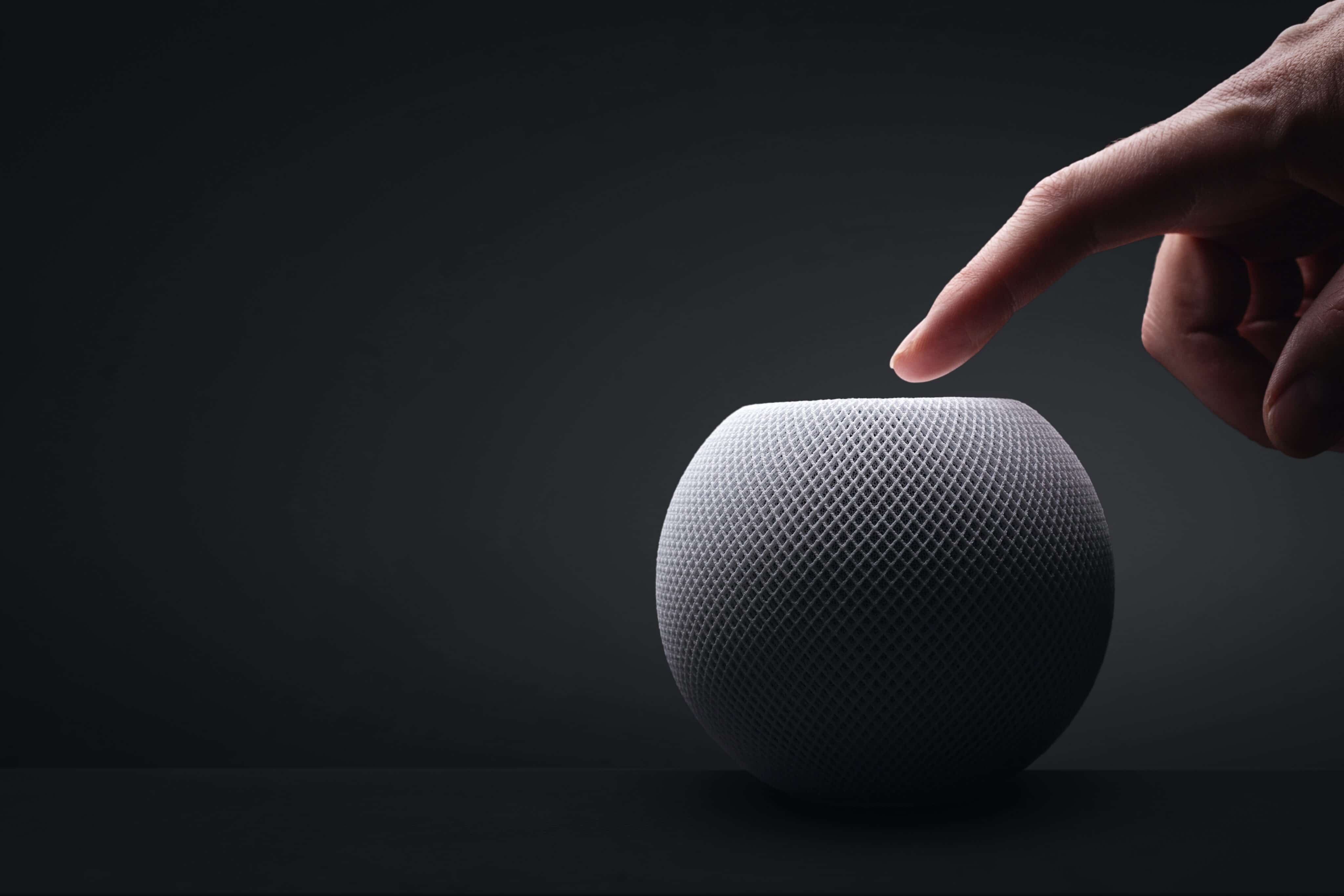
Aqui você vai encontrar mais semelhanças do que diferenças entre as duas gerações da caixa de som inteligente, que contam com o mesmo visual geral, introduzido em 2020, com novas cores adicionadas em 2021 e posteriormente em 2024.

Divulgação/Apple

Com um corpo esférico envolto por uma malha colorida, ambos os modelos têm 84,33mm de altura e 97,9mm de largura, com diferença apenas no peso, menor no HomePod mini 2: 335g (ante os 345g do modelo de primeira geração).

Como dito, as cores do HomePod mini de primeira geração já foram atualizadas algumas vezes, e o modelo chegou a ser vendido nas opções branca, amarela, laranja, azul e meia-noite. O HomePod mini 2, por sua vez, pode ser adquirido nas cores branca, rosa, verde, azul e meia-noite.

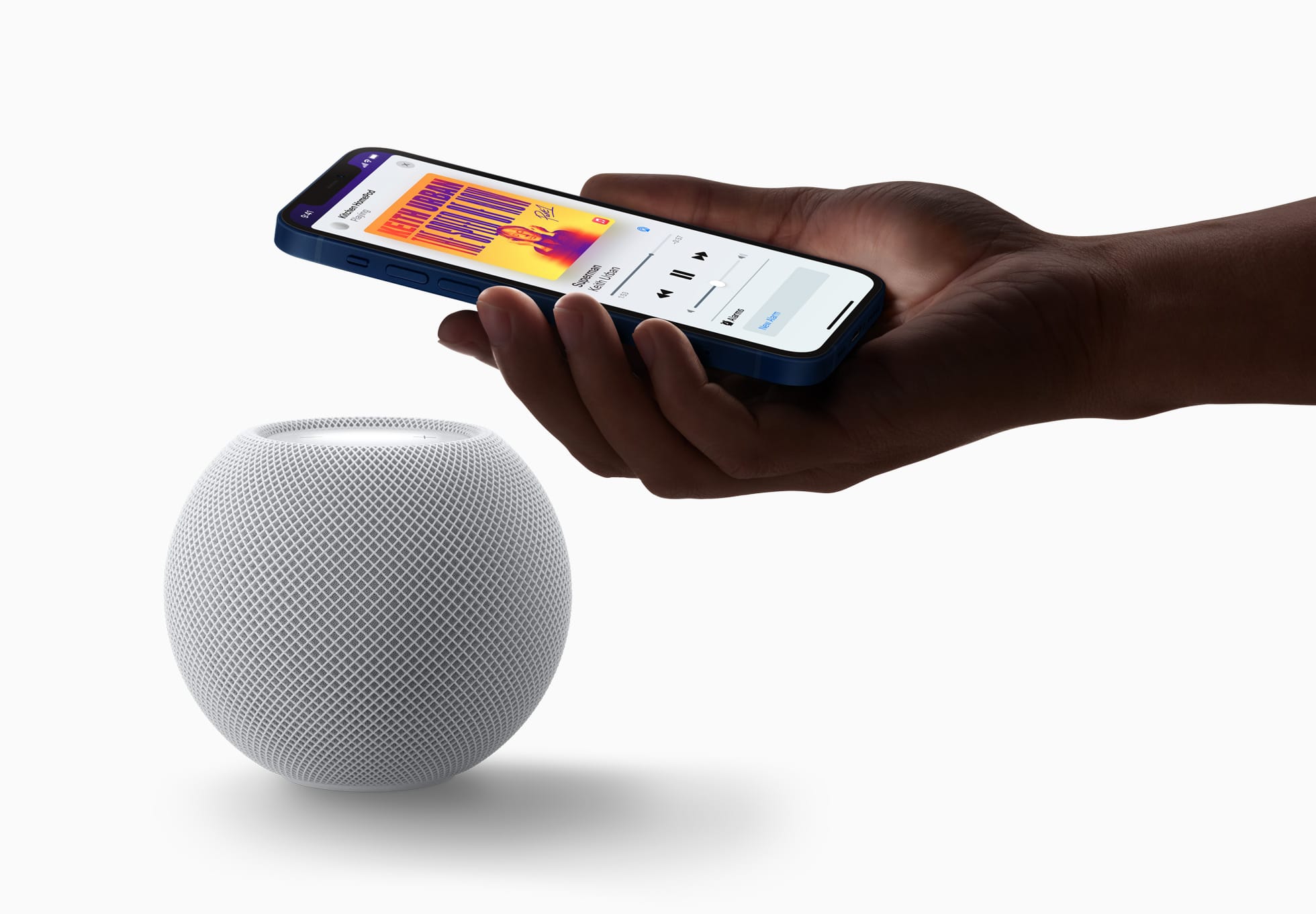
Ambos os modelos seguem vindo com uma superfície circular retroiluminada com botões de “+” e “-” para ajuste rápido de volume.

A Apple disponibilizará o recurso Brilho do Som (Sound Glow), que faz essa superfície pulsar e brilhar em tempo real de acordo com a música que está tocando, para todos os modelos do HomePod mini e para o HomePod de segunda geração.

Divulgação/Apple

Tecnologia de áudio

Nesse quesito temos algumas mudanças bem curiosas de uma geração para a outra, embora pouco tenha mudado do ponto de vista de hardware.

O que ambos os modelos têm:

  • Driver de alcance completo e dois radiadores passivos para graves profundos e frequências altas nítidas;
  • Guia de onda acústica personalizada para um campo sonoro de 360º;
  • Tecido acusticamente transparente;
  • Áudio computacional para ajustes em tempo real;
  • Reconhecimento de Som para alarmes de fumaça e monóxido de carbono;
  • Áudio multiambiente com AirPlay;
  • Compatibilidade com setups de áudio estéreo.

O que apenas o HomePod mini 2 tem:

  • Compatibilidade com som surround quando emparelhado a uma Apple TV 4K;
  • Pode ser usado como caixa de som para Macs;
  • Chip S10.
Divulgação/Apple

Em termos de hardware de áudio, o HomePod mini de primeira geração leva vantagem em apenas um item: o número de microfones. Enquanto o modelo mais antigo vem com quatro microfones embutidos “para Siri em distâncias grandes”, o HomePod mini 2 vem com “apenas” três.

É possível, no entanto, que a Apple esteja compensando a ausência de um microfone no novo modelo com as novas capacidades de software viabilizadas pelo chip S10, bem mais moderno do que o S5 do HomePod mini de primeira geração.

Fontes e controles de áudio

Aqui, nada mudou. Ambos os modelos podem reproduzir áudio das seguintes fontes:

  • Apple Music;
  • Compras do iTunes;
  • Biblioteca de Música do iCloud com uma assinatura do Apple Music ou do iTunes Match;
  • Serviços de música de terceiros;
  • Estações do Apple Music Radio ou episódios sob demanda;
  • Estações de rádio do TuneIn, do iHeartRadio ou do Audacy;
  • Apple Podcasts;
  • Resumos de notícias;
  • AirPlay (iPhone, iPad, iPod touch, Apple TV 4K ou Mac).

Também é possível controlar a reprodução ao:

  • Tocar uma vez na parte superior para reproduzir/pausar;
  • Tocar duas vezes seguidas para pular;
  • Tocar três vezes seguidas para voltar;
  • Tocar e segurar para invocar a Siri;
  • Tocar nos botões de “+” e “-” para aumentar ou diminuir o volume.
HomePod mini
photoschmidt / Shutterstock.com

Siri

O HomePod mini 2 vence com facilidade nesse quesito: é o único compatível com a versão “turbinada” da assistente virtual da Apple, a Siri AI.

De acordo com a Apple, além de ajudar em tarefas mais simples como enviar mensagens, controlar a reprodução e configurar lembretes, a Siri AI também pode conversar mais naturalmente, responder dúvidas sobre o mundo real com base em buscas na web e recomendar músicas de maneira mais precisa. Ela ainda leva mais o contexto em conta e processa a maioria das solicitações no próprio dispositivo.

O HomePod mini de primeira geração segue com a versão antiga da Siri, capaz de lidar com comandos mais básicos.

Conectividade e sensores

Tanto o HomePod mini de primeira geração quanto o HomePod mini 2 são compatíveis com descoberta ponto a ponto, para acesso fácil de convidados, e com redes Thread, além de contarem com um chip de banda ultralarga para recursos que dependem da proximidade de outros aparelhos, como iPhones.

Divulgação/Apple

Já o modelo mais antigo tem Wi-Fi 4 (802.11n) e Bluetooth 5, enquanto a nova versão conta com Wi-Fi 6E (802.11ax) e Bluetooth 6. Ambos os modelos vêm com sensores de temperatura e umidade.

Preço e disponibilidade

Já disponível em pré-venda, o HomePod mini 2 será lançado em 30 de outubro por US$150 (US$20 a mais do que o modelo anterior) nos Estados Unidos e em outros países selecionados.

Assim como seu antecessor, o novo HomePod mini também segue sem uma previsão de lançamento no Brasil ou em Portugal — quem sabe isso mude com o lançamento dos sistemas 27.2 e com a chegada da Siri AI em português.

Divulgação/Apple

Ambos os HomePods mini vêm com um cabo USB-C e um adaptador bivolt de 20W na caixa, além da documentação regulamentar, é claro.


HomePod e HomePod mini (miniatura)
Comprar HomePod e HomePod mini 2 de Apple 🇺🇸 Preço: a partir de US$149
Cores: meia-noite, branco, rosa, azul ou verde

NOTA DE TRANSPARÊNCIA: O MacMagazine recebe uma pequena comissão sobre vendas concluídas por meio de links deste post, mas você, como consumidor, não paga nada a mais pelos produtos/serviços ao usar os nossos links de afiliado.

❌