❌

Reading view

App Store uploads must now target iOS 13 or later, and iOS 15 from April 2027

Apple now requires iOS and iPadOS apps uploaded to App Store Connect to target iOS 13 or later, a rule in effect since September 9, 2026. Apple’s submission page adds that starting April 2027, iOS and iPadOS apps must be built with the iOS & iPadOS 27 SDK or later and target iOS 15 or […]

The post App Store uploads must now target iOS 13 or later, and iOS 15 from April 2027 appeared first on The Mac Observer.

  •  

Xcode 27

Apple (xip, downloads):

Xcode 27 includes Swift 6.4 and SDKs for iOS 27, iPadOS 27, tvOS 27, watchOS 27, macOS 27, and visionOS 27. Xcode 27 supports on-device debugging in iOS 17 and later, tvOS 17 and later, watchOS 10 and later, and visionOS. Xcode 27 requires a Mac running macOS Tahoe 26.6 or later.

Peter Witham:

Is this new in Xcode 27? Pretty sure it as and I approve whole heartedly! I really hate setting up Xcode settings more than once.

Christian Beer:

Building with Xcode 27 doesn’t work because of some intransparent XCStrings error… and I even can’t check with Xcode 26 anymore because Apple decided to not let me run it on macOS 27…

Steven Woolgar:

After all these years Apple has finally broken cmd-e in Xcode 27.

Previously:

Update (2026-09-18): Jesse Squires:

Xcode 27 seems to have broken UI appearance vs Editor appearance. They used to be separate settings.

For example, previously, the app could be light mode while the editor theme was dark.

But now, you choose a dark editor theme and the whole app goes to dark mode.

I hate this.

Me, too.

Update (2026-09-24): Christian Beer:

  • generate stubs for protocol: uses wrong class names
  • fix for missing parameter: inserts it at the wrong position
  • generating init with Bindings, State, etc.: mostly wrong

Update (2026-10-01): Steve Troughton-Smith:

AI code completion was such a nothingburger, for all of that investment. I don’t even have it turned on in Xcode anymore. If you’re into code completion, you’re into using Codex and Claude, so why would you ever use it now.

The built-in Xcode stuff has pretty much never worked at all for me. I either get errors or it does nothing.

  •  

Developing for iPhone Duo

Craig Hockenberry:

It looks like Xcode 27.1 is needed to test the iPhone Duo resizability - and that hasn’t been uploaded yet.

Jordan Morgan:

Cupertino and Friends™️ dropped six new videos over developing, designing, and crafting great apps for the nascent device:

  1. Design for iPhone Duo
  2. Prepare your app for iPhone Duo
  3. Raise the bar with iPhone Duo
  4. Strike a pose with adaptive layouts on iPhone Duo
  5. Leverage multiple displays and scenes on iPhone Duo
  6. Build a great camera experience for iPhone Duo

Nathan Manceaux-Panot:

In the Duo dev video, they describe how text buttons can’t be moved to the new vertical sidebar, as opposed to icon buttons.

I wonder if that’s one of the reasons Liquid Glass pushed hard for icon buttons, even though these are harder to understand; they make the vertical layout possible at all.

Nico Reese:

Totally confusing to me how the toolbar is ordered completely different between both modes here.

Dennis Oberhoff:

I think the problem with the iPhone Duo for developers is mostly that it does not create any new opportunities in the form of a new market or a new audience.

Previously:

Update (2026-09-17): See also: Accidental Tech Podcast.

Previously:

Update (2026-09-18): Xcode 27.1 Beta (Hacker News) adds support for iPhone Duo, but:

StandBy is unavailable in the iPhone Duo Simulator runtime.

Running and debugging most app extensions is unavailable in the iPhone Duo Simulator runtime.

Update (2026-09-21): Léo Natan:

Apple writing example code in Objective C, in 2026. They are REALLY desperate for developers to support this device.

Natalia Panferova:

On iPhone Duo, navigation controls, toolbar actions, and tabs can move into a shared vertical bar along the edge of the display, leaving more vertical space for content. Apps built with the iOS 27.1 SDK get this adaptation through standard containers such as NavigationStack, NavigationSplitView, and TabView. We continue to declare toolbar actions in their usual placements, and SwiftUI determines how to present them in the current context.

Imthaz Ahamed:

I was going through the iPhone Duo specs and realised the inner screen has a different pixel density to the outer screen. The inner 7.6-inch folding display runs at 1878×2670 and 430 ppi, while the outer 5.4-inch display runs at 1398×2034 and 460 ppi.

Jesper:

The iPhone Duo remains interesting, and is clearly a technical tour-de-force that is the outcome of deep thinking about what a foldable phone can be. But the things that sparkle in my mind when I consider it is just the details. They are very important details that yield a noticeably different product, but they are sprinkles on top of a downward slope in user interface design at Apple that does not care any longer about what users or developers want. All that's important is for this year's device to uproot fundamentals and demand that everyone conform to an arbitrary new intuition.

Update (2026-09-29): Craig Hockenberry:

I don’t remember seeing this mentioned anywhere, but you have to be careful about where you place your safe area constraints.

My first pass moved the constraints on scroll/collection views from the superview leading/trailing to the safe area leading/trailing.

[…]

But if you look at Settings and Safari - our only two examples of “what’s right”, you’ll see the scroll indicators are “outside” the navigation bar and hug the edge of the device bezel.

  •  

Vídeos da Apple detalham como adaptar apps para o iPhone Duo

A Apple publicou uma série de vídeos no portal Apple Developer e no YouTube destinada a ajudar os desenvolvedores a preparar seus aplicativos para o iPhone Duo.

Isso porque, a princípio, haverá muitos apps que não aproveitarão o novo tamanho de tela caso sejam antigos ou se os desenvolvedores tiverem optado por não seguir as diretrizes da Apple.

Na prática, as versões atuais dos aplicativos serão exibidas em tela cheia na parte frontal e em tela quase cheia na tela interna. No primeiro vídeo publicado pela empresa, por exemplo, ela demonstra que os aplicativos serão alinhados à esquerda para ocupar a maior parte da tela, evitando a área da câmera.

Eis os demais vídeos compartilhados pela empresa:

Ao recompilarem seus aplicativos usando o Xcode 27.1, que será disponibilizado ainda neste mês, os desenvolvedores passarão a contar com controles mais precisos. Seus aplicativos poderão aproveitar toda a largura da tela interna, além de incluir um módulo de pré-visualização que exibe como os apps ficarão nos quatro layouts — fechado em modo retrato, fechado em modo paisagem, aberto na horizontal (paisagem) e aberto na vertical (retrato).

Além de detalhar a adaptação de apps para o iPhone Duo, a Apple também disponibilizou os recursos visuais do dispositivo em seu portal Apple Design Resources, com assets dos novos dispositivos para Photoshop e em formato PNG.

Bezels dos iPhones 18 Pro/18 Pro Max e do iPhone Duo

Por fim, a empresa realizará os chamados iPhone Duo Group Labs, laboratórios que permitem aos desenvolvedores se juntar aos engenheiros e designers da Apple — de forma online — para fazer perguntas e obter orientações.

via 9to5Mac

  •  

Visual Studio Code 1.136 introduces agent merges for pull requests

Microsoft has released Visual Studio Code 1.136, an update to the popular programming editor that previews an Agent Merge feature and introduces two experimental features for agentic coding.

VS Code 1.136 was released September 2 and can be downloaded from code.visualstudio.com.

Agent Merge, a preview feature, helps take a pull request across the finish line, Microsoft said. Agent Merge asks an agent to address review feedback, fix failed checks and merge conflicts, and rerun workflows until the pull request is ready to merge. To use Agent Merge, turn on the setting chat.agentMerge.enabled. Then you can enable Agent Merge for a session by running “Enable Agent Merge for Active Session” from the Agents window or selecting the “Agent Merge” button in the title bar.

VS Code 1.136 also introduces multi-root workspaces, an experimental feature that allows developers to work with GitHub Copilot and Claude agents across multiple project folders in the editor window chat view. Agent hooks remain scoped to a single workspace folder, Microsoft said. If hooks are detected in multiple folders, VS Code prompts the user to select the primary folder from which to load them.

Another experimental feature in VS Code 1.136 is chat backgrounds in the Agents window. This allows users to personalize the Agents window with a theme-aware pattern of built-in VS Code icons or an image of their own. Also new for chat are enterprise controls for dictation data. The new controls allow administrators to manage the dictation model and language-model transcript cleanup through enterprise policies. Microsoft said it was possible to require on-device transcription and disable language-model cleanup, so dictation remains available while preventing dictation data from being sent to cloud transcription or a Copilot model.

  •  

Preparing to Update to Golden Gate

Howard Oakley:

As those new models start shipping on 22 September, the window for the first public release of Golden Gate has narrowed to 15-22 September, with greatest likelihood on the same day as the arrival of those new Macs.

[…]

At the same time as the release of Golden Gate, we should get Tahoe 26.7 and Sequoia 15.8, but it looks increasingly likely that the final version of Sonoma has been 14.8.9, released on 6 August.

Howard Oakley:

As we prepare to flee from the visual horrors of macOS Tahoe at last, this article is a reminder that it wasn’t the first major release of macOS that has had blatant bugs in its interface, although I suspect it may be unique in that those were intentional. While progress in Golden Gate has been limited, I hope you’ll find it rectifies some of the worst errors of Liquid Glass.

Many Macs will be left behind, as Golden Gate drops support for Intel.

Normally, I update around January. With Tahoe I waited until July. This time, I’m considering updating to Golden Gate soon after its release. The downside is that Xcode 26 doesn’t run on Golden Gate, so I would have to drop support for many older macOS versions (about 3% of my customers’ Macs). But it seems like Apple’s going to force that soon, anyway, as one of the next Xcode 27 updates will likely drop support for Tahoe. I want to get off Xcode 26, both to use the newer SDK and because there are various debugging/testing things that don’t work properly.

Mario Guzmán:

I am working on a new app. Right now, I am targeting back to macOS Sequoia. I think that would be a good OS to target but becoming quite old with Golden Gate just around the corner. […] I wonder if I should just target macOS Golden Gate and focus testing on that.

Previously:

Update (2026-09-04): Isaiah Carew:

i’m in the exact same boat. i’d really like to stay on macOS 15 and whatever Xcode works there. it means i can still build things in the old UI and mostly Tahoe and GG respect it.

but recent bug reports from beta testers and the inability to see these bugs on my VM has made me feel very stuck here — like apple has purposefully made it difficult to move forward and support older versions too.

Update (2026-09-11): Howard Oakley:

What if any preparations do you need to make before upgrading or updating then, or in the coming weeks?

Update (2026-09-16): Adam C. Engst:

So who should upgrade immediately, and who should wait? Let’s consider a few broad categories of users.

  •  

Ending the Golden Era for Backward-Compatible Apps

Matthias Gansrigler-Hrad:

I don’t appreciate being forced by Xcode 27 to drop support for macOS 10.13-11.0. It’s my decision which OSes I want to support, not Apple’s. Yes, I can keep Xcode 26 around until submissions require Xcode 27, but what then?

Originally, Xcode 27 was documented as supporting Big Sur on Intel Macs, but now the earliest is Monterey.

I’m frustrated, too, but it’s more honest than the recent releases that claimed to support deployment on older macOS versions when Apple clearly hadn’t tested that it actually worked. I filed bugs, and Apple kept responding that they’d fixed it, when they hadn’t.

Using old versions of Xcode isn’t a great solution because they aren’t supported on Golden Gate. Swift also makes it more difficult to call newer APIs when using an older SDK. You can’t just copy/paste a method prototype or constant value and conditionally use it when running on a newer OS.

Ighor July:

I eventually found a hidden workaround that changes the errors back into warnings. That is good news, but it does not make the concern disappear. The setting is undocumented, absent from the normal Xcode interface, and currently being tested only in a beta toolchain. The larger question is what Apple intends to enforce when Xcode 27 is final and, later, when App Store submission requirements move to its SDKs.

[…]

Apple’s current Xcode system requirements list Xcode 26 with deployment targets beginning at iOS 15 and macOS 11. Yet developers have been able to enter older targets manually. In an Apple Developer Forums discussion about Xcode 26, an Apple product manager explained that the published deployment target range is aligned with simulator support and on-device debugging. The accepted answer confirms that an iOS 13 target can still build even though it falls below the range in Apple’s table.

My own tests went further. Xcode 26.5 compiled a project targeting iOS 9.0. It warned that the target was older than the supported range, but the build succeeded. On macOS, I have compiled current apps with deployment targets as old as macOS 10.9. Xcode warned me, but it still produced working applications.

[…]

For iOS and iPadOS, staying on Xcode 26 is not a lasting option. Apple has repeatedly made a current Xcode and SDK mandatory for new App Store submissions. […] If any one of those conditions fails, iOS and iPadOS developers will have no normal App Store path for publishing new updates that still support versions older than 15.

Previously:

Update (2026-09-07): Léo Natan:

Just want to remind you guys that if you move to Xcode 27, the only “officially” supported and sanction Xcode for GG, UIDesignRequiresCompatibility is no longer respected across the 27 OSes (apps built with older Xcodes still are). So you might suddenly find out you have a lot of work ahead of you, adding support for the dreaded Glass. And 27 Glass is not the same as 26 Glass. That can be an issue if you skipped 26 altogether but still want to support it.

Previously:

Update (2026-09-11): Nick Lockwood:

I mostly ignored the Xcode 27 betas (mainly due to the barely-usable Device Hub) so I didn’t realize the passive-aggressive prompts to drop support for iOS < 15 that you get when submitting apps is being backed up by Xcode 27 refusing to compile apps at all unless you bump the deployment target 😧

  •  

MacVoices #26246: Democratizing Programming: From HyperCard to Claude with Adam Engst (1)

Adam Engst looks back at HyperCard as an early tool that democratized software creation, then connects its legacy to today’s AI-assisted development. He outlines how Claude helped turn an idea for tracking macOS setting changes into a working Mac app, SetShot. Adam discusses Xcode, GitHub, rapid iteration, and the value of visual feedback in his development process, and how AI lowers programming barriers without eliminating the need for thought, judgment, and effort. 

💾

💾

  •  

Researchers get two genetic codes to work at the same time

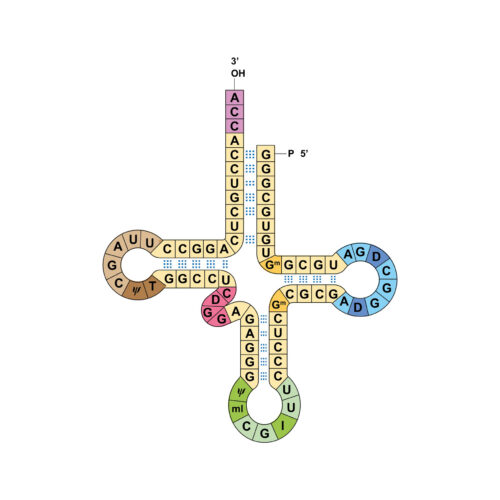
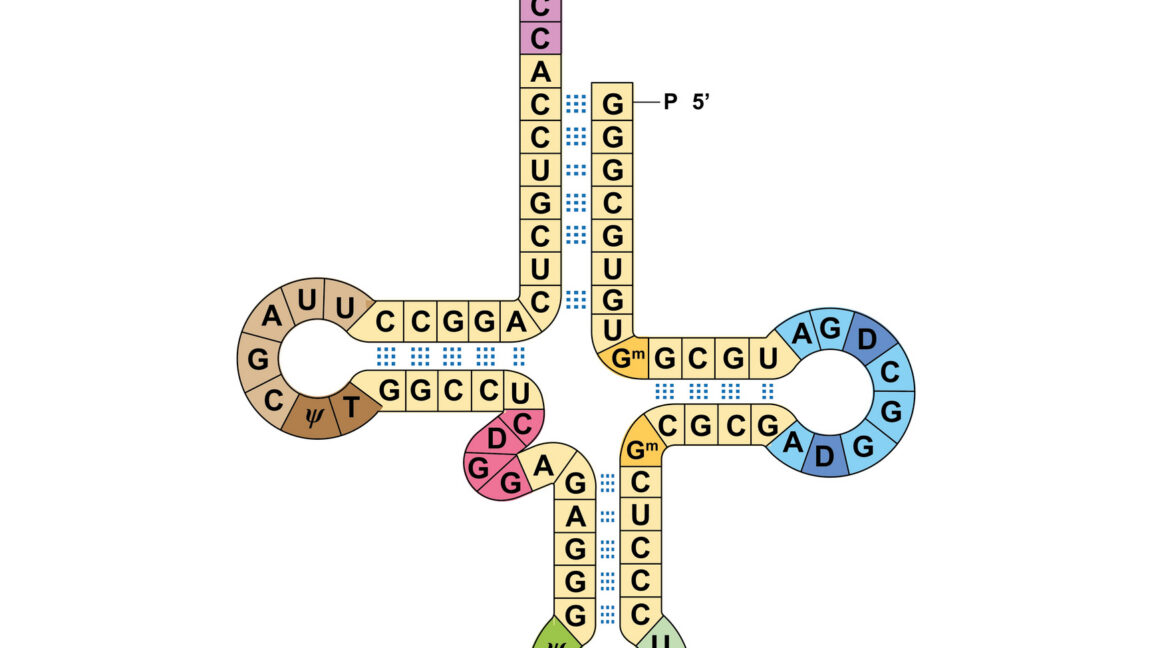
The genetic code is what life everywhere uses to convert the information contained in DNA into specific protein sequences. With minor variations, the same genetic code is used by every living thing on Earth, suggesting it was already present in the last common ancestor of all of them. It's not an easy thing to change, because so many things in every cell depend on it.

Nevertheless, some preliminary steps have been taken. Researchers have managed to add some new amino acids to a bacterial cell and were able to make proteins that were one amino acid less than usual. But it's a slog; for some of this work, people have had to re-engineer every single gene in a bacterial genome.

Now, researchers have found a way to operate two separate genetic codes simultaneously, avoiding the need to do any work to compensate for altering the code that every protein in a cell relies on. They didn't test it in an actual cell, and it might cause some problems there. But it's a creative solution that should accelerate some synthetic biology work.

Read full article

Comments

© ALI DAMOUH/SCIENCE PHOTO LIBRARY

  •  

Sudoku in Turing-Complete Unicode Transliteration Rules

Nicolas Seriot (Hacker News, Reddit):

The core Unicode algorithms (normalization, casing, bidi, collation) are deliberately bounded, but UTS #35 transliteration rules, under their natural unbounded semantics, are not. This is a result I haven’t found published before.

These rules ship as locale data in ICU, the Unicode library shipped in operating systems, browsers, runtimes, and databases. Whether a given rule file terminates on a given input is undecidable.

[…]

To prove UTS #35 universality, we compile 2-tag systems (Post, 1943), a model proven universal (Cocke & Minsky, 1964), into transliteration rules.

[…]

Transliteration rules were designed to turn “é” into “e”. Three lines of them can compute the Collatz function.

KT_Music:

Inspired by this, I tried creating an implementation that “solves #Sudoku” using only UTS#35 transformation rules 😎

Previously:

  •  

MacVoices #26182: Road to Macstock – Mike Schmitz

Mike Schmitz previews his Road to Macstock session on starting a YouTube channel in 90 minutes, emphasizing creativity, repetition, audience connection, and practical tools over perfection. Mike discusses handling harsh comments, finding personal value in publishing, and using AI thoughtfully as a creative partner. His goal is to help get anyone on YouTube that wants to be there. 

💾

  •  

MacVoices #26181: Flip The Script – MacPaw’s Post-Keynote Perspective and AI-First App Development Strategy

Only a few hours after Apple’s WWDC keynote, members of the   MacPaw leadership team sat down for a conversation about Apple Intelligence, and Siri’s renewed promise. Topics touched on included privacy, developer access to user context, hybrid AI processing, Setapp’s role, and how AI is reshaping app creation, customer support, and software strategy. Participants included Oleksandr Kosovan, Founder and CEO?, Sergii Kryvoblotskyi, Director of AI and Research, Dmytro Melnyk, Chief Product Officer and Grant Belaire, Chief Marketing Officer.

💾

  •  

MacVoices #26169: NAB – RØDE Introduces RodeLink 2 UHF Wireless and AI Podcast Editing

At NAB 2026, Chuck Joiner talks with Ryan Burke, Portfolio Director for RØDE about the new RodeLink 2 UHF wireless system, developed with Lectrosonics expertise. The discussion covers interference-resistant UHF performance, 32-bit float recording, timecode, adaptive power, battery life, and removable storage media.  Ryan also provided a look at the new RODECaster Studio AI audio editing app for podcasters. 

💾

  •  

MacVoices #26155: NAB – Jim Tierney of Digital Anarchy on Beauty Box Video and ShotNotes

On the show floor at NAB in Las Vegas, Jim Tierney of Digital Anarchy discusses ShotNotes, a Premiere Pro panel that keeps project notes, time codes, links, timers, and collaboration details inside the edit instead of scattered across documents or sticky notes. He also previews Beauty Box Video AI development and explains where generative AI can help video pros, where traditional AI still shines, and why AI is useful but not a magic bullet. 

💾

  •  

Airtable joins Evernote, Brightcove, WeTransfer and AOL in Bending Spoons portfolio

Bending Spoons has snapped up Airtable to add to its portfolio of software companies, alongside AOL, Evernote, WeTransfer, Brightcove and Vimeo

Airtable made its name as a builder of low/no code database services, aimed particularly at non-technical staff, but is now one of many vendors facing financial difficulties in the face of the SaaS/AIpocalypse. The arrival of AI coding tools, which offer non-technical employees more flexible ways to build business applications, has hit demand for its services.

Bending Spoons bought Airtable in a deal it valued at just $1.285 billion, a far cry from the $11.7 billion Airtable was worth at its peak.

Bending Spoons has built its portfolio by buying once-successful companies like Airtable that have struggled to cope with newer, nimbler competitors or failed to adapt to emerging technologies. Bending Spoons takes these companies, cuts costs and markets them aggressively with the goal of returning them to profitability.

“Airtable is a pioneering brand reshaping how teams organize data and manage critical workflows. We’re committed to investing in Airtable for the long run, and doubling down on its core strength: bringing teams and workflows together in one flexible workspace. We plan to expand what can be done across the full spectrum of work and make Airtable even more valuable to customers at every scale,” said Luca Ferrari, Bending Spoons CEO and co-founder.

  •  
❌