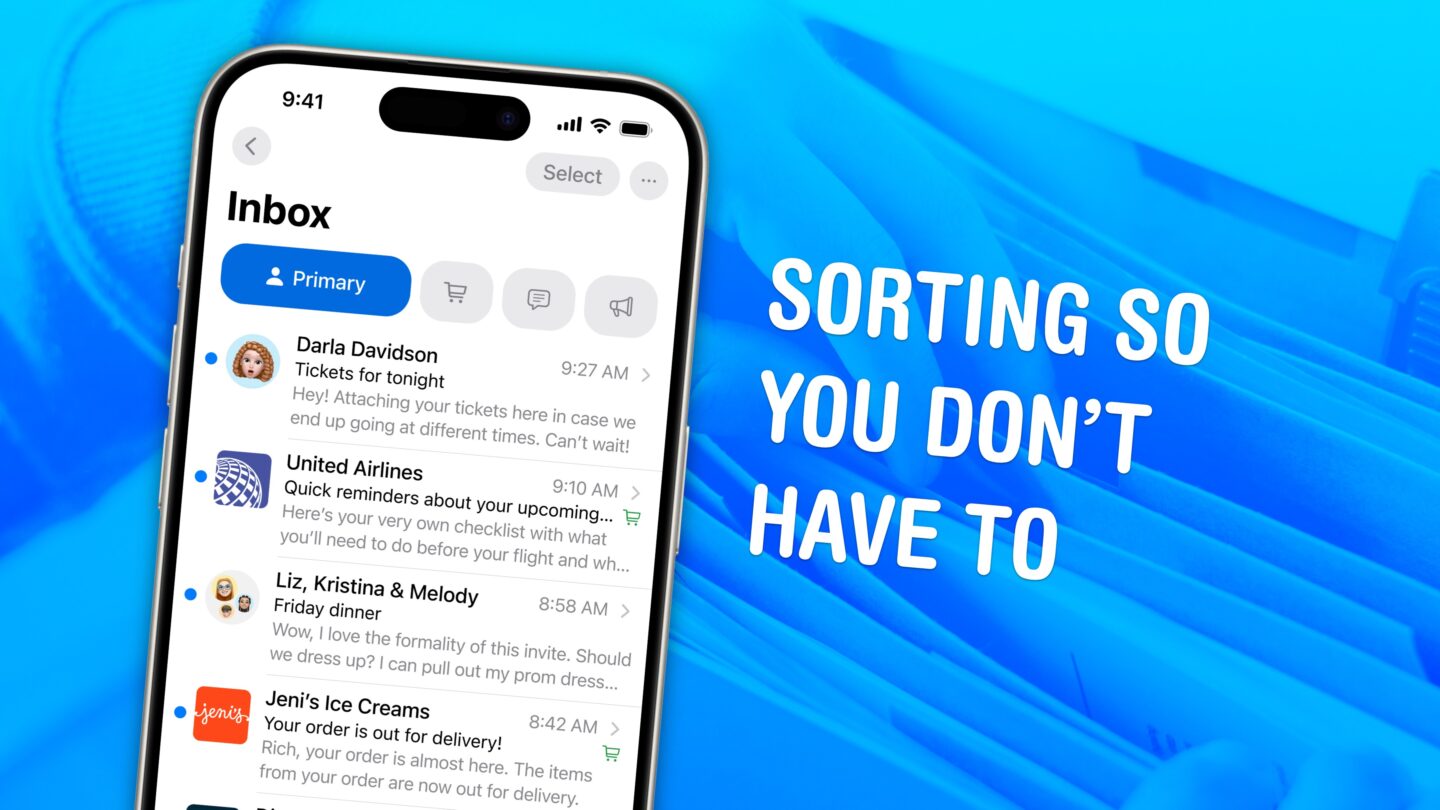
❌

Reading view

Unspecified Full Disk Access Screw Tightening

Apple (Hacker News, MacRumors, Lobsters, TidBITS Talk):

Full Disk Access largely sidesteps these controls in order to allow backup apps to function properly on the Mac. Some developers are using Full Disk Access in ways that could put users at risk, exposing everything on their systems—including files, mail, messages, and even browsing history—without users’ full knowledge and understanding.

[…]

Going forward, we will introduce additional controls to ensure that users who genuinely wish to grant an app this extraordinary level of access can only do so with very explicit user action. Addressing this is critical. As AI agents become increasingly capable and autonomous, the risks associated with this level of access will grow substantially.

Guy English:

It was pretty obvious something like this would happen after the Muse accessing Messages news.

Jeff Johnson:

What we have is just one noisy, confused journalist, Jason Aten. He granted FDA to Muse but refuses to admit it, to the public or even to himself.

I see several issues with the current Full Disk Access system:

  1. Backup apps need FDA, but so do many other types of apps. Often, they don’t need full disk access but rather they need to work around a missing or broken API. All of my apps except ToothFairy use FDA, not because I want to or because it’s easier to code, but because without it the user experience would be much worse or key features wouldn’t work at all.

  2. There is no API for apps to see whether they have FDA or to request it from the user. It’s not like, say, accessing the user’s Contacts where macOS pops up a standard dialog and the app supplies a “reason” string to specify why it wants access. Instead, each app presents its own set of instructions for how to enable it deep in System Settings. It requires the confusing maneuver of first adding the app to the list; it doesn’t automatically show up with a slider switch next to it, like with other privacy settings. This adds an obstacle for users to get up and running with an app but doesn’t really provide additional security, just obscurity.

  3. FDA is not granular. There’s no way for apps to request only the permissions they actually need. For example, SpamSieve wants to be able to access the user’s mail, but it doesn’t need or want to see their iMessages or browser history. This is bad for users because they may be exposing more information than they want to and bad for developers because some users will think your app isn’t worth the risks.

  4. There is no way for the user to see what the app actually did. If it tells me that it wants FDA to access my mail but actually it mucked around with my Time Machine backup, how would I know?

  5. Apple’s wording in System Settings is not very clear. I don’t think most users really understand what FDA is doing.

  6. The previous items combine to create opportunities for malfeasance. It’s normalized that many apps that seem like they wouldn’t need full disk access do need FDA, so this makes it easier for apps to trick the user into granting it under false pretenses. Apple requires that apps coach the user through the process, so it’s normal that users mostly see text from the app (which might not be trustworthy) rather than standard text from Apple, as with other permissions prompts.

But the problem in the Muse case was not malfeasance. Rather, it seems that Muse asked Aten to enable FDA, but he doesn’t remember doing so or didn’t understand what he was doing. It sounds like Apple wants to make this consent more clear, which is good, but other issues would remain. As with the recent keychain story, this feels like a bandaid rather than a thoughtful solution to the real problem. The issues with FDA were clear when it was introduced 8 years ago, and many Radars were filed, but it’s been virtually unchanged since.

Apple seems to think that by making a scarier warning they can convince more users not to grant FDA—or at least perhaps deflect blame from Apple to the user if they later regret it. Maybe that solves Apple’s problem, but it doesn’t really solve the user’s problem. The user is installing Muse because it’s more capable than Siri. They probably do want it to access some protected data, e.g. so it can find information in their mail or messages. So they actually do need to give it FDA. Aside from deterrence, Apple is not actually protecting the user. And the deterrence is kind of sketchy. Rather than providing a safe way for users to choose what to share with a competing product, Apple is saying the only option is to share everything, and then discouraging that. Meanwhile, there’s no switch to turn off Apple Intelligence. It’s like they expect you to stay on eWorld and not download Netscape. I actually really liked eWorld, and the broad Internet wasn’t totally safe (though neither was eWorld), but that doesn’t seem like much of a strategy.

Jeff Johnson:

Below I’ve embedded […] a screen recording of a macOS Virtual Machine showing the first run experience of the Meta Muse app.

[…]

It’s important to note that macOS has no API for an app to request or acquire Full Disk Access. The only way for an app to receive Full Disk Access is via the Full Disk Access pane of System Settings, as shown in the video. Thus, the only thing an app can do is open the System Settings pane for the user, as also shown in the video. Once the user is in System Settings, it’s up to the user to manually grant Full Disk Access.

Without Full Disk Access, Muse cannot access the user’s Messages database. If it could, that would be a macOS zero day vulnerability.

[…]

Aten oddly writes as if the “if you give it Full Disk Access” earlier in the article were counterfactual, merely hypothetical, still insisting that he did not give Full Disk Access to Muse.

John Gruber (Mastodon):

I really worry about just how much Apple is going to lock Full Disk Access down. I use it with several apps that couldn’t function properly without it, and would be severely hampered if I needed to authorize it manually every time they do something.

Ben Lovejoy:

However, what Apple absolutely must not do is to make the mistake it made with macOS Sequoia over screen recording. Sure, this is also incredibly dangerous and very strong warnings are appropriate, but what Apple did then was to force us all to confirm these permissions on a weekly basis, as well as after every restart.

Dave Nanian:

Well, this is certainly ominous news for backup programs.

Like it’s not hard enough to turn this stuff on…

Nick Heer:

Is Apple suggesting this capability could be limited in the future to backup applications alone? I do not like that.

[…]

Because of the lack of information available at present, I do not want to get too far ahead of myself, but I am concerned that it could be a significant curtailing of application permissions. It has the potential for further self-preferencing, as Apple will surely exempt Siri from the kinds of permissions requests it requires of third-party apps, even as it is updated with additional capabilities.

[…]

Call me a naïve little baby if you want, but I do not think preserving Siri’s dominance on Apple’s devices is the company’s reason for locking down Full Disk Access. But Apple’s existing restrictions are part of the reason Siri was awful for a decade. If it had the opportunity to compete with third-party replacements, I doubt it would have languished in a miserable state for as long as it did.

John Voorhees:

[Only] a handful of apps to which I’ve granted Full Disk Access are backup apps. Others include the Finder replacement Bloom, launchers like Alfred, the wonderful selection utility PopClip, Apple’s own Pixelmator Pro, Setapp, TestFlight, Supercharge, Madden NFL 27 Arcade Edition, Hazel, and many others. It’s a diverse selection of apps covering everything from Apple’s own apps to Mac utilities that are longtime favorites of MacStories readers, and even one Apple Arcade game.

[…]

On the one hand, it seems to suggest that users will simply have to jump through additional explicit hoops to grant Full Disk Access to their agents and other apps. On the other hand, claiming that Full Disk Access was designed solely for backup apps raises red flags that could signal that the company intends to restrict the kinds of apps that can use Full Disk Access. I sure hope not.

Dan Moren:

But there are plenty of legit uses for Full Disk Access. Just looking at my MacBook Air this morning, I’ve given that permission to three apps: Terminal, BBEdit, and SuperDuper. All apps that I trust with that level of power because of their long history and because in order to do what they do best (or at all), they need that access. (Interestingly, on my Mac mini, that list also includes SpamSieve, KnockKnock, and Shortcuts—though not BBEdit, for whatever reason.)

[…]

I think there is a good argument for protecting Full Disk Access further, but there’s also only so much you can do to protect a user from themselves. Ultimately, this is a cat-and-mouse game, and while I don’t want my data purloined or misused, I also don’t want my computer locked down to the point that I can’t use it for all the things I want to do.

Ben Thompson (Hacker News):

To say that I’m nervous about what Apple’s solution will entail is a massive understatement. There is one aspect in which the Mac is the perfect agent host: Apple has, for decades, invested in a combination of scriptability, automation, and accessibility APIs (these are very often the same thing) that makes it remarkably well-suited to computer use. Then there is the fact that macOS is a certified Unix system; this means that agents — which are perfectly suited to the command line — have access to the entire universe of tooling built for Unix systems. And, of course, Mac hardware is amazing.

The problem is that for my particular use case — a headless, always-on Mac Mini that I primarily access from other computers and my phone through the ChatGPT and Claude apps — macOS is incredibly hostile. The biggest issue is GUI-only permission prompts that are invisible to software running on said computer, including agents.

[…]

This system is annoying but manageable on your primary Mac; it’s a disaster on a headless Mac running agents, for two reasons. First, agents write new programs all of the time, and in my case, those programs need access to devices on my network (SMB shares, for example, trigger a TCC warning). What I need is a permission layer for agents, not the programs they create; TCC is operating at the wrong level of abstraction.

Second, the TCC subsystem exposes its prompt in a protected space that no program can see; that means that programs silently fail and the agents don’t know why; what I have to do is remember that there is probably a permissions prompt on screen, log into the Mac Mini with screen-sharing software, and click OK.

Wade Tregaskis:

Apple’d get a long way by just renaming the privilege. How many laypeople understand what a “disk” even is? Regular people just talk vaguely about how much “memory” their computer has - if they think about it at all other than when they run out of disk space - at which point, how many just think that means they have to buy a new computer? So, how about just “Full Access to All Your Data”? Call it what it basically is.

Jason Anthony Guy:

If Apple has time (or is especially motivated), it might also add more granular options to control what data apps can access. For example, instead of today’s single toggle that grants an app access to the broadly defined “data like Mail, Messages, Safari, Home, Time Machine backups, and certain administrative settings,” it might instead allow you to enable access to specific data on a per-app basis. This would allow, for example, Muse to access Mail and Safari, but not Messages or Time Machine.

Kevin Grant:

With all the levels of entitlements and crap they added, I find it ironic that SIP is “only” implemented as “open up every damned thing to everyone” without more refined levels.

John:

I was frankly surprised when I learned FDA was for a machine, across user accounts, rather than for a single user. It seems like granting root, something the *nix community has tried to reduce and lock down for decades.

I certainly don’t trust anyone’s AI with root, and creating a weak, non-admin, user for AI experiments should be a safe path.

Jimmy Callin:

While [Gruber sees] this as a “why we can’t have nice things” moment, I see it as another case of Apple using privacy to limit competition in areas it currently lag behind.

I’d prefer to decouple trust in how my personal data is handled from trust in a particular platform or software vendor. That’s what I personally value about EU’s approach: give people rights over their information, make mishandling it a legal liability, and severely punish companies that break those rules.

Apple getting unique privileges to access sensitive data simply because they own the platform, and thus there is an implicit trust in their handling of it, feels like a brittle long-term strategy. If this works without causing anti-trust issues, it only makes Apple more dominant while locking out potentially useful software.

Previously:

Update (2026-10-06): See also: TidBITS Talk and Vitor.

Howard Oakley:

Whether or not you would ever want to unleash AI agents on your Mac, Apple does need to refine Full Disk Access as a matter of urgency. But its design and engineering cannot be rushed. Merely adding to the complexity of current Privacy settings wouldn’t help users, many of whom already find privacy protection confusing and opaque.

Sherief, FYI:

it’s clear there’s consumer demand for automated access to iMessages, and instead of offering a proper API with audit trails and fine-grained controls Apple would rather force users to FDA then cry fowl when they grant FDA.

Previously:

Update (2026-10-14): Adam Engst:

63% of the more than 200 people who voted said they had granted Full Disk Access to 6 or more apps, with over half of those people saying they had given 11 or more apps that level of access. In short, Full Disk Access is essential to how many of us use our Macs.

At the same time, Full Disk Access feels a bit like a Band-Aid, partly because Apple hasn’t put enough thought into more granular permissions, forcing many apps to rely on Full Disk Access even when they don’t need all its capabilities.

[…]

Given that Apple’s statement about Full Disk Access seems to have been prompted by the release of Meta’s Muse AI agent, I would suggest Apple think more carefully about how such agents should be handled. They may legitimately need Full Disk Access, along with numerous other permissions, but beyond what would appear in an App Privacy Report, I would like to see them maintain complete logs of every permission-enabled action they take on your computer. Preferably in human-readable form.
  •  

EagleFiler 1.9.22

EagleFiler 1.9.22 is a maintenance release of my Mac file/note organizer and e-mail archiving app. This version works around various bugs in macOS 27, adds capture support for the Thorium Web browser, and improves importing from Mariner Paperless.

  • macOS 27 broke several things with drag and drop out of Apple Mail. Simply trying to read a URL from the pasteboard will cause a hang while it waits forever for the pasteboard server (FB24803817). The same thing happens when using PasteboardSetPasteLocation() and reading kPasteboardTypeFileURLPromise directly, which I was doing (instead of using newer API) to work around bugs in older versions of macOS. EagleFiler now uses NSFilePromiseReceiver for drags from Mail on macOS 27, which works better, but I also had to work around a bug where Mail would promise superfluous files for which the reader callback was never invoked at all.

  • macOS 27 also seems to include various regressions when reading PDF and Word files, producing invalid strings containing NUL characters. Also, displaying certain PDF files worked fine on macOS 26 but now crashes.

  • I also ran into (and worked around) a bug where macOS 27’s NSTextView would get into an infinite layout loop when displaying an attributed string that included images.

  • Drag and drop from Airmail is still an issue. When using the newer drag APIs, it will often hang Airmail or not produce a file, and this also happens with other apps like Finder as the destination. EagleFiler works around this using older APIs with Airmail and tries to report a helpful error when there’s trouble. Single-message drags work best.

  • I’ve also been investigating a problem where saving a file with a colored tag in iCloud Drive will, a few seconds later, change the color to gray, but I don’t have a solution for this.

Previously:

  •  

SpamSieve 3.3.2

SpamSieve 3.3.2 is an update of my Mac e-mail spam filter that improves remote training, can export more rule information, and improves uninstallation, help, and more. The most significant news is that Microsoft has changed plans again. They will no longer be preventing users from continuing to use Legacy Outlook and in fact will keep it available for download as part of the combined Outlook app. This gives more time to adapt to their change in plans for AppleScript. Exchange (EWS) support remains an issue. Microsoft is still planning to cut off Legacy Outlook users, and Apple has yet to announce when Mail will support Graph. So far, I’ve not heard that it’s enabled in the macOS 27.2 beta.

We’re participating in a seasonal festival of artisanal software called SummerFest. For a limited time, you can get a 25% discount on new purchases of SpamSieve, EagleFiler, and other top Mac apps from our indie developer friends.

Some interesting engineering issues were:

  • Updating NSWorkspace APIs introduced a problem because with the old launchApplication(at:options:), the .withErrorPresentation option is off by default, whereas with the newer openApplication(at:configuration:completionHandler:), the promptsUserIfNeeded option is on by default.

  • Previously, Core Data would strip leading BOMs from NSStrings when saving to a SQLite database. With macOS 27, this happens for Swift Strings, too.

  • I have lots of unit tests that check for memory leaks. These caught a change where addPersistentStore(type:configuration:at:options:) now seems to return an autoreleased store. Without adding a pool, it looked like there was a leak.

  • Also, the tests were finding lots of “leaks” because KVO was retaining NSTabView, which retains a controller. Previously, XCTestCase.waitForExpectations(timeout:) would spin the run loop, and everything would get cleaned up. With Xcode 27 and macOS 27, I need to manually spin the run loop before waiting for the expectations.

  • During a software update, macOS may decide to reload the Dock icon. The application package no longer exists because it’s been replaced with a new version. This wasn’t a problem before because SpamSieve had been drawing to an image in memory and setting that as the Dock icon. Now, with the Liquid Glass–imposed removal of custom Dock icons, macOS tries to load the icon from disk, and rather than handling errors gracefully it will crash. I fixed this by setting an image with a memory representation before starting a software update.

  • SpamSieve 3.3.1 introduced a crash affecting a small but significant number of users when doing a Core Data fetch of a large number of objects. The private [_PFManagedObjectReferenceQueue _processReferenceQueue:] method was seemingly releasing an object that had already been released. What’s odd is that, as far as I can tell, none of the related app code had changed since the previous version, yet suddenly crashes started happening all the way from macOS 12 through macOS 27. If I had to guess, this was triggered by upgrading from Xcode 26.2 to Xcode 26.6. Maybe Swift’s ARC optimizations are doing something subtly different?

    The crash was triggered by an autorelease pool that I had inserted to promptly clean up any temporary objects after a fetch. (The actual fetched objects were returned and used outside of the pool.) Interestingly, both Gemini and ChatGPT were convinced that this is a well-known exception to standard memory management rules. They said it’s never safe to use managed objects outside of a pool they were fetched in because they depend on internal Core Data objects that the pool will have released. I was not able to find any basis for this “belief,” but it was easy enough to test. As expected, removing the pools (during the beta cycle) just made the same crashes happen slightly later.

    I think there’s probably something wrong in Core Data’s internal bookkeeping, but this does not seem to be a popular crash (and I’ve never seen it on any of my Macs), so my code must be doing something uncommon to trigger it. My current best guess is that it was related to calling refreshAllObjects() after saving. (I bet there’s some fancy bookkeeping to make that efficient.) I was doing this throughout the app to break retain cycles so that unused objects could be deallocated. But it wasn’t necessary in this particular case because the entity being fetched has no relationships. So far, removing the refresh seems to have stopped the crashes, but I won’t know for sure until more people have been using this version for a while.

Previously:

  •  

The Best Worst E-mail Client

Rui Carmo:

Apple Mail is the first app open every day and the one I find hardest to defend, and I’ve been defending it for twenty years (longer if you remember the original NeXT mail client).

The broader story is one of abandonment.

[…]

Apple deprecated that API, replaced it with a (much more restrictive) MailKit surface in 2021, and proceeded to lock MailKit down so hard that barely anyone shipped an extension.

[…]

In particular, in this age of desktop AI agents, I come time and again across the fact that AppleScript support in Mail has been left to rot.

[…]

And searching for messages is such a mockery of a user experience that I’m not even sure how to describe it[…]

Watts Martin:

The last email program I truly loved was Bare Bones’ Mailsmith.

[…]

Now, I’ve tried a lot, like, a lot, of “modern” email clients. The built-in Apple email client is extremely straightforward, but underpowered. Thunderbird is too lumbering and heavyweight for what I want. Hipster ones like Spark are pretty, but focus on things I don’t care about. Mimestream is solid, but it’s Gmail-only. Microsoft Outlook is, unfortunately, Microsoft Outlook. MailMate is nerdy and, in some ways, the most obvious spiritual descendant of Mailsmith, but I find some of its UX inscrutable. Yes, I am aware of the irony of saying this just before describing an Emacs-based client.

And increasingly, commercial email clients are expensive and/or subscription-only.

Nick Heer:

I almost never use Mail on iOS 26. I just tried to insert an image from my photo library, and I could not figure out how to get back to seeing a keyboard. What a bizarre workflow. Still shocked some of this stuff shipped.

Rosyna Keller:

I haven’t been able to use Mail on macOS since macOS 15.4. It hangs on launch if any accounts are enabled. It feels like it’s been so many years since I filed feedback with sample logs and still Apple hasn’t fixed the hang.

Helge Heß:

I wonder whether I will ever see a time where Mail clients report accurate unread counts (spoiler: clicking on Inbox shows no new mall)

Well, I guess most other mail clients, Thunderbird or Outlook, get this right. But it never worked in any of the Apple mail clients. Like for decades now 🙃

Rishi Ó summarizes the promises for Mail later this year:

  • Improved Top Results

  • More reliable search indexing

  • Improved unread badge accuracy

  • Improved list formatting

Juli Clover:

iOS 27 has an overhauled search system that extends to the Mail app. Instead of surfacing results based on keywords and recency, Mail app search ranks results by relevance and intent.

I never found the problem to be relevance ranking but rather that it simply didn’t find certain messages at all.

Long press on any email and you can ask Siri to summarize, find an item in the email, track a package, get a flight number, save a photo, and more.

I guess that’s fine, but as Carmo notes there’s just a whole list of basics that need attention in iOS Mail.

Messages in Mail load faster, search indexing is more reliable, and unread badges between platforms like iOS and macOS sync more reliably.

Rayn Jones:

Mail search is still garbage in iOS 27. 😞 It’s just not better like they claim.

Previously:

  •  

The End of EWS in Mail and AppleScript in Outlook

Microsoft:

Exchange Web Services (EWS) is approaching end of service in Exchange Online. We first announced this change was coming in 2018, when we announced that Exchange Web Services (EWS) will no longer receive functionality updates. In 2023, we announced that EWS will be disabled in Exchange Online in October 2026.

Today we’re announcing we will use a phased, admin controllable disablement plan that starts in October 2026 and concludes with a complete shutdown of EWS in 2027.

Apple:

Microsoft announced the upcoming end of service for Exchange Web Services (EWS) in Exchange Online. Apple is actively working with Microsoft to update Mail, Calendar, Contacts, Notes, and Reminders to use the Graph API in a future update to macOS 27, including a declarative configuration for device management services.

I’ve been eagerly awaiting Apple’s migration to Microsoft’s newer Graph API because EWS support in Apple Mail has long been buggy. It seems to have gotten worse in recent months, presumably due to server side changes as Microsoft prepares to shut it all down. Unfortunately, Apple is not as far along in the transition as I’d expected.

Jonathan Harbourne (and, alas, Claude):

What made a Mac feel like a Mac at work was the software that came with it. Mail that you could actually scan. A Calendar that was a separate application, so it could live permanently on a second screen instead of hiding behind a tab. Quick Look. Smart mailboxes. Spotlight that found things. Share sheets that worked everywhere. The system behaving as one coherent thing rather than a collection of vendor silos.

[…]

iOS and iPadOS Mail no longer depend on EWS. macOS Mail still does. Same company, same deadline, same protocol, and only one of the two platforms got the work done in time. Microsoft ended up writing the guidance Apple should have written, telling administrators in February that Apple Mail for Mac users would have to switch to Outlook until the applications were updated. […] Apple had years. It had a public deadline. It had, by Microsoft’s own account, one of the most widely used EWS applications in existence. And it let the clock run out.

[…]

Somewhere in every one of these migrations is a line in a change log that reads “users to move to Outlook”, as though a mail client were a fungible commodity, like swapping a stapler. […] This is not the death of the Mac at work. […] It is the death of the Mac experience at work.

Outlook for Mac feels very different from Apple Mail, and users are being squeezed from the Microsoft side, too. Microsoft will be ending the transition to New Outlook in October, but the new version is still missing many features that were present in Legacy Outlook (as well as Apple Mail). Microsoft had long promised that it would implement AppleScript in New Outlook before dropping support for the old version, but last week it changed course:

AppleScript workflows vary widely across organizations and often depend on behaviors from the classic app that don’t exist in the New Outlook. Because these patterns can’t be standardized, full compatibility isn’t feasible. We have decided not to move forward with this feature. We apologize for the inconvenience.

Back to Harbourne:

Access only ratchets one way. Mail was allowed because it worked, quietly, for years, over a protocol nobody was auditing. It has now been formally removed under a named cybersecurity policy. Getting it back would require someone in a security function to write a positive case for re-admitting a broad-permission third-party client to the corporate mail estate, and then put their name on it. Nobody’s career improves by doing that. Saying no costs nothing and is never wrong in hindsight.

So if Apple ships Graph support in Mail next year, the people who lost it will not get it back. The door didn’t swing shut. It was bolted, and the reason it was bolted is now written down in a policy document that will outlive the protocol that prompted it.

Apple has no leverage to change that, either. The organisations deploying Macs by the tens of thousands are not Apple partners in any meaningful sense. They are customers who buy boxes. There is no relationship to call on, no joint roadmap, no account team, nobody at Apple whose job it is to notice that a hundred thousand people just lost Mail.

October is when administrators will have to opt back into allowing EWS for a few more months, but some (like Harbourne’s) will be switching off support sooner.

Apple Mail and Outlook aren’t the only options, though. MailMaven supports both Graph and AppleScript.

Previously:

Update (2026-08-21): See also: Reddit and Mac Power Users.

Update (2026-08-24): See also: Mac Power Users.

Previously:

  •  

Snow Leopard Lore

Ruben Schade (Hacker News):

This idea is so powerful—and so longed for—that it’s escaped containment among the Apple crowd. I’ve seen everything from Linux distro to phone updates referred to as Snow Leopard releases, when their vendors cite stability and bug fixes over new features. Likewise, people plead with their vendors for a Snow Leopard release when they feel quality has slipped.

The reality was a bit different. As I wrote at the time[…]

People conflate a bunch of different ideas when talking about Snow Leopard:

  • Were there really zero no features? No, but there were fewer user-facing ones.
  • Was the initial release especially low in bugs? No, but it was better than Leopard’s.
  • Did it feel faster? Yes.
  • Was the final release especially low in bugs? Yes, it was fantastic.
  • Was it just because of the longer release cycle before Lion? No, they really did focus on quality for the initial release. And they didn’t add as much stuff mid-cycle as they did with Tiger and Leopard.

LegNeato:

Snow Leopard’s stated goal internally was reducing bugs and increasing quality. That is a fact, not marketing. I am not sure why people on the internet don’t believe that, but I was there. If you wanted to ship a feature you had to get explicit approval from leadership and the bar was high. In normal feature releases it operated bottom up “here is what we are planning to ship” and in Snow Leopard it was top down “can we ship this?”.

AFAIK Snow Leopard was the first release of this kind (the first release I worked on was Jaguar or Puma), and was a direct response to taking 8 software updates to stabilize 10.5 and the severity of the bugs found during that cycle and the resulting bad press. Leopard was a HUGE feature release and with it came tons of (bad) bugs.

[…]

Testing was basically engineers, internal QA, some strategic partners like Adobe and MS, and the Apple Seed program (which was tiny). There was very little automated testing. Apple employees are not representative of the population and QA coverage is never very complete. And we sometimes held back features from seed releases when we were worried about leaks, so it wasn’t even the complete OS that was being tested.

Software updates are always needed, though the issues they fix became less severe over time due to larger seeds (aka betas), recovery partitions, and better / more modern development practices. But I can tell you FOR A FACT that Snow Leopard had fewer major bugs over its lifetime, coalesced very quickly, and was extremely solid when Lion was released.

Ken Ferry:

I agree with you that Snow Leopard was billed as no USER VISIBLE features. But people did NOT just fix niggling bugs, it was an architecturally huge release. E.g., it introduced GCD. And unless I’m confusing the year, it rewrote the Mail backend to use it and mail hasn’t had reliable search since.

My memory is that quality was so low that we pushed back the release. With the extra time we did manage to fix enough bugs that it was well received. But internally it was more destabilizing than most releases due to the amount of architectural churn.

giantrobot:

Yeah as someone else that worked on Snow Leopard I found this article and ones like it a bit silly. They’re a lot like the old “debug code” posts on Mac forums back in the day trying to explain why Puma was slow (no, you’ve got a G3 and an unaccelerated video card).

Tiger and Leopard were sprawling releases. Tiger covered 32-bit and 64-bit PowerPC, then 32-bit x86, then 64-bit x86 Macs. Tiger was also what I guess I’d say is the first “modern” OSX release, with subsystems like launchd and a more mature OpenDirectory replacing older NeXT subsystems. Leopard in my experience was a train wreck. It shipped a lot of new features, both user facing and back end frameworks, but the development was seriously impacted from teams losing engineers to iOS. Leopard had features planned assuming 100% availability of SWE’s resources but ended up with 40-50% of SWE’s resources (made up numbers based on my feels at the time). Many new frameworks in Leopard did not land or get stable until very late in the development cycle which meant everything downstream had to scramble right before GM. It was 100% the case that Leopard was not really stable until 10.5.8 and still sucked IMHO.

There was a lot of clean-up needed in MacOS and that was Snow Leopard. It was not a perfect release but 10.6.3 (the second disc pressing IIRC) and onward were very stable. Dropping PowerPC support really helped focus QA since they didn’t need the massive array of test hardware Tiger and Leopard required. You also didn’t need to wrangle builds for four architectures, including multiple compilers as a few libraries (if not whole frameworks) were compiled with ICC on x86 for performance reasons. The “Snow Leopard wasn’t that great” meme is weird. I’m sure it had its problems like every OSX release did. Unfortunately most OSX releases broke someone’s workflow. Snow Leopard ware no different. But it was always billed internally as a “no new features” release and those features that it did ship faced a very high bar to get in the release. I definitely look back on Snow Leopard as a high water mark for macOS quality in terms of a release.

Previously:

Update (2026-08-10): Mooch:

If you weren’t there then you don’t know why I considered getting a “10.6.8” tattoo at one point. Boot Camp was no longer siloed, zero-drama Exchange support was baked in, Quicktime X hauled ass, and It was the definitive answer to the smoldering wreckage of Vista.

Mario Palomera:

Snow Leopard has always remained the best Apple OS in my memory. For me Mail search was perfect all the time, once spotlight finished indexing it was incredible, iTunes, finder, everything just worked. The consistency was felt everywhere…

macintog:

[But] there’s one other missing piece: time

everyone forgets the annual release cycle is a modern novelty. plot 10.x.0’s and 10.x.y final builds on a timeline and it becomes clear

  •  

Mail Attempting to Sync Previous Recipients Despite Setting

Jeff Johnson (Hacker News):

Nonetheless, when I send an email in Mail app, from a non-iCloud account to an non-iCloud account, Mail immediately triggers an iCloud connection, as revealed by Little Snitch.

[…]

What could Mail be querying and saving in CloudKit when I’ve disabled Mail in iCloud?

[…]

As you can see in my screenshot at the beginning of this blog post, I have Contacts turned off in iCloud settings, so my Previous Recipients list should not be synced to iCloud. Nonetheless, I followed the commenter’s suggestion of logging in Terminal. I saw log messages that referred to com.apple.mail.recents, which might indicate Previous Recipients and would certainly explain why this happens when I send an email.

[…]

I do object to notifying Apple that I’ve just sent an email. That in itself seems like a violation of my privacy.

The settings are confusing, even more so than with System Preferences. If you go to System Settings ‣ Apple Account, it shows a round rect that says Mail and shows the Mail icon. If you click this, it lets you uncheck Sync this Mac for iCloud Mail. This mirrors the iCloud Mail checkbox that you get when you click See All to see the full list of apps. I don’t like how the top-level name and icon suggest that you’re going to a settings sheet for the Mail app, but then it actually gives you iCloud settings.

Importantly, there’s also another Mail checkbox in that list. It’s easy to miss because, first, why would you expect to see two Mail checkboxes?

And, second, it’s not obvious that there are actually three lists: a bunch of “favorite” system apps, in non-alphabetical order, for some reason including lesser ones like Freeform and Image Playground; followed by a second list of system apps in alphabetical order; and then a third list of alphabetical third-party apps.

Mail is in the second list, along with (to me) other top-tier apps like Books and Maps. Anyway, this second Mail checkbox controls the syncing of non-mail Mail data such as rules and smart mailboxes. But not, apparently, according to Apple, the previous recipients.

Previously:

  •  

Hide My Email Vulnerability Exposes Real Address

Joseph Cox (MacRumors, Hacker News):

A vulnerability in Apple’s “Hide My Email” tool lets almost anyone discover a person’s real email address that is supposed to be hidden by the feature, and Apple has failed to fix it for more than a year, according to a security researcher and 404 Media’s own tests.

[…]

“Apple Hide My Email is leaking email addresses that are supposed to be hidden. We reported the issue and replication instructions to Apple over a year ago. We don’t know why it hasn’t been fixed, but we don’t feel comfortable waiting any longer. Hide My Email users deserve to know that it may be possible for attackers to discover their hidden email addresses,” Tyler Murphy, the co-founder of EasyOptOuts, which discovered and reported the issue to Apple, told 404 Media.

“Free, publicly accessible people-search sites make it easy to link an email address to other personal details, so people relying on Hide My Email for safety may be at risk,” Murphy added.

[…]

To test the issue I generated a new Hide My Email address and provided it to Murphy. Around five minutes later, he replied with my real email address linked to my Apple account which was supposed to be hidden.

Ben Lovejoy:

Murphy said that he reported the issue to Apple in June of last year, and the company told him it was looking into it. Apple said it had been fixed in March of this year, but Murphy found that wasn’t the case. He again contacted Apple, with the company saying that it would appreciate him not revealing the existence of the flaw until it had been resolved.

Apple then said it planned to address the issue in June, but since it still hasn’t been fixed[…]

Tyler Murphy:

March 19, 2026: Using the reproduction instructions from our initial report, we determined that the vulnerabilities hadn’t been fixed.

May 22, 2026: We realized that the vulnerabilities may have greater severity and scope than we thought initially and reported this to Apple. Apple never acknowledged the report of increased severity.

June 30, 2026: Apple again reported that the vulnerabilities were fixed and asked us to verify. We determined that the vulnerabilities hadn’t been fixed.

Jeff Johnson:

This is every fucking Feedback I file.

John Gruber:

Not good. Especially the “We reported the issue and replication instructions to Apple over a year ago” part.

This is becoming a pattern. At least Apple still allows third-party e-mail providers.

Nick Heer:

Very few details are available right now. I have seen speculation that the original email address is revealed when someone replies using their hidden email address, but the impression I get from Cox’s reporting is that no user interaction is necessary[…]

[…]

I am also unclear about how, as of May, the EasyOptOuts guys found the “vulnerability may have greater severity and scope” than initially reported. Ominous, though.

Previously:

Update (2026-07-13): Jeff Johnson:

I don’t know whether I’ve accidentally stumbled upon that vulnerability, or perhaps in this case the Hide My Email user just messed up in some way, but I’ve definitely discovered a bizarre and troubling Hide My Email bug in Mail app (on macOS Sequoia 15.7.7).

[…]

Bizarrely, however, Mail app displayed an alert that I’ve never seen before, “This message was forwarded to you by Hide My Email,” despite the fact that I have previously received many emails from people using Hide My Email.

[…]

  • Why I am seeing two different @icloud.com email addresses, one of which appears to be the sender’s unhidden address?
  • Why are the To: and From: fields in my reply disabled?
  • Why is my reply not from my @underpassapp.com email address but rather displayed falsely as from the sender’s @icloud.com address and really from my unrelated Apple Account address?

Update (2026-07-16): Joe Rossignol:

Apple this week was sued over a reported “Hide My Email” flaw that could expose a user’s real email address. The proposed class action lawsuit alleges that Apple violated California’s false advertising law and other consumer protection statutes by knowingly offering a feature that does not work as advertised.

This is interesting in that the June 2025 bug report is the evidence that Apple “knew” the feature didn’t work, while “Apple continued to represent to consumers that Hide My Email would actually hide users’ email.” How long are they supposed to get to fix a bug?

Update (2026-07-20): Jeff Johnson:

The misleading user interface elements in Mail app are a bug, but by themselves they’re not a vulnerability. The vulnerability is that when I send a reply to my maliciously crafted email, my Apple account email address is disclosed in the “From” field of the sent reply! In other words, the Mail app interface lies, fails to show the true sent value of the “From” field.

There are a couple of crazy aspects to this information disclosure vulnerability:

  1. It does not require that the victim actually use Hide My Email! I never use it. As I mentioned in my previous blog post, I don’t even have an icloud.com email account.
  2. It does not matter which of the victim’s email accounts receives the email from the attacker. If your Apple account email address is a@foo.com, but you receive a maliciously crafted email addressed to b@bar.com, Mail app will still send your reply from a@foo.com, thereby disclosing your Apple account address.

Update (2026-07-21): Juli Clover:

Apple addressed a vulnerability in Hide My Email that exposed a user's real email address, reports 404 Media. Apple told the site the issue was fully fixed in a patch released on July 3.

[…]

While the bug has now been addressed, email logs that pre-date the fix could still expose user email addresses.

Update (2026-07-22): See also: Hacker News.

Jeff Johnson:

It appears that the vulnerability I discovered, and which still occurs, is different from the vulnerability reported by others[…]

  •  

“If You Can’t Stand By a Feature, You Shouldn’t Launch It.”

Jason Snell, on The Talk Show:

[… Apple] decides to do a big feature. The circus comes to town, they build the feature, they launch it, they leave town, and that feature sits there.

And the problem is, there’s bugs, things are broken, and in Year Two, you’re like, “You’re going to fix all the things that were broken in the thing you shipped last year, right?” And in the last decade, I would say, a lot of times what happens is they just don’t. And if you’re lucky, they’ll fix it Year Three or Year Four, […] give it a polish.

The thing that troubles me most about Apple software quality in general is the feeling like they don’t have the people to own the thing that they launch. They build the thing that they launch, and then those people go off and do something else, and nobody is maintaining and improving the thing that’s there.

Via Marcin Wichary:

I think this is spot on, and said really well. Are you honest with yourself about resourcing and focus for right after the launch and then later on? Have you really thought about worst case and best case scenarios vis-à-vis bug reports, latency, user feedback, and craft/​quality however you define it? Have you actually started to make room for those outcomes ahead of time?

For me, an ongoing tension with Apple is Finder, so central to my (and I imagine many people’s?) use of a Mac, but rewritten at some point eons ago in a new framework that caused all sorts of problems, and then pretty much abandoned like a proverbial American city’s downtown.

Revealing files in the Finder and Mail’s table view sort indicators have been broken for me since Big Sur. Disk Utility still doesn’t work as well as before its El Capitan rewrite. But these aren’t even big new features.

Jeff Johnson:

This is what happens when you release major OS updates every year: you have to keep launching new features.

Previously:

Update (2026-06-29): Jesper:

The issue really, that Jason pins down, is that it’s so easy to use incremental development, agile development, sprints, whatever, as a method to do the wrong thing. If you have a year-long schedule, it is easier to say “I will take care of the Finder”, and within the scope of that is a number of features that need be built, but there’s also room for ongoing maintenance. Within the confines of sprint planning, within a culture that sheepishly focuses on the wrong thing, or is obsessed by following the wrong number, or worries about the internal politics of appearing to not have it together, all of a sudden the same work, scheduled into 3 week long sprints, looks like poison.

I know of plenty of organizations that make this work. That have the maturity and discipline and culture to see bugs and defects for what they are, to allocate plenty of time to them and to focus extra time on them with regular intervals.

  •  
❌