❌

Reading view

iPhone Duo Review Roundup: Great Hinge, Messy Apps, and Everybody Misses Face ID
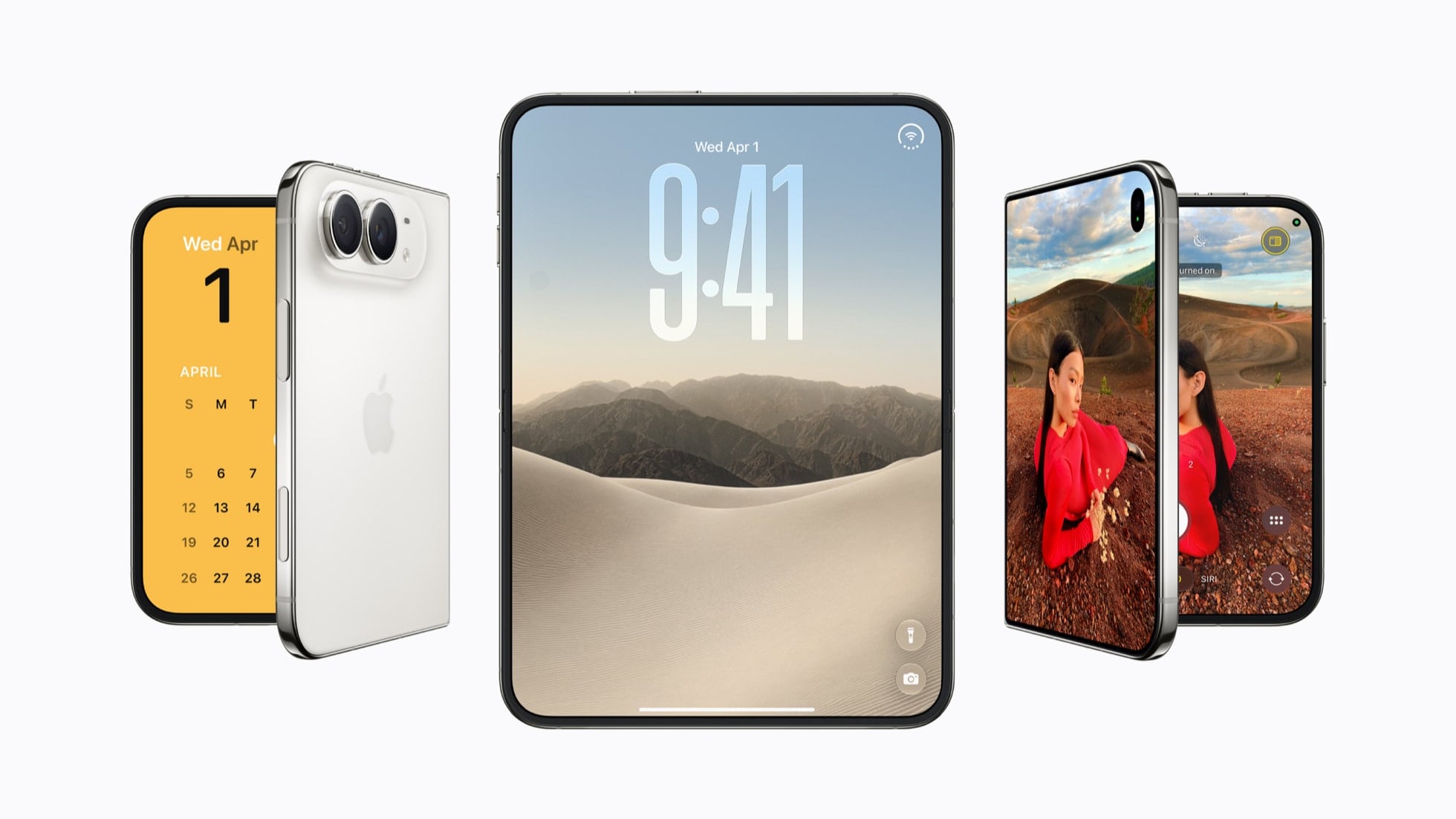
iPhone Duo reviews are out today, and while I was hoping that this year I’d get to review this hybrid device under embargo, it hasn’t happened (I hope it will, someday!). I’ve spent the past few hours reading, annotating, and watching as many Duo reviews as I could, and I’ve compiled the most interesting bits and common themes in the roundup below.

The broad strokes are consistent across all the reviews: the Duo’s hinge and the matte inner display are terrific; the lack of Face ID and a telephoto camera are serious trade-offs; and most third-party apps aren’t ready yet. But there’s plenty of nuance in the details, and even some disagreement (about the speakers, of all things).

Let’s dive in.

Design and the Hinge

There’s near-unanimous praise for the Duo’s hinge. As Jaron Schneider wrote at PetaPixel:

This is an intricate, complicated design and the result is an opening and closing experience that is remarkably satisfying. The resistance you feel changes with the angle, and the hinge features a custom alloy that is nitride-treated to preserve it over time. Basically, the Duo’s excellent opening and closing experience is meant to last.

Brian Tong called it “the best hinge on a foldable that I’ve experienced because it flows, it feels smooth.” Joanna Stern, meanwhile, had a machine fold her Duo over 32,000 times while she slept:

The result, the hinge was actually a little bit stiffer. But in everyday use, I really couldn’t feel a difference. So, after 32,000 folds, it felt pretty much the same as day one, which is pretty darn impressive.

As for durability, Raymond Wong at Gizmodo ran an unplanned test of his own:

I had an unfortunate mishap where the unfolded iPhone Duo slipped out of my hands and fell down a few steps that also happened to be wet from rain. While not an intentional test for durability or the device’s IP68 water and dust resistance rating, the fact that the iPhone Duo survived with no major damage (only a few minor scuffs to the metal frame) and both screens had no scratches or cracks really shows how tough it is.

Opinions on the weight are more mixed. Chance Miller at 9to5Mac found the Duo easier to hold than its weight would suggest, though not easier to open:

But one key difference is weight distribution. Despite being slightly heavier, I find the iPhone Duo significantly more comfortable to hold than the iPhone 18 Pro Max.

Unfolding the iPhone Duo is very much a two-handed operation. The hinge has enough resistance, and the two halves fit together securely enough that you really need both hands to open it comfortably.

Marques Brownlee was more direct: “after you use this thing for like a week or two, you would be happy if it was 20% lighter.”

The Nano-Texture Display and the Crease

For most reviewers, the matte inner display is the star of the show. Michael Fisher said that “the inner screen is a masterpiece” and that “this paper-like nano-texture is a revelation that also camouflages the crease beautifully.” Marques agreed:

Now, the inside screen is the part of the Duo that does not feel first generation at all. They did an incredible job with it. I love it.

Max Weinbach explained what’s going on under the hood:

On iPhone Duo, the nano-texture coating is etched into the polymer cover using maskless laser lithography that essentially writes a micro-lens over each pixel individually. Yes, each pixel.

As for the crease, I think Chance put it best:

Here’s the best way I can think of explaining it: anyone who says the iPhone Duo’s crease is invisible is misleading you. Even Apple doesn’t say that. It talks about the work it’s done to reduce the crease’s visibility, but nowhere does it claim the crease is invisible. At the same time, anyone who says the iPhone Duo’s crease is visible enough to be a problem is similarly misleading you.

Nilay Patel and Allison Johnson at The Verge pointed out that you can still feel it:

The matte display is indeed there to help hide the crease, which Apple keeps calling “perceptually flat” because it’s more fun to invent science-y marketing phrases than just saying “you mostly don’t see it.” But it’s true: You mostly can’t see the display crease, although you can definitely feel it.

Jaron, for one, is into it:

Another point that I’ve seen talked about is how it will feel to run your thumbs or fingers across that hinge as you’re using the Duo. “You’ll feel it,” I’ve seen said. Yeah, you do. And you know what? I like it.

When I’m scrolling Reddit, I kind of get excited for the moment that I’ll drag my thumb down across that hinge. The only way I can describe it is as a subtle, soothing bump. It feels nice!

Not everyone is sold on matte, though. Mark Spoonauer at Tom’s Guide missed the punchiness of a glossy OLED:

But while the iPhone Duo’s main display gets plenty bright, it doesn’t offer the perfect blacks or vibrant hues I normally associate with OLED.

And Joanna had a more practical complaint:

But what bothered me more were the fingerprints that seep into the screen and that were much harder to clean off than on a glossy screen. Apple, you could have included the $9 polishing cloth with the $2,000 phone.

The Small Outer Display

The 5.4-inch cover display is probably the most debated design choice. From The Verge:

Apple says you’re getting 90 percent of the screen area of an iPhone 18 Pro, but that’s pretty small for today’s apps. It’s like having an iPhone 5 in a world of iPhone Pro Maxes.

Brian compared it to his old iPhone mini, saying that “it feels really small on the cover screen. Too small.” Chance ran into the limits of the outer display in Safari:

But the awkwardness of the iPhone’s 5.4-inch outer display shows up in Safari. The web simply isn’t optimized for this form factor.

It’s easy to find yourself on a Safari webpage where you can’t see anything but a cookie popup or newsletter banner. Granted, you can’t really blame Apple for that. It’s clear the modern web isn’t optimized for such a small, squat form factor.

David Imel, on the other hand, sees the small screen as a feature:

The Duo feels like the most task-oriented iPhone ever. That’s because the outer display is small, so when I’m doing anything substantial, I need to commit to opening it and using the inner display.

Righties, Lefties, and Volume Buttons

With the dock and app controls on the right side of the screen, the Duo is, in Marques’ words, “a very right-handed phone.” Abrar Al-Heeti at CNET had a message for left-handed users:

But my condolences to all the lefties, as you can’t shift controls to the other side of the screen.

The volume buttons, which are now on the top edge, take some getting used to as well. Joanna:

And that means when you’re on a phone call, I almost never hit the right button because I have to tap up here and I can’t feel which is up or which is down.

Brian went as far as saying:

In some cases, in some ways, I actually found the Z Fold 8 more natural to use than the iPhone because they have the dock on the bottom.

The Verge summed it up nicely:

A lot of using the Duo is just figuring out how to use an iPhone again, which hasn’t happened in a long time.

Third-Party Apps Aren’t Ready (Yet)

The biggest problem at launch appears to be third-party apps for the Duo. The Verge explained the three levels of app support, including what they call the “messy middle”:

The second category is what you might call the messy middle: apps that have been updated for iOS 27. They get some automatic layout fixes so they’ll automatically expand to fill the inner screen in landscape orientation and don’t look quite as silly as standard iPhone apps. But you can tell they haven’t actually been designed for these displays, and those rough edges are super obvious.

Joanna was less diplomatic:

So, how do I say this nicely to some of the third party apps I’ve been testing. You’re drunk. They’re sloppy. They’re inconsistent. And they just sometimes refuse to behave.

(She also found a calendar app for ants.) Marques had a similar experience:

But the general experience has been flipping between a whole bunch of not optimized apps that look pretty terrible on the Duo right now.

Things are moving fast, though. According to Max:

The reason I want to bring this up is because over the ~6 days I’ve been using my iPhone Duo, apps went from not at all optimized (except for Perplexity and Claude), to nearly half of them being updated.

And Julian Chokkattu at Wired made a fair point:

But it is a little maddening that some app developers, who for years have never seemed to care about optimizing their app for Android folding phones, are so quick to embrace Apple’s fold.

The Fun Apps

When an app is properly optimized, Julian says, “the experience is chef’s kiss.” Several reviewers also fell for apps built specifically for the Duo’s form factor. Michael said that “Tiny Laptops is quite possibly my favorite iOS app of the past 5 years,” and Raymond is optimistic about what’s coming:

Every day I open X and see imaginative app designs for the iPhone Duo, like a Nintendo DS emulator for playing retro games, and it feels like we could be on the verge of app renaissance for the iPhone platform. That’s exciting in a way that it hasn’t been in more than a decade.

Multitasking and the iPad Question

The Duo is the first iPhone that can run two apps side by side, but the implementation is more limited than on iPad. Chance:

I wish there were more iPadOS elements sprinkled throughout the iPhone Duo’s software. It’s great having Split View, but I wish there was an iPadOS-like way to drag and drop apps into that Split View interface. Slide Over also seems like a piece of low-hanging fruit.

Julian:

If you have two apps split-screen on the Duo, Apple won’t let you resize one app to be slightly bigger than the other like you can on Android. Here, a 50-50 split is always enforced.

Portrait orientation is even more limited, according to The Verge:

If you want to have two apps open when you’re holding the Duo in portrait mode, you’re basically out of luck — unless what you want is to watch a video on the top while scrolling an app on the bottom.

Julian also tried working with a keyboard and trackpad, which only worked after enabling AssistiveTouch:

If the Duo is the iPhone that lets you do more, Apple should natively enable cursor support just like it does on iPads.

Max, interestingly, prefers the constraints:

Something I’ve also found myself enjoying a lot about the iPhone Duo is actually the fact that multi-tasking is a bit more limiting.

Max also confirmed on X that Apple Pencil support is coming with iOS 27.2

Poses, StandBy, and Watching Stuff

As Joanna put it, “Apple’s basically turned the iPhone into a yoga class.” Marques thinks the half-open poses are where the Duo stands out:

But the other thing it’s actually really good at better than a lot of other foldables is the halfway open state because this hinge is so sturdy in the middle that it’s probably the best foldable at just being partially open.

Raymond noted that “the iPhone Duo’s StandBy mode works even when it’s not plugged in,” and Mark found a good use for the laptop pose:

For example, when watching “Man of Steel” for the hundredth time on the Apple TV app, I could put the Duo in tabletop mode like a laptop, and it showed the video up top and the playback controls down below.

For watching and reading, iJustine said that “the Duo as a content viewing machine is just that. It is a machine,” and Tyler Stalman thinks that, for some people, “if you use an iPad a lot, this might be able to replace both.”

Touch ID

The lack of Face ID is the most common complaint across all reviews. Chance wrote:

I think switching from Face ID to Touch ID has been the hardest thing to get used to on iPhone Duo. I’ve become so accustomed to just looking at my iPhone to unlock it. Having to deliberately reach for the side button feels like a step backward, even though Touch ID works quickly and reliably.

Marques:

I really think Face ID is going to be the number one thing people miss coming from other iPhones. Not the zoom cameras, not the thinner and lighter form factors. I think it’s Face ID.

Jaron’s advice:

You’re going to want to register all 10 of your fingers, too, because you never hold this thing the same way twice.

I have found that Touch ID is slower than Face ID for unlocking the phone. It got to the point where I was so grateful that I have an Apple Watch because I could set it to automatically unlock it when it sensed I was wearing the watch. Unlock with Watch is also, somehow, faster than using Touch ID.

Brian came to the same conclusion: “you will want to wear an Apple Watch.” Joanna was more emotional about it: “Face ID. I cannot tell you how deeply I miss you. Please come back.” The Verge, however, got over it quickly:

But a week is long enough to get used to Touch ID life again, and it’s mostly painless once you remember you’re supposed to be using it.

Cameras

The Duo’s dual cameras are a step down from the iPhone 18 Pro, and reviewers are split on how much that matters. Jaron:

The Duo cameras are all middling in quality. That doesn’t mean you can’t get great photos with the iPhone Duo; it just means that there are way better cameras available even in Apple’s own product line.

The Verge:

The Duo relies on heavier sharpening to make up for its weaker hardware, so fine details look a little crunchier than they do on the 18 Pro.

Tyler, who shoots professionally with his iPhone, was more forgiving:

Looking at the image quality of the Pro, it does use a bigger, better sensor. There’s no getting around that. It’s a bit nicer than the Duo, but most people are not going to spot the difference.

Michael put the Duo up against the Galaxy Z Fold 8 and said, “I don’t think it’s a stretch to call this the best camera on a foldable in the US.” Marques described the Duo as “the productivity entertainment iPhone that happens to have good enough cameras,” but he also called the under-display camera on the inner screen “trash” for photos. And David is disappointed by the missing pro features:

There’s also no ProRAW or ProRes, which is disappointing for a $2,000 device.

The good news, as The Verge noted, is that “every camera on this thing is a selfie camera.”

Battery Life

Most reviewers came away impressed with battery life. Michael:

Battery life in particular is just outstanding. I’m talking 10 to 20% left at bedtime after a 17-hour day with hours of gaming or camera sessions, sometimes both.

Julian said, “With average use, I’ve ended most days with around 40 percent left by bedtime,” and David wrote:

I’m always shocked when I still have 90% battery remaining after a few hours off the charger.

Not everyone agrees, though. Jaron called it “just barely good enough,” and The Verge concluded that the Duo “doesn’t seem ready to last a full day of heavy use.”

Heat

Several reviewers noticed the Duo getting warm under load. Jaron:

The Duo can also get warm if you work it. Playing games, editing photos, or doing anything that stressed the processor resulted in pretty noticeable warmth on the right side of the phone when unfolded. It will then gradually spread that heat out across the spine and over to the other side of the phone if you keep using it.

The iPhone 18 Pro is really, really good at heat dissipation to the point that it never really feels hot in a single spot. Rather, the whole phone feels warmer — I intentionally am not using the word hot here. The iPhone Duo still feels hot at a single point when the processor is really chugging.

Joanna:

Apple says the warmth is actually a sign of the new thermal design doing its job, moving heat away from the chip to keep performance up. But to me, it just feels like the phone is really warm.

The Verge saw it affect performance with camera features:

Add in processor-intensive camera features like Smart Take, which automatically hits the shutter button, and the phone gets hot enough to start noticeably lagging after a while.

Chance, on the other hand, said, “I do think the iPhone Duo runs a bit hotter than the iPhone 18 Pro, but not in a way that impacts performance.”

Speakers

And now for the most surprising disagreement of the bunch. Chance wasn’t impressed:

I do think the iPhone Duo’s speakers leave a little bit to be desired. I wasn’t overly impressed with the speaker quality, and I think there’s a notable disparity compared with the iPhone 18 Pro. The iPhone Duo’s speakers sound thinner and quieter to my ears.

Jaron, however, loved them:

Luckily, Apple knocked this one out of the park: they are loud, have surprisingly good low-end rendition, and excellent clarity. Big thumbs up.

Brian called the Duo “the best sounding foldable that I’ve experienced to date,” and Mark’s take was simple: “Surprisingly good!”

Wrapping Up

The Verge’s conclusion captures the general mood well:

It’s incomplete as a product, but complete enough as an idea that you can see where things are going.

Marques thinks some trade-offs are here to stay:

Apple can’t completely engineer their way around the compromises of this form factor, like the slightly worse battery and the slightly worse speakers and the slightly worse cameras. Like, that’s just physics.

Joanna is more hopeful:

The good news is most of my other frustrations can be fixed with software updates and developers figuring out how to make great apps for two very different screen sizes.

I hope to be able to get my hands on an iPhone Duo soon. Once that happens, expect a lot of coverage on MacStories for the next few weeks. Stay tuned.
  •  

Perplexity Computer’s Local-First Approach to Agents

Source: Perplexity.

Source: Perplexity.

Today, Perplexity announced a local-first mode for Computer where the model and agent work entirely on your Mac whether you’re online or not, sending data to the cloud only with the user’s approval. The new local mode complements Hybrid Compute, which was introduced last month and uses a combination of local models and cloud-based frontier models.

The result is that Perplexity customers now have a choice when they start up the company’s Mac app. They can choose to start agentic workflows in the cloud with frontier models, or they can flip things around and start locally, turning to cloud-based models as needed. The local model uses Qwen 3.6 or PPLX Pro, a post-trained version of Qwen.
The benefit of starting locally in a securely sandboxed code- and tool-use environment is twofold. First, data stays on your Mac, ensuring privacy. Second, Perplexity subscribers are able to conserve credits, making their subscriptions go further. At the same time, cloud-based models remain available with the user’s permission as needed and to perform tasks like browsing the web and accessing online apps.
Local Computer is available to Perplexity Pro, Max, and Enterprise subscribers now, and Perplexity recommends using Apple silicon Macs with at least 36GB of memory.

  •  

Apple Announces October 28 “Pro and Tell” Event

In a post by Greg Joswiak on X, Apple has said it will hold an ‘Pro and Tell’ in Los Angeles, California on Wednesday, October 28 at 10:00 am Pacific.

Judging from the ‘Pro’ in the tagline, I wouldn’t be surprised if we see the much rumored touch-screen MacBook Pro at the event. Other rumors point to a possible refresh of the iMac and the iPad mini.

Our very own Federico will be there in person to cover the event, and of course we’ll have written coverage here on MacStories and later on AppStories.

  •  

ChatGPT Dots Gain Widget and New Shortcuts Actions

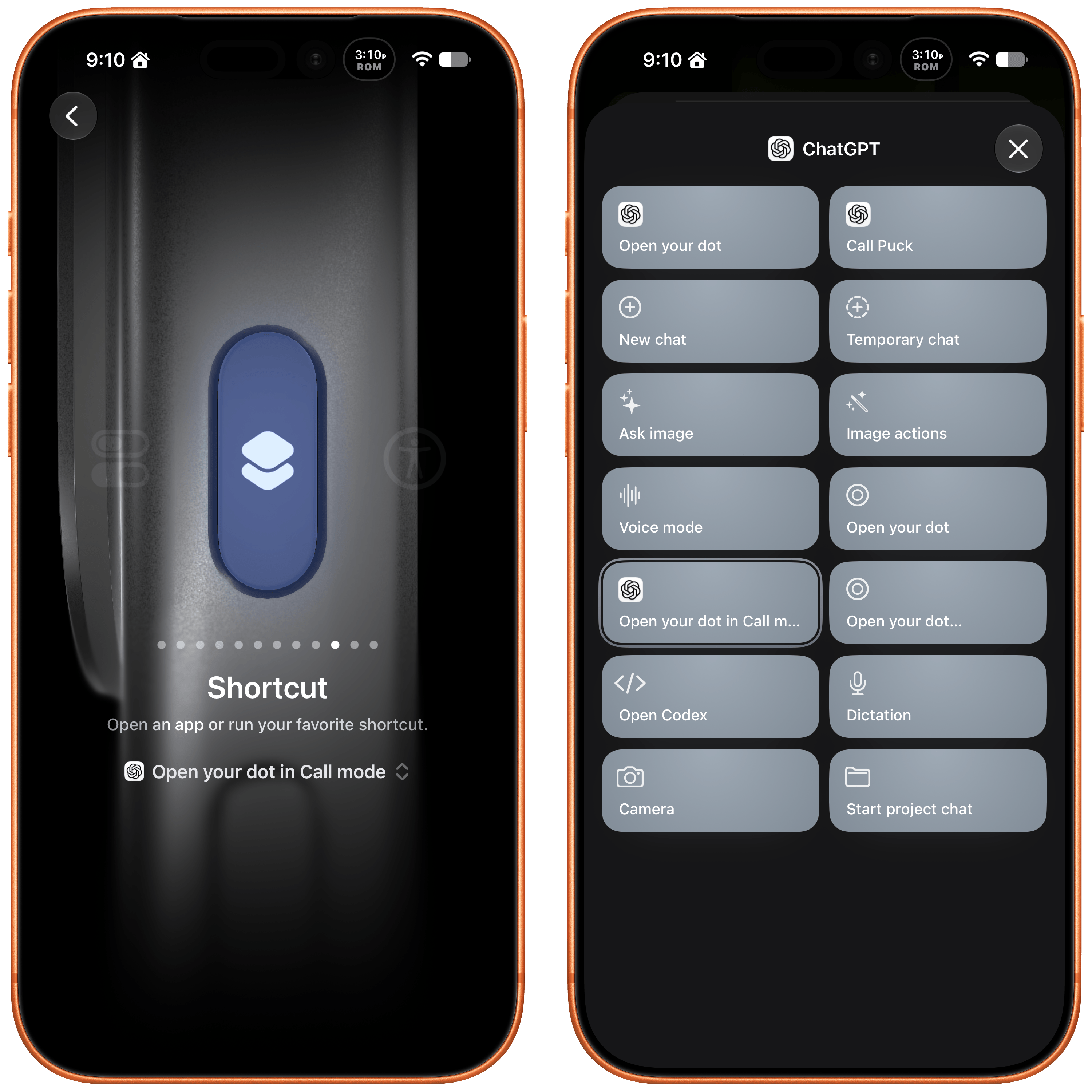
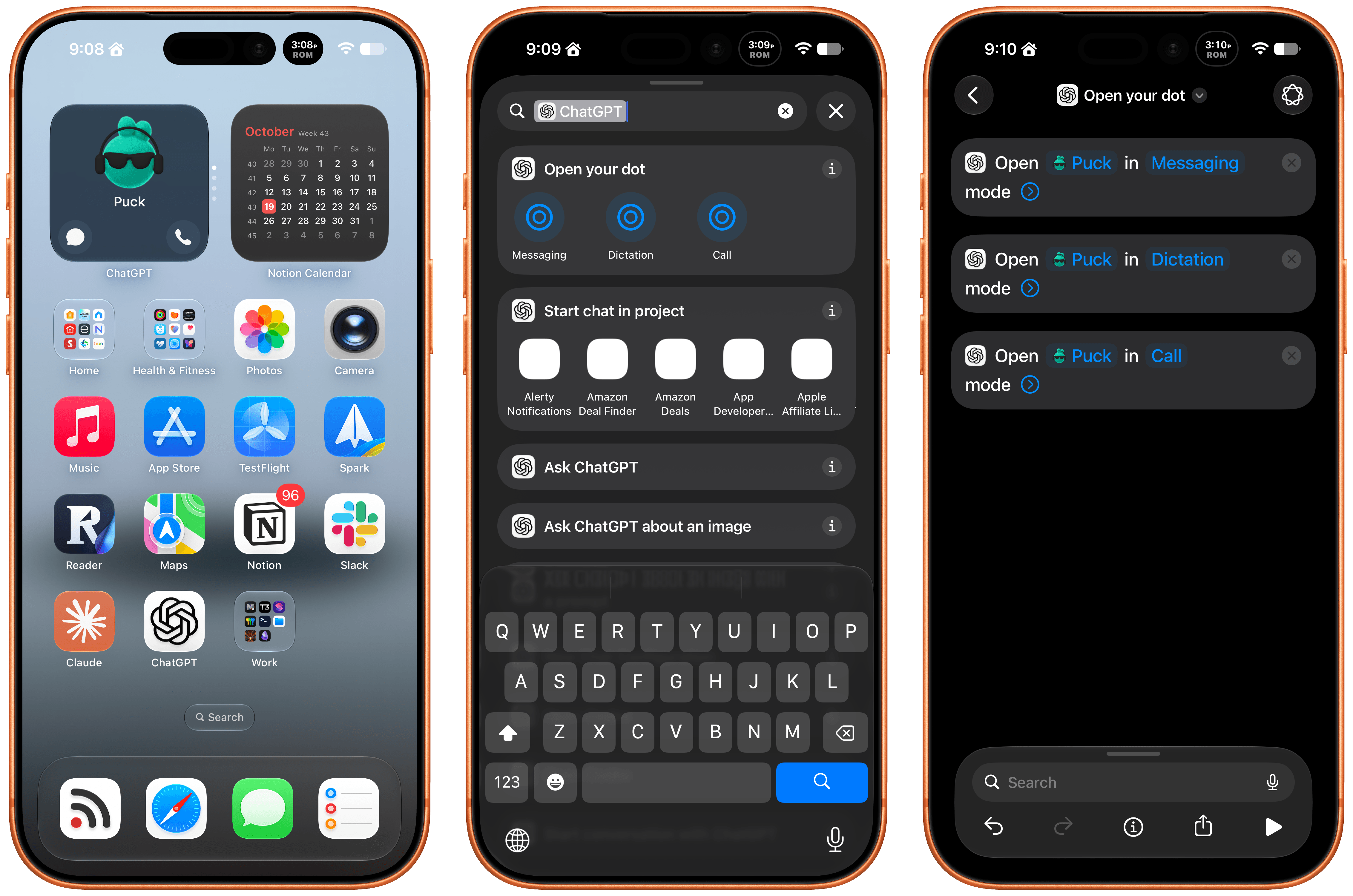
Late Friday, OpenAI updated the ChatGPT app on iOS and iPadOS with a new widget for your Dot and Shortcuts actions that let you control it three ways. The implementation is really well done and adds automation options worth considering.

First of all, the Dot widget is about as simple as it gets, but also very useful. I have the ChatGPT app set up to drop me into its Codex view because that’s typically how I use the app. I open Codex, check on a long-running project, and provide whatever input is necessary to keep things moving.

The problem I’ve run into is that I’ve been using my Dot, Puck, more and more to kick off research, ask one-off questions and check in on things like my email. Landing in Codex means tapping around more, which I can avoid now with ChatGPT’s new small-sized widget. The widget has two modes. The first simply shows your Dot’s avatar, and tapping on it opens your Dot’s message thread. However, if you edit the Dot, you can toggle on the “Show shortcut button” to display messaging and voice buttons beneath your Dot, adding the option to start a voice call with your Dot. As simple as this is, it’s been great to have the option to start in Codex via the ChatGPT app or check in with my Dot thread using the widget.

The other interesting feature is a trio of Shortcuts actions to message, dictate, or call your Dot. Each action has two parameters: the name of your Dot and how you want to communicate with it. That first parameter is an interesting one because tapping on it opens a list with your sole Dot in it because currently, you can only have one Dot. However, it also strongly suggests that the ability to set up multiple Dots is on the horizon, which OpenAI clearly telegraphed during its DevDay. After all, why have a parameter that opens a list unless there’s more than one choice?

I've set my Action button up to call my Dot.

I’ve set my Action button up to call my Dot.

The actions can be used in your shortcuts, are accessible from Spotlight Search, and most interestingly can be tied to an iPhone’s Action button, allowing you to visit your Dot’s thread in any of three ways. I’ve set my Action button up to start a Dot call. I often think of tasks and have ideas for research topics when I’m out for a walk, and I want to see if having brief calls with my Dot is an effective way to get a jump on those ideas, so they’re waiting for me in ChatGPT when I get home.

These actions and widgets are an excellent addition to OpenAI’s app and a cut above Anthropic’s more barebones approach to widgets and Shortcuts. I would, however, like to see Dots integrated even deeper into Shortcuts. The Shortcuts actions only open your Dot thread in one of the three modes. I’d love to be able to connect Dots to other apps with actions that accept input from other sources and produce outputs that can be used in other actions.

While I’m making requests, I still think multiple Dots need to be supported sooner rather than later, and OpenAI needs to provide a better mechanism for switching between Macs if you use a Dot with multiple computers. Plus, Dots are still a little buggy, with scheduled tasks failing too often and for reasons that aren’t always clear.

That said, the latest update is worth checking out if you’ve found Dots helpful. The strength of Dots is that they’re everywhere you can access ChatGPT, and now with widgets and Shortcuts actions, getting to your Dot in each of those places is easier than ever.

  •  

SaneBox: Clear the Clutter, Keep What Matters [Sponsor]

You’ve set up Focus modes for work and weekends, built Shortcuts for repetitive tasks, and rearranged your Home Screen until everything is perfect. But then your phone buzzes with another notification for a newsletter, shipping update, or sale. Meanwhile, the important email you need to follow up on is buried under everything else. You’ve put thought into how your devices work for you, but are you in charge of your email or is it in charge of you?

SaneBox brings that same attention to detail to your email. Its AI filtering sorts your messages with nothing to install, and since 2010, it has helped people separate the messages that need attention from the ones that can wait.

SaneBox’s SaneLater folder keeps messages that can wait in a dedicated folder, so you can focus on more important things. SaneNews collects newsletters in one place, ready for when you can take a break. And if the same unwanted sender keeps interrupting your day, move one of their messages to SaneBlackHole to keep their future messages out of your inbox.

There are tools for staying on top of ongoing conversations, too. SaneNoReplies collects conversations where you haven’t received a response, so you can follow up. When you need an answer before a deadline, SaneReminders can remind you to check back. You can snooze messages, too, putting something aside until you have time.

SaneBox works with the account and apps you already use. It sorts messages on your mail server, so its folders are available in Apple Mail, Outlook, or whatever other email app you use on your Mac, iPhone, and iPad.

SaneBox also learns from your email habits, and you can teach it your preferences. If a message belongs somewhere else, move it and SaneBox will use that folder going forward. Plus, the Daily Digest brings together unread messages in your SaneBox folders, so you can review everything when you’re ready to wrap up your day.

Privacy matters, too. SaneBox sorts using message headers, not the contents of your emails, and it doesn’t store full messages or attachments. Its security is reviewed every year as part of Google’s verification process, audited independently by Leviathan Security Group, and tested through HackerOne.

All of that adds up to less time managing email and more time for everything else, which is why more than 100,000 people rely on SaneBox and have given it a 4.9 rating across more than 1,000 reviews.

Best of all, SaneBox fits elegantly into the email system you already know and use. Start a seven-day free trial with no credit card required, and get a $25 credit toward a SaneBox subscription, the equivalent of three months of use.

Our thanks to SaneBox for sponsoring MacStories this week.

  •  

MacStories Weekly: Issue 533

This Story is for Club Members

Get weekly newsletters, exclusive stories, member downloads, and ad-free version of MacStories Unwind.


See Plans


Already a member? Sign in

  •  

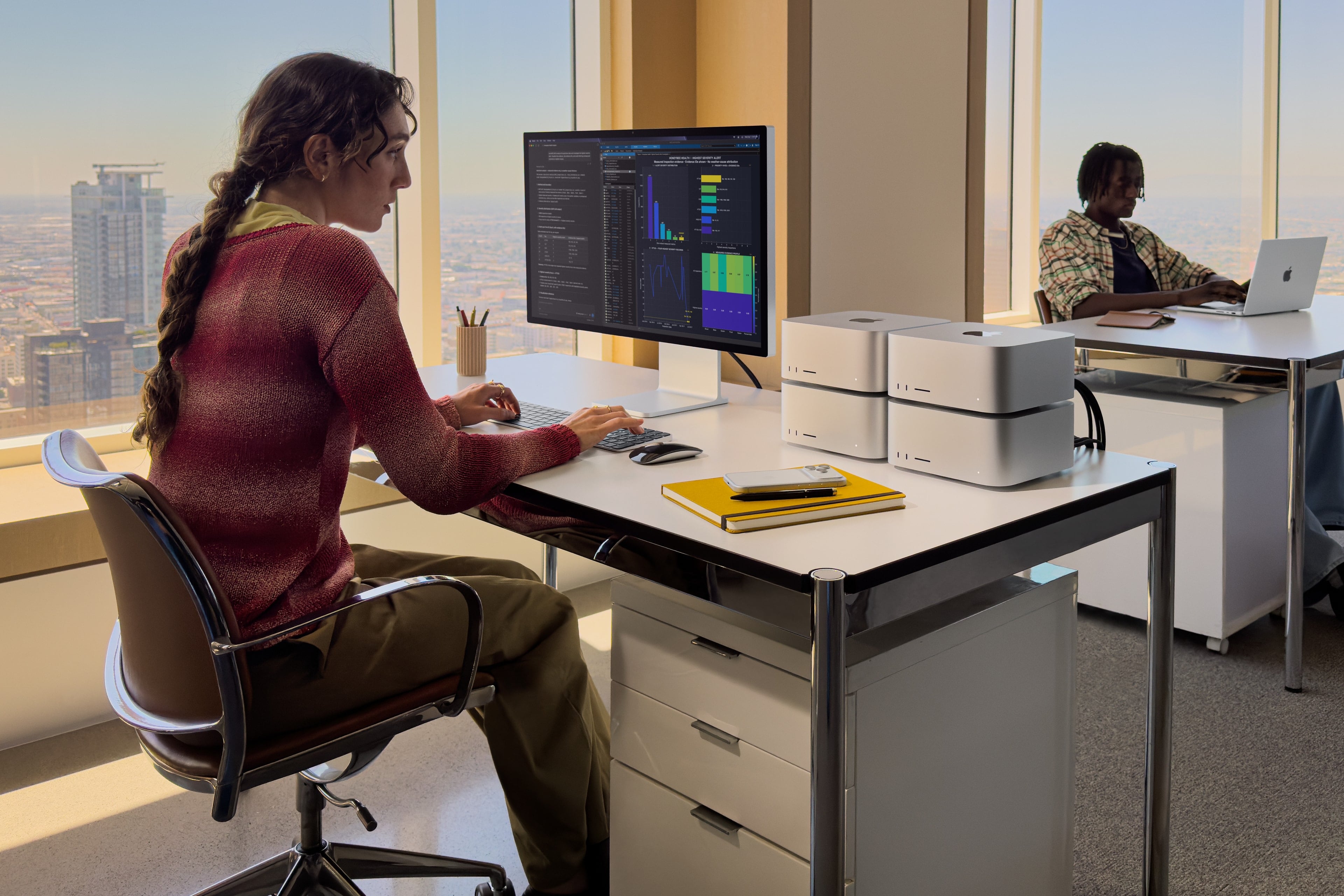
Meta Releases Muse Spark Open, an Over 800 Billion Parameter Model That Can Run Locally on Multiple M5 Ultra Mac Studios

Meta just released the weights for Muse Spark Open, a multimodal large language model with a mixture-of-experts architecture. It has over 800 billion parameters in total, with 40 billion active per token, and it can run on the latest Mac Studios.

Meta worked closely with Apple to make that happen specifically on the M5 Ultra Mac Studio with the support of MLX, the Apple-led, open-source machine-learning framework. The result is a frontier-class model that can be run locally on desktop hardware.

Apple’s Machine Learning Research blog put the M5 Ultra through its paces standalone and connected with other M5 Ultra Studios, and the results are impressive. If you’re at all interested in running LLMs locally, it’s worth checking out all the details, but a few things jumped out at me:

  • The M5 Ultra’s time to first token exceeds the M3 Ultra by 4.6x thanks to the M5 Ultra’s Neural Accelerators.
  • Tokens generated by the M5 Ultra beat the M3 Ultra by 1.6x.

However, thanks to MLX’s support of RDMA over Thunderbolt 5, big models like Muse Spark Open can be split across multiple M5 Ultra Mac Studios accelerating tasks further. For very large contexts that means a time to first token that’s up to 1.8x faster, but it’s also what lets the model fit onto desktop hardware because even the 4-bit version of Muse Spark Open requires 493GB of memory.

Some of Apple’s testing was done with the 512GB model of the M5 Ultra Mac Studio, which is slated for release at the end of the year. Apple hasn’t said how much the new model will cost, but for context, the 256GB model with 2TB of storage will set you back over $11,000. So the 512GB model isn’t your typical consumer purchase, even more so since running Muse Spark Open requires at least two of them.

However, that doesn’t make this any less of an accomplishment. Muse Spark Open is at the bleeding edge of models that can be run locally on computers that can sit on your desk and don’t need more power than can be delivered from a wall outlet. That’s made possible by the unique combination of Apple silicon and updates to MLX. Plus, with the pace of advancements in AI and Apple silicon hardware, what may only meet enterprise budgets today could become accessible to more consumers faster than most of us might expect.

  •  

Why Aren’t AI Labs’ Apps Better?

Ben Davis (co-host of one of my favorite new podcasts this year, Nerd Snipe) has a fascinating take on a question I’ve seen many in the Apple community ponder as well: if these frontier models are so good, why do most AI apps from the big labs still kind of suck?

Davis wrote about this in relation to the ChatGPT/Codex desktop app, which has turned into a bit of a kitchen-sink design phenomenon with all kinds of features crammed into a UI that has two left sidebars, multiple modalities, and all sorts of disjointed menus.

To me the most interesting thing here is the implied question of “if the Codex team has unlimited tokens on really powerful unreleased models, why is the product getting worse?”

The lazy answer is “it’s just vibe coded slop, real artisanal code wouldn’t be like this”. Anyone who still says this is a moron and you can ignore them.

“Vibe coding” is not the problem. Frankly, these models are better at writing code than pretty much anyone at this point. You tell the model to make something and it’ll make that thing quite well. And also to be clear, Jira was horrid before LLMs existed. Good and bad products have always existed, and I actually think you can make infinitely better products now when using the agents properly (see T3 Code and Grok Bot).

I’ve been reviewing apps for over 17 years. Without a doubt, the most basic “vibe-coded” app created with Opus 5.5 today is infinitely more stable and nicer than any first app from an amateur developer in 2009. So if we agree that these models can write good code now, why is it that so many apps are still bad?

As we argued in our interview with OpenAI’s own Andrew Ambrosino (the irony is not lost on me), it comes down to human discernment, taste, and other qualities that can’t be turned into “metrics” for a model…at least not yet.

Davis continues:

To put a more precise definition on it, I think this “taste” is the ability to make good decisions in places where there isn’t a programmatic verification function.

For example: “make this function really fast” isn’t a “taste” task it’s a hill climbing task (make changes => test changes => repeat until goal met) which the models excel at right now (I think that any problem which can be expressed in this shape can be solved now by Opus 5.5)

“Which of these color palettes do you prefer?” is a “taste” question. You can’t really put a verifier on it other than your own opinion AKA your own taste. It’s a simple little example, but everything from codebase structure to dashboard layout to how features in chatgpt fit together all fit under here. Their implementations are “correct”, the tests pass, I just hate the choices they made.

“The tests pass, I just hate the choices” sums up my experience with coding agents perfectly. We’re working on our first two apps for MacStories (more in the near future), and while I’m not writing the code, I have to spend so much time thinking about usability decisions, onboarding flows, iOS best practices, and “it just doesn’t feel right” issues that models haven’t been able to abstract yet. I have to wonder if, in a rush to maximize infinite token usage and build everything “because why not?”, perhaps the big labs may have ignored these other aspects of good software design. I strongly believe that there’s more to a great app experience than elegant code that passes tests.

Knowing how these things can change so quickly in this scene, I’m sure this post will be obsolete in a few months. Maybe even weeks. But at this moment in time, Davis’ article is spot-on and human decisions still make a dent in software coded by agents.

  •  

HomeView Points to Siri AI as the Next Developer Platform

Source: Apple.

Source: Apple.

Yesterday, Wired reported that third-party apps with CarPlay functionality would be available on Apple’s new HomeView device. That struck me as odd. I was expecting, and I think many others were at least hoping, that the HomeView would be a new platform for building apps. And while strictly speaking that doesn’t seem to be the case, in an entirely different way it is. Here’s what’s going on.

Apple’s original press release caused some confusion because it doesn’t spell out the CarPlay angle. Instead, it simply says that the HomeView supports “compatible third-party audio and video apps,” and “[s]elect apps require a paired and compatible iPhone nearby,” which is also a CarPlay requirement. That press release also mentioned the HomeView’s ability to use widgets and access personal context without ever mentioning whether that applies to third-party apps.

Well, now we have some answers to most of these questions. First of all, Apple documents out-of-the-box support for audio and video apps, rather than the full range of CarPlay categories. That’s further supported by Katarina Mogus’ interview with Apple’s Cecilia Dantas, which draws a straight line between third-party video apps and CarPlay support.

Second, the Human Interface Guidelines have been updated to address which widgets can be used with the HomeView:

On Apple HomeView, people can place widgets on the Modular face and the Home Screen. Widgets on HomeView are from the small system family, and share the appearance of iPhone widgets. A person chooses widgets from among those already installed on HomeView, like Weather or World Clock, or from their individually connected iPad or iPhone.

As for whether Siri can access third-party data and actions, I suspect the answer is yes. Apple’s press release called out personal context specifically, which was confirmed by Apple’s Kaiann Drance and Lilian Rincon in an interview with Reuters. So, for example, you can presumably use the HomeView to retrieve an old message from the Messages app on your iPhone. The Q&A section on the HomeView product page also mentions taking action across apps with Siri. That strongly suggests that the HomeView’s functionality will be the same as the new HomePod mini 2’s when it gains Siri AI capabilities, even though I haven’t seen anything from Apple that addresses whether that sort of Siri integration extends to third-party apps directly.

So, as of today, Apple has documented support for CarPlay audio and video apps and small widgets. I suspect Siri AI will provide another route, too. That limited app model may disappoint some, but I think it points to where personal assistants are heading. Apps aren’t going away, but the need for a separate app on every device is.

Siri, with apps integrated through App Intents, is emerging as a new UI. Developers who have adopted that technology already give users ways to interact with their apps beyond the apps themselves. I expect HomeView will extend that opportunity even further without requiring developers to build for an entirely new device. If it does, that’s a win for developers and users alike, and perhaps just the tip of the iceberg in a world where computing extends beyond apps.

  •  

Apple Teams Up with LG Electronics and Schneider Electric to Offer the Apple Home Collection

Source: Apple.

Source: Apple.

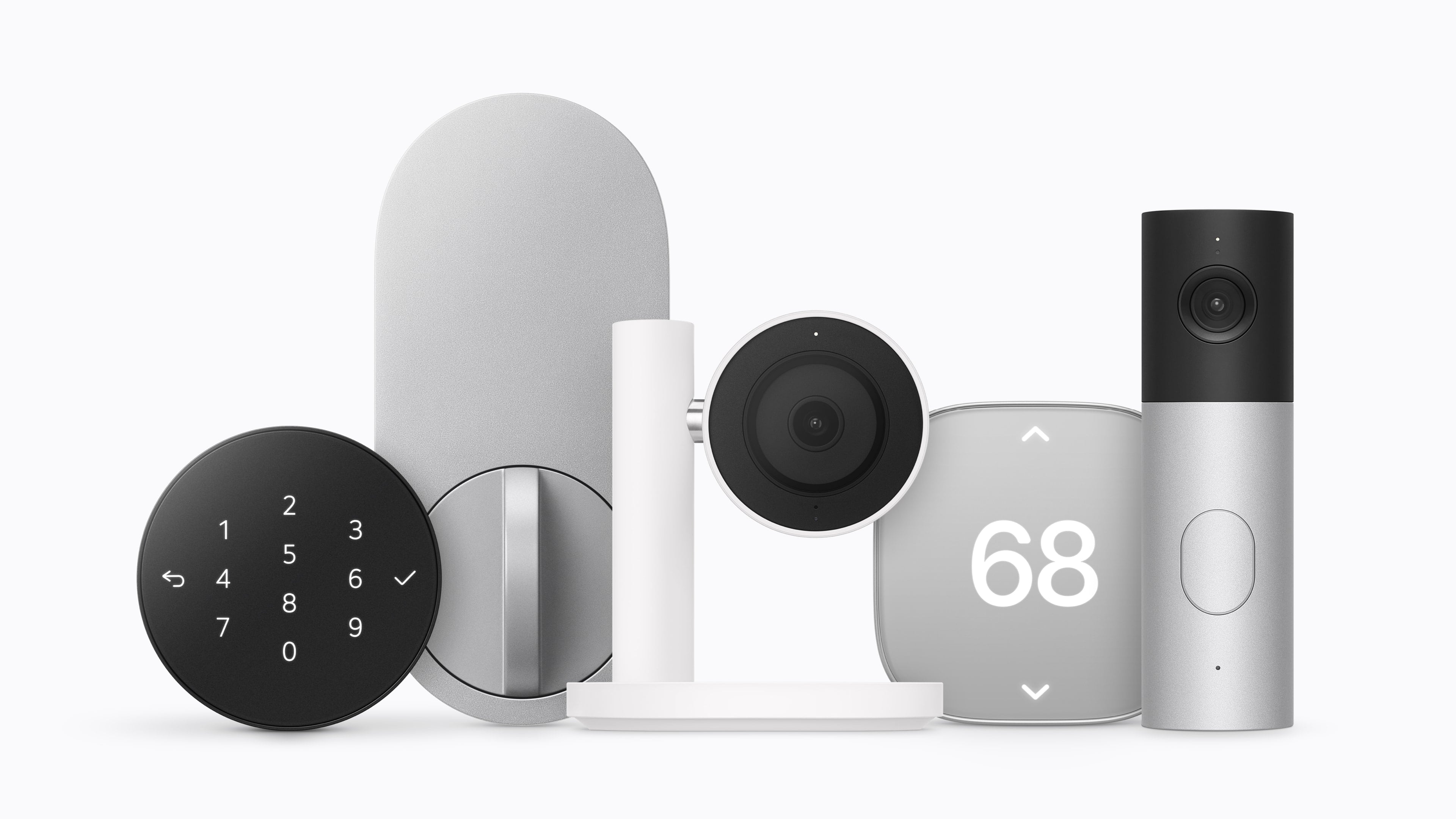
Apple revealed today that it has partnered with LG Electronics and Schneider Electric on the Apple Home Collection, a range of smart home products including sensors, thermostats, cameras, and a smart lock that will be available beginning in December and into 2027.

Source: Apple.

Source: Apple.

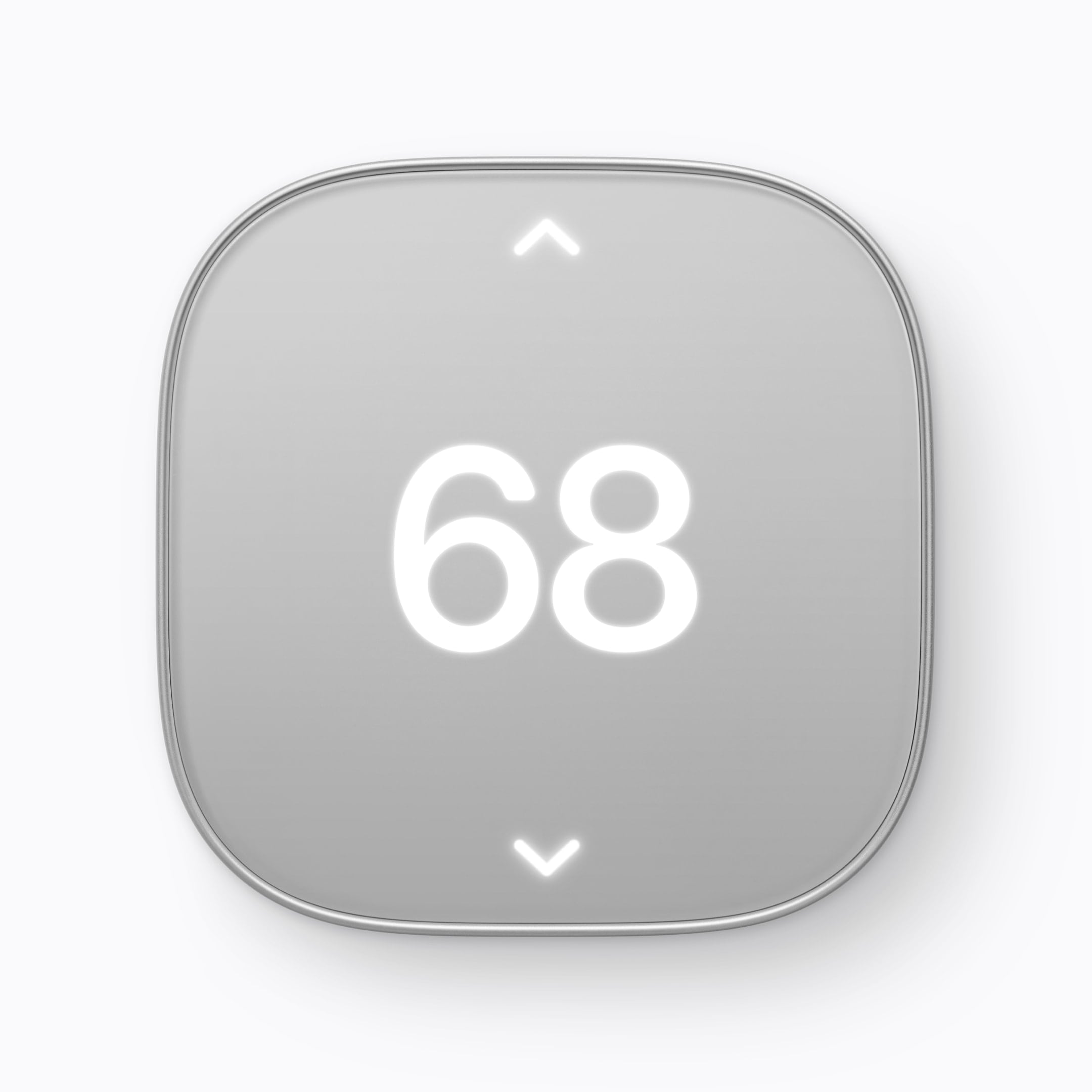
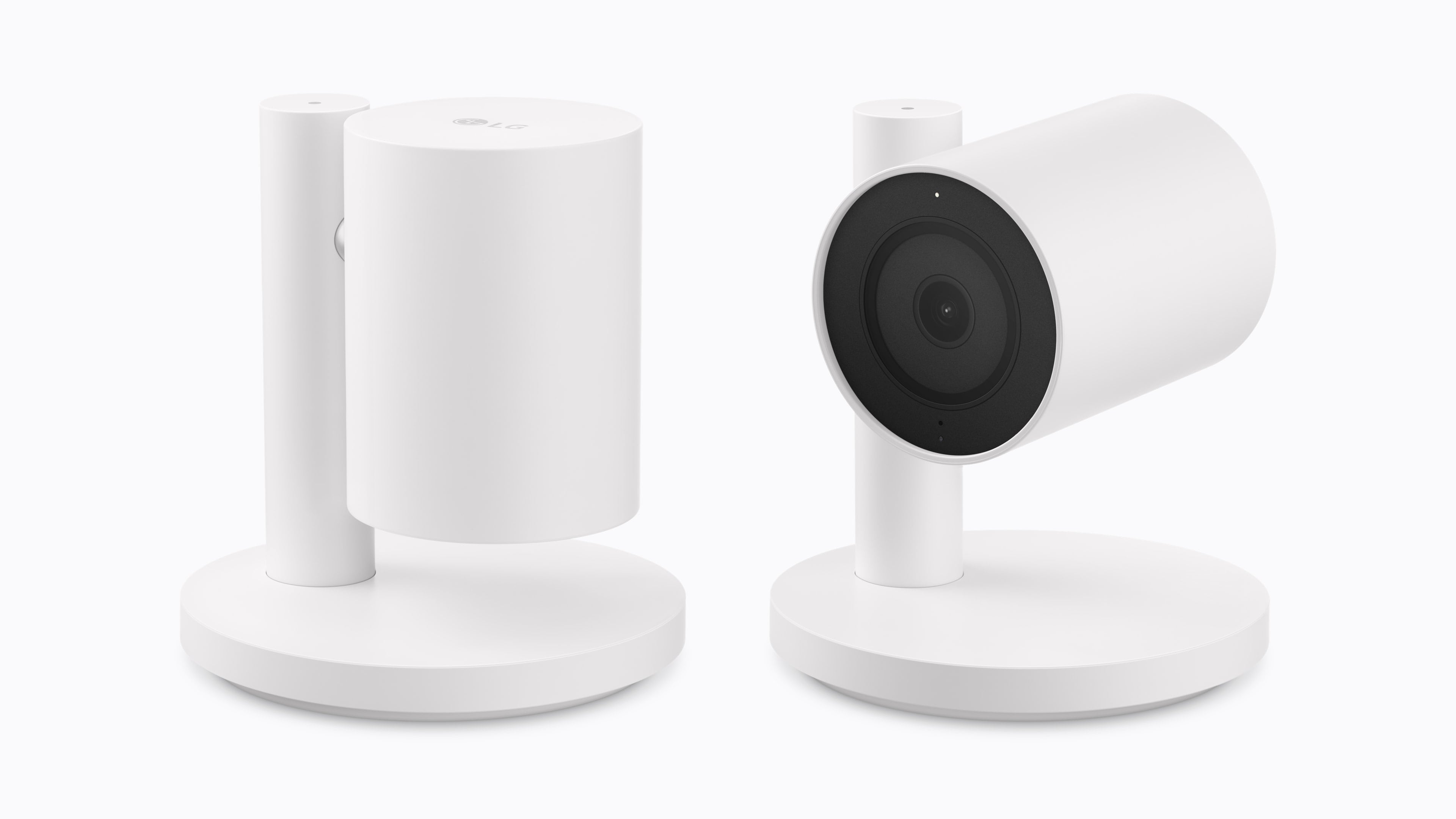
LG has developed a video doorbell, a floodlight camera, outdoor and indoor cameras, a thermostat, and a temperature sensor, along with a smart lock that supports Ultra Wideband for hands-free door unlocking. Schneider Electric will offer a smart thermostat and temperature and humidity sensors. Device installation will also be available through a partnership between ADT and Apple Retail in the U.S. for an additional fee.

Source: Apple.

Source: Apple.

Standout features include:

  • the ability of the cameras to pick out faces, animals, vehicles, and packages,
  • iCloud+ support for HomeKit Secure Video,
  • the ability for the indoor cameras to tilt down when a household member returns home,
  • adaptive temperature on the thermostat that adjusts heating and cooling according to whether someone is home, and
  • the ability to shift heating and cooling use (U.S. only) to when available energy sources are cleaner.
Source: Apple.

Source: Apple.

Pricing for the devices is as follows:

  • LG Video Doorbell Wired: $249.95
  • LG Floodlight Cam: $399.95
  • LG Outdoor Cam Plug-In: $299.95
  • LG Indoor Cam Plug-In: $199.95
  • LG Smart Deadbolt Lock: $349.95
  • LG Smart Thermostat: $199.95
  • LG Temperature Sensor: $39.95
  • Schneider Home Smart Thermostat: $199.95
  • Schneider Home Room Sensor: $39.95

The cameras will be available in the U.S., Canada, and the UK, with other devices limited to the U.S. and Canada.

  •  

The Apple TV 4K Gets Siri AI, an A19 Chip, and a $299 Price Tag

Source: Apple.

Source: Apple.

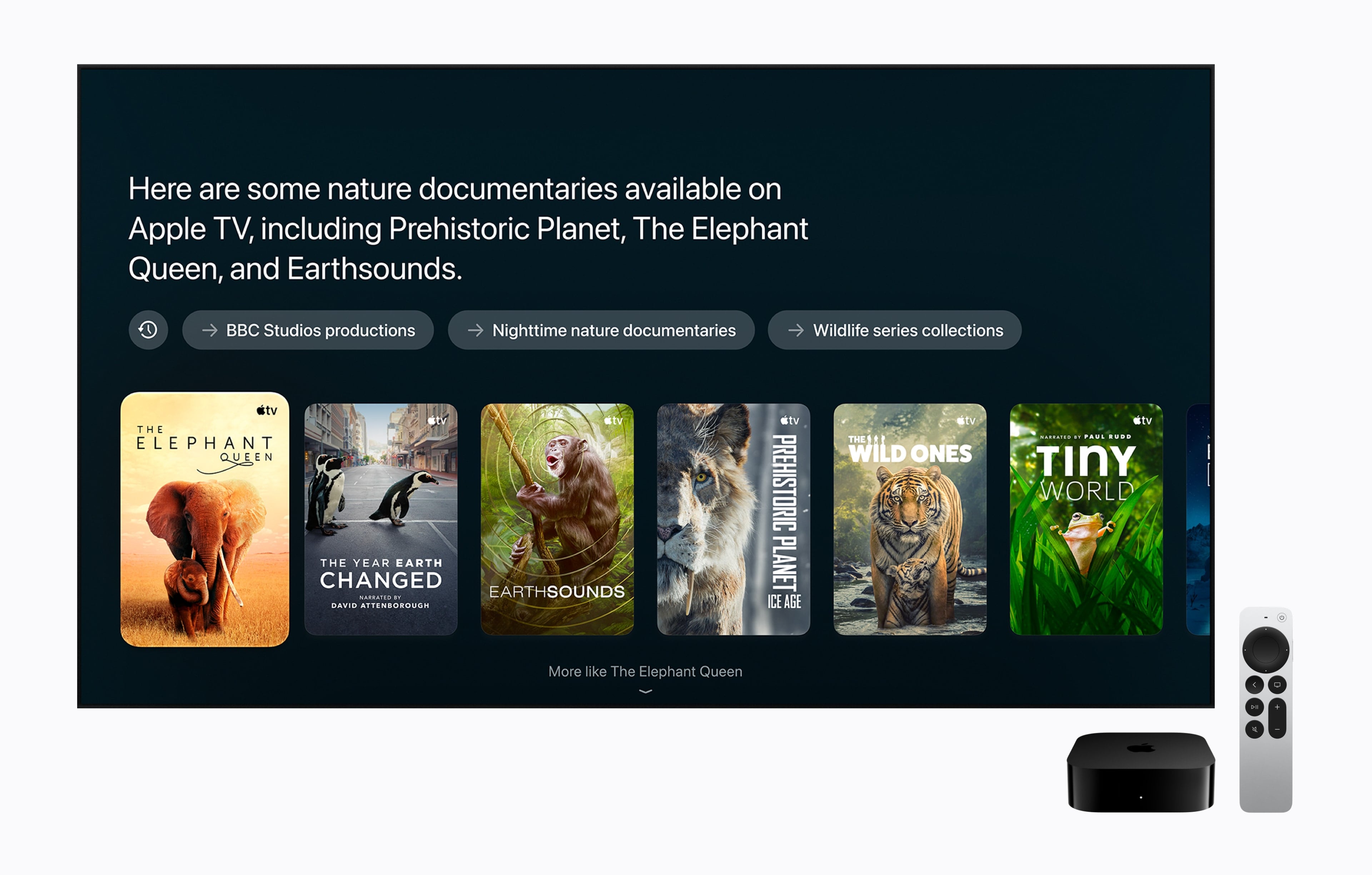
Apple also updated the Apple TV 4K today. Last updated in 2022, the Apple TV 4K’s fourth-generation update is focused on bringing an improved surround sound experience to the Apple TV, along with Siri AI. From the outside, the new Apple TV 4K looks like the old one: a nondescript black box that sits under your TV, but on the inside, the components have been upgraded. The Siri Remote has been updated too.

Source: Apple.

Source: Apple.

The updated Apple TV features Apple’s A19 chip with an AV1 decoder and three far-field microphones. The A19 chip has a faster CPU (a claimed 50% boost) and GPU (a claimed 2x improvement), which may come in handy when playing games. The microphones allow a user’s voice to be picked up by the Apple TV despite background noise, and Apple says Siri AI will enable new ways to discover what to watch on the device. It’s worth noting that Siri AI is available on the second- and third-generation Apple TV 4K, too. Other upgraded specs that are notable include Wi-Fi 7 and Bluetooth 6.

Source: Apple.

Source: Apple.

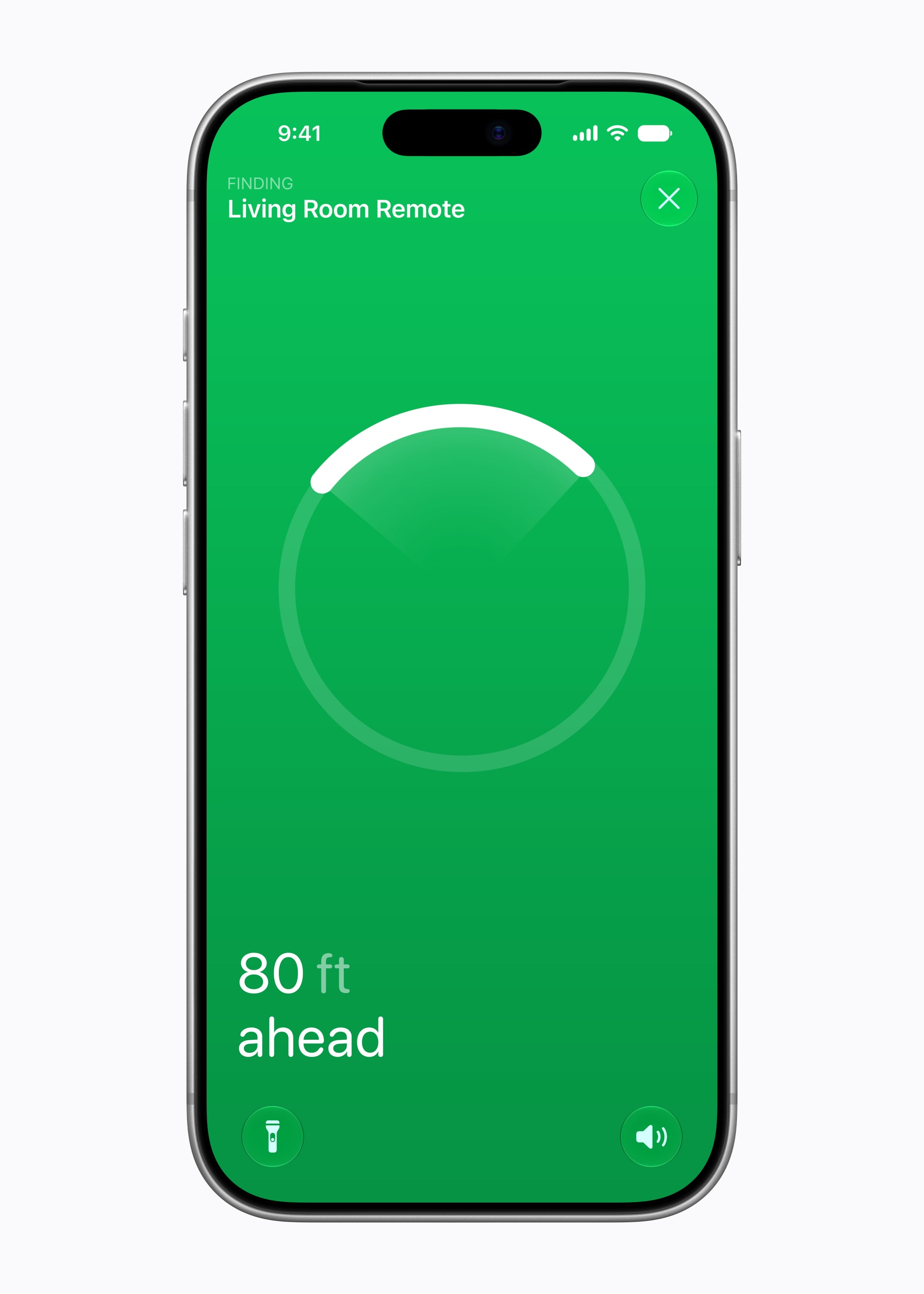
Apple has also expanded the surround sound capabilities of the Apple TV. It can now be paired with four Apple HomePod mini 2s or second-generation HomePods or two pairs of each HomePod type. As for the Siri Remote, it now supports Precision Finding and can play a sound when used with the Find My app.

The new Apple TV 4K is a steep $299, which is disappointing but understandable given the update and 128GB of storage and can be preordered now in the U.S. and 29 other countries, with delivery and in-store availability on November 13.

  •  

Apple Reveals HomePod mini 2 with New Colors, Richer Sound, and Siri AI

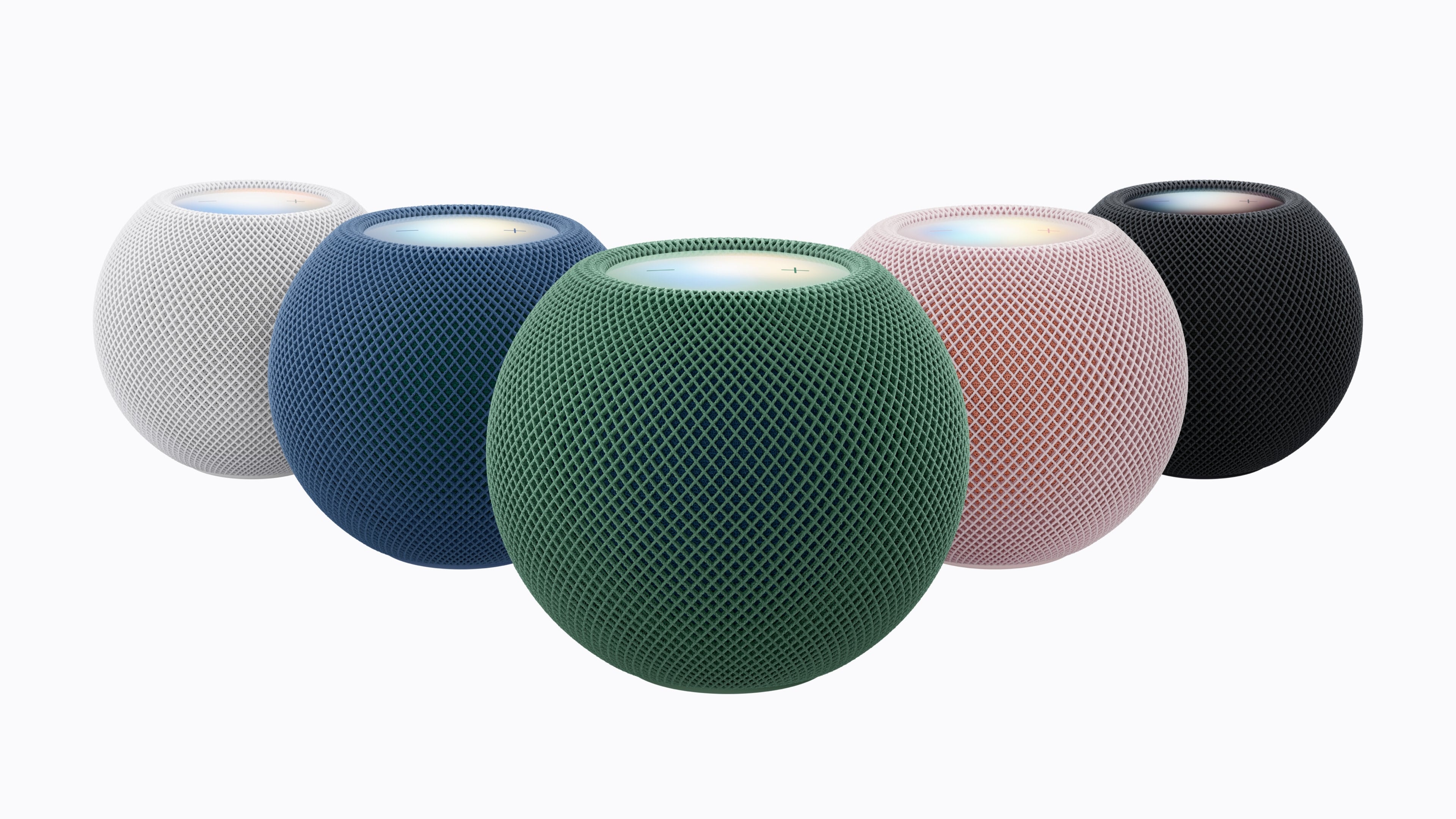
As part of today’s announcements related to Home (including the brand new HomeView, which we’ve covered here), Apple also announced HomePod mini 2, an update to its popular line of diminutive speakers for the home first launched in 2020. The new HomePod mini comes in new colors, will support Siri AI in select markets with a future software update, has a new ‘Sound Glow’ top panel that intelligently adapts colors shown to match what is playing, and offers more integrations with the Apple TV 4K and Mac – all while delivering improved and richer sound compared to the first-generation model.

First, the look. The HomePod mini 2 looks nearly identical to its predecessor, except for the aforementioned Sound Glow and the new colors: pink, green, blue, white, and midnight. From the photos we’ve seen so far, they look really nice, and I’m personally a fan of the green and pink options.

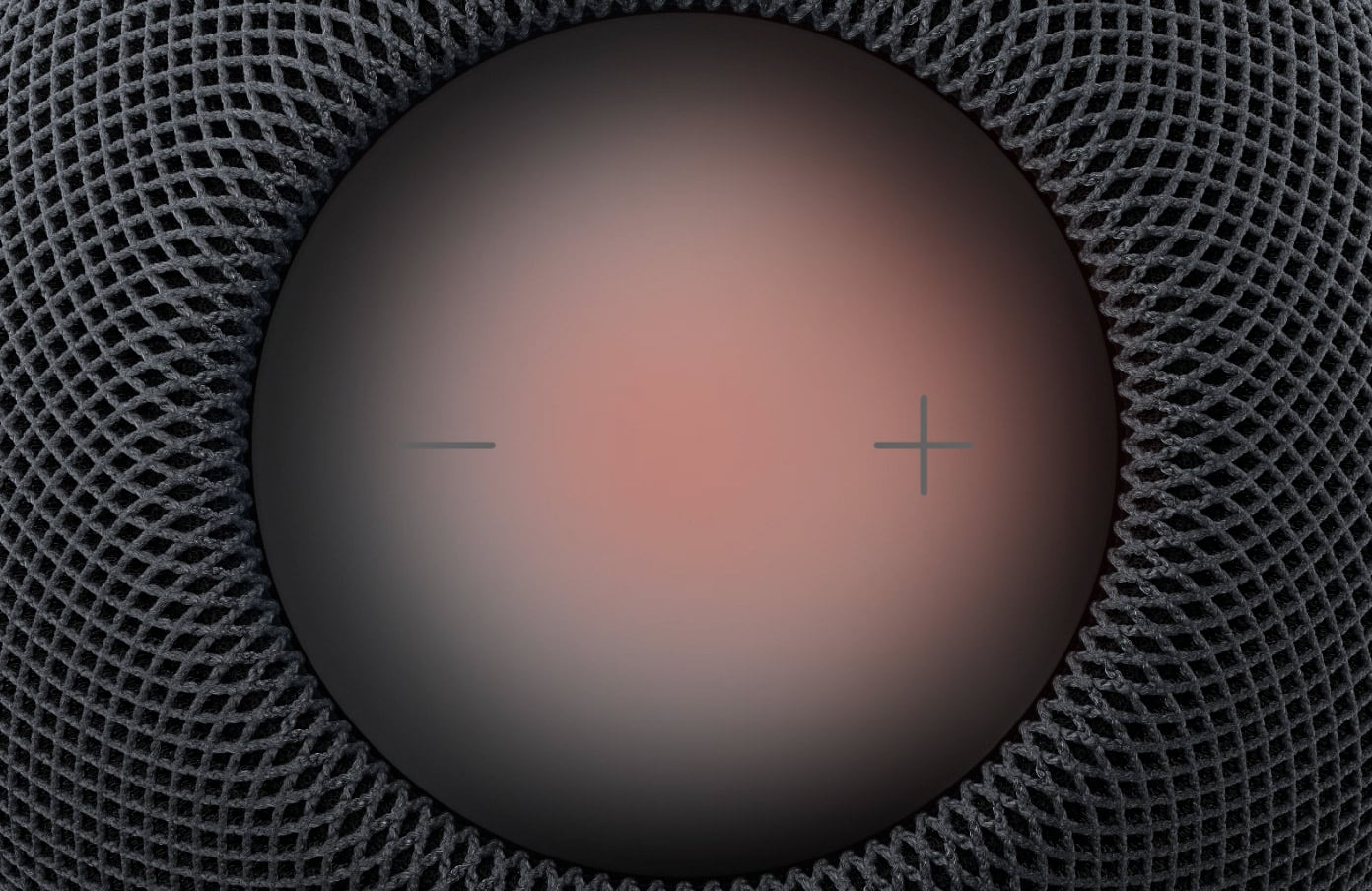
Sound Glow is the most apparent hardware-related innovation here: the top panel has been re-engineered to become “a visual canvas that glows and pulses in sync with the music”. The panel reacts in real time to bass and treble, adjusting its animation accordingly, but it also borrows from the Music app’s Now Playing screen: the colors displayed on Sound Glow will be subtly color-matched to the artwork of the audio that’s playing now. According to Apple, Sound Glow will also play custom animations when a soundscape like ‘Rain’ is activated, although a footnote on Apple’s website suggests that the feature will require an iPhone with Apple Intelligence enabled.

Sound Glow.

Sound Glow.

The real-time music analysis capabilities of the HomePod mini are made possible by the upgraded chip inside the device, the S10 previously seen on the Apple Watch. (The original HomePod mini had an S5.) In addition to dynamically adapting to sound in real time, the S10 is behind the HomePod mini 2’s ability to run Siri AI (more on this below) as well as to become part of a four-speaker surround group when combined with the also-new fourth-generation Apple TV 4K.

When four speakers are grouped, they can coordinate with an Apple TV to recognize each other’s position in a room and calibrate audio levels and timings to match what is playing. As someone who used for several years a two-HomePod mini pair with an Apple TV in my old apartment, I’m very intrigued by the potential of four little units carefully placed in my larger living room. As detailed by Apple, surround sound requires four HomePod mini 2 or HomePod (2nd generation) speakers in matching pairs front and center, so you can’t mix and match HomePod and HomePod mini 2 at the back of your couch, for instance.

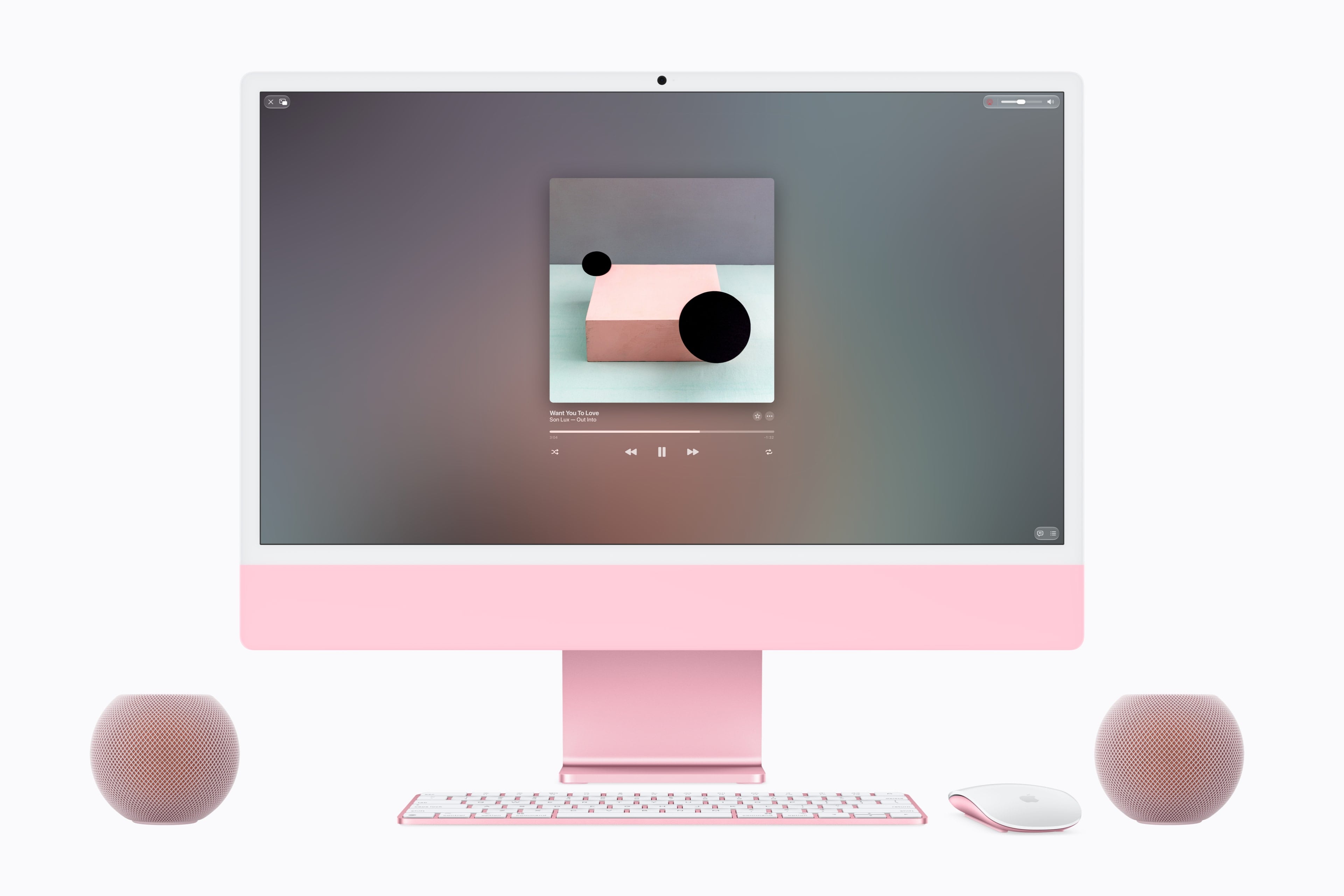
In addition to Apple TV, the HomePod mini 2 can also act as a default speaker for the Mac now. This potentially creates even more purchasing problems for me because, while I have a Sonos Move speaker at my desk, I dislike that I cannot set it as a default sound destination for my Mac mini, so I may even have to consider new speakers for my desk now. Ouch.

I love this look. I need this setup (but not in pink).

I love this look. I need this setup (but not in pink).

In its announcement today, Apple touts the work that has gone into computational audio powered by the S10 and aspects such as “Apple-designed force‑cancelling passive radiators” to improve the HomePod mini’s bass extension; those are things that we can only evaluate with an actual hands-on (ears-on?) with the product. What we can judge today is the Siri AI announcement: HomePod mini 2 will support Siri AI with a future software update, which means the assistant will be able to draw from the user’s context from a paired Apple device (Apple mentions “device”, not “iPhone”, meaning that iPad and Mac should work, too?) and offer personalized suggestions. You can read more about Siri AI in my review from last month here. In an interesting detail, however, Apple notes that even if you have Apple Intelligence disabled on a paired device, you’ll still get access to Siri AI’s newfound world knowledge features when Siri AI becomes available on HomePod mini 2:

Once Siri AI is enabled on a supported HomePod mini speaker, even users without an Apple Intelligence-enabled iPhone or iPad will benefit from Siri AI’s broad world knowledge; its ability to have rich, natural conversations; and its improved music discovery.

Notice how the quote above mentions “iPhone or iPad”, which makes the role of the Mac a little unclear.

That’s about it for the HomePod mini 2. It costs $149, which seems fair given the product’s features, and is available for pre-order today in the U.S. and 23 other countries. It launches on October 30, presumably without Siri AI given Apple’s “future software update” wording. It’s available in Italy, and I’m leaning toward pre-ordering two of them.

  •  

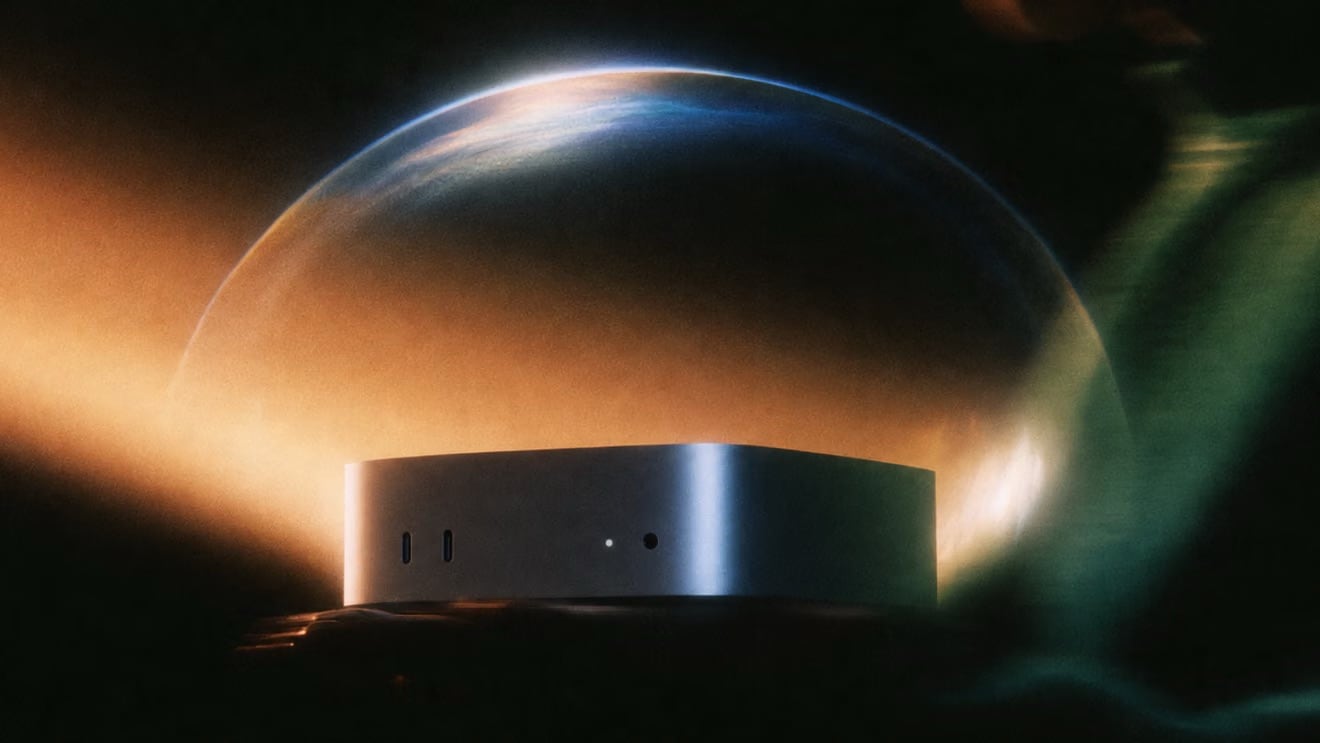
Apple Unveils HomeView: A Smart Home Display Powered by Siri AI

Source: Apple.

Source: Apple.

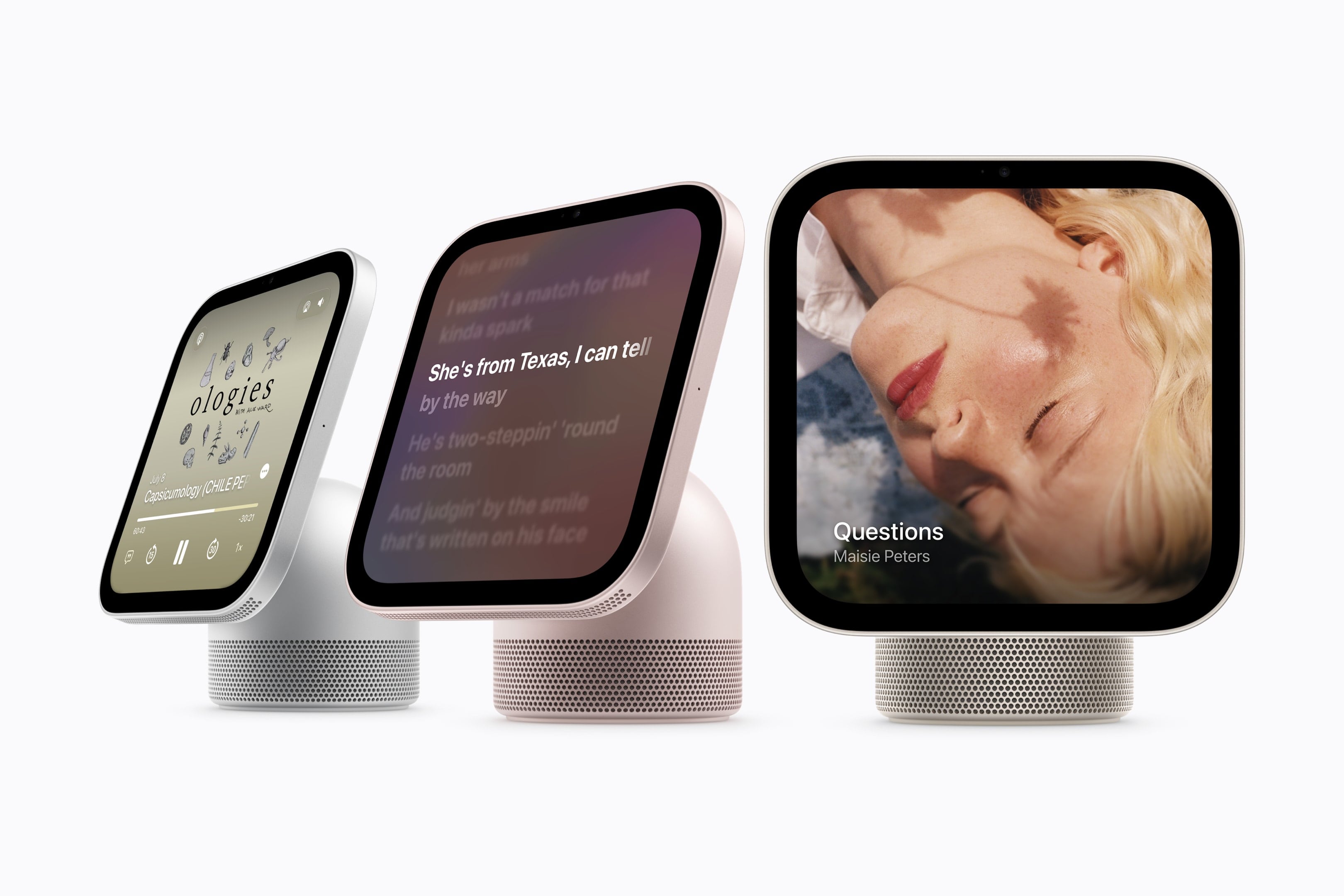
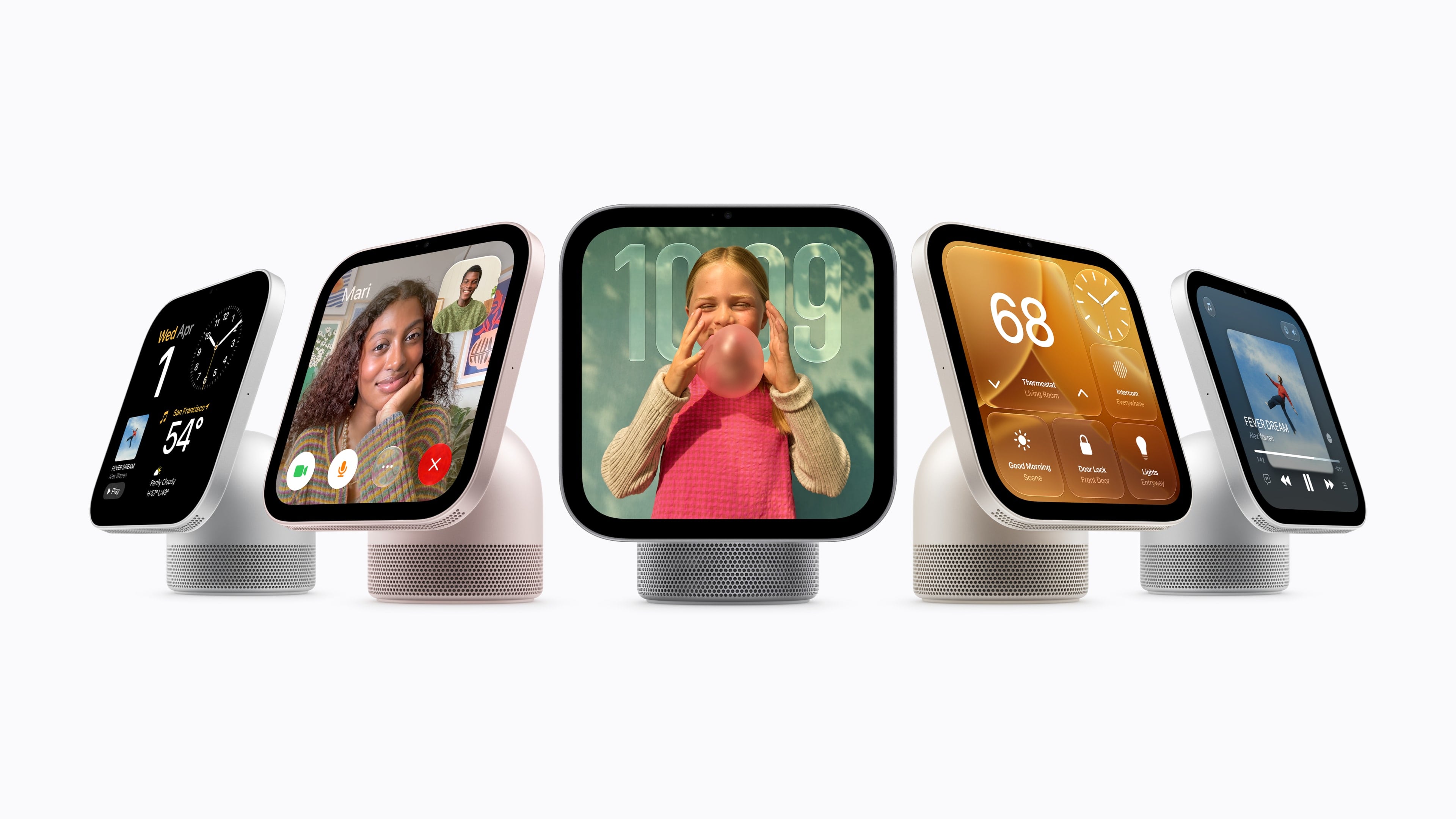
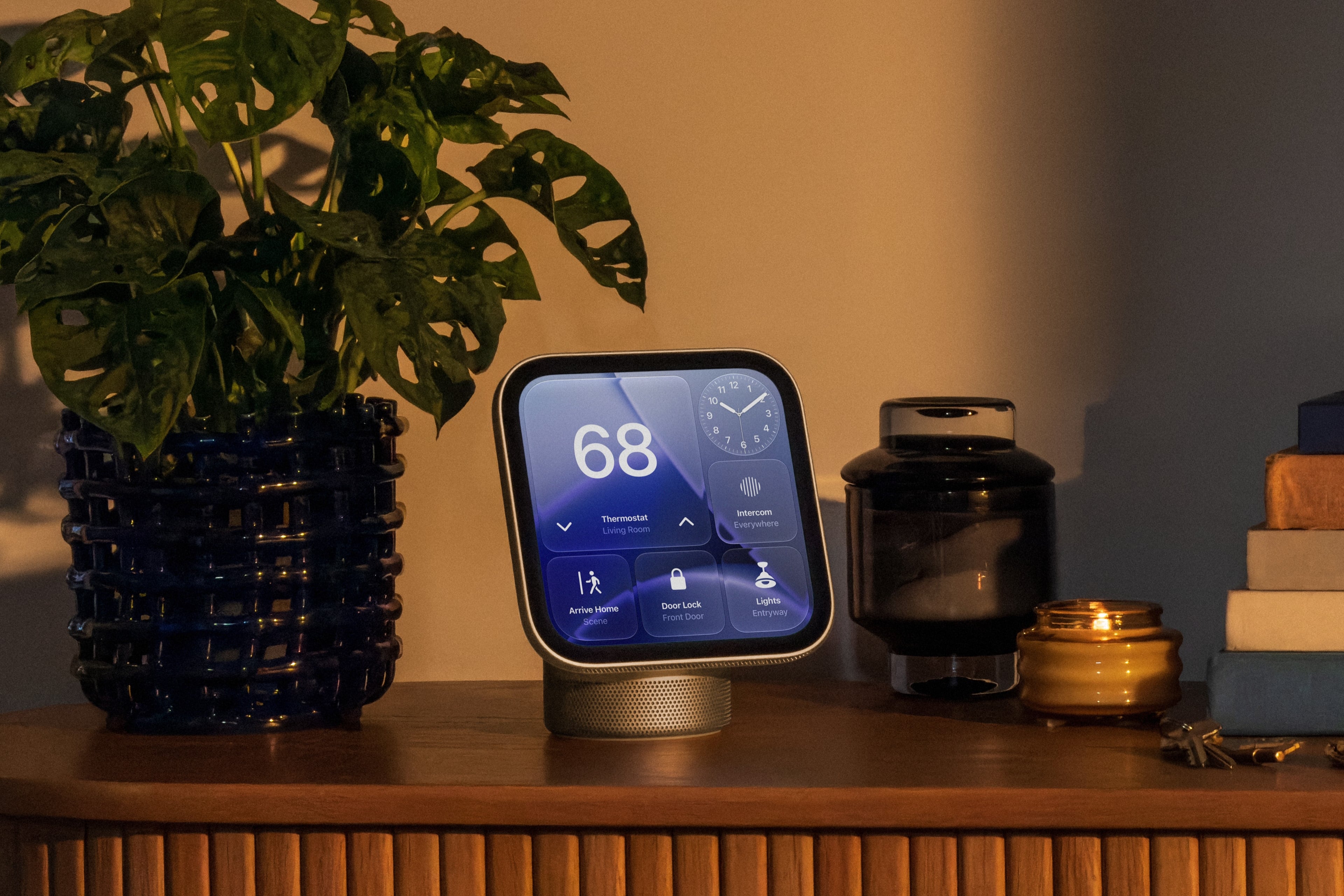
Today, Apple announced the highly anticipated HomeView, a Siri AI-powered device for controlling your HomeKit devices and accessing other apps and services like Apple Music, your calendar, Reminders, Apple Podcasts, and more.

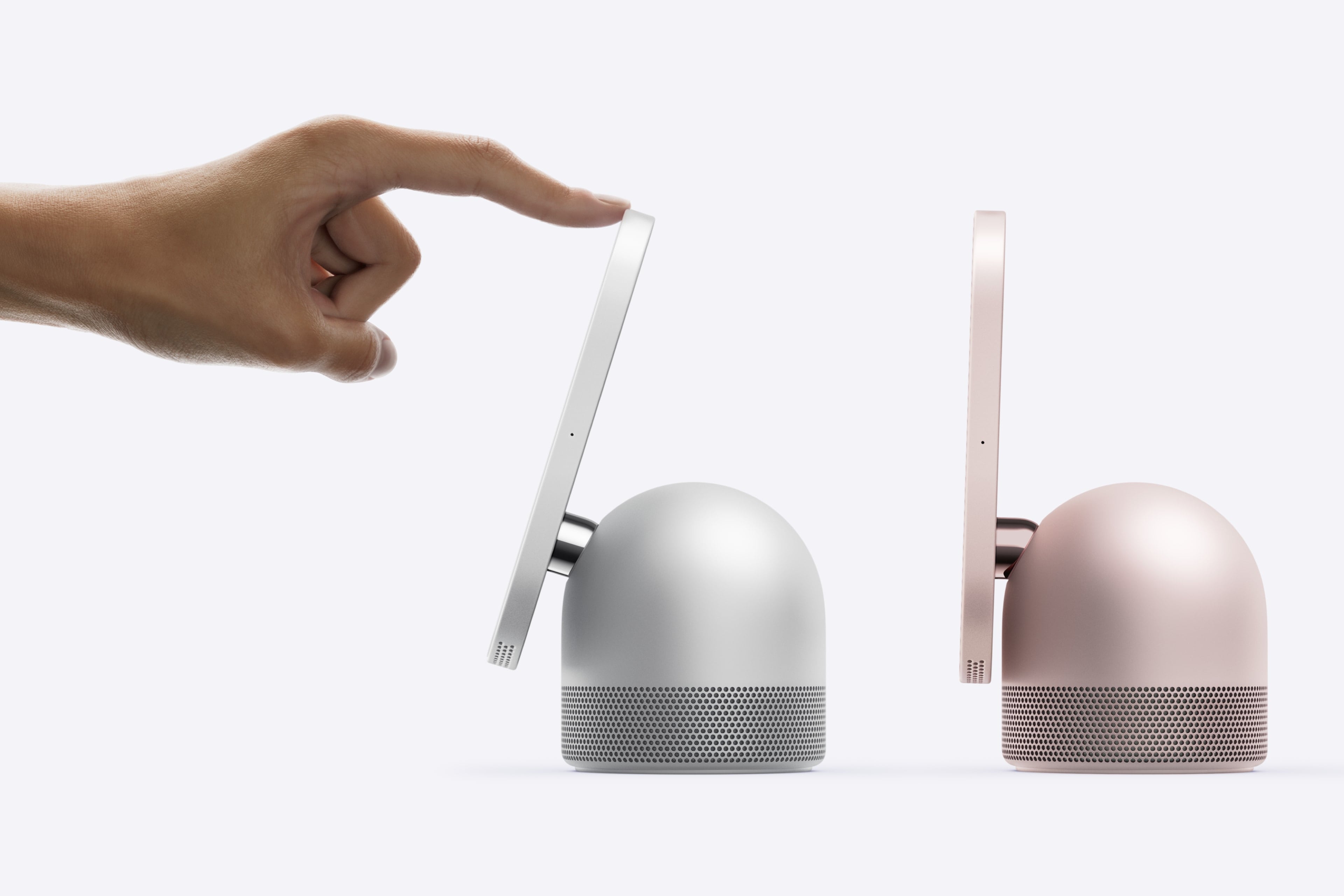
The table top HomeView's screen tilts. Source: Apple.

The table top HomeView’s screen tilts. Source: Apple.

HomeView comes in two configurations, each of which is $299 and will launch on November 13 and can be preordered today. The first sits on a flat surface and has a domed aluminum base and a 7-inch Liquid Retina True Tone display that tilts. The base houses a downward-firing woofer and two force-cancelling passive radiators and the display has two drivers that support Spatial Audio.

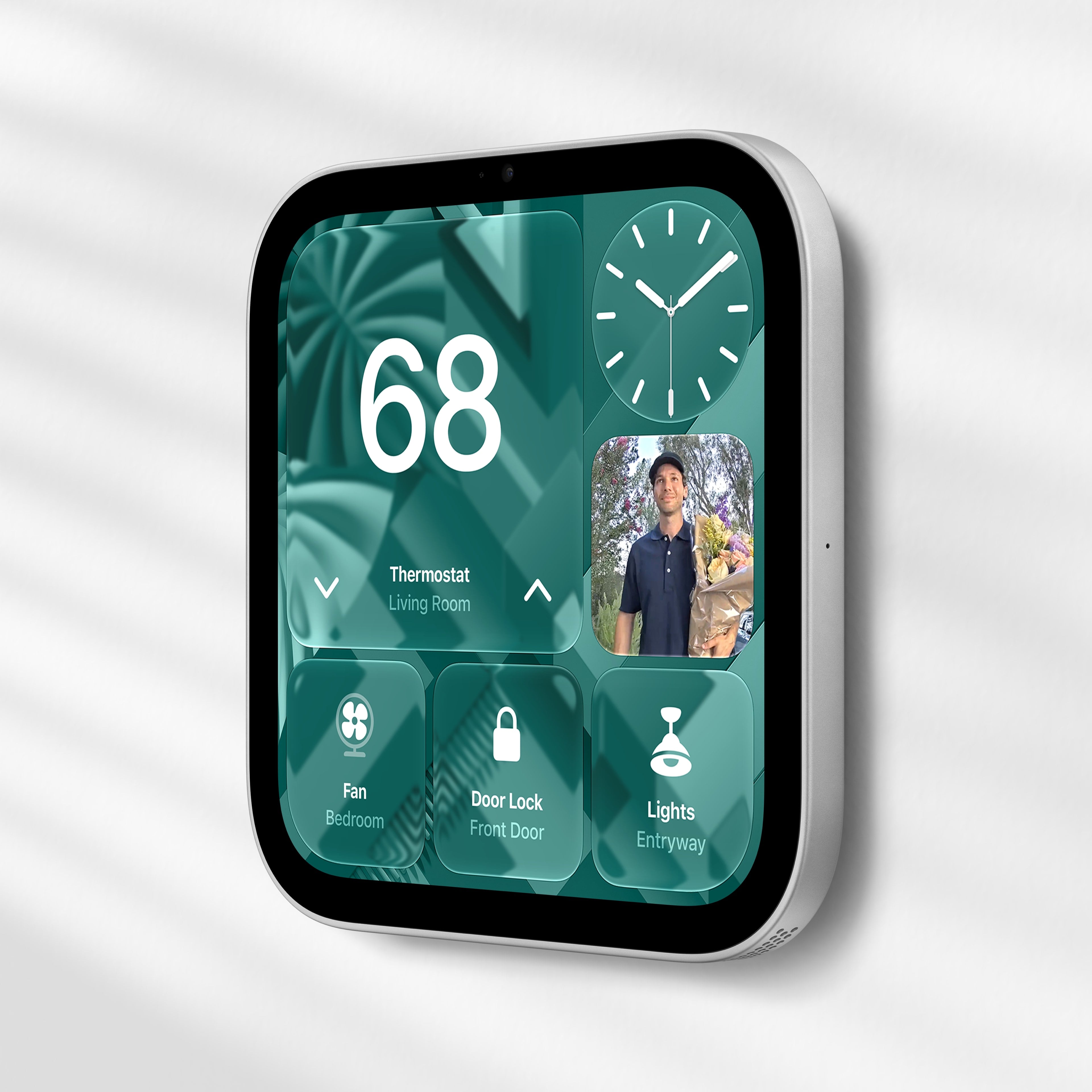
The Wall Mounted HomeView. Source: Apple.

The Wall Mounted HomeView. Source: Apple.

The second HomeView model is meant to be hung on a wall, but the functionality of both is roughly the same. The main difference being that the wall-mounted version lacks the other model’s base and its woofer.

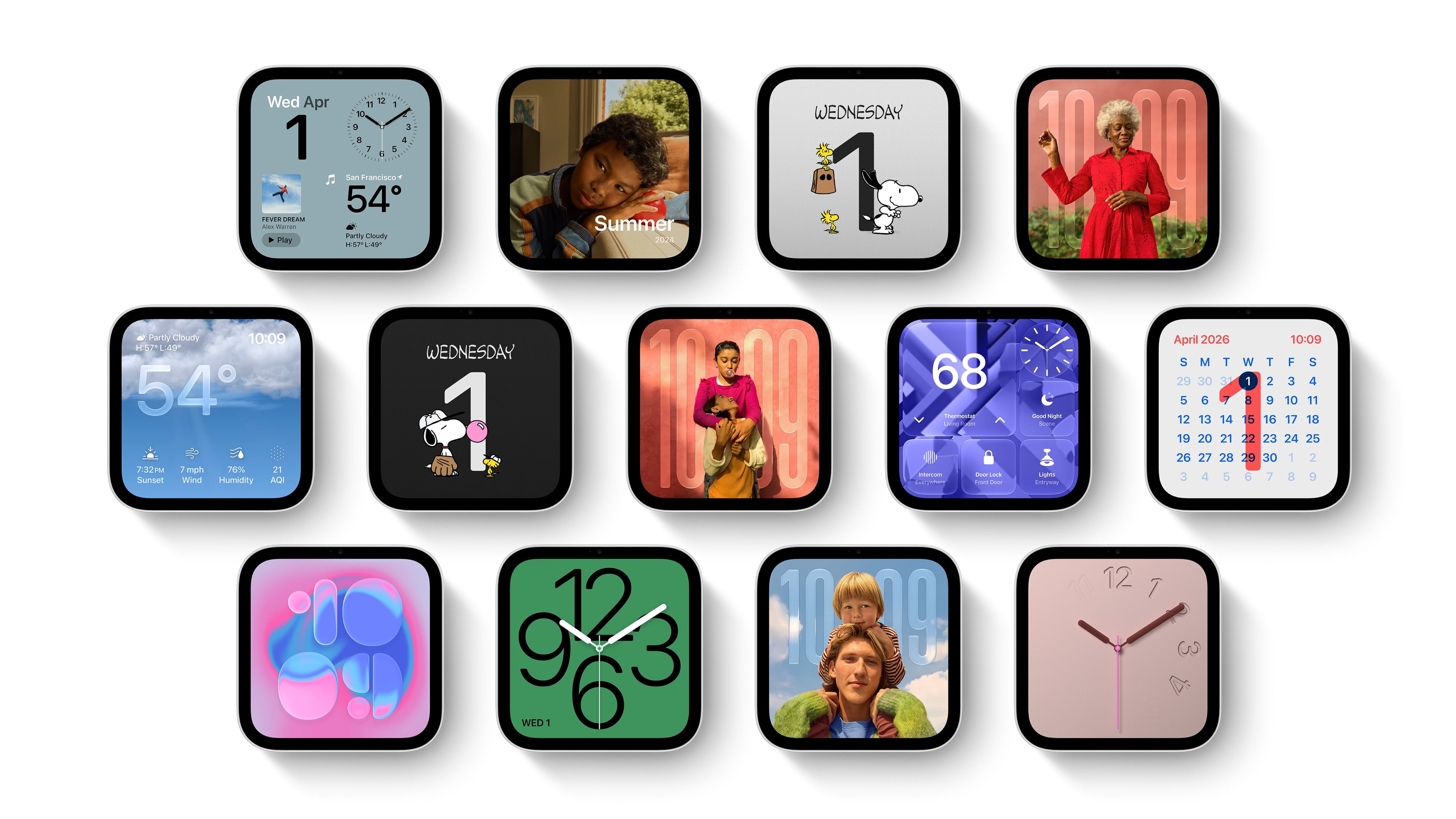
HomeView faces. Source: Apple.

HomeView faces. Source: Apple.

The HomeView features a series of customizable faces that are navigated by swipe gestures. There are faces for photos, weather, a clock, for example, which are reminiscent of Apple Watch faces. There are also tiles for controlling HomeKit devices and widgets for things like the weather and your calendar, which are similar to the iPhone’s StandBy Mode widgets.

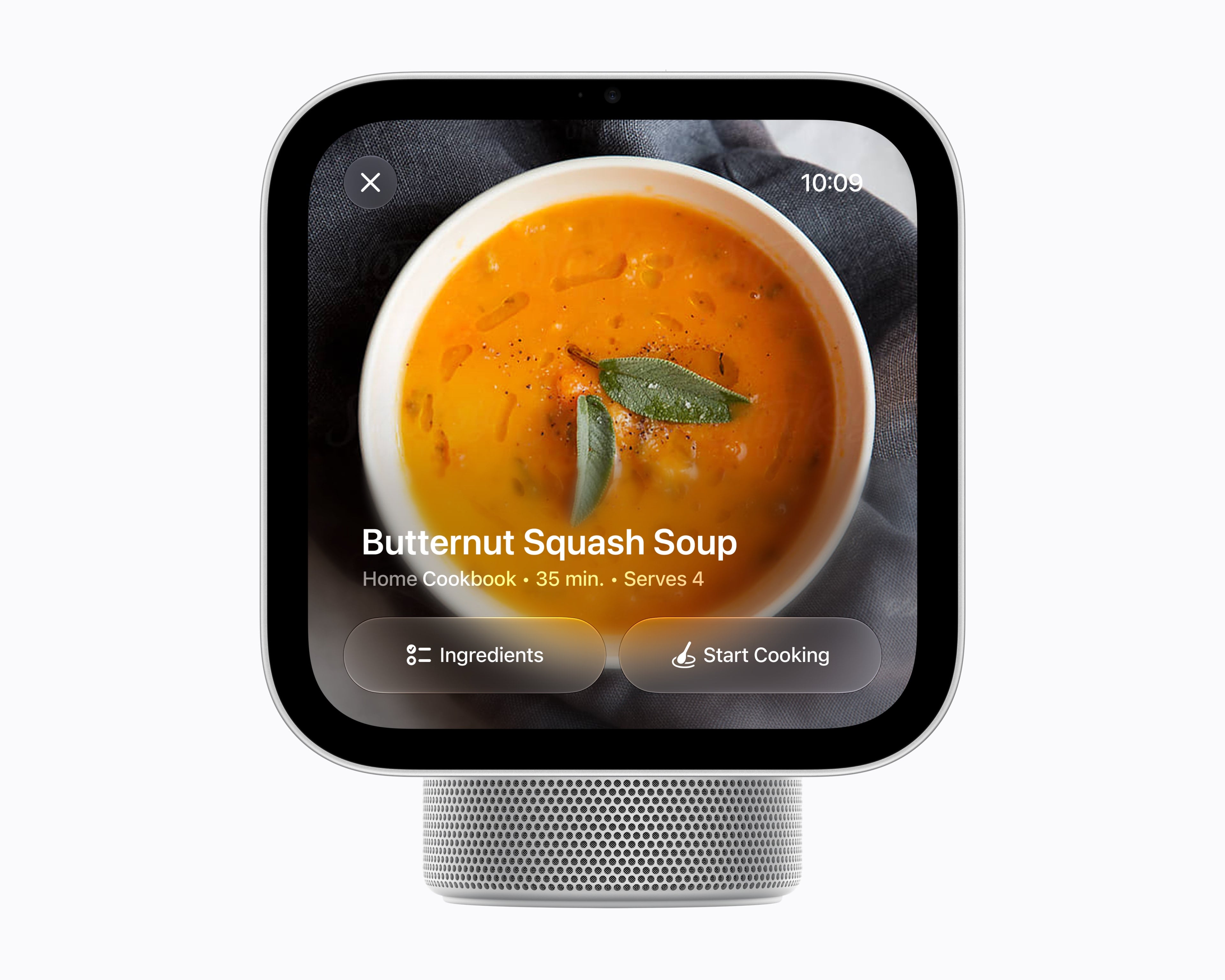
As for apps, Apple includes a selection of their own apps like FaceTime, Music, Podcasts, TV, News, and Messages along with select video and audio apps from third parties. As a smart home hub, HomeView allows users to watch HomeKit camera feeds and control locks, thermostats, lights, blinds, and other compatible devices. Of course, Siri AI is a big part of the HomeView story, too, serving as a means for navigating the device’s UI, interacting with apps, and requesting information conversationally.

Source: Apple.

Source: Apple.

Under the hood, the HomeView is powered by an A18 chip with Secure Exclaves for processing audio and video data. According to Apple, Messages and Calendar content are only available when a user is recognized and their paired iPhone or iPad is present and recently unlocked.

Overall, I love the look of the HomeView and have been thinking about where I’d place it in my home as I write this. I also like the blend of concepts that draw from the Apple Watch, StandBy Mode, and widgets. My hope, though, is that the third-party developer story expands beyond the limited audio and video apps mentioned in Apple’s press release.

Preorders are live now in Australia, Canada, India, New Zealand, the UK, and the U.S. and will begin on Thursday, October 15, at 9 a.m. SGT in Singapore. The HomeView is not available in the EU because Siri AI is not available there.

For the wall-mounted version, Apple is offering a $59.95 USB-C Wall Connector and a $79.95 AC Wired option, both of which are available for preorder now in the U.S. A Power Mount PoE option will be available in early 2027 for $129.95 in the U.S., too.

  •  

Apple Kicks Off Indie Games Week with Six New iPhone and iPad Games, Plus No Man’s Sky Preorders

Source: Apple.

Source: Apple.

Today, Apple announced Indie Games Week, a celebration of some of the best games from independent game studios. To kick things off, the company announced seven big titles that are making their iPhone and iPad debut today or are coming soon.

Apple’s Carson Oliver, the head of App Store Worldwide, had this to say in the company’s press release:

Indie games are constantly pushing the boundaries of creativity to deliver unique gameplay experiences to Apple users, and we wanted to take a moment to celebrate these games and the teams that take creative risks to push gaming forward.

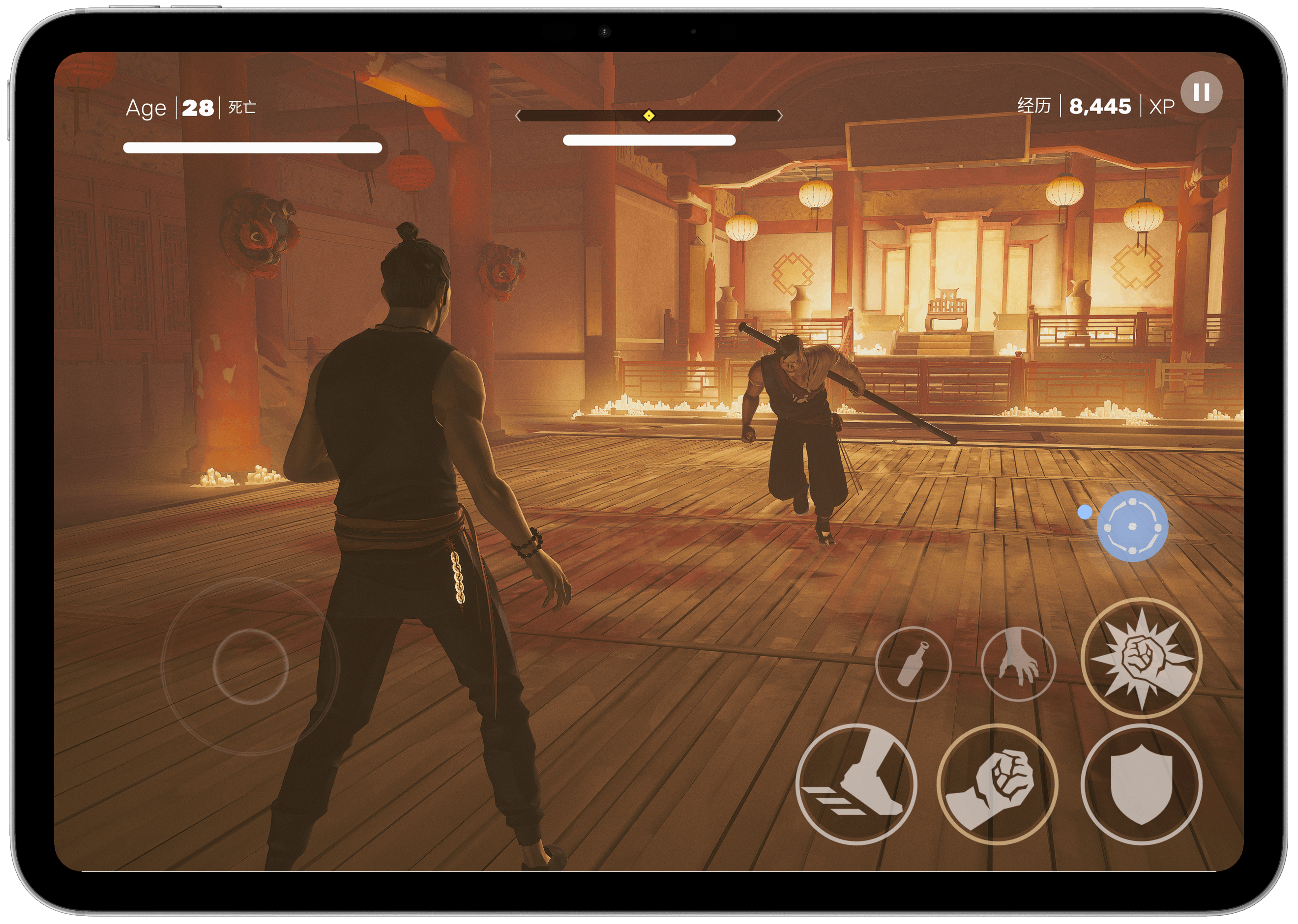
Sifu.

Sifu.

The games available today include:

  • Sifu ($7.99), a stylish martial arts fighting game where you play as a kung fu student out for revenge.
  • Vampire Crawlers ($9.99), a deck-building spin-off of Vampire Survivors where the dungeon battles are playable at your own pace.
  • Little Kitty, Big City (Free with $9.99 full-game unlock), an open world game where you explore a cityscape as a cat.
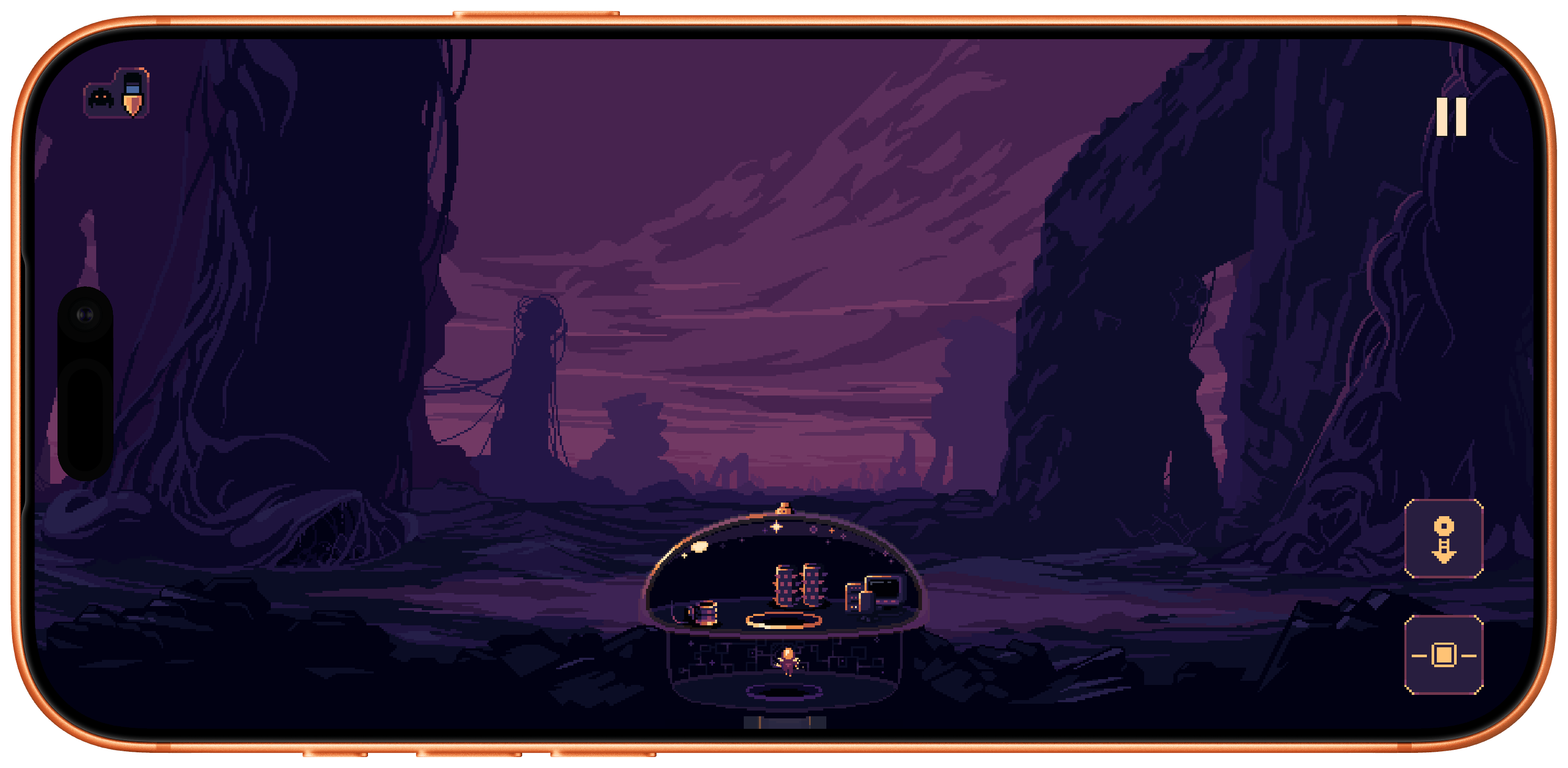
  • Dome Keeper ($9.99), a mining and defense game where you must mine for resources while keeping an eye out for enemy attacks on the surface.
  • Yes, Your Grace 2: Snowfall (Free with $4.99 full-game unlock), a kingdom-management game that poses moral dilemmas as you are forced to make choices to save your empire.
  • 9 Kings (Free with $8.99 full-game unlock), a card-based strategy game where you assemble your army for battle with rivals, managing troops and resources.
Coming Oct. 28: No Man's Sky.

Coming Oct. 28: No Man’s Sky.

Also announced today is that No Man’s Sky is making its debut on the iPhone and iPad on October 28th with preorders available today. Originally announced as a 2022 release for the Mac and iPad, the game has clearly taken longer than expected to adapt to Apple’s platforms.

For those who have been patiently waiting, though, the news is very good. The iPhone and iPad versions support all of the past updates to No Man’s Sky and will work on every iPhone from the iPhone 11 forward and the iPad Air (3rd generation) and later. The game will also feature touch controls, and both mouse and keyboard and controller support. However, similar to the game’s Switch debut, it will not include multiplayer, Settlements, cross-save, or cross-play at launch. No Man’s Sky will be free to download and try with a full-game unlock offered as a $19.99 In-App Purchase.

Dome Keeper.

Dome Keeper.

I’ve had a chance to play each of the games available today on my iPhone and iPad and it’s a great collection. What sets them apart from previous releases on other platforms is the attention each has paid to the unique features of Apple’s platforms. Many, including Dome Keeper, Sifu, and Vampire Crawlers, support Game Center and Family Sharing. By and large, the touch controls are well done, too, but I appreciate the games that offer controller support the most since that’s my preferred way to play.

I’ve had a lot of fun trying the betas of each of these games and am looking forward to No Man’s Sky later this month. There’s something great here for anyone who loves iPhone and iPad gaming, but be sure to check out the other gems Apple is highlighting in this App Store editorial feature, too.

  •  

Crickets: Bring Your Family’s Morning Alarms Together [Sponsor]

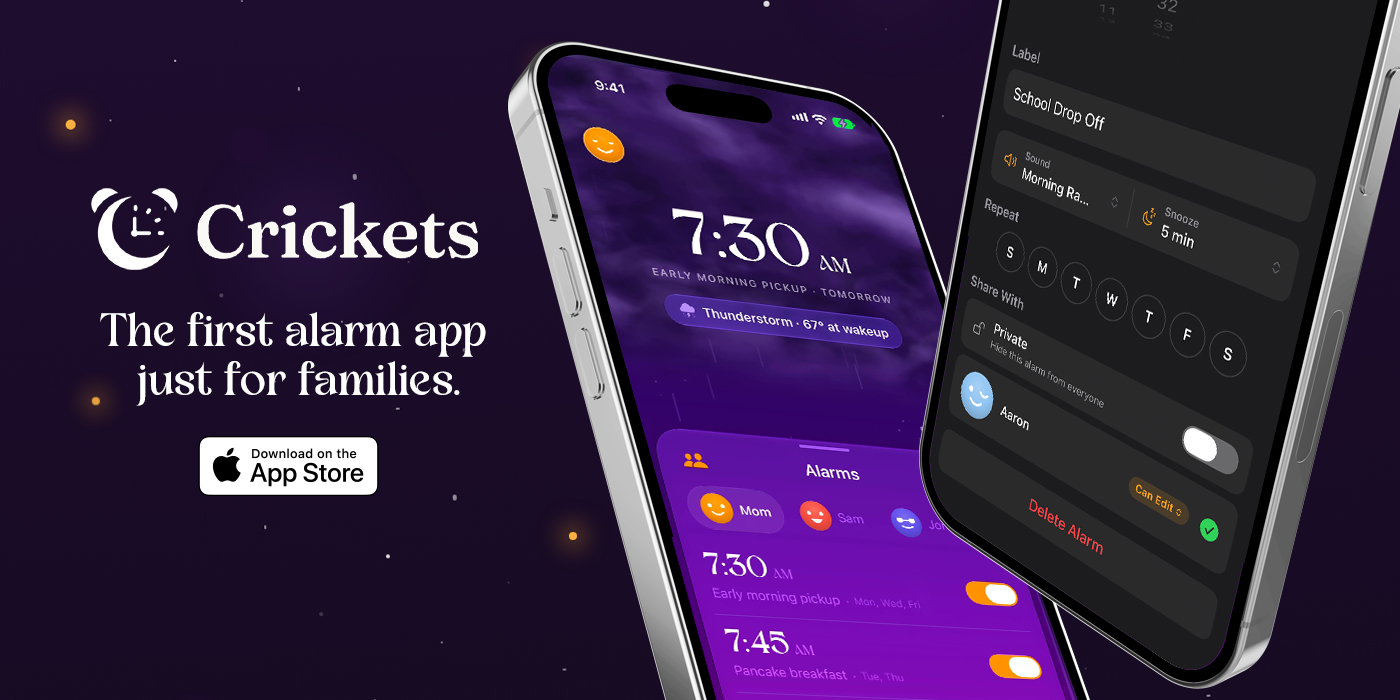
Getting your whole family up and pointed in the right direction every morning isn’t simple. Everyone’s on a different schedule, and schedules change day to day. It’s a mess that’s solvable with the help of Crickets, the first alarm built for the realities of everyday family life.

Crickets lets everyone in your family see the alarms others choose to share and, with permission, change them. So instead of asking everyone when they need to be up the next day, you already know. If you’re the first one up, that’s a superpower. Whether it’s a flight that got delayed in the dead of night or a 5:00 AM message from your kids’ school about a schedule change, you can adjust alarms without waking a soul. And it works both ways: when a practice is canceled or a trip departs later, anyone you’ve granted edit access can push your alarm back while you sleep in.

Crickets even gives you tomorrow’s weather as you head off to bed. That way, you’ll know things like whether you should get up a little early to deal with the snow that’s forecast overnight.

Everyone in your circle is right there on your Home Screen and Lock Screen, too. Plus, with widget and Live Activities support, you can keep track of who’s already awake and who’s been hitting the snooze button. You’ll see your morning coming together without even opening the app.

Each person in your circle stays in control. They decide which alarms to share and which to keep private, and they can grant or revoke editing access whenever they want. People can belong to more than one circle without those circles merging, too. That way, parents can be in a circle with their kids, but their kids’ friends circle remains theirs alone.

A single subscription covers every member of your Apple Family Sharing group, allowing you to coordinate everyone’s alarms at once, while keeping each person’s sharing choices their own.

For a closer look at Crickets and a more coordinated start to the day, visit cricketsalarm.app. And, for a limited time, MacStories readers and AppStories listeners can get 50% off for six months with code MACSTORIES2026. Select Redeem on the paywall and enter the code.

Our thanks to Crickets for their support of MacStories this week.

  •  

MacStories Weekly: Issue 532

This Story is for Club Members

Get weekly newsletters, exclusive stories, member downloads, and ad-free version of MacStories Unwind.


See Plans


Already a member? Sign in

  •  

Our Favorite Indie Apps for iOS 27, Vol. 3

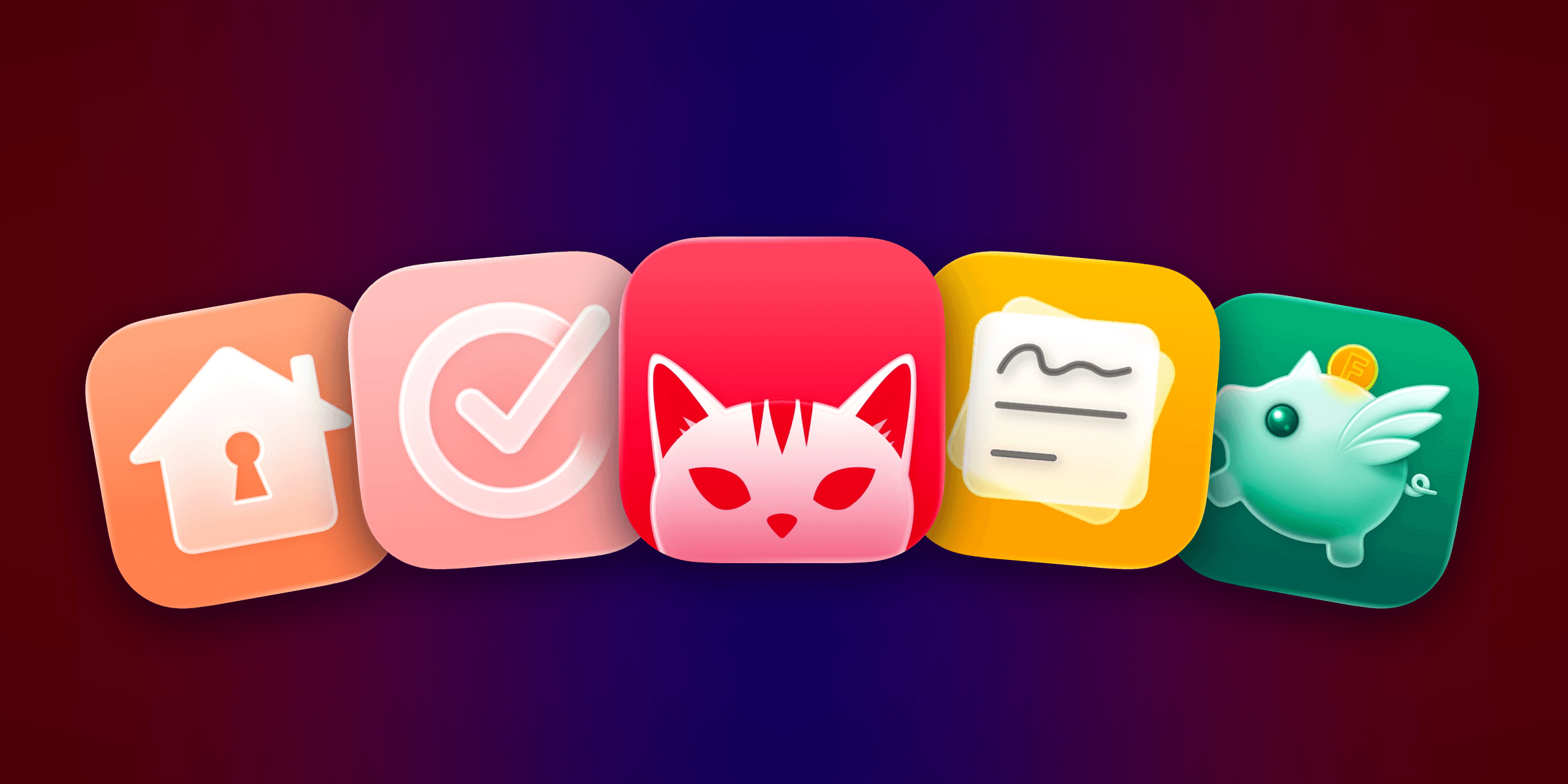
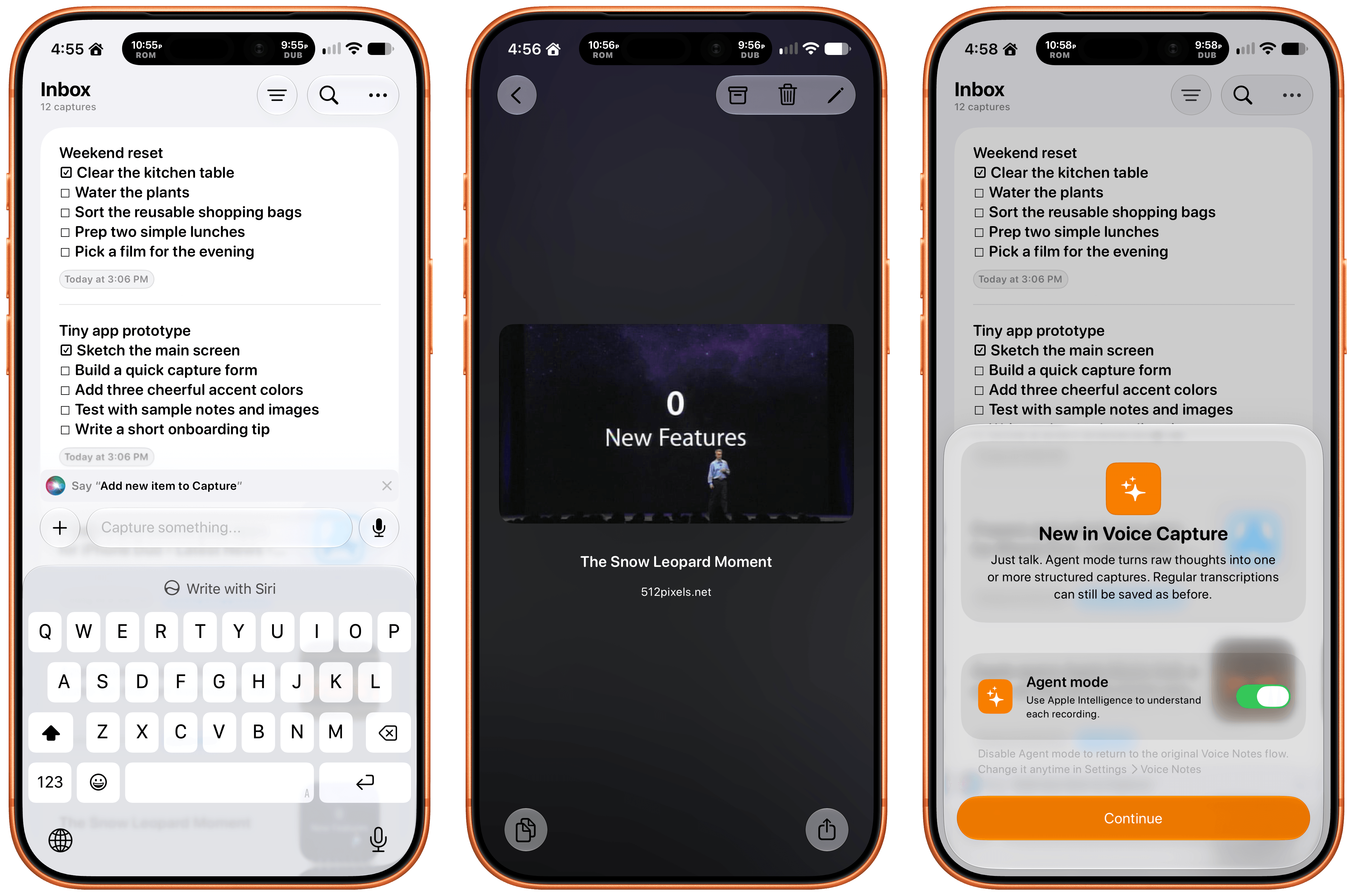
We have another collection our favorite indie apps that take advantage of Apple’s latest OS features. Today, we’re highlighting: Haven, Structured, Capture, Scrappy, and Fin.

Haven

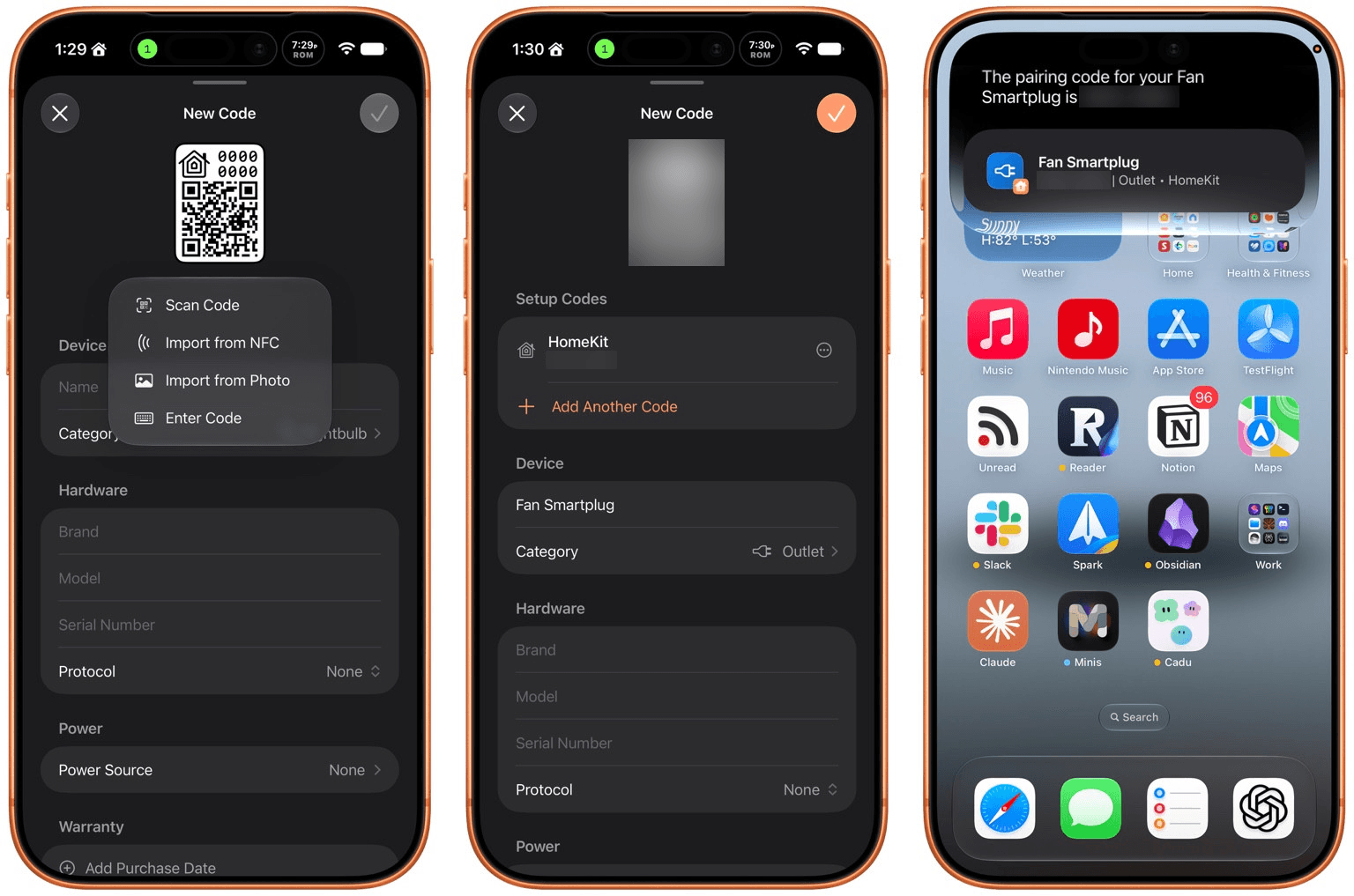
Haven is a HomeKit and Matter pairing code utility by João Franco for the iPhone, iPad, Mac, and Apple Watch that added Siri AI features this fall. The app is exactly what you want with this sort of utility because it makes storing codes for safekeeping fast and easy. Later when you need to re-pair a smart plug behind a couch or a lightbulb in a hard-to-reach spot, you’ll be glad you dropped the codes into Haven.

Retrieving codes is made even simpler, thanks to Haven’s Siri AI integration. Just ask for a code based on the name of your device in Haven, and Siri will fetch the code for you without opening the app. The feature works with both HomeKit and Matter codes and is compatible with natural language queries. The app also supports tagging and the ability to use Apple Intelligence to suggest a tag from among your existing tags.

In addition to the new Apple Intelligence and Siri AI features, Haven can track the home where your device is installed, its room, category, brand, model, serial number, protocol, power source, and status. You can mark items as favorites and add notes and attachments, like a photo of the device, too.

That’s a lot, which will appeal to the HomeKit nerds out there, but as a free download that offers unlimited pairing codes for just $6.99, it’s worth setting up Haven even if all you do is name your device, add the room where it’s located, and then search for it when needed via Siri. Siri AI is perfect for databases, and as anyone who is deep into the HomeKit world knows, a database is the best way to keep your smart home humming.

Structured

I had the pleasure of meeting the Structured team at WWDC this year. It was fun to walk through the app with them, learning about all their plans for the summer development season. But it’s been even more fun to actually play with the final product on the iPhone, iPad, Mac, and Apple Watch.

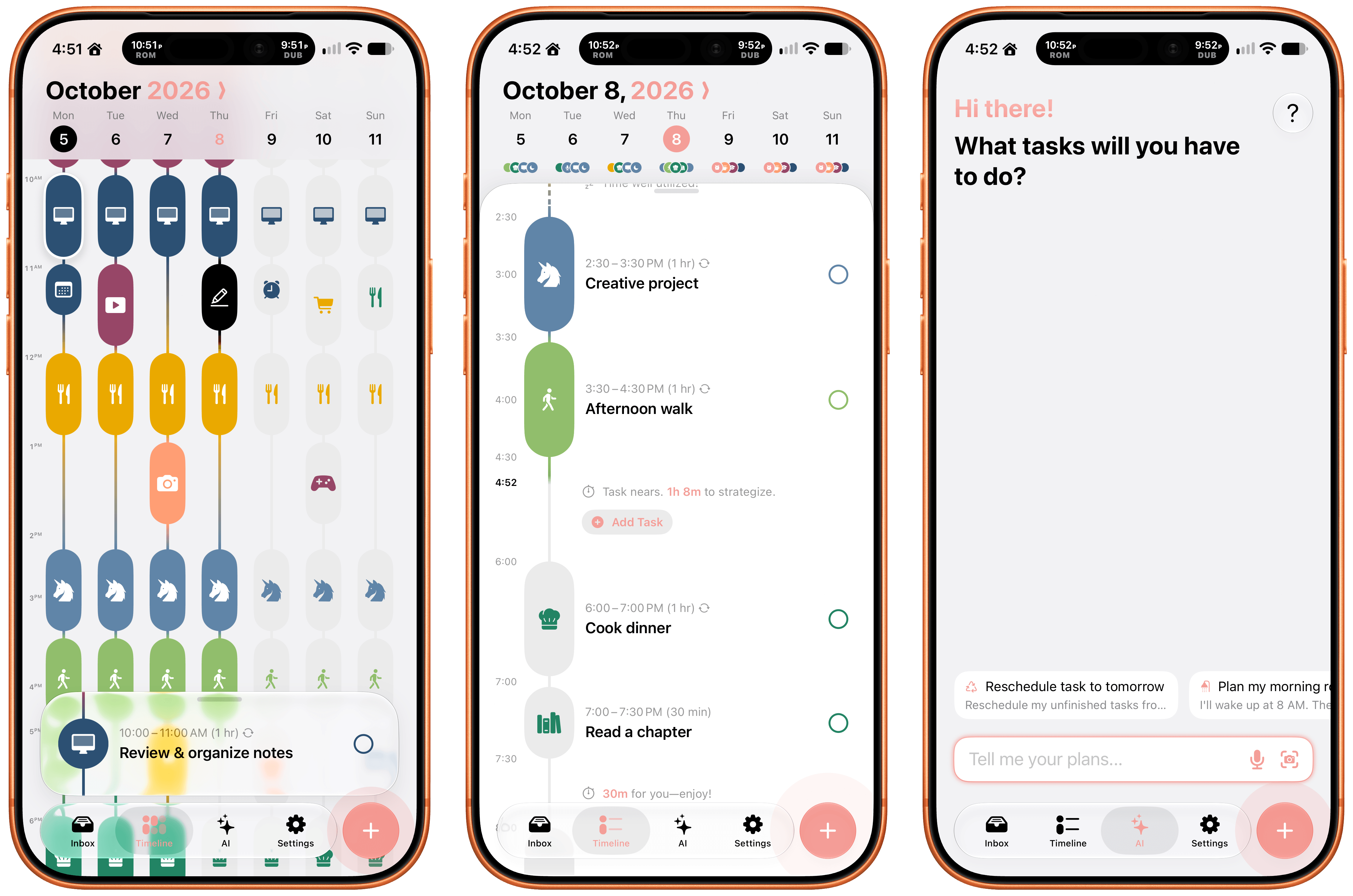
Structured is a day planning app with a beautiful and unique design that made it a finalist for both the 2025 iPad App of the Year Award and an Apple Design Award. I have a bad habit of overstuffing my workday, which is precisely the problem that Structured is designed to solve by visualizing your day and work on a timeline. The app can integrate with Reminders, your calendars, handle recurring tasks, start focus timers, and more.

As for Siri AI, Apple’s assistant can now assist Structured users with creating and editing tasks. There’s also a color prediction feature that’s in beta that learns from your past color choices to help suggest the color of a new task. Plus, Structured got a Liquid Glass update, which makes the app feel right at home among other modern apps without sacrificing the app’s simple design and legibility. If you need help organizing your day and want to see everything in one place, you can’t go wrong with Structured.

Scrappy

I’m always on the lookout for new ways to save random things I find on the Internet. I’m a digital hoarder by nature because you never can be sure when a link, image, or article that piques your curiosity will become something more in the future. The trouble is keeping these sort of bucket apps organized.

With Scrappy, by developer Steve Harris, you can save it all: notes, images, PDFs, links, videos, photos, screenshots, and more. Harris is also the developer of Keep It a notebook and document organizer app that we’ve covered on MacStories before. There are similarities between Keep It and Scrappy, but the thing that unique about Scrappy is that it’s much more visual.

The app, which works on iPhone, iPad, and Mac, puts a handy shelf just off the edge of your Mac’s screen where you can drag items, and across all platforms, it feautures fast search and smart lists. Plus, thanks to Siri AI, you can search and open what you’ve saved and create and edit notes. There are filtering and sorting options, along with an extraordinarily long set of Shortcuts actions that make the app uniquely suited for automation. Scrappy also has a wonderfully modern card interface that takes advantage of Liquid Glass, and it displays previews of links, images, and other content. There are lots of “bucket apps” on the App Store, but Scrappy is one of my favorites.

Capture

Apps like Capture are a unique obsession of mine as the online world relentlessly accelerates. Capture acts as an inbox for text, links, images, files, and tasks that works on the iPhone, iPad, Mac, Vision Pro, and Apple Watch. While you can store information in Capture long-term, it’s really meant to act as an inbox because the app has nearly 60 integrations with other third-party apps.

Capture has been building a deep library of integrations for a long time now, which I appreciate. It’s the sort of user-first approach that also made the app a perfect fit for App Intents. That integration makes it simple to find, create, and edit items with Siri. There is also an extensive set of Shortcuts actions, making the app a great fit for cross-app automations. Capture also offers creating, finding, and editing via Siri AI, note transcription using Apple’s on-device model, and a voice-based agentic mode.

Fin

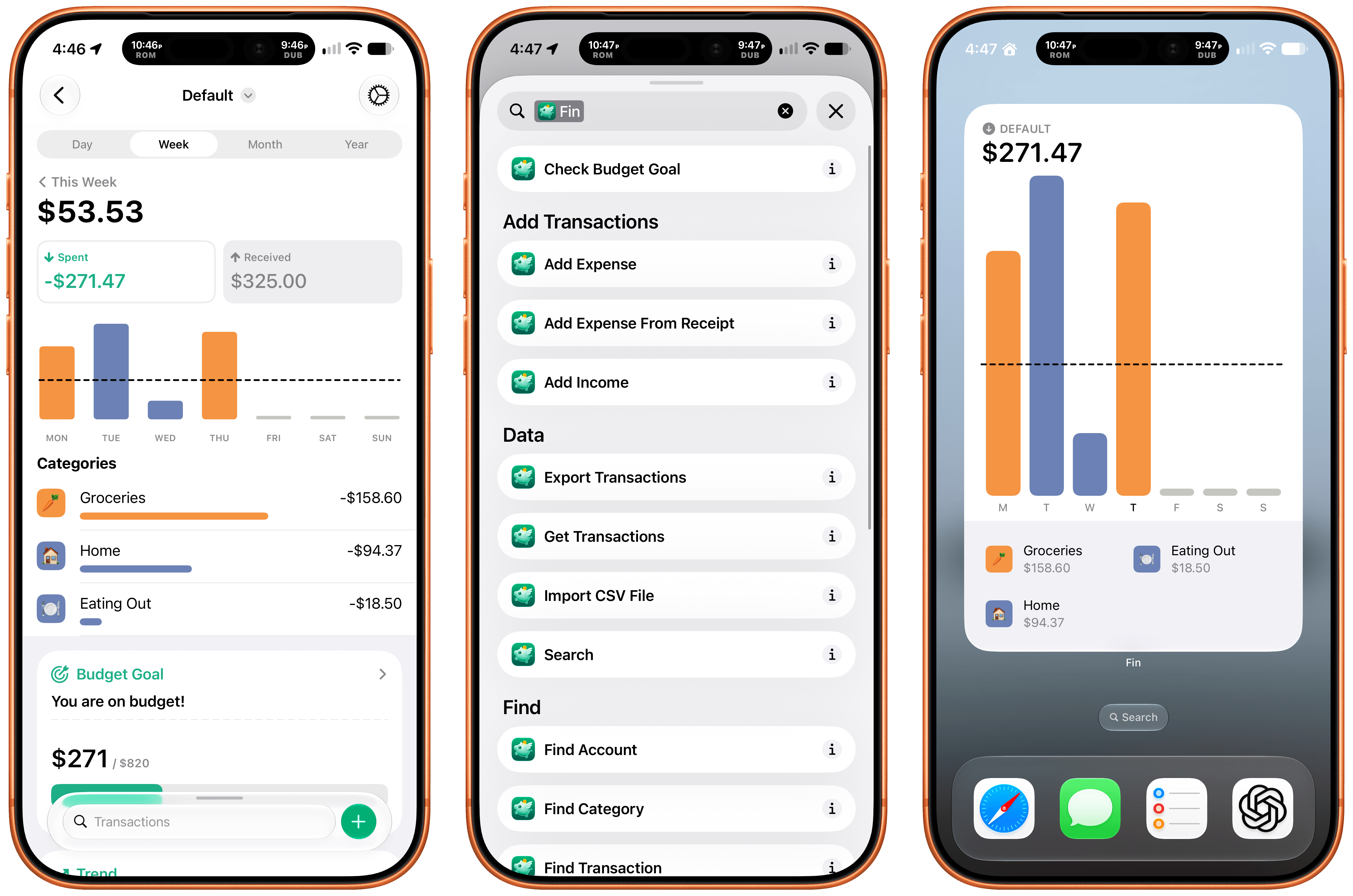
Finally, I want to shout out Fin, the personal budgeting app for iPhone, iPad, Vision Pro, and Apple Watch. Getting data into a budgeting app quickly and easily makes all the difference in the world when it comes to sticking to your budget. Fin excels at quickly recording and organizing your expenses in a clear, colorful interface that takes advantage of Apple’s modern design language.

With the latest version, Fin adds onscreen awareness that lets you ask Siri questions about what’s onscreen. The app also exposes transactions and accounts to Spotlight making it easy to pinpoint data in both. Plus, Fin lets you search, import, export, and add data to the app using Siri. There’s an extra large chart widget too. If you’re looking for a simple on-device way to privately manage your expenses, Fin’s a great choice.

  •  

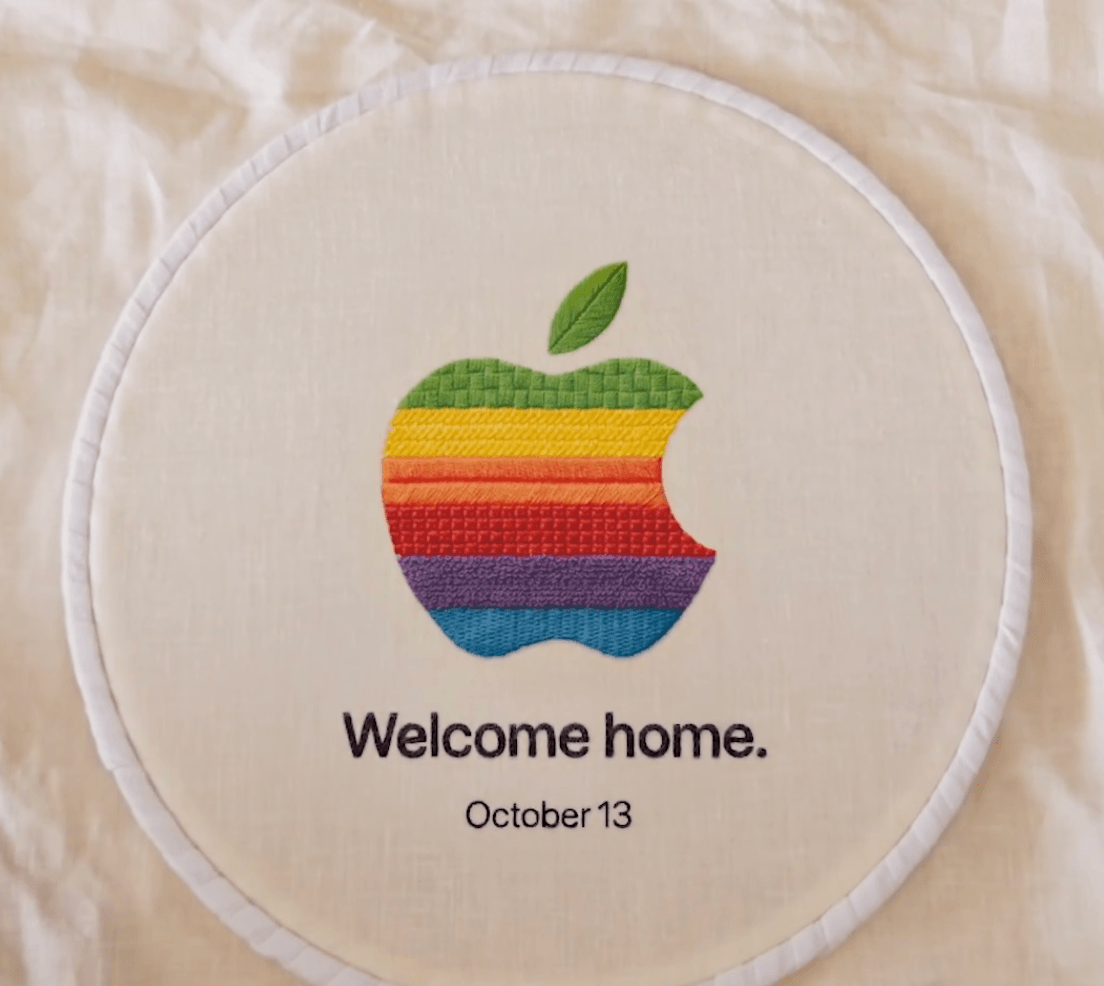
Apple Announces October 2026 Event

In a post by Greg Joswiak on X and email to creators and media outlets, Apple has said it will hold an ‘Experience’ in Tribeca, New York on Tuesday, October 13 at 09:00 am Eastern.

Speculation and rumors have circulated for months that a home hub product is imminent. The latest reports from Mark Gurman suggest it will sit on a semi-circular base reminiscent of an iMac G4 and control your HomeKit devices, incorporates SiriAI, and uses voice and facial recognition to identify with whom it is interacting. There have also been rumors that a new HomePod mini and Apple TV 4K may be launched. The ‘Welcome home’ tagline of the event certainly seems to suggest the announcements will be HomeKit-related.

As always, MacStories will be covering the event, so stop by next Tuesday for all the news.

  •  

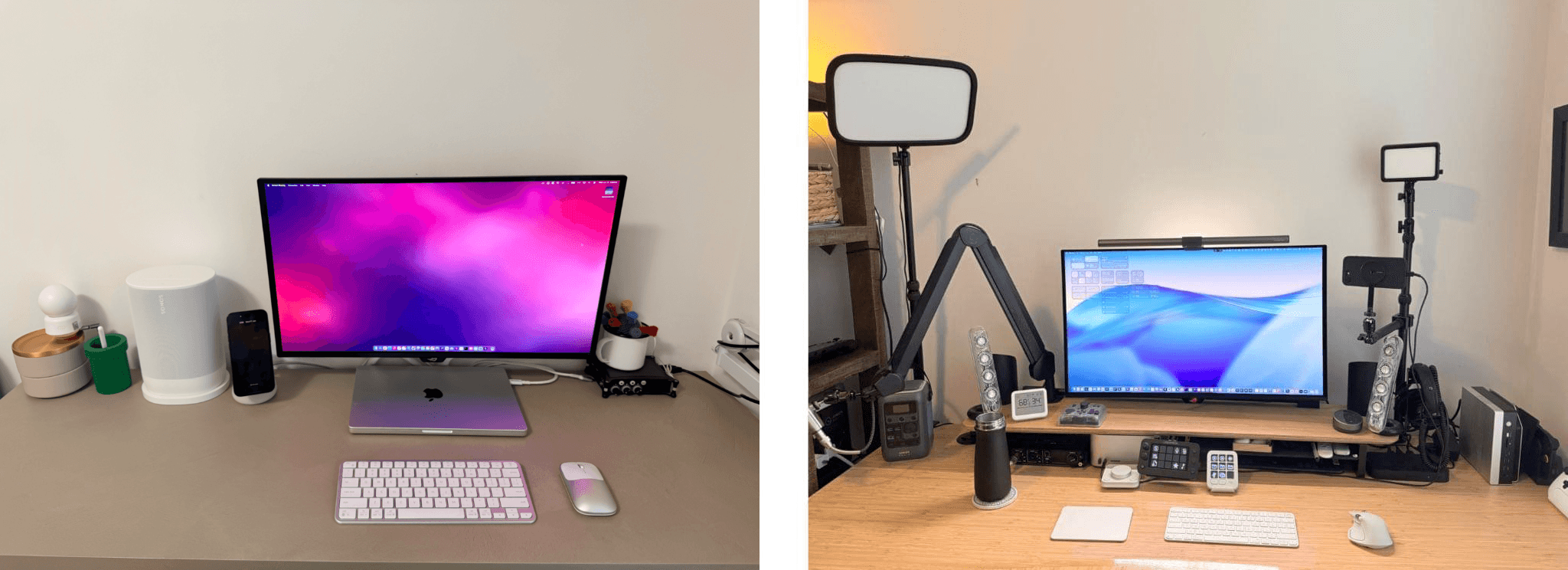
MacStories Setups: A Summer of Workflow Refinements and Experimentation

We’re back with another MacStories Setups update. I swear Federico and I didn’t coordinate our purchases this summer, but you’ll notice that both of us began experimenting with XTEINK readers and the Pebble Index 01 smart ring without discussing it in advance.

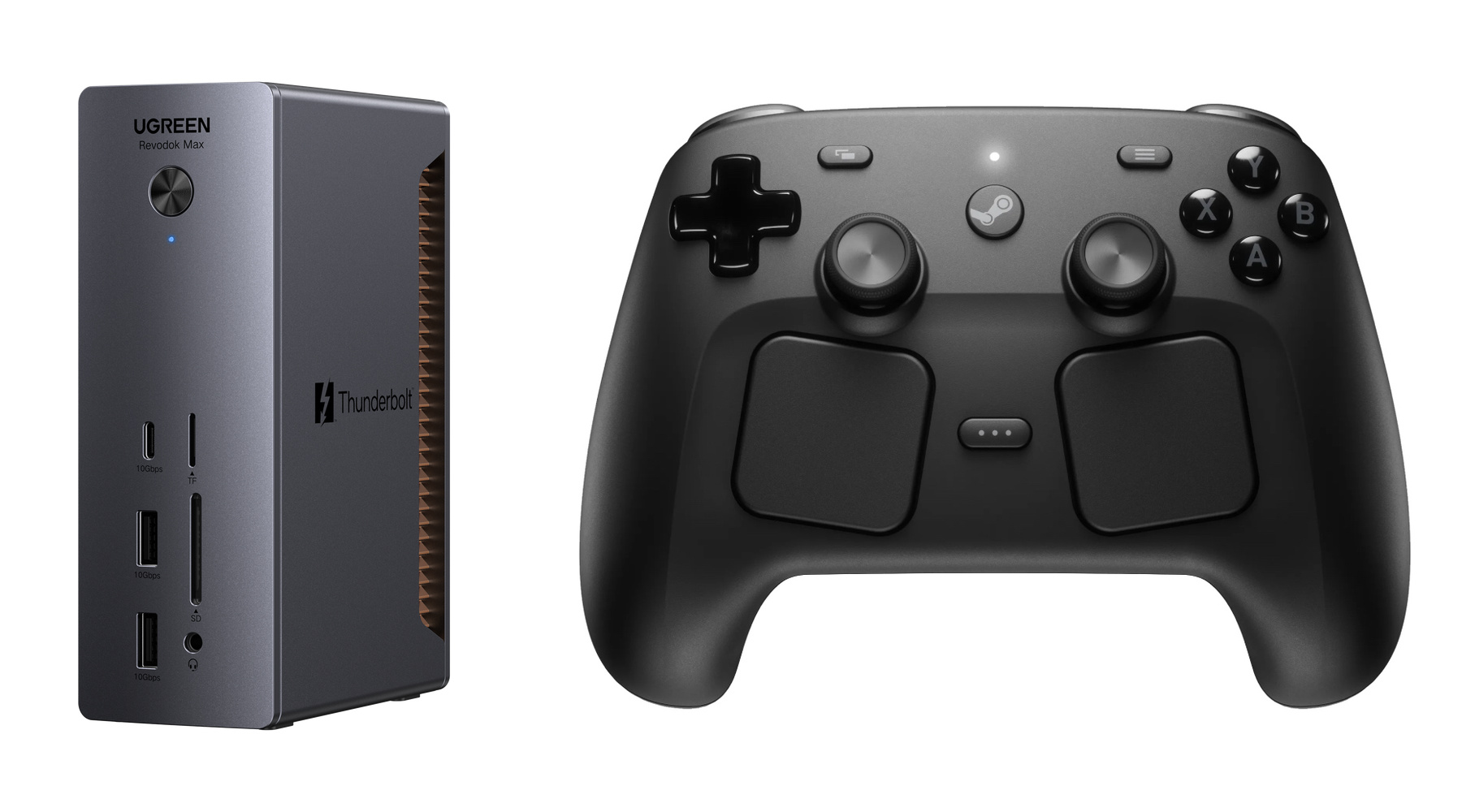
The UGREEN Thunderbolt 5 Dock and Steam Controller.

The UGREEN Thunderbolt 5 Dock and Steam Controller.

Since June, you’ll see from Federico’s changes that many revolve around fine-tuning his app workflows. From re-adding Claude and Superhuman to reluctantly adopting Chrome for agentic workflows, his update reflects a refinement of the way he works. As for gadgets, Federico has begun using the DJI Mic Mini and Pebble Index 01 for dictation and refined his work and gaming desktop setup with a UGREEN Thunderbolt 5 dock and Steam Controller.

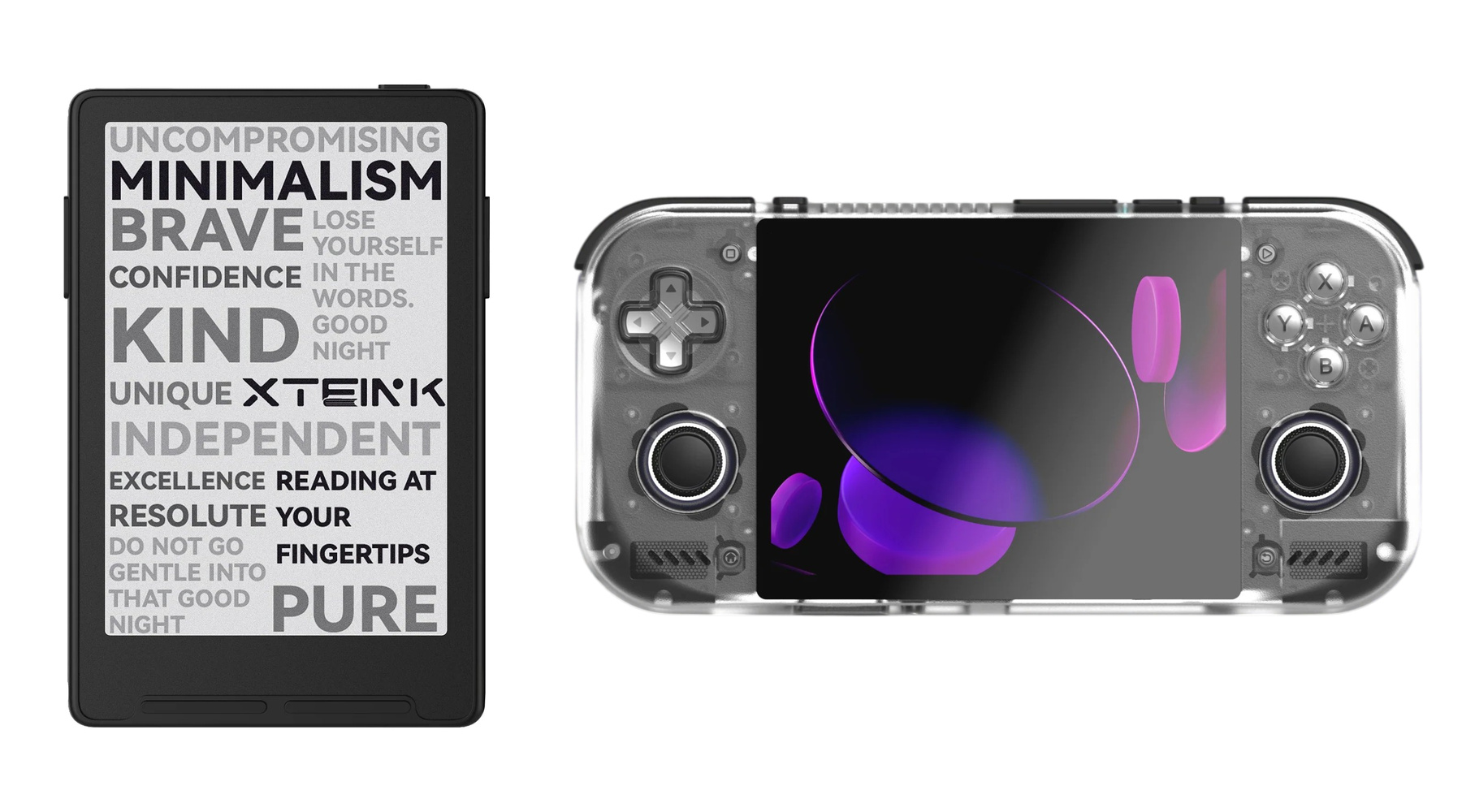
The XTEINK 4 Pro and Retroid Pocket Nova.

The XTEINK 4 Pro and Retroid Pocket Nova.

My setup changes this summer revolve around experiments. I first tried the XTEINK 3 reader and enjoyed creating a custom UI for it so much that I also bought the XTEINK 4 Pro, which is patiently waiting for a free weekend when I can see what more I can do with it. Plus I’ve been trying a bunch of new apps like T3 Code for working with multiple AI subscriptions, Open Minis to get more out of iOS than Siri AI allows, and working with a wide variety of remote access apps, including Beam and Jump Desktop. Finally, I’ve partially abandoned my custom social media web apps for Typefully, which has more features than I’d ever want to build myself.

That’s it for this edition of Setups. Be sure to check out the links here and on the Setups page because some of these gadgets are on sale on Amazon for its Prime Big Deal Days event. Also, be sure to follow the MacStories Deals social media accounts on X.com, Mastodon, and Bluesky.

  •  

MacStories Amazon Prime Big Deal Days Roundup

Amazon’s Big Deal Days for Prime members has begun, and we’ve collected some of our favorite deals offered. As usual, we’ve kept our picks simple, including only those that we’ve reviewed, use ourselves, or that are from brands we trust.

It’s worth noting that this sales event is focused on Prime members, so many of the deals require a Prime subscription. However, not all do.

Smart Home

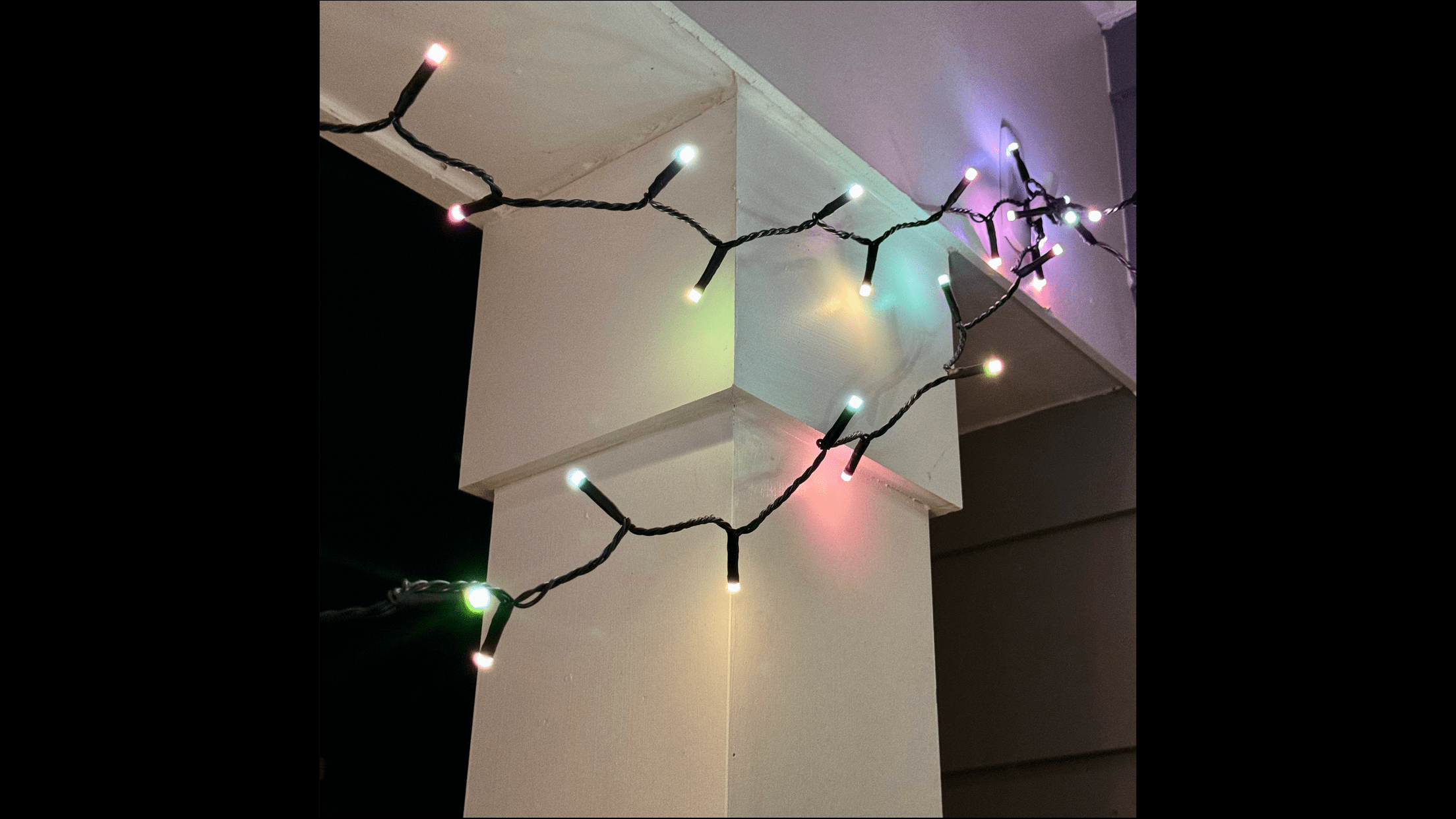
Philips Hue Festavia lights on my balcony.

Philips Hue Festavia lights on my balcony.

I’m a big fan of Philips Hue Festavia string lights, which I reviewed on MacStories in 2023. I hung a strand on our balcony, which has provided great outdoor atmosphere year-round.

The lights are great for the holidays, too. The Hue app lets you pick all sorts of festive presets that animate and color the lights to mimic candles, stars, and more. Festavia lights are also compatible with Apple’s Home app, giving you multiple ways to control and automate them, which I love. Both the 65-foot and 130-foot models are on sale.

Aqara G5 Pro camera.

Aqara G5 Pro camera.

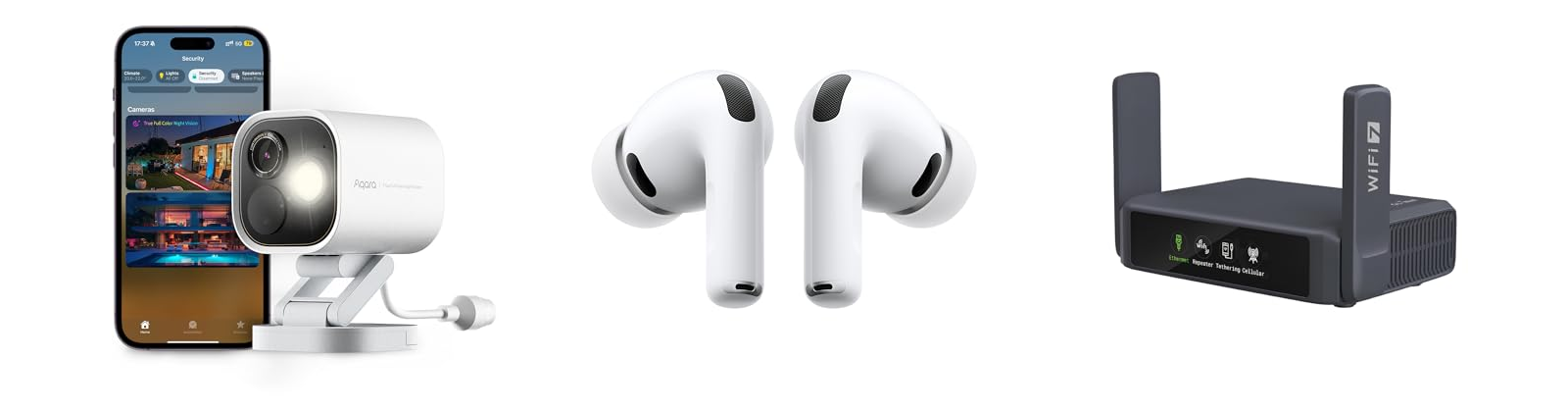
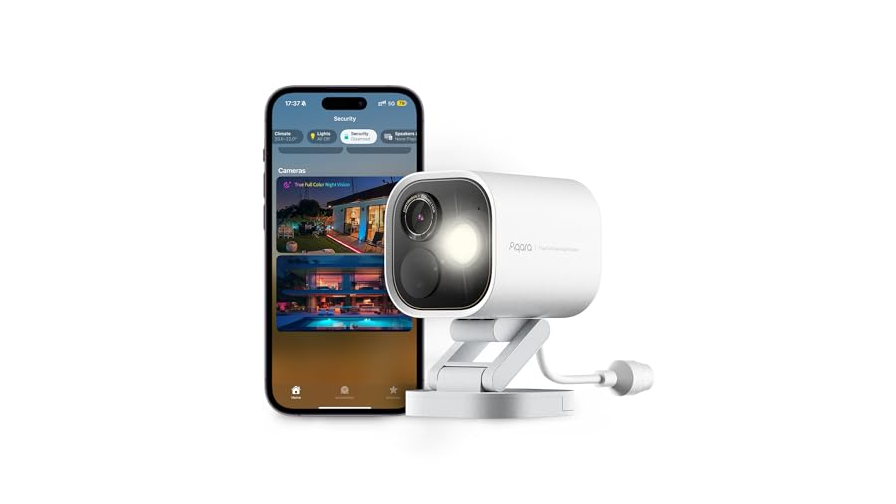
The Aqara G5 Pro camera is on sale, too. It’s been over 18 months since I wrote about this sturdy and reliable outdoor HomeKit security camera, and it’s still one of our most popular hardware reviews on the site. There’s a reason for that, too. The G5 Pro serves as a hub for your other Aqara devices, and stays connected reliably with clear nighttime footage, support for HomeKit Secure Video, and an onboard spotlight. Mine has been installed outside my home ever since I reviewed it, and it’s never missed a beat. I use the Wi-Fi model, but the PoE version is on sale too.

Travel Accessories and Headphones

Anker's 20,100mAh Prime power bank

Anker’s 20,100mAh Prime power bank

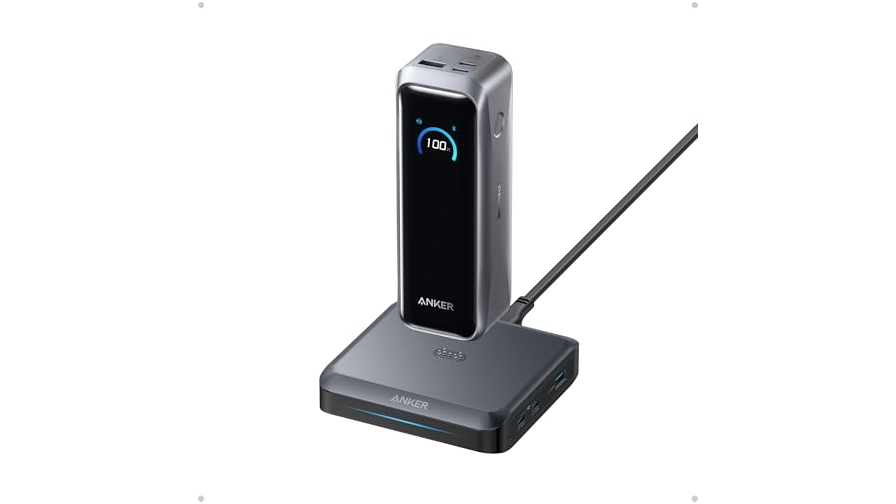
I’m a big fan of batteries and one of the best is Anker’s 20,100mAh Prime power bank, which Federico added to his setup just before WWDC this year. I have a similar model, which is great for use with a laptop and other devices because it can deliver 220W of power with one USB-C port delivering 140W of charging.

UGREEN's 20,000mAh Qi 2 battery.

UGREEN’s 20,000mAh Qi 2 battery.

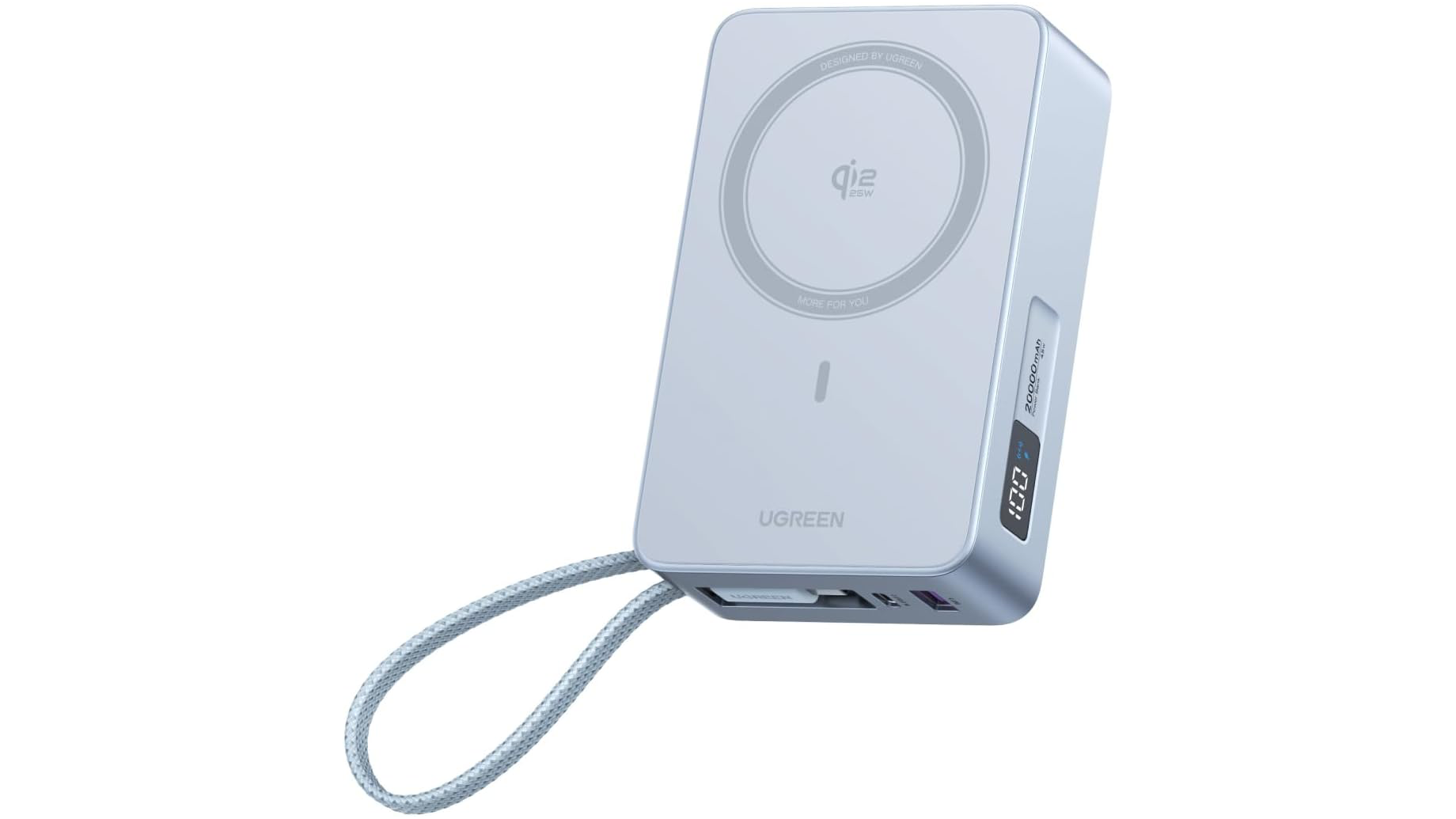
Another interesting battery option is UGREEN’s 20,000mAh Qi 2 battery that delivers 25W of wireless power. I haven’t used this exact battery before, but I have a similar UGREEN model with a smaller capacity that I like a lot. This model also has a built-in USB-C cable and digital screen that shows how much charge is left.

UGREEN's 100W Nexode Pro GaN charger

UGREEN’s 100W Nexode Pro GaN charger


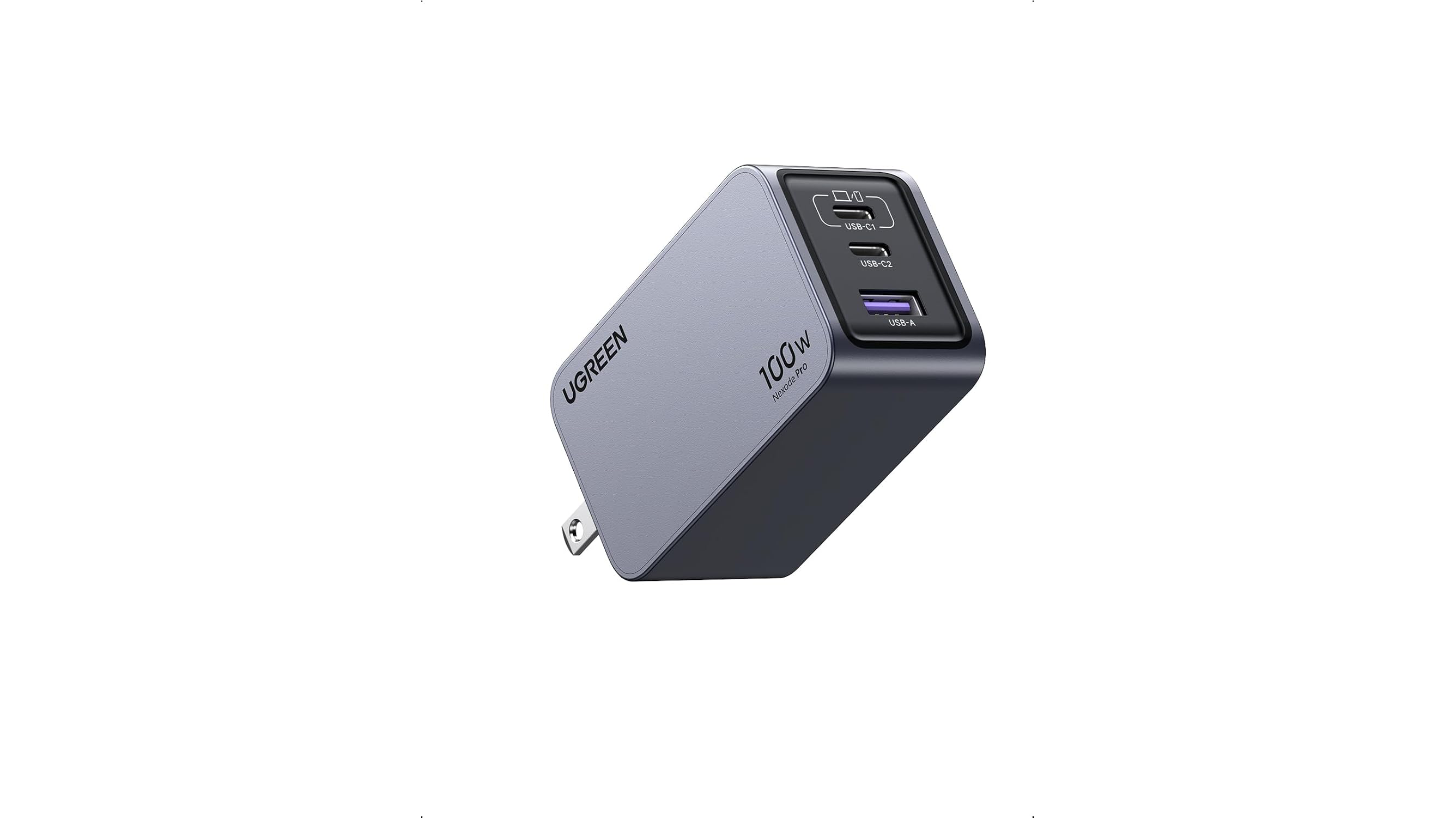
A good travel wall charger is a must, too. When I’m on the road with my MacBook Pro, I always bring UGREEN’s 100W Nexode Pro GaN charger. It has two USB-C ports and one USB-A port, and its prongs fold flat so it’s easy to pack. Combined with its small size, it’s a great choice for any trip.

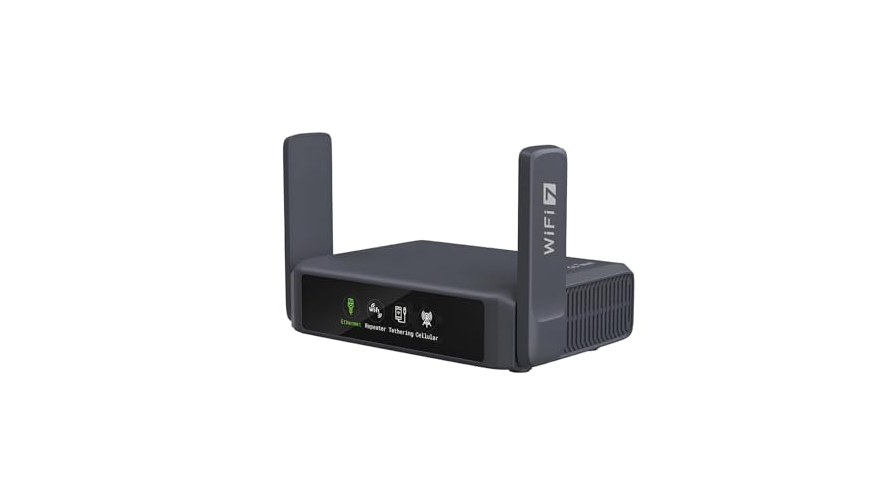
Slate 7.

Slate 7.

A portable Wi-Fi router is great for traveling with your family when you want to stream a movie at night or when you’re working away from home at a coffee shop. My favorite is the Slate 7 by GL.iNet, which I covered on MacStories last summer. It works well to extend an existing network or to connect to your iPhone to create an ad hoc wireless network.

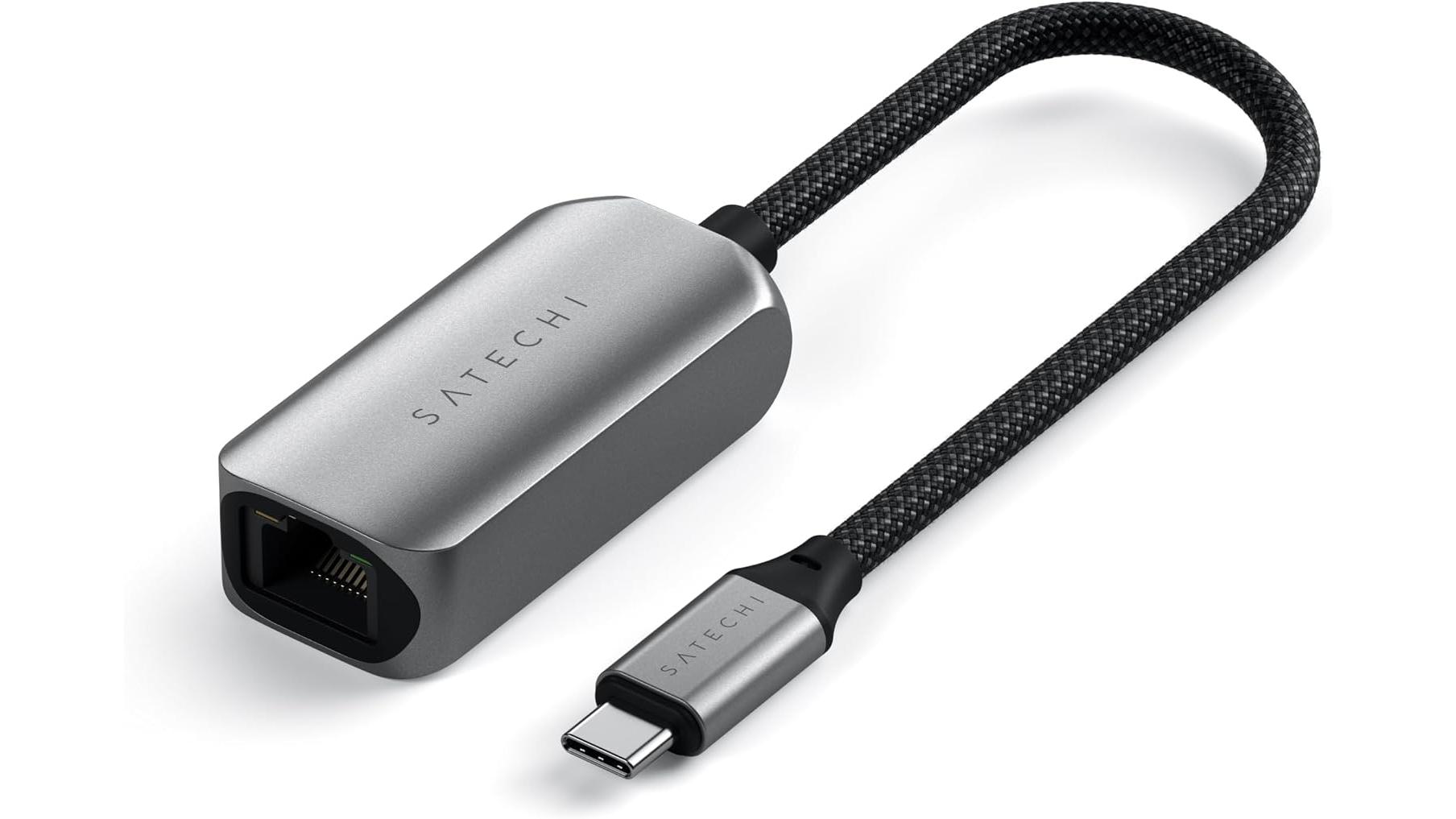
Satechi USB-C 2.5Gbps Ethernet adapter.

Satechi USB-C 2.5Gbps Ethernet adapter.

Finally, I wanted to mention the Satechi USB-C 2.5Gbps Ethernet adapter, which I carry whenever I stay in a hotel room because even slow Ethernet is better than most hotel Wi-Fi. I’ve had this adapter for a couple of years and it’s been a lifesaver on the road more than once, including at WWDC this year where I found myself uploading 4K video to YouTube from the Mountain View public library.

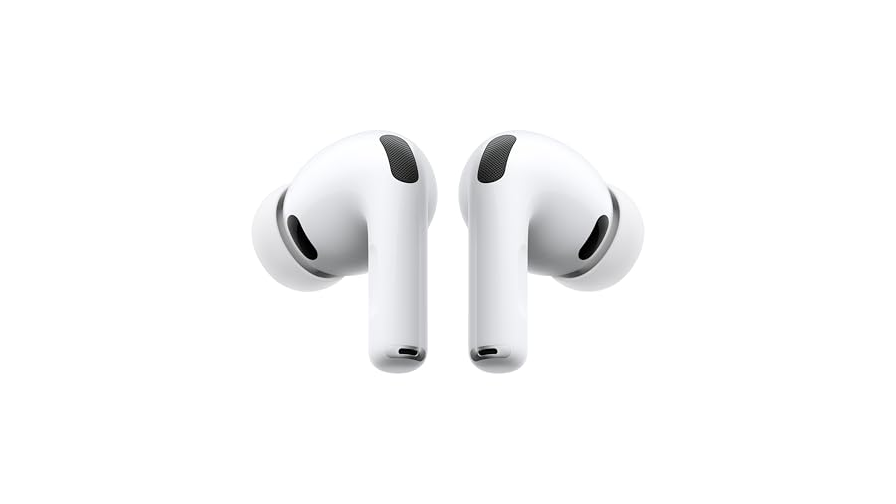
AirPods Pro 3.

AirPods Pro 3.

My favorite wireless earbuds and over-the-ear headphones are on sale too. AirPods Pro 3 are my go-to everyday headphones for walking around the neighborhood or working remotely. The active noise cancelation is top tier, and I love both transparency mode for hearing what’s happening around me and the fit.

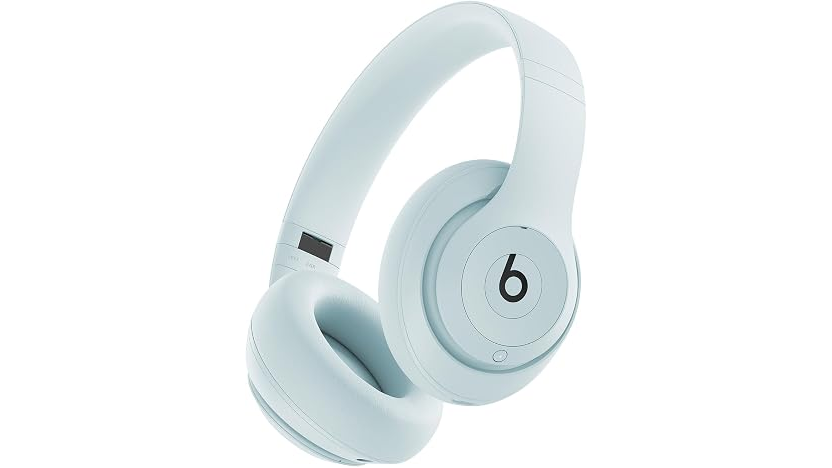
Beats Studio Pro in Light Blue.

Beats Studio Pro in Light Blue.

I’m also a fan of the Beats Studio Pro headphones for their versatility. They work wirelessly, with a 3.5mm headphone cable, or a USB-C cable, with both cables packed in the box. The sound and noise cancelation are excellent, too. Today’s sales price is one of the lowest I’ve seen, so it’s a great time to pick up a pair.


Alright, that’s all for now. We’ll have more finds during Big Deal Days on the MacStories Deals social media accounts on X.com, Mastodon, and Bluesky.

And for more recommendations beyond the sale, visit the MacStories Setups page, where Federico and I share the hardware and apps we use for work and play. We’ll have an update to that coming tomorrow.

  •  
❌