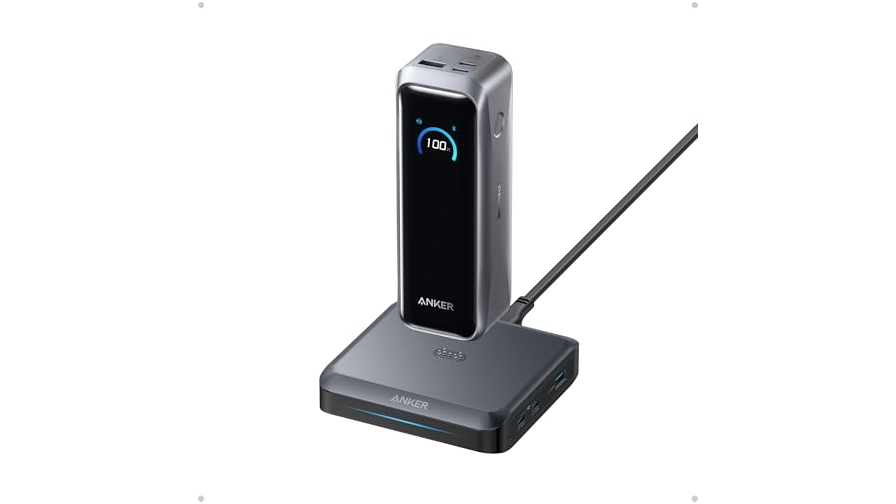
Since you’re probably not planning ot upgrade your MacBook Pro anytime soon, a Thunderbolt 5 dock is a great way to get some extra functionality and expansion out of your existing laptop. Like this one: The HyperDrive Next Thunderbolt 4 Dock with an SSD enclosure is now on sale for $300, 25 percent down from its usual $400.
The awesome part is that one single device can handle your monitors, storage, network, and all the accessories you need. The dock features two USB-A ports on the front of the device, as well as an audio jack and a Thunderbolt 5 downstream port. The back of the dock features an Ethernet port, two USB-A ports, and three more Thunderbolt 5 ports. That’s gonna make transferring files to your MacBook super fast.
It’s not just about ports either. The built-in M.2 slot is what sets this dock apart. Slot in an NVMe SSD, and your dock becomes fast, high-capacity storage that sits right on your desk. It also supports compatible PCIe-based M.2 modules like AI accelerators. Display support is amazing, as you get to run up to three 4K monitors at 60Hz, or push one screen to 8K at 144Hz for sharp detail and fluid motion. Whatever your workload needs, this one can deliver.
In our review, we like everything about this dock except the price-to-ports ratio, and this deal certainly helps. So, grab this amazing HyperDrive Next dock for $300 while this $100 off deal is still live.
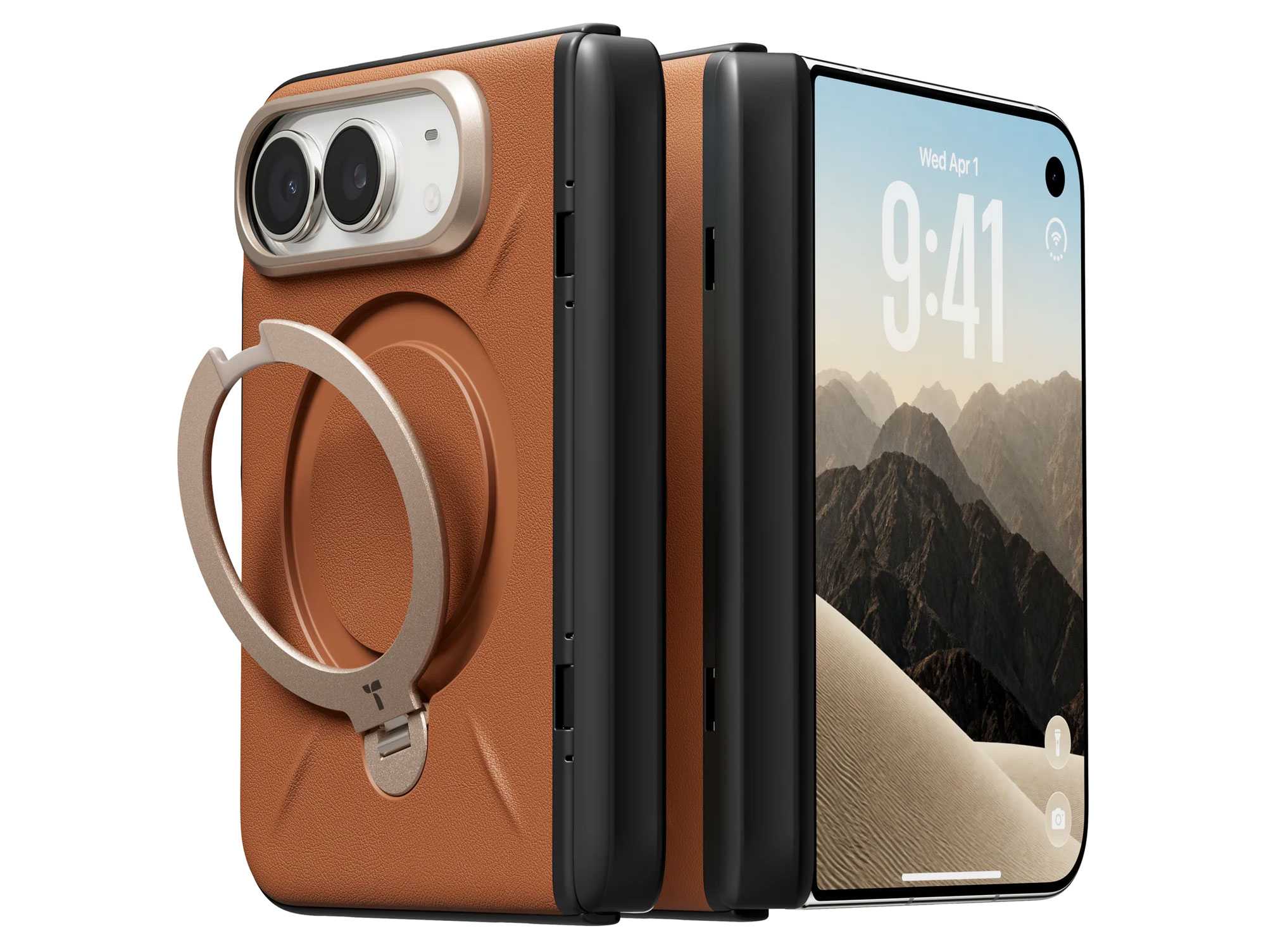
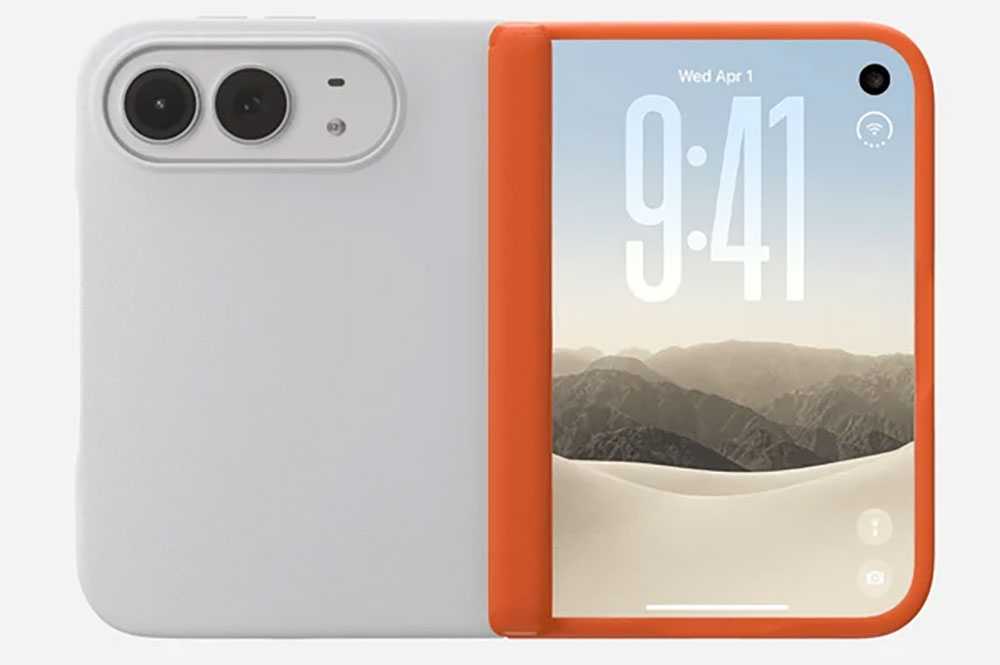
Apple’s new iPhone Duo is both big and small, and it’s more susceptible to knocks and drops than a standard iPhone with its folding function maybe taking a while to get used to. It’s the first iPhone that needs a case built around moving parts—namely the hinge. A case for a foldable can be made from one or two shells, with the additional question of covering the hinge or leaving it bare. The phone goes on sale October 23, and cases are already arriving.
We’ve assessed these cases using a dummy iPhone Duo, comparing their design, materials, fit, and features. This gives us an initial impression, but we haven’t yet verified their performance on a working phone, including wireless charging, Touch ID access, and how they accommodate the hinge during everyday use. We’ll update our recommendations after testing with the iPhone Duo itself.
iPhone Duo test criteria
Until we get our hands on the actual iPhone Duo to test each case with, we’ve used an incredibly accurate test-surrogate iPhone Duo to fit in the cases we’ve tested ourselves. We look for eight key criteria in each case.
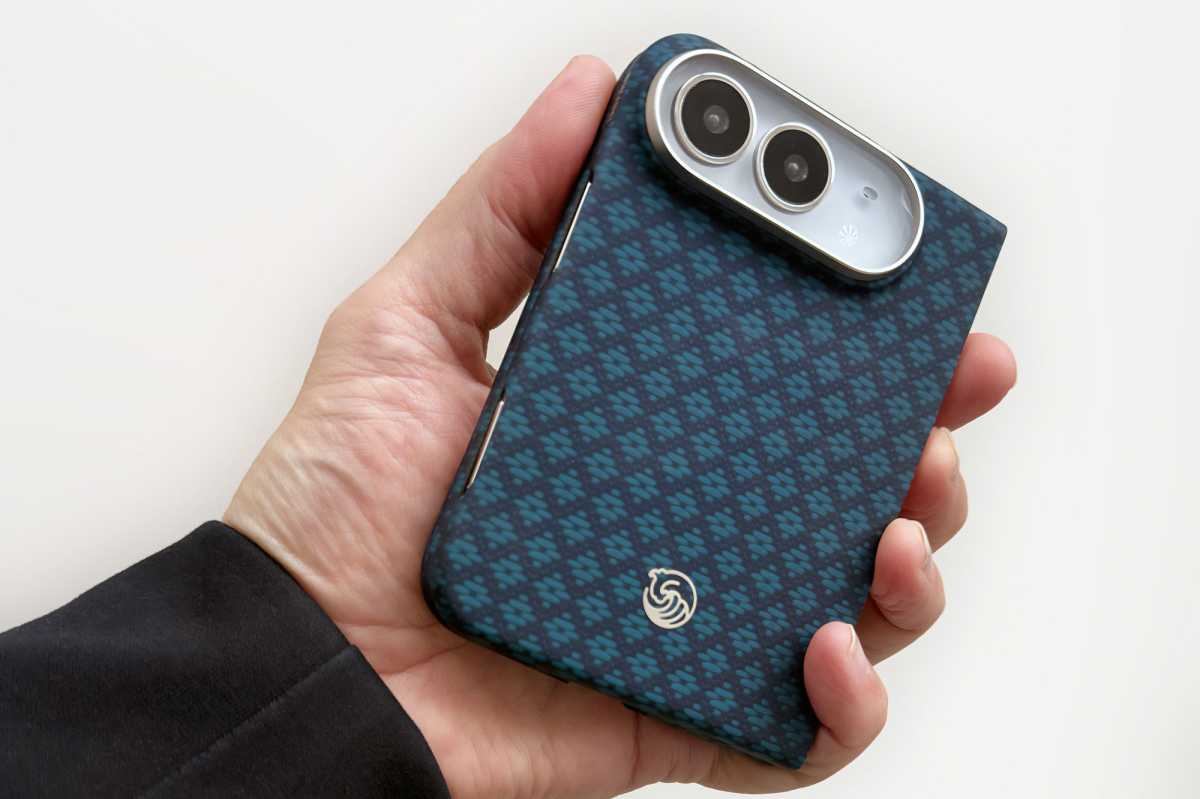
Our test surrogate Duo in the Benks ArmorGrid Air (Beyond Blue)
Simon Jary
Protection: We checked corner reinforcement, camera and screen-edge protection, hinge coverage, and how much of the handset each shell covers. We did not run our own drop tests, so protection assessments are based on construction and coverage, and we note manufacturer claims as claims. Some case makers specify the exact measurements of their raised screen and camera edges, other do not.
Materials and grip: We assess surface texture, grip, finish, and visible fingerprint marks during handling. Common case materials include TPU (thermoplastic polyurethane, a flexible, durable plastic) and aramid fiber (a lightweight, high-strength synthetic fiber, best known through the Kevlar brand). The material alone does not establish how well a case protects the phone; construction and coverage also matter. Long-term wear, discoloration, and adhesive durability cannot be established during these initial checks.
Hinge protection and operation: Cases take different approaches to the Duo’s hinge: some include a protective cover, while others leave it exposed. We opened and closed each case on the dummy handset, checking for stiffness, rattling, gaps, and smooth movement of any hinge cover. We also checked whether both shells stayed firmly attached during opening and closing. These checks provide an initial assessment of the case’s construction and movement. We will assess the effect on the actual phone’s hinge movement or opening angle will require further testing with a working iPhone Duo.
Fit and installation: We used the dummy iPhone Duo to assess how securely each section fits the handset, the alignment of cutouts, and the ease of installation. We also checked the positioning and accessibility of button covers and port openings. Final fit and tolerances, button response, Touch ID operation, and cable fit will need confirmation with a retail iPhone Duo.
Slimness: The Duo’s thin profile is part of its appeal but this must be weighed against the backplate’s coverage and reinforcement. We penalize cases that add bulk without a clear benefit, but not where the protective benefits are worthwhile.
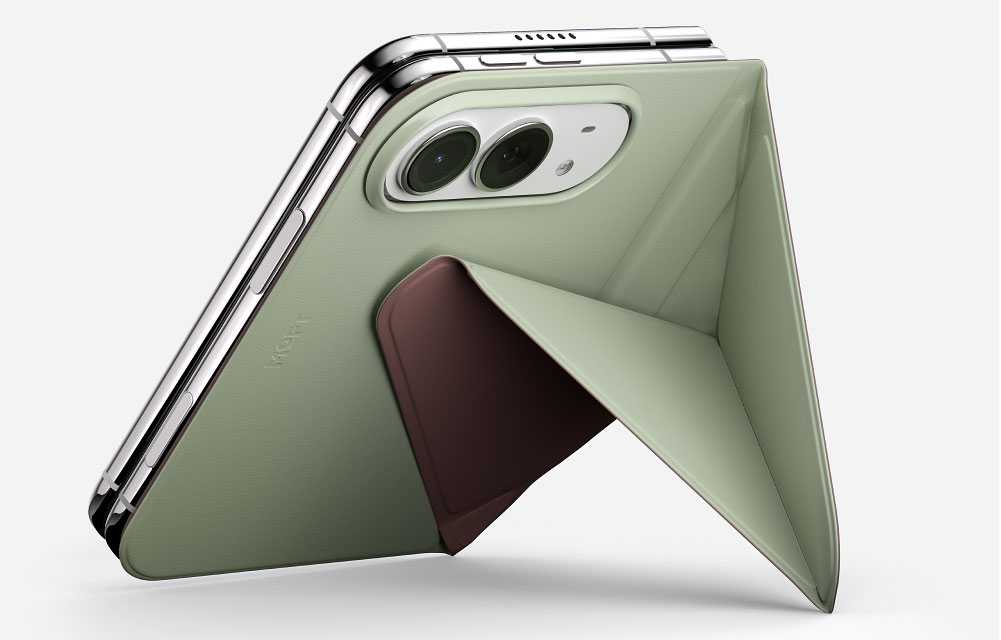
Extra functions: Some iPhone Duo cases include a kickstand for easier viewing. We assessed adjustability and how much bulk the stand adds. ESR’s Flex Stand, for example, rotates 180° and forms a protective guard around the camera bar when not in use. Other stands, such as those on the Torras Ostand and UAG Mouve XTE, rotate 360° and fold flat against the case backplate. The Moft Dynamic Folio uses an origami-like folding stand. Stability with a working iPhone Duo, both folded and unfolded, will require further testing because its weight and balance may differ from those of the dummy handset.
Colors and style: We assessed the range of colors and the quality of the finishes provided. Most of the color and pattern will be seen on the case’s backplate, but it should also be noticed on the front frame and hinge protector where present.
Magnetic accessory compatibility: We checked how securely magnetic chargers, power banks, wallets, and other accessories attached, and whether the case’s camera surround, hinge protection, or kickstand obstructed their fit. Because we used a dummy handset for our initial testing, these checks assess attachment and clearance only. We will test charging performance—including speed, heat, and reliability—once we have a working iPhone Duo.
Price comparison from over 24,000 stores worldwide
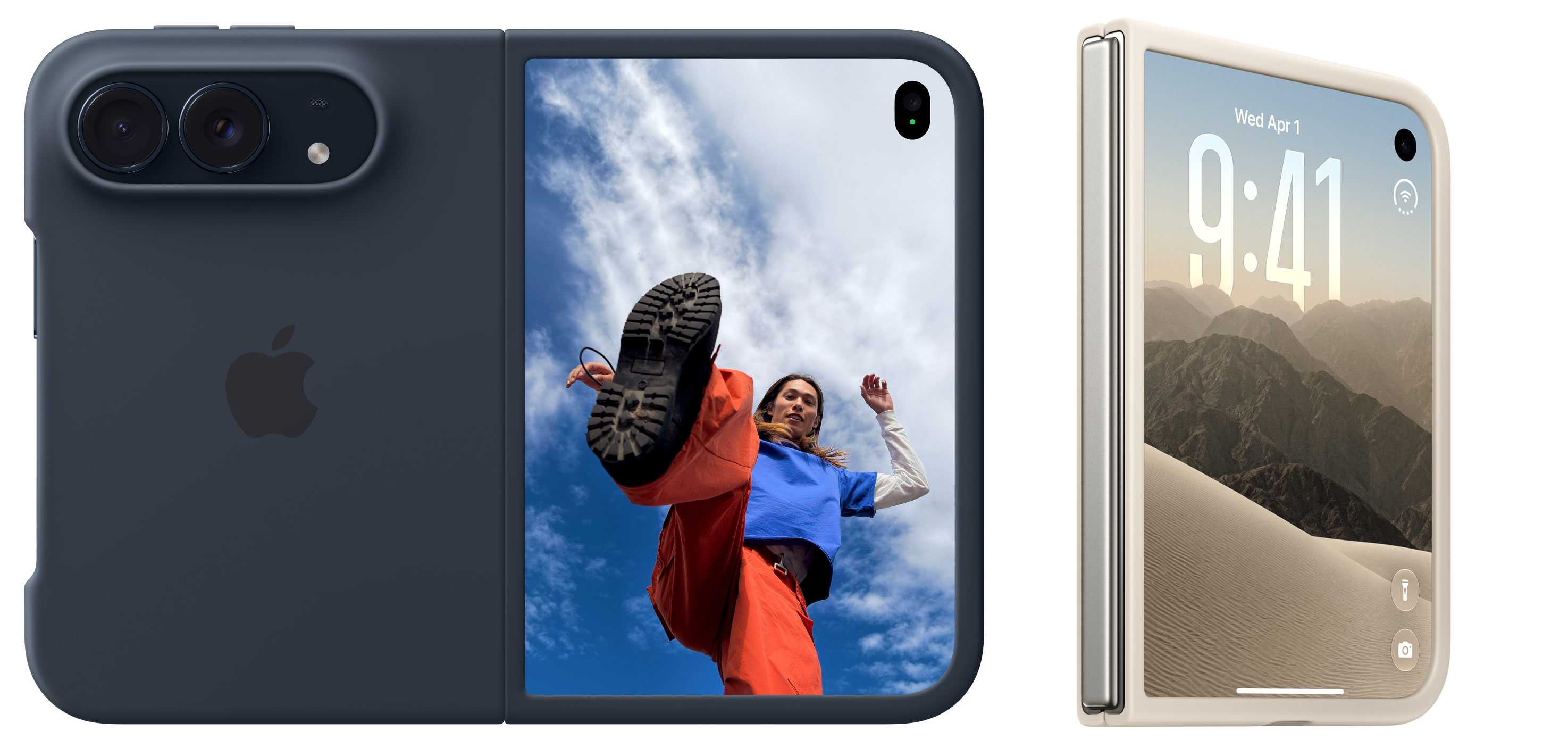
There are two Apple-branded cases for the iPhone Duo. The basic version is called simply the Apple iPhone Duo Case. If you want everything to have an Apple logo on it, this is a solid choice you can’t go wrong with.
It’s a two-part design, with each side having its own thin cover and a protective frame around the edges. This leaves the phone’s hinge area “unobstructed” (which the pessimistic among us could also describe as “exposed”) so the device can fold and close completely flat without interference. Like most two-part cases without a hinge cover, it requires adhesive strips to ensure a secure fit, and so is not as easy to remove and reattach as magnetic cases such as Apple’s own Duo Folio case.
Made from polycarbonate with a matte coating, the case is available in two colors—Navy Blue and Sand—that match the Duo’s own Night Sky and Star White colors.
MagSafe: Yes
Hinge protected: No
Apple iPhone Duo Folio with Kickstand: Magnetic folio with a built-in stand
Price comparison from over 24,000 stores worldwide
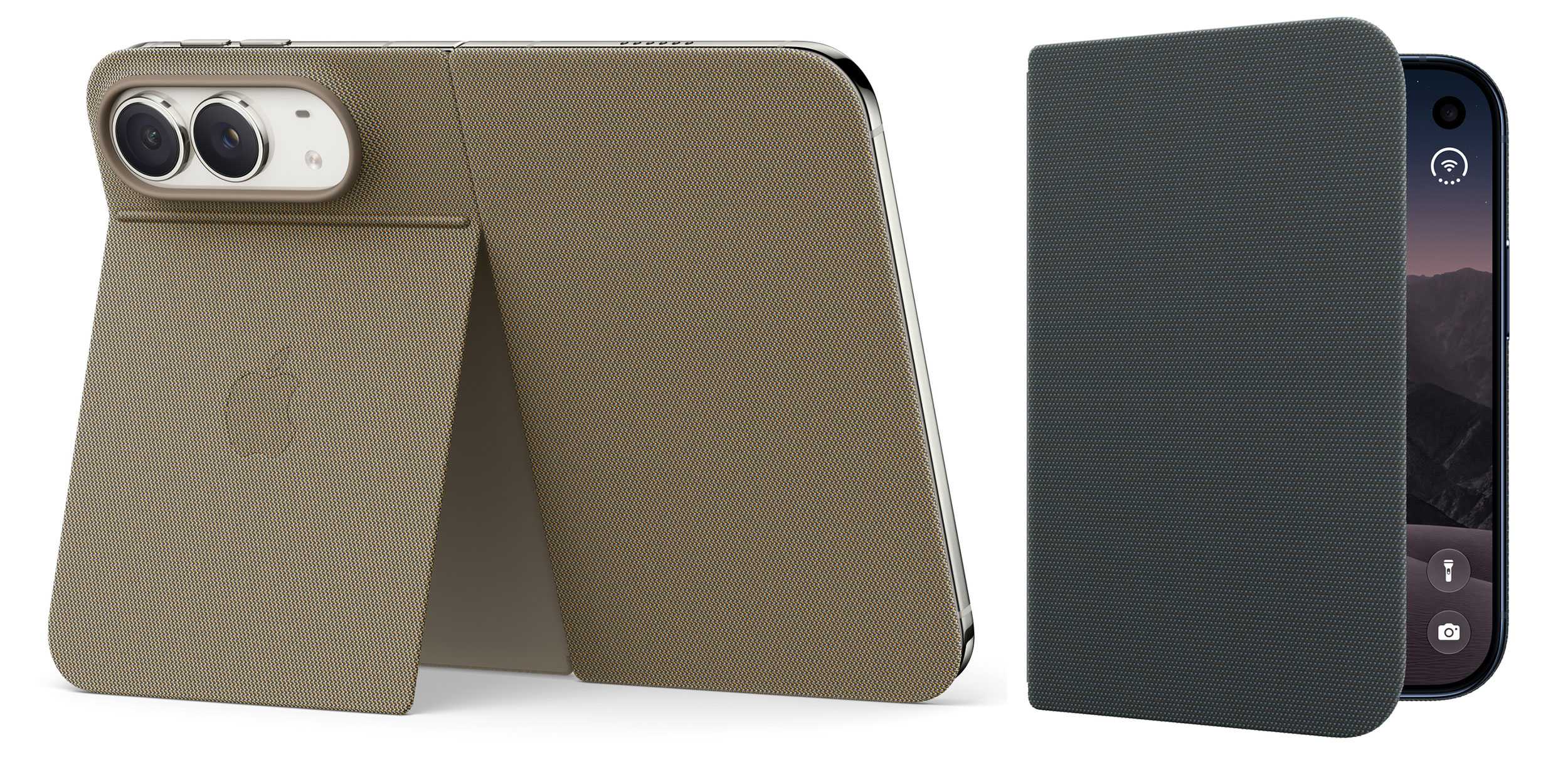
The second Apple-branded iPhone Duo case is the Folio with Kickstand, a thin one-piece multi-function case that attaches magnetically, and both protects and offers stable viewing through a sturdy kickstand at the back. While it does protect the exterior display and the hinge, unlike the basic Apple Duo Case it doesn’t feature a protective frame for the phone’s edges. Somewhat remarkably, the MagSafe connection remains even when the stand cover is closed and will also work when it’s open. The Duo can wirelessly charge at up to 25W.
Again, the Navy Blue and Taupe case colors are suited to each of the two Duo appearances. It’s made with Apple’s leather-alternative TechWoven fabric, found on its standard iPhone cases. Unlike the basic Apple iPhone Duo Case, the Folio has a fabric hinge cover so that’s better protected. This neatly retracts when the Duo is unfolded open so doesn’t affect the outer screen when the device is unfolded.
MagSafe: Yes
Hinge protected: Yes
Benks ArmorGrid Air Grand Combo: Best lightweight case
Price comparison from over 24,000 stores worldwide
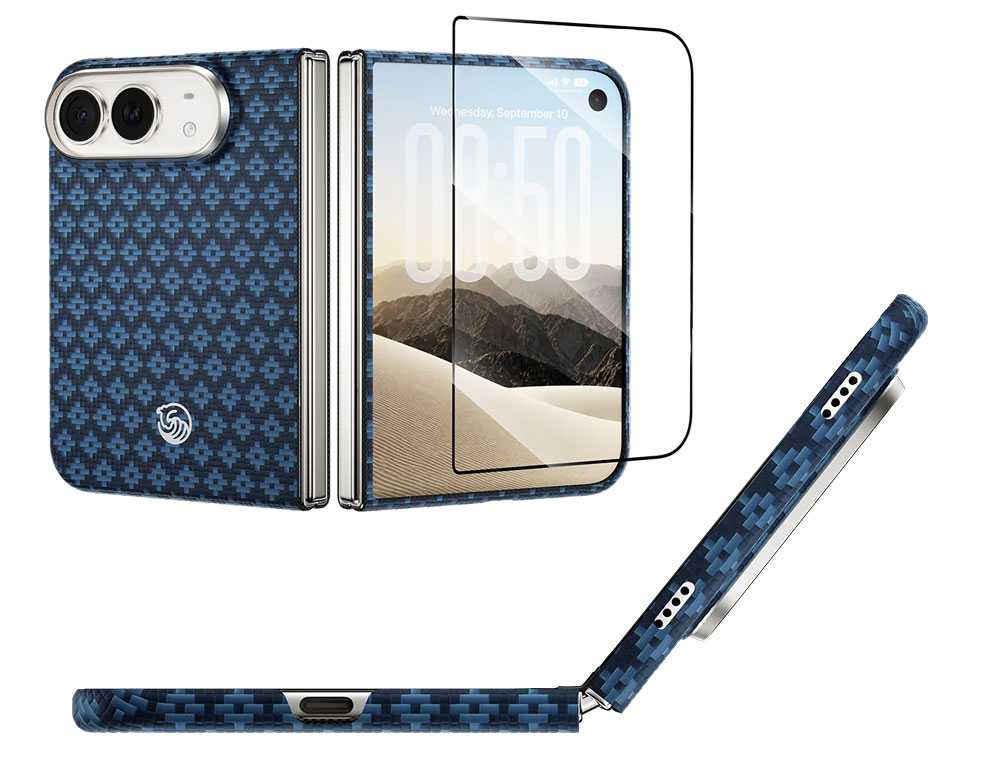
Benks makes some of our favorite standard iPhone cases, and its ArmorGrid Air Grand Combo for iPhone Duo matches the ArmorGrid case for iPhone 18 Pro and Pro Max. It’s a protection set that combines a front frame shielding the display perimeter and 1.3mm-thin back case made from super-tough Kevlar, and a screen protector for the front (not unfolded middle) screen. The whole package weighs a slight 23.5g.
There’s no hinge protection, which keeps the Duo’s folding mechanism unencumbered and reduces the possible points of failure but also leaves this area of the Duo bare.
The Kevlar back case features a diamond-pattern weave to create a structured, geometric texture that adds a little extra grip but nothing you really notice in hand. It’s available in either Beyond Blue or Obsidian Black. This can be paired with the $29 Benks ArmorPop Grip Stand for balanced, stability viewing angles.
MagSafe: Yes
Camera edge: 2mm
Screen edge: 1.5mm
Backplate: 1.3mm
Hinge protected: No
Drop protection: Yes, height not claimed
Weight: 23.5g
Benks
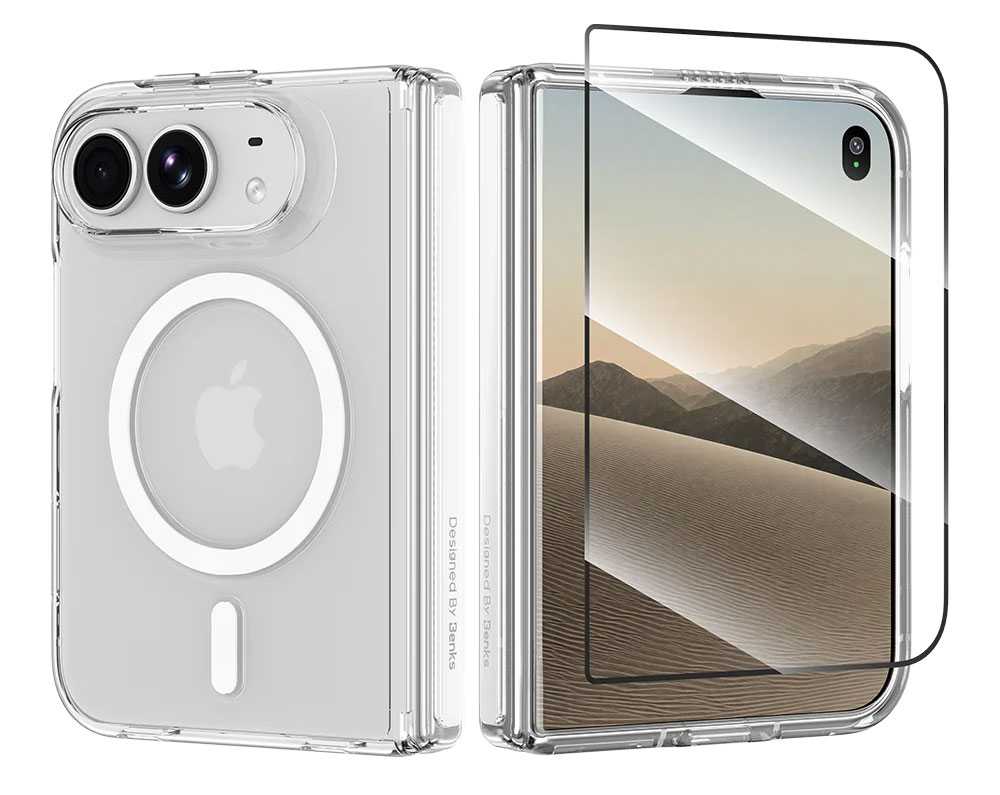
If you prefer to keep Apple’s original Duo coloring Benks also offers its clear Crystal Case for iPhone Duo with transparent polycarbonate front frame and back with corner airbag cushions, plus the front screen protector. Unlike the ArmorGrid Case, there is hinge protection that reduces the force of daily impacts and scratches. An anti-yellowing surface treatment helps resist discoloration from UV exposure.
MagSafe: Yes
Camera edge: 2mm
Screen edge: 1.5mm
Backplate: 1.3mm
Hinge protected: Yes
Drop protection: Yes, height not claimed
Weight: 23.5g
ESR Atelier Case with Flex Stand for iPhone Duo: Best soft-touch case
Price comparison from over 24,000 stores worldwide
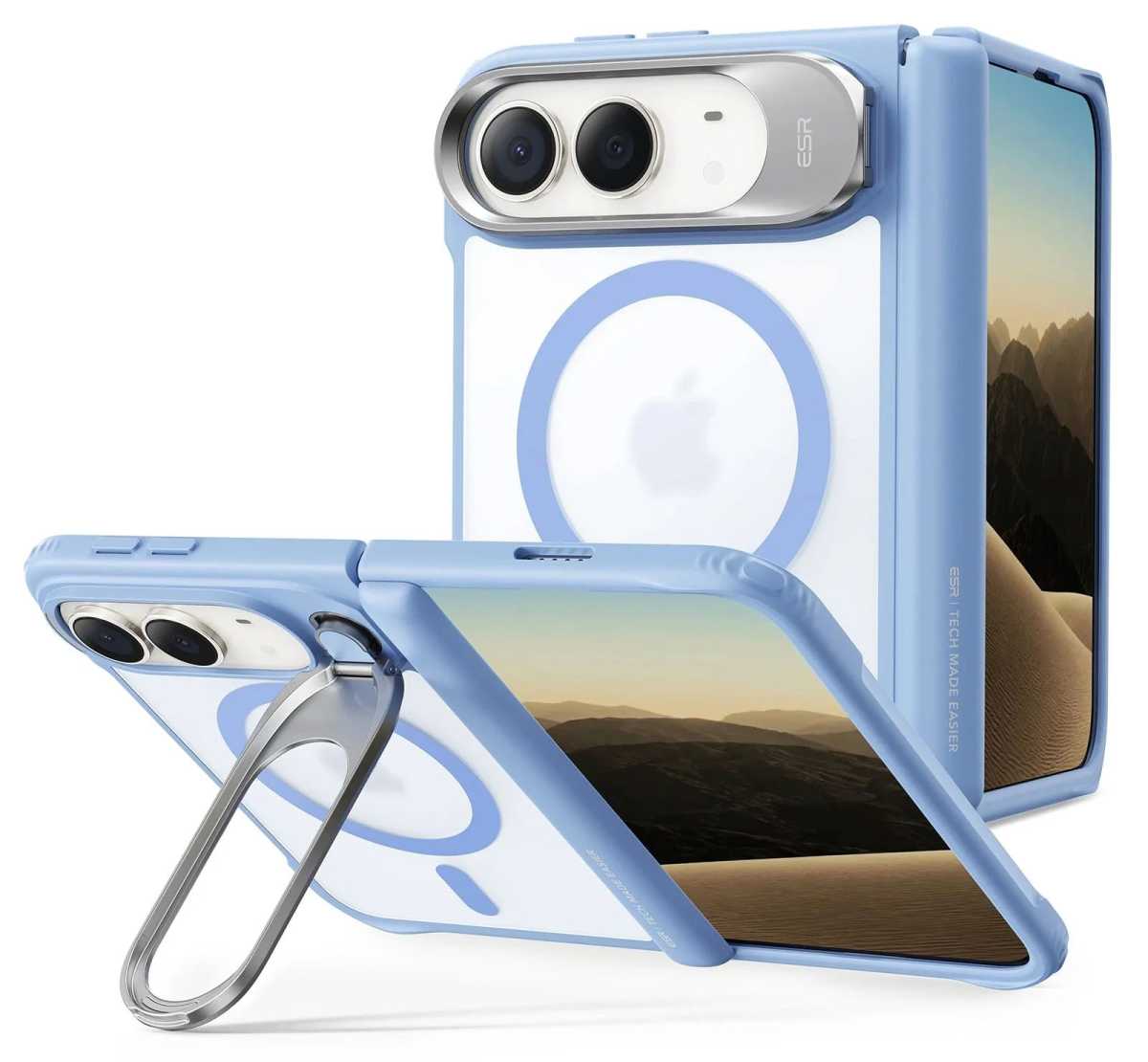
ESR’s Atelier Case ($59.99) is made from a soft, smooth silicone material that wraps around front and back including the iPhone Duo’s hinge. ESR claims it can withstand drops of up to 3.6 feet, with a strong TPU frame. Its metal 180° Flex stand doubles as a camera lens protector when not in use, and can be placed in a variety of portrait and landscape positions (adjustable viewing from 15°–69°), whether the Duo is folded or unfolded. The same handy stand is available on ESR’s other Duo cases reviewed below.
MagSafe: Yes
Camera edge: 1.6mm
Screen edge: 2.3mm
Backplate: 2.3mm
Hinge protected: Yes
Drop protection: 3.6 feet
Weight: 59g
ESR
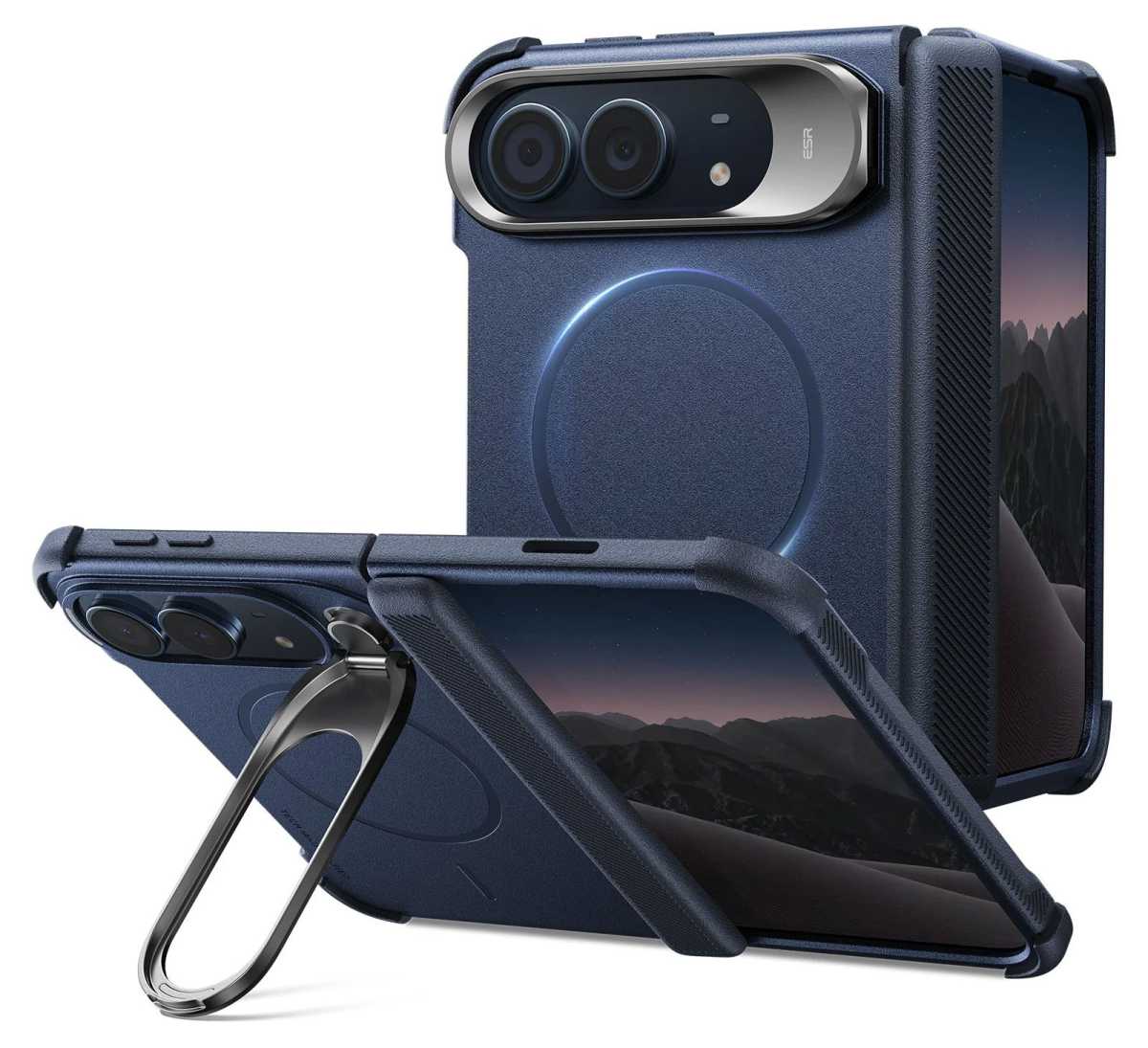
The Cyber Tough Case ($42.99) is ESR’s most protective case for iPhone Duo, offering what ESR claims is 16-foot drop, 4x military-grade protection. It features reinforced hinge coverage, zinc-alloy camera protection, and Air Guard corners. The textured sides add some grip to make dropping the Duo less likely in the first place. The Cyber Tough’s Flex Stand folds 180° and rotates 270° for stable hands-free. As with the Atelier Case, the Flex tucks back to form the camera lends protection when not in use as a stand. Also available on Amazon.
MagSafe: Yes
Camera edge: 1.8mm
Screen edge: 2.6mm
Backplate: 2.5mm
Hinge protected: Yes
Drop protection: 16 feet
Weight: 65g
ESR
Somewhere between the Atelier and Cyber Tough is ESR’s Classic Hybrid Case ($42.99), with a 1.5mm back and the same 180° Flex Stand and reinforced hinge protection. The Frosted cases show more of the original Duo colors. Also available on Amazon.
MagSafe: Yes
Camera edge: 0.8mm
Screen edge: 2.1mm
Backplate: 1.5mm
Hinge protected: Yes
Drop protection: 8 feet
Weight: 55g
Torras Ostand Q3 VegSkin Case for iPhone Duo: Best rotating stand case
Price comparison from over 24,000 stores worldwide
Made from a premium leather-like silicone material, the Ostand Q3 VegSkin Case offers a 3.35mm thick back protection that Torras claims 8-foot drop protection, plus 1.2mm bezels around the camera lenses and front screen.
The aluminum alloy Ostand can pivot 360° and folds flat back into the MagSafe back cover when not in use. It’s a great stand that we’ve previously enjoyed with the standard iPhone.
The VegSkin Case is available in three colors: Deep Blue, Amber Brown, and Pearl Grey. There’s a version without the leather-like appearance in Purple, Black, and Deep Blue.
MagSafe: Yes
Camera edge: 1.2mm
Screen edge: 1.2mm
Backplate: 3.35mm
Hinge protected: Yes
Drop protection: 8 feet
Weight: 46g
MOFT Dynamic Folio for iPhone Duo: Best case with a stand and grip
Price comparison from over 24,000 stores worldwide
MOFT stands out, quite literally, with its origami-inspired case/stand designs for iPhone and iPad. Its Dynamic Folio for iPhone Duo applies the same ingenious folding logic to protection, grip and viewing. The centrally positioned structure balances the Duo’s weight, supporting four portrait and landscape positions. As with most iPhone Duo cases the front frame has a removable adhesive to secure it, while the hinge and backplate are joined magnetically.
MagSafe: Yes
Camera edge: Yes, no size given
Screen edge: Yes, no size given
Backplate: 1.9mm
Hinge protected: Yes
Drop protection: Yes, height not claimed
Weight: 73g
Moft
The MOFT MOVAS Modular Case for iPhone Duo is a more traditional case even though it comes in three parts: front frame, hinge, and backplate. It still has a wow-factor over other cases as you can mod your design with an extra hinge/frame in a different color at the point of purchase. Shown above is the Misty Cove backplate with a Terracotta hinge/frame, but you could choose the same backplate with a Khaki Green front, or Navy Blue with either.
Nomad Traditional Leather Folio for iPhone Duo: Best leather wallet case
Price comparison from over 24,000 stores worldwide
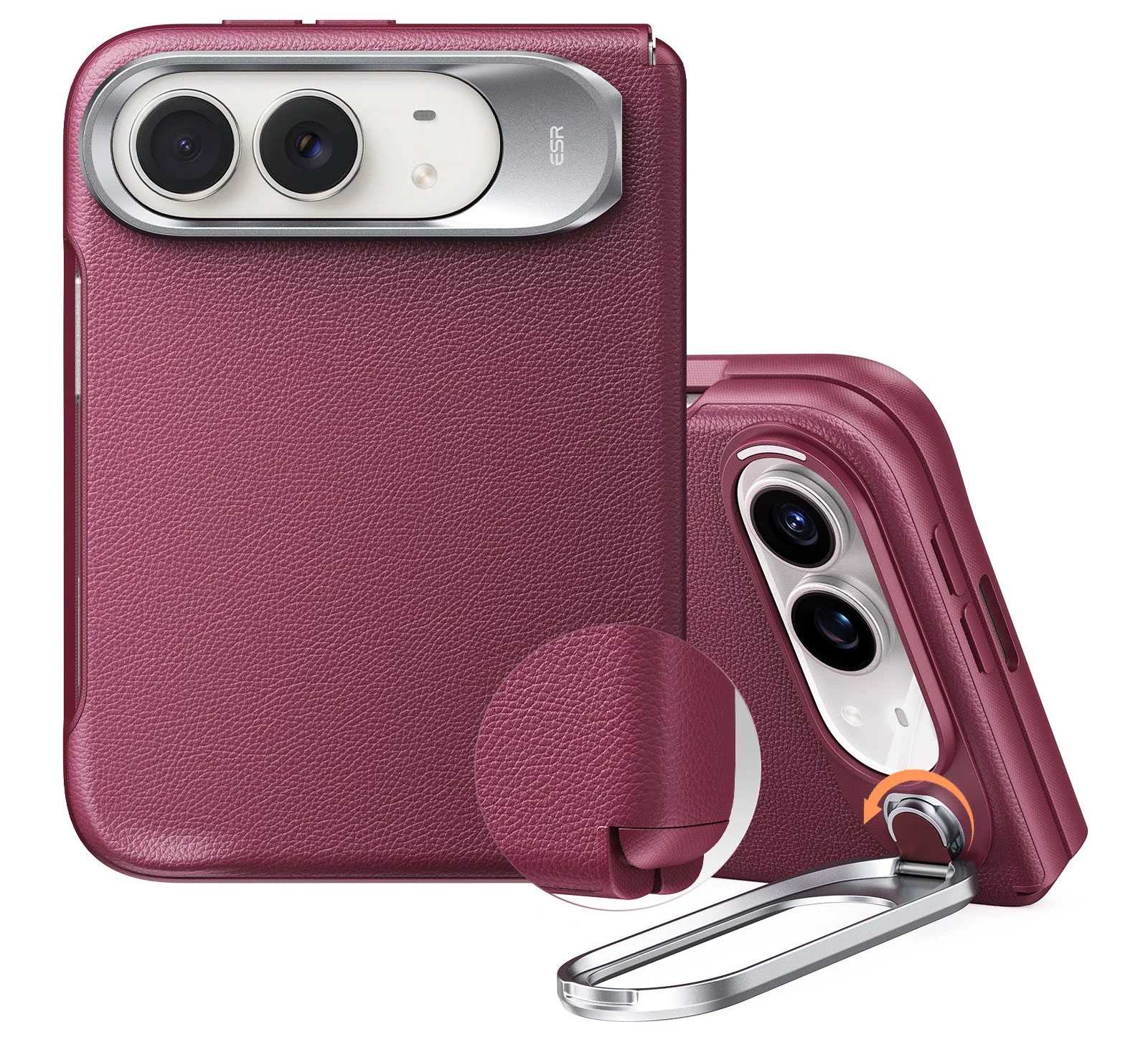
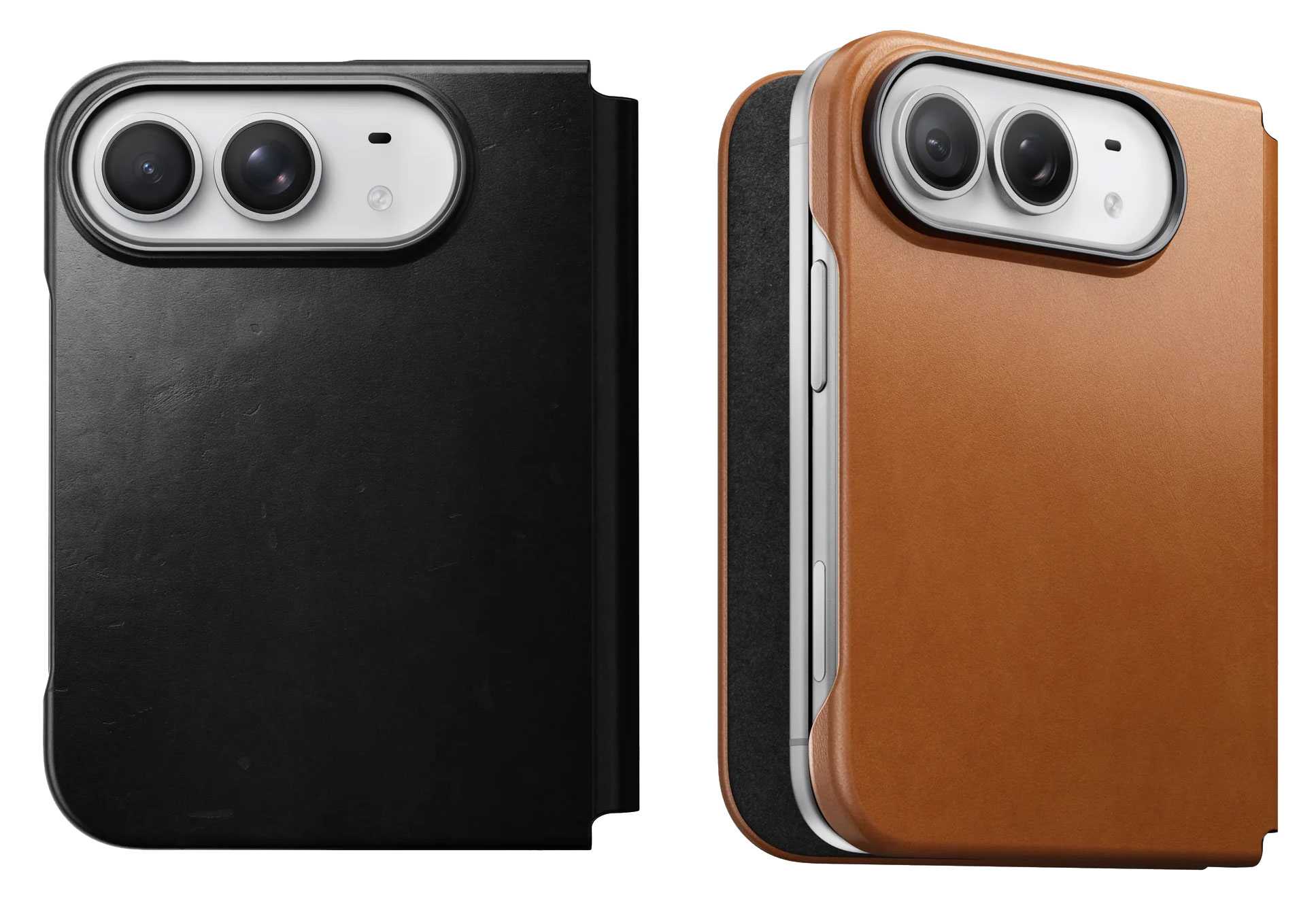
The Nomad Traditional Leather Folio wraps the Duo in full-grain, premium vegetable-tanned Horween leather that gains its own patina over time.
The backplate is 2.7mm thick with full Folio thickness of 3.8mm. The hinge is protected, and there’s a 1.15mm lip protecting the screens. You can fit a couple of cards inside the front section of the case.
MagSafe: Yes
Camera edge: 0.5mm
Screen edge: 1.15mm
Backplate: 2.7mm
Hinge protected: Yes
Drop protection:Yes, height not claimed
Weight: 64g
If you don’t need the full folio coverage and desire as thin a Duo as possible but with some back protection, Nomad offers just the magnetic Leather Back (2.2mm thick), also in Horween leather at $59, which features microsuction pads to double-up on the magnetic application.
MagSafe: Yes
Camera edge: 0.5mm
Screen edge: n/a
Backplate: 2.2mm
Hinge protected: No
Drop protection: Drop protection: No—back and camera protection against everyday
Weight: 64g
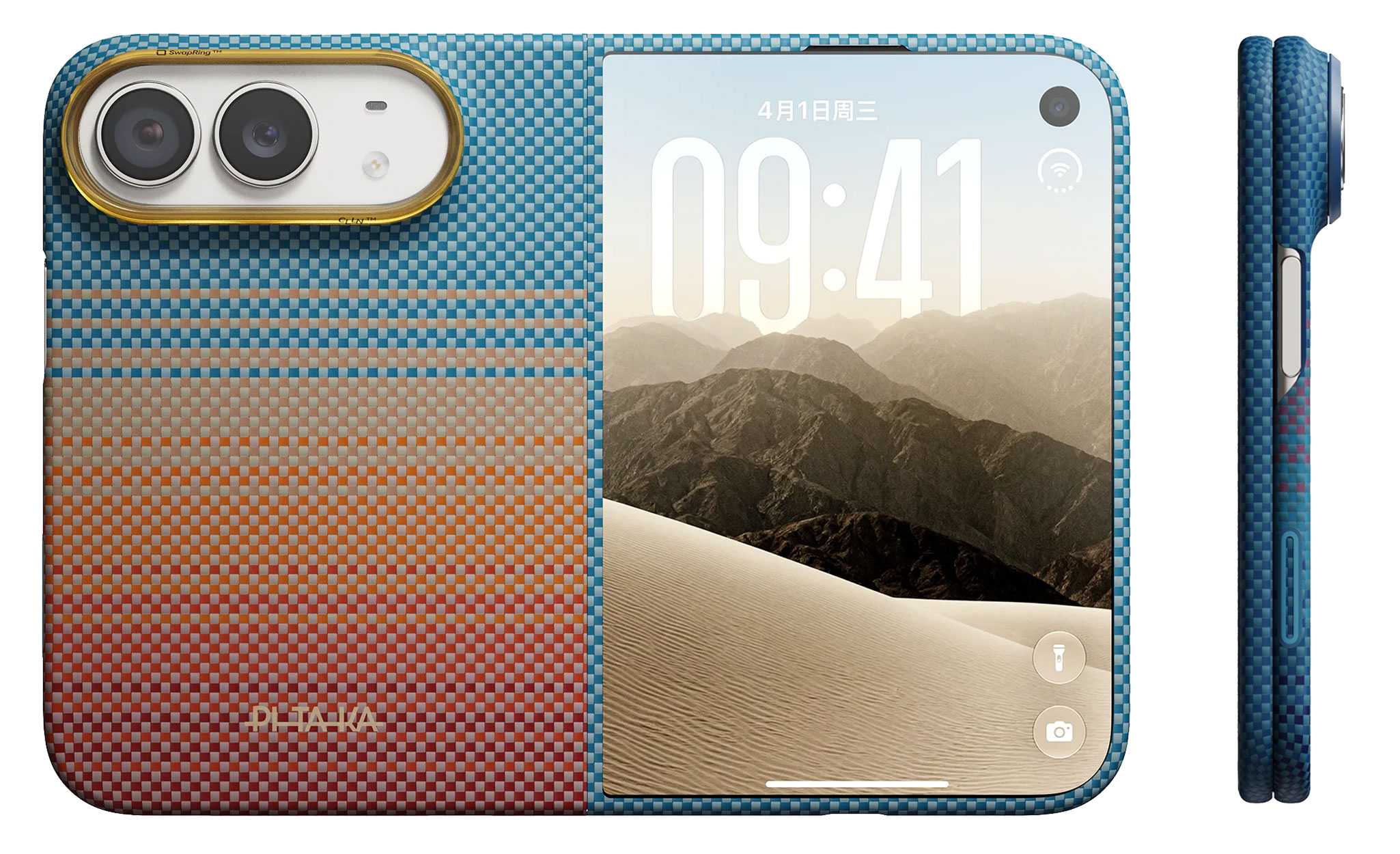
Pitaka iPhone Duo Edge Case: Slim patterned aramid case
Price comparison from over 24,000 stores worldwide
Available in Pitaka’s distinctive California Dream, Black/Grey Twill, Midnight, and Sunset patterns, the Duo Edge Case has no hinge protection keeping it slim but does boast a two-part aramid fiber front frame and 1.3mm back cover with pre-installed anti-slip adhesive strips. Pitaka claims its Mammoth Resin reinforces structural integrity to enhance impact resistance.
The front cover is fitted with HD anti-reflective tempered glass to minimize glare and fingerprint smudges.
MagSafe: Yes
Camera edge: 0.5mm
Screen edge: 0.5mm
Backplate: 1.3mm
Hinge protected: No
Drop protection: 8 feet
Weight: 36g
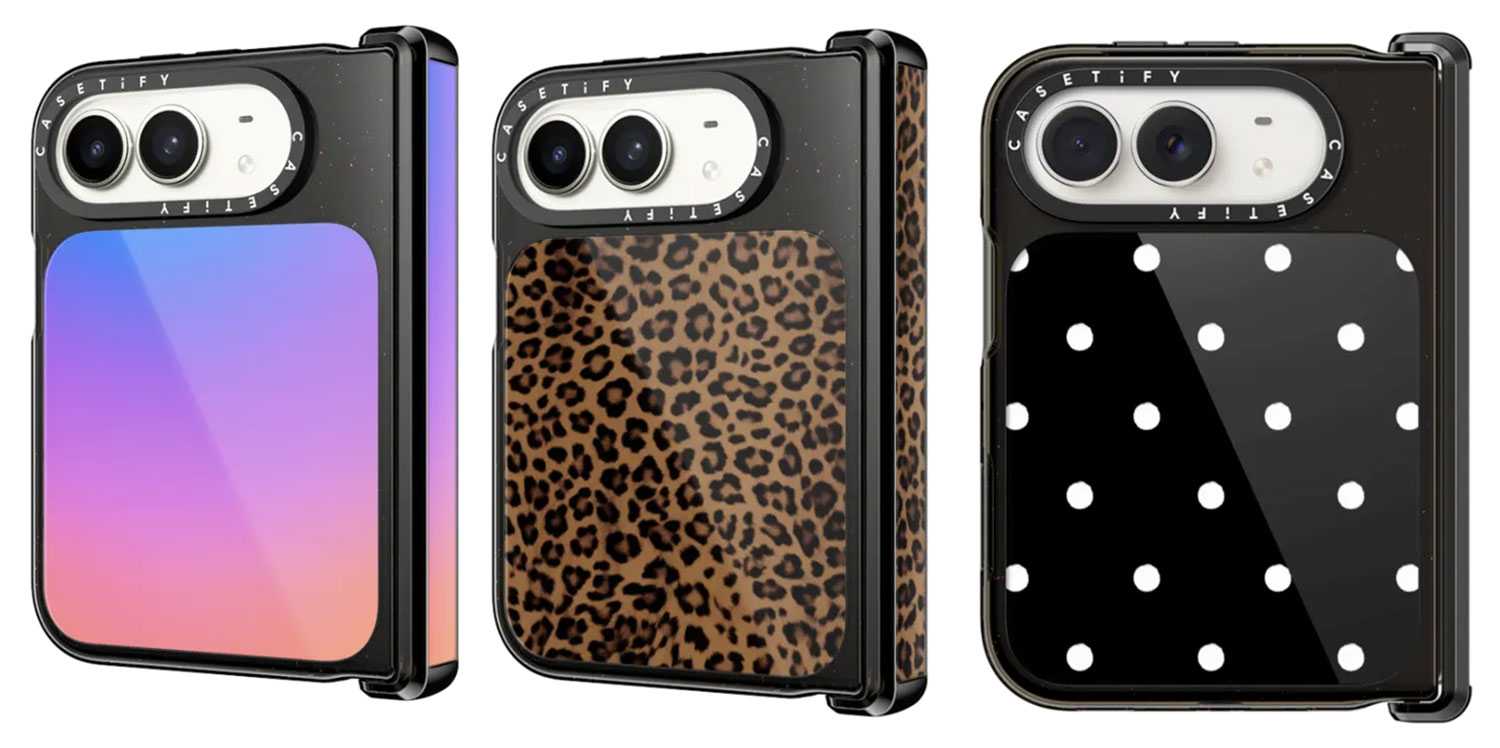
Casetify Impact Case for iPhone Duo: Best for colorful designs
Price comparison from over 24,000 stores worldwide
Casetify is a case maker that rejoices in its range of colors and pattern designs, and it has a bunch for the iPhone Duo, including Gradient, Leopard, and Dottie shown above, among others such as Dark Cherry Jelly, Black Kingsnake, Gingham, and Jelly Bears.
You can match it with the company’s many accessories such as the Snappy Grip Stand, Ring Holder and Loop Grip.
MagSafe: Yes
Hinge protected: Yes
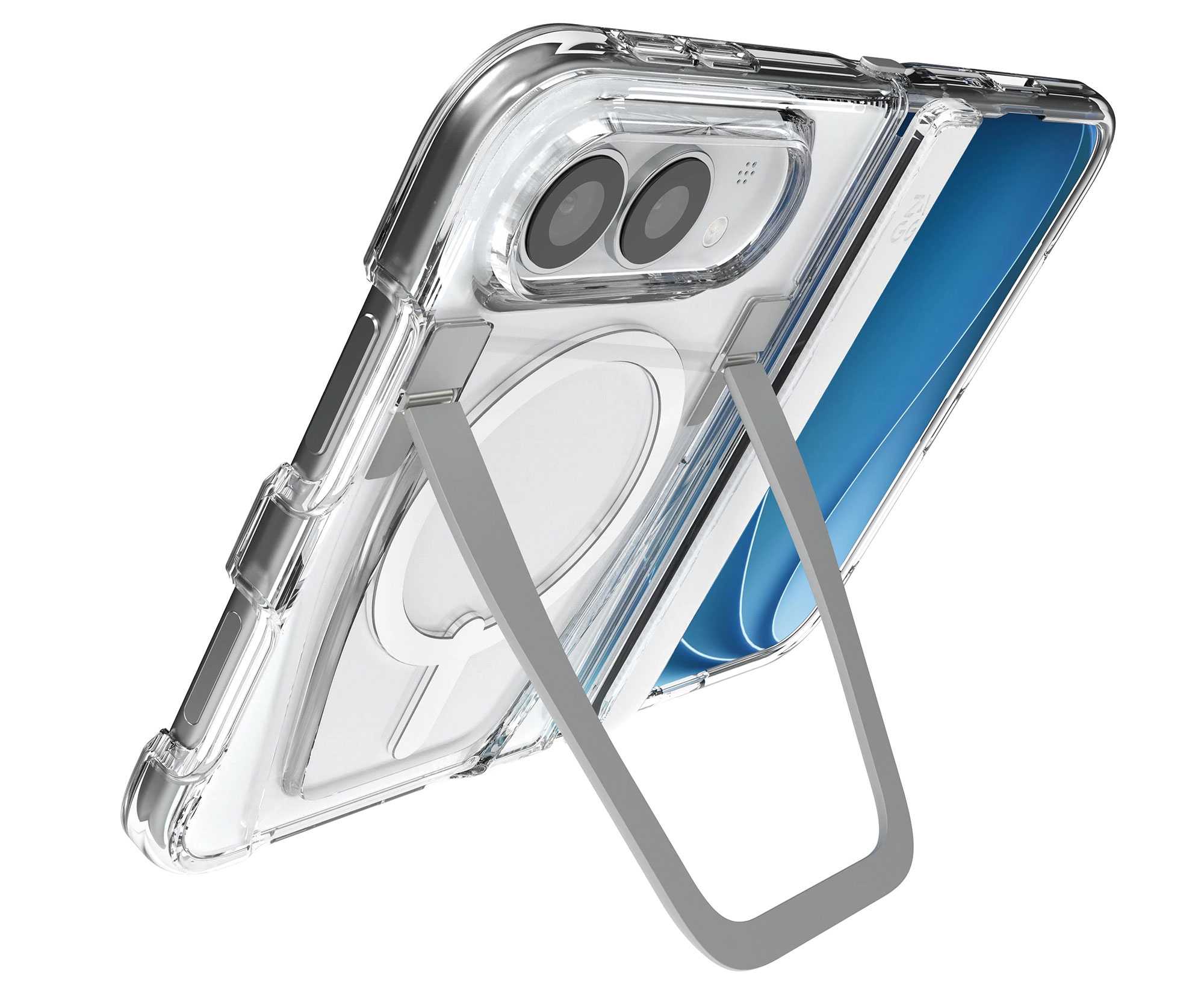
Zagg Crystal Palace Snap KS Case for iPhone Duo: Best clear case with a stand
Price comparison from over 24,000 stores worldwide
This sleek, clear iPhone Duo case features one of the most robust kickstands available, and it wisely keeps out of the way of magnetic wireless charging connection. It might look less protective because of its transparency, but Zagg claim the Crystal Palace offers 13 feet (4m) of drop protection for the case is reinforced with resilient Graphene without adding bulk. Textured edges provide a more secure grip to save the phone from jumping out as you pull it from your pocket.
MagSafe: Yes
Camera edge: 1.5mm
Screen edge: 2mm
Backplate: 3.5mm
Hinge protected: Yes
Drop protection: 13 feet
Weight: 69g
A Crystal Palace Snap Lite Case ($69.99) is thinner and lacks the kickstand, but still offers a claimed 10-foot (3m) drop protection.
MagSafe: Yes
Camera edge: 1.5mm
Screen edge: 2mm
Backplate: No size given
Drop protection: 10 feet
Weight: 33g
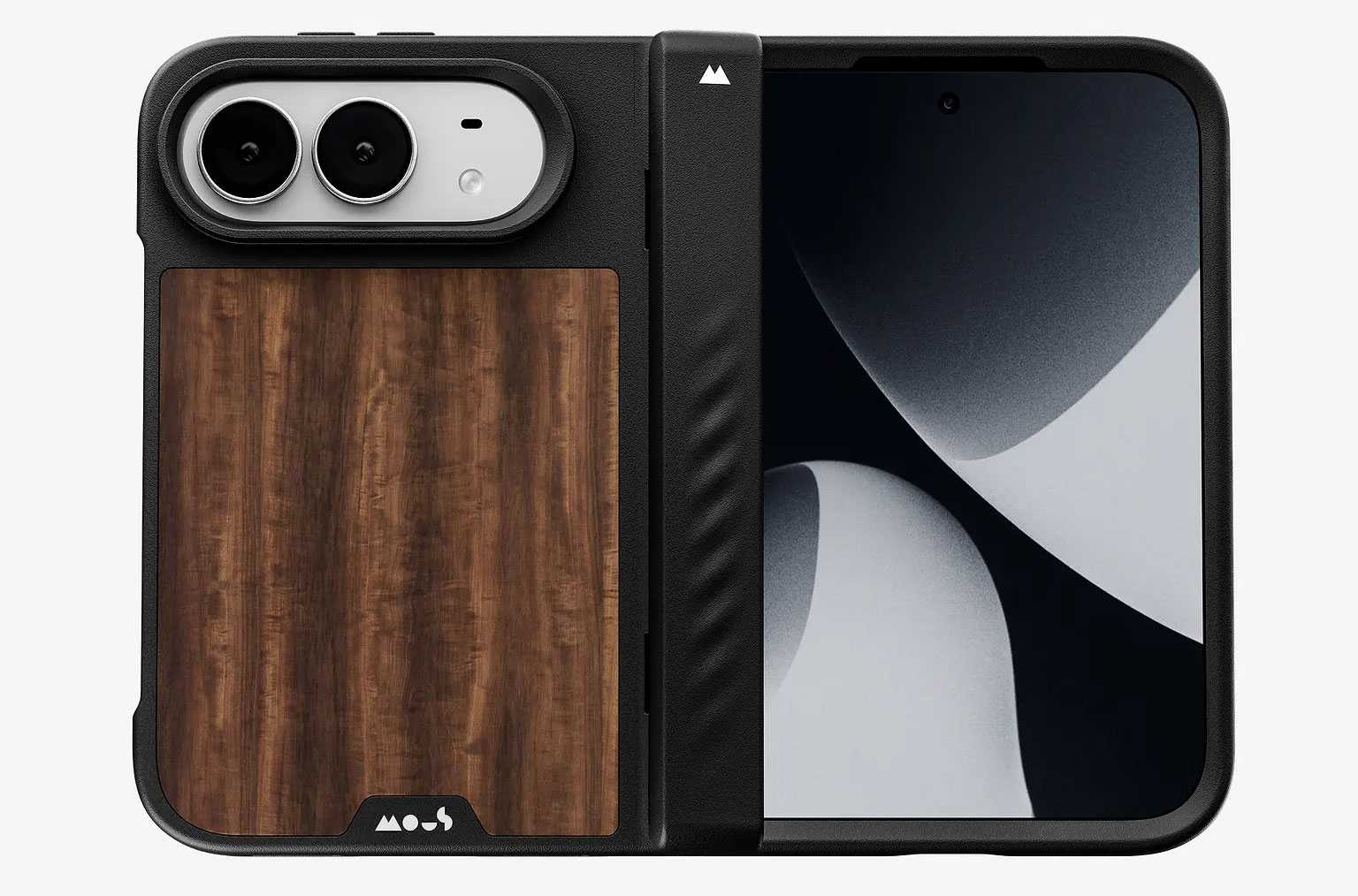
Mous Limitless Case for iPhone Duo: One-piece case with hinge coverage
Price comparison from over 24,000 stores worldwide
Mous’s tough one-piece Limitless case features an interlocking TPU and polycarbonate shell, impact-absorbing AiroShock TPE corners, and an aramid-fiber-reinforced front frame and backplate for extra rigidity. The one-part design aids the fit strength, with the TPU bridge flexing when open. One version of the case is locked across the hinge, offering all-round protection, while another is hinge-free.
It’s available in Mous’s signature Walnut plus Speckled designs as well as Black and a striped aramid fiber.
MagSafe: Yes
Camera edge: 0.5mm
Screen edge: 2mm
Backplate: 1.65mm
Hinge protected: Yes
Drop protection: Yes, height not claimed
Weight: 42g
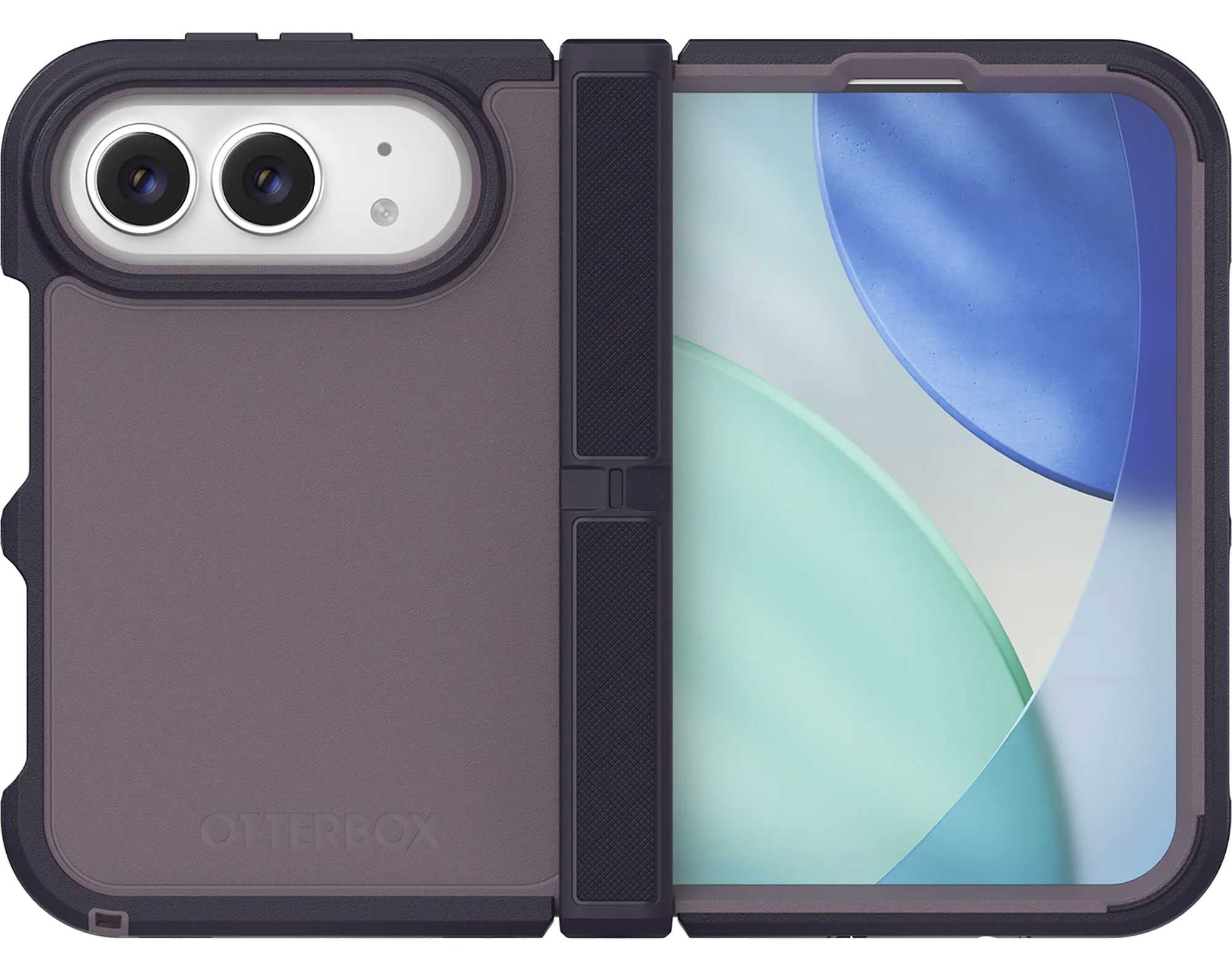
OtterBox Defender Series Pro XT for iPhone Duo: Best for port coverage
Price comparison from over 24,000 stores worldwide
OtterBox is well known for its Defender Pro series of phone cases, and the iPhone Duo doesn’t miss out. Available in three colors—Black, Witherwill Blue, and Adomania Purple—it features grippy rubber edges to help you keep it in your hand, and a protected hinge. It’s the one iPhone Duo case we’ve seen with covers for the ports to help keep dust and other debris out.
MagSafe: Yes
Camera edge: Yes, no size given
Screen edge: Yes, no size given
Backplate: No size given
Hinge protected: Yes
Drop protection: Yes, height not claimed
Weight: 74.4g
OtterBox
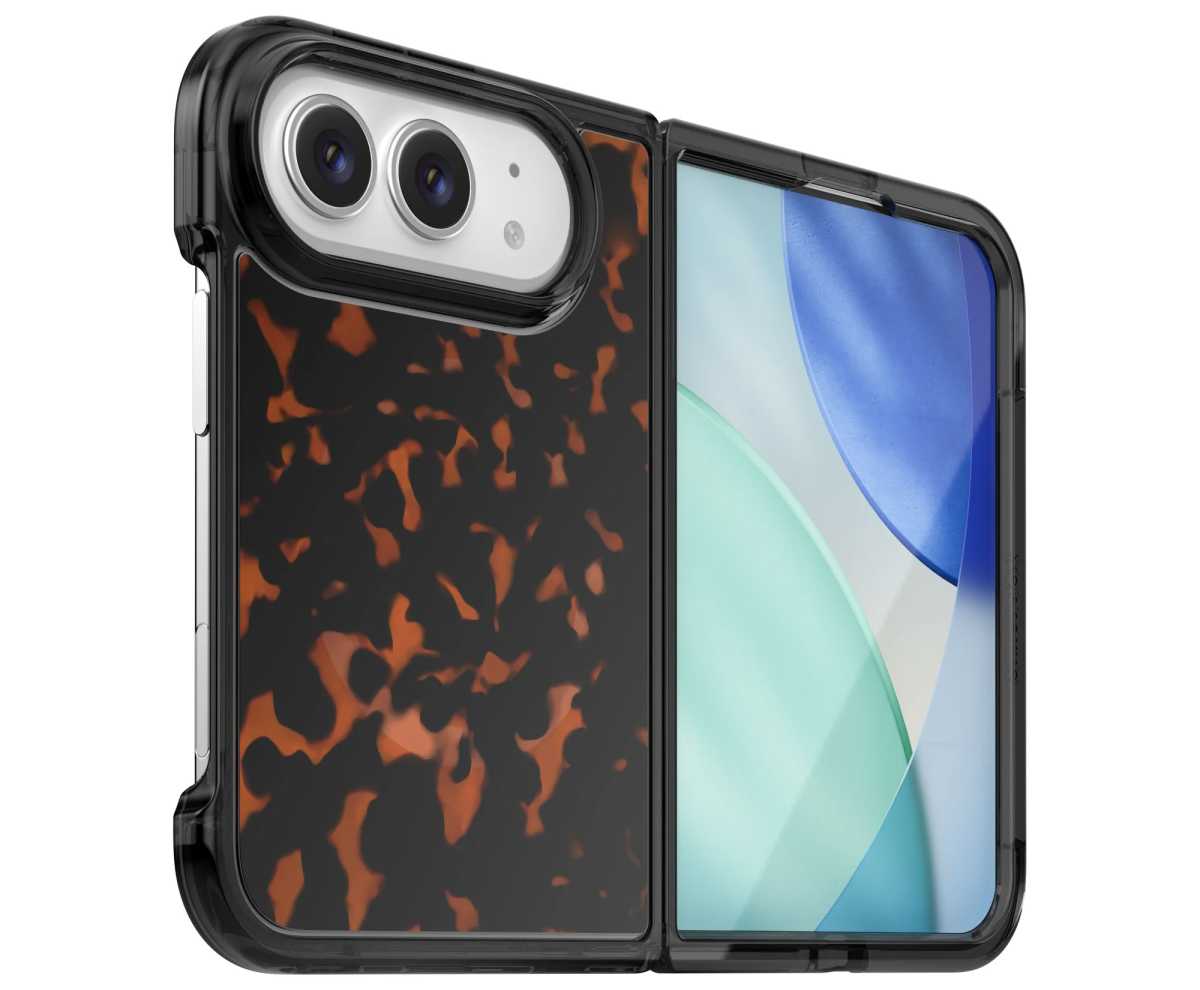
If you want a lower-profile case, the OtterBox Lumen still offers protection but not on the scale of the Defender Pro. The hinge is open, as are the ports, with cutouts for all buttons bar the Camera Control. You can indulge your Tortoise shell desires as well as buy the Lumen in Black Mist and also a Clear case.
MagSafe: Yes
Camera edge: Yes, no size given
Screen edge: Yes, no size given
Backplate: No size given
Hinge protected: No
Drop protection: Yes, height not claimed
Weight: 58.26g
UAG Mouve XTE Case for iPhone Duo: Translucent case with a rotating stand
Price comparison from over 24,000 stores worldwide
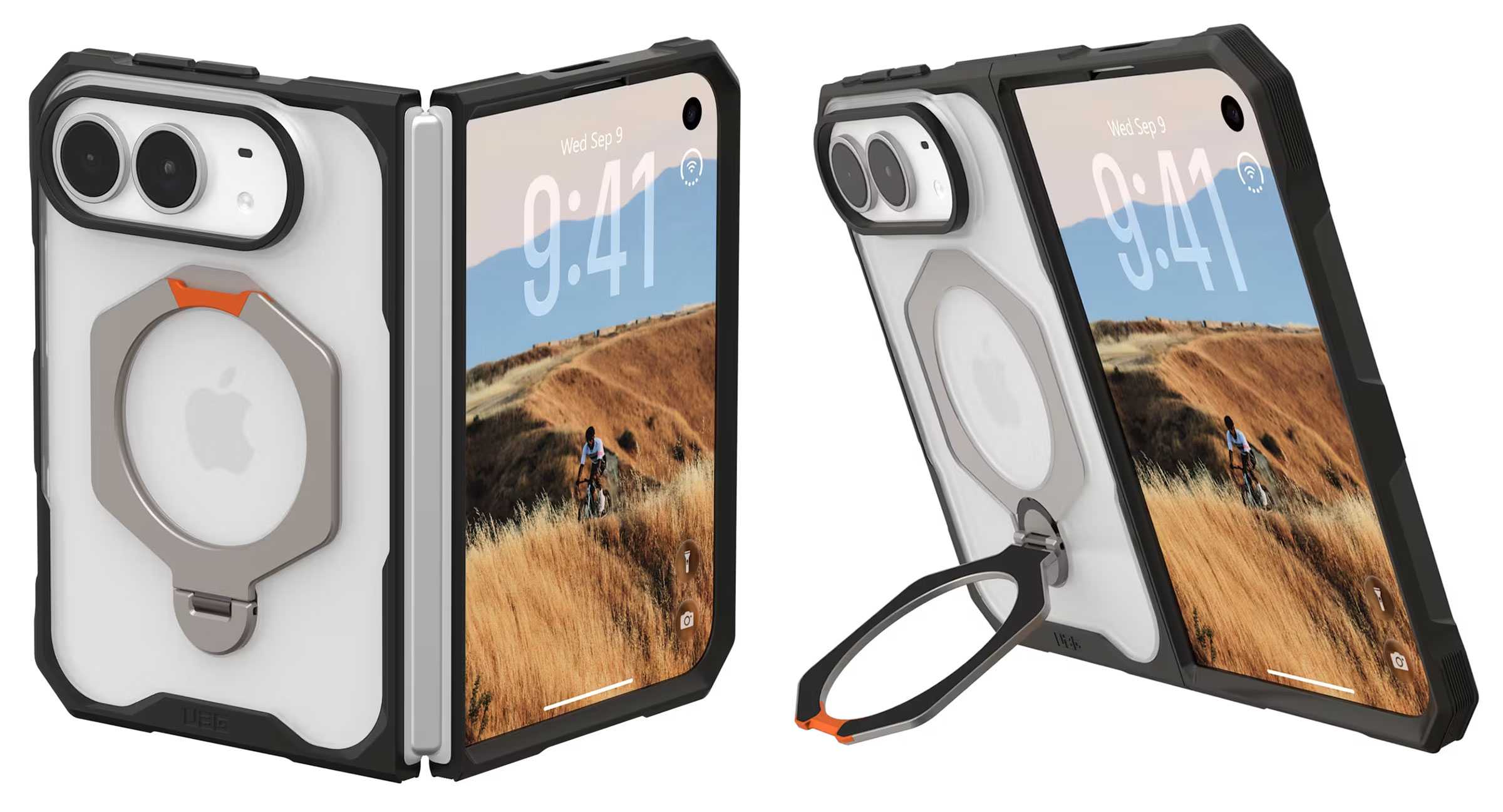
UAG is famous for its hexagonal patterned phone cases, and the Mouve cases for the iPhone Duo feature the shape on its smooth 360° rotatable metal kickstand.
There are two models, the Mouve XTE ($84.95) with kickstand and standard Mouve ($64.95) without it. Both are two-part designs that feature translucent shells in either opaque Ice or darker Ash colors. Air-soft corners help cushion impact, and the soft-touch TPU backplate adds further protection.
MagSafe: Yes
Camera edge: 0.9mm
Screen edge: 2.2mm, 2.75 (XTE)
Hinge protected: No
Drop protection: 4 feet
Weight: 34g, 46g (XTE)
UNIQ Elix Q-Fold 360 Leather Case: Soft-touch case with adjustable rotating stand
Price comparison from over 24,000 stores worldwide
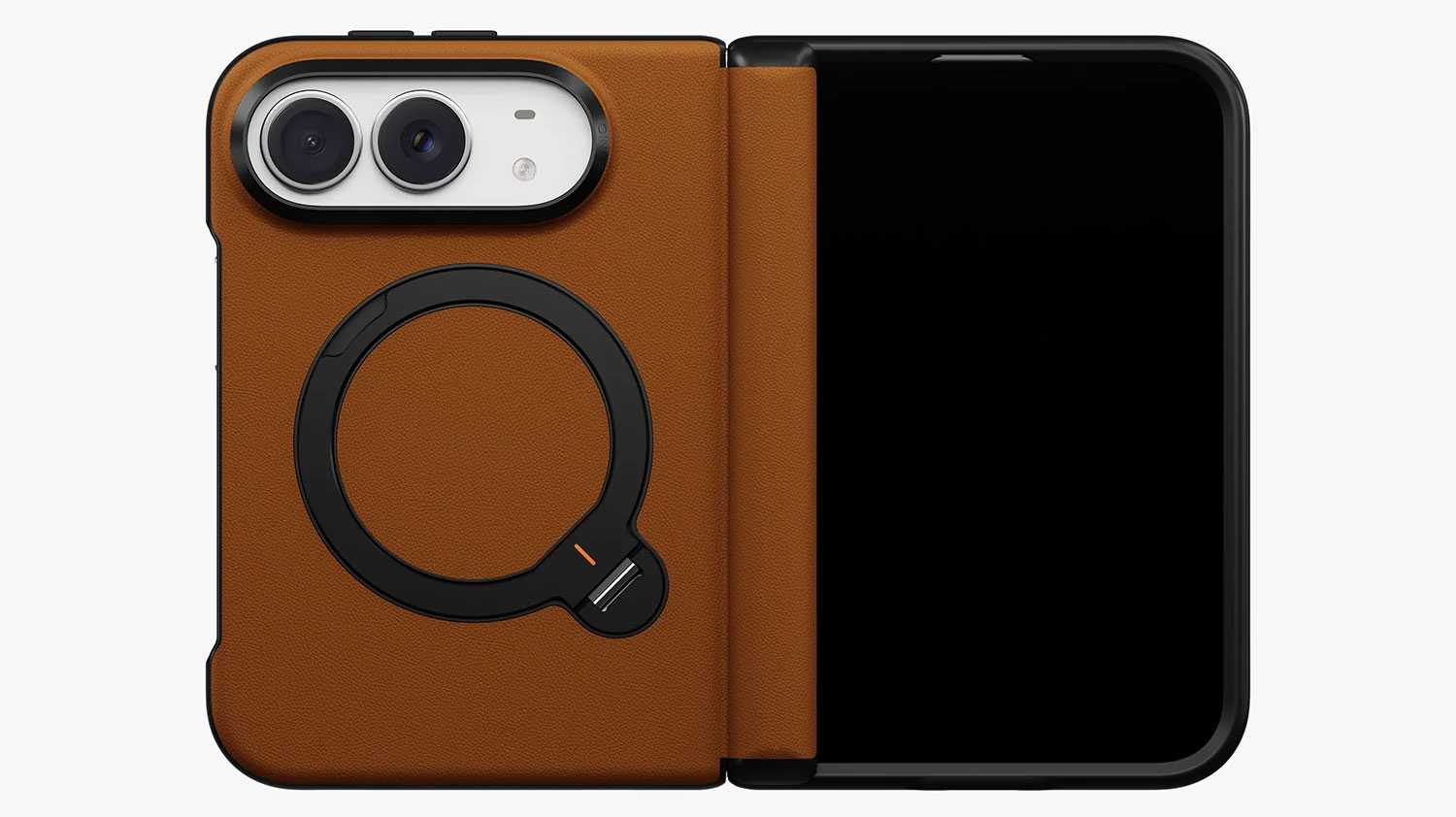
This case wraps the iPhone Duo in a soft silicone VeluxeSkin that will protect the Duo’s back. A dedicated magnetic hinge add further protection to the foldable section of the new iPhone. The Q-Fold Kickstand offers a smooth 360° rotation plus stable 180° multi-angle adjustment.
MagSafe: Yes
Hinge protected: Yes
UNIQ
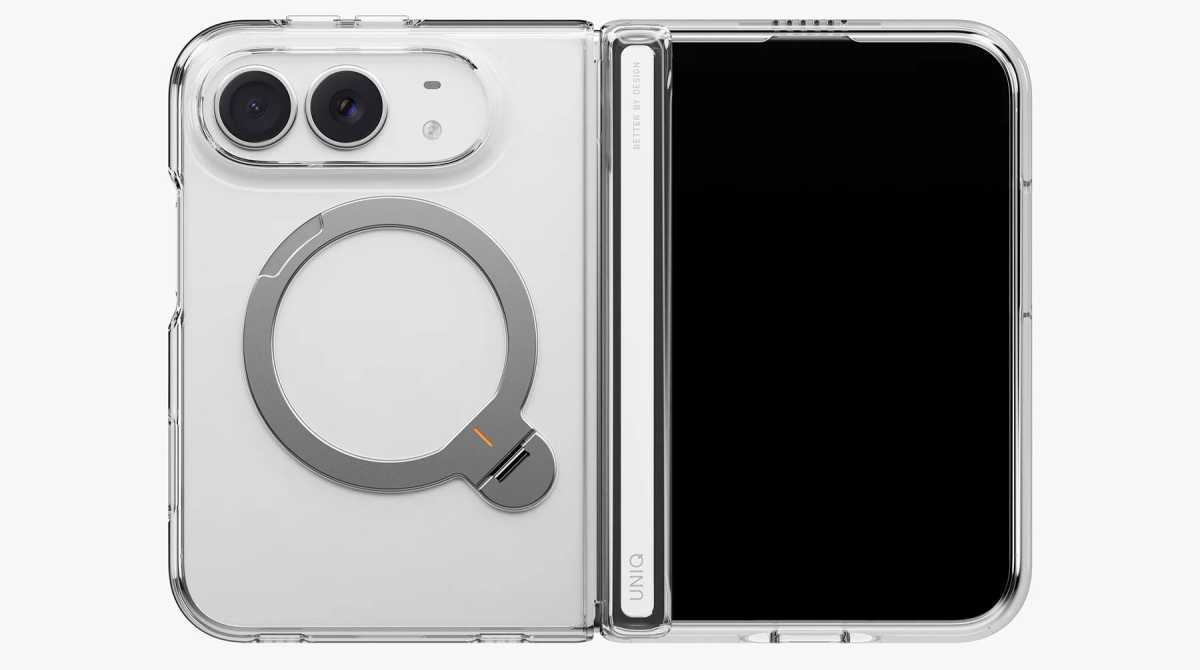
The clear UNIQ Velix Q-Fold™ 360 Kickstand Case ($46.90) shows off the Duo’s original color but still offers protection via reinforced AirLite corners, and a dedicated magnetic cover protects the hinge. As with the UNIQ Elix silicone leather case the Q-Fold kickstand rotates and adjusts to your preferred viewing angle.
MagSafe: Yes
Hinge protected: Yes
UNIQ
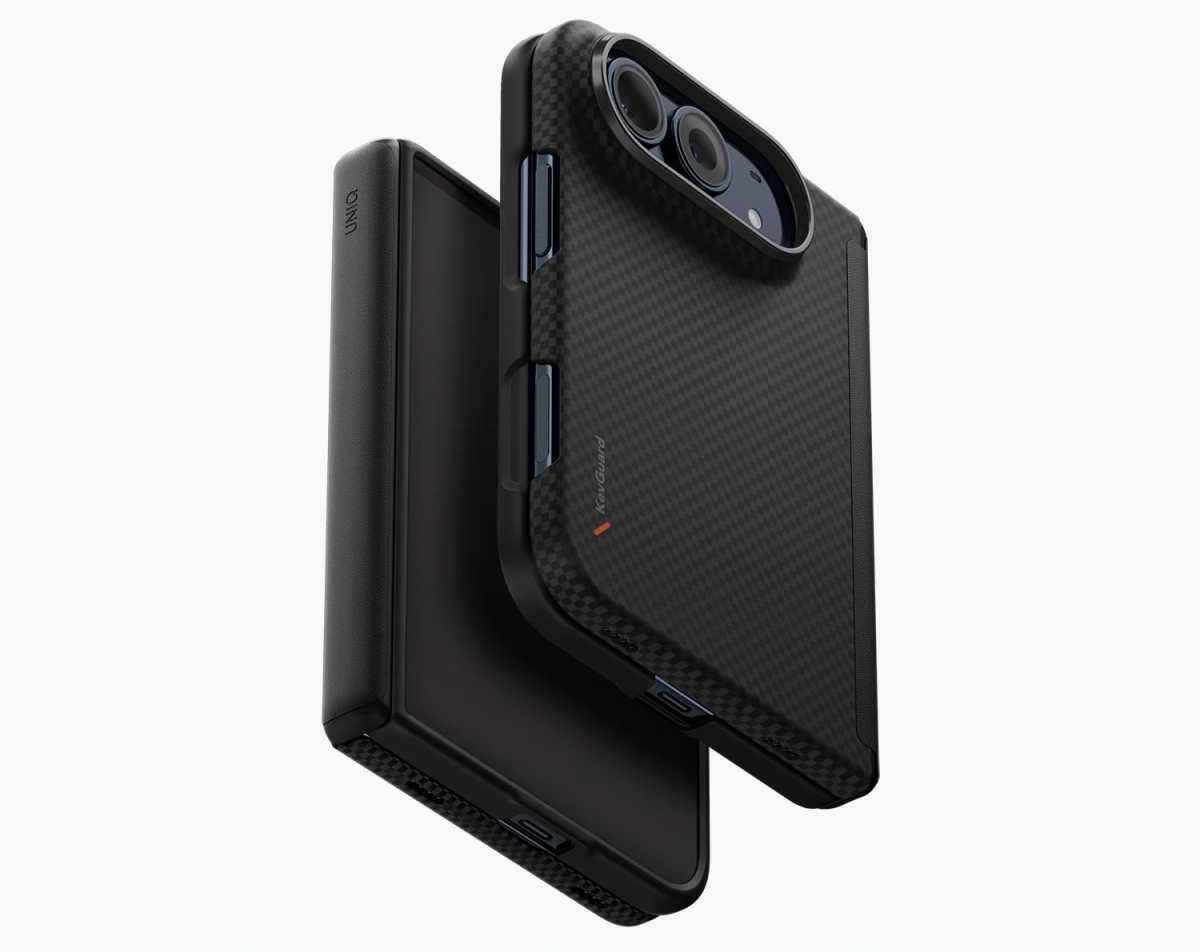
While its backplate is slim at just 1.5mm the UNIQ Keva Edge Slimline Aramid Case ($89.90) makes up for its slim design with a super-tough aramid fiber material with a textured grip panel, plus the dedicated magnetic hinge protection, but lacks the stand found on the other UNIQ iPhone Duo cases.
MagSafe: Yes
Hinge protected: Yes
FAQ
Does the iPhone Duo need a case?
No phone needs a protective case until you drop or knock it. A case isn’t essential for the iPhone Duo, but it’s a sensible investment for a $1,999 foldable. Apple’s Ceramic Shield glass helps protect the displays, but the titanium edges and hinge remain vulnerable to accidental drops, scratches and dents. Unlike conventional iPhone cases, Duo designs must accommodate two halves and a slim cover-screen frame, often using adhesive to stay securely attached.
What to consider when choosing an iPhone Duo case?
Prioritize a precise fit, shock-absorbing corners and the level of coverage you think you need. Raised lips help protect the exterior display and camera, while a dedicated hinge guard covers the folding spine. Check that the case allows easy access to Touch ID and Camera Control without obstructing the inner display or folding mechanism. Since the Duo already weighs 8.9oz (254g), consider whether extra bulk from a kickstand or hinge protector is worthwhile. Choose a slim two-piece case for everyday protection or a hinge-cover design for additional coverage.
Will a case interfere with the iPhone Duo’s hinge or folding action?
A properly fitted iPhone Duo case shouldn’t interfere with folding, but poorly designed hinge covers can add bulk or restrict movement. Some two-piece cases leave the hinge exposed; others include a separate hinge cover, while dedicated covers provide an additional barrier against knocks and grit. However, hinge coverage doesn’t necessarily mean dust protection. Debris can collect between the case and phone, so remove the case periodically and gently clean both surfaces according to Apple’s care guidance. For cases secured with adhesive strips, follow the manufacturer’s removal and cleaning instructions, and check whether replacement strips are required before refitting.
Can I remove and reuse an iPhone Duo case?
That depends on how the case attaches. Some iPhone Duo cases use adhesive strips to secure the front frame or other components. Don’t assume those strips will retain their grip after removal: check whether the manufacturer allows reuse, supplies spare strips, or sells replacements.
A removable component isn’t necessarily reusable with the same adhesive. Before taking off an adhesive-mounted case for cleaning or swapping cases, follow its removal instructions and check what you’ll need to refit it securely.
Is a kickstand case necessary for the iPhone Duo?
If you regularly watch videos, make FaceTime calls or use your iPhone Duo for work, a kickstand case is a useful upgrade. It props up the larger inner display for hands-free viewing, video calls, recipes, and reading. Paired with a Bluetooth keyboard, it can also support light productivity. Some stands double as finger grips for safer handling. The main drawback is added thickness and weight, so look for a stable, well-integrated design that folds flat to the backplate or doubles as a camera bar.
Will MagSafe chargers, wallets, and power banks fit with these cases?
MagSafe uses magnets to align and attach compatible wireless chargers, power banks, wallets, and other accessories. The cases listed here are described as MagSafe compatible, but that doesn’t guarantee every accessory will fit.
Because the iPhone Duo is shorter than a conventional iPhone, larger magnetic wireless power banks and wallets may extend beyond its edges or overlap the camera bar. A case’s kickstand or hinge cover may also prevent an accessory from sitting flat or interfere with unfolding the phone.
Before buying, check the accessory’s dimensions and the case maker’s compatibility guidance. With the accessory attached, make sure it clears the cameras and allows the Duo to open fully. Some wallets and power banks may need to be removed before unfolding.
Our initial case assessments used a dummy handset, allowing us to assess physical clearance and attachment, but not wireless charging performance. We’ll add charging results and recommendations for specific accessories after testing them on a working iPhone Duo.
Would I do better getting AppleCare+ instead of a case?
A combination of slim case and AppleCare+ can offer a good balance between preserving the Duo’s design and protecting against costly accidents. A case helps prevent everyday scratches and knocks, while AppleCare+ covers eligible damage under the plan’s terms, subject to service fees. Theft and loss protection may also be available with a suitable plan. Check Apple’s current pricing and conditions before buying. For maximum peace of mind, use both: prevention for everyday mishaps and coverage for expensive repairs.
Not having to find the right cable or carry one around with you makes wireless charging a convenient way of charging your mobile devices—iPhone, Apple Watch, AirPods and many third-party gadgets.
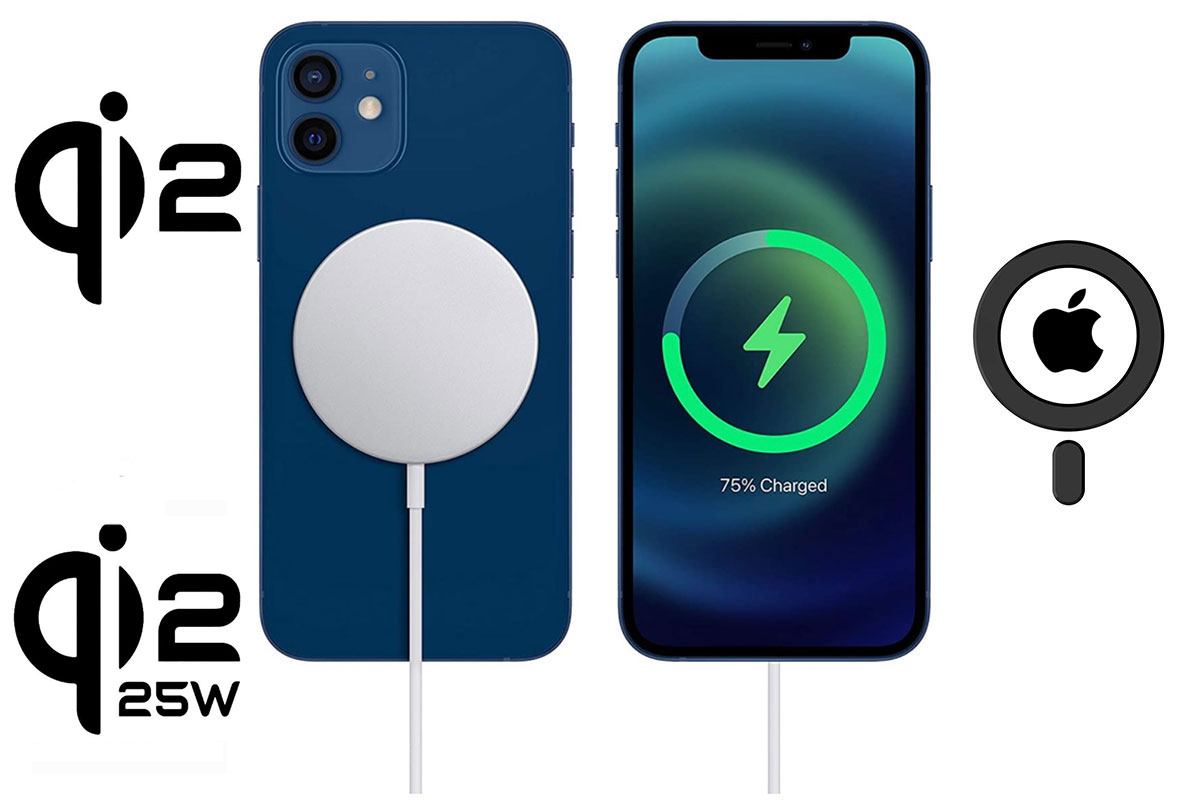
There are multiple wireless charging standards and technologies. Here we will explain the major ones—Qi, MagSafe, Qi2 and the latest Qi2 25W (aka Qi2.2). Knowing which is which will help you to make your charging life more efficient. Here we look at Qi2 vs MagSafe and Qi2 25W vs Qi2 and Apple’s updated 2024 version of MagSafe. Which is best for your model of iPhone?
It’s a little more nuanced, but in general, iPhones 16, 17 and 18 (and the iPhone Duo) should now charge wirelessly at up to 25W with supporting certified Qi 2.2 chargers. Older iPhones are limited to the 15W maximum if they support certified Apple MagSafe or Qi2. Chargers that are merely “MagSafe Compatible” are usually limited to 7.5W wireless charging. Note that the iPhone Air is limited to 20W wireless, the 16e to 7.5W and 17e to 15W.
iPhone wireless charging speeds in brief:
iPhone 8-11 series and 16e: Qi 7.5W. 0-50% in around 90 minutes.
iPhone 12-15 series and 17e: MagSafe 15W and Qi2 15W. 0-50% in around 45 minutes.
iPhone Air: 20W Qi2. 0-50% in around 40 minutes.
iPhone 16 and 16 Pro: MagSafe 22W and Qi2.2 22W. 0-50% in around 35 minutes.
iPhone 16 Plus, 17, 17/18 Pro, 16/17/18 Pro Max, and iPhone Duo: MagSafe 25W and Qi2.2 25W. 0-50% in around 30 minutes.
Don’t worry too much about the difference between 22W and 25W—the charging time difference will be marginal given environmental conditions such as room temperature will also make an impact.
How does wireless charging work?
Wireless charging uses electromagnetic induction to power your devices. The charging pad and your phone both include copper wire coils. Plug the pad into a power source and the charger’s coil generates a magnetic field. When you place your phone onto the charging pad, the phone’s coil converts that magnetic field into an electric current, thus charging the phone.
Apple pioneered improved magnetic connection between charger and phone with MagSafe, and it’s mainly the tighter magnetic fit that drives faster and faster wireless charging.
What is Qi2?
Qi2—supported by the iPhone 12 and up—speeds up wireless charging from 7.5W to 15W and makes chargers cheaper as well as more efficient. It is very like MagSafe, which is unsurprising as Apple allowed the Wireless Power Consortium (WPC) to use MagSafe as the basis of Qi2.
In short, Qi2 brings the magnetic benefits of MagSafe, but also make third-party iPhone chargers faster and potentially cheaper. Manufacturers are more likely to create new products when the market is larger (iPhone and Android) and costs should come down, too.
Apple’s latest version of its iPhone MagSafe Charger can wirelessly charge the iPhone 16 series at 22-25W. Older iPhones can use this charger but at a 15W maximum as before. Qi2 took its time catching up, but it has now: keep reading.
We have tested Qi2 chargers vs chargers certified as MagSafe by Apple, and can confirm that 15W Qi2 charges supporting devices at an equivalent speed to 15W MagSafe, and much faster than merely MagSafe-compatible 7.5W chargers. More details of our wireless charging speed tests below.
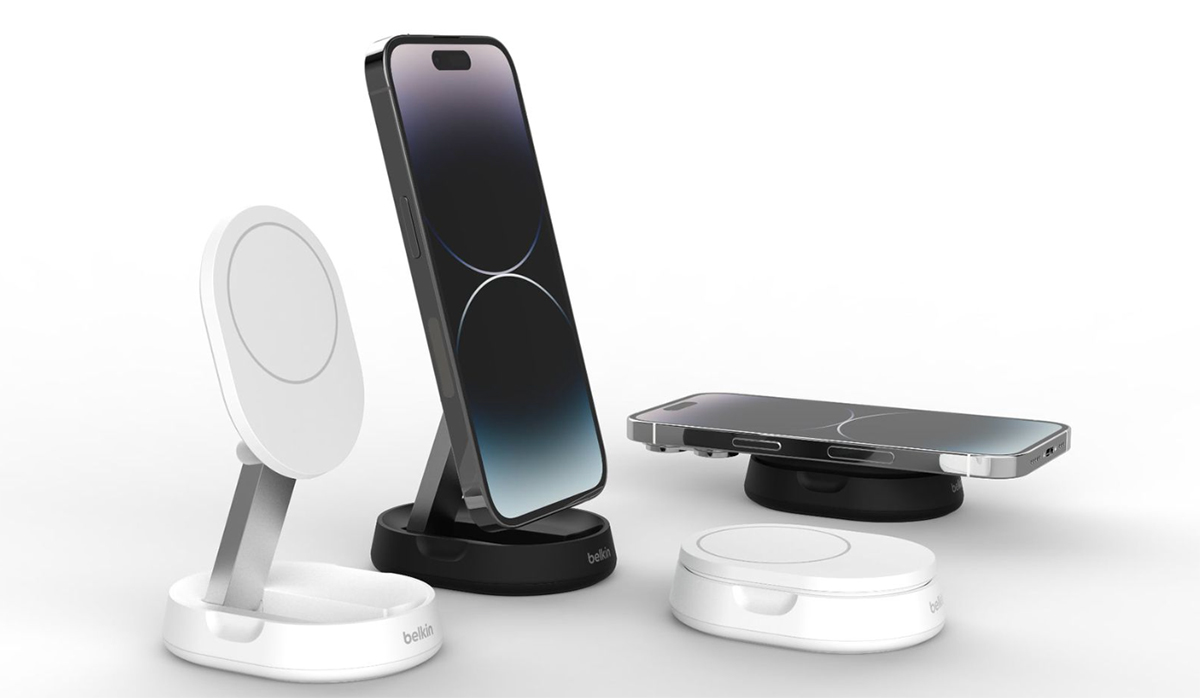
Belkin first announced two Qi2 magnetic wireless charging devices in September 2023.
Samsung waited until its Galaxy S26 Ultra to jump on the fast magnetic wireless charging bandwagon with Qi2 25W, and Google was first out of the Android blocks with Qi2 25W compatibility with its Pixel 10 Pro XL. The lesser Google Pixel 10 Pro is pegged back at 15W Qi2. Google calls its version of Qi2 “PixelSnap”.
Wireless charging from Qi to Qi2.2
First, let’s look at the original Qi, which all iPhones post iPhone 8 support.
Foundry
What is Qi wireless charging?
Qi is a Chinese word that means “energy flow”. Pronounced “chee”, Qi is the basic and most popular wireless charging standard, launched in 2008 but not seen on an iPhone until 2017’s iPhone 8.
Note that plain Qi2 has little magnetic connection between phone and charger so is less efficient at transferring power as more is wasted depending on the placement of the phone on the charger. Better magnetic attachment and therefore faster charging arrived with MagSafe and Qi2.
Apple continues to support the Qi wireless charging standard with its most recent iPhones—and the iPhone 12 and later models are compatible with Qi2, more on which later. This means that iPhones from the iPhone 8 onwards can be placed on a Qi-compatible charger to start charging without a cable. (Of course, the Qi charging pad or stand itself has to be connected via a cable to a power charger.)
While wireless charging means less wear and tear to your devices, it is not as efficient as charging via a cable (wired charging) as some of the energy is lost between the charging pad and the device placed on it.
Qi users will know that you have to ensure your device is placed in exactly the right alignment for fast wireless charging to take place. Place the iPhone on the pad incorrectly and you end up either charging much more slowly or not at all. Many of us have dropped a phone on a Qi charger only to find out later that it wasn’t in the right place and so annoyingly never started charging—a problem largely solved by Apple’s MagSafe.
While Qi’s maximum wireless charge is 15W, Apple’s iPhone supports only 7.5W via Qi.
Which iPhones use Qi?
Qi charging is built into the iPhone 8, X, XR, XS, SE, 11, 12, 13, and 14 families. The iPhone 15/16/17/18 and Air/Duo work with Qi but are rated as Qi2; see later. The outlier is the curious iPhone 16e that goes all the way back to plain old Qi; the 17e is fine.
Foundry
What is MagSafe wireless charging?
Apple’s magnetic MagSafe iPhones contain a ring of magnets built around its Qi charging coil. As a result, you can magnetically clamp charging accessories onto the iPhone. In fact, you can magnetically attach non-charging accessories, such as wallets and mounts, too.
MagSafe—from 2020’s iPhone 12 on—makes missing the charging pad’s coils much less likely with its ring of magnets quickly finding the charging alignment sweet spot—on a compatible charger—so you will always connect and less energy is wasted.
Magnetic Power Profile (MPP) technology uses magnets to perfectly align the coils of the wireless charging transmitter and receiver before transferring power.
iPhones can work with wireless chargers that are either MagSafe certified by Apple (“made for MagSafe”) or are compatible with MagSafe—plus less sophisticated Qi chargers.
Certified MagSafe chargers can supply up to 25W to the iPhone, while merely MagSafe compatible chargers are limited to 7.5W, but compatible chargers are usually cheaper. That 25W charging speed is currently limited to the iPhone 16 and 17 ranges and Apple’s own MagSafe Charger. iPhones 12/13/14/15 max out at 15W using MagSafe. The iPhone Air won’t charge faster than 20W wirelessly. In fact, the iPhone 16 and 16 Pro are pegged back at 22W, while the larger 16 Plus and 16 Pro Max support the while 25W. The 16e is out of the picture at just 7.5W and the 17e makes it to 15W.
(Note that the iPhone 12 mini only charges at 12W with MagSafe.)
We have tested the best MagSafe chargers for iPhones and the best MagSafe power banks for iPhones. This reviews roundup now also includes 15W Qi2 and 25W Qi2.2 chargers as they arrive to market.
Wireless charging is great, but it’s not as fast as wired charging. For truly fast iPhone charging, use a cable connected to at least a 20W USB-C charger. For the iPhone 15 and later that means a USB-C to USB-C cable; for older iPhones you’ll need a USB-C to Lightning cable. A USB-A to Lightning cable won’t offer iPhone fast charging. Click here for more iPhone fast-charging tips.
Somewhat confusingly, MagSafe is also the name for Apple’s wired-charging standard for its MacBooks—connecting the charging cable to the MacBook’s MagSafe port via magnets, meaning it is not only easy to connect but, if accidentally disconnected, it pops out rather than dragging your laptop to the floor. This version of MagSafe is magnetic and safe and has a charging connection for MacBooks but is not wireless. We explain the difference between MagSafe on Mac and MagSafe on iPhones in our Complete guide to Apple MagSafe: What is MagSafe?
Which iPhones use MagSafe?
MagSafe wireless charging is built into the iPhone 12, 13, 14, 15, 16, 17, and 18 families, with the exception of the 16e. It’s also supported by the iPhone Air and iPhone Duo.
Foundry
What is Qi2 wireless charging?
Qi2 (“chee too”) is the latest version of the Qi “energy flow” wireless charging standard, and it’s supported by all iPhones from the iPhone 12.
Famed for its “Not Invented Here” strategy, Apple can be quite precious about adopting other technical standards. It has a long history of rejecting any idea that didn’t originate within Apple itself. However, thankfully Apple has cooperated with the creation of Qi2 to the extent that in effect it gave the Wireless Power Consortium (WPC) MagSafe to use as the basis for Qi2’s Magnetic Power Profile that defines how the new generation Qi works. Apple is a WPC “steering member” and chair of the board of directors.
So what is Qi2 and why is it so great?
Think of Qi2 as not just MagSafe for Android, but MagSafe benefits for all compatible wireless charging products.
Qi2 means chargers won’t have to be certified by Apple to support 15W charging. They should, however, meet the technical demands of the WPC. In short, a Qi2 charger will deliver twice as fast charging as “MagSafe-compatible” chargers.
As MagSafe certification costs manufacturers a fee to Apple, removing this should result in cheaper chargers that match Apple-certified chargers in terms of speed.
Which iPhones use Qi2?
Qi2 wireless charging works with all iPhones 12. and onwards, except the 16e.
Simon Jary / Foundry
What is Qi2 25W wireless charging?
Qi2 25W is the latest version of the Qi “energy flow” wireless charging standard. Its technical name is Qi2.2.
It started rolling out in wireless charging products from the mid-2025 and is now seen in many new wireless charging products.
So what is Qi2 25W and why is it so great?
Qi2 25W means chargers can support up to 25W wireless charging. They have to meet the technical demands of the WPC. In short, a Qi2 25W charger will deliver 10W more power than Qi2 and 3.3 times as fast charging as MagSafe-compatible chargers.
The use of a Magnetic Power Profile (MPP) provides better alignment but also reduces magnetic field leakage caused by misalignment. This minimizes the build-up of heat and ensures optimal charging efficiency. A ±0.5mm magnetic alignment precision improves charging efficiency by “up to 40%”, according to manufacturer Baseus.
Qi2 25W products also feature next-generation thermal regulation with stricter 40°C surface limits and enhanced coil layouts. This ensures that less energy is wasted and provides 15% better charging efficiency—even in motion or with slight misalignment.
Which iPhones use Qi2 25W?
Qi2 25W wireless charging will work with the iPhone 16 family and later (except the 16e and 17e). The iPhone Air supports Qi2 25W but only up to 20W, which is likely caused by the super-thin phone’s thermal management. The iPhone 16 and 16 Pro can make it to only 22W according to Apple. The iPhone Duo does support 25W Qi2.2.
For Qi2 25W to work at full 25W supporting iPhones must have installed at least iOS 26 or later.
Which is best MagSafe, Qi2 or Qi2 25W?
First, MagSafe, Qi2 and Qi2 25W are all better than plain Qi. Owing in large part to their magnetic connection, they are more efficient and definitely offer faster wireless charging than Qi.
For all extents and purposes, Qi2 looks pretty identical to MagSafe so iPhone 12/13/14/15 users can choose between MagSafe or Qi2 without fear. iPhone 16/17/18/Air/Duo owners, however, should look to MagSafe or Qi2 25W, as Apple’s own MagSafe Charger and soon Qi2 25W chargers can reach charging speeds of up to 25W when paired with the latest range of iPhones.
All should clamp chargers magnetically to the iPhone in the same way and allow for between 15W and 25W wireless charging.
Will Qi2 chargers work with MagSafe?
Although technically very similar, Apple is likely to still require MagSafe certification for non-Qi2 products to reach 15W wireless charging. Both the charger and the device must be certified for Qi2 for it to work at 15W, in the same way as MagSafe. However, it is likely that future MagSafe-certified products will also be certified for Qi2, and post iOS 17.2 all iPhones (except 16e) will work natively with Qi2 and Qi2.2 chargers.
For consumers it’s a win-win as Qi2 and Qi2 25W means faster wireless charging will be brought to more devices and people. For product marketers it may be a bit of a labelling nightmare until all the chargeable devices catch up with the technology: expect MagSafe Compatible (7.5W), MagSafe (15W or 25W), Qi2 15W (15W) and Qi2 25W or Qi2.2 (25W).
Is Qi2 as fast at wireless charging as MagSafe?
As the Wireless Power Consortium used Apple technology to build the Qi2 specification, it is true that Qi2 matches MagSafe for speed. Both can charge at up to 15W and use the largely same magnetic attachment tech. Note the 25W charging potential of the Apple MagSafe Charger and iPhone 16/17, plus the same charging speed from Qi2 25W.
The first Qi2 charger we tested and reviewed at Macworld was the Anker MagGo 3-in-1 Wireless Charging Station. We tested its Qi2 wireless charging speed by charging an iPhone 15 Pro all the way to a 100% full charge, and taking timings at 30%, 50% and 80%. We did the same using a Apple’s own MagSafe Charger and also via a straight wired USB-C connection.
The fastest way to charge an iPhone is via a wired connection: USB-C to Lightning for iPhones older than the iPhone 15, and USB-C to USB-C for the iPhone 15 and later. The average wired-charging time in our tests was 25 minutes to 50%, 55 minutes to 80% and 70 minutes to 100%.
Our wireless charging tests for officially Apple-certified MagSafe chargers (using Apple’s own Wireless Charger) and for Qi2 magnetic wireless charging (using the Anker MagGo) had remarkably similar timings. There was some variance either way but also small differences using the same charger so we are confident that using these two magentic wireless charging technologies came up with the same basic results on average: 45 minutes to 50%, 90 minutes to 80% and 115 minutes to 100%.
In summary, then, MagSafe and Qi2 charging at 15W results in the same times and so can be considered equal—except for the 25W MagSafe potential of the iPhone 16/17–and the same from Qi2 25W now it is released. And, again as expected, merely MagSafe-compatible chargers took twice as long as the 15W chargers: 45 minutes to 30%, and 90 minutes to 50%.
Our tests demonstate that Qi2 25W will charges an iPhone 16 Pro from 0–50% in just over 30 minutes—manufacturers often claim 25 minutes but that is under clinical conditions. In Macworld’s real-world tests 32-34 minutes is the average. In comparison, a Qi2 15W charger generally takes about 45 minutes to reach the same level—this would work out as the 25W option being around 45% faster than the 15W chargers. Wireless charging depends on many factors, such as device settings, usage during charging, and ambient temperature.
Don’t concern yourself greatly about the 22W limit of the iPhone 16 and 16 Pro. The 3% difference between that and 25W is marginal.
Why does phone charging speed slow down as the battery gets fuller?
Batteries charge slower the fuller they get, especially in the last 10–20% of charging. The fuller the battery is, the slower it absorbs energy.
To start with, a Lithium-Ion battery accepts whatever current it can, but as the battery gets closer to being full it accepts less current, and so the power being transferred tapers off.
Imagine you were filling up a glass with water. You can start with the faucet or tap at full blast, but as the glass gets fuller, you have to slow the flow down to avoid the water spilling over, until eventually just a trickle of water goes in as you try to get it right up to the brim.
If the battery didn’t charge this way and instead filled up at full blast till reaching 100%, it would get very hot and you’d risk damaging it to the point it might explode!
Slowing down the charge when the battery is getting closer to full also increases the number of charge cycles a battery can go through before it permanently loses capacity.
Taking advantage of this, if you need to charge quickly, stop at 80%, use the device for a while and then top back up to 80% before the charging speed starts to slow.
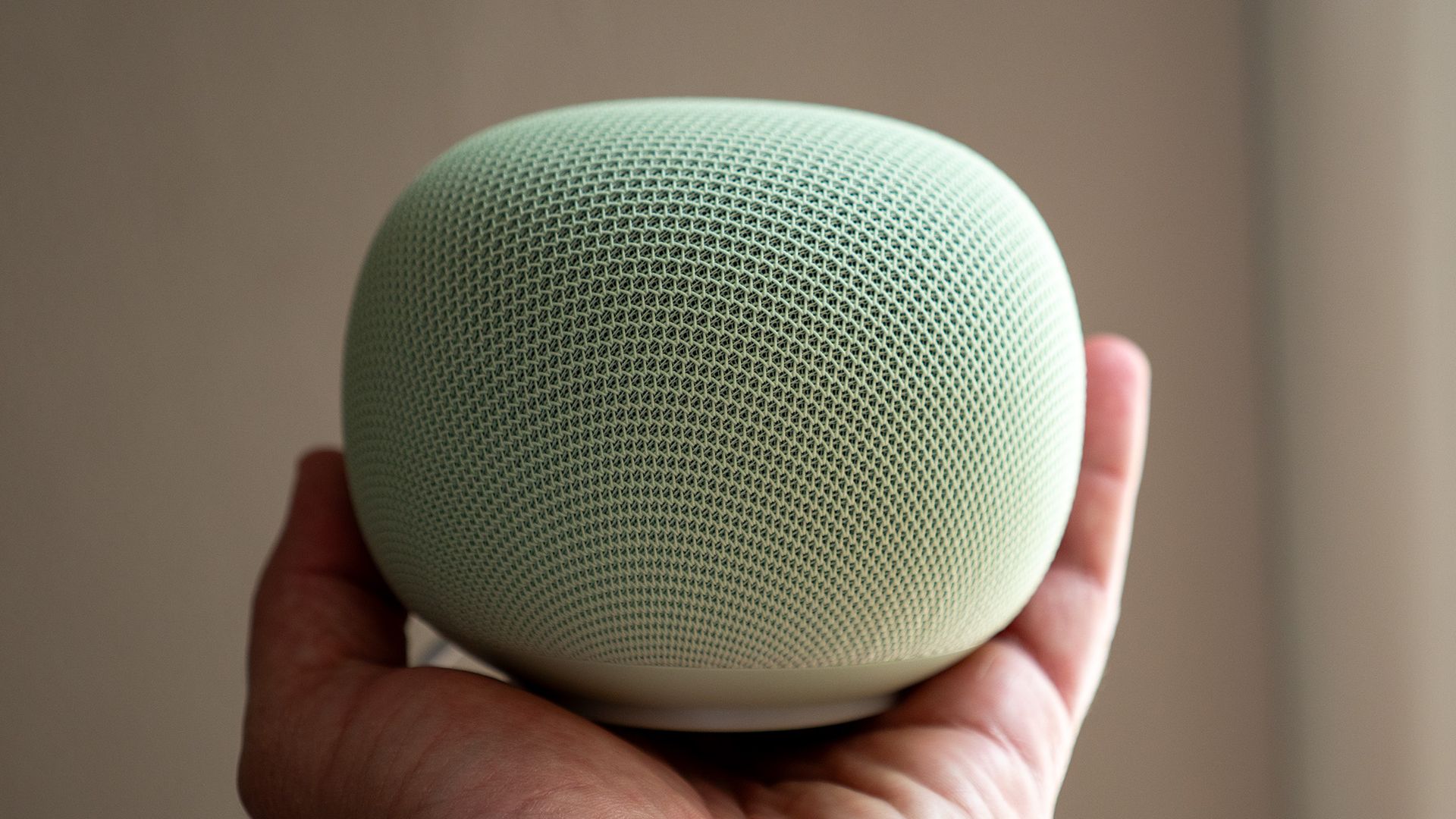
Google Home Speaker users have noticed that the device has consumed an enormous amount of data in the background.
The device was reportedly spotted consuming several terabytes of data in a single month without much use.
Google is reportedly aware of the problem and has started rolling out a fix.
Users on social media are waking up to a startling truth: their Google Home Speaker has been incredibly active in the background. There's no clear reason why, but the amount of data is staggering.
Posts on the Google Home subreddit draw attention to an unfathomable amount of data being consumed by the Home Speaker (via 9to5Google). The user states that they've "got one old Google Mini and three of the new Google speakers." What's more, these devices aren't used for more than 20 minutes a day. This is strange, considering the user reports one of their Google Home Speakers consumed over 140GB of data in a day.
Combined, the user states their three speakers consumed 6TB of data "in under a month." Another user with a Home Speaker reported the same, stating, "Something’s up with them. This just started in the past 2 weeks for mine." This issue appears to be confined to the Google Home Speaker, as a user with a Nest Audio couldn't find an unusual amount of data consumption.
The publication speculated on this, too, but one Redditor said their speaker downloaded 20GB in a single day. However, they added that "It kept downloading firmware and failing to install it." This makes it seem like the device got caught in the worst possible loop of downloading and failing.
Google reportedly informed the publication that this is an issue with the Home Speaker. It adds that "a fix is already rolling out" to address this problem. Android Central has reached out to Google for more information, and we will update this post when we hear back.
I'd be concerned if I woke up one day and saw huge spikes of data being consumed by a Home Speaker. For what reason is it doing this, you know? It's a concerning issue, especially for something always connected to the internet (hence the data consumption). What makes it worse is if you don't use it that often, but maybe sparingly for queries here and there. The good thing is that Google is aware. Let's hope it doesn't happen again.
The Google Home Speaker is the company's new beginning for AI in the home. Gemini is integrated throughout the product to assist users with daily queries and more. While the device has gotten off without a hitch (for the most part), the Home Speaker did struggle this summer. Users reported incredibly slow response times from Gemini.
A latency problem was the culprit. Users reported that on the first day, there were no issues; however, after the second, "...every single question (even 'hello') needs at least 30s of answer time." Many queries that users would have for Gemini would time out, as the AI couldn't respond within a meaningful time. What's more, Google's smart home devices beyond the Home Speaker struggled, too.
Google had to roll out a software update to solve this issue, which is strange. Shortly before these issues appeared, the company rolled out a Gemini update for its smart home devices to make it "snappier." That seemingly backfired and required more tuning to get it right.
The SolidSafe Air is the equal-slimmest semi-solid-state 5K Qi2 power bank you can buy—indeed, if you want the slimmest magnetic wireless power bank this is your first stop. And it impressed us in our iPhone recharging tests, being just 1% off the current champion.
Price When Reviewed
This value will show the geolocated pricing text for product undefined
Best Pricing Today
Best Prices Today: BMX SolidSafe Air 5K Solid-State Qi2 Power Bank
Price comparison from over 24,000 stores worldwide
I still own power banks that I struggle to grip in one hand. Such items lurk in the bottom of a cupboard awaiting only the end of days rather than a long train journey or city break vacation.
Batteries have been getting smaller for years, but recent advances have slimmed phone power banks to shirt-pocket size.
Solid-state electrolytes are replacing flammable liquid electrolytes with more stable, efficient materials that allow for smaller, more compact, and safer battery designs. While we haven’t tested any fully solid-state power banks, we have been seeing semi-solid-state cells where flammable liquid is reduced to a fraction of that found in standard lithium-ion batteries.
It’s not all about size—these batteries are safer and should last significantly longer with a greater number of cycles before the battery degrades.
BMX
Size matters: How thin is it compared to other Qi2 power banks?
But size does matter when you’re carrying the power bank in your pocket or backpack.
BMX, not the little trick bicycle ridden by kids and hipsters but a company called Better Mobile Xperience, has just released a new magnetic wireless power bank that it claims is the “world’s thinnest” 5,000mAh Qi2 power bank.
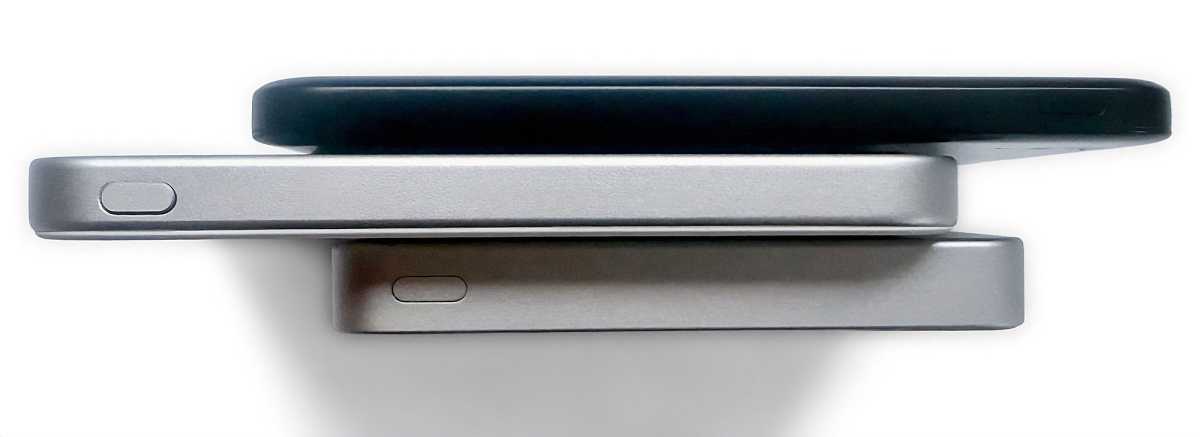
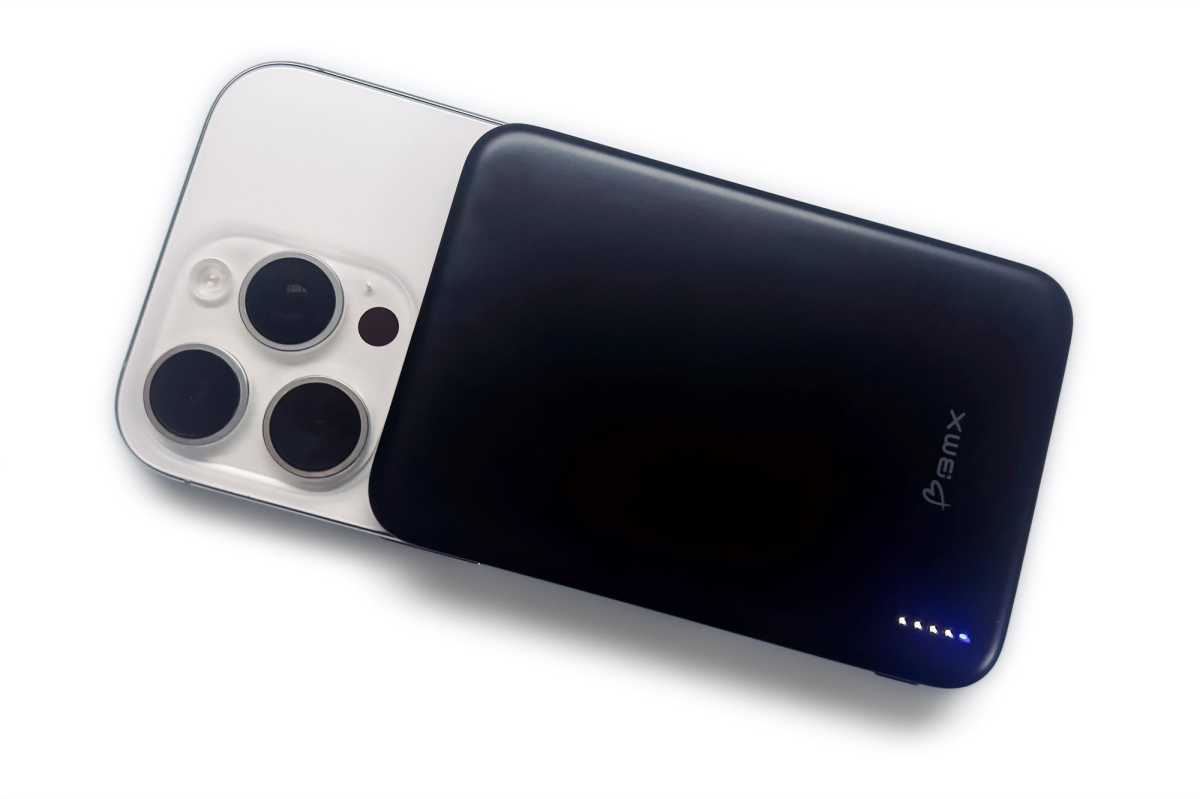
The SolidSafe Air 5K doesn’t stray far from the usual length and width of today’s magnetic wireless power banks (4.1 x 2.8 inches / 103 x 70mm), but when it comes to depth (or height, however you look at it) it is truly tiny at just 0.27 inches (6.8mm).
In comparison, the iPhone Air is only slightly thinner at 5.6mm, with a 3149mAh (12.4Wh) battery capacity.
While we haven’t tested every single wireless power bank model that exists, we pride ourselves in checking out all those from our most trusted power brands, including Anker, Ugreen, Belkin, EcoFlow, Baseus, Kuxiu, ESR, Zens, Statik and more.
The margin might be coming down in size, but the SolidSafe Air 5K does indeed live up to BMX’s claim, although the Baseus Picogo Air Magnetic Power Bank (AM71) matches it on slimness if not quite on performance (82% vs 89%).
The closest we have measured in terms of slimness are:
Clearly, the SolidSafe Air is the thinnest 5K magnetic wireless power bank that we have tested, alongside the non-solid-state Baseus AM71.
Simon Jary
Weight matters too
What about its weight? When it’s on your person or in the bag you are carrying, weight is as important as size; if not more. The SolidSafe Air weighs 4.1oz (116g); to compare, the iPhone Air weighs 165g.
Let’s compare that to our other slim power banks mentioned above.
The SolidSafe Air is therefore not the lightest power bank we’ve tested. That honor goes to the Baseus PicoGo Air.
However, we don’t think 0.4oz or 11g is going to be noticeable by anything other than a set of precision scales.
BMX
Design: Does the slim design affect battery life or charging speed?
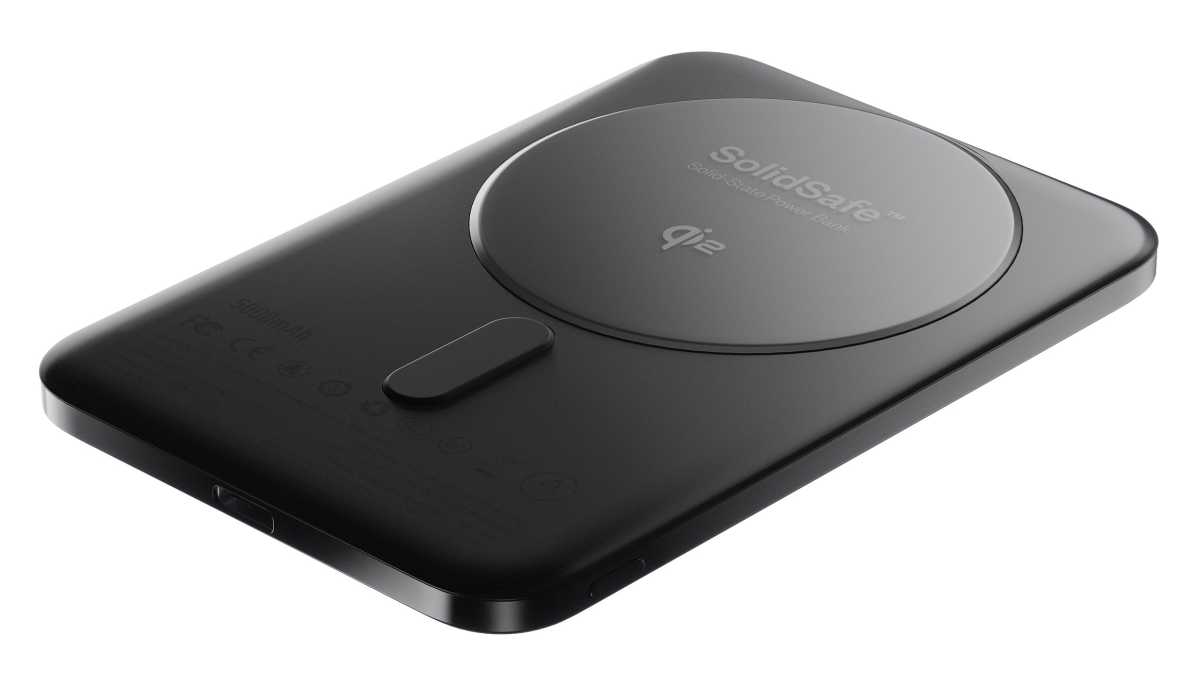
The SolidSafe Air is so thin that the magnetic coil must be raised a little from the otherwise flat surface of the power bank.
Looking at the distance between the USB-C charging port and the sides makes me think it will be nearly impossible to get any thinner—but, fear not, someone will.
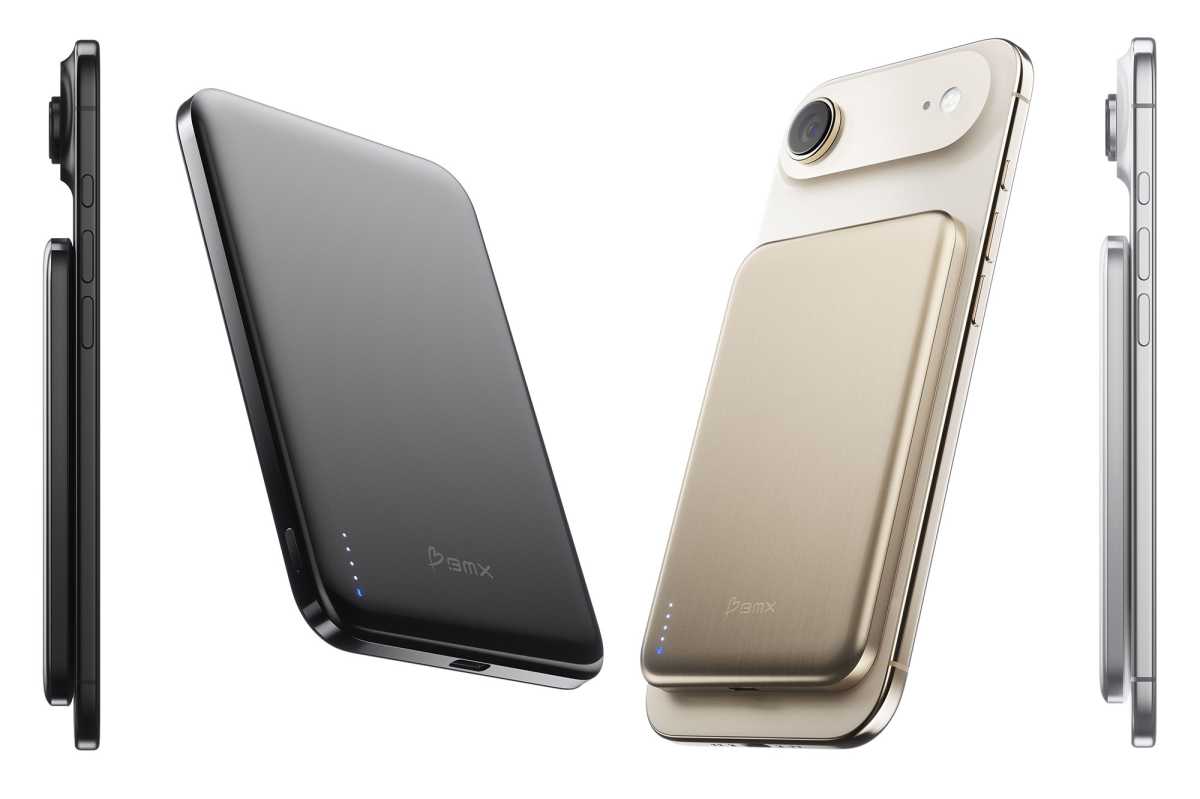
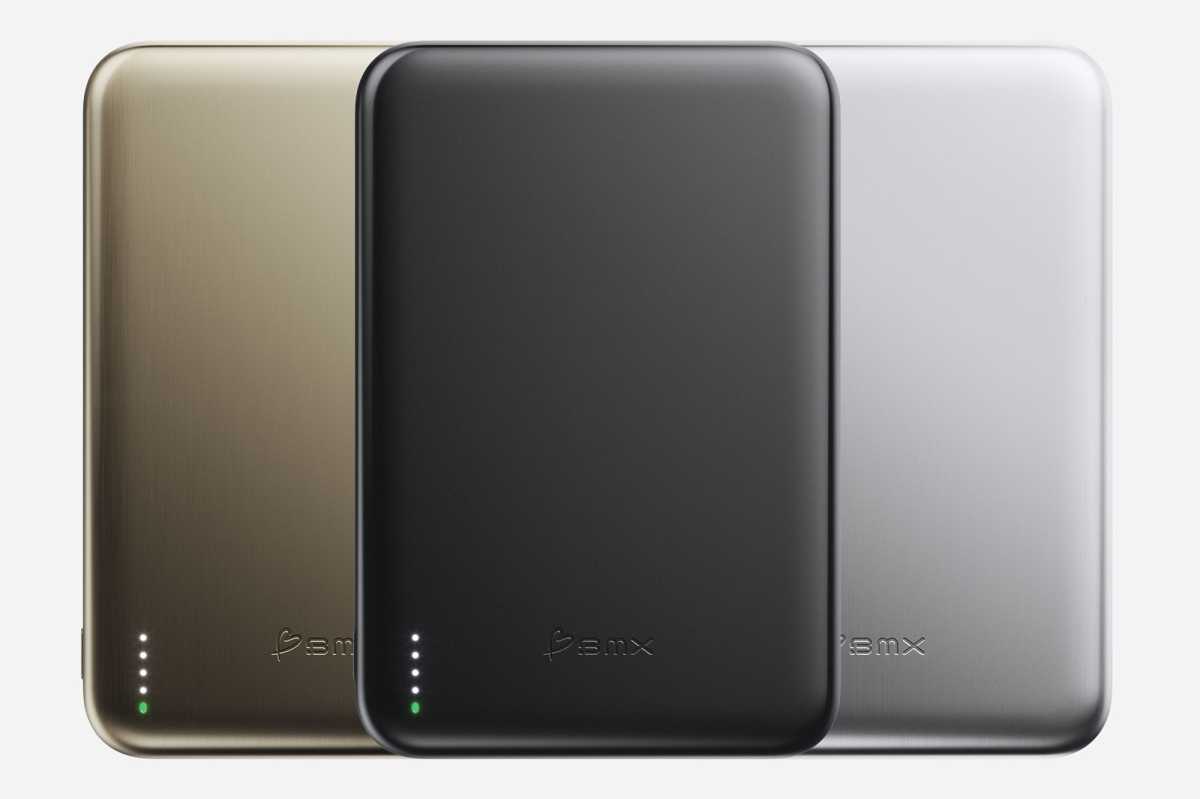
Gold, Black, and Silver were the first SolidSafe Air 5K portable chargers released.
BMX
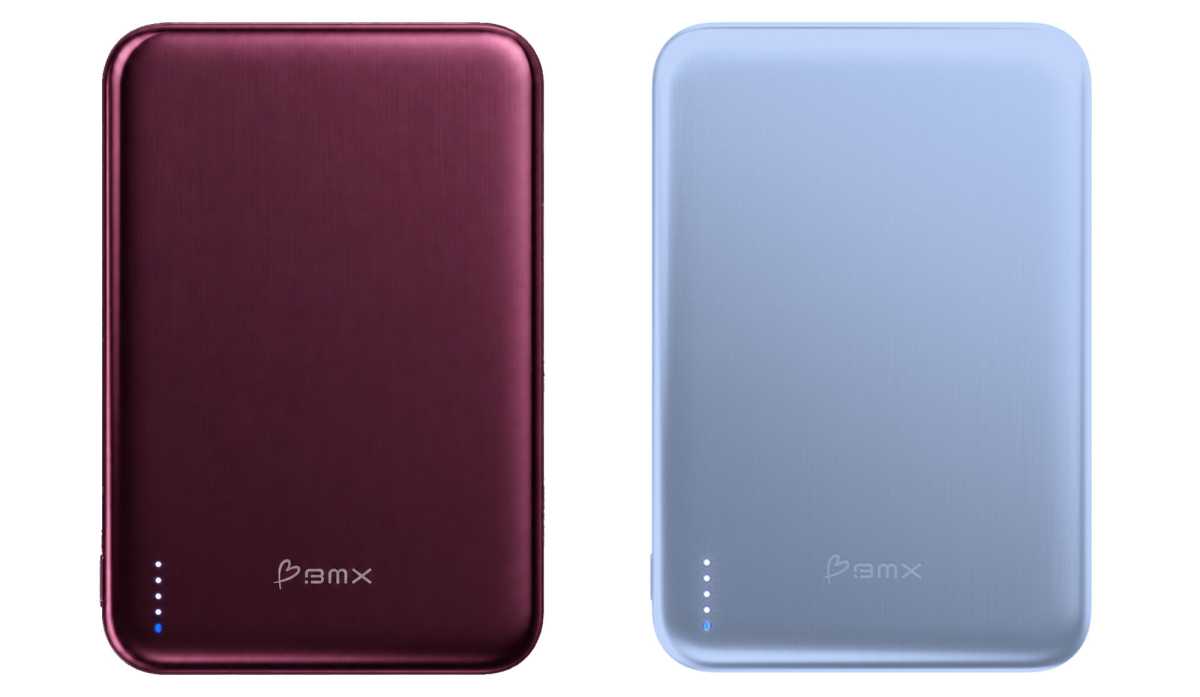
It’s now available in a choice of five colors: Gold, Black, Silver, Burgundy, and Glacier. That covers all the equally thin iPhone Air and now iPhone 18 Pro models with the latest Glacier and Burgundy colors.
BMX has now added Burgundy and Glacier colors to match more iPhones, including the iPhone 18 Pro models.
BMX
The battery indicator is the standard set of four LEDs to let you know how much power is left in the power bank’s battery. One of the thinnest power banks we’ve reviewed is the PhoneSuit Elite Mag Slim 5K, and this boasts a digital percentage display, which is far more accurate, but such display on a 5K power bank is are, and to its credit, the SolidSafe Air’s LEDs are brighter than most.
The SolidSafe Air is reinforced with titanium to make it more durable against impact. That combined with the safer semi-solid electrolytes should make the power bank inherently safer than most power banks.
Semi-solid-state cell technology reducing flammable liquid content improves thermal stability and lowers fire risk compared to conventional lithium-ion batteries. It should also mean the SolidSafe Air can be charged, discharged and recharged many more times than a traditional lithium-ion power bank.
Performance also matters
The 5000mAh (milliamp hour) battery is rated at 18.5Wh (watt hours). This is the sweet spot for a power bank that is lightweight and slim but still has enough capacity to offer a decent iPhone recharge. Remember the iPhone Air’s battery capacity is 3149mAh (12.4Wh). The closer match is the iPhone 17 Pro Max’s 5088mAh (20Wh) battery. Find out your iPhone’s battery capacity in our long list.
We test power banks by running down an iPhone 16 Pro to 0% and seeing to what percentage the power bank can take the phone’s battery. In this test the BMX SolidSafe Air 5K achieved an impressive score of 89%, among the highest of all the magnetic wireless power banks we have had in the Macworld Labs.
Simon Jary
The SolidSafe Air employs the Qi2 magnetic charging technology, so can supply up to 15W of power wirelessly.
Some larger 10K power banks—such as the Kuxiu K1, Baseus PicoGo 25W 10K, Ugreen MagFlow and Sharge Icemag 3—use the newer Qi2.2 tech that can handle 25W for compatible iPhones (iPhone 16 and later). 25W should charge an iPhone (16 or later) from 0-50% in around half an hour, while 15W takes about 45 minutes. We are still waiting for a 5K power bank that is as fast as 25W.
Use the charging port with a cable (USB-C to USB-C for iPhone 15 and later, USB-C to Lightning for older iPhones) to gain a little faster 20W of power. A neat function is simultaneous wired (using a cable in the power bank’s charging port) and wireless charging. Via this method you get 10W wired plus 12W wireless for 22W power—not so far off the 25W that Qi2.2 would have supplied.
The power bank itself is charged at up to 15W, which is quite slow in comparison to others that have input speeds of between 18-30W. if charging overnight or not in a hurry, this shouldn’t matter. A full recharge of the power bank should take around 2 hours.
Price
The SolidSafe Air 5K Solid-State Qi2 Power Bank is available on the BMX website for $59.99, with Amazon sales starting at the end of March.
Should you buy the BMX SolidSafe Air 5K Solid-State Qi2 Power Bank
The titanium SolidSafe Air is wafer-thin and can slip into a shirt pocket without worrying the stitching. You can charge your iPhone (12 and later) wirelessly at 15W or 22W when using both wired and wireless outputs, which is fast. There are power banks that recharge themselves faster, and power banks with smarter battery displays, but the BMX SolidSafe Air is the slimmest semi-solid-state 5K Qi2 power bank you can buy—indeed, in our experience, it’s both one of the slimmest and lightest magnetic wireless power banks on the market.
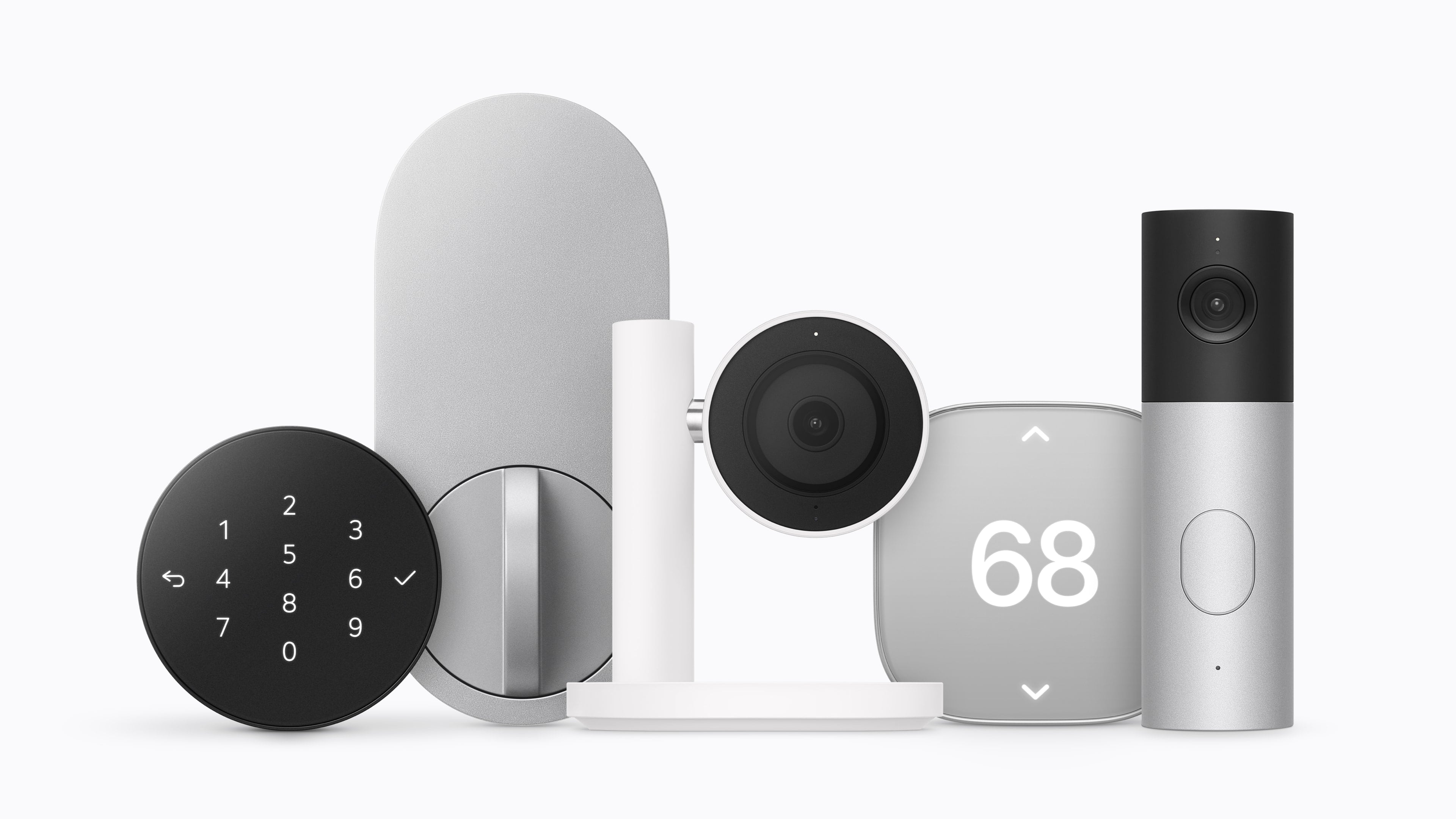
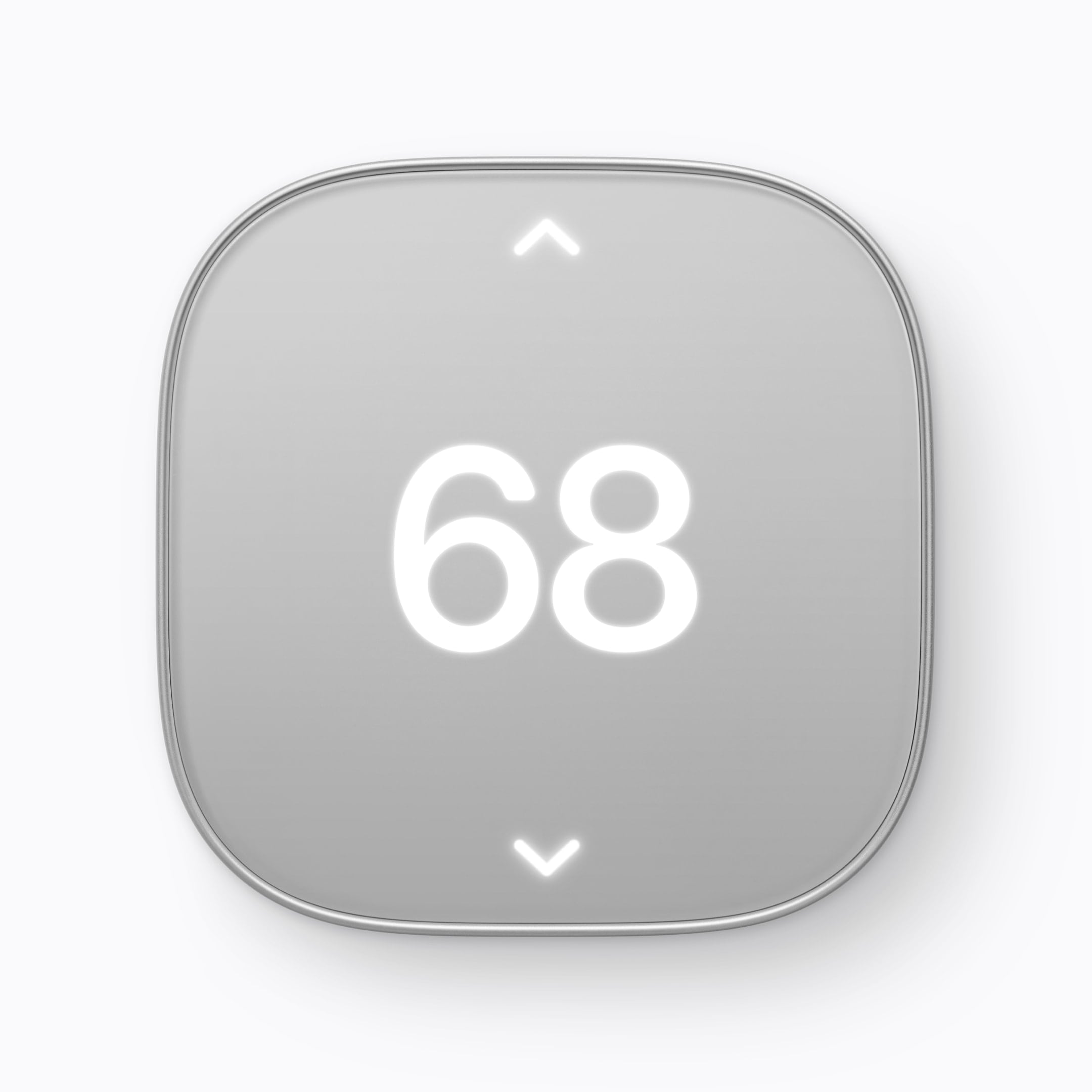
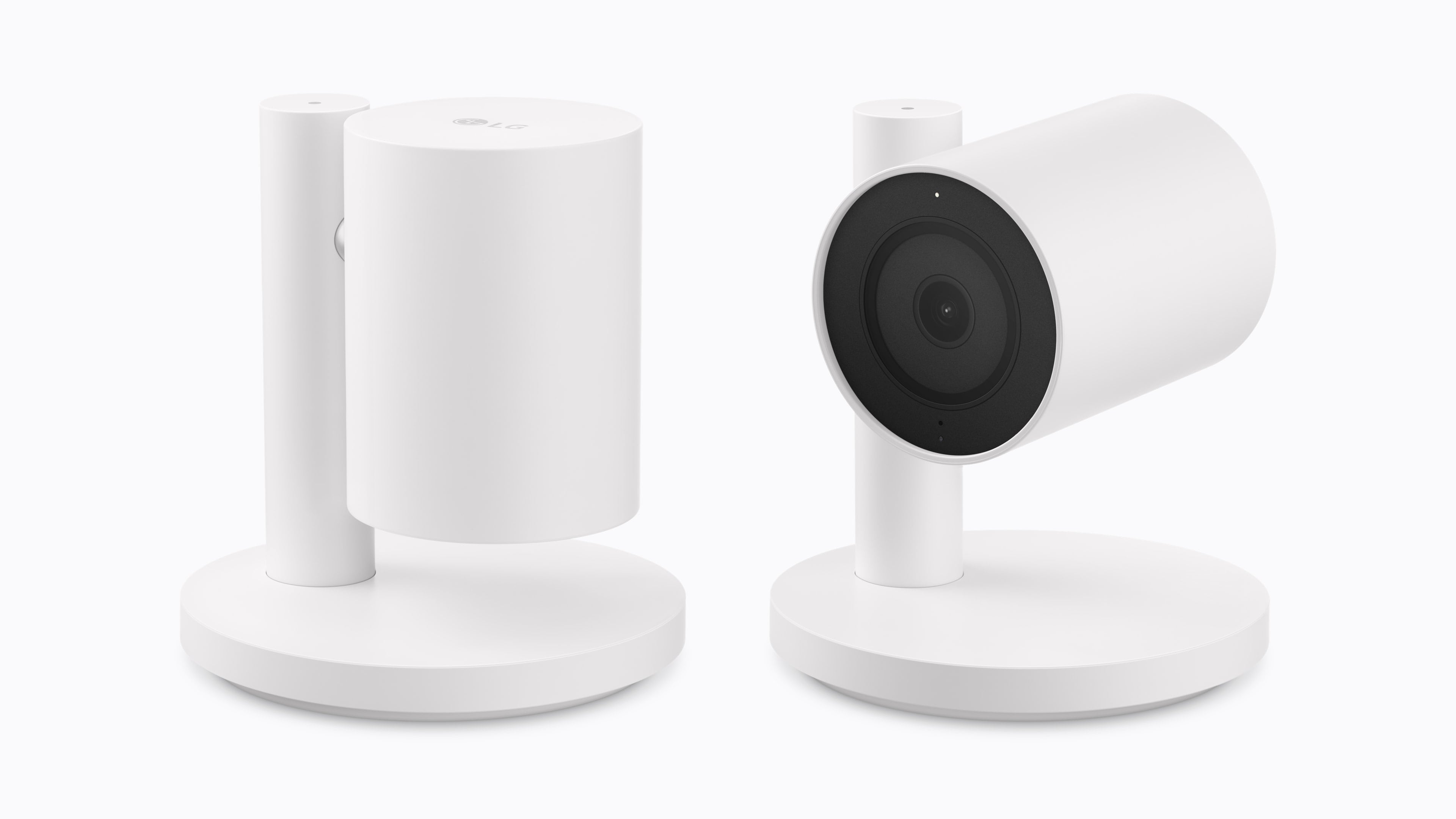
LG has developed a video doorbell, a floodlight camera, outdoor and indoor cameras, a thermostat, and a temperature sensor, along with a smart lock that supports Ultra Wideband for hands-free door unlocking. Schneider Electric will offer a smart thermostat and temperature and humidity sensors. Device installation will also be available through a partnership between ADT and Apple Retail in the U.S. for an additional fee.
Source: Apple.
Standout features include:
the ability of the cameras to pick out faces, animals, vehicles, and packages,
iCloud+ support for HomeKit Secure Video,
the ability for the indoor cameras to tilt down when a household member returns home,
adaptive temperature on the thermostat that adjusts heating and cooling according to whether someone is home, and
the ability to shift heating and cooling use (U.S. only) to when available energy sources are cleaner.
Source: Apple.
Pricing for the devices is as follows:
LG Video Doorbell Wired: $249.95
LG Floodlight Cam: $399.95
LG Outdoor Cam Plug-In: $299.95
LG Indoor Cam Plug-In: $199.95
LG Smart Deadbolt Lock: $349.95
LG Smart Thermostat: $199.95
LG Temperature Sensor: $39.95
Schneider Home Smart Thermostat: $199.95
Schneider Home Room Sensor: $39.95
The cameras will be available in the U.S., Canada, and the UK, with other devices limited to the U.S. and Canada.
Amazon’s Big Deal Days for Prime members has begun, and we’ve collected some of our favorite deals offered. As usual, we’ve kept our picks simple, including only those that we’ve reviewed, use ourselves, or that are from brands we trust.
It’s worth noting that this sales event is focused on Prime members, so many of the deals require a Prime subscription. However, not all do.
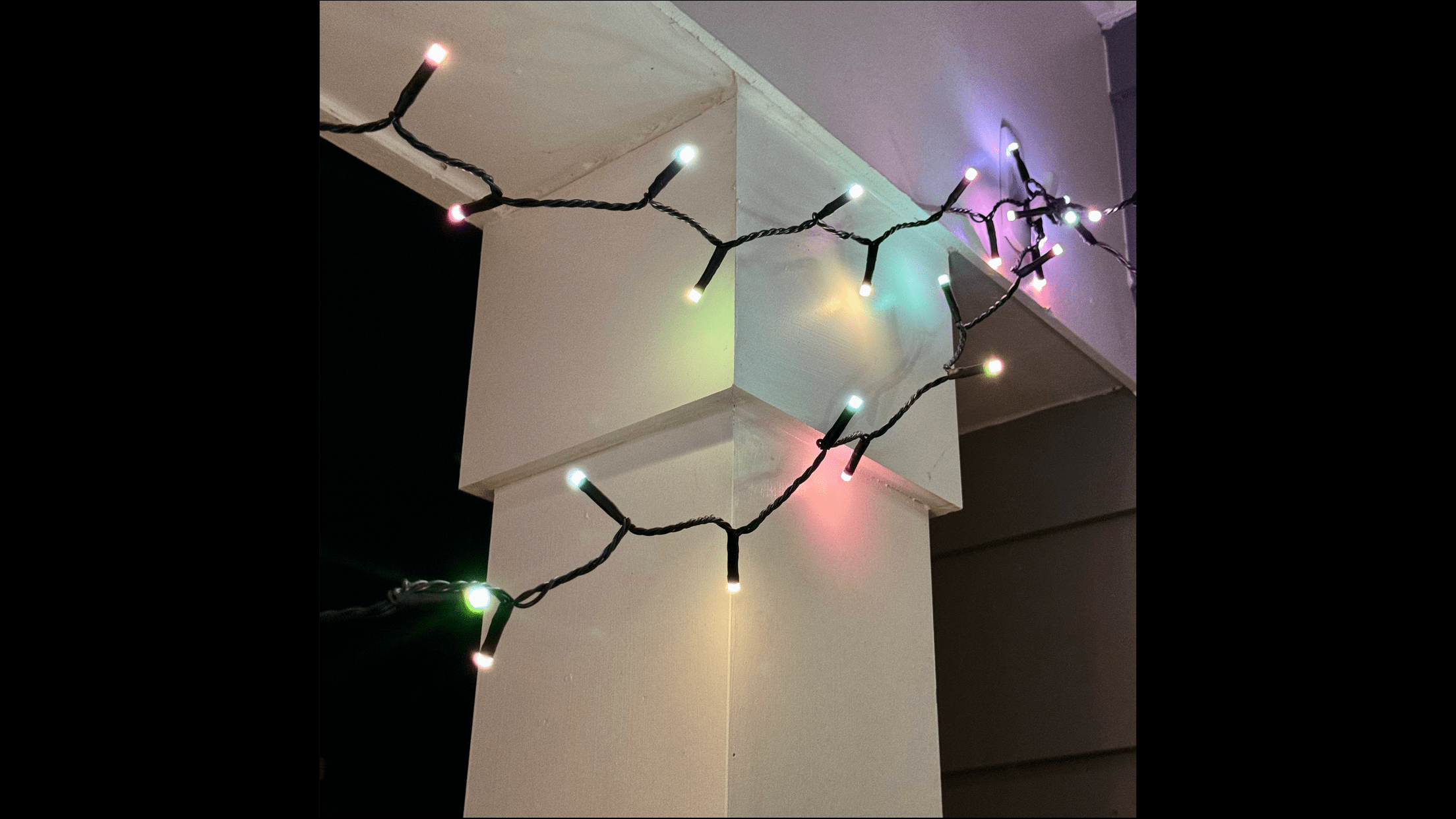
The lights are great for the holidays, too. The Hue app lets you pick all sorts of festive presets that animate and color the lights to mimic candles, stars, and more. Festavia lights are also compatible with Apple’s Home app, giving you multiple ways to control and automate them, which I love. Both the 65-foot and 130-foot models are on sale.
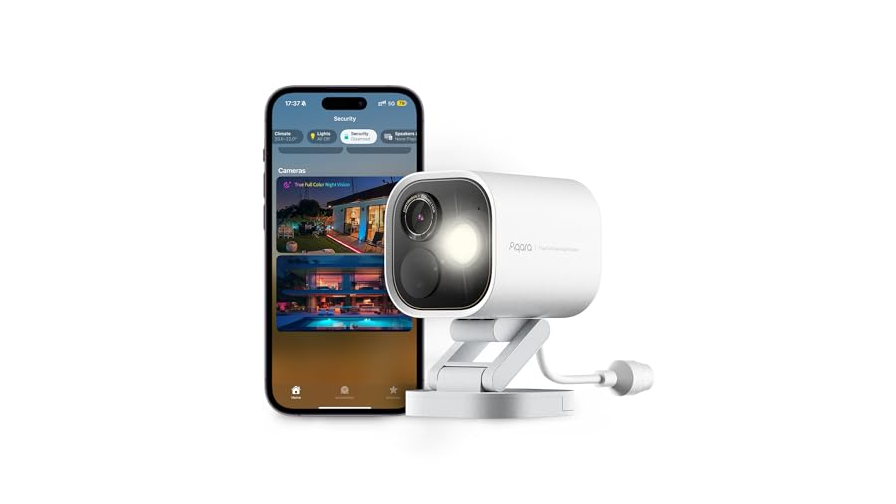
Aqara G5 Pro camera.
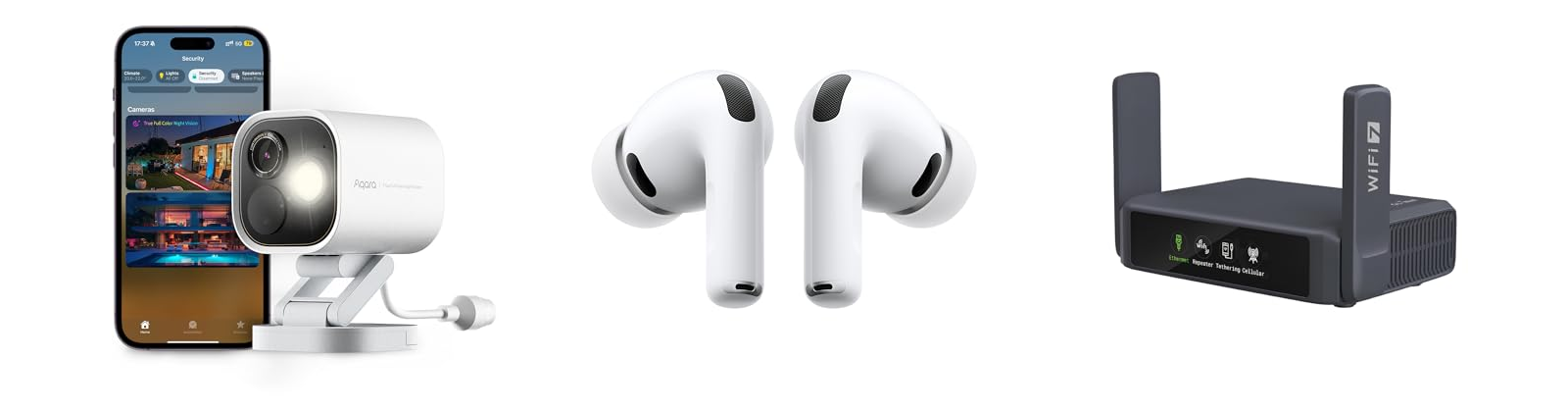
The Aqara G5 Pro camera is on sale, too. It’s been over 18 months since I wrote about this sturdy and reliable outdoor HomeKit security camera, and it’s still one of our most popular hardware reviews on the site. There’s a reason for that, too. The G5 Pro serves as a hub for your other Aqara devices, and stays connected reliably with clear nighttime footage, support for HomeKit Secure Video, and an onboard spotlight. Mine has been installed outside my home ever since I reviewed it, and it’s never missed a beat. I use the Wi-Fi model, but the PoE version is on sale too.
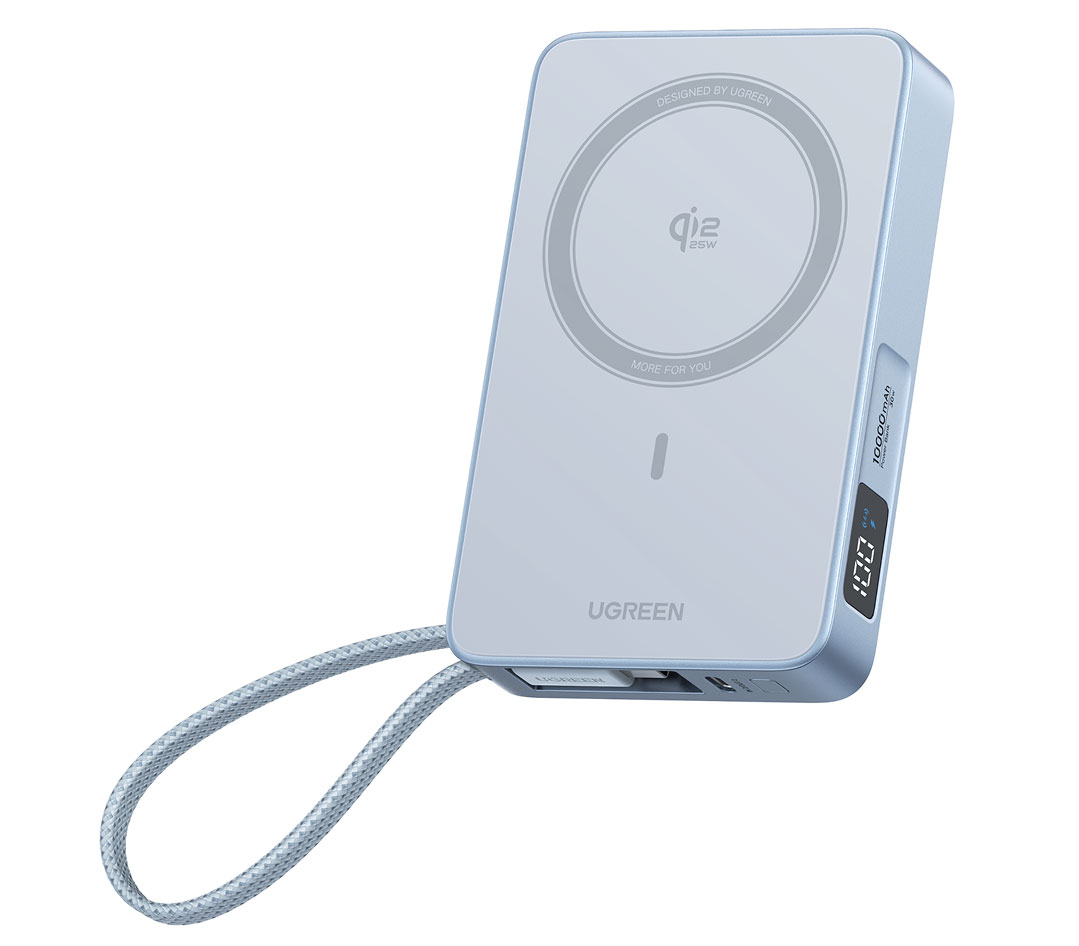
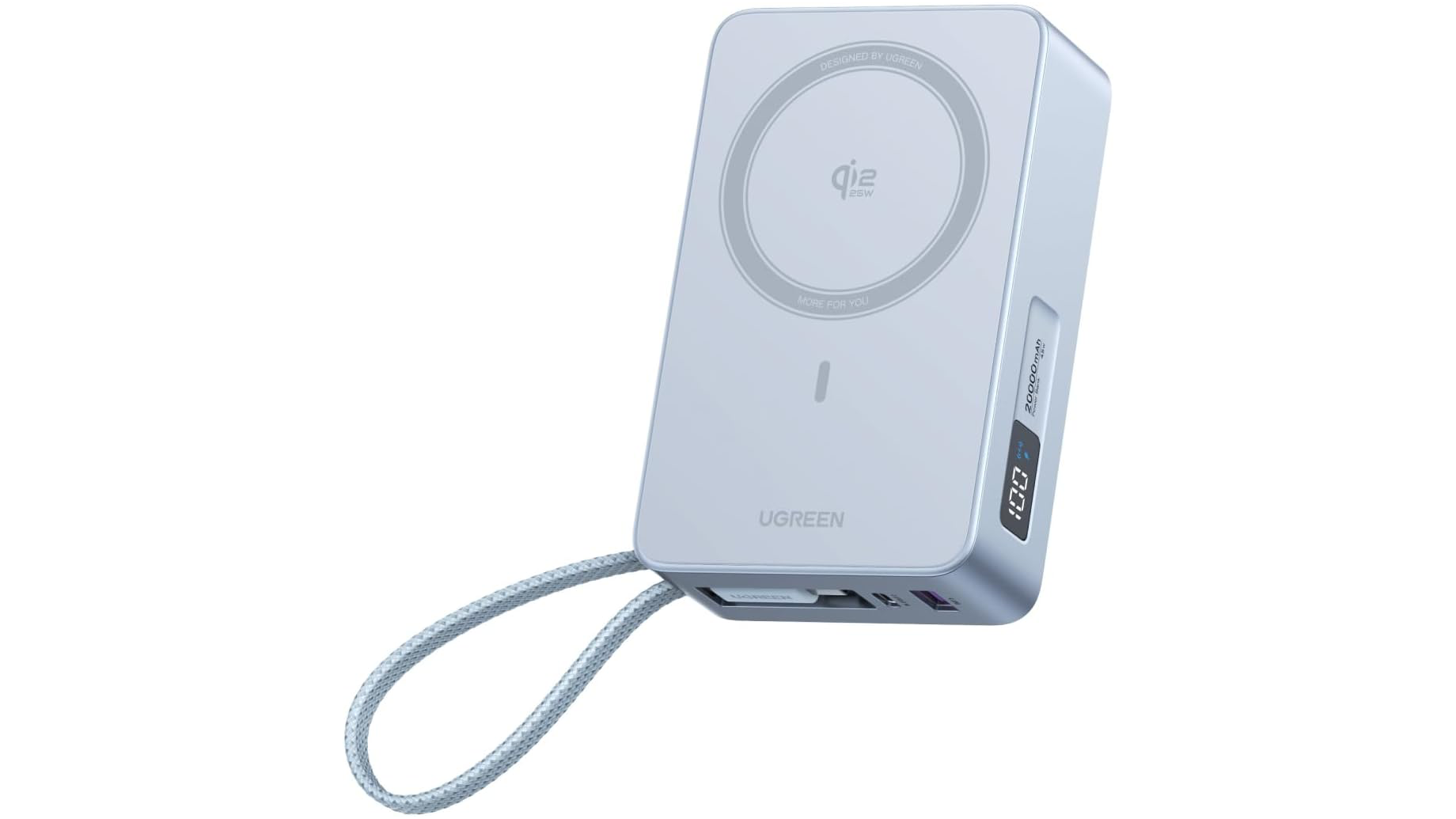
Another interesting battery option is UGREEN’s 20,000mAh Qi 2 battery that delivers 25W of wireless power. I haven’t used this exact battery before, but I have a similar UGREEN model with a smaller capacity that I like a lot. This model also has a built-in USB-C cable and digital screen that shows how much charge is left.
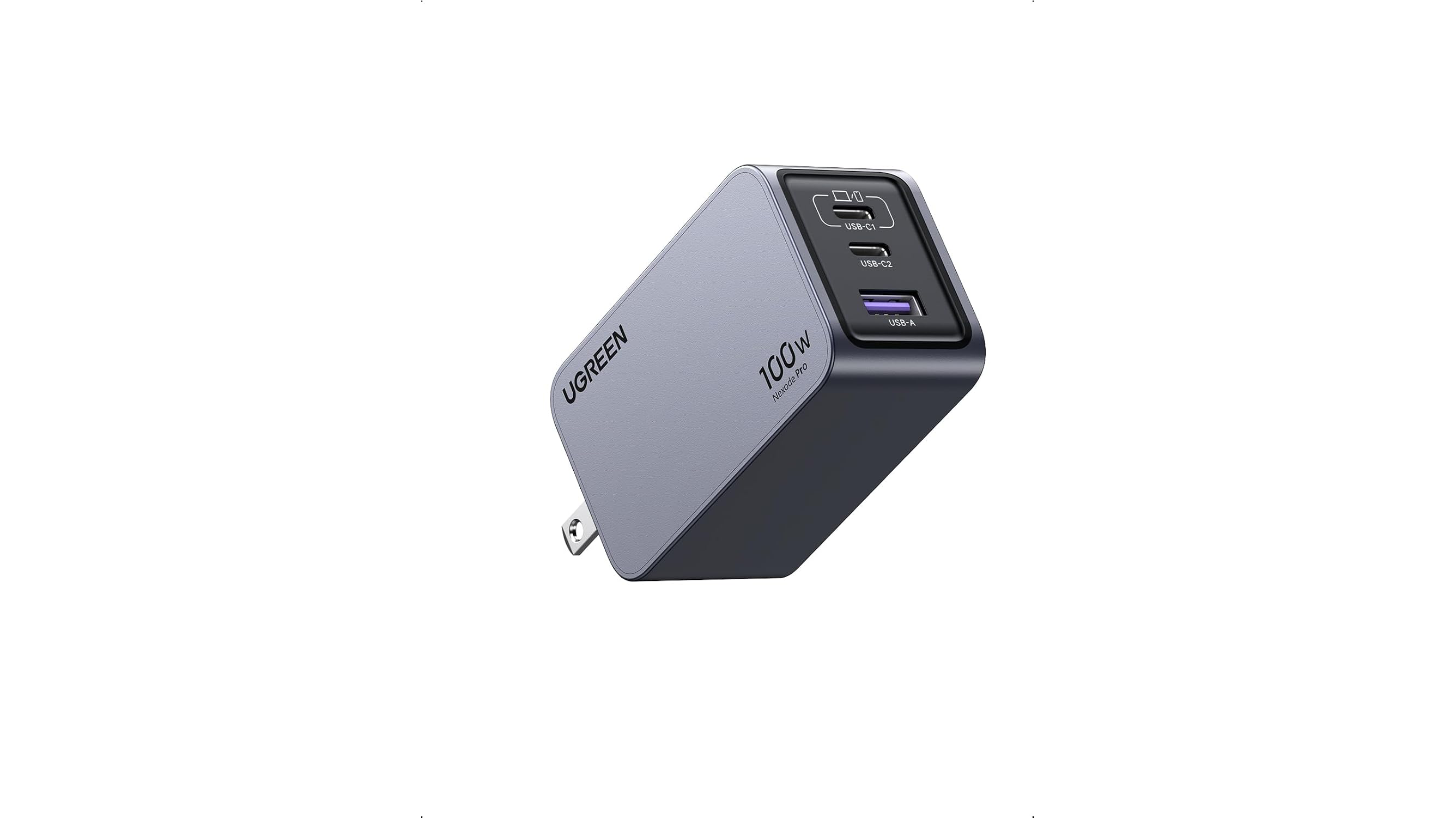
UGREEN’s 100W Nexode Pro GaN charger
A good travel wall charger is a must, too. When I’m on the road with my MacBook Pro, I always bring UGREEN’s 100W Nexode Pro GaN charger. It has two USB-C ports and one USB-A port, and its prongs fold flat so it’s easy to pack. Combined with its small size, it’s a great choice for any trip.
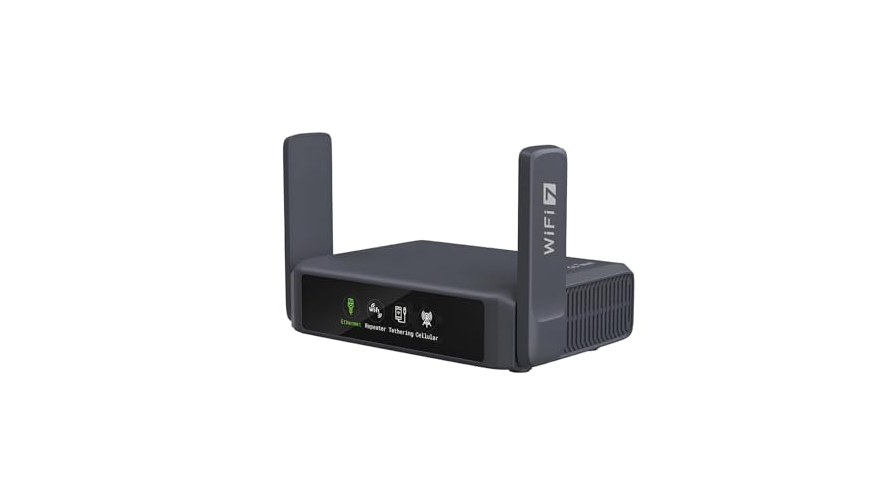
Slate 7.
A portable Wi-Fi router is great for traveling with your family when you want to stream a movie at night or when you’re working away from home at a coffee shop. My favorite is the Slate 7 by GL.iNet, which I covered on MacStories last summer. It works well to extend an existing network or to connect to your iPhone to create an ad hoc wireless network.
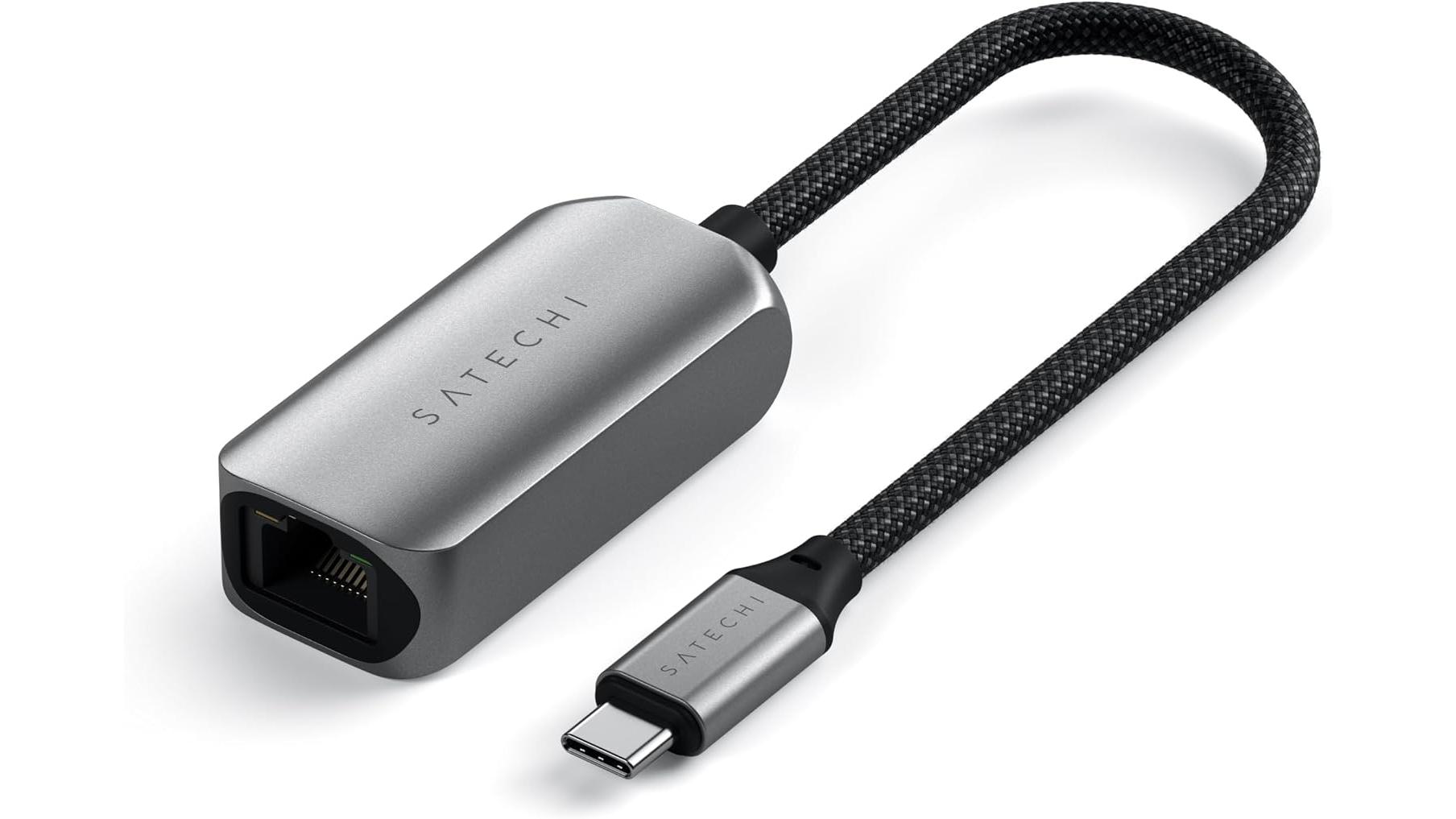
Satechi USB-C 2.5Gbps Ethernet adapter.
Finally, I wanted to mention the Satechi USB-C 2.5Gbps Ethernet adapter, which I carry whenever I stay in a hotel room because even slow Ethernet is better than most hotel Wi-Fi. I’ve had this adapter for a couple of years and it’s been a lifesaver on the road more than once, including at WWDC this year where I found myself uploading 4K video to YouTube from the Mountain View public library.
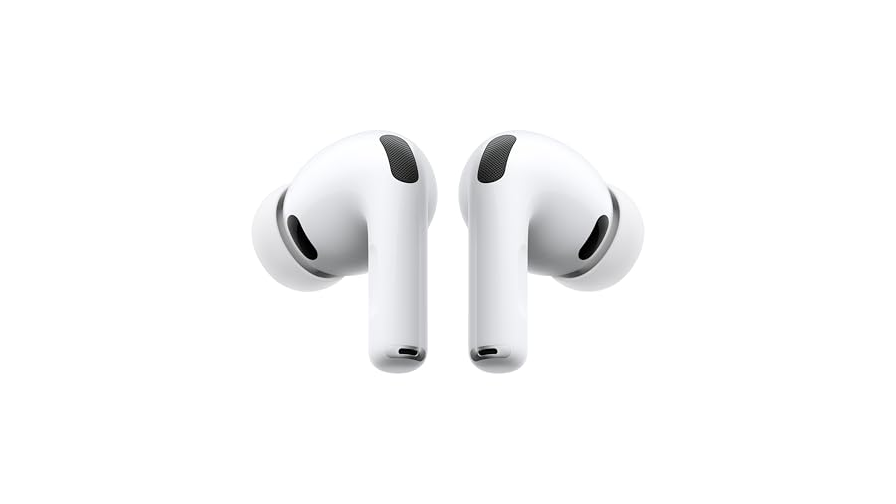
AirPods Pro 3.
My favorite wireless earbuds and over-the-ear headphones are on sale too. AirPods Pro 3 are my go-to everyday headphones for walking around the neighborhood or working remotely. The active noise cancelation is top tier, and I love both transparency mode for hearing what’s happening around me and the fit.
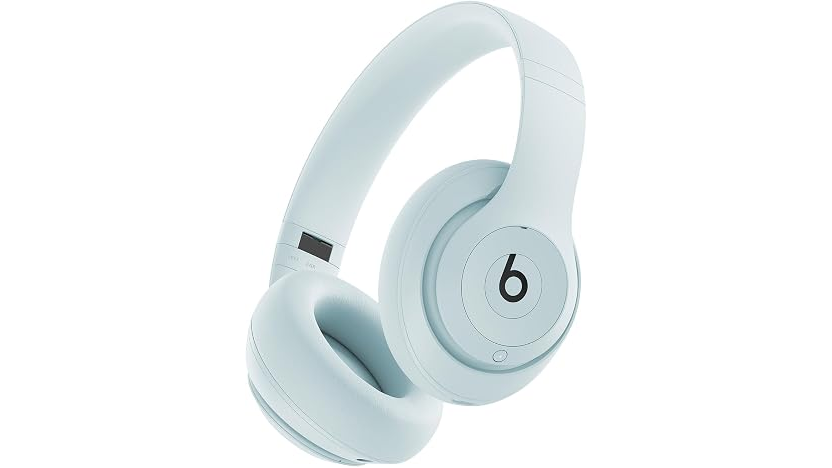
Beats Studio Pro in Light Blue.
I’m also a fan of the Beats Studio Pro headphones for their versatility. They work wirelessly, with a 3.5mm headphone cable, or a USB-C cable, with both cables packed in the box. The sound and noise cancelation are excellent, too. Today’s sales price is one of the lowest I’ve seen, so it’s a great time to pick up a pair.
Alright, that’s all for now. We’ll have more finds during Big Deal Days on the MacStories Deals social media accounts on X.com, Mastodon, and Bluesky.
And for more recommendations beyond the sale, visit the MacStories Setups page, where Federico and I share the hardware and apps we use for work and play. We’ll have an update to that coming tomorrow.

 Login
Login