❌

Reading view

Pastebot 3 for Mac

John Voorhees:

What sets Pastebot 3 apart is its addition of deep automation tools. Not only does the update add MCP support, making it an excellent tool to use with Claude or ChatGPT/Codex, but it includes a brand new CLI that you or an agent can use from Terminal or incorporate into scripts you build.

[…]

New filters have been added that allow you to transform clippings using text transformations and even shell scripts. Using the ability to script custom filters, I’ve begun adding a few of my own to Pastebot for things like adding and removing bullets from multiple lines of text.

I’ve long been aware of this app but hadn’t paid much attention because I’m happy using LaunchBar as my clipboard and snippet manager. LaunchBar has some transformations built-in, and I’ve built up a collection of my own scripts, but it’s appealing that Pastebot comes with so many out of the box.

From Pastebot’s main UI, you can select multiple items at once and right-click to add them to a Stack, or you can pick them one at a time in any order you’d like. As you select items, they’re numbered in the order you’ll paste them into a document using a keyboard shortcut. It’s an excellent feature for filling out forms or copying data from one spreadsheet to another.

Juli Clover:

There are also rule-based Smart Pastebins for automatic organization, like every link or image copied from Safari. Smart Pastebins can be filtered by clipping size, type, file extension, creation date, text, text length, and more. Multiple parameters can be combined for detailed filtering, and custom notes can be added to clippings to make them easy to find via search.

[…]

Tapbots says Pastebot 3 was built to work with Apple's Universal Clipboard feature, and when enabled and active, anything you copy on your iPhone is saved in Pastebot automatically.

John Gruber:

Chief among my favorite features:

  • Remembers up to 1,500 clippings (up from a mere 1,000 in v2).
  • Syncs via iCloud. If I copy something on one Mac, it’s in my Pastebot history on my other Macs.
  • That sweet Tapbots UI.

Marcus Mendes:

Importantly, Pastebot 3 requires macOS 26 Tahoe or later and comes with a 14-day free trial. Users can buy the app directly from Tapbots for $39 or subscribe through the App Store for $2.99 per month or $24.99 per year.

[…]

The direct purchase includes one year of updates, with additional years available for $19 each. Users who stop paying for updates can continue using the latest version covered by their purchase. Pastebot 2 owners can also get a $12.99 upgrade discount by entering their existing license key at checkout.

scottybee:

They are not offering any upgrade path for MAS customers. The reason they stated was “upgrade pricing has always been our way of thanking people who bought directly from the site.”

Paul Haddad:

I generally try to avoid complaining about App Store review, since I do think they have a really hard job to do. But I’m about 2 more PB3 rejections from just giving up.

Previously:
  •  

Chrome Browser Default at the Top of the Mac App Store

Jeff Johnson (Mastodon):

Released less than a month ago by an unknown developer, Chrome Browser Default has somehow become a top download in the United States Mac App Store, alongside well-known developers Amazon, WhatsApp/Facebook/Meta, and Microsoft[…]

[…]

Chrome Browser Default is the top search result for “Google Chrome” in the Mac App Store. Chrome itself is distributed as a direct download from Google, outside the Mac App Store. Notice also that the Chrome Browser Default app icon resembles the Google Chrome app icon[…]

Both the name and icon violate Apple’s guidelines, and the preview images are not actually screenshots of the app. The App Store is great for distributing apps that piggyback on the names of popular apps. They’d be hard to find with a regular Web search, but in the App Store they appear at the top.

The app appears to do what the description says it does, though it’s quite primitive and likely vibe-coded. I can add rules, but I couldn’t find a way to edit or delete added rules, which is ridiculous. The developer’s privacy policy is on GitHub in a repository where most of the commits were co-authored by Claude.

[…]

At the bottom is a section that shows, allegedly, what “People are Saying” about the app. Yet none of these 5-star reviews are from the App Store. According to Google Search, the reviews are not from anywhere on the web.

Jeff Johnson:

This app is no longer available in the Mac App Store.

[…]

I have no idea why the Dutch name “Standaard Browser Wisselen” appears in the alert, because the App Store Purchased section says “Chrome Browser Default,” and my only Mac system language is English (US). The name of the developer in the App Store was Chinese, 立花 卢.

[…]

My suspicion is that Apple, not the developer, removed the app from the App Store, which explains why I can’t download it. Whether this removal was triggered by my blog post or by App Store user reports, I don’t know.

Craig Grannell:

Doesn’t say amazing things for the Mac App Store that I find it faster to search for something in a search engine than within the MAS itself. And that’s when I already know the name of what I’m looking for.

Previously:

  •  

How to Hide an Update in the Mac App Store

Jeff Johnson:

Although you can hide and unhide apps in your App Store purchase list, it turns out that hiding an app in the App Store purchase list does not hide the app in the updates list! I honestly can’t figure out the benefit of hiding an app in the App Store. The list of your purchased apps—a misnomer, as the list includes free apps—is practically unusable anyway: you can neither sort nor search the list. Maddeningly, the Mac App Store sorts your purchased apps by date of first install rather than by name, so it’s difficult even to scan the list manually to find a specific app.

[…]

You can clear the Updates list in the Mac App Store by deleting some cache files on disk, but that’s at best a momentary solution. The unwanted update will return eventually, or immediately if you use the Reload Page (⌘R) command.

A more lasting solution is, counterintuitively, to install the update. The trick is that you can keep more than one copy of a Mac App Store app on disk.

I wonder how long you can keep using the old version. You won’t be able to download it again. You can save a backup, but as some point a certificate will expire or you’ll get a new Mac and need a new receipt file. In theory, the store should be able to fetch one for you, but I wouldn’t rely on that long-term.

Previously:

  •  

App Store Personalized Recommendations and Keylogging

Sarah Perez:

This week, Apple announced a series of discovery features that will personalize app recommendations based on users’ interests and behavior, providing a new way for developers to have their app discovered.

At Apple’s Worldwide Developers Conference (WWDC), the iPhone maker introduced Personalized Collections in the App Store, which will showcase recommendations tailored to the individual. These will also include new “App Notes” that explain why the specific apps were recommended to you. Starting this week, you’ll find these new personalized suggestions in various places in the App Store, including the Apps or Games tab or on the Search tab.

Mysk:

Now Apple is putting the extensive identifiable analytics they collect in the App Store in action. They record every tap and there’s no way to turn it off.

They can even calculate your typing speed.

[…]

If you don’t like Apple Music privacy options, you can stream music from Spotify. But where else can you download apps on the iPhone?

The data is associated with your account and unencrypted.

Previously:

Update (2026-06-17): Mysk:

The screenshot in the sub-post was taken from a CSV file you get when requesting your data from Apple. It’s called “App Store Click Activity.” Every event contains 110 attributes 🤯

In this PDF, Apple describes the data points collected in this category.

I requested my own data yesterday but am still waiting for Apple to prepare it.

Mysk:

There’s an ongoing class action lawsuit against Apple related to this. In iOS 26, Apple added an option to “reset” the identifier associated with “usage statistics,” but we haven’t seen any effect for this option. The analytics are still identifiable and linked to the user.

See also: John Gruber, Thom Holwerda, MacRumors.

Update (2026-06-19): Mysk:

It is not only about recording your typing skills in the search field, the App Store app even reports how much time you spend on every part of an app description as you scroll, hence recording your reading skills 🙃.

Apple also forces iOS to open any App Store link in the App Store app, and that will immediately log a detailed event that user XYZ has viewed that particular app as well as the referrer.

[…]

This data collection is not new. Apple has been doing it at least since iOS 14 when we discovered it. All data collected is NOT anonymous. The data is associated with your Apple ID. This means that given a court order, Apple has to hand this data to law enforcement.

Mysk:

Just for fun, I generated a 1000-character text and pasted it in the search field in the App Store. Well, the analytics captured the entire text, linked it to my ID and sent it to Apple, before even pushing “enter”. Now imagine you accidentally paste something private in there🙃

Update (2026-06-23): I received my own personal data from Apple and can confirm that it does include my timestamped App Store search queries.

  •  

A Month with Logitech’s Innovative Mobi Fold Travel Mouse

I can’t recall the last time I was truly excited about a mouse. I primarily use a trackpad whether I’m at my desk or using a laptop. The trouble with a trackpad-only setup, though, is that I sometimes wind up with wrist and elbow pain. That’s why I keep a Logitech MX Master 4 mouse on my desk to balance out the stress on my arms.

But that only works if I’m at my desk. More and more, I’ve been turning to a MacBook Pro for working away from my desk at home or elsewhere. Those locations are always less ergonomic than sitting at my desk, causing wrist and elbow pain more quickly. Still, I’ve never made it a habit to bring a mouse with me, especially when I’m away from home, because it’s more than I want to carry – that is, until Logitech’s latest mouse, the Mobi Fold, came along.

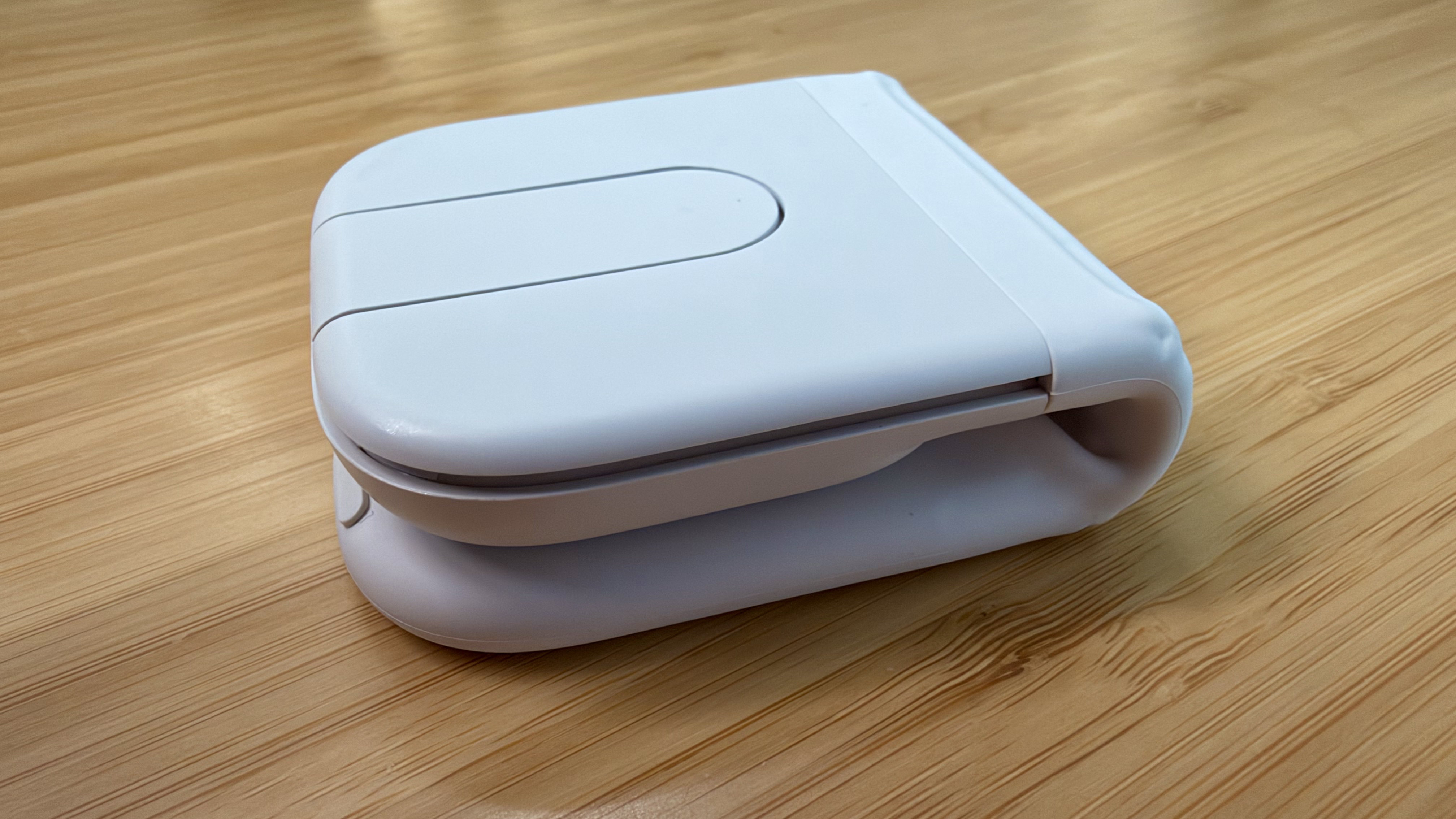
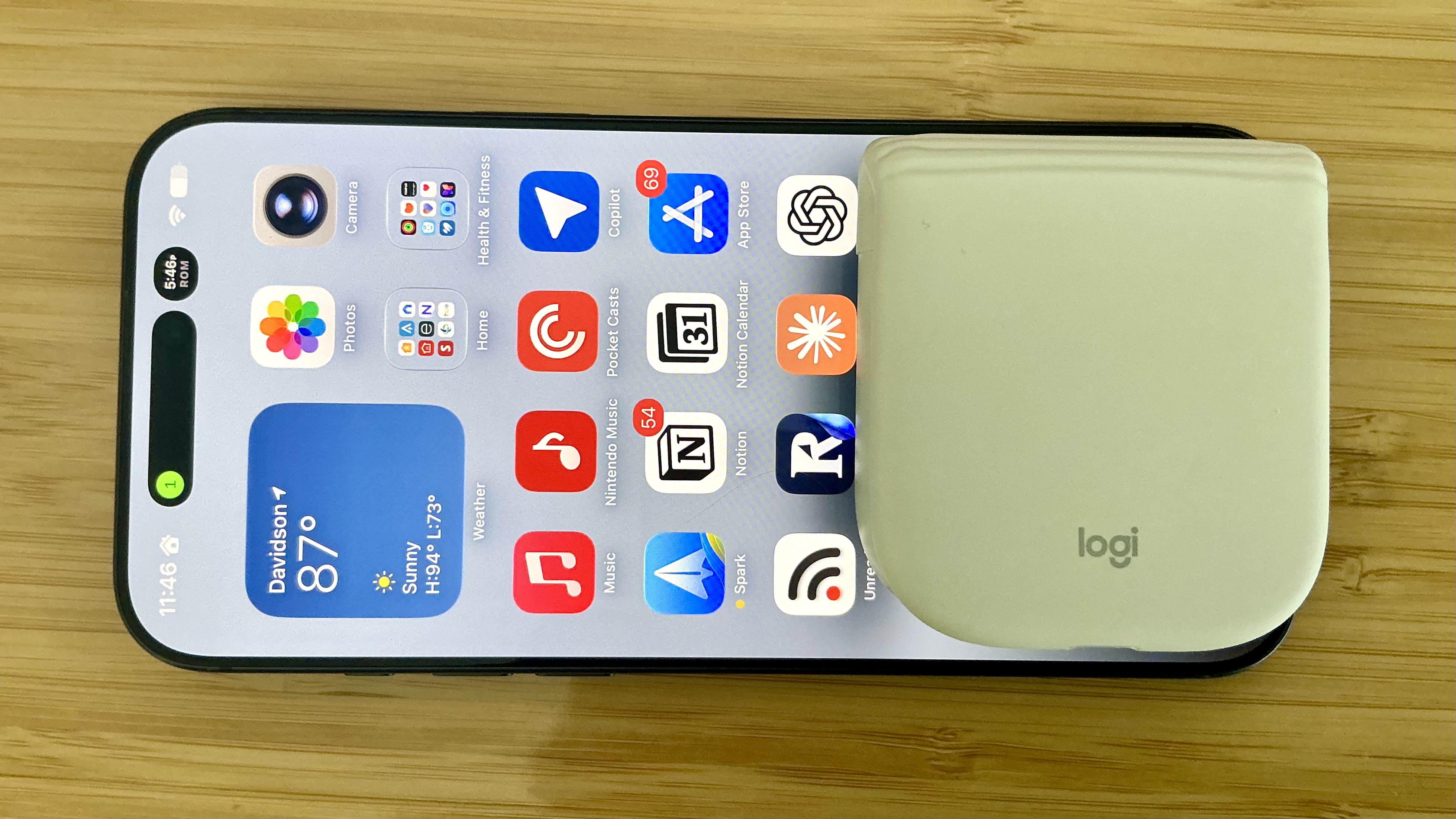
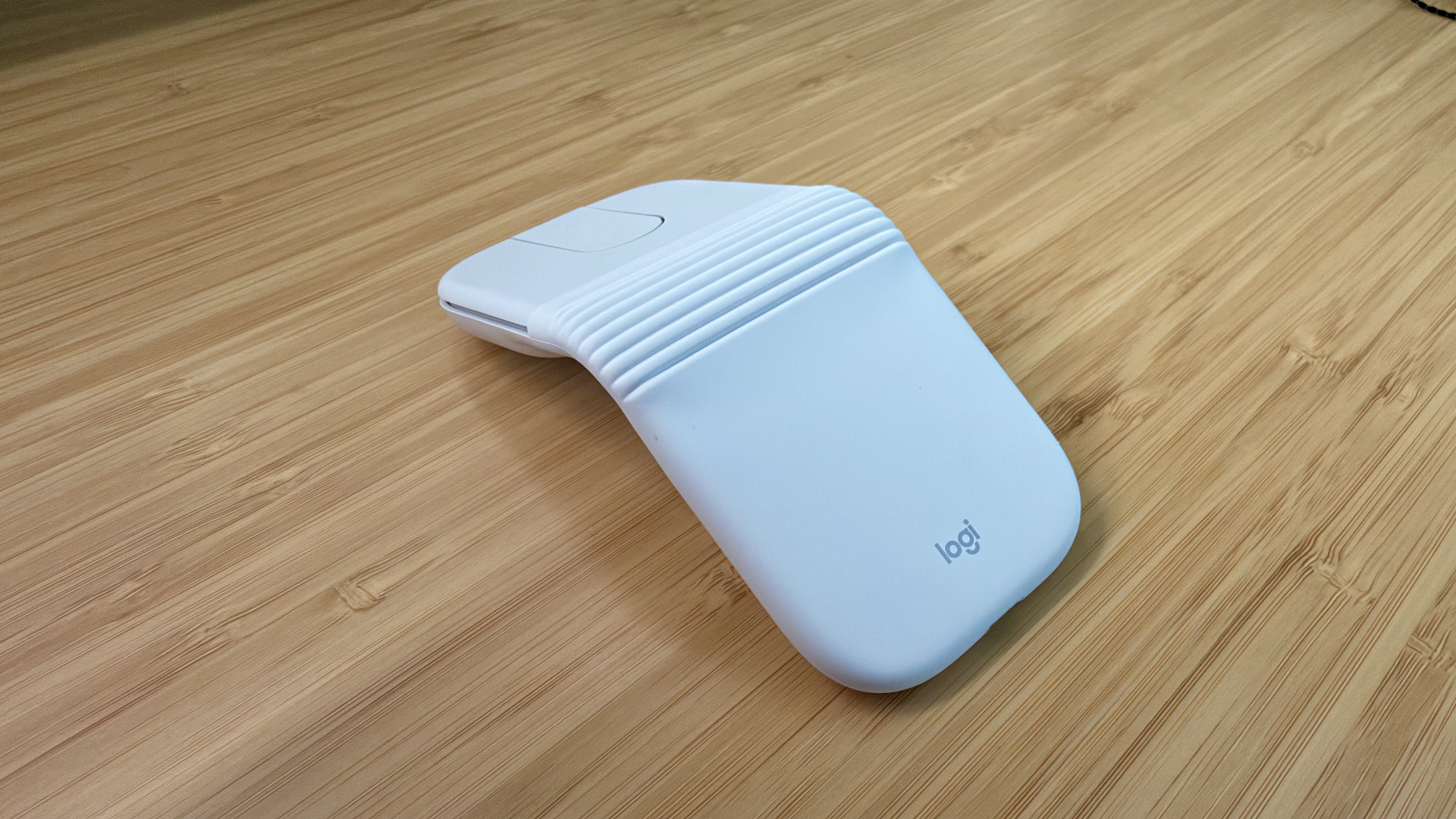
The Logitech Mobi Fold is an impossibly small mouse that folds completely in half, reducing its footprint to about ⅓ the size of my iPhone 17 Pro Max and about twice its thickness. Unfolded, it’s close to the length of the MX Master 4 but narrower. The Mobi Fold is impressively full-featured, too, making it an excellent all-around travel mouse worth taking a closer look at.

Folded, the Mobi Fold doesn't look much like a mouse.

Folded, the Mobi Fold doesn’t look much like a mouse.

I’ve been testing the Mobi Fold for about a month, and my favorite thing to do with it is fold it up, show it to someone, and ask them to guess what it is. No one has guessed correctly because a folding mouse just isn’t a thing most people have encountered before. Instead, the most common guess is that the Mobi Fold is a small battery for charging an iPhone, until I unfold it and the shape becomes more familiar.

The Mobi Fold is tiny.

The Mobi Fold is tiny.

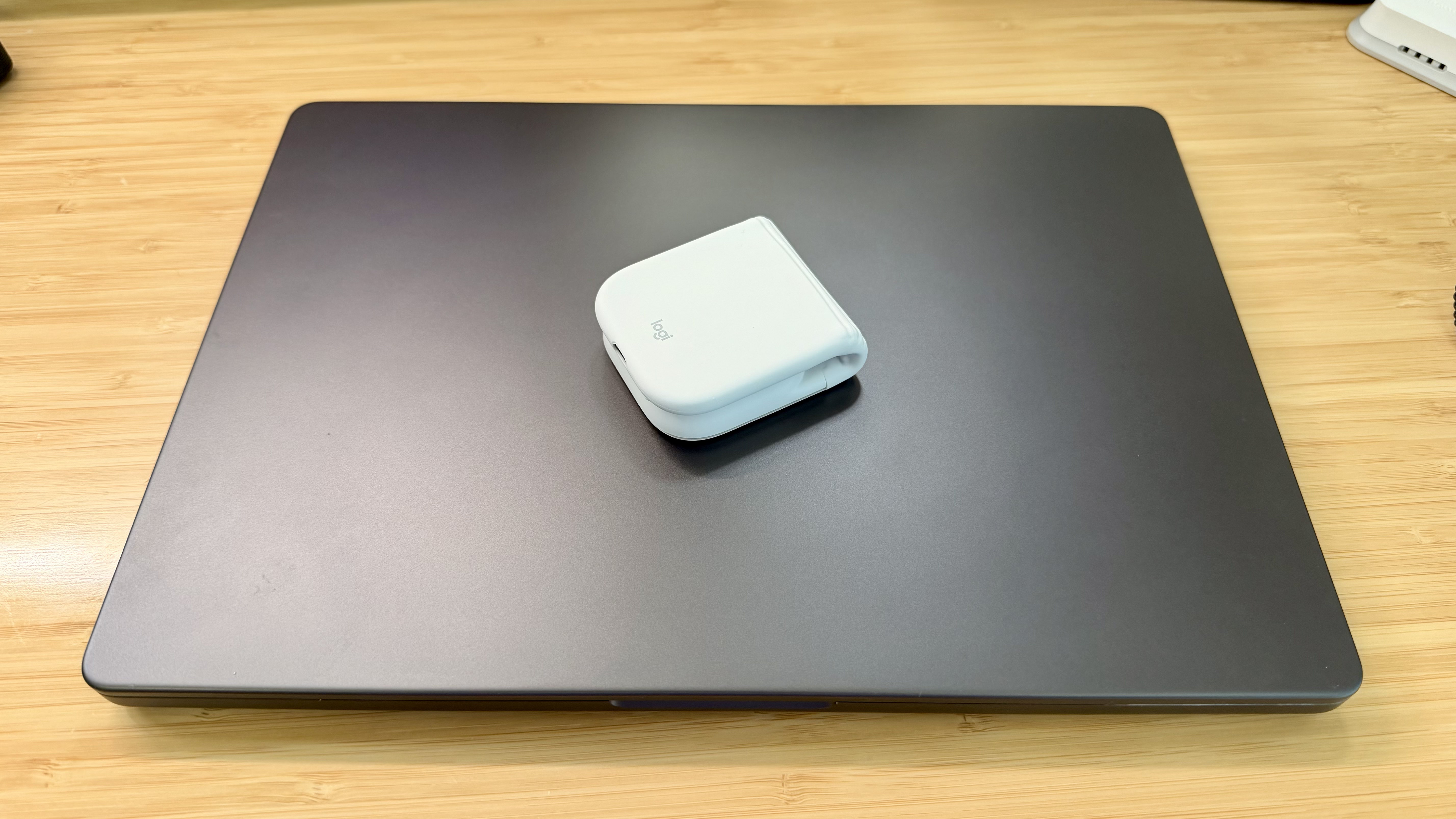
Really tiny.

Really tiny.

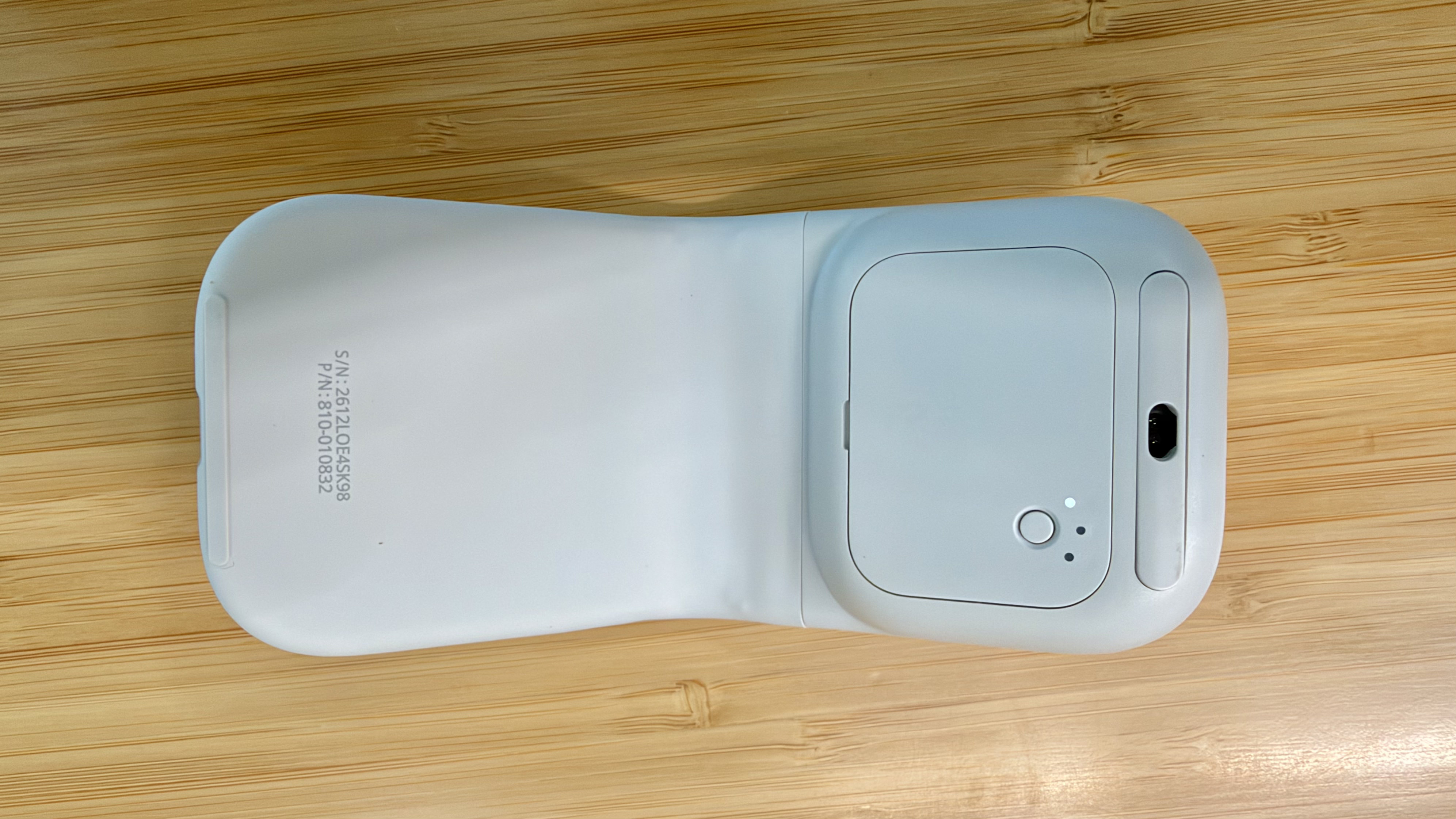
The Mobi Fold is powered by a rechargeable battery that Logitech says lasts for up to 33 days (and up to 22 hours on a one-minute quick charge). The device also turns itself on and off automatically when unfolded and folded, which I love. Plus, the Mobi Fold can connect to up to three devices, and it supports both Bluetooth connections and Logitech’s Bolt dongle (sold separately).

The Mobi Fold’s surface is a soft-touch plastic that feels comfortable in your hand, and it has three buttons arrayed across the front. The middle button doubles as a trackpad, allowing you to drag a finger across its surface to scroll and perform gestures like a double tap for zooming in and out of a webpage.

The Mobi Fold pairs with up to three devices.

The Mobi Fold pairs with up to three devices.

By default, tapping the front of the middle button navigates forward, while tapping the back navigates back in a browser. However, as with other Logitech mice, you can program the Mobi Fold’s buttons and gestures to:

  • perform different actions depending on the app you’re using,
  • control system settings like brightness and volume,
  • perform macro-like smart actions, and
  • display the Logitech Actions Ring, a customizable set of actions that are overlayed on your work environment.

That’s a lot of customization for a diminutive mouse, which I appreciate. However, because the Mobi Fold is typically my “long work sessions at the coffee shop” mouse, I’ve found that all I really need is its traditional point-and-click functionality.

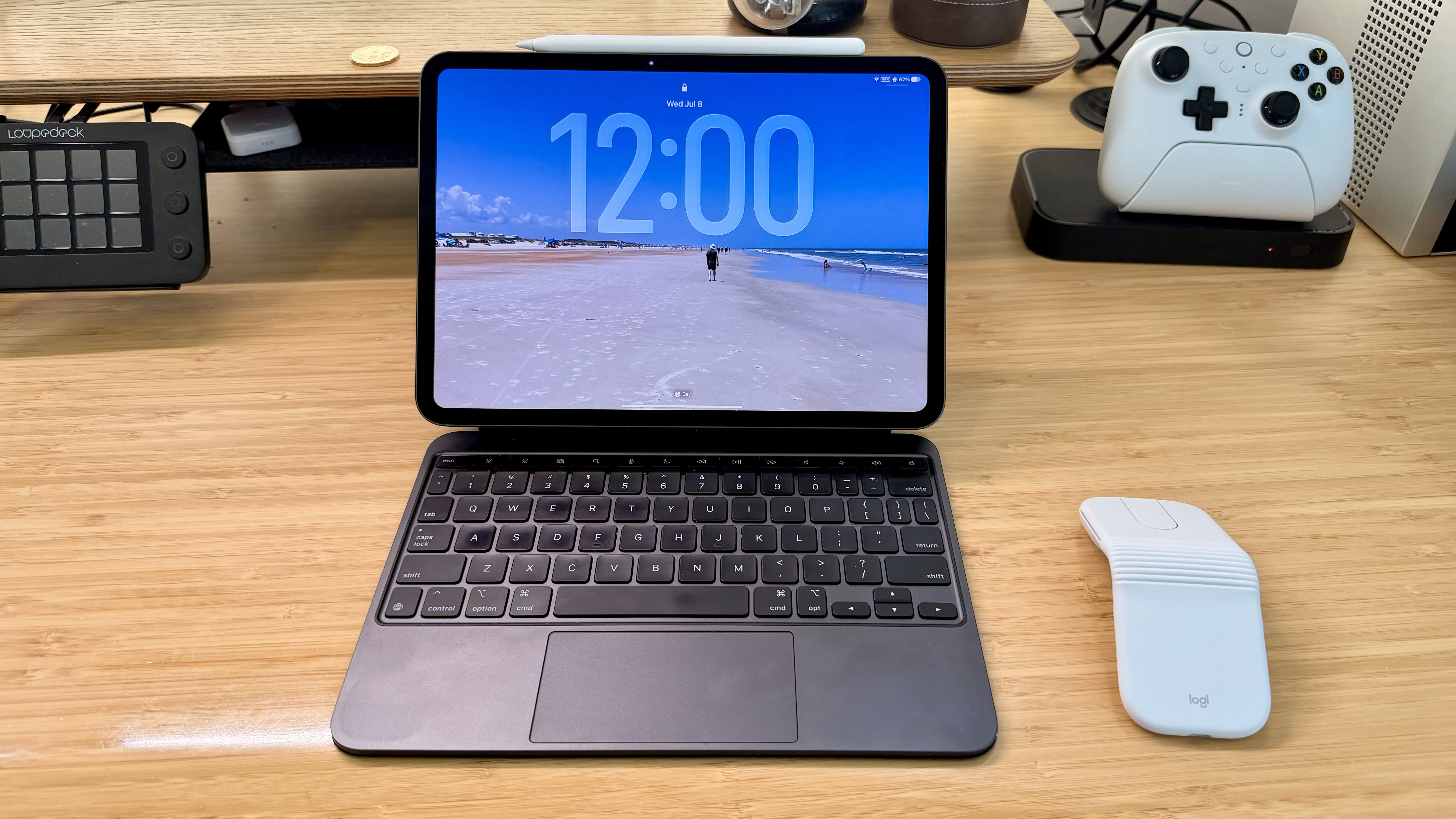
The Mobi Fold makes a good companion to an iPad.

The Mobi Fold makes a good companion to an iPad.

Ultimately, the Mobi Fold isn’t going to replace the MX Master 4 sitting on my desk, but it’s not meant to. I’ve fallen for the Mobi Fold just the same because its compact size and light weight make it a no-brainer to carry with me. I’ve also been pleasantly surprised at just how comfortable the Mobi Fold is to use, unfolding into a sturdy, angular shape that feels good in hand, unlike, say, Apple’s shallower Magic Mouse.

As a result, I really can’t recommend the Mobi Fold enough for on-the-go use with a Mac laptop or iPad. The combination of features in such a small, portable package sets it apart from every other mouse I’ve used and makes it well worth its $79.99 price tag.

The Mobi Fold is available in Graphite, Lilac, Off White, and Sand colors, both directly from Logitech and from Amazon.

  •  
❌