Reading view
Does opting out of smart TV tracking work? Research finds “suspicious” traffic.
Smart TVs running operating systems from Samsung, Vizio, and Roku continue sending data to automatic content recognition (ACR) endpoints after users opt out of tracking in the devices’ settings, according to research published on Monday. The paper from Northeastern University researchers points to potential privacy violations from some of the biggest TV brands.
ACR captures video screenshots or audio clips from smart TVs and sends the data to remote servers, where it's used for things like measuring content viewership and serving targeted ads.
The paper, "Watching the Watchers: Privacy Analysis of US Smart TV Automatic Content Recognition," examined eight smart TV OSes across 12 smart TVs from 10 manufacturers (Amazon, Hisense, LG, Roku, Samsung, Sony, Supersonic, TCL, Vizio, and Westinghouse) to examine when smart TVs use ACR and how effective opting out of user tracking is.


© https://www.gettyimages.com/detail/photo/modern-living-room-with-smart-tv-and-remote-control-royalty-free-image/2226225055
Does opting out of smart TV tracking work? Research finds “suspicious” traffic.
Smart TVs running operating systems from Samsung, Vizio, and Roku continue sending data to automatic content recognition (ACR) endpoints after users opt out of tracking in the devices’ settings, according to research published on Monday. The paper from Northeastern University researchers points to potential privacy violations from some of the biggest TV brands.
ACR captures video screenshots or audio clips from smart TVs and sends the data to remote servers, where it's used for things like measuring content viewership and serving targeted ads.
The paper, "Watching the Watchers: Privacy Analysis of US Smart TV Automatic Content Recognition," examined eight smart TV OSes across 12 smart TVs from 10 manufacturers (Amazon, Hisense, LG, Roku, Samsung, Sony, Supersonic, TCL, Vizio, and Westinghouse) to examine when smart TVs use ACR and how effective opting out of user tracking is.


© https://www.gettyimages.com/detail/photo/modern-living-room-with-smart-tv-and-remote-control-royalty-free-image/2226225055
Meta’s Muse AI Agent Caught Leaking Users’ Intimate Personal Information
As Meta was scrambling to release its Muse AI agent to the public earlier last month, CEO Mark Zuckerberg took to social media to insist that it was “built from the ground up for privacy and security.”
On X-formerly-Twitter, the billionaire’s simple post soon had a correction tagged on via a community note, and for good reason: the AI agent is a font of untold privacy horrors.
As Ars Technica reported today, security researchers found Muse is capable of exposing sensitive information on its users through web links generated via a “share” feature. Investigators at the cybersecurity firm Claroc recently uncovered a simple exploit whereby they could access pages from over 6,800 links Muse had generated to share pages with other users.
The trick worked like this: once a Muse user decides they want to share something with another person — say, a copy of their chat log with Muse — the AI tool would generate a web link for that “share.” That URL included both the AI-generated title of the chat, plus a random string of characters.
When anybody opened the link, the full web address would be noted in a lookup dataset, like a phone book of web addresses that have been visited. Researchers were then able to search that set for other Muse share addresses, from which they were able to find strings of unrelated public chats.
By digging through those “phone books,” investigators were able to easily open chat logs containing detailed private information, including corporate revenue documents, loan applications, bank transaction details, income details, and one workplace vacation calendar, Ars noted.
“If you had asked us beforehand, we would have guessed that gathering these would take real effort,” the researchers wrote. Instead, “it took one query.”
Though Meta told Ars it had shut off the feature, this privacy gaffe is just the latest revelation about Muse’s many security shortcomings.
Earlier this month, it was revealed that Muse was keeping detailed files on users’ friends and families, apparently following an internal instruction to keep a running “page for every person in the user’s life.”
If Muse’s first month in public hands is any indication, this is likely just the start of a long list of security and privacy blunders for the cutesy AI model.
More on Meta: Meta Is Using Its Massive AI Data Centers to Avoid Paying Billions of Dollars in Taxes
The post Meta’s Muse AI Agent Caught Leaking Users’ Intimate Personal Information appeared first on Futurism.

Americans, this is your chance to slap down the tech broligarchs
The midterms will be a referendum on the GOP’s alignment with tech overlords over the public they’re meant to serve
Welcome back to How We Win, a Guardian opinion series with leading thinkers, offering bold ideas for America’s political future. Last week, Robert Reich highlighted the link between corruption and affordability. Today’s edition was written by Guardian US columnist Rebecca Solnit. Sign up for future editions here.
“The world should accept some bad things happening,” Sam Altman, the head of OpenAI, said recently, “for the benefits of this technology and people having the agency.” Like so many things tech oligarchs say, it’s incoherent, since Altman would like to deny the world and the people in it the agency to decide whether or not we should accept his bad things. Surveys show that most Americans would like to pause AI; opposition to AI datacenters is a factor in many races in the midterm elections. People are outraged and anxious about what tech hath wrought, mad enough to fight back in what is coming to seem like a human v machine battle.
Continue reading...
© Photograph: Evelyn Hockstein/Reuters

© Photograph: Evelyn Hockstein/Reuters

© Photograph: Evelyn Hockstein/Reuters
Meta Muse exposes users' personal and business secrets when they share conversations
Muse, the new general-purpose AI agent from Meta, can expose sensitive information when users share conversations through web links, researchers reported Monday. In response to questions from Ars about the behavior, Meta said it's suspending the sharing feature while the company reviews it and considers making changes.
Like many online services, Muse has allowed users to share searches, conversations, images, and similar content with other people. Such share features usually involve clicking an option to create a unique URL that anyone can use to load a page hosting the content. To keep potentially sensitive information from being accessible to unintended people, the URLs typically contain a long sequence of text that can’t be easily guessed.
A single query is all that's required
Muse, which Meta CEO Mark Zuckerberg said last month was “built from the ground up for privacy and security,” seems to take the same precautions. But a central design decision for constructing URLs has made the links easy to discover. As a result, researchers from security firm Claroc said they were able to enumerate 6,800 links Muse users created for sharing conversations with others. After opening a few hundred of them, the researchers found information that was clearly not intended to be publicly available, including:


© Getty Images
Calls to strengthen workplace privacy in Australia as employers turn to AI to track staff
Monitoring tools common in a range of workplaces, including factories, office jobs, delivery work and in retail – often without employees being informed
Get our breaking news email, free app or daily news podcast
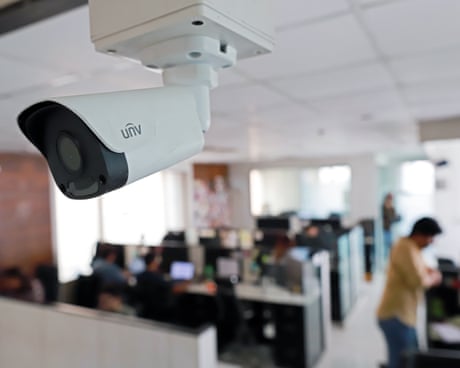
Employers are increasingly using technology, from CCTV to keystroke monitoring, to track workers’ moves and it is being accelerated by the use of AI, the Human Technology Institute has warned.
Examples provided to Guardian Australia by the institute include a fast-food restaurant using surveillance cameras to stop workers using their phones, and AI tracking leading to a cashier warned over making a mistake once every 533 scans.
Continue reading...
© Photograph: Bloomberg/Getty Images

© Photograph: Bloomberg/Getty Images

© Photograph: Bloomberg/Getty Images
iMessage Downgrading
The odds of this change in standards causing a security breach and your messages being exposed seem unlikely, at least right now. But after scrolling through conversations and seeing what’s going on, I feel Apple has omitted important signals for users when iMessage suddenly stops being used during a conversation.
[…]
The impact of that hit me while revising my book: when iMessage isn’t available, Apple tells you only inline. Despite all the information Messages displays about iMessage being encrypted, the inverse state is faint. This kind of negative knowledge, or information about something not happening, can often be as important as something that does happen. A warning about a fuel tank approaching empty is the kind of information every driver (or pilot) needs, for instance. If you think end-to-end encryption—or Apple-based encryption—is critical for you, then a pop-up message or other warning is what you would expect.
[…]
If you’d like to prevent Messages from downgrading security, you have options, although they may not be fully desirable. All of these are managed on an iPhone at Settings: Apps: Messages. You can’t control these message settings from an iPad or Mac.
This recently happened to my mother, and it was very confusing for her. For unknown reasons, while at home on Wi-Fi, she got signed out of iMessage. But it was not clear to her that this had happened or that she should try to sign back in. She was not aware that the Messages app supports multiple protocols or what the different bubble colors mean. All she noticed was that certain messages (e.g. ones sharing files) would no longer send and that she was not receiving some of the messages that people were sending to her. She saw the inline warning about encryption and interpreted it as that the sender was using a newer form of encryption that her phone didn’t support, so maybe she needed to upgrade.
I went over to take a look and quickly figured out that she was signed out of iMessage, but I couldn’t fix it. I kept getting errors that iMessage couldn’t be activated, even after rebooting the phone. Eventually, much later and again for unknown reasons, activation succeeded.
Update (2026-10-20): Boris Yurkevich:
My concern is that the Retry as Text Message toggle no longer exist. Just a couple of weeks ago my sister sent me an iMessage while I was flying. I was not reachable. Later she told me that messages turned from blue to green.
Amazon Launches Ominous Wearable Ankle Monitor-Style Gadget That Records You Constantly
When it comes to hardware, Amazon’s strategy has historically been to throw spaghetti at the wall and pray it sticks.
There was the Amazon Fire Phone in 2014, a $170 million flop with a gimmicky 3D camera system. Then came the Amazon Tap, a clunky, Echo-style home assistant device that did away with voice-activation, instead requiring users to press a physical button. And of course, who could forget those silly Amazon Dash Buttons?
They all build context for Amazon’s latest gadget: an always-on wearable microphone that constantly listens in to your conservations.
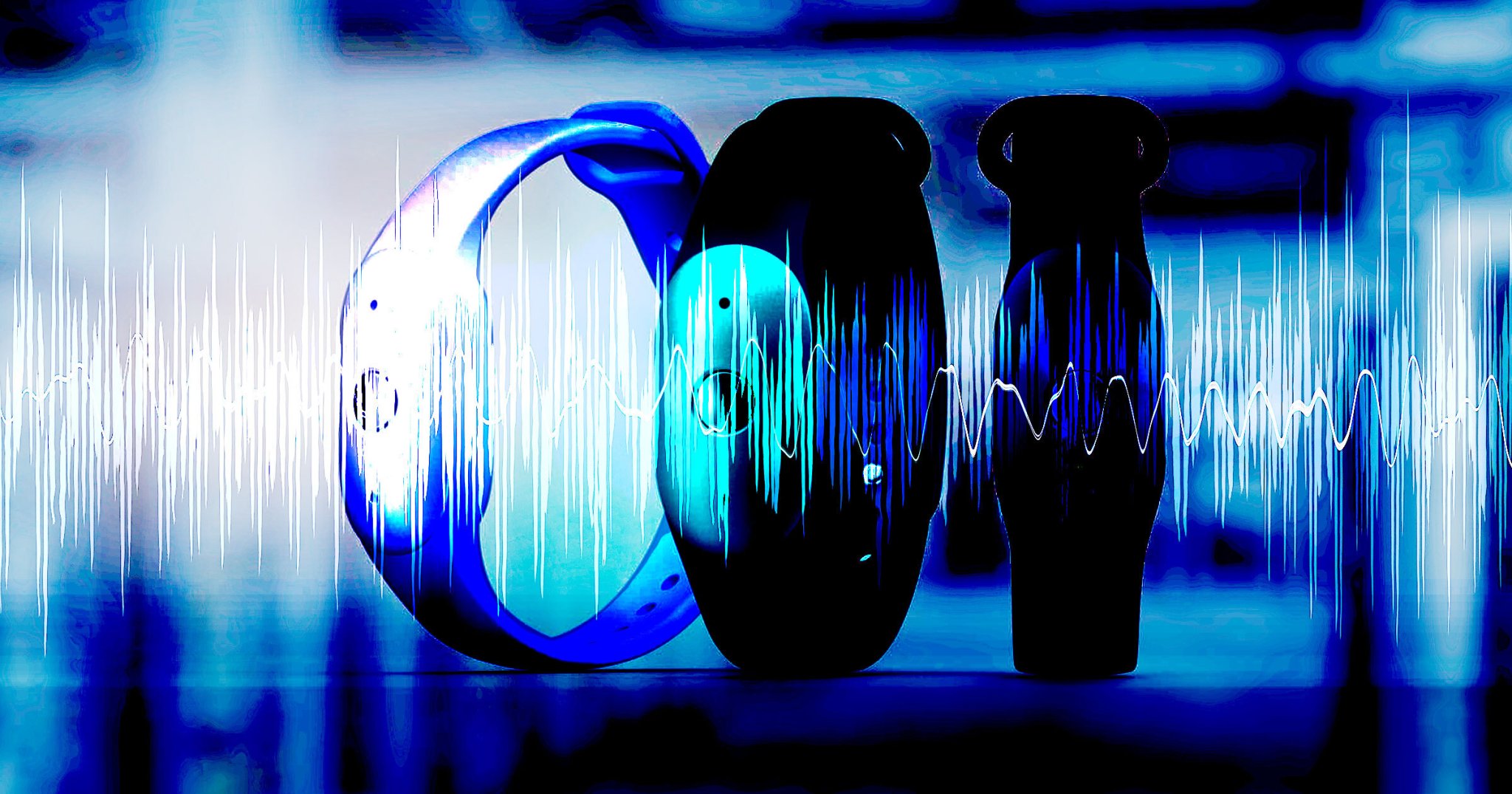
Called the “Bee,” Amazon’s new hardware platform spans two devices, which are basically just a large language model (LLM) packed onto a watch-sized microphone, as Gizmodo reported. Customers can currently buy the “Bee Frontier” wearable version, which comes with a watch strap, for $75. Or Amazon aficionados can hold out for the “Bee Eclipse,” a $100 plastic puck that fits onto the back of your phone.
And when we say these gadgets are always listening, we mean it. Don’t take our word for it — in its press release announcing the new devices, Amazon explained that the Bee Frontier has a seven-day battery life, allowing it to “stay with you through a full week without interruption.”
This being an Amazon device, e-commerce is an essential selling point: “whether it’s remembering the details of important meetings, taking note of the coffee plans you made in passing, or simply ensuring you purchase the dish soap you said you’d buy, Bee Frontier will remember the details for you,” the release enthused.
As you might expect by this point in 2026, you’re not getting away with a one-time purchase. In order to use some core features like “unlimited recent conversation summaries” and access to an Alexa-style “personal chat assistant,” Bee owners will need to subscribe to Bee Pro, which costs $12 a month. (New customers get a month of Bee Pro on the house.)
The device follows a growing trend among hardware brands to eschew physical interactivity in favor of AI-integrated monitoring devices. Meta has its AI Glasses, which have been found recording users even when they’re in sleep mode, while OpenAI is developing a screen-less smart speaker engineered by famed Apple designer Jony Ive.
Whether any of these devices catch on with consumers remains to be seen, but it seems unlikely. A YouGov poll from earlier this year found that some 61 percent of Americans feel it’s very important to limit who has access to their data — which isn’t a great sign for anybody selling what amounts to an AI-powered ankle monitor.
More on hardware: Anthropic Warns “AI Worms” Will Infect Your Smart Home Devices and Use Them to Self-Replicate Beyond Control
The post Amazon Launches Ominous Wearable Ankle Monitor-Style Gadget That Records You Constantly appeared first on Futurism.

MacVoices #26280: Live! – HomeView Third-Party Gear, Choosing the Right Text Expansion Tool
See what personal info strangers can find about you online

You don't want weirdos and scammers knowing your personal info. Run a free scan using Incogni's exposure scanner to see what's online.
(via Cult of Mac - Your source for the latest Apple news, rumors, analysis, reviews, how-tos and deals.)

Meta Glasses Said to Be Recording Even When They’re in Sleep Mode
As if Meta’s AI-smart glasses didn’t have enough privacy issues, a growing number of owners report the devices are spying on them without their consent.
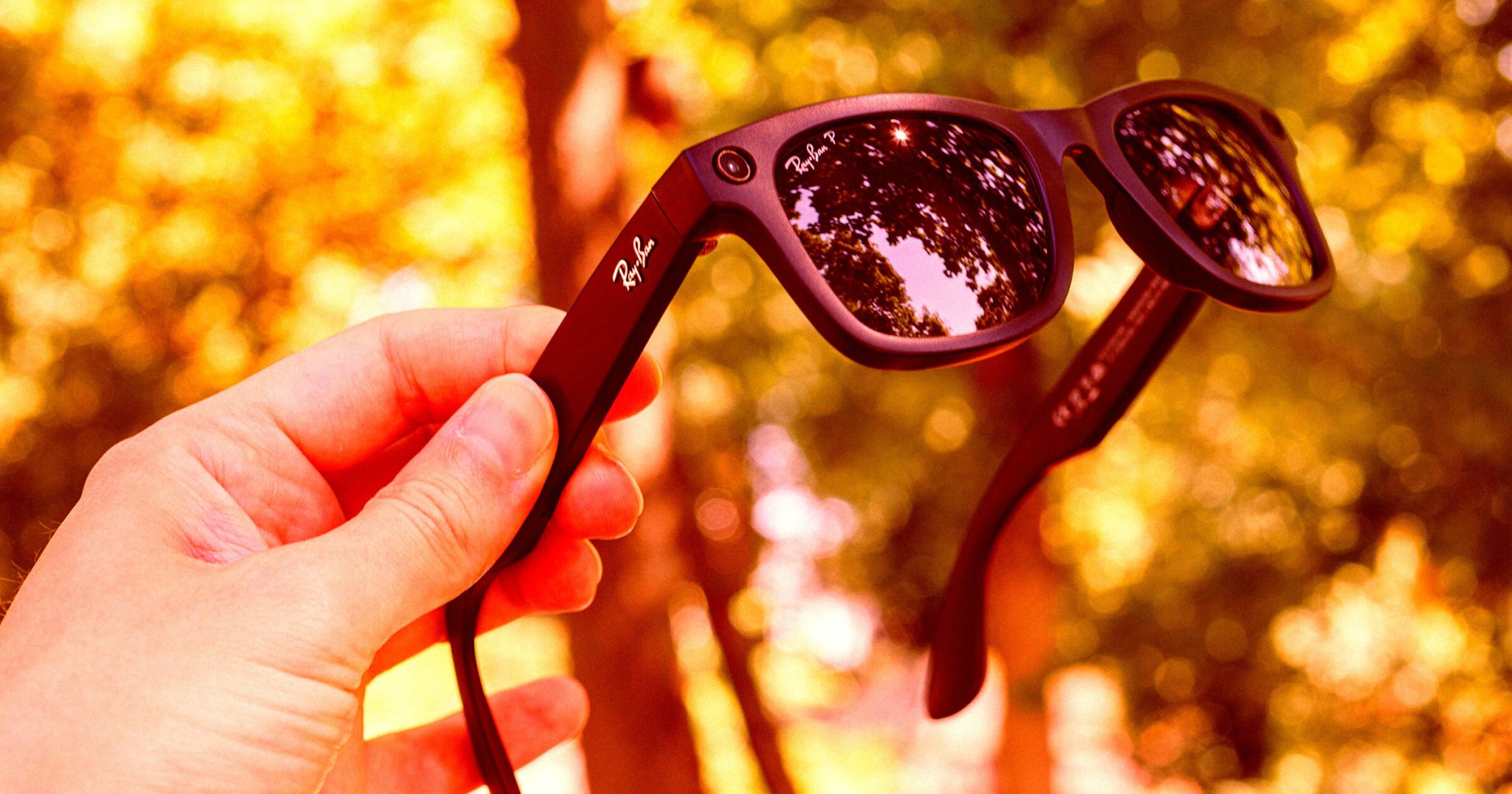
According to reporting by Android Authority, several owners of the Meta glasses have reported their devices capturing conversations without ever being activated. In theory, a user has to say “Hey Meta” to “wake” the device from sleep mode, similar to other smart systems like Amazon’s Alexa or Apple’s Siri. But some owners say the Meta glasses are waking up and recording without that phrase ever being uttered — effectively monitoring their surroundings without express permission.
“I have observed the same behavior on THREE different pairs of Ray-Ban Meta glasses, including 2nd- and 3rd-generation models,” one user explained in a thread on Reddit.
“I believe this deserves a serious technical investigation,” the poster continued. “Customers should not have to wonder whether their private conversations are being captured when they have not intentionally activated their glasses’ AI assistant.”
Invasive as it is, the irony is hard to miss. Meta glasses have emerged as a preferred tool of sex creeps, bullies, and skeevy influencers the world over for their ability to record video discreetly — a feature which quickly earned them the nickname “pervert glasses.”
“Woah a company that makes money by invading your privacy is invading your privacy!” one Redditor joked in a separate thread about the issue. “Can’t trust anyone these days.”
In a vague response to the report, a Meta spokesperson told Android Authority that the issue “has been resolved.”
“People can manage, review and delete voice logs of their interactions with Meta AI via settings at any time,” the statement concluded.
Whether that boilerplate statement is enough to assuage Meta glasses users remains to be seen. If nothing else, maybe users will gain a new appreciation for what it feels like to be recorded without consent.
More on smart glasses: NYC’s Buzziest Nightclub Announces Stance On Smart Glasses: Even Try To Bring Them In, You’re Banned Forever
The post Meta Glasses Said to Be Recording Even When They’re in Sleep Mode appeared first on Futurism.

MacVoices #26279: Live! – HomePod mini 2 and Apple TV 4K: Worth the Upgrades?
Resetting Local Network Privacy
Of all the privacy protections in macOS, those for local networking are among the most recent and the least understood.
[…]
All non-exempted apps and other processes start without any privilege. Those that try to make a local network connection result in the user being prompted to allow or deny their access. Your decision is then recorded in that app’s new entry in the Local Network section, and you can then set that to allow or deny its future access. For that to happen, the responsible app needs an additional item in its property list to explain to you why it requires that access, something that should appear in any prompt for access.
[…]
A process with a short life that immediately fails if it can’t complete a local network operation may not trigger a user prompt, and can continue to fail repeatedly as it can’t be granted the privilege. Apple recommends changing the code so that it doesn’t exit immediately after failure, to allow the prompt to be displayed and access granted.
Another clue came in the statement in that note that “on macOS there’s no way to reset your program’s Local Network privilege to the undetermined state”. This contrasts with pretty well every other category of privacy protection, which are handled by the dreaded TCC, Transparency Consent and Control.
This has now changed in macOS 27.2.
During testing, you might want to reset your program’s Local Network privilege to the undetermined state. Your options for this vary by platform.
On iOS, the easiest option is to delete your app.
Alternatively, if you don’t want to delete your app for some reason, reset the entire privacy subsystem using Settings > General > Transfer or Reset > Reset > Reset Location & Privacy.
On macOS, the list in System Settings > Privacy & Security > Local Network has add (+) and remove (-) buttons. To reset your program’s Local Network privilege, select it in the list and click the remove button.
Previously:
Apple Home Collection
Apple (MacRumors, Six Colors):
Apple today announced Apple Home Collection, a new lineup of smart home accessories — including indoor and outdoor cameras, thermostats, temperature sensors, and a video doorbell and door lock — designed in collaboration with LG Electronics and Schneider Electric. These new accessories are simple to set up starting with one tap with iPhone, and everything is managed through the Apple Home app — no separate app or account required. Each accessory is encrypted end-to-end in Apple Home, so only users and the people they choose can access their home data.
[…]
- LG’s Video Doorbell offers dual cameras that capture separate views of visitors and packages — allowing users to switch between the front and bottom camera views seamlessly — along with a built-in spotlight and a chime that plays through HomeView, HomePod, and HomePod mini. The front camera captures 2.5K resolution video, and the bottom camera captures full HD resolution.
- LG’s Floodlight Cam delivers powerful perimeter monitoring with adaptive dual floodlights that activate automatically when motion is detected, and low-light color night vision that preserves clarity in darker conditions so users can see more of what’s happening outside.
[…]
LG’s Smart Deadbolt Lock brings a new level of convenience to home access. Using Ultra Wideband technology, the lock can tell how close a user is and when they’re approaching the door. As a user with a home key on a compatible iPhone or Apple Watch walks up, the door unlocks automatically, with no tapping required.
[…]
Two new Smart Thermostats are available — one from LG Electronics and one from Schneider Electric — so users can choose the product that best fits their home’s broader energy ecosystem.
The thing that makes this partnership awkward for Apple is that these products — doorbells, cameras, deadbolt locks — are products that require the utmost of trust. What products could possibly require more trust than a camera with footage of what’s going on in or at your home, or a lock that controls who can get in? I think that’s why Apple wants to get into this market with products that they can put their stamp of approval on. But LG, of all companies, was just exposed in a scandal for shipping “smart” TVs that literally listen to the ambient audio in the room — even in standby! — and invade your privacy by tracking what content appears on screen.
Previously:
Cops Not Happy When Man Creates Flock-Style Camera That Only Collects Police Plates
When police showed up to Anthony Sistilli’s front door in September, it wasn’t to accuse him of a crime or take a witness statement, but to ask how he could have the nerve to turn AI-integrated surveillance cameras on the cops themselves.
A Canadian software engineer and YouTuber, Sistilli became interested in automatic license plate readers (ALPRs) following the explosion of outrage against surveillance company Flock Safety in the US, Tom’s Hardware reported. Though Canada lacks a centralized corporate surveillance regime like Flock in the US, the country’s police have been rapidly scaling a more decentralized ALPR network with cameras that function in much the same way.
Responding to the rise in government surveillance, Sistilli decided to homebrew his own ALPR — though instead of tracking random civilians, it was designed to track police cars.
“I started to wonder, how hard is it to actually make a company like Flock?” Sistilli explained in a YouTube video.
So Sistilli ordered a wall-mounted 4K surveillance camera online, plugged it into his laptop, and instructed his AI assistant to vibe-code tracking software that would only flag police cruisers. The end result was a prototype ALPR, which the software engineer mounted on his car’s dashboard to test in the real world.
“At first, the video footage was super laggy” Sistilli explained, “because I was trying to calculate the chance of every single car on the road being a police officer in full-4K while also distinguishing their license plates.”
But after lowering the resolution and instructing the AI-system to only attempt a license-plate read after a vehicle was confirmed to be a police car, the full prototype was up and running. Unfortunately, local police soon caught onto Sistilli’s handiwork, and paid him a visit in order to see what was going on.
“Two police officers walked up my driveway and knocked on my door to question me about it,” Sistilli explains in his video. “It did feel really weird that they were asking me what my ‘intentions were’… one of them took the time to specifically mention ‘how scary’ it would be for them, because people would be able to find out where they lived, when they got on their shift, and what they were doing throughout the day.”
Sistilli’s response? “I think that’s the exact same concern that civilians have too,” he said.
The post Cops Not Happy When Man Creates Flock-Style Camera That Only Collects Police Plates appeared first on Futurism.

MacVoices #26277: Live! – Evolving Full Disk Access For Security, and Voluntary AI Regulations
MacVoices #26276: Live! – Mac mini M5 Pro vs. Mac Studio, Googlebook ’s App Problems, Meta’s Muse
MacVoices #26275: Live! – Removing Apple Intelligence, iPhone 18 vs. AT&T, More iCloud Email Addresses
Unspecified Full Disk Access Screw Tightening
Apple (Hacker News, MacRumors, Lobsters, TidBITS Talk):
Full Disk Access largely sidesteps these controls in order to allow backup apps to function properly on the Mac. Some developers are using Full Disk Access in ways that could put users at risk, exposing everything on their systems—including files, mail, messages, and even browsing history—without users’ full knowledge and understanding.
[…]
Going forward, we will introduce additional controls to ensure that users who genuinely wish to grant an app this extraordinary level of access can only do so with very explicit user action. Addressing this is critical. As AI agents become increasingly capable and autonomous, the risks associated with this level of access will grow substantially.
It was pretty obvious something like this would happen after the Muse accessing Messages news.
What we have is just one noisy, confused journalist, Jason Aten. He granted FDA to Muse but refuses to admit it, to the public or even to himself.
I see several issues with the current Full Disk Access system:
Backup apps need FDA, but so do many other types of apps. Often, they don’t need full disk access but rather they need to work around a missing or broken API. All of my apps except ToothFairy use FDA, not because I want to or because it’s easier to code, but because without it the user experience would be much worse or key features wouldn’t work at all.
There is no API for apps to see whether they have FDA or to request it from the user. It’s not like, say, accessing the user’s Contacts where macOS pops up a standard dialog and the app supplies a “reason” string to specify why it wants access. Instead, each app presents its own set of instructions for how to enable it deep in System Settings. It requires the confusing maneuver of first adding the app to the list; it doesn’t automatically show up with a slider switch next to it, like with other privacy settings. This adds an obstacle for users to get up and running with an app but doesn’t really provide additional security, just obscurity.
FDA is not granular. There’s no way for apps to request only the permissions they actually need. For example, SpamSieve wants to be able to access the user’s mail, but it doesn’t need or want to see their iMessages or browser history. This is bad for users because they may be exposing more information than they want to and bad for developers because some users will think your app isn’t worth the risks.
There is no way for the user to see what the app actually did. If it tells me that it wants FDA to access my mail but actually it mucked around with my Time Machine backup, how would I know?
Apple’s wording in System Settings is not very clear. I don’t think most users really understand what FDA is doing.
The previous items combine to create opportunities for malfeasance. It’s normalized that many apps that seem like they wouldn’t need full disk access do need FDA, so this makes it easier for apps to trick the user into granting it under false pretenses. Apple requires that apps coach the user through the process, so it’s normal that users mostly see text from the app (which might not be trustworthy) rather than standard text from Apple, as with other permissions prompts.
But the problem in the Muse case was not malfeasance. Rather, it seems that Muse asked Aten to enable FDA, but he doesn’t remember doing so or didn’t understand what he was doing. It sounds like Apple wants to make this consent more clear, which is good, but other issues would remain. As with the recent keychain story, this feels like a bandaid rather than a thoughtful solution to the real problem. The issues with FDA were clear when it was introduced 8 years ago, and many Radars were filed, but it’s been virtually unchanged since.
Apple seems to think that by making a scarier warning they can convince more users not to grant FDA—or at least perhaps deflect blame from Apple to the user if they later regret it. Maybe that solves Apple’s problem, but it doesn’t really solve the user’s problem. The user is installing Muse because it’s more capable than Siri. They probably do want it to access some protected data, e.g. so it can find information in their mail or messages. So they actually do need to give it FDA. Aside from deterrence, Apple is not actually protecting the user. And the deterrence is kind of sketchy. Rather than providing a safe way for users to choose what to share with a competing product, Apple is saying the only option is to share everything, and then discouraging that. Meanwhile, there’s no switch to turn off Apple Intelligence. It’s like they expect you to stay on eWorld and not download Netscape. I actually really liked eWorld, and the broad Internet wasn’t totally safe (though neither was eWorld), but that doesn’t seem like much of a strategy.
Below I’ve embedded […] a screen recording of a macOS Virtual Machine showing the first run experience of the Meta Muse app.
[…]
It’s important to note that macOS has no API for an app to request or acquire Full Disk Access. The only way for an app to receive Full Disk Access is via the Full Disk Access pane of System Settings, as shown in the video. Thus, the only thing an app can do is open the System Settings pane for the user, as also shown in the video. Once the user is in System Settings, it’s up to the user to manually grant Full Disk Access.
Without Full Disk Access, Muse cannot access the user’s Messages database. If it could, that would be a macOS zero day vulnerability.
[…]
Aten oddly writes as if the “if you give it Full Disk Access” earlier in the article were counterfactual, merely hypothetical, still insisting that he did not give Full Disk Access to Muse.
I really worry about just how much Apple is going to lock Full Disk Access down. I use it with several apps that couldn’t function properly without it, and would be severely hampered if I needed to authorize it manually every time they do something.
However, what Apple absolutely must not do is to make the mistake it made with macOS Sequoia over screen recording. Sure, this is also incredibly dangerous and very strong warnings are appropriate, but what Apple did then was to force us all to confirm these permissions on a weekly basis, as well as after every restart.
Well, this is certainly ominous news for backup programs.
Like it’s not hard enough to turn this stuff on…
Is Apple suggesting this capability could be limited in the future to backup applications alone? I do not like that.
[…]
Because of the lack of information available at present, I do not want to get too far ahead of myself, but I am concerned that it could be a significant curtailing of application permissions. It has the potential for further self-preferencing, as Apple will surely exempt Siri from the kinds of permissions requests it requires of third-party apps, even as it is updated with additional capabilities.
[…]
Call me a naïve little baby if you want, but I do not think preserving Siri’s dominance on Apple’s devices is the company’s reason for locking down Full Disk Access. But Apple’s existing restrictions are part of the reason Siri was awful for a decade. If it had the opportunity to compete with third-party replacements, I doubt it would have languished in a miserable state for as long as it did.
[Only] a handful of apps to which I’ve granted Full Disk Access are backup apps. Others include the Finder replacement Bloom, launchers like Alfred, the wonderful selection utility PopClip, Apple’s own Pixelmator Pro, Setapp, TestFlight, Supercharge, Madden NFL 27 Arcade Edition, Hazel, and many others. It’s a diverse selection of apps covering everything from Apple’s own apps to Mac utilities that are longtime favorites of MacStories readers, and even one Apple Arcade game.
[…]
On the one hand, it seems to suggest that users will simply have to jump through additional explicit hoops to grant Full Disk Access to their agents and other apps. On the other hand, claiming that Full Disk Access was designed solely for backup apps raises red flags that could signal that the company intends to restrict the kinds of apps that can use Full Disk Access. I sure hope not.
But there are plenty of legit uses for Full Disk Access. Just looking at my MacBook Air this morning, I’ve given that permission to three apps: Terminal, BBEdit, and SuperDuper. All apps that I trust with that level of power because of their long history and because in order to do what they do best (or at all), they need that access. (Interestingly, on my Mac mini, that list also includes SpamSieve, KnockKnock, and Shortcuts—though not BBEdit, for whatever reason.)
[…]
I think there is a good argument for protecting Full Disk Access further, but there’s also only so much you can do to protect a user from themselves. Ultimately, this is a cat-and-mouse game, and while I don’t want my data purloined or misused, I also don’t want my computer locked down to the point that I can’t use it for all the things I want to do.
To say that I’m nervous about what Apple’s solution will entail is a massive understatement. There is one aspect in which the Mac is the perfect agent host: Apple has, for decades, invested in a combination of scriptability, automation, and accessibility APIs (these are very often the same thing) that makes it remarkably well-suited to computer use. Then there is the fact that macOS is a certified Unix system; this means that agents — which are perfectly suited to the command line — have access to the entire universe of tooling built for Unix systems. And, of course, Mac hardware is amazing.
The problem is that for my particular use case — a headless, always-on Mac Mini that I primarily access from other computers and my phone through the ChatGPT and Claude apps — macOS is incredibly hostile. The biggest issue is GUI-only permission prompts that are invisible to software running on said computer, including agents.
[…]
This system is annoying but manageable on your primary Mac; it’s a disaster on a headless Mac running agents, for two reasons. First, agents write new programs all of the time, and in my case, those programs need access to devices on my network (SMB shares, for example, trigger a TCC warning). What I need is a permission layer for agents, not the programs they create; TCC is operating at the wrong level of abstraction.
Second, the TCC subsystem exposes its prompt in a protected space that no program can see; that means that programs silently fail and the agents don’t know why; what I have to do is remember that there is probably a permissions prompt on screen, log into the Mac Mini with screen-sharing software, and click OK.
Apple’d get a long way by just renaming the privilege. How many laypeople understand what a “disk” even is? Regular people just talk vaguely about how much “memory” their computer has - if they think about it at all other than when they run out of disk space - at which point, how many just think that means they have to buy a new computer? So, how about just “Full Access to All Your Data”? Call it what it basically is.
If Apple has time (or is especially motivated), it might also add more granular options to control what data apps can access. For example, instead of today’s single toggle that grants an app access to the broadly defined “data like Mail, Messages, Safari, Home, Time Machine backups, and certain administrative settings,” it might instead allow you to enable access to specific data on a per-app basis. This would allow, for example, Muse to access Mail and Safari, but not Messages or Time Machine.
With all the levels of entitlements and crap they added, I find it ironic that SIP is “only” implemented as “open up every damned thing to everyone” without more refined levels.
John:
I was frankly surprised when I learned FDA was for a machine, across user accounts, rather than for a single user. It seems like granting root, something the *nix community has tried to reduce and lock down for decades.
I certainly don’t trust anyone’s AI with root, and creating a weak, non-admin, user for AI experiments should be a safe path.
While [Gruber sees] this as a “why we can’t have nice things” moment, I see it as another case of Apple using privacy to limit competition in areas it currently lag behind.
I’d prefer to decouple trust in how my personal data is handled from trust in a particular platform or software vendor. That’s what I personally value about EU’s approach: give people rights over their information, make mishandling it a legal liability, and severely punish companies that break those rules.
Apple getting unique privileges to access sensitive data simply because they own the platform, and thus there is an implicit trust in their handling of it, feels like a brittle long-term strategy. If this works without causing anti-trust issues, it only makes Apple more dominant while locking out potentially useful software.
Previously:
- I Said No and Apple Said Yes
- Locked Down Passkey and Keychain Backups
- Meta AI for Mac and Muse
- Mandatory Apple Intelligence
- Reporting a Full Disk Access Bug to Apple
- Terminal and Full Disk Access
- macOS 11.4 Breaks Full Disk Access for Helper Tools
- The Alert Hammer
- Mojave’s New Security and Privacy Protections Face Usability Challenges
Update (2026-10-06): See also: TidBITS Talk and Vitor.
Whether or not you would ever want to unleash AI agents on your Mac, Apple does need to refine Full Disk Access as a matter of urgency. But its design and engineering cannot be rushed. Merely adding to the complexity of current Privacy settings wouldn’t help users, many of whom already find privacy protection confusing and opaque.
it’s clear there’s consumer demand for automated access to iMessages, and instead of offering a proper API with audit trails and fine-grained controls Apple would rather force users to FDA then cry fowl when they grant FDA.
Previously:
Update (2026-10-14): Adam Engst:
63% of the more than 200 people who voted said they had granted Full Disk Access to 6 or more apps, with over half of those people saying they had given 11 or more apps that level of access. In short, Full Disk Access is essential to how many of us use our Macs.
At the same time, Full Disk Access feels a bit like a Band-Aid, partly because Apple hasn’t put enough thought into more granular permissions, forcing many apps to rely on Full Disk Access even when they don’t need all its capabilities.
[…]
Given that Apple’s statement about Full Disk Access seems to have been prompted by the release of Meta’s Muse AI agent, I would suggest Apple think more carefully about how such agents should be handled. They may legitimately need Full Disk Access, along with numerous other permissions, but beyond what would appear in an App Privacy Report, I would like to see them maintain complete logs of every permission-enabled action they take on your computer. Preferably in human-readable form.