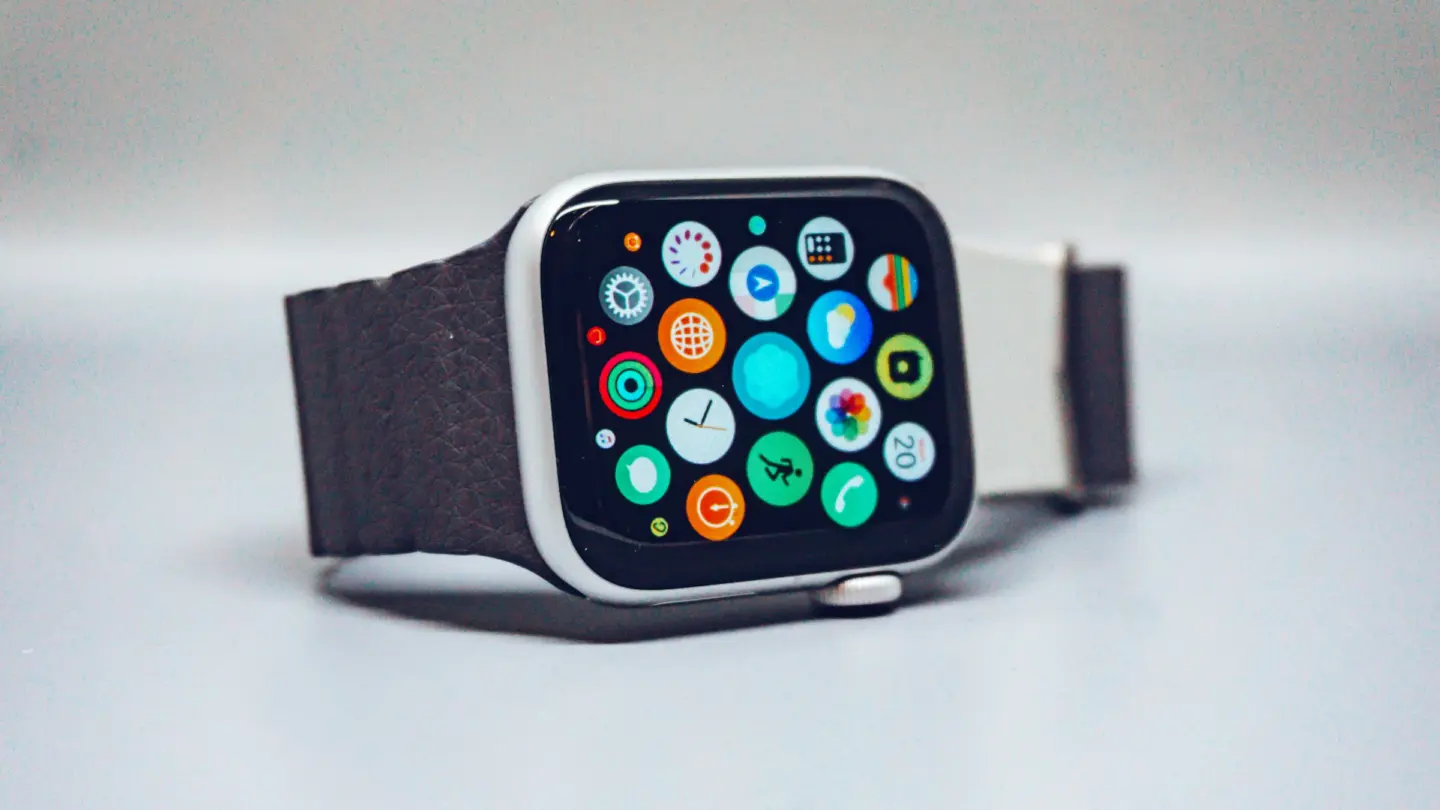
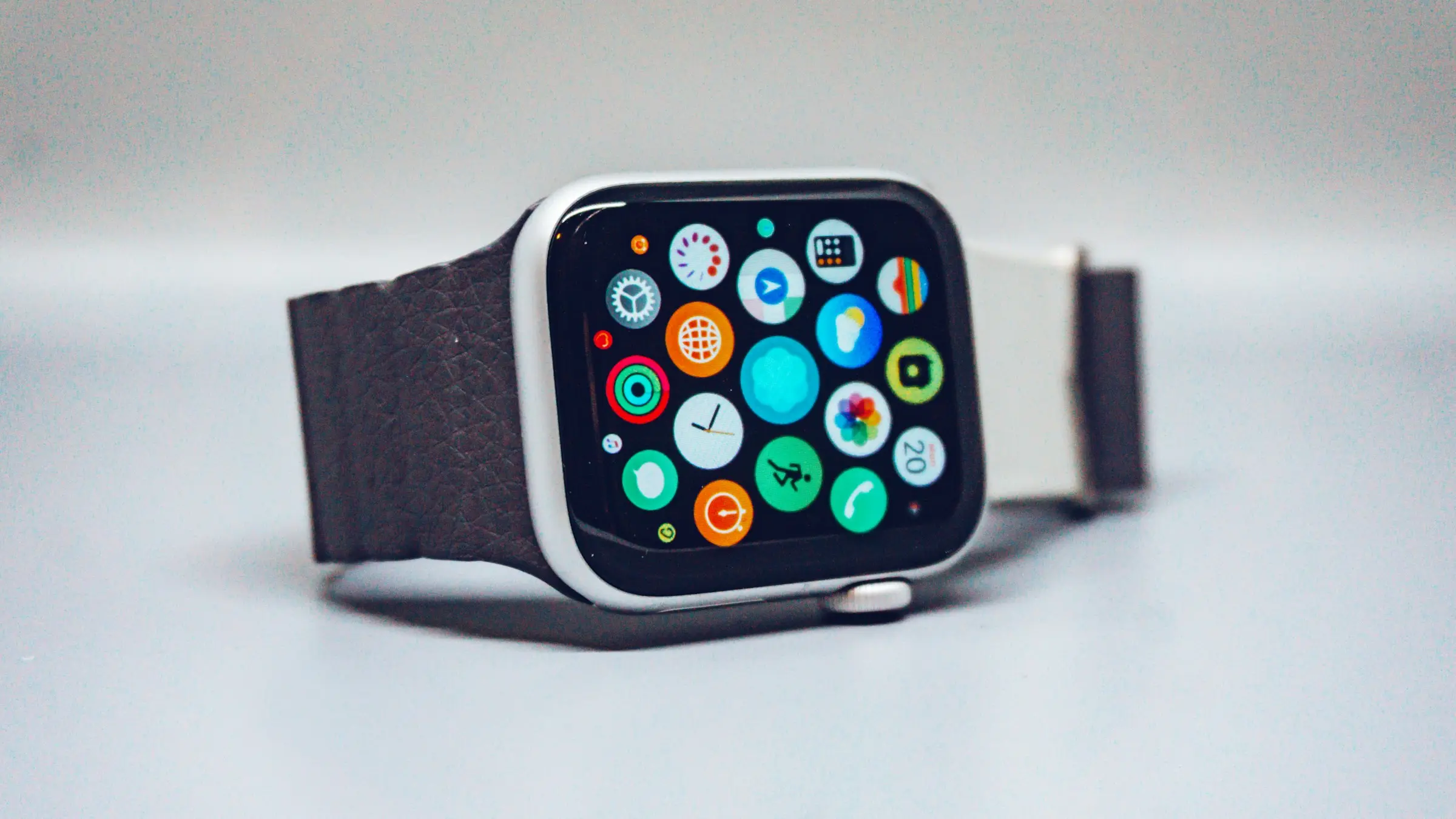
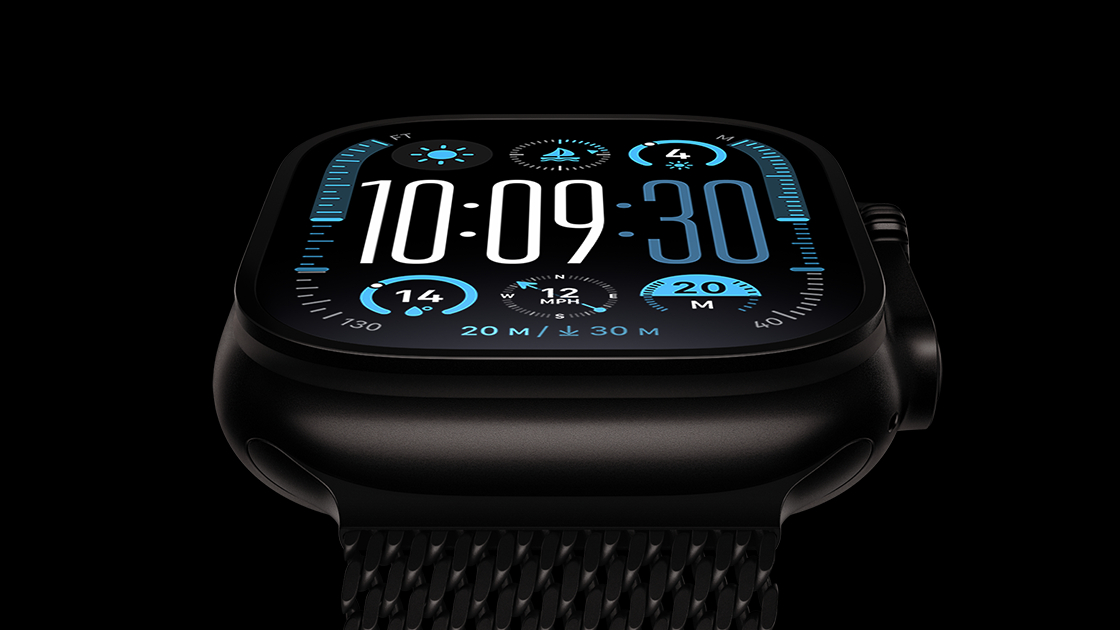
The industrial design team has spent roughly the past year exploring a “broader rethink” of the product, evaluating multiple directions that could transform the smartwatch for a new era — potentially on a scale comparable to the iPhone’s shift from a traditional slab to foldable designs. Nothing has been finalized, and major changes are not expected in the near term.
Key concepts under consideration include:
• Screen-free devices: New wearables without displays, aimed at competing with popular fitness bands and trackers such as Whoop, Oura Rings, and Google’s Fitbit Air. These appeal to users seeking lighter, more discreet health and fitness monitoring without constant screen interactions.
• Varied screens and sizes: Different display types and sizes beyond the longstanding rounded-rectangle design that has defined every Apple Watch since 2015.
• Round displays: Circular displays have been explored, though Gurman indicates these are unlikely to reach the market.
• Expanded lineup tiers: Potential premium models positioned above the current Ultra and Hermès variants, alongside more affordable options that go beyond the existing SE model.
The motivation stems from slowing growth in Apple’s Wearables, Home and Accessories segment and intensifying competition in health-focused wearables. Industry trends favor simpler, screenless form factors that emphasize continuous tracking, AI coaching, and comfort over full smartwatch functionality. Internally, execs like Eddy Cue (involved in Health app efforts) have shown interest in devices like Whoop and Oura, aligning with broader pushes into AI-powered wellness.
This year’s models — expected to include the Apple Watch Series 12 and Ultra 4, likely unveiled alongside new iPhones in September — will remain evolutionary. Anticipated updates include a new chip (the first significant performance refresh in several years), health and fitness enhancements (such as progress toward blood pressure monitoring), possible return of ceramic cases (absent for years and potentially available in 2026 or 2027), new colors, and band options. A full redesign is viewed as still a year or two away.
Apple has reportedly not committed to any specific path, and some ideas under evaluation may never ship. The exploration reflects an effort to reinvigorate the category as consumer preferences evolve and rivals innovate outside the traditional smartwatch mold. Details remain fluid, consistent with Apple’s typical multi-year development cycles for major product shifts.
The company continues preparing for its major September event focused primarily on new iPhones, with the Watch updates expected to play a supporting role this cycle.
MacDailyNews Take: Whoop’s success has not gone unnoticed by Cupertino. And, yes, Apple continually explores options – mundane to radical – in all of its products.
Please help support MacDailyNews — and enjoy subscriber-only articles, comments, chat, and more — by subscribing to our Substack: macdailynews.substack.com. Thank you!
There have been eleven generations of Apple Watch, each available in multiple screen sizes, connectivity options, case materials, and straps, ranging from a couple of hundred dollars to literally thousands. Anyone else remember the original $10k Apple Watch Edition?
While not all are available to buy directly from Apple–right now the company sells only the Ultra 3, the Series 11, and the 3rd-gen SE–it’s easy to buy older models from third-party retailers or, if you’d like to save a decent chunk of cash, consider a refurbished model. And refurbished is an option you really shouldn’t ignore.
While you might scoff at the prospect of buying what is technically a second-hand watch, Apple’s refurbishing process is admirably rigorous. In fact, apart from the packaging, we don’t think you’d be able to tell the difference between an Apple Watch that the company is selling refurbished and one that’s brand new. Other retailers have their own refurbishment processes, which vary in rigor and reliability, but when you take the potential savings into consideration, buying a refurbished Apple Watch becomes a highly tempting option.
In this article we break down everything you need to know about buying a refurbished Apple Watch from the Apple Refurbished Store or elsewhere to save some serious money. We have a bunch of deals at the bottom of the article, so if you want to jump straight to the deals they are here.
If you want to save some money on an Apple Watch, it’s also worth keeping an eye on our roundup of the best Apple Watch deals.
Here are some of the leading resellers of refurbished Apple products, including the Apple Watch, in the U.S.
Apple Refurb Store: Apple itself offers a range of refurbished Apple Watches, and in typical Apple fashion, the refurb is of the highest quality.
Back Market: Back Market offers pre-owned Apple Watches with verified health tracking accuracy and performance. Each watch is tested by refurbishers, with ECG, temperature sensing, blood oxygen, GPS, and all features verified working. They are also backed by a minimum 1-year commercial warranty, and returnable for 30 days.
Walmart: US shoppers can also find refurbished Apple Watches from Walmart. Keep in mind, it’s not directly from the retailer but from other sellers. The beauty is that if you run into trouble you can return the device at any Walmart location, and we’ve seen some very competitive prices from this retailer.
eBay: An obvious choice, but be cautious. Check the vendor’s rating and feedback as well as the device’s condition.
Amazon Renewed Store: We’ve seen some excellent deals on here. Check carefully for the condition: these details can sometimes be difficult to spot on the product page.
U.K. readers should try the following refurbished sellers:
Apple Refurb Store: Buyers in the past have remarked on the near-new quality of Apple Refurb products, albeit in plain white packaging. These may not be as cheap as the refurb units on offer elsewhere but the quality is exemplary and you can buy with peace of mind.
musicMagpie: musicMagpie is one of the most reputable refurbished sellers. It often has sales that reduce prices further. Plus, it also accepts old tech, gadgets, and media (including books and CDs) which you can trade in for more money off.
Back Market: Back Market offers pre-owned Apple Watches with verified health tracking accuracy and performance. Each watch is tested by refurbishers, with ECG, temperature sensing, blood oxygen, GPS, and all features verified working. They are also backed by a minimum 1-year commercial warranty, and returnable for 30 days.
eBay: Check the vendor’s rating and feedback, and use the Condition dropdown tool to distinguish between new and various grades of refurbished.
The iOutlet: The iOutlet is another reseller with great prices on refurbished devices, including several generations of the Apple Watch. You can also trade in other gadgets such as iPhones, iPads, and gaming consoles to earn cashback.
Amazon Renewed Store: Another solid option for refurbished Apple Watch deals. Purchases are not only backed by Amazon’s standard returns policy, but the “Renewed Guarantee” as well, which lets you get a refund or replacement within 1 year of receiving your product.
Envirofone: Known for its smartphone offers, this site has in the past offered a solid selection of older Apple Watches too. Stock seems to be running low lately, however, and it’s never been good for more recent units.
Refurb-Phone: Has deals available on some surprisingly recent Apple Watch models.
Laptops Direct: Despite the name, Laptops Direct also sells smartwatches. Select Condition > Refurbished in the lefthand filters column to see refurb offers only.
What’s the difference between a new Apple Watch and a refurbished one?
Technically speaking, Refurbished Apple products (by which we mean specifically products refurbished by Apple itself) are pre-owned, but with such a meticulous refurbishing process undertaken by the company, it’s unlikely you’ll even notice.
It’s not necessarily the case that the product has been used for years on end: it could have been used by a journalist relatively briefly for review purposes, or it could have been returned by a customer who quickly decided on a different make or model. Even if it was returned for being faulty after a period of use, Apple rectifies any issues before selling the unit on, providing a product that’s essentially ‘as new.’
When you buy a refurbished Apple Watch directly from Apple, you’ll also get the same one-year warranty that you’d get when buying a brand-new Apple Watch, along with all the manuals and accessories that come with the smartwatch.
The only noticeable difference is the packaging; refurbished Apple products come in a plain white box with no branding or imagery. We imagine this is something to do with stopping untrustworthy customers from buying a refurbished product and trying to resell it as new, but only Apple knows the real reasons why. Perhaps it’s just cheaper.
The company promises that all refurbished Apple Watches are in full working order, and each unit is thoroughly tested to guarantee this. The Watch will have been thoroughly cleaned and inspected to make sure it holds up to Apple’s high standards.
As with new Apple products, you’ve got the option of extending the warranty from one to two years by taking out AppleCare+ for your refurbished Watch. This provides two years’ worth of technical support, 24/7 access to Apple experts and hardware coverage for two accidents, although there’s an additional $69/£49 fee for repairs (or $79/£55 for Ultra models).
Note once again, however, that the comments above refer to Apple’s refurbished store. Other sellers will deliver varying standards of quality and reliability, although most of the big names provide a similar standard to Apple.
Should I buy a refurbished Apple Watch?
We think it’s certainly worth considering, as top-quality refurbished products can look as good as new and, packaging aside, your experience will be identical to that of a first-time buyer.
Which refurbished Apple Watch should I buy?
Right now you can buy the latest Apple Watch Series 11 at the Apple Refurbished Store, as well as refurbished Series 9 and 10, plus Ultra 2 and Ultra 3.
You may be able to find a tempting-looking deal on the Series 6 or 7, but these models are quite a long way behind the current range in terms of features, screen size and so on. More importantly, even the Apple Watch series 8 is no longer supported by Apple itself (it does work with watchOS 26 but not watchOS 27) so you won’t be able to install new versions of watchOS.
If you’re struggling to decide on which Apple Watch is best for your needs, we recommend taking a look at our Apple Watch buying guide, although that deals primarily with the current range. For comparisons with the older models, check out our extensive library of Apple Watch reviews, or go to Apple’s website and use the watch comparison tool. (Hover over Watch in the top bar, then click Compare Watch.)
The Apple Watch Series 5 no longer receives new watchOS updates.
Foundry
Which Apple Watch models are available from Apple’s Refurbished Store?
With an ever-evolving stock, it should come as no surprise that products available in Apple’s Refurbished Store change quite frequently. You’ll want to check back regularly if a particular model of Apple Watch isn’t available when you first look.
At time of writing, the U.S. store has refurbished Apple Watch Series 9, 10, and 11, 2nd- and 3rd-gen SE, and Ultra 2 and Ultra 3 models.
Those browsing the U.K. store can choose from the Apple Watch Series 9, 10, and 11, 2nd- and 3rd-gen SE, and Ultra 3 models. There’s every chance that Ultra 2 may reappear but it wasn’t there at the time of writing.
As we say, don’t lose heart if the configuration you want isn’t there right now. You might get lucky in the future.
How to choose a refurbished Apple Watch
If the Apple Refurbished Store doesn’t have the model you’re after, you can try a third-party reseller. There are a few things to note before you hand over your cash, however.
Unlike the situation with Apple’s refurbished devices, which will be virtually indistinguishable from new, third-party refurbished sellers tend to offer Apple Watches in a range of conditions. Some will use descriptive terms such as “pristine” and “good.” Others will go for Grade A, Grade B, and Grade C, like grades on a report card.
A Grade A refurbished Apple Watch will be as close to new as possible. Any sign of wear will be so minimal, you probably won’t be able to tell. Unsurprisingly, Grade A refurbished devices will be more expensive. Grade B may show some signs of wear but these will be mostly minor. Finally, a Grade C refurbished Apple Watch will show obvious signs of wear like scratches or scuffs.
Keep in mind, however, that these grades are only a rough indication of what to expect. There isn’t a standards body that oversees these grades–which means a Grade A (or pristine) from one reseller may be closer to a Grade B or good elsewhere. This is why it’s also important to look at all the individual return/warranty policies of the reseller before you part with your money.
Most trusted refurbished sellers offer a one-year warranty on purchases, which means you can get a refund or free repair should you run into any trouble. Many retailers such as musicMagpie and Back Market also offer a 14- or 30-day money-back guarantees so you can return the device if you’re not totally happy.
Best Apple Watch deals right now
In this final section you can browse our automated price-comparison widgets for each model of Apple Watch. These check prices across thousands of retailers to bring you the best possible deal right now, and they include both new and, where available, refurbished options.
In just a few weeks, Apple will unveil its latest family of smartwatches, including the Series 12 and Ultra 4. According to the rumors, the new watches will be relatively minor updates with a new faster chip and a few internal upgrades. But once again, the 2026 Apple Watches will largely be the same as the models they replace.
But according to Mark Gurman’s latest Power On newsletter, Apple’s design team “has been exploring a broader rethink of its smartwatches over the past year or so and is evaluating several different directions.” Among the new models currently being tested are:
New screen sizes and shapes, including round screens.
Premium models beyond the Ultra and Hermès options.
More affordable options besides the current SE model.
None of these models are expected this year, though Gurman leaves the door open to a possible appearance of a ceramic Series 12. He notes that Apple “hasn’t settled on a single direction yet” and some of these models are “unlikely to hit the market.” However, he reports that the “revamp could be as significant as the iPhone’s transformation from a slab design into a foldable device.”
In particular, he points out that Eddy Cue, who is in charge of the Health app overhaul, is “an avid fan of Whoop and Oura Rings,” and wants to adapt to “shifting consumer tastes and the growth of AI-powered health and wellness.”
Apple has been rumored to be creating several AI-centered wearable devices, including a pin and a pendant, and AirPods with cameras for Visual Intelligence. But this report makes it sound like that same strategy could apple to future wrist-worn wearables as well.
You can expect to see a new Apple Watch in mid-September, but based on this report, it might be worth skipping it and waiting to see what arrives next year.
Apple is re-evaluating the Apple Watch lineup and considering a host of radical new designs, according to Bloomberg's Mark Gurman.
In today's edition of his "Power On" newsletter, Gurman compared plans for the Apple Watch's evolution to the "revolutionary design change" that the foldable iPhone represents. It will be "something that transforms the product for a new era." Apple's industrial design team has reportedly been "exploring a broader rethink of its smartwatches" for some time, with several directions under evaluation.
The company is apparently taking the resurgence of fitness bands without screens and smart rings seriously. As a result, the company is considering new Apple Watch-style devices with no display, as well as new Apple Watches with different types of screen and various new sizes.
Apple has also contemplated giving the Apple Watch a round display, but Gurman cautioned that such a device is unlikely to be released. The company has also considered introducing new premium variants designed to sit above the Ultra and Hermès models, alongside even more affordable options in addition to the Apple Watch SE.
The company has not yet settled on a direction for the product line, but it is said to be "determined to reinvent the lineup in response to growing competition." It also plans to make its wearables more AI-focused, with ambitious long-term plans to revamp the Health app.
Gurman believes that the Apple Watch revamp "could be as significant as the iPhone's transformation from a slab design into a foldable device." Apple purportedly hopes to reinvigorate its Wearables, Home and Accessories segment, which has struggled to generate growth over recent years.
Smartwatches können Trainingseinheiten, Schlaf und wichtige Gesundheitswerte erfassen. Im Zusammenspiel mit einem iPhone können Sie außerdem Nachrichten, Anrufe, Musik und Mitteilungen direkt am Handgelenk verwalten.
Die Apple Watch Series 11 mit GPS und 46-Millimeter-Aluminiumgehäuse kostet bei Amazon aktuell nur 369 Euro. Gegenüber der UVP von 479 Euro sparen Sie 110 Euro beziehungsweise 23 Prozent. Dabei handelt es sich um einen neuen Tiefstpreis.
Die letzten Tage war die smarte Uhr bereits auf 379 Euro reduziert, was auch schon attraktiv war und als bislang günstigster Preis galt. Sonst kostet die Smartwatch in der Regel zwischen 430 und 450 Euro. Die Watch wurde im vergangenen Monat mehr als 500 Mal gekauft und erreicht bei über 1.870 Bewertungen durchschnittlich 4,7 von 5 Sternen. Die Series 11 ist zudem Bestseller Nummer 1 bei Amazon (in der 42-Millimeter-Variante).
Was die Apple Watch Series 11 zu bieten hat
Die smarte Uhr besitzt ein 46 Millimeter großes, 9,7 Millimeter dünnes Aluminiumgehäuse und wiegt als GPS-Version 37,8 Gramm. Das Always-On-Retina-Display erreicht bis zu 2.000 Nits und kann in dunkler Umgebung auf 1 Nit herunterregeln. Das Ion-X-Frontglas soll doppelt so kratzfest sein wie bei der Series 10.
Im Inneren arbeitet der S10-Chip mit 64 GB Speicher. Zur Bedienung stehen die Digital Crown, eine Seitentaste sowie Doppeltipp- und Drehgesten bereit. Hinzu kommen Mikrofon, Lautsprecher, Siri, Apple Pay, Bluetooth 5.3 sowie WLAN im 2,4- und 5-GHz-Bereich.
Ein Schwerpunkt liegt auf den Gesundheitsfunktionen. Die Series 11 bietet unter anderem EKG, Blutsauerstoffmessung, Herzfrequenz- und Zyklus-Tracking sowie Hinweise auf Schlafapnoe, unregelmäßigen Herzrhythmus und möglichen Bluthochdruck. Der Schlafindex fasst die Schlafqualität zusammen, während die Vitalzeichen-App wichtige nachts erfasste Daten übersichtlich darstellt.
Für Sport und Fitness stehen zahlreiche Trainingsarten, Herzfrequenz-Zonen, Trainingsbelastung und eine Pacer-Funktion zur Verfügung. GPS, Kompass, Höhenmesser, Tiefenmesser und Wassertemperatursensor ergänzen die Ausstattung. Käufer erhalten außerdem drei Monate Apple Fitness+ kostenlos.
Die Akkulaufzeit beträgt laut Apple bis zu 24 Stunden bei normaler Nutzung und bis zu 38 Stunden im Stromsparmodus. Nach etwa 45 Minuten soll der Akku zu 80 Prozent geladen sein. 15 Minuten Ladezeit reichen für bis zu 8 Stunden Nutzung, 5 Minuten für bis zu 8 Stunden Schlaftracking.
Die Smartwatch ist bis 50 Meter wassergeschützt und nach IP6X staubgeschützt. Zu den Sicherheitsfunktionen gehören Notruf SOS, internationale Notrufe, Sturz- und Unfallerkennung sowie die Wegbegleitung. Bei einem erkannten schweren Unfall kann die Uhr automatisch Hilfe rufen und Notfallkontakte informieren.
Da es sich um die GPS-Version handelt, benötigt die Apple Watch unterwegs ein gekoppeltes iPhone. Die in den allgemeinen technischen Daten genannten 5G- und LTE-Funktionen gelten nur für die separat erhältliche Cellular-Version.
Warum sich das Angebot lohnt
Nutzer loben in den Rezensionen vor allem die Verarbeitung, das schlanke Design, das Display und die Funktionalität. Auch das Preis-Leistungs-Verhältnis und die Messfunktionen werden häufig positiv bewertet. Gemischte Meinungen gibt es allerdings zur Akkulaufzeit und zur Genauigkeit einzelner Messwerte.
In unserem Test überzeugen uns tatsächlich die längere Akkulaufzeit, die Bluthochdruckschätzung, das kratzfestere Display und die neuen Gesten. Gleichzeitig sind die Unterschiede zur Series 9 und Series 10 gering, da viele Funktionen auch dort per Software-Update verfügbar sind.
Für Besitzer einer Series 10 lohnt sich der Wechsel daher kaum. Interessanter ist die Series 11 für Neueinsteiger und Nutzer einer Series 8 oder eines noch älteren Modells. Zum aktuellen Tiefstpreis von 369 Euro ist sie innerhalb des Apple-Watch-Angebots eine gute Wahl.
The official Certified Refurbished Store from Apple just received a massive wave of fresh inventory. If you want to save money on recent hardware, this is your best chance. The company restocked rare M5 MacBook Pro models, high end Studio Display XDR monitors, and a few other hidden gems. These restocks happen quietly and sell […]
Apple Health data can now move between the Health app and Google Health on an iPhone. The connection lets Google Health import supported information recorded by an iPhone, Apple Watch, and compatible apps. The latest Google Health update can also send supported Fitbit information to Apple Health.
This two-way connection is useful for people who wear a Fitbit but prefer Apple’s Health app as the central place for viewing activity, sleep, steps, and other wellness information. It also reduces the need for third-party synchronization apps.
The feature requires a recent version of Google Health. Google began introducing support for sending data back to Apple Health with Google Health version 5.05. Because app updates can roll out gradually, the new sharing options may not appear until the latest version reaches your account.
Update Google Health Before Starting
The Fitbit app became Google Health in 2026. Existing Fitbit users should find that the installed app has changed its name and design after updating. Fitbit accounts must also be moved to an adult Google Account to use the redesigned service.
Google says the Apple Health connection requires iOS 16.4 or later. The iPhone must have internet access while the connection is being created.
To check the iOS version installed on your iPhone:
Settings > General > About > iOS Version
Install the latest compatible iOS update if the phone is running an older release.
To look for an available iPhone software update:
Settings > General > Software Update
Next, confirm that Google Health is current. Version 5.05 or later is required for the newer option that sends supported Google Health and Fitbit information to Apple Health.
To update Google Health from the App Store:
App Store > Profile Picture > Available Updates > Google Health > Update
If Google Health does not appear under Available Updates, search for the app manually. The App Store page may show an Update button if a newer release is available.
To find the app directly:
App Store > Search > Enter Google Health > Google Health (Fitbit)
People who previously used Fitbit should sign in with the Google Account connected to their Fitbit information. Creating a different account may produce an empty Google Health profile.
Image Credit: Google
Connect Apple Health Data to Google Health
Connecting the apps allows Google Health to read supported information from Apple Health. This can include data collected by the iPhone, Apple Watch, and other apps that already share information with Apple Health.
To start the Apple Health connection:
Google Health > Connections > Apps and Services > Apple Health > Get Started
Depending on the Google Health version and interface shown on the iPhone, Connections may appear behind the profile icon.
To find Apple Health through the alternative menu:
Google Health > Profile Icon > Partner Apps > Apple Health
Google Health will display a consent screen explaining the connection. Read the information before continuing.
To approve the initial connection:
Sync Google Health With Apple Health > Agree
The iPhone will then display Apple’s health permission screen. This screen lets you decide which information Google Health can read.
To give Google Health access to every supported category:
Apple Health Permission Screen > Turn All Categories On > Allow
You do not have to share every available category. Selecting individual permissions provides more control over sensitive health information.
To share only selected categories:
Apple Health Permission Screen > Select Each Health Category > Allow
Google Health can import supported information such as steps, distance, active energy, exercise records, routes, sleep sessions, sleep stages, heart rate, resting heart rate, heart rate variability, blood oxygen, respiratory rate, body temperature, weight, body fat percentage, water, nutrition information, and some cycle-tracking data.
Available categories depend on the devices and apps connected to Apple Health. An iPhone may provide steps and walking information, while an Apple Watch can contribute heart rate, workouts, sleep, and other measurements supported by the model.
After the permissions are approved, Google Health should confirm that the connection is complete.
To finish the connection:
Google Health Confirmation Screen > Done
New Apple Health information should begin appearing automatically in Google Health. Google has said that imported data can be used across relevant Google Health metrics, although not every external data type is used for every calculation.
To find imported health information:
Google Health > Health > Select a Metric
Google Health may display information from several connected sources together. Its value for a metric can differ slightly from the number shown by Apple Health because the apps may process available data differently.
Send Fitbit Data to Apple Health
Google Health version 5.05 adds the reverse direction that many iPhone and Fitbit users previously lacked. Supported information recorded through Fitbit can now be written into Apple Health.
Before enabling this option, make sure the Fitbit is properly connected to Google Health. Fitbit devices normally synchronize automatically throughout the day when Bluetooth is available and the wearable is near the iPhone.
To check the connected Fitbit:
Google Health > Profile Icon > Devices > Select Your Fitbit
The device page should show the wearable, its battery level, and its most recent synchronization time. Opening Google Health can also prompt a nearby Fitbit to transfer recently collected information.
Once the wearable is updating Google Health correctly, open the Apple Health connection settings.
To open the sharing controls for Apple Health:
Google Health > Profile Icon > Partner Apps > Apple Health
The interface may use Apps and Services instead of Partner Apps on some versions.
To reach the same connection through Apps and Services:
Google Health > Connections > Apps and Services > Apple Health
Follow the prompts for sharing Google Health information with Apple Health. The iPhone may display separate permissions for data that Google Health can read and data that it can write.
To allow supported Fitbit information to appear in Apple Health:
Apple Health Permission Screen > Allow Google Health to Write > Select Health Categories > Allow
Google says supported information can include exercise records, steps, sleep, vitals, and other health data. The exact selection can vary according to the Fitbit model, region, Google Health version, and information stored in the account.
Selecting every category is convenient, but it can create overlapping sources when an iPhone, Apple Watch, and Fitbit record the same type of activity. Choose only the categories you want Google Health to add.
A person who uses a Fitbit mainly for sleep, for example, can allow sleep information while leaving steps disabled. Someone who wears a Fitbit instead of an Apple Watch may prefer to enable steps, workouts, heart rate, sleep, and other supported categories.
Image Credit: AppleMagazine
Check Google Health Permissions
Apple Health keeps permission controls on the iPhone. You can change them after the first connection without deleting either app.
To review Google Health access from Apple Health:
Health > Profile Picture > Privacy > Apps > Google Health
The page shows the categories Google Health is permitted to read or update. Turn off any category you no longer want to share.
Some iOS versions provide the same controls through the Sharing tab.
To find Google Health through the Sharing tab:
Health > Sharing > Apps and Services > Google Health
Turning off a permission stops future sharing for that category. It does not necessarily remove information that has already been written to Google Health or Apple Health.
The Google Health app also provides controls for the connection.
To review Apple Health inside Google Health:
Google Health > Connections > Apps and Services > Connected > Apple Health
If Google Health displays a message that new data types are available, open the connection and approve the additional categories you want to use. Newly supported information is not automatically shared without permission.
Manage Duplicate Health Information
An iPhone, Apple Watch, and Fitbit can record similar information at the same time. Apple Health keeps each source attached to its data and uses a priority order when presenting combined measurements.
You can inspect the sources contributing to a category and choose which one Apple Health should prefer.
To review the sources used for step information:
Health > Search > Activity > Steps > Data Sources and Access
The screen shows the apps and devices that provide step records. If Google Health, an Apple Watch, and the iPhone all appear, you can adjust their priority.
To change the order of step sources:
Health > Search > Activity > Steps > Data Sources and Access > Edit > Drag Sources Into the Preferred Order > Done
Move the source you trust most toward the top. Apple Health generally gives higher priority to sources placed above others when similar records overlap.
Repeat the same process for other categories if their totals do not look right. Exercise, sleep, active energy, and distance can each have their own sources and permissions.
Image Credit: Google
Fix Missing or Delayed Data
Synchronization is not always immediate. A Fitbit first sends its information to Google Health, and Google Health then writes supported records to Apple Health. Bluetooth availability, Background App Refresh, internet access, and battery-saving behavior can affect this process.
Begin by opening Google Health with the Fitbit close to the iPhone. Wait for the device to complete its normal synchronization before checking Apple Health.
If Apple Health information is missing from Google Health, confirm that the connection remains active.
To check the connection status:
Google Health > Connections > Apps and Services > Apple Health
If Google Health displays an error or a request for new permissions, follow the message shown on the screen.
Background App Refresh can help Google Health update when the app is not open.
To allow Google Health to refresh in the background:
Settings > General > Background App Refresh > Google Health > On
Bluetooth must remain available for a Fitbit to communicate with the iPhone.
To confirm that Bluetooth is enabled:
Settings > Bluetooth > Bluetooth On
If the connection continues to fail, disconnecting and reconnecting Apple Health may restore the permission request.
To disconnect Apple Health from Google Health:
Google Health > Connections > Apps and Services > Apple Health > Disconnect > Confirm Disconnect
Disconnecting the service does not automatically remove every permission already stored by Apple Health. Review the Google Health entry in the Health app if you want to remove those permissions as well.
To remove the remaining Apple Health permissions:
Health > Profile Picture > Privacy > Apps > Google Health > Turn Off All
After reconnecting the apps, allow time for new records to appear. Previously stored information may not transfer in exactly the same way as activity recorded after the connection was enabled.
You can inspect an individual entry to confirm whether it came from Google Health, a Fitbit, an Apple Watch, or the iPhone.
To check the source and time of a synced record:
Health > Search > Select a Health Category > Show All Data > Select the Latest Entry
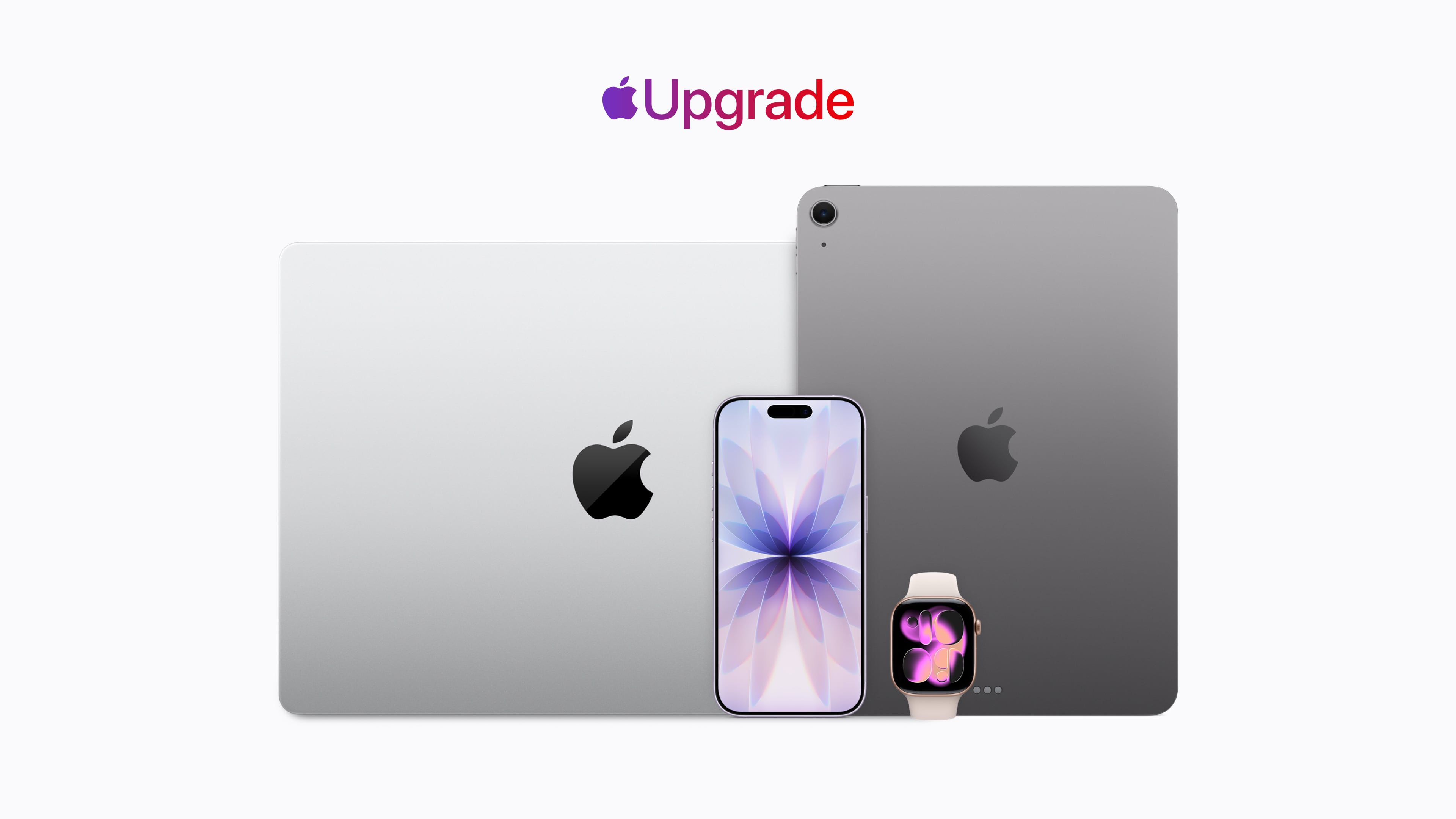
Apple Upgrade — a new hardware leasing program — is available on the Apple Store online, in the Apple Store app, and at Apple Store locations in the United States.
Apple has launched a major new program that lets customers lease its hardware on monthly payments instead of buying outright, positioning the company more firmly as a subscription-driven business.
On July 28th, Apple introduced Apple Upgrade in the United States, a Klarna-backed leasing service available online and in Apple Stores. It replaces the older iPhone Upgrade Program and extends subscription-style access across most iPhones, iPads, Apple Watches, and Macs.
How it works
Customers choose lease terms of 12 or 24 months for phones and watches, or 24 or 36 months for tablets and computers. Starting prices are roughly:
• iPhone: from about $17.99–$18 per month
• Apple Watch and iPad: from about $11.99–$12 per month
• Mac: from about $24.99–$25 per month
Exact amounts vary by model, configuration, and term length. Higher-end devices cost more (for example, certain MacBook Pros start in the high $30s to $50s range). A soft credit check is required. Trade-ins can lower monthly payments, and Apple Card users may earn Daily Cash on payments.
At the end of the term, users can upgrade to a newer device, pay a one-time fee to keep the current one, or return it. Early upgrades, early payoffs, or terminations can incur extra fees. AppleCare is not included and must be purchased separately. Some lower-cost models (such as the Apple Watch SE, entry-level iPad, certain older iPhones, and the MacBook Neo) and business/education purchases are excluded.
Why it matters
The program arrives as Apple’s services business continues to grow strongly and as hardware prices have risen amid industry-wide memory and storage shortages driven by AI demand, Bloomberg News‘ Mark Gurman notes in his most-recent newsletter. By partnering with Klarna, Apple offers lower monthly outlays and easier access to the latest devices without taking on the full financing risk itself.
This move answers a long-standing question about Apple’s next growth phase. Combined with its existing software and media subscriptions (now totaling well over a billion paid subscriptions across Apple services and App Store apps), Apple Upgrade pushes the company closer to a full hardware-plus-services subscription model. Customers stay in the ecosystem longer, upgrade more frequently, and generate recurring revenue rather than one-time hardware sales.
In short, Apple is no longer just selling products, it’s increasingly selling ongoing access to them. The new leasing program is the clearest signal yet of that strategic shift.
MacDailyNews Take: Apple just made the smartest move in years. By turning hardware into a true subscription via Apple Upgrade + Klarna, Cupertino locks customers into the ecosystem, smooths out lumpy iPhone cycles, and rakes in predictable revenue while competitors still chase one-time sales. Yet, if you still want to buy outright, you can! Welcome to the optional Apple-as-a-Service era.
Please help support MacDailyNews — and enjoy subscriber-only articles, comments, chat, and more — by subscribing to our Substack: macdailynews.substack.com. Thank you!
Smartwatches können Trainingseinheiten, Schlaf und wichtige Gesundheitswerte erfassen. Im Zusammenspiel mit einem iPhone können Sie außerdem Nachrichten, Anrufe, Musik und Mitteilungen direkt am Handgelenk verwalten.
Die Apple Watch Series 11 mit GPS, 46-Millimeter-Aluminiumgehäuse in Space Grau und schwarzem Sportarmband in Größe M/L kostet bei Amazon aktuell nur 379 Euro. Gegenüber der UVP von 479 Euro sparen Sie 100 Euro beziehungsweise 21 Prozent.
Dabei handelt es sich um den bisherigen Tiefstpreis, der zuletzt Ende April beziehungsweise Anfang Mai erreicht wurde. Dazwischen stieg der Preis wieder auf etwa 430 bis 450 Euro. Die Watch wurde im vergangenen Monat mehr als 500 Mal gekauft und erreicht bei über 1.800 Bewertungen durchschnittlich 4,7 von 5 Sternen. Die Series 11 ist zudem Bestseller Nummer 1 bei Amazon (in der 42-Millimeter-Version).
Was die Apple Watch Series 11 zu bieten hat
Die smarte Uhr besitzt ein 46 Millimeter großes, 9,7 Millimeter dünnes Aluminiumgehäuse und wiegt als GPS-Version 37,8 Gramm. Das Always-On-Retina-Display erreicht bis zu 2.000 Nits und kann in dunkler Umgebung auf 1 Nit herunterregeln. Das Ion-X-Frontglas soll doppelt so kratzfest sein wie bei der Series 10.
Im Inneren arbeitet der S10-Chip mit 64 GB Speicher. Zur Bedienung stehen die Digital Crown, eine Seitentaste sowie Doppeltipp- und Drehgesten bereit. Hinzu kommen Mikrofon, Lautsprecher, Siri, Apple Pay, Bluetooth 5.3 sowie WLAN im 2,4- und 5-GHz-Bereich.
Ein Schwerpunkt liegt auf den Gesundheitsfunktionen. Die Series 11 bietet unter anderem EKG, Blutsauerstoffmessung, Herzfrequenz- und Zyklus-Tracking sowie Hinweise auf Schlafapnoe, unregelmäßigen Herzrhythmus und möglichen Bluthochdruck. Der Schlafindex fasst die Schlafqualität zusammen, während die Vitalzeichen-App wichtige nachts erfasste Daten übersichtlich darstellt.
Für Sport und Fitness stehen zahlreiche Trainingsarten, Herzfrequenz-Zonen, Trainingsbelastung und eine Pacer-Funktion zur Verfügung. GPS, Kompass, Höhenmesser, Tiefenmesser und Wassertemperatursensor ergänzen die Ausstattung. Käufer erhalten außerdem drei Monate Apple Fitness+ kostenlos.
Die Akkulaufzeit beträgt laut Apple bis zu 24 Stunden bei normaler Nutzung und bis zu 38 Stunden im Stromsparmodus. Nach etwa 45 Minuten soll der Akku zu 80 Prozent geladen sein. 15 Minuten Ladezeit reichen für bis zu 8 Stunden Nutzung, 5 Minuten für bis zu 8 Stunden Schlaftracking.
Die Smartwatch ist bis 50 Meter wassergeschützt und nach IP6X staubgeschützt. Zu den Sicherheitsfunktionen gehören Notruf SOS, internationale Notrufe, Sturz- und Unfallerkennung sowie die Wegbegleitung. Bei einem erkannten schweren Unfall kann die Uhr automatisch Hilfe rufen und Notfallkontakte informieren.
Da es sich um die GPS-Version handelt, benötigt die Apple Watch unterwegs ein gekoppeltes iPhone. Die in den allgemeinen technischen Daten genannten 5G- und LTE-Funktionen gelten nur für die separat erhältliche Cellular-Version.
Warum sich das Angebot lohnt
Nutzer loben in den Rezensionen vor allem die Verarbeitung, das schlanke Design, das Display und die Funktionalität. Auch das Preis-Leistungs-Verhältnis und die Messfunktionen werden häufig positiv bewertet. Gemischte Meinungen gibt es allerdings zur Akkulaufzeit und zur Genauigkeit einzelner Messwerte.
In unserem Test überzeugen uns tatsächlich die längere Akkulaufzeit, die Bluthochdruckschätzung, das kratzfestere Display und die neuen Gesten. Gleichzeitig sind die Unterschiede zur Series 9 und Series 10 gering, da viele Funktionen auch dort per Software-Update verfügbar sind.
Für Besitzer einer Series 10 lohnt sich der Wechsel daher kaum. Interessanter ist die Series 11 für Neueinsteiger und Nutzer einer Series 8 oder eines noch älteren Modells. Zum aktuellen Tiefstpreis von 379 Euro ist sie innerhalb des Apple-Watch-Angebots eine gute Wahl.
AI note-taking startup Granola has expanded its popular meeting notepad to the Apple Watch, letting users capture and transcribe conversations with a single tap—no phone or laptop required.
The new watchOS app, which launched on July 28, 2026, targets in-person and on-the-go discussions such as walking one-on-ones, whiteboard brainstorms, and casual coffee chats. Users can start recording via a dedicated app or a watch face complication. The screen turns bright Granola green and plays a sound to confirm it’s listening. When the conversation ends, a second tap stops the recording; the audio syncs to the paired iPhone, where Granola’s AI processes it into structured notes complete with highlights, decisions, and action items. Those notes then appear across the user’s iPhone, Mac, or Windows devices.
The company designed the experience around the idea that “the best wearable is the one you’re already wearing.” Co-founder Chris Pedregal noted that the goal is to let people stay present in face-to-face meetings without pulling a phone from their pocket. Internal testing showed that once employees had access to the Watch app, a substantial portion of their mobile Granola usage shifted from iPhone to wrist.
Granola can record offline on the Watch; a connection is needed only when the audio syncs and notes are generated. The app also surfaces subtle haptic reminders for upcoming calendar meetings and works seamlessly with the existing iOS, iPadOS, macOS, and Windows versions of Granola. It requires watchOS 11 or later and the latest Granola iPhone app. Installation is straightforward through the Watch app on iPhone if it doesn’t appear automatically.
The launch arrives as dedicated AI note-taking hardware (pins, pendants, and similar devices) has proliferated. Granola deliberately chose to build for an existing wearable rather than create new hardware. It also follows the company’s earlier unicorn milestone after a $125 million Series C led by Index Ventures.
To mark the release, Granola collaborated with London-based weaver Nowshin Prenon on a limited run of handwoven Apple Watch straps. The Watch app itself is free to download and use via the Granola iOS app.
With the Apple Watch increasingly positioned as an AI-friendly device, Granola’s arrival underscores growing interest in discreet, always-available capture tools that keep the focus on conversation rather than technology. Users can try it on their next in-person meeting simply by updating the iPhone app and installing the Watch companion.
MacDailyNews Take: More info about Granola for Apple Watch via Apple’s App Store here.
Please help support MacDailyNews — and enjoy subscriber-only articles, comments, chat, and more — by subscribing to our Substack: macdailynews.substack.com. Thank you!
Apple today announced Apple Upgrade, a new product leasing program provided by Klarna for iPhone, Apple Watch, Mac, and iPad available on the Apple Store online, in the Apple Store app, and at Apple Store locations in the United States.
[…]
Apple Upgrade offers 12- and 24-month leasing options for iPhone and Apple Watch, and 24- and 36-month leasing options for Mac and iPad. Leasing prices start as low as $17.99 per month for iPhone, $11.99 for Apple Watch, $24.99 for Mac, and $11.99 for iPad.
The $17.99/month gets you a base model iPhone 17e for 24 months. This is a total of $431.76 vs. $599 for buying a new one today, but then you have to make a decision:
At the end of the lease term, customers can upgrade their device to the latest generation, purchase it with a one-time payment, or simply return it and exit the program.
I used to get a new phone every other year, but I kept my iPhone 12 mini for three years and will likely keep my 15 Pro for four years. In addition to making it easier to buy phones without the up-front payment, Apple is probably hoping this will encourage more customers to get back on the two-year cycle. Given the choice between continuing a small monthly payment and getting a new phone or making a larger payment to keep their old phone, many may opt to upgrade.
The payoff amount is the difference between what was paid during the leasing period and the retail price of the device, minus any remaining trade-in credits. Klarna is not charging a fee for the leasing program, so an iPhone that’s $1,099 can be leased and then purchased for $1,099 with no extra cost beyond taxes.
I guess this means that, for a bit of hassle, you can essentially buy the device for the list price at 0% interest.
Lease participants can opt to end a lease early and return a device, but Apple says there may be “substantial fees” for terminating a lease before the end of the term.
[…]
Customers must upgrade, end the lease, or purchase the device at the end of the lease term. If that doesn’t happen, the lease converts to a month-to-month lease for up to six months.
[…]
Damage to an iPhone, losing an iPhone, or having an iPhone stolen could incur fees.
The rollout of the program comes as Apple has been struggling with supply chain issues related to “RAMageddon,” which refers to the industry-wide shortage of memory chips that is driving up the price of hardware. As a result, Apple recently announced price hikes for its Mac and iPad lineups, sparing the iPhone for now. The new Upgrade program seems to be Apple’s answer to making those higher prices more manageable for consumers.
Customers can manage their lease directly in the Klarna app, where they can view their billing schedule and track remaining payments.
With the launch of the new Upgrade program, Apple is discontinuing its existing in-house financing and installment programs in the U.S., which include the iPhone Upgrade Program and iPhone Payments.
For iPhones, you have to have a carrier and can’t use a prepaid plan.
[…]
For iPads, the starting prices range from $12.99/month to $24.99/month, Macs range from starting prices of $24.99/month to $48.99/month, and the Apple Watch ranges from starting prices of $11.99/month to $47.03/month. But again, these are just starting prices. You can configure a fully loaded 16-inch MacBook Pro that is just under $230/month, and it won’t include AppleCare.
As a point of comparison, under the current program that is being discontinued, I pay $69.50/month for an iPhone 17 Pro Max, but I have a 512GB model, so my lease price for the same phone would be $40.83/month, significantly lower, but keep in mind that doesn’t include AppleCare+, which would add $13.99/month or $139/year for that iPhone. On a monthly basis, that puts a new iPhone 17 Pro Max with 512GB of storage and AppleCare+ at just under $55/month. Still a superior deal, but not nearly as good as the landing page might initially lead you to believe.
[…]
If you lease accessories for your device, those don’t have to be returned. Why? Presumably because they have no value to Apple or Klarna.
9to5Mac can now confirm that code found in the iOS 27 beta appears to reveal a broader system for managing a financed iPhone, including the ability to restrict apps and services when payments are missed.
The code describes a system called App Managed Features, which allows an authorized financing or provider app to enroll an iPhone and perform ongoing status checks.
If the contract is no longer in good standing, Apple’s system services can place the iPhone in “Restricted Mode,” which blocks access to most apps until the payment or contract issue is resolved, while keeping a small set of apps available.
I bet there are some governments that would love to commandeer that for their own purposes.
Finally, the new framework also introduces a new type of activation lock called “Partner Finance Lock,” which is meant to prevent users from erasing, reselling, or stripping a restricted device for parts.
Apple says it won’t limit the capabilities of devices leased through its new Upgrade program if you miss a payment. In an emailed statement to The Verge, Apple spokesperson Brian Bumbery says, “There will be no restricted mode and/or there will be no limitations put on device functionality due to missed payments or default with the Apple Upgrade program.”
One possibility is that it was developed for financing programs offered by carriers, retailers, or other partners outside Apple Upgrade, potentially including markets where device restrictions are already used to enforce installment agreements.
Here’s a breakdown of how much you’d pay for the devices included in the Apple Upgrade program, as well as how much more you’d pay to purchase the devices outright at the end of your lease[…]
[…]
Klarna doesn’t say what will happen if you don’t pay the outstanding balance.
[…]
During the lease, Klarna owns your device. You’re responsible for any damage, and will get charged a fee if you don’t return the device in “good condition.” That’s why Apple is encouraging customers to sign up for an AppleCare subscription that could drive up the cost of your lease even more.
[…]
Apple also notes that you’ll have to pay an early termination fee if you want to return the device before your lease ends or if you want to upgrade early.
The Apple Card Monthly Installments aren’t going away, so I’ll keep using that.
[…]
When you finance using the Apple Card Monthly Installments, you pay a fixed amount to own your device. There are no savings here — aside from the 3% cashback — the monthly payment is the purchase price divided by either 12 or 24 months.
When you lease an iPhone through Apple Upgrade, you need a cellular account on one of the big three U.S. carriers: AT&T, T-Mobile, or Verizon. That kind of stinks, and I’m not quite sure I understand why.
The iPhone upgrade program always required it. For a time you could do Apple Card installments without a carrier if you bought it online but never in store. I assume there is carrier pressure to tie the phones to the carriers. Activating iPhones on carriers was a key metric at the Apple Store.
Credit-risk assessment is seemingly part of it. There’s a lot of fraud in iPhone purchases specifically and cell phone service generally. The big three carriers do a significant amount of risk assessment before letting you open a new postpaid account; that you have an active account with one of them is a signal that you’re not trying to lease an iPhone using phony credentials in order to sell it.
But the bigger reason is the complex nature of the contracts between Apple and each of the big three carriers.
Apple has revealed its new hardware leasing program called Apple Upgrade, which is being offered in collaboration with Klarna. This is Apple’s pitch:
Introducing Apple Upgrade, a new way to always have the Apple products you love. Lease a new iPhone, iPad, Mac, or Apple Watch with pocket-friendly payments and terms that work for you. Then easily upgrade to something new at the end of your lease, and return your current device. It’s that simple.
That pitch comes with a footnote that includes other details worth considering:
The program is U.S. only (excluding U.S. territories).
You need to be a U.S. resident who is at least 18 years old, or whatever the legal age is where you live.
There are eligibility and credit approval requirements and you must have a credit or debit card and an Apple ID.
When a device is returned, it must be in good condition or damage fees will be assessed.
Upgrades require a new lease subject to whatever eligibility and credit requirements apply at that time.
For iPhones, you have to have a carrier and can’t use a prepaid plan.
The program isn’t available for refurbished devices or through the Apple Employee Purchase Plan, corporate Employee Purchase Plans, Apple at Work, Government, Education, or Veterans and Military Purchase Programs.
Okay, so maybe it’s not “that simple” after all.
The program is available for the iPhone, iPad, Mac, and Apple Watch product lines. For the iPhone, monthly payments start at $17.99 for an iPhone 17e and start at $34.99 for an iPhone 17 Pro Max, for leasing periods of either 12 months or 24 months.
For iPads, the starting prices range from $12.99/month to $24.99/month, Macs range from starting prices of $24.99/month to $48.99/month, and the Apple Watch ranges from starting prices of $11.99/month to $47.03/month. But again, these are just starting prices. You can configure a fully loaded 16-inch MacBook Pro that is just under $230/month, and it won’t include AppleCare.
As a point of comparison, under the current program that is being discontinued, I pay $69.50/month for an iPhone 17 Pro Max, but I have a 512GB model, so my lease price for the same phone would be $40.83/month, significantly lower, but keep in mind that doesn’t include AppleCare+, which would add $13.99/month or $139/year for that iPhone. On a monthly basis, that puts a new iPhone 17 Pro Max with 512GB of storage and AppleCare+ at just under $55/month. Still a superior deal, but not nearly as good as the landing page might initially lead you to believe.
At the end of your lease you’ll have six months to decide to return the leased device, during which you’ll continue to make monthly payments, or pay a fee equal to the difference between the original purchase price and your lease payments to buy it outright. Your other option is to enter into a lease for a new device. If you return your leased device in poor condition, Klarna will charge you a damage fee. You can also terminate your lease early if you pay the remaining lease payments in full plus any taxes and fees.
If you lease accessories for your device, those don’t have to be returned. Why? Presumably because they have no value to Apple or Klarna.
Of course, if you have a device to trade in, that monthly figure could be significantly reduced. If I had the iPhone 16 Pro Max I had last year to trade in and leased a 17 Pro Max for 12 months, my monthly payments would be under $1. However, keep in mind that once you’re on the leasing train, you no longer own your iPhone, so future upgrades won’t reduce your payments the next time you swap your device for a new model. If you don’t own it, the value isn’t yours to trade in.
If you’re on the existing iPhone Upgrade Program like me, it’s being discontinued, but Apple has a transition offer for you. The old program spread payments over 24 months with the option to turn in an iPhone for a new one after 12 months. That’s not changing. If you’re paid in full on your first 12 months of an iPhone, you can sign up for the new program, get a new iPhone, and return your old iPhone to Apple, which will close your old account but won’t reduce your lease payments. You’re not obligated to join the new leasing program, though. You can also trade in your old iPhone, ending your finance contract, and buy a new full price iPhone.
As you may have figured out by now, I’m not a fan of this program, though I expect it will be successful.
Apple products, like all consumer electronics, are getting more expensive every day. The monthly payments on a leased device look very attractive compared to the pay-up-front price. For years, car leases have induced people into monthly payments that can become a burden when their financial situation changes. Now the same will be true of iPhones, iPads, Macs, and Apple Watches.
Maybe as a practical matter this program isn’t that different from the old financing program, but at least there, you owned your device at the end and could just keep using it indefinitely. With the new program, that’s not an option. When your lease is over, you’re empty-handed and faced with leasing again, buying out the lease, or buying at full price with no trade-in, which is objectively worse.
Ultimately, Apple isn’t responsible for customers’ bad financial decisions, but this program feels like Apple is putting its customers in harm’s way.
Apple Upgrade — a new hardware leasing program — is available on the Apple Store online, in the Apple Store app, and at Apple Store locations in the United States.
Apple today announced Apple Upgrade, a new product leasing program provided by Klarna for iPhone, Apple Watch, Mac, and iPad available on the Apple Store online, in the Apple Store app, and at Apple Retail Store locations in the United States. Apple Upgrade makes it even easier for customers to get the Apple products they love with a leasing plan that is right for them.
“At Apple, we put the customer at the center of everything we do,” said Karen Rasmussen, Apple’s vice president of the Apple Store online, in a statement, “and we’re thrilled that Apple Upgrade offers our customers, both online and in-store, a more flexible way to pay for the products they love.”
Apple Upgrade offers 12- and 24-month leasing options for iPhone and Apple Watch, and 24- and 36-month leasing options for Mac and iPad. Leasing prices start as low as $17.99 per month for iPhone, $11.99 for Apple Watch, $24.99 for Mac, and $11.99 for iPad. When customers first enroll in Apple Upgrade, they can further lower their monthly lease payments by trading in their currently owned device through Apple Trade In. Customers can also earn 3 percent Daily Cash back when making their lease payments with Apple Card.
Upgrading Has Never Been Easier
With Apple Upgrade, customers can expect the same seamless and personalized shopping experience online and in stores. Apple and Klarna have created a simple enrollment process that provides customers with detailed information regarding their leasing options before they enroll.
Upon choosing their preferred leasing option, customers can apply within minutes — online or in-store — and receive quick approval from Klarna. All applicants will be subject to a soft credit inquiry that will not impact their credit score. Once approved, they can complete their transaction as usual. In-store customers can enjoy their new device right away, while online customers can choose delivery or in-store pickup. Whether they shop in-store or online, all customers can take advantage of Apple’s Personal Setup service to help get their new product ready to use and ask any questions they might have. They can also join the many free and educational Today at Apple sessions to learn how to get started — or go further — with their devices.
At the end of the lease term, customers can upgrade their device to the latest generation, purchase it with a one-time payment, or simply return it and exit the program. In the Klarna app, they can stay on top of all of their lease information, including their billing schedule and remaining payments. Customers can add an AppleCare subscription to protect their products, making the return of their current device and upgrade to a new one even easier.
With the launch of Apple Upgrade, Apple will no longer offer the iPhone Upgrade Program and iPhone Payments in the United States. When eligible, customers currently enrolled in the iPhone Upgrade Program will have the option of leasing a new device with Apple Upgrade, financing with Apple Card Monthly Installments, purchasing the product outright, or choosing carrier financing.
Explore the Lineup and Upgrade Today
iPhone
iPhone 17e delivers incredible value with faster performance, an advanced camera system, enhanced durability, the magic of MagSafe, and double the starting storage at 256GB. iPhone 17 is packed with features users will enjoy every day, including a bigger and brighter display with ProMotion up to 120Hz, all-day battery life with faster charging, a fantastic 48MP Dual Fusion camera system, and the Center Stage front camera. iPhone Air features a thin and light design that is more durable than any previous model, with pro performance, advanced camera systems on the front and back, and all-day battery life. With a unibody design optimized for performance and powered by A19 Pro, iPhone 17 Pro and iPhone 17 Pro Max are the most powerful Pro models ever made, delivering the best performance, camera systems, and battery life in an iPhone. iPhone leases start at $17.99.
Apple Watch
Apple Watch Series 11 is the ultimate health and fitness companion, featuring the most comprehensive set of health features yet — including groundbreaking hypertension notifications that can alert users to signs of chronic high blood pressure, and sleep score, which helps users understand the quality of their sleep and how to make it more restorative. With up to 24 hours of battery life and a display that’s 2x more scratch-resistant, Apple Watch Series 11 is more convenient than ever to wear throughout the day and night. Apple Watch Ultra 3 is the most advanced Apple Watch — rugged and capable, built for sports and adventure while seamlessly serving as a powerful health companion. It features the largest display ever in an Apple Watch, powered by Apple’s most advanced display technology with LTPO3 and wide-angle OLEDs, along with up to 42 hours of battery life — or up to 72 hours in Low Power Mode. Apple Watch Ultra 3 also features built-in, two-way satellite communications, so users can text emergency services, message friends and family, and share their location even when off the grid. Apple Watch leases start at $11.99.
Mac
Available in 13- and 15-inch models, MacBook Air with M5 delivers incredible performance, up to 18 hours of battery life, and advanced AI capabilities in a thin, light, and durable aluminum design. The M5 family of chips — M5, M5 Pro, and M5 Max — deliver even more performance and capabilities to MacBook Pro, the world’s best pro laptop. All MacBook Pro models deliver game-changing performance and advanced AI capabilities, and include a Liquid Retina XDR display with a nano-texture option, an advanced 12MP Center Stage camera, and up to 24 hours of battery life. Powered by the M4 chip, iMac is the world’s best all-in-one and features a nano-texture display option, a 12MP Center Stage camera, and Thunderbolt 4 connectivity — all in its strikingly thin design. Mac Studio with M4 Max and M3 Ultra is the most powerful Mac ever made, delivering groundbreaking pro and AI performance, plus extensive connectivity with Thunderbolt 5 in its compact and quiet design that can live right on a desk. Mac leases start at $24.99.
iPad
iPad Air features blazing performance, 12GB of unified memory, and fast connectivity, empowering users to be productive and creative wherever they are. With the Ultra Retina XDR display and the power of M5, iPad Pro offers the most advanced iPad experience, packing powerful performance in a stunningly thin and light design. iPad mini delivers the full iPad experience in a device users can hold in the palm of their hand. Accessories such as Magic Keyboard extend the versatility of iPad Air and iPad Pro, while Apple Pencil Pro unlocks even more magical capabilities for illustrating, note-taking, annotating, and more on iPad Air, iPad Pro, and iPad mini. iPad leases start at $11.99.
More info about Apple Upgrade here.
MacDailyNews Take: Here’s the fine print:
iPhone 16, iPhone 16 Plus, Apple Watch SE, MacBook Neo, Mac mini, iPad (A16), and Studio Display are not available as part of the Apple Upgrade program.
Apple Card is subject to credit approval, available only for qualifying applicants in the United States, and issued by Goldman Sachs Bank USA, Salt Lake City Branch.
Subject to eligibility and credit approval.
Upgrades require entering into a new lease and returning your prior device, and are subject to eligibility and credit approval.
AppleCare delivers exceptional service and support, with flexible options for Apple users. Customers can choose AppleCare+ to cover their new product, or AppleCare One to protect multiple products in one simple plan. Both plans include coverage for accidents like drops and spills, theft and loss protection on eligible products, battery replacement service, and 24/7 support from Apple Experts. For more information, visit apple.com/applecare.
Apple Card Monthly Installments (ACMI) is a 0 percent APR payment option that is only available if users select it at checkout in the U.S. for eligible products purchased at Apple and is subject to credit approval and credit limit. See support.apple.com/en-us/102730 for more information about eligible products. Additional limits and restrictions apply. See the Apple Card Customer Agreement for more information about ACMI.
Apple Watch Series 11 with Ion-X glass has a ceramic coating that provides 2x more scratch resistance than Series 10 with Ion-X glass.
Subject to availability.
This offer is for a consumer lease, not a purchase or loan. Lease provided by Klarna Inc. for 12-, 24-, or 36-month term. 12- and 36-month terms not available for all device models. Your first monthly payment is due approximately 30 days after device is shipped or available for pickup. Lease approval is subject to eligibility and is based on creditworthiness. Monthly payments are based on the selected device and lease term. For example:
For an iPhone 17 Pro 256GB with a purchase price of $1,099 (excluding taxes and any trade-in credit), the typical monthly payment is $31.99 (excluding taxes and any trade-in credit) for a 24-month lease term and $45.99 (excluding taxes and any trade-in credit) for a 12-month lease term.
For an Apple Watch Series 11 (GPS) 42mm with a purchase price of $399 (excluding taxes and any trade-in credit), the typical monthly payment is $11.99 (excluding taxes and any trade-in credit) for a 24-month lease term and $21.99 (excluding taxes and any trade-in credit) for a 12-month lease term.
For an 11-inch iPad Pro 256GB with a purchase price of $1,199 (excluding taxes and any trade-in credit), the typical monthly payment is $24.99 (excluding taxes and any trade-in credit) for a 36-month lease term and $31.99 (excluding taxes and any trade-in credit) for a 24-month lease term.
For a 14-inch MacBook Pro 16GB with a purchase price of $1,999 (excluding taxes and any trade-in credit), the typical monthly payment is $38.99 (excluding taxes and any trade-in credit) for a 36-month lease term and $53.99 (excluding taxes and any trade-in credit) for a 24-month lease term.
No security deposit required. A trade-in device may reduce monthly payments. Advertised monthly payment amount may not include a trade-in device’s estimated value. Upgrades are not guaranteed and are subject to eligibility and approval.
For iPhone only: In order to lease an iPhone, you must select an eligible carrier (AT&T, T-Mobile, or Verizon), but you cannot use a prepaid carrier plan. A leased iPhone is always unlocked, so you can switch carriers at any time, subject to your carrier’s terms.
Terminating the Apple Upgrade lease: Closing your lease and returning your device terminates your lease. You may incur substantial fees if you terminate your lease before the end of your initial lease term. You may have the option to upgrade to a new device by entering into a new lease agreement and returning your prior device. If you upgrade, your new monthly payments may be greater than your prior monthly payments. If you do not upgrade, terminate your lease, or purchase your device by the end of the initial lease term, the lease will convert to a month-to-month lease for up to six months. Your monthly payments may increase during the month-to-month periods. If you take no action at the end of your extension period, you will be charged the purchase fee under your lease. You will not own your device at the end of your lease, unless you pay the purchase fee. Insurance is not included in your lease, and you may incur damage fees if the device is lost, stolen, or not returned in the condition required by the lease.
Apple Upgrade lease eligibility: Leases are only available to U.S. residents (excluding residents of U.S. territories). Leased devices are only available for shipping to U.S. addresses (excluding U.S. territories) or pick up at Apple Retail stores in the U.S. (excluding U.S. territories). To be eligible for a lease, you must be at least 18 years old (or the legal age in your state of residence), have a valid Social Security Number or individual taxpayer identification number (ITIN), have an accepted credit or debit card, have an Apple Account in good standing, have a Klarna Account, and be able to receive security verification codes via text message. Leases are not available on refurbished accessories or online at the following special stores: Apple Employee Purchase Plan; participating corporate Employee Purchase Programs; Apple at Work for small businesses or enterprises; Government, Education, or Veterans and Military Purchase Programs.
Please help support MacDailyNews — and enjoy subscriber-only articles, comments, chat, and more — by subscribing to our Substack: macdailynews.substack.com. Thank you!
Apple’s latest updates patch an unprecedented number of security vulnerabilities while optimizing the Spotlight index in preparation for OS 27 and fixing bugs affecting Messages screenshots, Intel-based app notifications, and HealthKit data. None of the vulnerabilities is being exploited in the wild.
Apple Watch Series 11, Apple Watch Ultra 3, and Apple Watch SE 3.
Apple is advancing several key product and service initiatives beyond its smart glasses efforts, according to details shared in Bloomberg News’ Mark Gurman’s Power On newsletter. These include refreshed Apple Watch models heading into late-stage testing, a comprehensive update across its entire Mac lineup to meet AI-driven demand, a new leasing program with Klarna, and a navigation partnership with Ford.
Three New Apple Watch Models in Late-Stage Testing
Apple is currently testing three new Apple Watch models expected this fall: the Series 12 in both Wi-Fi-only and cellular versions (internally codenamed N237 and N238) and the Ultra 4 (N240). No new Apple Watch SE is planned for 2026, following the prior year’s refresh of that model.
These updates will retain the existing design language rather than introducing a visual overhaul. Focus areas include performance improvements via new processors and enhancements to health and fitness tracking capabilities. A more significant redesign of the Apple Watch is in the works but is not expected for another year or two. Work also continues on a blood-sugar monitoring feature, a long-term project originally conceived during the Steve Jobs era, with availability targeted later this decade.
Full Mac Lineup Overhaul for AI Demand
Apple is preparing new versions of every Mac it currently sells, timed across this fall and into next year, to capitalize on demand for powerful machines suited to artificial intelligence workloads.
The initial wave this fall is expected to include a refreshed entry-level 14-inch MacBook Pro powered by the M6 chip and updated iMac models (the first significant desktop refresh in some time). Later in late 2026 or early 2027, higher-end 14-inch and 16-inch MacBook Pro models featuring OLED displays and touchscreen capabilities are planned (using M5 Pro and M5 Max chips in the first generation of the redesigned versions). Updated MacBook Air models (13- and 15-inch), a refreshed MacBook Neo with an A19 Pro chip and increased memory plus potential new colors, plus new Mac mini (M6 and M5 Pro) and Mac Studio (M5 Max and M5 Ultra) configurations are also in development. Timing for some desktop models may depend on memory chip supply availability amid broader industry constraints. Further redesigns and chip updates (including M7 variants) are mapped into 2027 and beyond.
Apple Upgrade Device Leasing Program with Klarna
Apple plans to launch “Apple Upgrade,” a leasing program in partnership with Klarna, on July 28th. It will cover most iPhone, Mac, iPad, and Apple Watch models and represents one of the largest shifts in how the company sells devices.
Lease terms are expected to run 24 months for iPhones and Apple Watches and 36 months for Macs and iPads. Customers can make monthly payments, pay off the device early, upgrade to a newer model before the term ends, keep the device, or return it at the end of the period (with some options potentially involving additional fees). The program requires a soft credit check, will be available online and in U.S. Apple Stores, and will not bundle AppleCare.
A soft credit check (also called a soft inquiry or soft pull) is a review of your credit report that does not affect your credit score. Lenders or companies use it to pre-qualify you, check eligibility, or review an existing account, without the temporary score dip that comes from a hard inquiry (which is used for actual loan/credit applications). Soft checks still appear on your own credit report but are not visible to other lenders.
Certain entry-level models (such as the Apple Watch SE, base iPad, iPhone 16, and MacBook Neo) and business/education purchases are excluded. It is intended to replace or wind down new enrollments in existing iPhone Upgrade and standard financing options, with marketing emphasizing lower monthly payments.
Apple Maps Integration with Ford’s Universal Electric Vehicle Platform
Apple and Ford have announced that Apple Maps will be integrated directly into Ford’s upcoming Universal Electric Vehicle (UEV) Platform, starting in 2027, via Apple’s new MapKit for Automotive SDK. This will deliver native navigation on vehicle displays—including turn-by-turn directions with natural language, real-time traffic and incident information, detailed place cards, intelligent EV routing with battery preconditioning—without requiring a paired iPhone (though CarPlay remains available as an option).
Road-level Maps data will also support Ford’s Latitude AI team in developing enhanced hands-free driving experiences, including next-generation BlueCruise capabilities for a more seamless on-ramp-to-off-ramp experience. The UEV Platform underpins Ford’s planned affordable electric vehicles, beginning with a midsize electric truck targeted around the $30,000 price point.
These developments reflect Apple’s broader hardware refresh cycle and service expansions amid rising component costs and growing demand for AI-capable devices and integrated experiences. As always, details remain subject to change as the company finalizes plans ahead of expected fall announcements.
MacDailyNews Take: These developments reflect Apple’s broader hardware refresh cycle and service expansions amid rising component costs and growing demand for AI-capable devices and integrated experiences. As always, details remain subject to change as the company finalizes plans ahead of expected fall announcements.
Please help support MacDailyNews — and enjoy subscriber-only articles, comments, chat, and more — by subscribing to our Substack: macdailynews.substack.com. Thank you!

 Login
Login