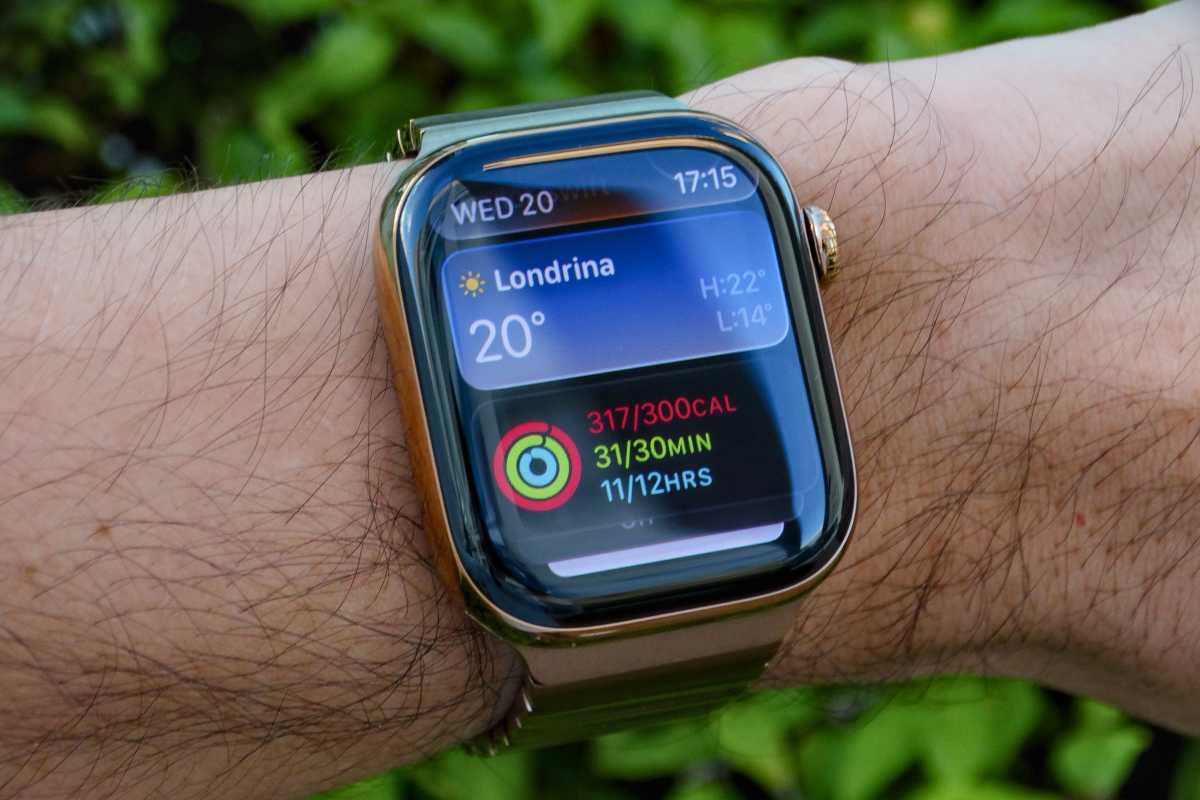
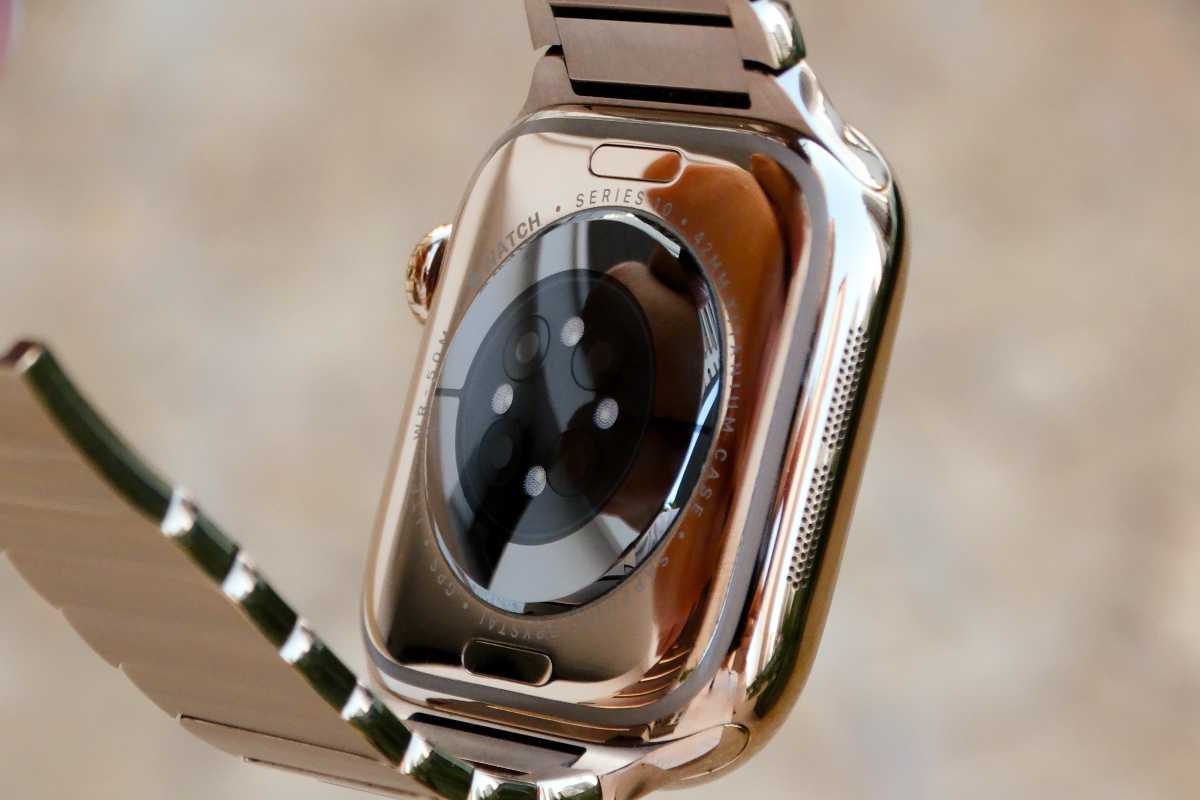
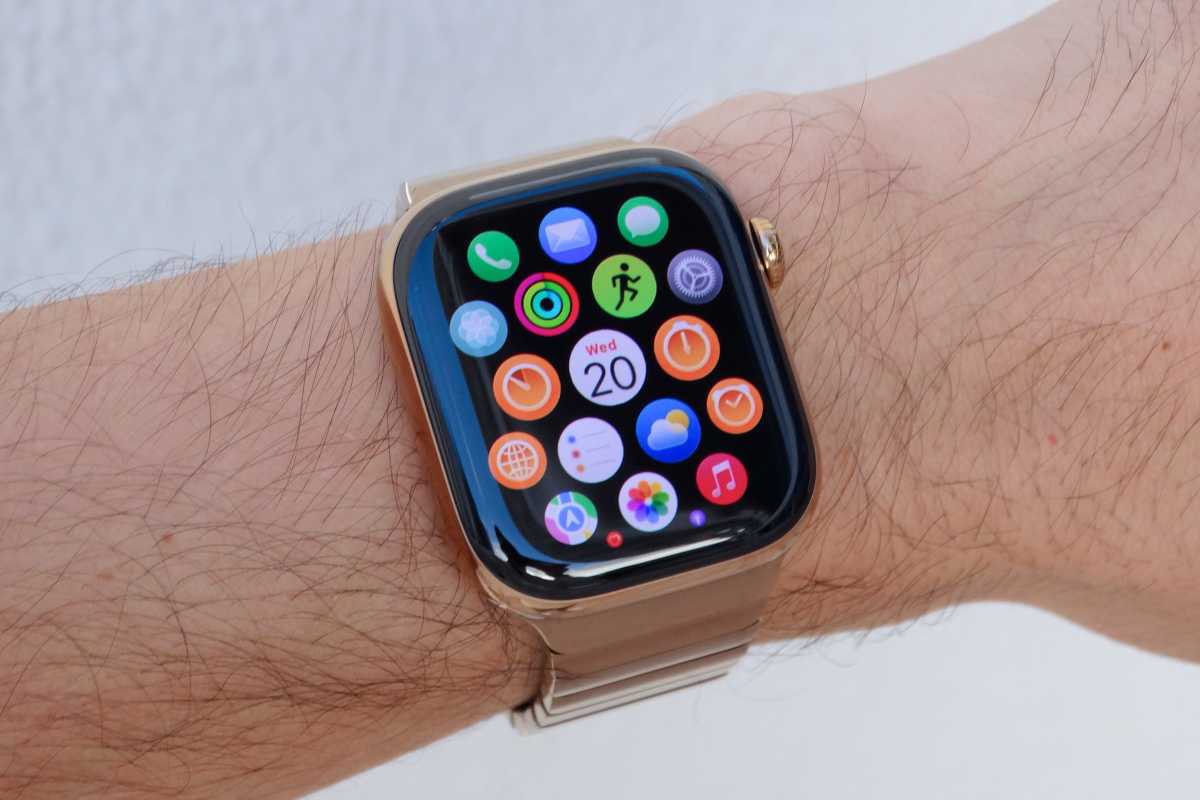
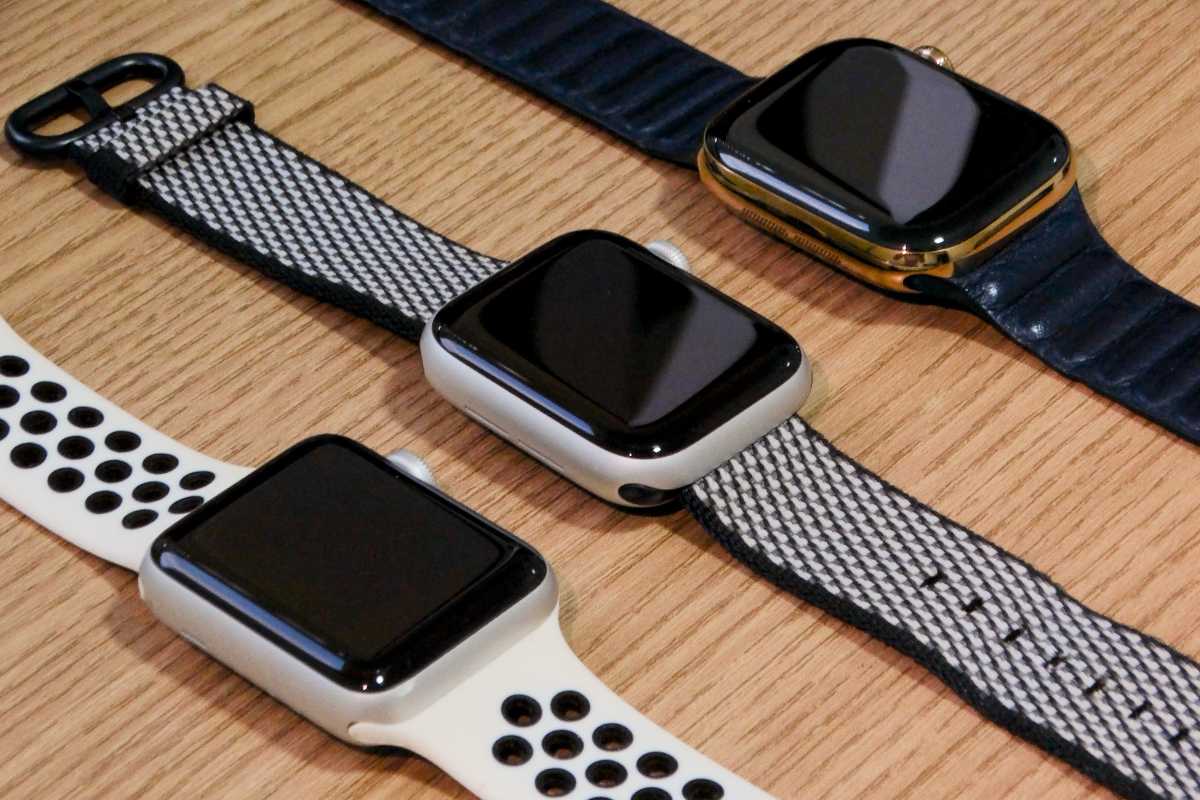
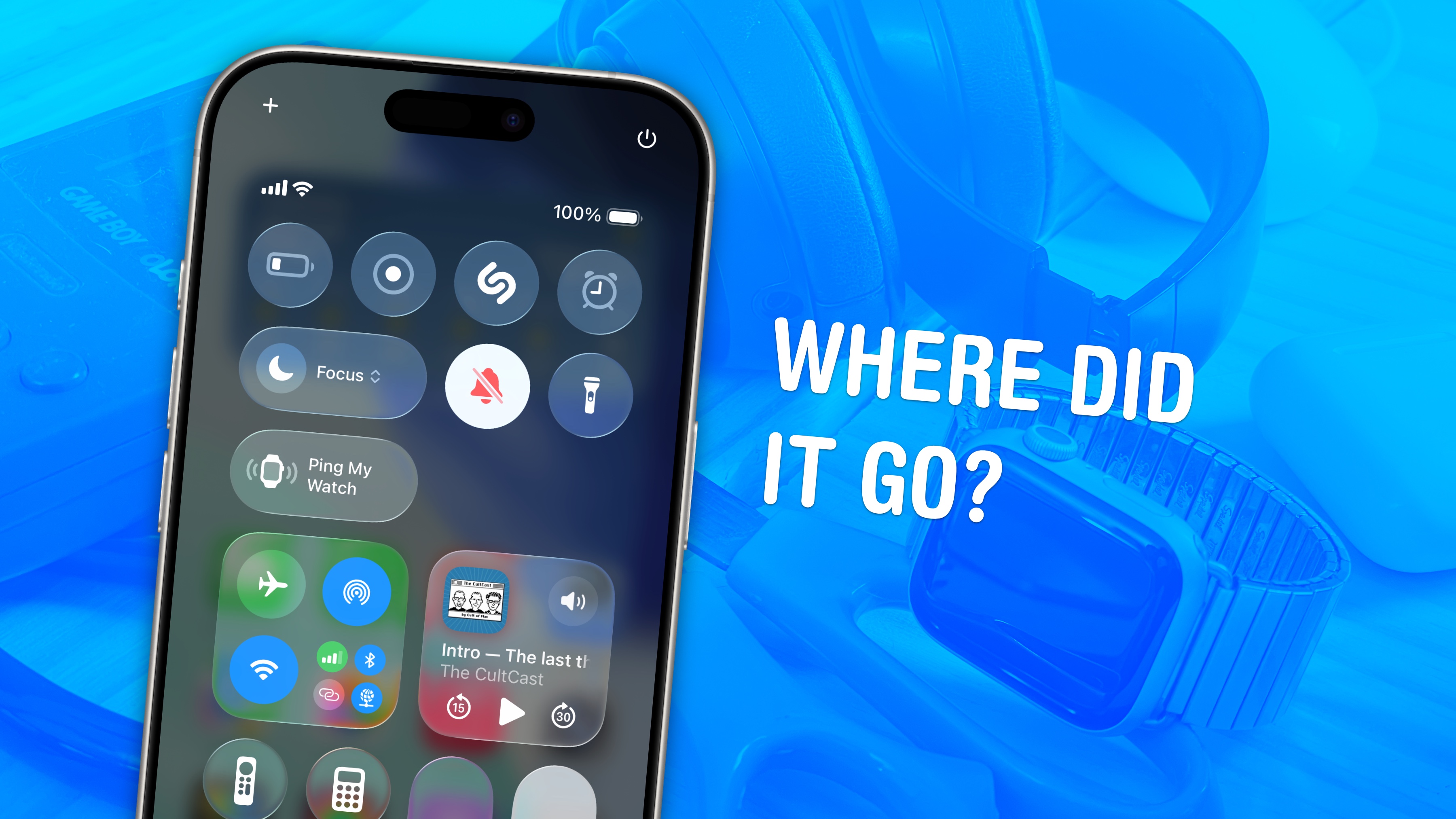
It’s been almost 12 years since Apple unveiled its smartwatch to the world, and if you compare that first model to the newest Series 11, you’ll see that a lot has changed. Apple Watch has become slimmer, larger, and packed with more sensors. Even so, Apple continues to update its Watch every year with incremental improvements.
Now, when a new Apple Watch arrives, the reaction is more like, “Is anything new?” In fact, the latest models don’t differ much from one another, and some people are wondering when the next big change to the Apple Watch will come.
The thing is, it might be a long time before we see another radical change coming to the Apple Watch. That doesn’t mean Apple has stopped innovating, but rather that the Apple Watch has matured enough to establish itself as the leading smartwatch maker and one of the top wristwatch makers in the world. And while its Android competitors might think they’re keeping pace, they’re actually very far behind.
A mature platform
When the original Apple Watch launched in 2015, the entire category felt experimental. Apple’s early vision for the product wasn’t even entirely clear. The company talked about communication, fashion, fitness, productivity, apps, and luxury all at the same time during its introductory keynote.
Over time, the usage patterns of Apple Watch buyers revealed what people really wanted. Most users didn’t care about the luxury factor, nor did they want to replace their smartphones entirely. They simply wanted something to do basic things like check notifications and other quick updates without pulling out their phone.
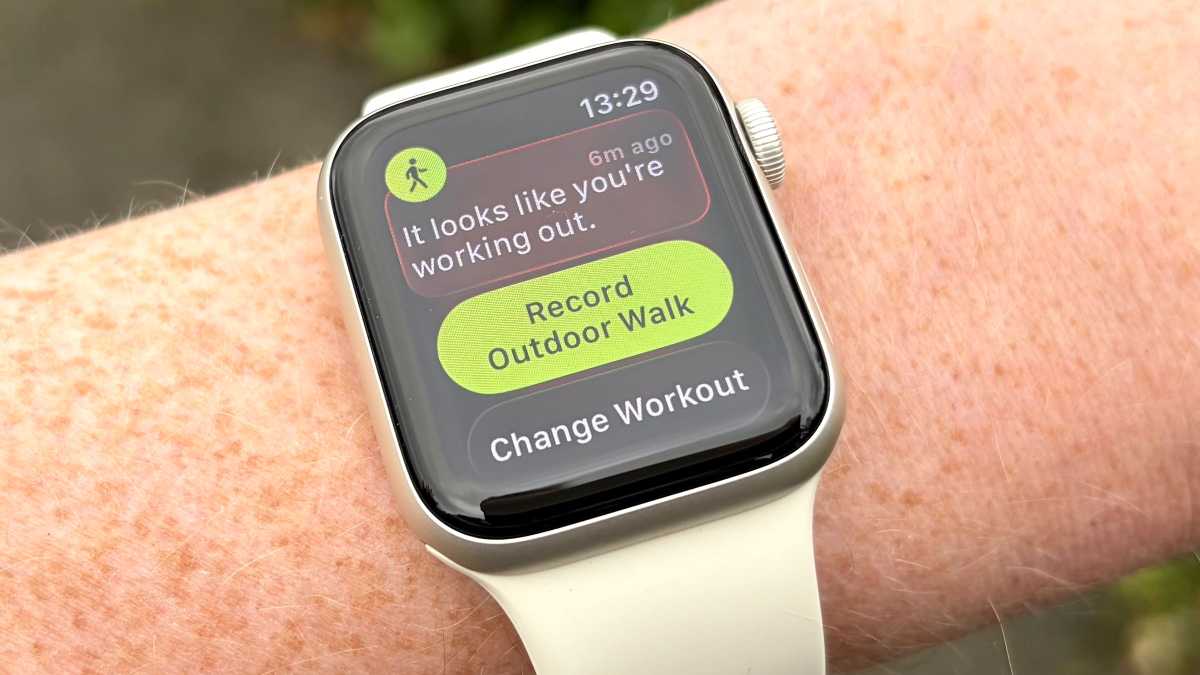
The Apple Watch has a familiar, easy-to-use interface that’s been crafted over a decade of evolution.
Foundry
Apple also discovered that users were most interested in health and fitness features. By the time the Apple Watch Series 2 was released, Apple already had a clearer vision of what the future of the Apple Watch should look like.
The Apple Watch can now take ECGs (Series 4), track blood oxygen levels (Series 6), measure wrist temperature (Series 8), and much more. The interface has also been continuously updated to make it more practical and convenient, showing useful information at a glance. At the same time, the design now looks more modern, yet still quite familiar.
But the excitement between generations is largely gone. For instance, the Apple Watch Series 11 introduced 5G connectivity, slightly better battery life, and improved durability. These are nice-to-have improvements, but they certainly don’t sound exciting to many people.
When people complain that Apple Watch updates have become boring, they’re not entirely wrong. The differences between recent generations are smaller than they used to be. But that’s also true for many mature product categories.
Smartphones no longer evolve as dramatically as they did 10 years ago. The same applies to laptops. Once companies figure out the ideal balance between hardware and software, improvements become more focused on refinement rather than reinvention. The Apple Watch seems to have reached that point.
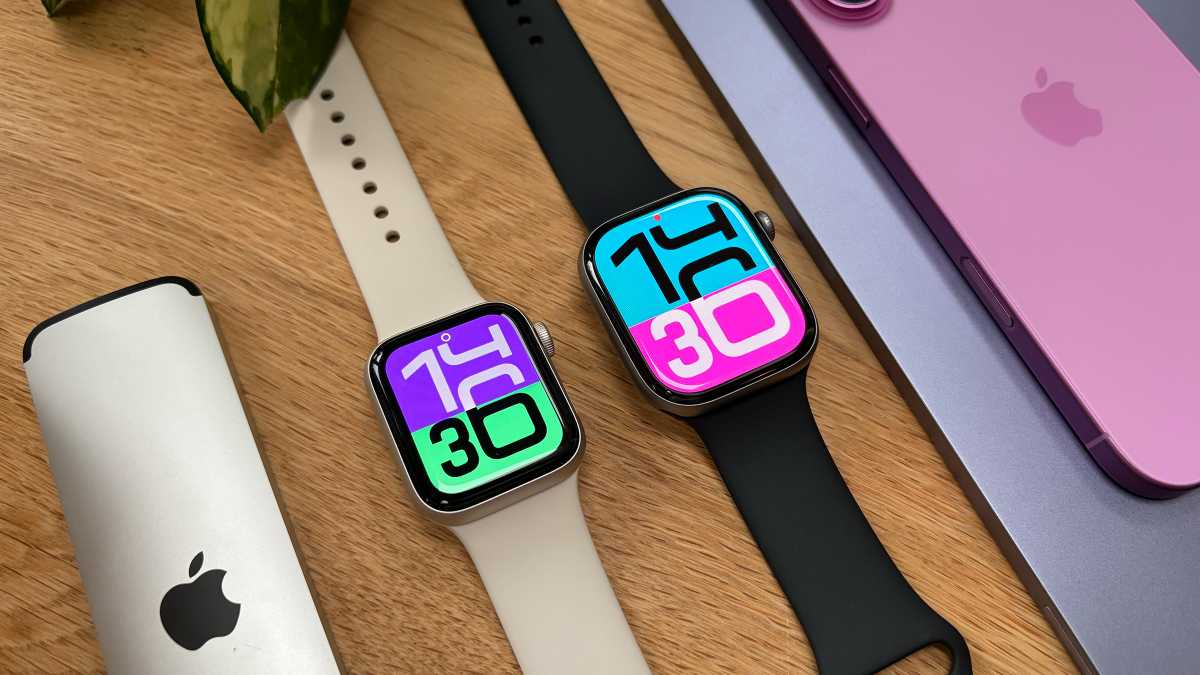
The Apple Watch design has evolved, but there are few notable changes between generations.
Foundry
For instance, the transition from the original Apple Watch to the Series 4 felt huge. Apple introduced a significantly larger display, a more modern design, and an ECG sensor. The evolution from Series 4 to Series 11, however, feels much smaller. And honestly, that’s fine.
The Apple Watch already does most things people expect from a smartwatch extremely well. Notifications are reliable, fitness tracking works great, health features have become incredibly advanced, and the integration with the iPhone remains unmatched.
Competition lagging behind
Looking at the smartwatch landscape, it’s clear that other smartwatches have also improved significantly. For Android users, there are great options such as Google’s Pixel Watch. Garmin remains unbeatable when it comes to battery life and advanced fitness metrics. And just this week, Samsung unveiled the Galaxy Watch 9 and Galaxy Watch Ultra 2 with AI fitness coaching and more accurate health tracking.
Even so, none of these products can beat the full Apple Watch experience on its own. The Apple Watch still feels like the default smartwatch for most people, especially for iPhone users. In fact, it’s hard to think of another wearable that integrates so seamlessly and simply with any other ecosystem.
This is due, in large part, to the advantages of Apple’s Continuity features. Users love features like unlocking their Mac with their Apple Watch, syncing health data across devices, or quickly pinging their iPhone with just a tap, not to mention the integration with Apple Fitness+. Competitors still struggle to fully replicate that experience.
None of Apple Watch’s competitors can compete with the smarts and simplcity of watchOS.
Foundry
That’s why the Apple Watch feels so mature today. It’s no longer trying to prove itself with experimental ideas or flashy concepts. It has already figured out what most people expect from a smartwatch, and now it simply does those things better than anyone else.
Plus, Apple just announced watchOS 27, which brings Apple Intelligence and the new Siri AI to the Apple Watch for the first time. Gemini support was one of the main advantages of buying a Pixel or Galaxy watch, and even though the new Siri will require a nearby iPhone, it takes away one of the few reasons to consider an Android watch.
Some companies are taking a very different approach, such as Samsung with the Galaxy Ring, Google with the screenless Fitbit Air, and Garmin’s new CIRQA Smart Band. Still, these products don’t have the same appeal as the Apple Watch. They just feel incomplete compared to a fully integrated communication device.
Room for improvement
At this point, Apple doesn’t need another major Apple Watch redesign. It doesn’t need a camera on your wrist or some other flashy feature that only looks impressive in advertisements.
What the Apple Watch really needs now is to continue gaining quality-of-life improvements. Specifically, better battery life.
The Apple Watch battery has improved over the years, with fast charging support arriving in 2021 and last year’s models getting a significant battery life boost to 24 hours. But after almost 12 years, it’s still a device that requires daily charging, forcing users to find charging windows during the day. And while most Apple Watch owners adapted to this routine, it’s still the biggest compromise of the product.
The Apple Watch is iconic in a way no other smartwatch is.
Foundry
Users are no longer asking Apple to reinvent what the smartwatch is supposed to do. Most users already seem satisfied with the overall experience. What they want now are improvements that make the device more practical.
These changes may not sound all that exciting, but they would improve the Apple Watch experience far more than a dramatic redesign or a radical hardware overhaul. This just highlights how mature the Apple Watch has become.
Apple doesn’t need to reinvent the Apple Watch because it already figured out what most people want from a smartwatch. At this point, the future of the Apple Watch isn’t about a dramatic change, but rather about refining what already works very well.
Smartwatches können Trainingseinheiten, Schlaf und wichtige Gesundheitswerte erfassen. Im Zusammenspiel mit einem iPhone können Sie außerdem Nachrichten, Anrufe, Musik und Mitteilungen direkt am Handgelenk verwalten.
Die Apple Watch Series 11 mit GPS, 46-Millimeter-Aluminiumgehäuse in Space Grau und schwarzem Sportarmband in Größe M/L kostet bei Amazon aktuell nur 379 Euro. Gegenüber der UVP von 479 Euro sparen Sie 100 Euro beziehungsweise 21 Prozent.
Dabei handelt es sich um den bisherigen Tiefstpreis, der zuletzt Ende April beziehungsweise Anfang Mai erreicht wurde. Dazwischen stieg der Preis wieder auf etwa 430 bis 450 Euro. Das Angebot trägt die Kennzeichnung “Amazons Tipp”, wurde im vergangenen Monat mehr als 2.000 Mal gekauft und erreicht bei 1.780 Bewertungen durchschnittlich 4,7 von 5 Sternen. Die Series 11 ist zudem Bestseller Nummer 1 bei Amazon (in der 42-Millimeter-Version).
Was die Apple Watch Series 11 zu bieten hat
Die smarte Uhr besitzt ein 46 Millimeter großes, 9,7 Millimeter dünnes Aluminiumgehäuse und wiegt als GPS-Version 37,8 Gramm. Das Always-On-Retina-Display erreicht bis zu 2.000 Nits und kann in dunkler Umgebung auf 1 Nit herunterregeln. Das Ion-X-Frontglas soll doppelt so kratzfest sein wie bei der Series 10.
Im Inneren arbeitet der S10-Chip mit 64 GB Speicher. Zur Bedienung stehen die Digital Crown, eine Seitentaste sowie Doppeltipp- und Drehgesten bereit. Hinzu kommen Mikrofon, Lautsprecher, Siri, Apple Pay, Bluetooth 5.3 sowie WLAN im 2,4- und 5-GHz-Bereich.
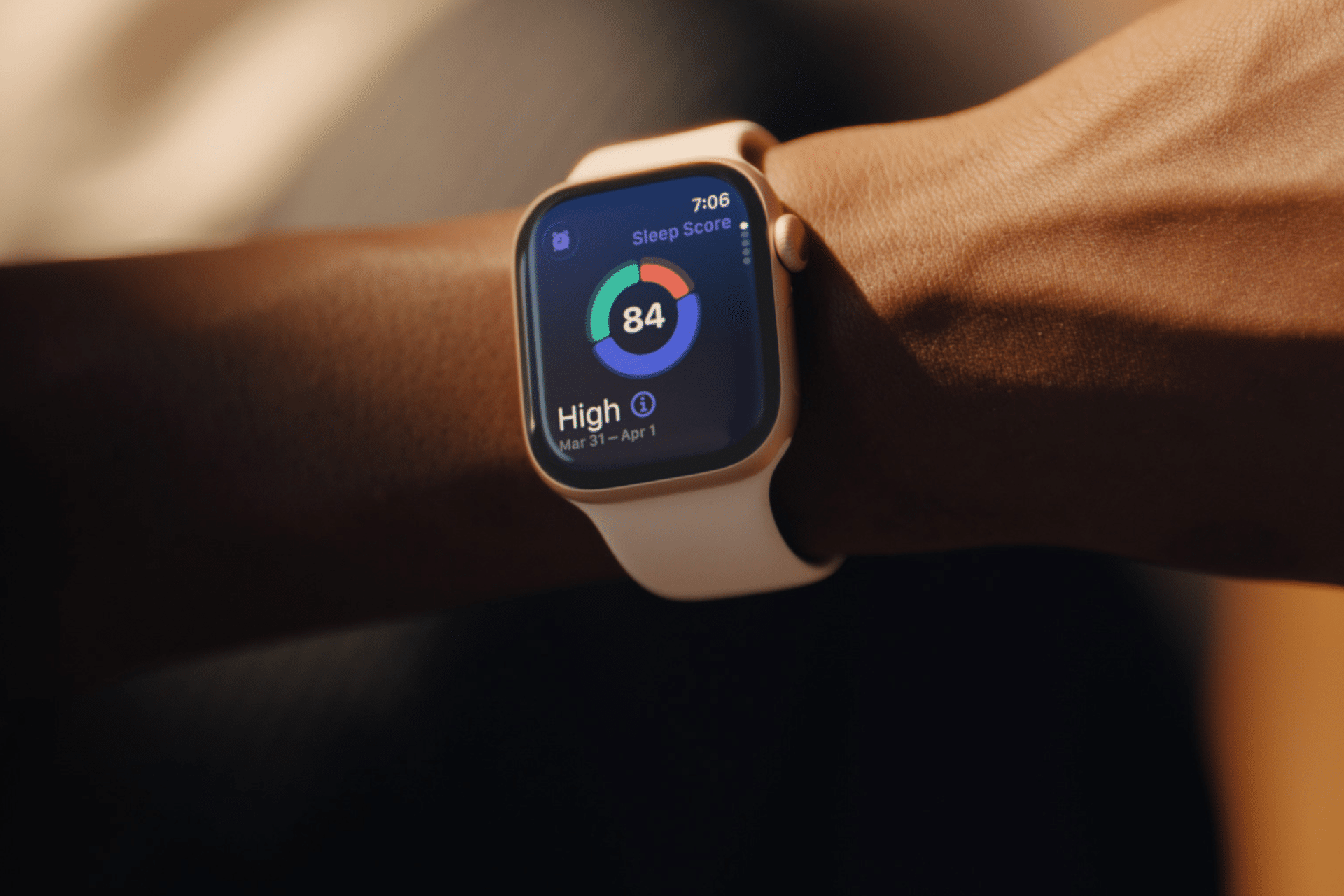
Ein Schwerpunkt liegt auf den Gesundheitsfunktionen. Die Series 11 bietet unter anderem EKG, Blutsauerstoffmessung, Herzfrequenz- und Zyklus-Tracking sowie Hinweise auf Schlafapnoe, unregelmäßigen Herzrhythmus und möglichen Bluthochdruck. Der Schlafindex fasst die Schlafqualität zusammen, während die Vitalzeichen-App wichtige nachts erfasste Daten übersichtlich darstellt.
Für Sport und Fitness stehen zahlreiche Trainingsarten, Herzfrequenz-Zonen, Trainingsbelastung und eine Pacer-Funktion zur Verfügung. GPS, Kompass, Höhenmesser, Tiefenmesser und Wassertemperatursensor ergänzen die Ausstattung. Käufer erhalten außerdem drei Monate Apple Fitness+ kostenlos.
Die Akkulaufzeit beträgt laut Apple bis zu 24 Stunden bei normaler Nutzung und bis zu 38 Stunden im Stromsparmodus. Nach etwa 45 Minuten soll der Akku zu 80 Prozent geladen sein. 15 Minuten Ladezeit reichen für bis zu 8 Stunden Nutzung, 5 Minuten für bis zu 8 Stunden Schlaftracking.
Die Smartwatch ist bis 50 Meter wassergeschützt und nach IP6X staubgeschützt. Zu den Sicherheitsfunktionen gehören Notruf SOS, internationale Notrufe, Sturz- und Unfallerkennung sowie die Wegbegleitung. Bei einem erkannten schweren Unfall kann die Uhr automatisch Hilfe rufen und Notfallkontakte informieren.
Da es sich um die GPS-Version handelt, benötigt die Apple Watch unterwegs ein gekoppeltes iPhone. Die in den allgemeinen technischen Daten genannten 5G- und LTE-Funktionen gelten nur für die separat erhältliche Cellular-Version.
Warum sich das Angebot lohnt
Nutzer loben in den Rezensionen vor allem die Verarbeitung, das schlanke Design, das Display und die Funktionalität. Auch das Preis-Leistungs-Verhältnis und die Messfunktionen werden häufig positiv bewertet. Gemischte Meinungen gibt es allerdings zur Akkulaufzeit und zur Genauigkeit einzelner Messwerte.
In unserem Test überzeugen uns tatsächlich die längere Akkulaufzeit, die Bluthochdruckschätzung, das kratzfestere Display und die neuen Gesten. Gleichzeitig sind die Unterschiede zur Series 9 und Series 10 gering, da viele Funktionen auch dort per Software-Update verfügbar sind.
Für Besitzer einer Series 10 lohnt sich der Wechsel daher kaum. Interessanter ist die Series 11 für Neueinsteiger und Nutzer einer Series 8 oder eines noch älteren Modells. Zum aktuellen Tiefstpreis von 379 Euro ist sie innerhalb des Apple-Watch-Angebots eine gute Wahl.
Finally went to the Apple Store and bought my Series 11 watch. Unfortunately my phone is too old for it and I had to buy an iPhone 17 also. I sure hope I can become comfortable with using it. Plan on taking some tutorials also. Took an hour on the phone with ATT to get it paired. Frankly it was an exhausting day. But at least if I fall off the ladder someone will know about it.
Buying Apple’s newest smartwatch just got easier to justify. The Apple Watch Series 11 is on sale for $299 right now, which is $100 under its MSRP. That’s a solid 25 percent discount for a device you’ll wear every day, helping you keep your activity levels up and keeping you connected to the world. It’s just $20 more than the lowest price we’ve ever seen during Prime Day.
The Apple Watch Series 11 is the perfect purchase for someone who wants to keep a closer eye on their health without much effort. It tracks your heart, helps you learn more about your sleeping habits, and pushes you to stay active with tools like Workout Buddy, Pacer, and Heart Rate Zones. You can also take an ECG anytime and get alerts for high or low heart rate and irregular rhythms, while the Vitals app shows you overnight metrics at a glance, and you’ll even find out if you have sleep apnea. It’s a natural fit for iPhone owners who are busy with work, family, workouts, and everything else.
Safety features are also pretty great here. The Series 11 can detect a hard fall or severe car crash and automatically connect you with emergency services while alerting your contacts. It’s also ready for watchOS 27 in the fall, which brings the all-new Siri AI and other enhancements.
The watch is thin and lightweight, so it’s comfortable to wear around the clock, including during sleep. A single charge will give you enough juice to use the watch for up to 24 hours, and a quick 15-minute charge buys you about 8 hours of use. Of course, you can also text, take calls, stream music, and use Siri right from your wrist.
You should be well aware that this is the GPS model you’re paying $299 for, so you’ll need your iPhone to stay connected. If you want the 5G model, it’s going to cost you $350 ($150 off). Additionally, you can get the larger 46mm model for $329 ($100 off)
At $299, the Apple Watch Series 11 is easy to recommend. Grab it while the deal lasts.
Auf meinen Wanderungen ist eine hybride Powerbank fürs iPhone und für die Apple Watch Pflicht: Nach ein paar Stunden Stampfen im unwegsamen Gelände sind Mensch und Smartwatch am Ende der Kräfte. Grund dafür ist, dass insbesondere bei Outdoor-Training die Apple Watch sowohl die Herzfrequenz fast kontinuierlich misst, als auch die GPS-Abfragen im Hintergrund ständig laufen.
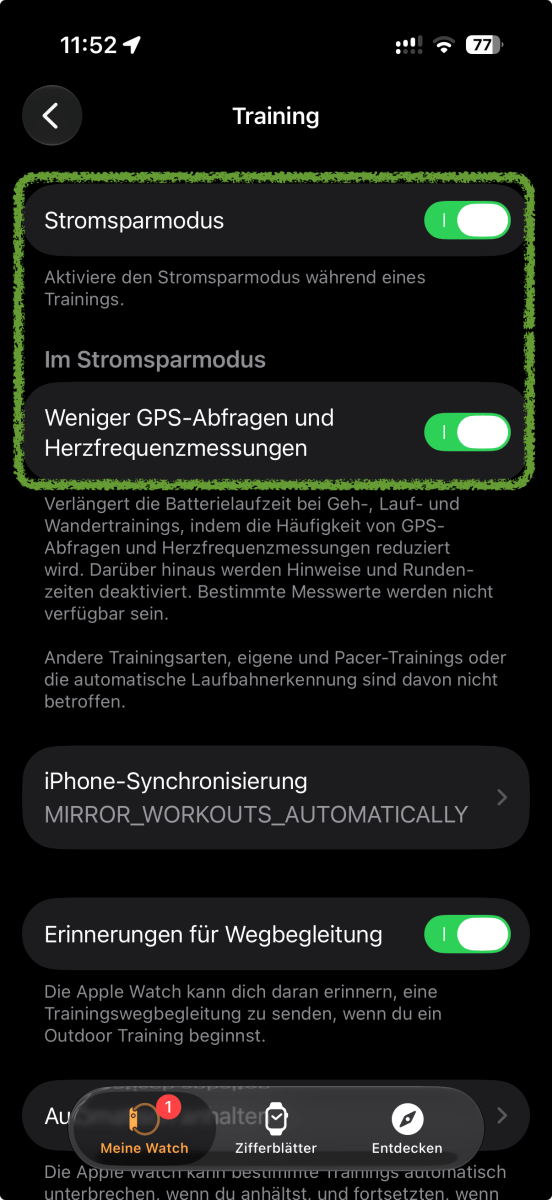
Ein paar Stunden in diesem Betrieb auf Hochtouren kosten viel Energie. Doch es gibt eine Einstellung, die bei solchen Trainings die Batterie der Apple Watch etwas schonen kann. Diese versteckt sich nicht in den allgemeinen Batterieeinstellungen der Watch, sondern bei der App “Trainings”.
Öffnen Sie die Einstellungen-App direkt auf der Apple Watch oder die Watch-App auf dem iPhone.
Scrollen Sie zum Bereich “Apps” und weiter zum “Training” (auf dem iPhone) oder zur Einstellung “Training” auf der Watch.
Aktivieren Sie den obersten Regler “Stromsparmodus” und gleich unten den nächsten Regler “Weniger GPS-Abfragen und Herzfrequenzmessungen”.
Stromsparmodus bei Training auf der Apple Watch
Halyna Kubiv
Die beiden Einstellungen wirken nur kombiniert und werden nur aktiviert, wenn ein Training startet. Der Stromsparmodus bewirkt, dass Always-on abgeschaltet wird. Dazu werden einige Hintergrundfunktionen verlangsamt oder abgeschaltet. Zum einen werden Gesten nicht erkannt, zum anderen werden WLAN- und Mobilfunkverbindungen abgeschaltet, wenn das iPhone nicht in der Nähe ist.
Die neueren Apple Watches ab Series 8, Apple Watch SE 2 und alle Ultras können noch die Auswertung der Herzfrequenzen und die GPS-Abfragen reduzieren. Hintergrund dabei: Die Uhr misst bei Training Herzfrequenz alle fünf Sekunden und das kostet Akku. Auch die GPS-Abfragen für den aktuellen Standort und für die allgemeine Route misst eine aktuelle Apple Watch jede Sekunde.
Die Einstellung für die Outdoor-Trainings reduziert diese Messungen, spart aber gleichzeitig kostbare Energie. Gleichzeitig werden auch ein paar Komfortfunktionen fehlen: Das Gerät kann Sie nicht mehr an die angefangenen Trainings erinnern, Rundenzeiten und Segmente werden nicht aufgezeichnet, auch die Auswertung wie “Aktueller Pace” wird fehlen.
There doesn’t appear to be any other path for appeal or recourse, as the judge rejected both requests for either a new judgement or trial.
[…]
In the end, Masimo didn’t succeed in getting the Apple Watch banned or fundamentally redesigned. It won an empty victory with the funds it will be paid, and the patents affecting the lawsuit will expire in 2028 and 2029 anyway.
Although the ruling confirms the financial penalty, it does not affect current Apple Watch users. The smartwatch’s blood oxygen monitoring feature remains available after Apple introduced a software update in January 2024 that allowed sales to continue despite earlier legal challenges.
The Apple Watch is the best smartwatch you can buy, but it’s not cheap. Luckily, you don’t have to pay full price for an Apple Watch. Resellers frequently offer fantastic deals on all models, and in this article we are tracking deals for the new Apple Watch 11, SE 3 and Ultra 3 which were introduced in September 2025, as well as the older Apple Watch 10, SE 2 and Ultra 2. We are expecting Apple to introduce the Apple Watch Series 12 in September, and the Apple Watch Ultra could also get an update. Read Should I buy an Apple Watch now or wait? for more advice about the best times to buy.
To find the best Apple Watch deals we continuously monitor the market to spot the most worthwhile bargains, but, ultimately, our recommendations are based on our own in-experience with the full range of Apple Watches, which we have reviewed and use daily. Our editors’ selections are guided by a simple principle: we won’t recommend buying something that we wouldn’t buy ourselves. We focus on products at prices we believe are fair, ensuring our recommendations steer you toward genuine savings.
Price is just one factor we consider. A significant part of our methodology is evaluating the overall value of a deal, especially when comparing different generations of the Apple Watch. When Apple launches new models, such as the Series 11, SE 3, and Ultra 3, we see resellers clear out stock of previous-generation models at lower prices. We highlight these opportunities, as older models like the Series 10 or Ultra 2 can become excellent alternatives to the latest releases.
It isn’t always the case that an older Watch is a good option though: we’ve previously advised readers to avoid what seemed like an all-time-low price on an older Apple Watch SE 2 because the newer Apple Watch SE 3, available for just $40 more, offered a vastly superior feature set, including an always-on display, a faster chip, and better battery life.
We also recommend checking the Apple Refurbished Store as a source for year-round discounts. Products from this store are revamped by Apple and include a one-year warranty, often providing substantial savings on recent models like the Apple Watch Series 10 or Ultra 2.
Is now a good time to buy a new Apple Watch?
David Price / Foundry
The latest Apple Watch models – the Series 11, SE 3, and Ultra 3 – launched in September 2025, so the Series 12 and Ultra 4 are widely expected in September 2026. Unless you specifically want the Apple Watch SE 3, which isn’t expected to be updated this year, we recommend waiting.
Another reason to buy now is that Apple could increase prices when the new models launch, as it has done with other products in 2026.
If you can wait beyond the September launch, the best time to buy is during major sales events such as Amazon Prime Day (October) and Black Friday, when both new and previous-generation Apple Watches are often discounted. The worst time to buy is late summer, just before Apple’s annual September event, when you’re most likely to pay full price for a model that’s about to be replaced.
When choosing which Apple Watch to buy you should consider various factors. If you need advanced health sensors, like ECG and blood oxygen monitoring, then you need to choose the Series 11 and Ultra 3 (or the Series 10 and Ultra 2) because the SE doesn’t offer those options. But if you are on a budget the Apple Watch SE 3 offers importtant features like Fall Detection and heart rate monitoring, and comes at an affordable price. The best battery life is offered by the Apple Watch Ultra 3, but the SEries 11 offers a solid 24 hours, and even the 18 hour SE 3 will be sufficient for most people, plus charging can be done in less than an hour.
Apple Watch Series 11: This model features a 24-hour battery life, 5G connectivity on cellular models, and a more scratch-resistant display. While it shares the same S10 chip and many health features with the Series 10, its improved battery is a key advantage. Deals have been spotted offering up to $100 off, bringing the price down to as low as $279/£287
Apple Watch SE 3: This Apple Watch is the best value option for most people. The SE 3 received a major upgrade, including an always-on display, a faster chip, temperature sensing, fast charging, and 5G on cellular models. It offers most of the essential features of the Series 11 at a much lower price, starting at $249. It has been on sale for as low as $199/£197.
Apple Watch Ultra 3: Designed for adventurers and sports enthusiasts, the Ultra 3 boasts a 42-hour battery life, a larger and brighter screen, satellite connectivity for emergencies, and a rugged design. It’s the most expensive model, price drops of up to $150, to $649/£649.
Apple Watch Series 10: You may be able to find clearance deals on last-generation models. The Series 10 is very similar to the 11, with the main difference being its 18-hour battery life. It has been seen for as low as $279, a $150 discount.
Apple Watch Ultra 2: This is also a great option, with deals dropping its price by as much as $200.
Apple Watch SE 2: If you find one on sale, we advise to avoid the Apple Watch SE 2 unless the price is exceptionally low (around $100), as the SE 3 is a far superior and more future-proof device.
Buying an older Apple Watch can be a great way to save money, but in 2026 it’s important to choose carefully. The biggest consideration is software support. Apple will drop support for several older models when watchOS 27 launches, meaning they no longer receive the latest features and may eventually miss out on security updates.
If you want an older Apple Watch that will continue to receive the latest version of watchOS, look for a model with at least an S9 chip.
Avoid buying these models and anything older, unless you’re getting them at a very low price and don’t mind running older software:
Apple Watch Series 6 (2020)
Apple Watch Series 7 (2021)
Apple Watch Series 8 (2022)
Apple Watch SE (2nd generation, 2022)
Apple Watch Ultra (1st generation, 2022)
If you’re still not sure which Apple Watch is right for your needs, take a look at our Best Apple Watch buying guide.
Best refurbished Apple Watch deals
One of the best places to look for Apple Watch deals all year round is the Apple Refurbished Store. There, you’ll find huge Apple Watch discounts, sometimes even on the latest models. These Apple Watches have been returned to Apple for various reasons, and then completely revamped for resale. One of the major benefits of buying a refurbished Watch from Apple is that it will come with a one-year warranty so Apple may fix or replace it for free should anything happen to it in that first year.
Below you will find price comparison tables that show the best prices right now for each Apple Watch model from various stockists. You will also find deals on Apple Watch models that Apple has now discontinued, as long as stockists still have them available.
Best Apple Watch Series 11 deals
The Apple Watch 11 (2025 model) starts at $399/£369 (there was a price drop in the U.K.) for the aluminum 41mm version and $429/£399 for the 44mm model. It’s an extra $100/£100 for cellular. It costs the same as the Series 9 did.
Price comparison from over 24,000 stores worldwide
Product
Price
Price comparison from Backmarket
Best Apple Watch Ultra 3 deals
The Apple Watch Ultra 3 (2025 model) starts at $799/£749. It comes with cellular. The original Ultra previously sold for $799/£849, so the U.K. then was reduced to $799 in 2025, and is now even cheaper at $749.
Price comparison from over 24,000 stores worldwide
Product
Price
Price comparison from Backmarket
Where to buy an Apple Watch
If you’re simply looking to pick up an Apple Watch regardless of price, there are plenty of stores that sell not only the latest Apple Watch Series, but older variants of the Apple Watch that aren’t available from Apple any more—some at significant savings, too.
Apple Watch buyers in the U.S. can check out the following stores:
You’ve also got the option of picking up an Apple Watch with a cellular contract, allowing it to function as a standalone device that doesn’t need to be tethered to your phone to make calls and send texts. Amazon and other retailers sell the Apple Watch with cellular and you can usually find discounts on most models, though not as deep as the GPS versions. Here are the sales we’re tracking this month:
All of the major U.S. carriers sell the Apple Watch and offer trade-in deals:
In a significant legal setback, Apple has failed in its bid to overturn a $634 million jury verdict awarded to medical technology firm Masimo in a high-stakes patent infringement case centered on blood oxygen monitoring technology in Apple Watches.
A federal judge in California rejected Apple’s request to set aside the massive award, upholding the jury’s decision that the tech giant infringed on Masimo’s patents related to pulse oximetry features. The technology in question powers the blood oxygen (SpO2) sensing capabilities found in several generations of Apple Watch models.
Key Details of the Ruling
The court also determined that Apple misappropriated two out of 14 Masimo trade secrets. However, the judge stopped short of issuing a permanent injunction against Apple and barred Masimo from pursuing additional monetary damages on the trade secret claims.
Masimo, which has since become part of Danaher Corporation, had originally sought up to $3.1 billion in damages tied to the trade secret allegations. The company has already filed an appeal challenging the limitations on that portion of the case. Apple, for its part, has maintained that its engineers independently developed the health-monitoring features in question.
Background on the Dispute
The lawsuit dates back several years and highlights ongoing tensions between consumer electronics giants and specialized medical device companies. Masimo accused Apple of stealing proprietary technology originally developed for clinical-grade pulse oximeters and incorporating it into the Apple Watch, one of Apple’s most important wearable products.
The case gained extra attention after Apple faced regulatory scrutiny and sales restrictions on certain Apple Watch models in the U.S. due to a separate patent dispute (with another party). The Masimo verdict adds further pressure on Apple’s wearable division, which has become a key growth driver for the company.
Implications for Apple
This decision keeps significant legal and financial pressure on Apple as it continues to defend the core health features of its smartwatches. Investors will be closely watching:
• The ongoing appeal process
• Potential impacts on Apple Watch sales or required licensing deals
• Any broader effects on future product features
While $634 million represents a notable hit, it is manageable for Apple given its enormous cash reserves and overall market capitalization. However, repeated legal challenges in the wearables space could increase costs and slow innovation timelines.
Apple shares were little changed in after-hours trading following the news, reflecting the market’s view that the verdict, while unfavorable, was largely anticipated and already priced in to some extent.
MacDailyNews Take: Apple will appeal to a higher court as the battle over blood oxygen monitoring rights remains unresolved.
Please help support MacDailyNews — and enjoy subscriber-only articles, comments, chat, and more — by subscribing to our Substack: macdailynews.substack.com. Thank you!
Ready for a glimpse into our future as Apple users? Public betas for macOS 27 Golden Gate, iOS 27, iPadOS 27, and other major Apple operating systems are now available—but beware of bugs and be sure to back up your devices first.
Apple has finally completed its silicon transition: macOS 27 drops all Intel-based Macs, and iPadOS 27 and watchOS 27 each leave five models by the wayside, whereas the iPhone compatibility list remains unchanged.
The European Commission yesterday adopted new exemptions to its Batteries Regulation that free the Apple Watch and AirPods from having to offer user-removable and replaceable batteries.
[…]
The reasoning largely mirrors why devices like electric toothbrushes were already exempt: Opening a compact, sealed enclosure and failing to reseal it properly could let water in and create a safety risk. Products can also qualify for exemption if their construction makes battery removal inherently dangerous, or if there is no realistic way to build in user access given current manufacturing methods.
[…]
The iPhone was already exempt from the removability rule under the original regulation, thanks to its battery cycle life and water resistance rating.
This is one of those exceedingly rare cases where EU legislation has produced an unambiguously good outcome: from February 2027, Logitech’s European wireless devices will ship with hard-pack, user-replaceable batteries, and Logitech will sell certified replacements.
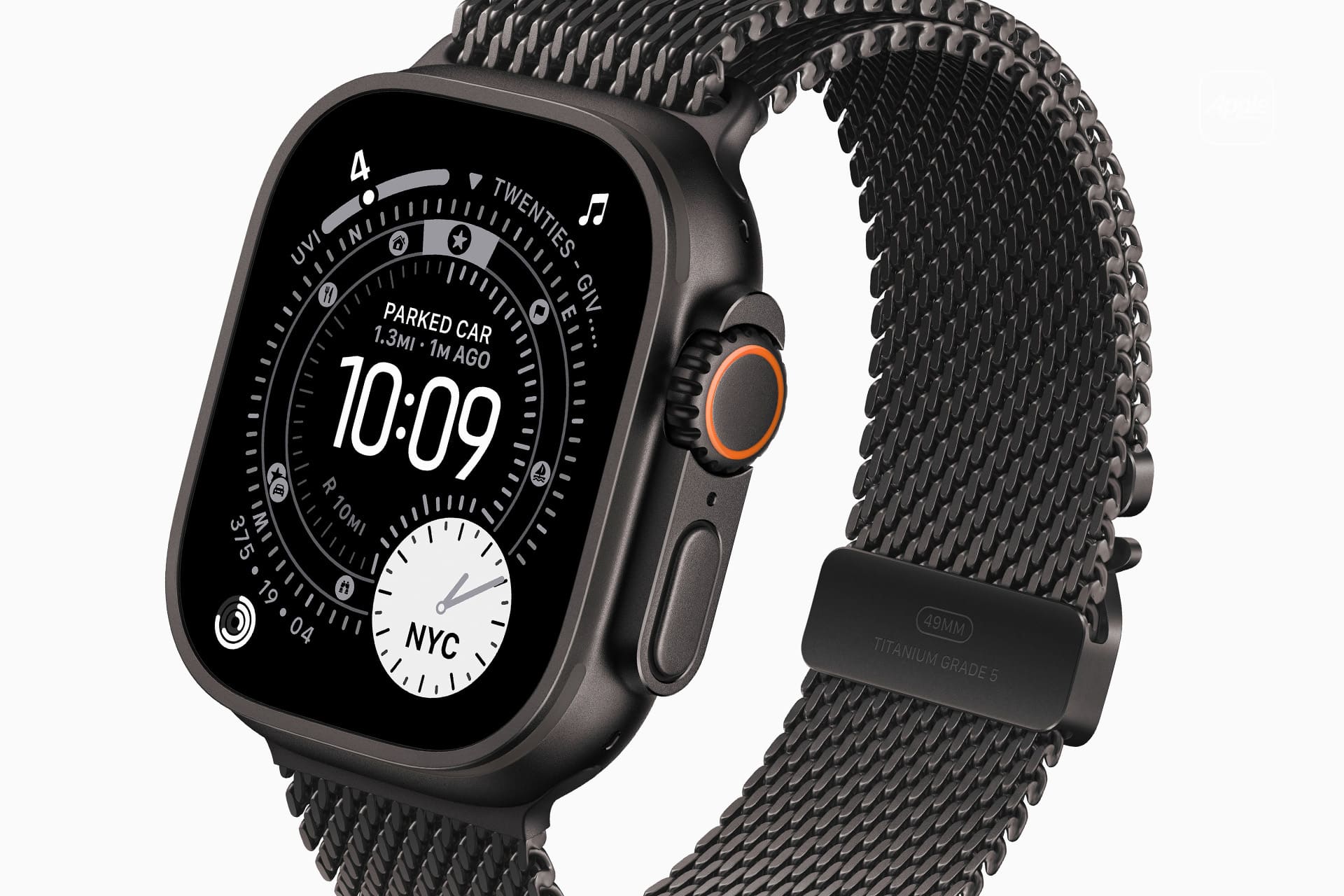
Apple Watch Series 11, Apple Watch Ultra 3, and Apple Watch SE 3.
Global shipments of Edge AI-capable smartwatches experienced robust growth in the first quarter of 2026, with Apple maintaining overwhelming dominance in the emerging category of on-device AI wearables. According to Counterpoint Research, the Apple Watch accounted for the vast majority of these AI-enabled shipments, highlighting the company’s lead in integrating advanced intelligence directly into its devices.
Edge AI Reaches 25% Market Penetration with Strong Growth
Counterpoint Research reported that global Edge AI-capable smartwatch shipments grew by 70% year-over-year in Q1 2026, achieving a market penetration of 25%. One in every four smartwatches shipped during the quarter now features Edge AI capabilities, enabling local machine learning inference for improved speed, privacy, and efficiency.
Apple solely accounted for ~90% of Edge AI smartwatch shipments in Q1 2026. This dominance stems from its custom Neural Engine technology, which powers seamless on-device features such as Siri intent recognition, high-frequency sleep apnea monitoring, and advanced gesture detection without cloud dependency.
Health Monitoring Features Accelerate
The adoption of Edge AI aligns with rapid growth in advanced health capabilities. Shipments of smartwatches with blood pressure monitoring doubled, while those with sleep apnea detection tripled between Q1 2025 and Q1 2026. Key penetration shifts include:
• Blood pressure monitoring: rose from 11% to 23% of shipments
• Sleep apnea detection: increased from 5% to 18%
• ECG: grew from 31% to 34%
These developments reflect a broader industry move toward clinically relevant, real-time health insights powered by on-device AI.
Apple’s Overall Market Performance
Apple’s shipments grew 21% year-over-year, securing a 23% share of the total global smartwatch market. Counterpoint Principal Analyst Anshika Jain said in a statement: “Apple captured the highest shipment share and was the strongest performer in the quarter, helped by its refreshed lineup, meaningful health upgrades and the more affordable Apple Watch SE 3.”
Counterpoint’s Research Director Mohit Agrawal commented on the transition in Edge AI, “Edge AI in smartwatches is shifting from primarily a hardware integration to one that also includes software optimization. The real unlock is smaller, more efficient models and OS-level access that lets any app run inference locally. AI needs to turn from a single application into a personal layer that works on personal data. This enables instant health alerts, gesture control, and richer personalized experiences, and that is why Edge AI penetration is set to approach 32% in 2026.”
MacDailyNews Take: Counterpoint expects Edge AI penetration in smartwatches to near 32% by the end of 2026. As the category evolves from basic tracking to intelligent, personalized health and interaction tools, Apple’s integration of hardware, software, and privacy-focused AI continues to give it a substantial edge in the competitive wearable market.
Please help support MacDailyNews — and enjoy subscriber-only articles, comments, chat, and more — by subscribing to our Substack: macdailynews.substack.com. Thank you!
Sleep tracking on Apple Watch can make an invisible part of daily health easier to understand. Each morning, the watch may show sleep duration, stages, interruptions, overnight vitals and a score intended to summarize the night.
That information can be useful. It can also create a new habit of judging the entire day before getting out of bed.
One low score may make a person feel tired before noticing how they actually feel. A few minutes less deep sleep can become a source of concern. Going to bed can even start to feel like a test that must be passed rather than a normal biological process.
Apple Watch sleep data works better as a long-term observation tool than as a nightly verdict. The goal is not to collect perfect scores. It is to notice repeatable patterns and make small changes when those patterns match real-life problems.
What Apple Watch Measures During Sleep
Apple Watch estimates sleep using movement and signals collected while it is worn overnight. Depending on the model and available features, the Health and Sleep apps can show total sleep time, awake periods and estimates for core, deep and REM sleep.
The watch may also collect sleeping heart rate, respiratory rate, wrist temperature and other overnight metrics. The Vitals app compares several of these measurements with the user’s established typical range.
A sleep score compresses parts of the night into one number or category. Apple’s score considers factors including sleep duration, consistency and time spent awake. That makes it convenient, but convenience should not be confused with a complete medical interpretation.
The watch cannot know whether a stressful conversation kept someone awake, whether a child interrupted the night or whether the wearer woke feeling unexpectedly refreshed after fewer hours. It estimates physiological and behavioral signals. The person still supplies the context.
Sleep Tracking Apple Watch Data Works Best as a Trend
One night can be distorted by almost anything: travel, alcohol, illness, noise, a late meal, room temperature or a loose watch band. Even the position of the arm can affect sensor collection.
A weekly or monthly view is more useful because it reduces the influence of isolated nights. Patterns begin to emerge around bedtime consistency, total duration and changes in overnight vitals.
To review longer sleep trends on iPhone:
Health > Search > Sleep > select the weekly, monthly or six-month view
Look first at sleep duration and timing. These measurements are generally easier to interpret than small changes in individual sleep stages.
A person who repeatedly sleeps less on work nights may have a scheduling issue. Someone whose sleep becomes more fragmented after late caffeine may have found a useful connection. A consistently irregular bedtime may explain more than whether deep sleep moved by 12 minutes on Tuesday.
The data becomes valuable when it supports an observation that can lead to a realistic adjustment.
Image Credit: Apple Inc.
Do Not Treat Sleep Stages as Exact Measurements
Core, deep and REM sleep are presented as distinct colored sections, which can make them appear more precise than they are. Apple Watch estimates these stages from signals available at the wrist. A clinical sleep study uses additional equipment and is designed for medical evaluation.
That does not make the stage information worthless. It means small nightly differences should not be overinterpreted.
A person does not need to increase deep sleep manually or achieve a perfect proportion of REM sleep. Sleep architecture changes naturally across age, stress levels, exercise, illness and different parts of the night.
Use stage data to notice substantial or persistent changes, not to compete with yesterday’s chart. Spending 15 minutes less in one estimated stage is not automatically a health problem.
Start With How You Feel
Before opening the Sleep app, notice how the morning feels.
Was waking difficult? Is concentration normal? Is there unusual daytime sleepiness? Does the body feel recovered after exercise? Was the night interrupted for an obvious reason?
This brief self-check prevents the score from defining the experience. Someone may feel fine after a lower-rated night, while another person may feel exhausted despite receiving a favorable score.
The most useful interpretation combines both sources: subjective experience and device data. When they repeatedly agree, the pattern deserves attention. When they conflict for one night, there may be no reason to react.
Use Vitals as Context, Not a Diagnosis
The Vitals app can show whether overnight measurements such as heart rate, respiratory rate, wrist temperature and sleep duration fall within a typical range. It becomes more useful after the watch has collected enough nights to establish a personal baseline.
An outlier may reflect alcohol, medication, elevation, intense training or the beginning of an illness. It may also be an ordinary variation or imperfect reading.
Several unusual metrics appearing together may provide more context than one isolated number. Even then, Apple Watch data should not be used to diagnose a condition independently.
Persistent symptoms, breathing concerns, extreme daytime sleepiness or major changes in sleep should be discussed with a qualified healthcare professional. Bring the trend data if it helps describe what has been happening, but do not let the watch replace an evaluation.
Build a Routine Around Behavior, Not Scores
The healthiest use of sleep tracking is to connect the data with actions a person can actually control.
A consistent bedtime may improve the pattern. Charging the watch before the evening makes tracking more reliable. Reducing late caffeine, adjusting the bedroom temperature or moving an intense workout earlier may also produce noticeable changes.
To set a sleep schedule:
Health > Search > Sleep > Full Schedule & Options > Add Schedule
A schedule can provide Wind Down reminders and help keep bedtime more regular. It should remain a helpful structure rather than a rigid obligation. Life will occasionally interrupt it.
Choose one adjustment and observe it for a week or two. Changing five habits after one poor night makes it difficult to identify what helped.
Image Credit: Apple Inc.
When Sleep Tracking Creates More Stress
Some people become preoccupied with improving sleep data, repeatedly checking results or worrying that a low score guarantees a bad day. The anxiety can itself make falling asleep more difficult.
That is a sign to reduce exposure to the numbers.
Sleep tracking can be turned off temporarily, or the data can be reviewed only once per week. Another option is to avoid checking the score in the morning and examine trends at a neutral time later.
To change sleep tracking settings:
Watch app on iPhone > My Watch > Sleep
A break does not erase the knowledge already gained. A person who has learned that regular timing and less late caffeine improve sleep may no longer need a daily chart to confirm it.
The device should support rest, not supervise it.
A Better Way to Read the Morning Report
A practical morning review can remain simple. Check whether the watch recorded the full night. Notice total duration. Consider whether the bedtime was typical. Look for any major change in overnight vitals, then move on.
There is rarely a need to analyze every stage, compare several apps or search for explanations after one ordinary variation.
Sleep tracking on Apple Watch is most useful when it reveals something that was difficult to see without data: a repeated shortfall in duration, an inconsistent schedule or a pattern linked to habits and recovery.
The score can summarize one night, but it cannot grade the person who slept through it. A healthier measure is whether the information helps create calmer nights, better days and fewer reasons to think about the watch after waking.
Your Apple gear wasn’t cheap. And if you drop your iPhone, your iPad stops turning on, or you smack your Apple Watch into something and shatter it, getting it repaired probably won’t be cheap either.
Apple includes a one-year limited warranty with all hardware so if there’s a manufacturing defect, you’ll be covered. To also protect against accidental damage, get priority tech support, and in many cases replace your product if it is lost or stolen, you can opt to purchase AppleCare+. Here’s what it is, what it covers, and what you can expect to pay.
Is AppleCare+ worth it? Only you can decide for your own situation, but this should be everything you need to know to make a smart choice.
Updated July 16 ,2026: Apple has slightly increased the cost of AppleCare+ on iPads and Macs, by $0.50 per month or $5.00 per year.
What is AppleCare+?
If you’ve never even heard of AppleCare, start here! Otherwise, feel free to skip to the sections that cover your particular devices.
How AppleCare+ is different from the standard Apple warranty
AppleCare is Apple’s term for its warranty programs. Every Apple device comes with a certain stretch of AppleCare warranty service and phone/chat support for free, typically one year for the warranty and 90 days of phone support. You can pay to extend that protection for longer, get discounted repairs on accidental damage, and in some cases replace your device if it is lost or stolen. That’s called AppleCare+.
Do I have to buy AppleCare+ at the same time as the product?
No. If you already know you want it, buying AppleCare+ with the product is a good idea, just so you don’t forget. When you’re shopping at the Apple store and Apple.com, you’ll be offered AppleCare+ at checkout, and authorized Apple resellers can offer AppleCare+ too.
But you have some time to decide. Generally you get 60 days from the purchase date to buy AppleCare+ (only 30 days if you’re in Japan), and Apple has a page where you can check your exact device’s eligibility.
The latest iPhones and iPads will show you an AppleCare+ signup prompt right there near the top of Settings, if you’re still eligible. You can tap on it to see how many days remain, and purchase AppleCare+ (with or without Loss and Theft protection) right on your device.
If your new iPhone or iPad is eligible for AppleCare+, you’ll see a signup prompt near the top of the Settings app.
Still, to buy AppleCare+ after the fact you generally have to run a diagnostic test on the device in question, so Apple knows it’s in good working order. And no matter when you buy your AppleCare+ plan, the coverage starts from the day you bought your device. So you don’t get an “extra” two months of coverage if you wait two months to buy the plan.
If you want to buy an AppleCare+ plan after the 60-day period has ended, you can bring your device into an Apple Store for an inspection up to a year after purchase. If the technician allows it, you’ll be able to sign up in person.
How do I buy AppleCare+ for products I didn’t buy directly from Apple?
The easiest way is online. Apple’s site has a page to Check Your Service and Support Coverage. Enter your device’s serial number and it’ll tell you if you can still buy AppleCare+ and walk you through the process of purchasing and registering your plan.
Keep in mind that buying an AppleCare+ plan after the fact often means you have to complete a diagnostic test on the device. After all, Apple has to make sure you’re not trying to buy coverage on a device that’s already broken. So do it right away, just in case.
Can you buy AppleCare+ for refurbished products?
You can! Apple offers a range of refurbished items on its website, and they’re all backed by the same one-year warranty as new products. Plus, you can buy AppleCare+ for a refurbished item just as you can with a new one.
How do I check how much time is left on my AppleCare plan?
Head to Apple’s Check Your Service and Support Coverage page and enter your device’s serial number. You’ll find out how much time you have left on your AppleCare plan, and if you can still buy AppleCare+ for this device.
If there’s no Apple store near me, is AppleCare+ a bad idea?
No, you can still use AppleCare+ if you can’t make it to the Apple store. You have several options, actually.
Apple retail stores. If you can get to an Apple store, you can even make a reservation for AppleCare+ service.
Drop off at the UPS Store. Apple can provide you with a Repair ID number for an iPhone, iPad, or iPod needing service, and you can take it to any UPS Store in the U.S., which will ship the device to Apple at no cost to you. When Apple finishes the repair, you get the device back in the mail, again with no shipping fee.
Direct mail. Alternatively, Apple will send you a box and shipping labels for you to ship any Apple product back to them for repair. Apple pays the shipping both ways.
Onsite service. If the problem is with a desktop Mac, Apple can sometimes even send an authorized repair technician to you.
DIY. If the problem is relatively small, Apple can sometimes just send you a part, like a new iPhone charger or Apple TV remote.
Do I have to pay for AppleCare+ up front?
AppleCare+ used to be a single purchase that extended warranty services for a set span of time (usually two years). It has since changed to an ongoing discounted repair and replacement service, which you can pay for monthly or yearly. You are covered for as long as you continue to pay for AppleCare+.
How am I supposed to survive without my device while Apple is repairing it?
Apple offers an Express Replacement Service for the iPhone, iPad, and Apple Watch. When you use Express Replacement, Apple sends you a new device right away, and you don’t have to mail in your broken device until you receive it. Conditions apply, but ask Apple about it when you contact them and they can let you know if you qualify.
What if I sell the product before AppleCare+ runs out?
Most AppleCare+ plans, which are paid montly or annually, are linked to your Apple Account and do not transfer with the product. Older AppleCare+ plans, which were one-time fees for a set period of coverage, can be transfered to the new owner. See this support document for more information.
Does AppleCare cover loss or theft?
There used to be a second tier of AppleCare+ that included coverage for loss or theft, but Apple now only offers this tier. So yes, it covers loss and theft (on applicable products) and there is no longer an option to get AppleCare+ without that.
Is AppleCare+ only for U.S. customers?
No, Apple provides global coverage for most Apple devices (iPhone, iPad, Apple Watch, Mac, iPod, Apple TV, and Apple displays). Service options do vary between countries, but any AppleCare service is always performed by authorized techs with genuine Apple parts.
Obviously, you should always read the full agreement before you purchase any warranty or insurance.
Can I cancel an AppleCare+ plan?
Yes, you can. If it’s within 30 days of purchasing the plan, you’ll get a full refund minus any service you received. Outside of 30 days, you’ll get a prorated refund, minus any service, minus a fee of $25 or 10 percent of the prorated refund, whichever is less. Call Apple at 1–800-MY-APPLE to ask how.
Can I extend AppleCare+ after a policy runs out?
Yes, though some devices have a limit as to how many times you can extend coverage. Apple has a 45-day window where a policy can be extended 24 or 36 months, paid monthly or annually. In China, the window is 30 days.
The iPhone is covered in glass, easy to drop, and goes everywhere with you. No wonder iPhones break so frequently! Here’s the skinny on buying some extra protection.
How much does AppleCare+ cost for iPhone?
It varies by the device. Here’s the price for both monthly and annual coverage.
I bought my iPhone with the iPhone Upgrade Program. Doesn’t that have AppleCare+ included for free?
It’s included, but it’s not free. The cost of the two-year AppleCare+ plan is included among the 24 loan payments you agree to pay. (But at least you aren’t charged interest.)
If you upgrade your phone after a year, your two-year loan starts over again, but you still get the second year of AppleCare+ on the new phone. Read the iPhone Upgrade Program terms for more detail. The iPhone Upgrade Program is a loan, so again, be sure to read all the fine print before you sign up.
For the iPhone, AppleCare+ extends your warranty coverage from one year to two, and extends phone and chat support from 90 days to the full two years as well.
You also get up to two incidents of accidental damage coverage per year for a relatively low service fee. If you’ve only damaged the screen, a screen replacement is only $29/£25. But if the iPhone has other damage, the fee is $99/£79. iPhones are eligible for the Express Replacement Service, letting you request a replacement device in the mail before you send your original damaged device in for repair.
So let’s say you drop your iPhone on the corner, which breaks the screen but also dents the enclosure enough that Apple can’t fix just the screen—that’s a $99/£79 repair. If the screen shatters but the rest of the phone is relatively unscathed, $29/£25.
The warranty against defects covers the phone as well as the battery and the included headphones and accessories. Accidental damage can include almost anything, such as water damage, drops, running the thing over, your kid pours paint into the Lightning port—as long as you only have two incidents (or less) in the two-year coverage period.
The plan also covers two incidents of theft or loss per year.
You might also want to check your homeowner’s and renter’s insurance policies to see if they cover stolen electronics. Some cell phone service providers’ own insurance plans cover loss and theft, but it’s relatively rare.
Should I get it AppleCare+ for my iPhone?
If you’re going to buy AppleCare+ on anything, it’s probably going to be your iPhone. But it’s not always a slam dunk. Depending on the age of your iPhone and how expensive some future repair might be, you may end up spending more for AppleCare+ and a repair than just a straight repair cost.
Really it depends on how careful you are with your iPhone. Do you use a case? Avoid action sports? Rarely drop your phone? Or are you a total klutz who’s broken every phone you’ve ever owned? Be honest with yourself and proceed accordingly.
An Apple Watch is another prime candidate for AppleCare+, if for no other reason than because it’s on the outside of your wrist where it can constantly bump and scrape on things.
AppleCare+ for iPad
Whether you agree that an iPad can replace a laptop, its AppleCare+ plan certainly is cheaper than AppleCare+ for a Mac—and iPads are eligible for Apple’s speedy Express Replacement Service too.
Apple recently raised the price of AppleCare+ for iPad by $0.50 per month or $5.00 per year.
Pad, iPad mini
$5.49
$54.99
iPad Air 11-inch (M4)
$6.49
$64.99
iPad Air 13-inch (M4)
$7.49
$74.99
iPad Pro 11-inch (M5)
$10.49
$104.99
iPad Pro 13-inch (M5)
$11.49
$114.99
What does AppleCare+ for iPad cover?
You are covered for unlimited damage from accidents like drops or spills.
You also get two incidents of accidental damage coverage per year, with a service fee of $49/£39 for most damage, plus tax. AppleCare+ covers the iPad as well as its battery and included accessories like the power brick. You are covered for up to two incidents of loss or theft in 12 months.
Should I get it AppleCare+ for my iPad?
This answer might hinge on how you use your iPad. My iPad, for example, almost never leaves my house—but I also share it with a 6-year-old who doesn’t always treat it like an expensive and fragile device. Still, our iPad is mostly for entertainment, so I’m living (dangerously?) without AppleCare+.
On the other hand, if I was a road warrior with an iPad Pro that I relied on every day to make my living, I’d be more likely to shell out the $129/£129 for AppleCare+.
AppleCare+ for Macs and Apple displays
Apple doesn’t sell its own Apple-branded displays anymore, and AppleCare+ for Macs might seem like a bargain if you’ve ever paid hundreds to get a laptop serviced—or overkill if you’re an iMac user who’s never run into a problem.
For Macs, AppleCare+ does not include coverage for loss and theft. Apple recently increased the price for Mac coverage by $0.50 per month or $5.00 per year.
Mac mini
$3.99
$39.99
Mac Studio
$6.49
$64.99
iMac
$6.49
$64.99
MacBook Neo
$5.49
$54.99
MacBook Air 13-inch
$7.49
$74.99
MacBook Air 15-inch
$8.49
$84.99
MacBook Pro 14-inch
$10.49
$104.99
MacBook Pro 16-inch
$15.49
$154.99
Mac Pro
$17.99
$179.99
AppleCare+ for the Apple Studio Display costs $4.99/$49.99, and for the Studio Display XDR it costs $9.99/$99.99.
What does AppleCare+ for Macs cover?
AppleCare+ for Macs covers unlimited accidental damage for a lower service fee than you would pay for an out-of-warranty repair. If you damage just the screen or Mac’s enclosure, it’s $49-99 and all other damage is $149-299, plus tax. You get unlimited battery replacements for no extra charge (Apple requires your battery hold less than 80% of its original charge before replacing it).
For Macs, your computer is covered, plus the battery, power adapter, and other included accessories.
What doesn’t AppleCare+ for Macs cover?
It doesn’t cover loss or theft. Your homeowner’s or renter’s insurance might, depending on your policy.
Should I get it AppleCare+ for my Mac?
For Macs, AppleCare+ makes more sense if you’re buying a laptop and you’re worried about the screen, or you just tend to be rough on your computers. Desktop Macs probably aren’t as important to cover, since the likelihood of, say, dropping one is a lot less. Still, Macs have a long life, so you may decide three years of (transferable) protection is worth the extra cost.
AppleCare+ for Apple Watch
For Apple Watch, your AppleCare+ subscription now covers loss and theft—it didn’t originally do so.
Fancier editions like the Hermes, Titanium, or Ceramic watches may have different AppleCare+ pricing, however.
What does AppleCare+ for Apple Watch cover?
You get unlimited repairs for accidental damage, and up to two instances of loss or theft in 12 months.
Should I get it AppleCare+ for my Apple Watch?
It’s pretty difficult to get an Apple Watch repaired anywhere but the Apple store, as we found out. The Apple Watch is designed to be tough, so most users hopefully shouldn’t have problems. But if you’re paranoid or accident-prone, or you just love the idea of Express Replacement Service so you never miss a step, AppleCare+ is there.
AppleCare+ for Apple TV
Your Apple TV is probably the last thing you’d buy an extended warranty for, but Apple is happy to sell you one!
It’s only $29/£25, both for the regular Apple TV and the 4K edition. That gets you two years of warranty coverage and tech support.
What does the AppleCare+ Apple TV cover?
The Apple TV itself, the Siri Remote, and even the Apple AirPort router you use with it, if you bought it within two years of the Apple TV. Tech support by phone or chat includes help with setup, connecting to Wi-Fi, iCloud, renting or buying from iTunes, AirPlay, and even connecting to third-party streaming services. You also get coverage for accidental damage (spills, drops, earthquakes, fires) or cosmetic damage. But since it just sits there that’s unlikely to be used. Each incident has a service fee of $15.
What doesn’t it cover?
Loss and theft, including losing the remote. (But if the remote stops working, that’s covered.)
Should I get it AppleCare+ for my Apple TV?
Nah. I mean, you could. But you probably don’t need to, because it’s a box that sits under your TV and doesn’t go anywhere.

 Login
Login