❌

Reading view

Apple Hardware Price Hikes

Osmond Chia (Hacker News, 9To5Mac, Engadget):

Apple plans to raise the prices of its products as the cost of the memory chips it uses has surged, the technology giant’s boss has said.

Tim Cook, Apple’s outgoing chief executive, told the Wall Street Journal (WSJ) that price increases were “unavoidable” as the situation around memory chips had become “unsustainable”.

Nick Heer:

During its holiday quarter, Apple’s profit margin on hardware was 40.7%; in its most recent quarter, that dropped to 38.7% — a remarkable figure for physical products. It is these high margins that led to analysts like Ming-Chi Kuo to claim Apple would keep prices more-or-less stable and offset the additional costs through its even higher-margin — 76.7% — services business.

Adam Engst:

Winkler suggests in his summary that Apple has absorbed the cost increases so far because it has always treated memory and storage upgrades as profit centers. That’s no surprise to the Apple community, which has long chafed at Apple’s premium prices for memory and storage. But now, for instance, the price of standalone internal flash storage is closer to and sometimes even higher than Apple’s upgrade prices.

[…]

Obviously, Apple could absorb such costs and more if it were to accept dramatically lower gross margins. But as high-minded and customer-focused as Apple is, the company is still in business to maximize profit.

I was recently looking to add another SSD and a few hard drives to my setup. Normally, prices go down over time, but currently it SSDs are about double the price I paid last year, and large hard drives are almost triple.

John Gruber (Hacker News):

Apple, to my recollection, has never before issued a warning about price increases. Keep in mind that Apple deals with prices in a very different way from its competitors. For Apple, prices are part of a product’s brand, so they don’t fluctuate with component costs.

Chance Miller (Hacker News, MacRumors, Mac Power Users):

Apple has raised prices across the board for many of its products today. MacBook Neo now starts at $699 (up from $599), while MacBook Air now starts at $1299 (up from $1099). Other impacted products include MacBook Pro, iPad, iPad Air, and many more. iPhone, Apple Watch, and AirPods pricing is unchanged.

Ben Lovejoy:

Earlier this week, I outlined three reasons for agreeing with Mark Gurman that the Apple price increases could be imminent, and that indeed proved to be the case.

iPhones have escaped the increases, but they are otherwise both broad-reaching and pretty dramatic. But perhaps the most surprising thing is that the MacBook Neo has been included …

Tim Hardwick:

Apple today increased the starting price of the Mac mini with M4 Pro chip by $200, taking the higher-tier model up to $1,599 on its online store.

[…]

Apple had already raised the Mac mini’s effective starting price in May by discontinuing the $599 configuration with 16GB of RAM and a 256GB SSD, leaving the $799 model with a 512GB SSD as the new entry-level option. Interestingly, the 16GB RAM / 256GB storage option has now been reinstated, but the $799 starting price remains.

Stephen Hackett has a table of the old and new prices.

Nick Heer:

Pre-announce it with a small delay, thus giving you a temporary sales boost as people scramble to get their orders in at current prices, and to soften the blow when the increases hit.

Matt Birchler:

I also can’t help but see that “we need to begin raising prices on a number of products, including today’s increases for iPad and Mac,” statement as implying more increases are coming. The iPhone price increase seems inevitable, and my money is on it starting with the new models in September.

Simon Sharwood:

Micron CEO, president and chairman Sanjay Mehrotra explained the SCAs in prepared remarks delivered during the company’s Q3 earnings call. He explained that Micron has signed 16 SCAs, most of them covering 2026 to 2030, and that they involve a commitment to buy a certain quantity of product and pay for it in a pricing band that has a floor and a ceiling price. The floor price covers the historically high gross margins mentioned above, and the ceiling price means those who commit to an SCA are insulated if memory prices go even higher.

Previously:

Update (2026-06-26): Hartley Charlton:

Micron’s chief business officer has hinted, without calling it out by name, that Apple’s tough supplier negotiations contributed to the conditions behind the global memory shortage.

M.G. Siegler:

For years, Apple has been able to dominate and dictate to their suppliers thanks to their scale. But the Asian operations which Tim Cook so famously set up, have been upended, like most everything else, by AI. From TSMC on down, Apple is no longer the customer dictating terms for the entire industry, it’s now the company which has taken over the mantle as the most valuable one in the world: NVIDIA.

Joe Rossignol:

Apple’s stock price dropped 6% on the day — its largest single-day loss since April 2025.

John Gruber:

Here’s a table with most of the base models whose prices increased[…]

[…]

iPad prices mostly went up 20–25%, but the hardest hit was the no-adjective base model, which rose almost 30%, from $350 to $450. That’s a big increase for a product meant to appeal to buyers for whom price is obviously their biggest concern.

John Gruber:

Anyone who purchased a MacBook Neo for $600 (or $500 with education discount) between March and this morning purchased the lowest-price MacBook Apple has ever sold — and perhaps the lowest-price MacBook they ever will sell.

Joe Rossignol:

Apple’s full statement:

The consumer electronics industry is facing an unprecedented challenge. The rapid expansion of AI data centers has created an extraordinary surge in demand for memory and storage. We have never seen a component price increase this much, this quickly. We have shielded our customers from these increases so far, but we have now reached a point where we need to begin raising prices on a number of products, including today’s increases for iPad and Mac. We know this is not welcome news, and we are working tirelessly to find solutions.

[…]

Apple indicating that it needs to “begin” raising prices suggests that additional price increases might occur later.

Jason Martin:

“and we are working tirelessly to find solutions.”

I find this to be the most confusing part. Do we believe this to be a genuine effort? Even if so, how would a “solution” actually work? Would they actually lower prices if a solution were to be found?

They also just said they “will continue working” on bringing Siri AI to the EU right before saying in a different venue that they’d stopped working on it.

Jeff Johnson:

In a statement about the price increases, Apple said, “We can no longer shield customers from our 39% gross margin.”

Christina Warren:

Like, truly laughable. $200 for a 64GB Apple TV 4K that is almost 4 years old?

John Gruber (Mastodon):

But even setting aside the prices of competing devices, it just feels wrong to hike prices this much for four-year-old hardware running five-year-old pre-AI silicon. The higher-end model’s price went up 67 percent!

The only way this makes sense is if these prices are really meant for the upcoming new hardware, and those new models are more ambitious home hubs that warrant $200–250 prices.

Previously:

Update (2026-06-29): Zac Hall:

The Financial Times reports that Apple is seeking clearance from the Trump administration to purchase memory chips from a blacklisted Chinese company. The move would help it meet demand for product manufacturing during the ongoing global memory supply shortage.

Perhaps this is the “working tirelessly” that Apple was referring to.

Ben Lovejoy:

Apple previously sought permission from the Biden administration to do the same thing back in 2022, and that did not go well – despite promising to use the chips only for iPhones sold in China …

John Gruber:

Something happens — outside the company’s control — that causes those essential components to rise in price significantly.

[…]

What you cannot do is hold a philosophically consistent logically coherent view where your answer to how a company should respond in such a scenario is contingent on what the “something happens” is that caused component prices to rise.

Maybe—but that’s only relevant if you accept the premise that it was out of Apple’s control. I don’t know the details of the deals, but there’s an argument that the rising costs to Apple are to some extent Apple’s “fault.” If Tim Cook gets credit for helping suppliers expand capacity and locking in contracts for memory at low prices over the past two decades, doesn’t the same logic apply in reverse? The AI-driven shortages were foreseeable—and publicly discussed years ago. If you believe Micron that Apple chose to prioritize its own past numbers rather than securing its future supply, doesn’t that make today’s situation different from, say, a tsunami that unexpectedly wiped out a bunch of factories? I don’t know exactly how the increased costs should be apportioned, but I think the reasons for the costs are relevant, and I don’t think they’re fully exogenous.

sid:

If Apple has the balls to raise the prices of their products, they should also have the balls to increase trade-in values for older devices.

Update (2026-06-30): Kif Leswing:

But while tech giants like Apple and Microsoft, which both announced price hikes this week, have a hefty cash cushion, supply chain leverage and customers numbering in the millions or billions, a much wider swath of businesses face potentially dire straits. Most consumer electronics companies have little margin to spare and can’t confidently raise prices in an economy already grappling with inflationary pressures.

GoPro, the struggling maker of action cameras, warned this month that it might go out of business after memory costs shot up between 80% and 115% at the end of the first quarter. And shares of speaker maker Sonos are down 23% this year as memory prices pressure margins.

Update (2026-07-06): Basic Apple Guy:

Below you’ll find a bunch of charts chronicling the current state of RAMmaggedon, the global memory-chip crisis we currently find ourselves in.

Update (2026-07-22): Tim Hardwick:

Apple’s principal chipmaker TSMC plans to raise prices by as much as 10 percent starting in 2027, according to a new report from Nikkei Asia.

  •  

How to Install iOS 27 Public Beta on iPhone

Now that the public beta for iOS 27 is available, even more iPhone and iPad users are going to be interested in experiencing the new operating systems while they’re under active development. And there’s good reason for this, iOS 27 and iPadOS 27 are both shaping up to be notable improvements to the operating systems, ... Read More

The post How to Install iOS 27 Public Beta on iPhone appeared first on OS X Daily.

  •  

iOS 27 Public Beta is Now Available for iPhone

Apple has launched the public beta program for iOS 27, making the upcoming iPhone operating system available as a beta to all interested users. Beta system software tends to be buggier and less refined than final versions, and is generally best reserved for advanced users, but the public beta is fairly stable, and made available ... Read More

The post iOS 27 Public Beta is Now Available for iPhone appeared first on OS X Daily.

  •  

iOS 27 Beta 3 Available to Download

Apple has released iOS 27 beta 3 for iPhone users who are participating in the beta testing program. iPadOS 27 beta 3 is also available for iPad based beta testers. iOS 27 and iPadOS have an emphasis on performance, with improvements to general system performance, a slider for adjusting Liquid Glass intensity to the appearance, ... Read More

The post iOS 27 Beta 3 Available to Download appeared first on OS X Daily.

  •  

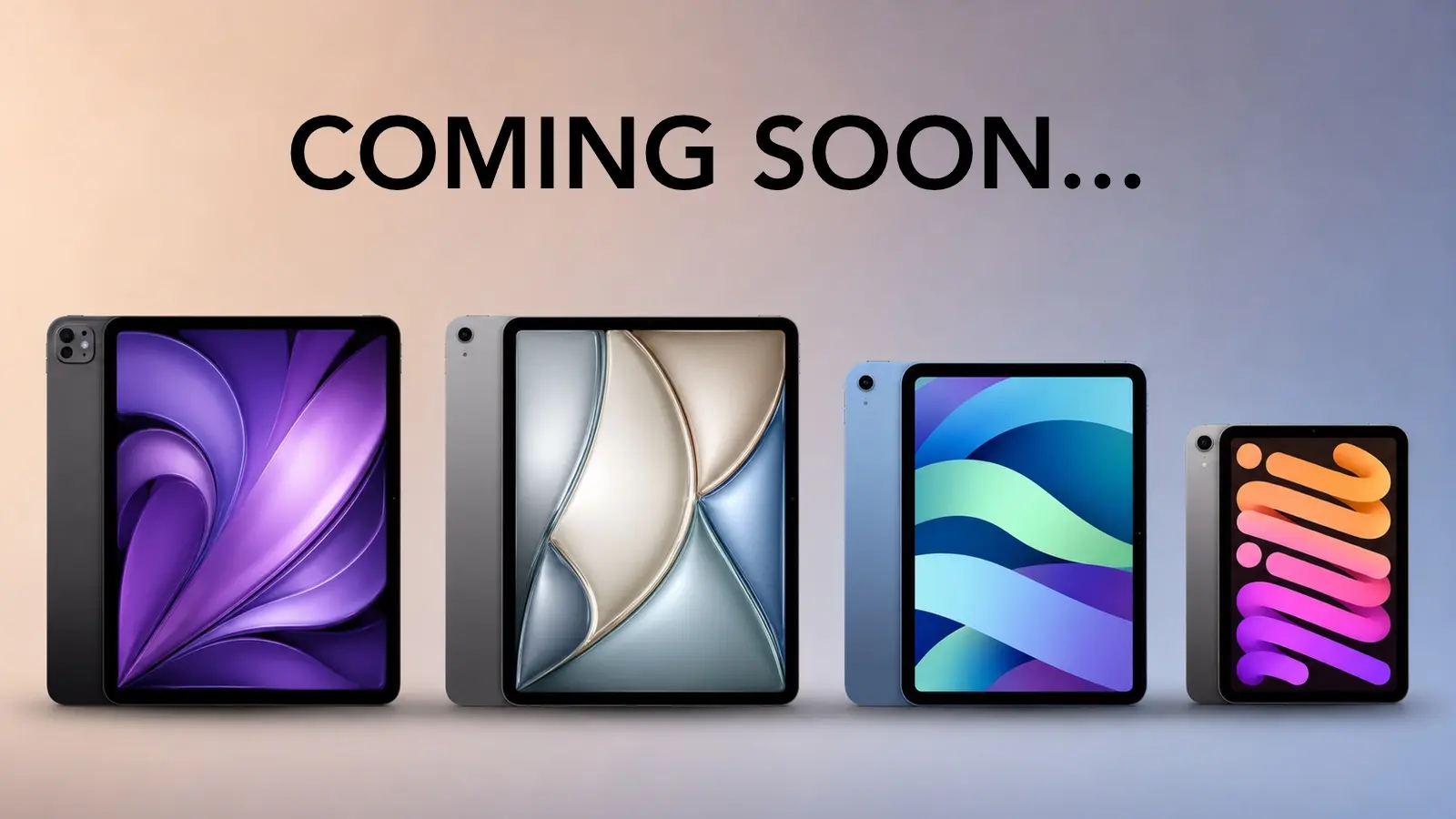
iPad Lineup Refresh Could Start This Fall

Apple’s next iPad lineup refresh could begin this fall with a new iPad mini, followed by updates across the rest of the tablet family during 2027. The reported schedule would give Apple a rolling series of launches rather than one event covering every iPad at once.

Bloomberg’s Mark Gurman reports that Apple is preparing replacements for the iPad mini, entry-level iPad, iPad Air and iPad Pro. The compact model is expected to arrive first, potentially as early as October, while the remaining tablets would follow over the next several months.

Apple has not announced any of the devices, and release timing can change. The report nevertheless gives prospective buyers a clearer picture of where each current model sits in its cycle. The first update could also bring one of the most requested display improvements to Apple’s smallest tablet.

iPad Lineup Refresh Starts With the Mini

The iPad lineup refresh is expected to begin with the iPad mini, which has received fewer updates than Apple’s larger tablets. The current design remains popular because it offers an 8.3-inch screen in a device small enough to hold comfortably with one hand, place in a small bag or use as a portable reading and note-taking tool.

The next model is reportedly moving to an OLED display. That would give the iPad mini deeper black levels, stronger contrast and more vivid color than its current LCD panel. OLED would be particularly noticeable when reading in dark environments, watching video or working with images.

The new display is expected to measure approximately 8.4 inches without producing a major change to the overall design. Apple may retain a 60Hz refresh rate rather than bringing the 120Hz ProMotion technology used by the iPad Pro. That could disappoint buyers hoping the mini would become a compact Pro model, but OLED alone would represent a visible upgrade.

Reports have also pointed to an A19 Pro chip. That would give the smaller tablet more performance for games, creative apps, Apple Intelligence and longer-term software support. The current iPad mini already occupies an unusual position between a reading device and a compact professional tool. A stronger chip and OLED screen would push it further toward the second category.

Price may become the less attractive part of the update. Apple could raise the starting cost as display and memory expenses increase. Buyers interested mainly in portability may accept a higher price, but the iPad mini would need to avoid moving too close to the iPad Air.

The Entry-Level iPad May Stay Familiar

Apple’s least expensive iPad is expected to receive a more modest update in early 2027. The company reportedly plans to preserve the current design while replacing the processor with a newer chip.

That would fit the role of the entry-level model. Apple uses it for education, families, basic productivity, streaming, games and first-time tablet buyers. A dramatic redesign could increase the cost without improving the tasks most customers use it for.

The processor update could bring Apple Intelligence compatibility, depending on the chip and memory configuration Apple chooses. The current model’s position outside some advanced AI features creates an increasingly visible separation from the rest of the lineup.

A newer chip would also extend the useful life of the device. Entry-level iPads are often kept for several years, passed between family members or deployed in schools and businesses. Long software support can be more valuable in that segment than a thinner body or new camera arrangement.

Anyone considering the current base iPad should decide whether price or longevity has greater value. The current model remains suitable for ordinary use, particularly when discounted. Buyers who want the longest possible support window may prefer to wait.

iPad Air Could Receive the Larger Display Upgrade

The iPad Air is also expected to receive an update in 2027, with OLED display technology reportedly planned for the range. That would narrow one of the most obvious visual differences between the Air and the iPad Pro.

Apple currently positions the Air as the balanced choice: stronger than the entry model, less expensive than the Pro and available in 11-inch and 13-inch sizes. It supports Apple Pencil Pro and Magic Keyboard while offering M-series performance for demanding apps.

An OLED display would make that value proposition more aggressive. The Air could offer improved contrast and image quality without requiring buyers to move to the Pro tier. Apple would still have several ways to distinguish the Pro, including ProMotion, brighter displays, thinner hardware, advanced cameras and newer processors.

The processor is likely to receive another M-series upgrade as well, though the exact chip remains uncertain. For most users, the Air already has far more processing power than routine tablet work demands. The screen may provide the stronger reason to wait.

The risk for Apple is pricing. OLED panels could push the Air upward, especially in the 13-inch configuration. If the gap between Air and Pro becomes too narrow, buyers may move directly to the flagship. Apple will need to preserve a convincing middle tier.

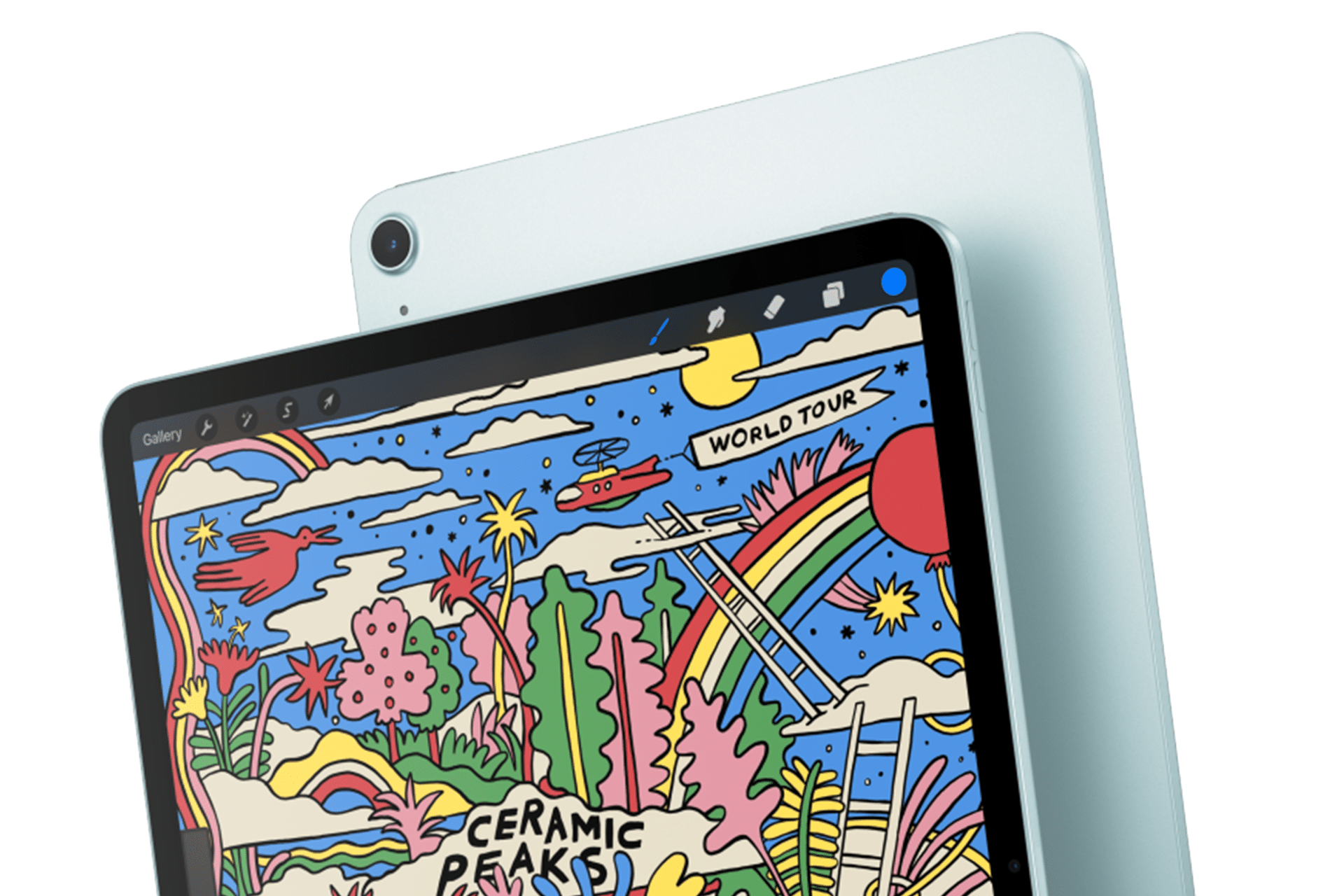
An iPad Air 2025 displays a stylized drawing with rainbows, clouds, plants, and a red sun. The vibrant illustration features "Ceramic Peaks" and "World Tour." The tablet is showcased from the front angle, slightly overlapping its sleek back.

iPad Pro May Focus on Power and Accessories

The next iPad Pro is reportedly planned for spring 2027. Apple may use a new M-series processor while leaving the current thin design largely intact.

That would make the Pro refresh more evolutionary than transformative. The current generation already includes OLED displays, high-end performance, Face ID, ProMotion and support for Apple Pencil Pro and Magic Keyboard.

Apple is also reportedly preparing two updated Apple Pencil models. Those accessories could arrive alongside the next iPad Pro, with changes potentially related to battery design and regulatory requirements.

The larger question is what additional processor power will do for the tablet. iPadOS 27 has expanded multitasking and window management, but buyers continue to evaluate the Pro against MacBook models at similar prices. A faster chip alone will not settle that comparison.

Apple may rely more heavily on AI, professional applications and accessory integration to justify the update. The Pro has become a platform for illustration, video editing, music production, 3D work and specialized enterprise apps. New hardware needs to strengthen those uses rather than simply win another benchmark.

Should Buyers Wait?

The answer depends on the model. Prospective iPad mini buyers have the strongest reason to pause because the reported fall update could introduce a substantially better display within months.

Entry-level buyers can still consider the current iPad when pricing is attractive. Its expected replacement appears focused on performance rather than design. Waiting becomes more sensible for anyone who wants Apple Intelligence support or maximum longevity.

The current iPad Air remains a capable option, particularly for users who need a tablet now. OLED would improve the experience, but a 2027 release leaves a longer wait. The same logic applies to the iPad Pro. Its successor may be faster, though the existing model already covers demanding work comfortably.

Apple’s gradual schedule could keep the iPad in the hardware conversation from fall through spring. It also means there will be no single perfect moment when every model is equally new.

The iPad mini may open the cycle because it has the most obvious opportunity for visible improvement. After that, Apple can use the base iPad for reach, the Air for broader OLED adoption and the Pro for its latest silicon and accessories.

The tablet lineup is not expected to change all at once. It may instead evolve model by model, giving buyers repeated reasons to reconsider which iPad fits their needs.

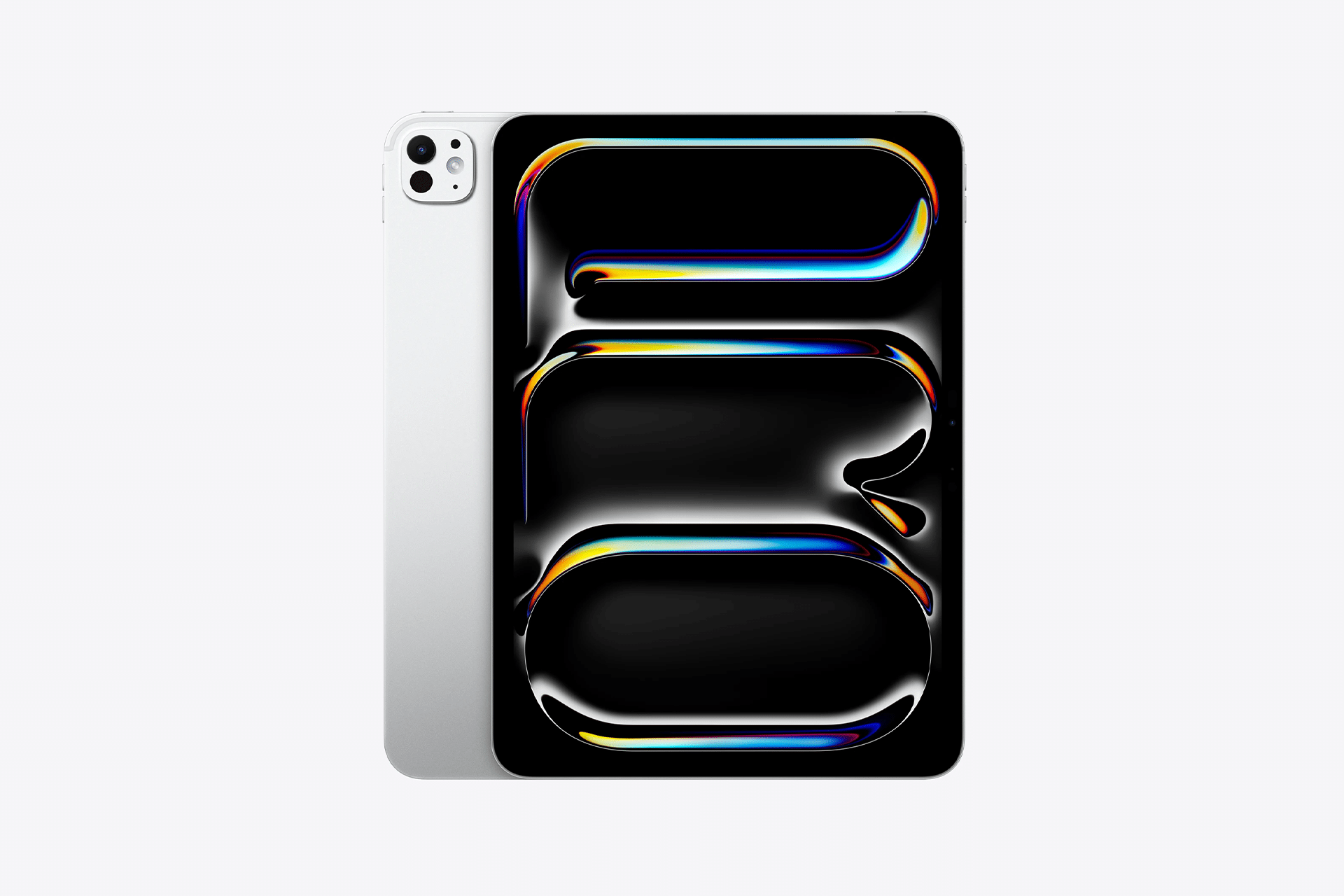
A silver tablet from the M5 lineup with a black screen displaying colorful, abstract, glossy shapes in blue, yellow, and orange hues sits on a plain white background. The tablet’s rear camera is visible, showcasing modern iPad innovation.
Image Credit: Apple Inc.

The post iPad Lineup Refresh Could Start This Fall appeared first on AppleMagazine.

  •  

A visit to the App Library: Hiding and deleting apps on iOS

Glenn Fleishman, art by Shafer Brown

My beloved sister-in-law-in-law (my wife’s brother’s spouse) texted me with an important problem. Her mother had managed to delete the App Store from her Home Screen. How to restore it? While this is a common problem, I realized that the process is completely unintuitive.

For her mother’s particular situation, the answer felt like a cheat code for a video game: unlock, swipe left (once or more), search, touch and hold, drag. Done.

Side by side screenshots of App Library: main view, left; Social folder, right
App Library gives you a view of all your apps organized by Apple automagically. At right, the Social folder—how embarrassing!

It’s worth a full review of how modern Home Screen management even works in iOS (and iPadOS), with the App Library view off some people’s radar entirely. Apple has, fortunately, not changed this process so far in the iOS 27/iPadOS 27 betas.

Delete or hide an app

I don’t use the term baroque lightly. However, Apple’s flowchart for choices you can make when deleting an app and what happens next has added some curlicues and ornamentation that can confuse the best of us.

It works like this:

First, touch and hold an app. That’s the easy part.

Now we fork into various swirls and pathways. Choose either Remove App or Require Face ID.

Remove App: You can pick from two options (or tap Cancel):

  • Remove from Home Screen: The app’s icon disappears from your Home Screen page. However, it remains in the App Library, which I’ll describe below. More importantly, any data stored on your device remains accessible to the app. It’s like hiding, but not hiding!
  • Delete App: Deleting an app removes the app from your device and its data stored on the device. This shouldn’t affect iCloud-synced data if you use the app on other platforms or other identical devices.

Side by side screenshots: app menu after touch and hold, left; Remove
Touch and hold most apps, and you can choose Remove App, then choose which kind of removal.

Require Face ID: Enabling Require Face ID hides content within the app from Spotlight results. You can add Hide to Require Face ID and also hide the app itself from Spotlight searches. Here are the two Face ID variations:

  • Require Face ID: You can’t launch the app without using Face ID, separate from any authentication that may occur within an app for access to its data. You also can’t use data from the app in other apps without Face ID.
  • Hide and Require Face ID: One step further, the app icon isn’t actually hidden! It remains in “obscured” fashion on the Home Screen, and appears in Hidden Apps in App Library. A hidden app that produces notifications, handles calls, or sends critical alerts has those suppressed as well. (Despite the statement that “This app will be obscured on your Home Screen,” it was simply removed for me.)

Side by side screenshots: prompt for Require Face ID for app, left; screen with details on what happens when an app is hidden this way, right
Hiding an app as part of the Require Face ID option requires a lot of disclosure by Apple—some of it, seemingly inaccurate?

So, let me get this straight. If you remove the app from the Home Screen or Require Face ID, you can still search for it in Spotlight. If you delete it, it’s gone (though Spotlight may show it as a tap-to-download option from the App Store in results). If you Hide and Require Face ID, you can’t search for it or its contents, but you can find it in a Hidden folder in App Library. Got it, got it.

Despite the above, I have to throw in a big HOWEVER.1 If the app is one of a few made by Apple and preinstalled, you can only remove it from the Home Screen. For instance, touch and hold Settings, Camera, Safari, and a few others, and then choose Remove App: only Remove from Home Screen appears; you can’t delete it, and you can’t use Hide and Require Face ID. Other Apple apps, like Stocks or Weather, may be freely tossed. Perfectly consistent and clear.

Since you now have perfect knowledge of all of these states and interactions, let’s look next at App Library, your Home Screen away from Home Screen.

Apple refused to call it Junk Drawer

I have used a succession of apps that I call, with affection, my “junk-drawer” apps. If you don’t have a drawer in your kitchen that is full of miscellaneous crap that you nonetheless occasionally or regularly need, but which has no place in any other drawer or organizational system, congratulations: you’ve just outed yourself as an extraterrestrial and Earth’s First Contact Committee is on its way.

For example, I throw in every piece of text, PDF, photo of receipt, file, and other detritus that I need to keep handy and email or a folder isn’t accessible enough. Then I can search within the app—convenient since everything is now OCR’d by default, so I can find any word or phrase across all media in the app.2

App Library is the equivalent of this, but just for apps. Do you find Spotlight too effusive in its results? Want to have an organizational scheme for apps you don’t have to set up or maintain? Swipe left until you get to the App Library page. You can scroll through pseudo-folders, from which you can tap to launch apps with full-size icons or tap groups of tiny icons to open the pseudo-folder categorizing those apps. You can also use the search field at the top to search only for apps, as opposed to using Spotlight. At the very bottom of the library is where you find Hidden, the not-exactly hidden set of Hide and Require Face ID apps.

To reverse previous choices from an app, App Library, or via Spotlight if the app is searchable:

  • Find the app, touch and hold it, then drag it leftwards onto another Home Page page.
  • For a Require Face ID app that’s not hidden, touch and hold it, validate with Face ID, then choose Don’t Require Face ID.
  • For a hidden app, tap the Hidden folder, validate with Face ID, then touch and hold the app, and choose Don’t Require Face ID. This removes it from the Hidden folder.

If you deleted an app, you can search for its name in Spotlight, and you may see it in a list with a cloud download icon; you can tap that to restore it, but not its data, which you might be able to recall via logging into an account or it syncing with iCloud. You can also tap Search App Store in Spotlight. Or, launch App Store, search for the app’s name, and tap the cloud download button.

You can’t go Home Screen again

Reader Peter wrote in with a related question I can answer briefly: “No.” I’m sad about that, though. His question? He has a weirdly undeletable app—he can delete it, but it always reappears immediately and persists across migrations and devices. He wondered whether, after he triggered Settings: General: Transfer or Reset Phone: Reset: Reset Home Screen Layout, he could restore his painstakingly set-up Home Screen layouts.

If you have a suggestion, write me, or post in the Six Colors Discord, available to members. Discord is also where you can send a question for the column directly by using /glenn.


  1. Jason won’t let me use larger type here. ↩
  2. I started with Yojimbo, migrated to Evernote, and abandoned it for Bear, which is delightful. It’s not perfectly feature complete, but it is close enough for 99% of my purposes. ↩
  •  

Headless Macs and Hamstrung iPads

My Codex setup.

My Codex setup.

In the current era of coding agents becoming productivity assistants, iPadOS’ limitations are no longer defined by the lack of desktop-class multitasking or access to external peripherals. A new class of iPadOS shortcomings looms large on the horizon: the iPad’s app sandboxing and the absence of an open filesystem have relegated it to acting as a remote control for agents.

I’ve been ruminating on this thought for some time. I, of course, am very satisfied with the improvements Apple brought to the iPadOS platform throughout the 26 cycle: between new windowing, local capture, a menu bar, and the improved Files app, I can get most of my old-school work done on the iPad Pro without begrudging the experience like I used to a few years ago. What I’ve noticed this year, however, is that iPadOS 26 was an update designed to address the pre-existing low-hanging fruit of quasi-desktop efficiency; by design – and we have Craig Federighi on the record saying as much – it wasn’t intended to reinvent the wheel in any meaningful way.

That would have been fine a few years ago. The problem is that the productivity wheel is literally being reinvented by other companies as we speak. And in an unsurprising turn of events, the Mac is at the forefront of that reinvention, while the iPad is being left behind once again.

I’m writing this as someone who likes to be on the bleeding edge of AI tools. Since the release of Claude Code in early 2025, I (and, realistically, millions of other nerds whose taste aligns with mine) have increasingly moved a lot of my research, automation, coding, and other tasks considered “productivity” to desktop agents. These are powered by the same underlying technology as chatbots, but they’re considerably more powerful: Claude Code and Cowork, Codex, Perplexity’s Personal Computer, and self-hosted agents like OpenClaw and Hermes can understand intent and perform long-running tasks on your computer. They can write code, stay on a task for hours (or even days) at a time, analyze the contents of your screen, and even use a computer on their own. To believe that these AI tools are still a fad and chatbots are useless is misinformation at this point.

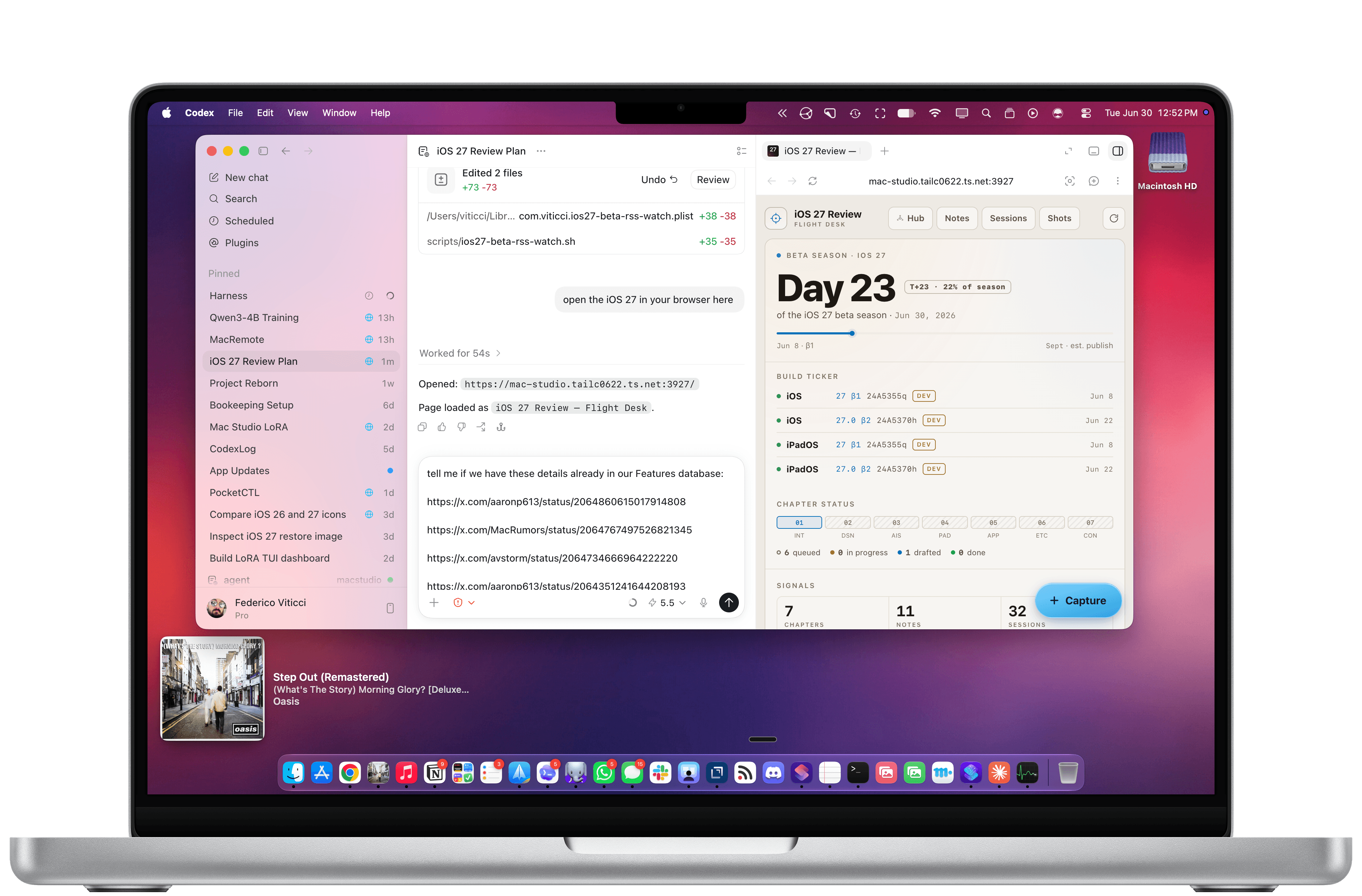
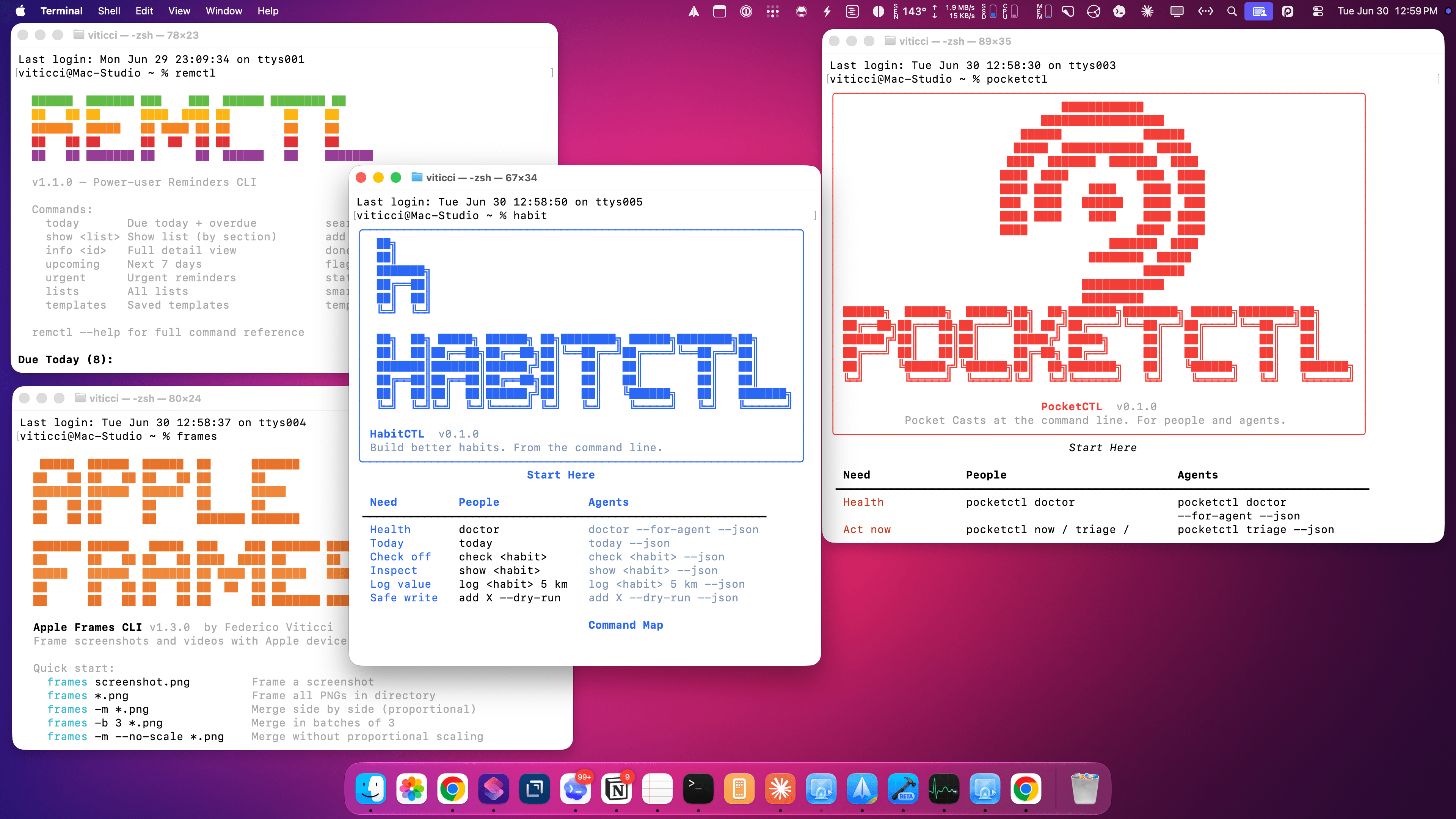
As of June 2026, I spend most of my days with two apps constantly open on my M4 Pro MacBook Pro: Codex and Notion. I’m a huge fan of what OpenAI has accomplished with Codex for Mac; their all-in-one package that combines thread-based chats with skills, plugins, connectors, computer use, memories, and system-wide filesystem access has genuinely allowed me to produce content for my audience that I wouldn’t have even dreamed of years ago. Since I started working with Codex, I’ve released a major update to Apple Frames, two CLIs (with two more coming soon), Shortcuts Playground, and a brand new MacStories Shortcuts Archive. These are actual products that are used by thousands of people and are generating real revenue for MacStories. I’ve also created an entire suite of MacStories-only internal apps (now used by our whole team) and am currently in the process of researching my iOS 27 review, creating an app for Shortcuts Playground, and brainstorming a different product altogether for MCP.

I’m doing all of this on a Mac because the true Codex experience isn’t even “desktop-only”: it’s Mac-only.

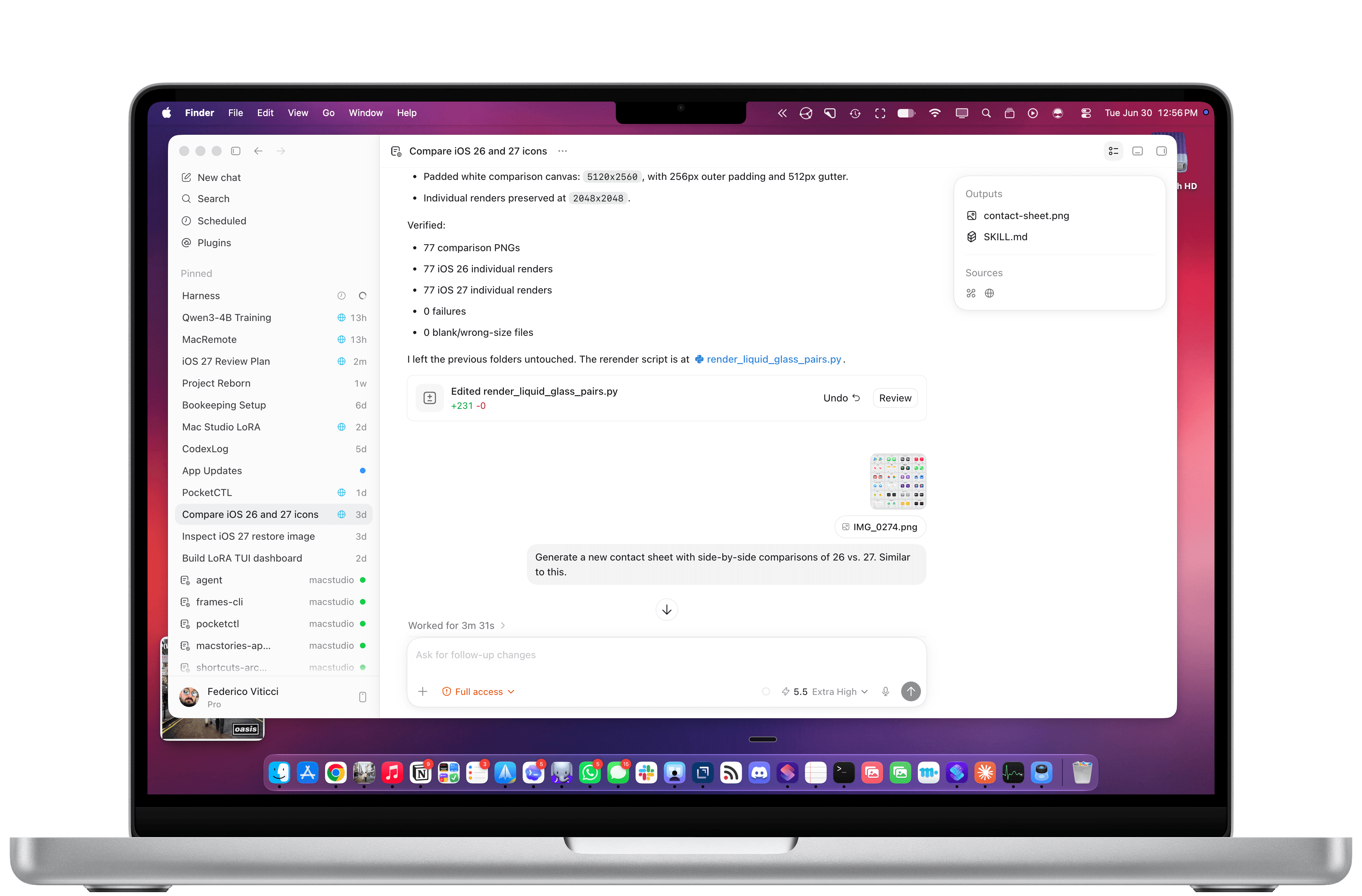
Let me give you some examples. To make the original version of Shortcuts Playground, I had Codex with Computer Use scrape my entire library on the old MacStories Shortcuts Archive, download over 300 shortcuts, and learn my coding style. Once I had a plugin, I also had Codex create over 1,000 shortcuts on its own, install them in the Shortcuts app for Mac, and debug them visually to find issues. For the new Shortcuts Playground plugin and app, I’m going even further: Codex created over 3,500 shortcuts spanning the entire library of Shortcuts actions while simultaneously coordinating with other Codex threads – some of which are running on my Mac Studio – to build an app, train a local model for Core AI, and constantly iterate on the new harness behind the app. Meanwhile, I’m also spending time in Codex organizing sources for my iOS 27 review, managing my tasks with Reminders and my own RemCTL, and performing general research on any topic I think of. The net result of all this is that I’m shipping more things, making more money for MacStories, saving money thanks to our new internal tools, and – most importantly – learning a lot and having fun.

Working with Codex for Mac.

Working with Codex for Mac.

Some of the CLIs I’ve built. Two of them are coming soon.

Some of the CLIs I’ve built. Two of them are coming soon.

In all of this, the iPad’s role is to be, once again, an accessory to the Mac – and a rather expensive one at that. I wrote last year about iPadOS’ third-party app problem, and I still think all of it applies today. What’s different in 2026 is that these powerful agentic tools that are redefining coding and knowledge work, and which are centralizing productivity inside so-called “super apps”, aren’t coming to the iPad, but not for political or financial reasons: they’re Mac-only because only macOS is mature and open enough to support them.

In a funny twist of fate, Apple spent years trying to make iPadOS catch up to macOS on the surface, only for macOS’ underlying nature to unlock a new generation of apps that are rewriting the rules of modern software. No amount of windowing and menu bars can change the fact that neither Claude Cowork nor Codex will ever be possible on the current version of iPadOS. From an open filesystem that lets agents poke around anywhere to powerful Accessibility and Screen Recording APIs for developers to features like system-wide hotkeys, dictation, and true background processes, Apple’s oldest operating system is the one that feels the freshest (and the most powerful) in the AI industry today.

In fact, the Mac is so powerful and well-equipped for this new wave of desktop agents, it even yields an amazing experience when used in a “headless” setup with no display attached to it. This may have started as a trend because of OpenClaw, but six months later, I believe that a Mac mini with Codex running on it is the best bang for your buck if you’re building an always-on agentic setup based on a frontier model that can do just about anything you throw at it.

Which brings me to the iPad’s only silver lining in this space right now.

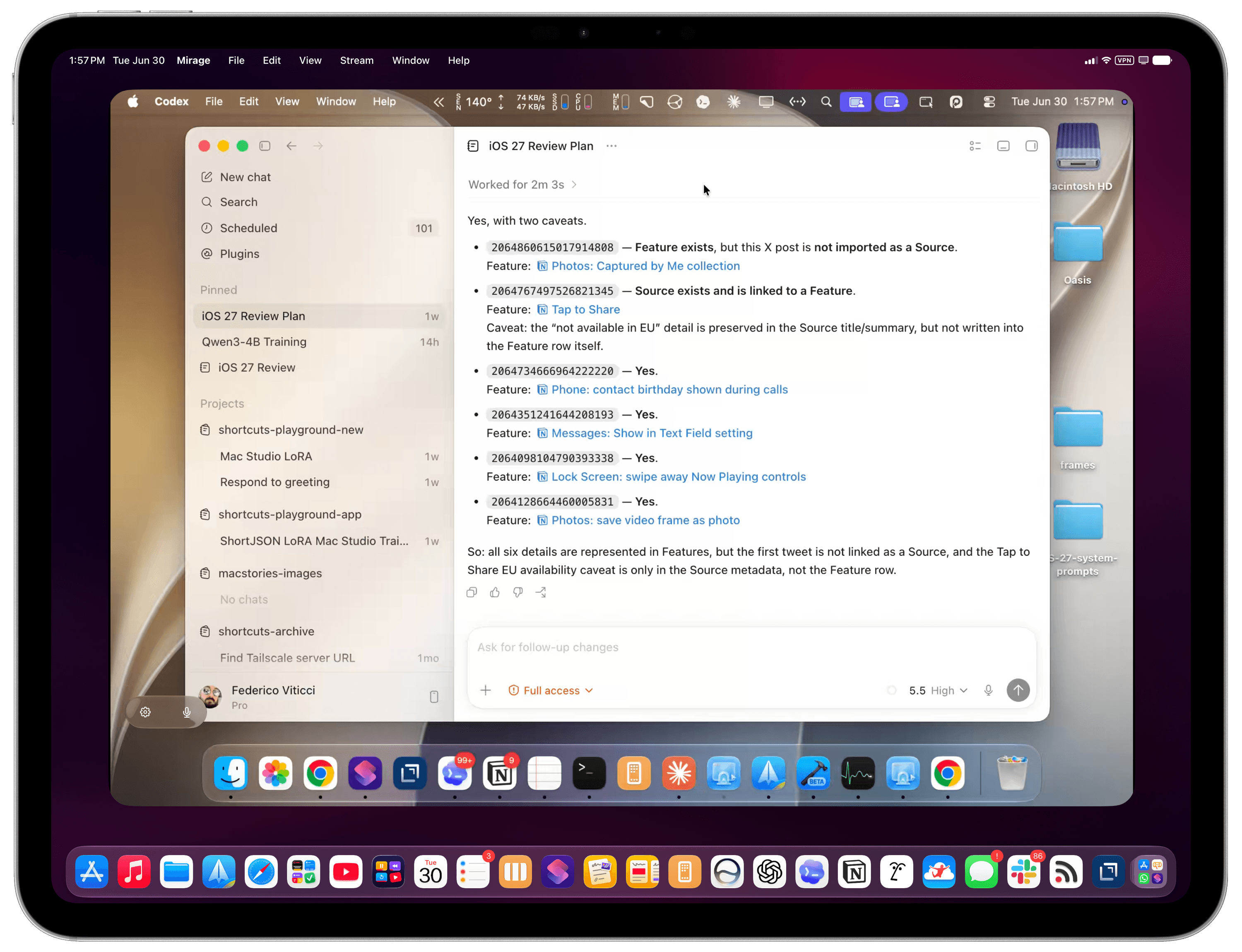
Most of my Codex tasks are running on my Mac Studio server, but I also use Codex on my MacBook Pro. Thanks to Codex’s support for remote connections, I can chat with threads running on the Mac Studio from the Codex app on a different machine, which is a fantastic feature. Alternatively, I can use Apple’s excellent (and, again, Mac-only) Screen Sharing app to log into my headless Mac and interact with macOS with superior performance and image quality to VNC. (I also use this HDMI 2.1 dummy plug to unlock 4K resolution when headless.) Coordinating Codex threads across different projects and machines feels like the sort of thing that shouldn’t be possible, yet here we are.

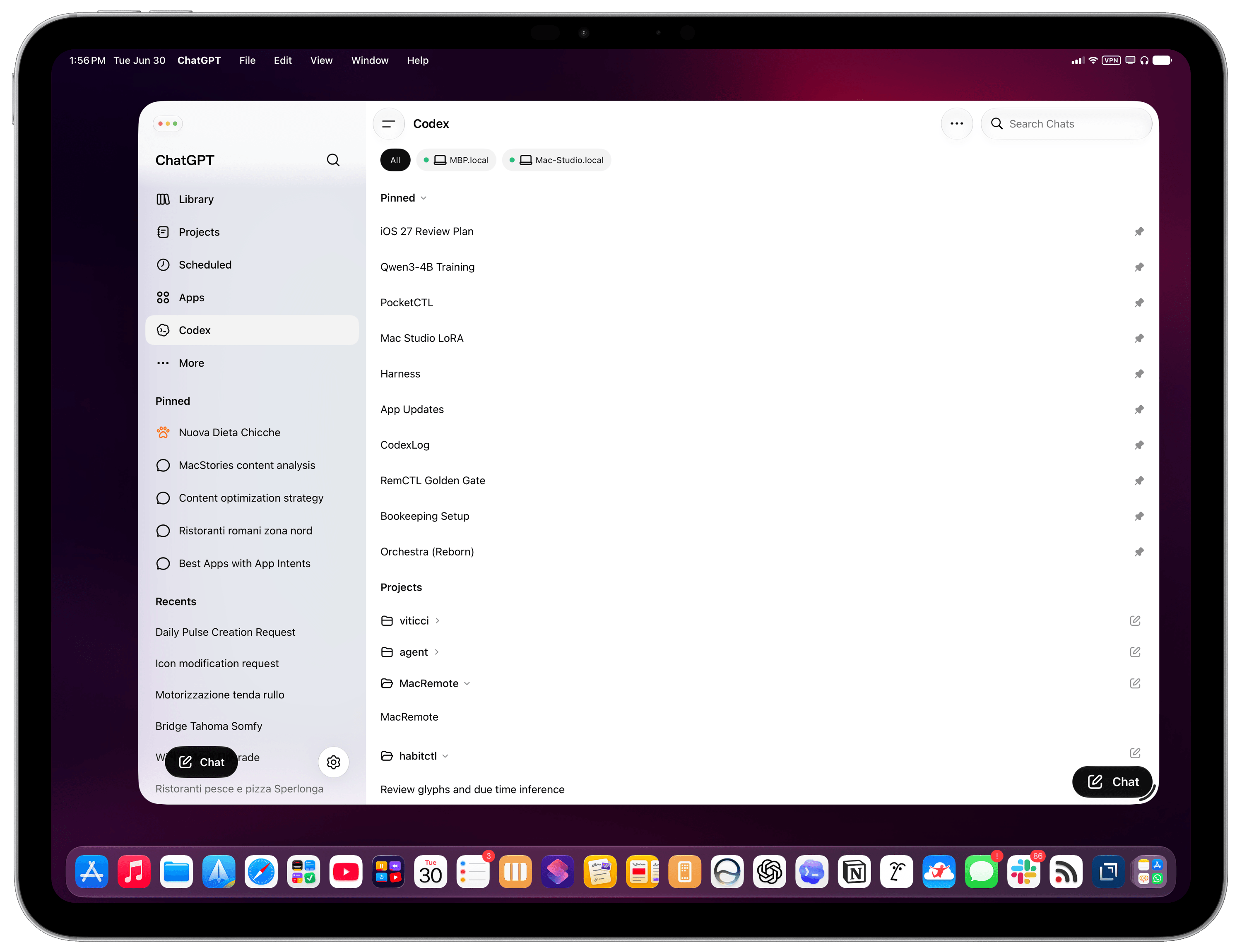
If the iPad is still relevant to me in this specific new way of working, it’s entirely because of the ChatGPT app and the fact that OpenAI cared enough to design a good remote experience for iPhone and iPad users. The Codex section inside ChatGPT is a solid product and getting better every week; it’s also the only app of this kind that lets you connect to multiple computers at once and manage threads across all of them. With Codex remote on iPad, I can continue my projects from the MacBook Pro or Mac Studio, pin specific threads, and keep an eye on all my agents working in the background. In general, it’s also a way to bridge functionalities that are missing from iPadOS. Without Codex remote, I wouldn’t be able to ask my agent to reschedule my reminders and turn some emails into tasks in the same workflow; I wouldn’t be able to tell my agent to go to the Apple Newsroom, find me a specific press release, extract all images from it, and upload them to our CDN.

Codex remote on iPad.

Codex remote on iPad.

Perhaps Siri AI will unlock similar capabilities (although I doubt to the degree of a frontier desktop agent), but it’ll still be limited to apps made by companies that decide to support App Intents. When I’m not using my Mac and I think of something I can’t do on the iPad these days, I instantly reach for Codex inside ChatGPT. I suspect this trend will only grow as more AI companies release similar remote experiences for iOS and iPadOS.

Here’s the issue, though: these are remote companion experiences. It’s great that they exist and that OpenAI cared enough to make them great, but they’re still no substitutes for the real Codex experience on a Mac. It’s ironic if you think about it, isn’t it? A headless Mac is still more flexible and powerful than an iPad hamstrung by the closed nature of its own OS and software gatekeeping.

My headless Mac Studio in Mirage for iPad.

My headless Mac Studio in Mirage for iPad.

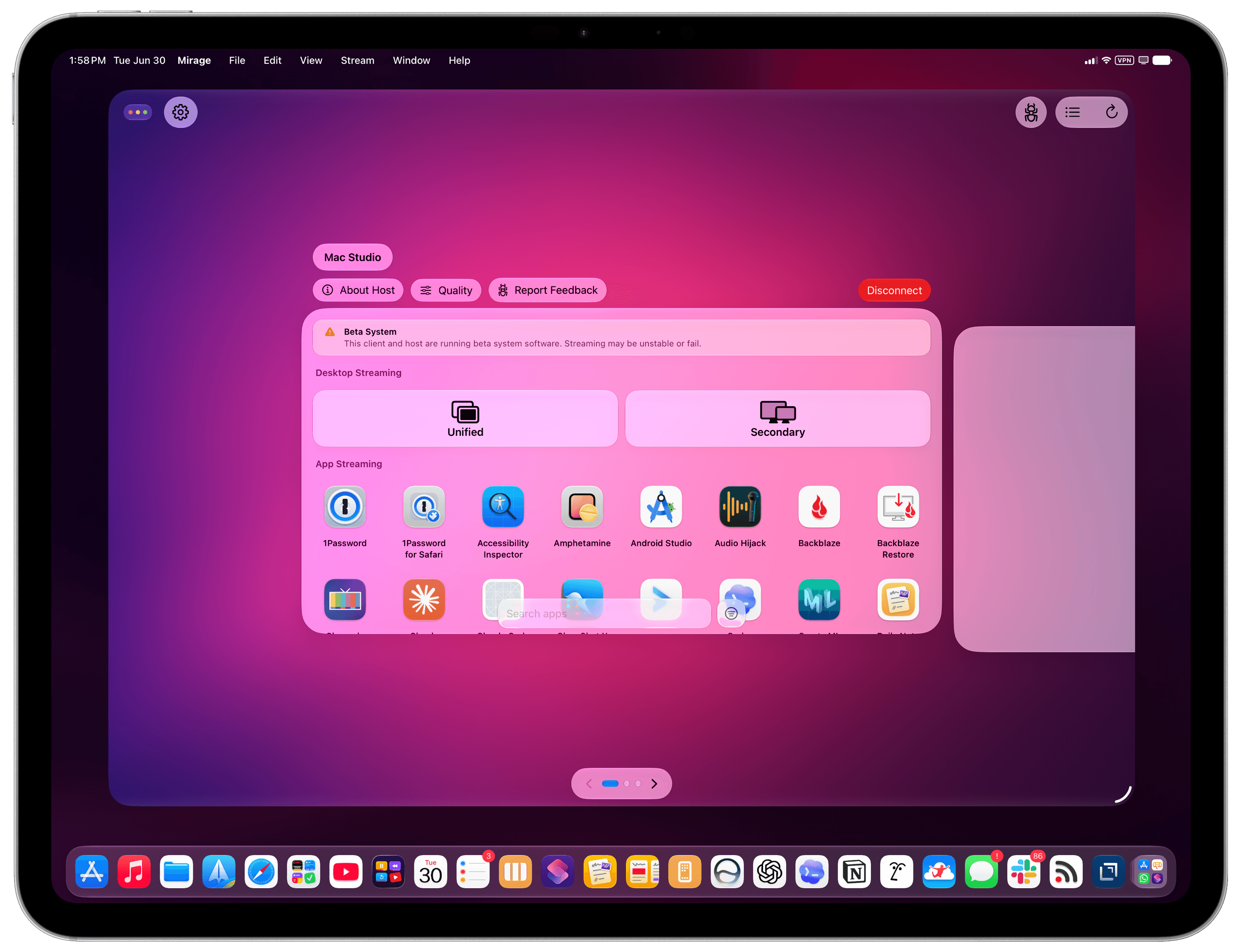
Mirage for iPad’s app launcher.

Mirage for iPad’s app launcher.

If you’re among the five million people using Codex on a weekly basis and will be planning your next laptop purchase in a few months, perhaps these considerations will change the calculus for you. Especially in the face of price increases and RAM uncertainty, would you be better served by spending $1,499 on a hybrid laptop that gets work done the old way with 256 GB of storage, or $1,499 on a computer where AI is a first-class citizen with 24 GB of RAM and double the storage? If we accept that power users’ priorities and workflows will be dramatically changing in the near future (if they haven’t already!), all prices being equal, which OS is best positioned for the future?

Of course, I like using both an iPad Pro and a Mac for different tasks. But let’s face it; in this day and age – and especially after last week – not everybody has the budget for two computers that have some overlap between them. Sure, I could argue that an iPad Pro + a headless Mac mini is an insane combo to get the best of both worlds these days: the nimble and delightful nature of iPadOS and the freedom to experiment with AI on a Mac. You can install apps like the latest Jump Desktop beta or the great new screen sharing app Mirage on the iPad and use your Mac mini almost as if it were connected to the iPad’s display. Set up Tailscale on your network, and the Mac’s power can be with you at all times. But that’s a lot of money, and a lot of setup, to achieve an approximation of what a single MacBook Air can handle with more memory, more storage, and a couple of Mac apps.

I’m sure that Apple is aware of the changing nature of this landscape, but in a similar vein to chatbots and Siri, perhaps they were unprepared for the tide of agents to accelerate so quickly. If the idea of putting macOS on an iPad Pro continues to be a non-starter at Apple, and assuming agent-based coding and knowledge work are here to stay, what should the company do to make sure the iPad doesn’t get left behind again? Is a sandboxed Terminal for iPad backed by a dedicated “Agent Framework” the solution? Is working with other companies to build more “remote companion” apps the way forward?

Or, perhaps more obviously: how long until Siri AI can also become a capable agent, connected to App Intents, on par with competing frontier agents?

Until, and if, that happens, the iPad will once again play the role of sidekick to macOS.

When it comes to the bleeding edge of AI and pushing the frontier of agents forward, there’s nothing like the Mac.

  •  

Apple Raises Prices Across Most of Its Product Lines

Apple raised the prices of Macs and other products across the board today. For entry-level Macs, the increases are mostly $100–$200. However, if you want a MacBook Pro or Mac Studio with lots of memory and storage, it’s going to cost you dearly. Prices were also raised on the iPad, Vision Pro, Apple TV, HomePods, and many items sold through Apple’s refurbished store.

This should come as no surprise to anyone, but it’s painful just the same. Last week, Tim Cook told The Wall Street Journal that price increases were coming without getting into specifics. Apple was able to hold the line on prices for several months, even while smaller gadget and computer makers raised their prices or canceled products altogether.

What’s happening is simple macroeconomics. Demand for memory and storage is vastly outstripping supply, largely due to the insatiable appetite of data centers that power AI services. That demand shows no signs of waning, and supply isn’t as simple as turning a knob to 11. There just aren’t that many makers of memory chips and SSDs, and bringing new plants online to manufacture takes years and billions of dollars.

For now, the price of iPhones has been left alone. Some may see that as a silver lining, but I suspect all it means is that Apple has enough prebuilt inventory to get to September, when new iPhones are announced. Apple Watch and AirPods prices remain the same, too.

Could Apple have avoided this? I doubt it. The magnitude and speed of the price increases and the projected duration are beyond what any reasonable company could or would plan for.

That said, I do think the situation will get better with time, again because of macroeconomics. The increases may preserve Apple’s margins, but it’s going to reduce the number of customers who can afford its products. Margins only equate to profits if you have customers willing to pay for your product. So with time, if the data center demand slackens or new chip capacity comes online, prices will improve. Just don’t expect that anytime before 2027 or 2028 if current projections are to be believed.

  •  

iPadOS Lets You Automate Window Placement with Shortcuts

MultiSwitcher for iPadOS.

MultiSwitcher for iPadOS.

Update: An earlier version of this article referred to this feature as having been introduced in iPadOS 27, but it was actually introduced in the iPadOS 26 cycle. I missed it. My apologies.


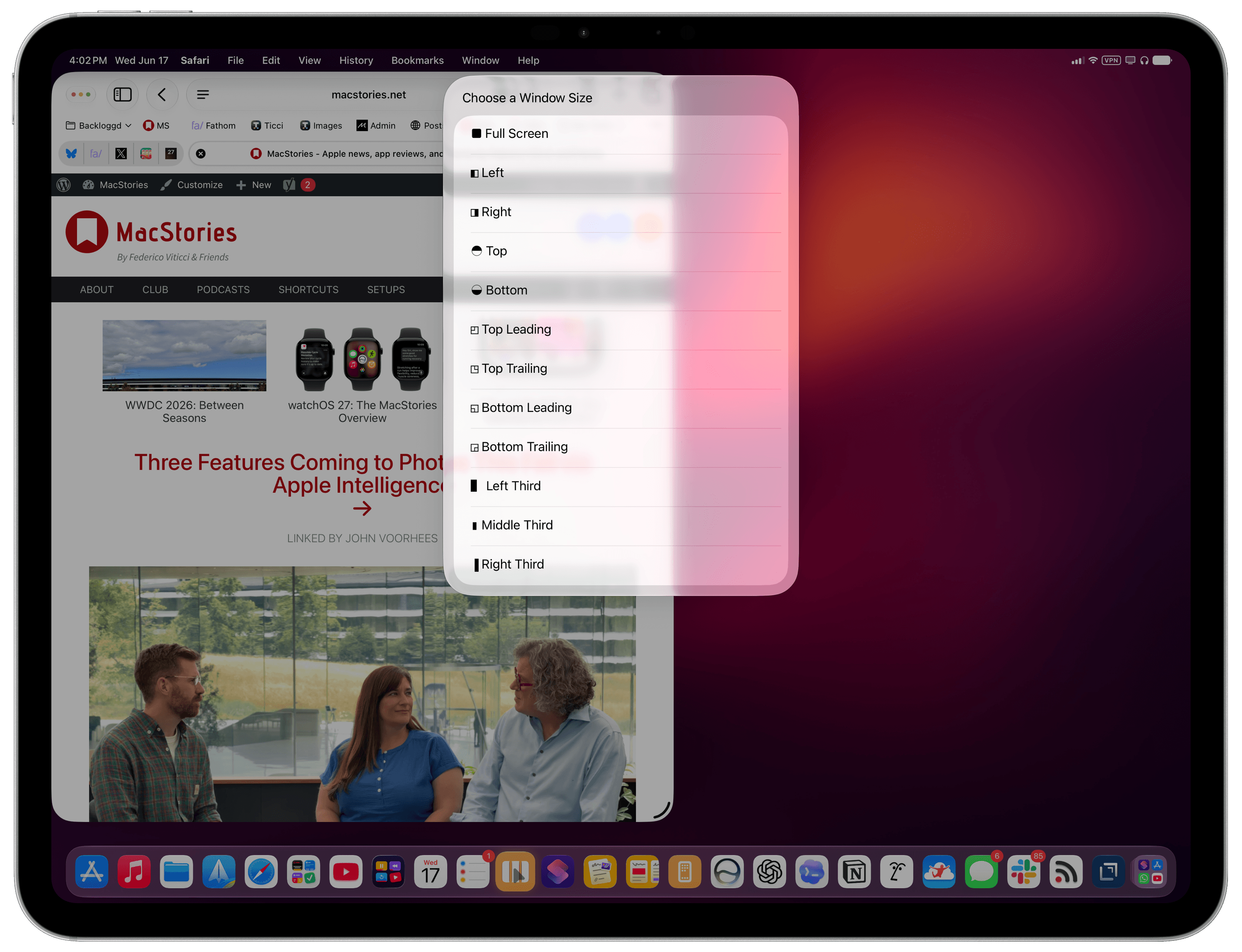
In iPadOS’ Shortcuts app, the existing ‘Open App’ action was recently updated with the ability to launch an app with a specific window placement parameter. This means you can now automate window positions on iPad by opening a bunch of apps and programmatically selecting where their windows be placed.

To find this feature, use the ‘Open App’ action in Shortcuts and expand it to reveal the new ‘Window Location & Size’ field. Here, you can click the default ‘Full Screen’ value to reveal a host of options:

  • Full Screen
  • Left
  • Right
  • Top Bottom
  • Top Leading
  • Top Trailing
  • Bottom Leading
  • Bottom Trailing
  • Left Third
  • Middle Third
  • Right Third

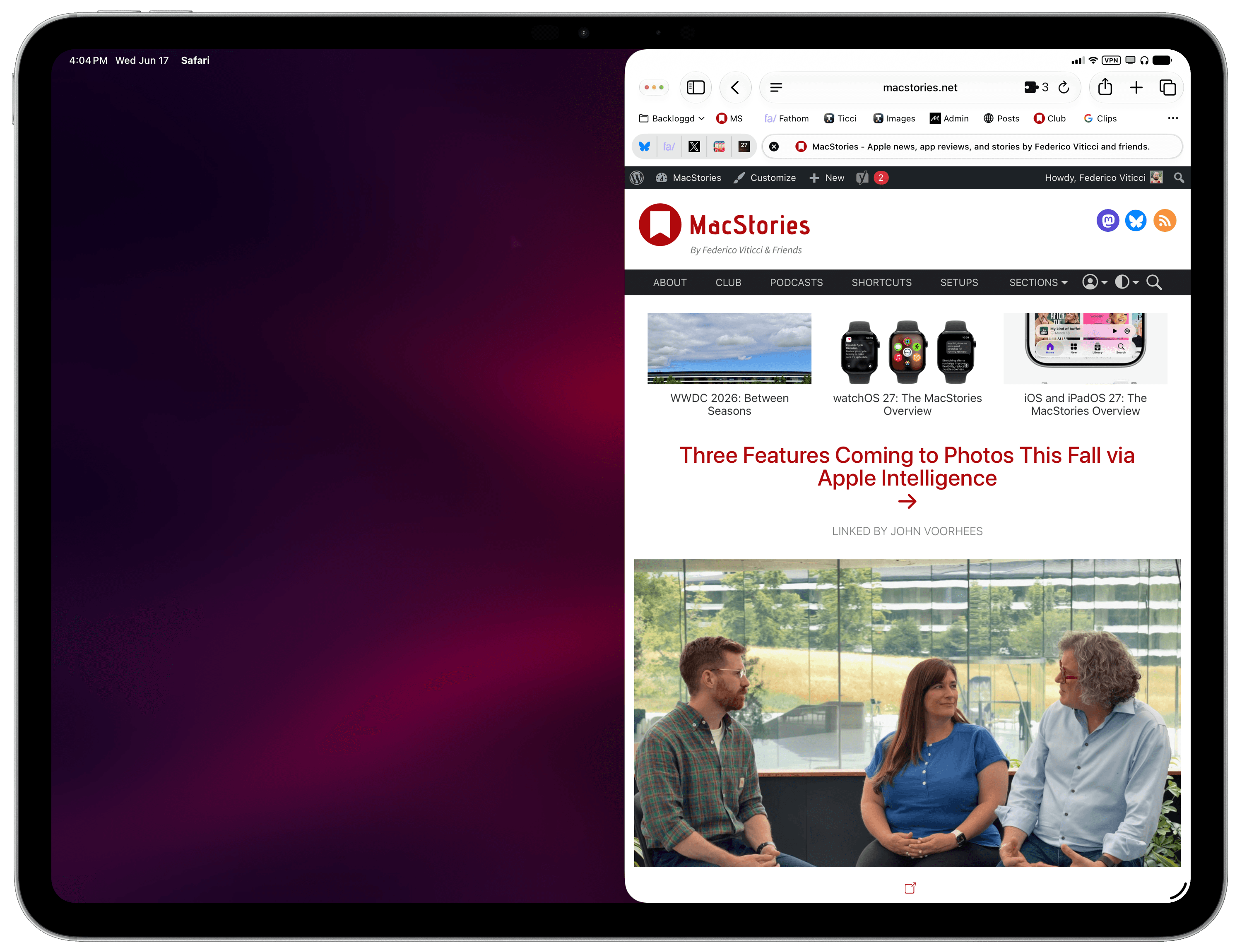
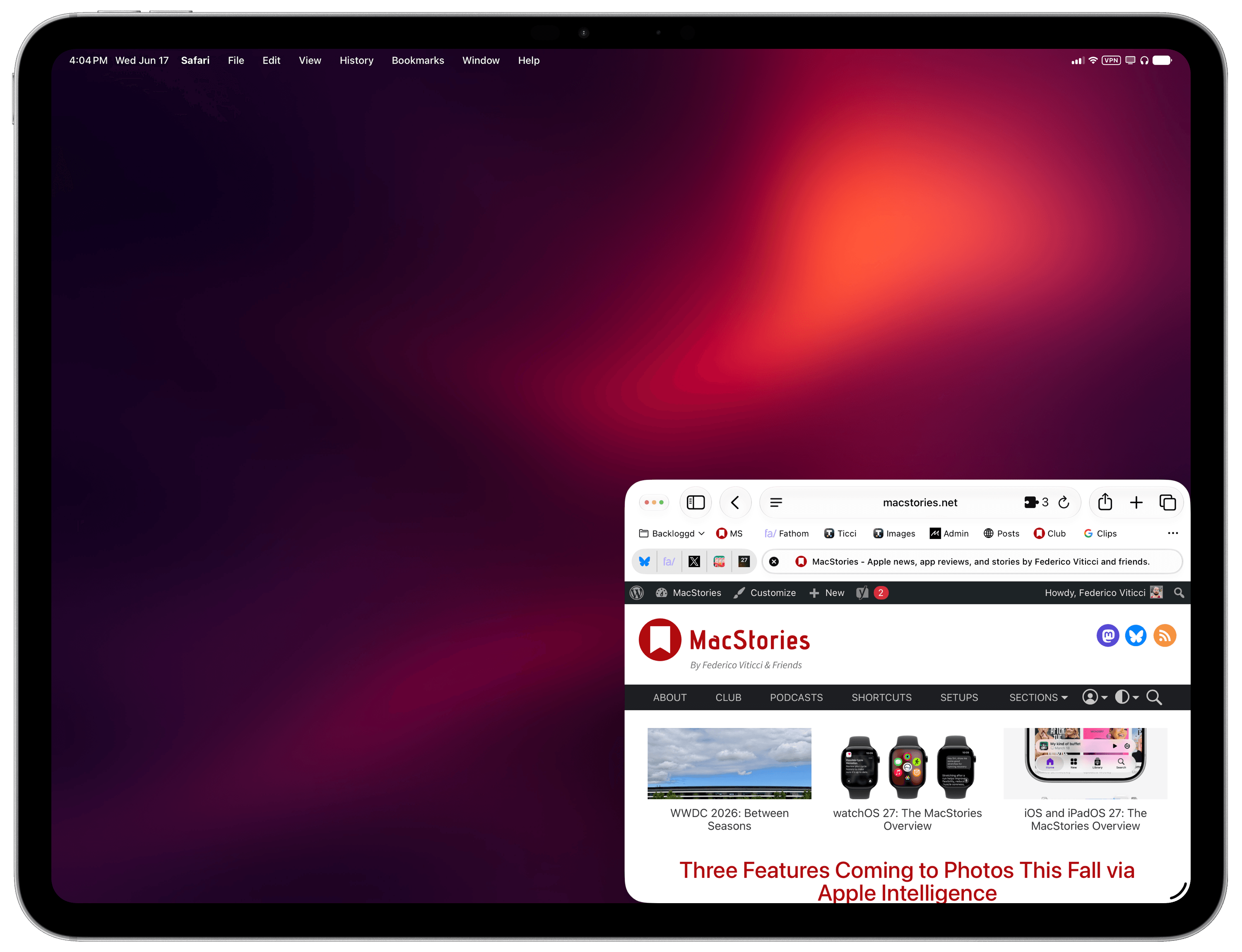
You can play around with these options to open any app and resize any window by choosing from the same presets that are otherwise shown by iPadOS when right-clicking the traffic light controls:

Some of the options supported by the ‘Open App’ action.

Some of the options supported by the ‘Open App’ action.

That was a neat discovery, but as I was playing around with the action, I realized that its practical utility would be impacted by the fact that you have to manually pre-select the app you want to open as well as its window layout. Wouldn’t it be better if you could turn this Shortcuts action into a reusable technique to programmatically get whichever app is in the foreground with no manual selection upfront, then also give it a pre-selected window preset? As it turns out, you absolutely can.

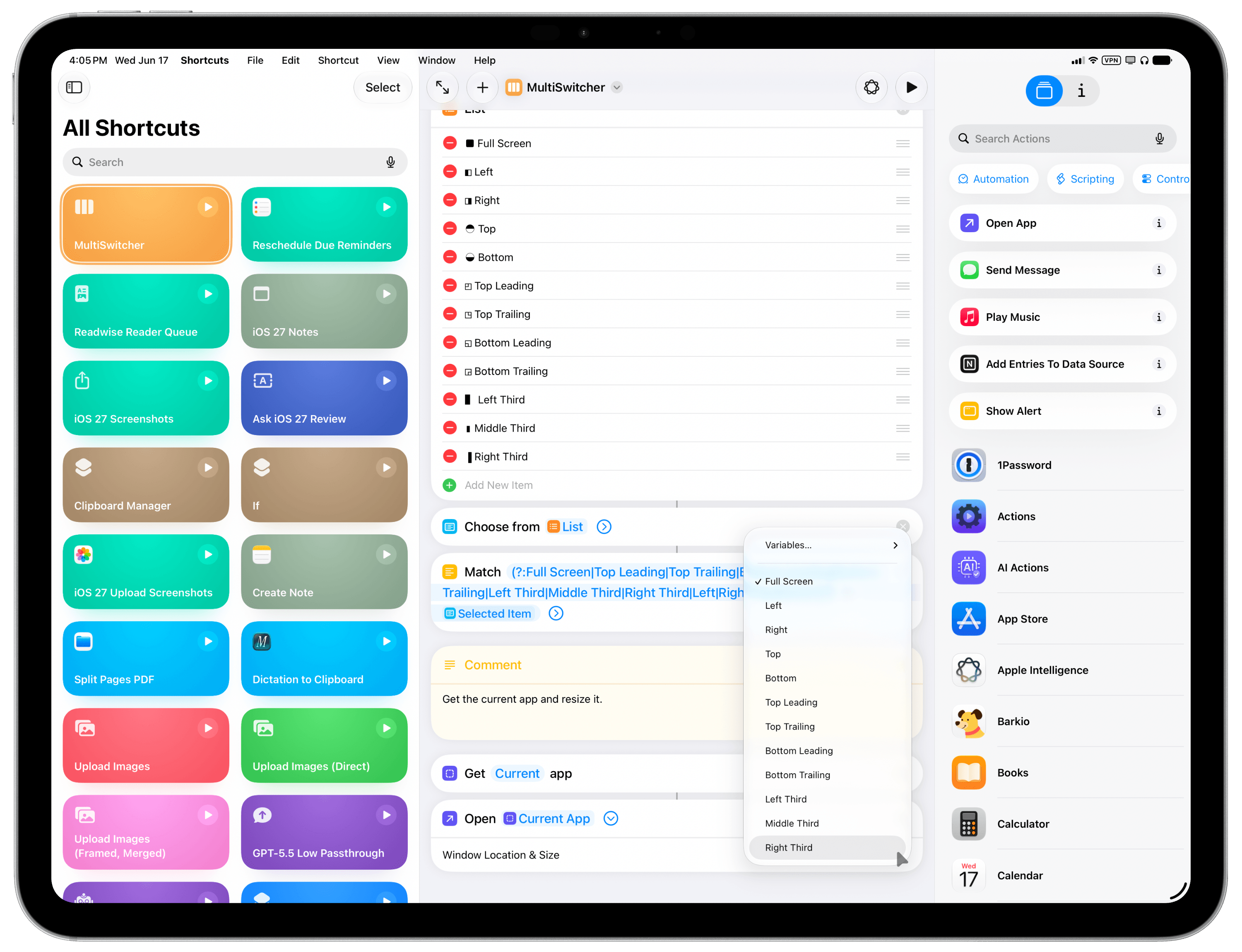
This is why I created MultiSwitcher, a simple proof-of-concept shortcut for iPadOS users that lets you resize any foreground window to a preset of your choice – no manual input necessary. The idea is fairly straightforward: you can use the ‘Get Current App’ action to get the name of the foreground app, pass it to the ‘Open App’ action, and also pre-configure that action to accept a layout variable.

This new parameter of the ‘Open App’ action supports configurable options.

This new parameter of the ‘Open App’ action supports configurable options.

MultiSwitcher is best used as a shortcut added to your iPad’s dock, so you can click it at any time and instantly resize the foreground window. For MultiSwitcher, I designed a visual menu (with some ASCII characters) that lets you preview window layouts, pick one, and resize the currently frontmost window. It doesn’t have to be this way, though: if you’d rather add multiple variations of MultiSwitcher to your dock, each with a specific window size already selected, you can also do that and skip the menu. The choice is up to you.

While these newfound window-control capabilities for iPadOS are still a far cry from the Mac’s breadth of window managers and multitasking tweaks, I find this implementation in Shortcuts to be quite elegant and intuitive for most users to grasp with no need for a third-party app.

You can download MultiSwitcher for iPadOS below.

MultiSwitcher

Control iPadOS window placement by selecting from a list of preset window sizes. The shortcut will resize the currently frontmost window.

Get the shortcut here.

  •  

Should I buy an iPad now or wait? Best time to buy an iPad

Macworld

If you’re thinking about buying an iPad in 2026, timing matters. If you’re hoping for a bargain, July 2026 isn’t the ideal time. Apple raised iPad prices by $100–$200 in June, making today’s models more expensive than they were earlier this year. The next major opportunities to save are likely to come during sales events such as Amazon Prime Day and Black Friday.

If you can’t wait – for example, because your current iPad no longer receives software updates, feels slow, has poor battery life, or doesn’t support Apple Intelligence – upgrading now may be the right choice. In that case, the safest models to buy are the iPad Air (M4) and iPad Pro (M5), as neither is expected to be replaced until 2027. By contrast, the entry-level iPad (A16) and iPad mini (A17 Pro) are both expected to be refreshed before the end of 2026, so waiting is likely to pay off unless you find a substantial discount.

Before buying, consider whether you really need a Pro model, a cellular version, or even an iPad at all. If you’re looking for a laptop replacement, a MacBook Neo may offer better value. Buying refurbished is another smart way to save money, with Apple’s Certified Refurbished Store and reputable retailers offering lower prices while still providing a warranty and years of software support.

In this guide, we’ll explain the best and worst times to buy an iPad, which models are worth buying now, when the next updates are expected, and how to get the best value whether you’re buying new or refurbished. If you’re still deciding which iPad is right for you, see our complete iPad buying guide.

At a glance: iPad buying advice

ModelBuying adviceStarting Price (New MSRP)Key DifferentiatorNext UpdateLast UpdatedPrevious update
iPad (A16)Wait — overdue for update, likely late 2026$449Most affordable entry point; does not support Apple IntelligenceBy end of 2026March 2025October 2022
iPad mini (A17 Pro)Wait — new model expected late 2026$599Ultra-portable; supports Apple IntelligenceBy end of 2026October 2024September 2021
iPad Air (M4)Buy now — recently refreshed$749 (11-inch) / $949 (13-inch)Best balance of performance, features, and price for most users2027March 2026March 2025
iPad Pro (M5)Buy now — not due for update until 2027$1,199 (11-inch) / $1,499 (13-inch)Top-tier performance, Tandem OLED display, ProMotion, Face ID2027October 2025May 2024

Should you buy an iPad now?

As of July 2026, two iPads are safe to buy without worrying about an imminent replacement: the iPad Air (M4) and iPad Pro (M5). Both were updated recently and aren’t expected to be refreshed until 2027.

The entry-level iPad (A16) and iPad mini (A17 Pro) are a different story. Both are widely expected to receive updates before the end of 2026, making them harder to recommend unless you find them at a significant discount.

Here’s our breakdown of the four types of iPad that Apple currently sells, and in each case whether you should buy now or wait.

Should I buy iPad (A16, 2025)? Wait if you can

Should I buy iPad (A16, 2025)? Wait if you can
Best Prices Today:
Retailer
Price
Price comparison from over 24,000 stores worldwide
Product
Price
Price comparison from Backmarket

Should you buy? No

The entry-level iPad was last updated in March 2025 and is now the oldest model in Apple’s lineup. It remains the only current iPad that doesn’t support Apple Intelligence, making it a less future-proof purchase than the rest of the range.

A replacement is expected before the end of 2026, potentially bringing Apple Intelligence support and a faster processor. Unless you can find the current model at a substantial discount, it’s worth waiting.

Read our full Apple iPad (A16) review

Should I buy iPad mini (A17 Pro, 2024)? – Wait for new model

Should I buy iPad mini (A17 Pro, 2024)? - Wait for new model
Best Prices Today:
Retailer
Price
Price comparison from over 24,000 stores worldwide
Product
Price
Price comparison from Backmarket

Should you buy? No

The current iPad mini launched in October 2024 and remains an excellent compact tablet with Apple Intelligence support. However, multiple reports suggest Apple will update it later in 2026, likely with a faster A19 Pro chip.

If you need a small tablet today, the current model is still a good buy – particularly if it’s discounted. Otherwise, waiting a few months should bring a worthwhile performance upgrade.

Read our full Apple iPad mini (A17 Pro) review

Should I buy iPad Air (M4, 2026)? – Buy now

Should I buy iPad Air (M4, 2026)? - Buy now
Best Prices Today:
Retailer
Price
Price comparison from over 24,000 stores worldwide
Product
Price
Price comparison from Backmarket

Should you buy? Yes

The iPad Air (M4), introduced in March 2026, is the newest iPad in Apple’s lineup. Available in 11-inch and 13-inch sizes, it features the M4 chip, 12GB of RAM, Wi-Fi 7, and an excellent balance of performance, features, and price.

For most people, it’s the best iPad Apple sells and is unlikely to be replaced until 2027, making now an excellent time to buy.

Should I buy iPad Pro (M5, 2025)? – Buy now if you need the power

Should I buy iPad Pro (M5, 2025)? - Buy now if you need the power
Best Prices Today:
Retailer
Price
Price comparison from over 24,000 stores worldwide
Product
Price
Price comparison from Backmarket

Should you buy? Yes

The iPad Pro (M5), launched in October 2025, remains Apple’s most capable tablet. It combines the M5 chip with a stunning Tandem OLED ProMotion display, support for up to 2TB of storage, and class-leading performance. The next update isn’t expected until 2027.

That said, it’s the right choice only if you’ll benefit from its extra power. Creative professionals working with demanding apps, large media projects, or intensive multitasking will appreciate what it offers. Most other buyers will find the iPad Air delivers a very similar everyday experience for considerably less money. Likewise, children and casual users are generally better served by the standard iPad or iPad mini than by Apple’s most expensive tablet.

Read our full Apple iPad Pro 11-inch (M5, 2025) review

When is the best time to buy an iPad

iPad Black Friday graphic 2022

Foundry

The best time to buy an iPad is during major shopping events, particularly Black Friday and Amazon Prime Day, when retailers such as Amazon, Best Buy, and Walmart typically offer their biggest discounts.

Black Friday and Cyber Monday (November/December)

Black Friday is usually the best time of the year to buy an iPad. In 2025, every current iPad model reached its lowest-ever price during the Black Friday sales, with discounts of up to $150. The entry-level iPad (A16), for example, fell to just $274.

If you can wait until November, Black Friday is your best opportunity to get the lowest prices on almost every iPad model. See Black Friday iPad deals.

Amazon Prime Day (June/July and October)

Amazon now holds two major Prime Day sales each year – one in June or July and another in October – and both regularly feature excellent iPad deals.

The June 2026 event was particularly significant because in the middle of the sale Apple increased iPad prices by $100 to $300, which made the discounts even larger.

The October Prime Day sale often matches or comes close to Black Friday discounts and is another excellent time to buy. It is also possible that the new iPads will have launched by then. See Prime Day iPad deals.

During Apple’s Back to School promotion

If you’re a student, teacher, or work in education, Apple’s Education Store offers year-round discounts on most iPads. During Apple’s annual Back to School promotion in the summer, eligible buyers also receive a free gift card, making it one of the best times to buy directly from Apple.

Note that the criteria are very strict for shopping in Apple’s Education Store. Customers need to verify their eligibility through UNiDAYS before accessing Education Store pricing.

When shouldn’t you buy an iPad?

The worst time to buy an iPad is just before Apple releases a new model. You’ll often end up paying full price for a device that’s about to be replaced, while retailers discount the outgoing model to clear stock.

As of July 2026, the entry-level iPad (A16) and iPad mini (A17 Pro) fall into that category, with both expected to be refreshed before the end of 2026.

There are a few other situations where it’s worth thinking twice before buying:

If a major sale is just around the corner: If Amazon Prime Day or Black Friday is only a few weeks away, it’s usually worth waiting. These sales consistently offer the biggest iPad discounts of the year, often saving you $100 or more compared with buying at full price.

If you want a laptop replacement: An iPad can replace a laptop for some people, but it becomes much less compelling once you add accessories. A Magic Keyboard or similar case can add hundreds of dollars to the cost, bringing the total close to – or even above – the price of a MacBook. With the arrival of the $699 MacBook Neo, the value equation has shifted further. A similarly equipped iPad and keyboard can cost more while still being limited to iPadOS and mobile apps rather than full desktop software.

If you’re buying an older iPad: Discounts on older or refurbished iPads can be tempting, but always check how long they’ll continue to receive software updates. iPadOS 27 drops support for several older models, including the 2018 iPad Pro (3rd generation), 2019 iPad mini (5th generation) and 2020 iPad (8th generation). Buying an unsupported model means you’ll miss future features, security updates and, eventually, app compatibility.

If you want Apple Intelligence: Apple Intelligence isn’t available on every iPad. It requires an M1 chip or later (iPad Air and iPad Pro) or the A17 Pro chip in the current iPad mini. The entry-level iPad (A16) does not support Apple’s AI features, making it a less future-proof purchase.

If you don’t need cellular: Think carefully before paying extra for a 5G cellular model. Cellular connectivity typically adds more than $100 to the purchase price, and you’ll usually need a separate data plan. If you already carry an iPhone, using Personal Hotspot is often a far cheaper alternative.

If fast wired transfers matter: Most people won’t notice USB speeds, but they matter if you regularly transfer large files via cable. The standard iPad is limited to USB 2.0 (480Mbps), the iPad mini supports 5Gbps, the iPad Air 10Gbps, while the iPad Pro offers Thunderbolt speeds of up to 40Gbps.

What is the best iPad price right now?

Apple rarely discounts iPads. In fact, in June 2026, Apple increased iPad prices by $100 to $200, citing unprecedented component cost increases. The price rise came in the middle of Amazon’s Prime Day sale, during which we saw record-low prices. Prices that low are unlikely to return until a major sales event such as October Prime Day or Black Friday.

Right now, the best U.S. deals we are seeing are:

In the U.K., the standout deal is:

Here are the new starting prices compared to the old prices, the best price in July 2026, and the best prices we have seen:

U.S. deals

iPadDealNew MSRPOld MSRPLowest
A16, 128GB$427.99 Get the deal at Amazon $21 off$449$349$271.29
A16, 256GB$522 Get the deal at Amazon $27 off$549$449$349.72
A16, 512GB$712 Get the deal at Amazon $37 off$749$649$499
iPad miniDealNew MSRPOld MSRPLowest
A17 Pro, 128GB$574 Get the deal at Amazon $25 off$599$499$349
A17 Pro, 256GB$664 Get the deal at Amazon $35 off$699$599$479
A17 Pro, 512GB$871 Get the deal at Amazon $28 off$899$799$679
iPad AirDealNew MSRPOld MSRPLowest
M4, 11-inch, 128GB$700.77 Get the deal at Amazon $48 off$749$599$519.99
M4, 11-inch, 256GB$829.99 Get the deal at Amazon $19 off$849$699$609.99
M4, 11-inch, 512GB$1,019 Get the deal at Amazon $30 off$1,049$899$789
M4, 11-inch, 1TB$1,349 at Amazon$1,349$1,099$1,016.50
M4, 13-inch, 128GB$919.99 Get the deal at Amazon $29 off$949$799$699.99
M4, 13-inch, 256GB$1,019.99 Get the deal at Amazon $29 off$1,049$899$699.99
M4, 13-inch, 512GB$1,049 Get the deal at Amazon $200 off$1,249$1,099$999
M4, 13-inch, 1TB$1,477 Get the deal at Amazon $72 off $1,549$1,299$1,199
iPad ProiPad ProNew MSRPOld MSRPLowest
M5, 11-inch, 256GB$1,139 Get the deal at Amazon $60 off$1,199$999$799.91
M5, 11-inch, 512GB$1,329 Get the deal at Amazon $70 off$1,399$1,199$999.99
M5, 11-inch, 1TB$1,709 Get the deal at Amazon $90 off$1,799$1,599$1,399.99
M5, 11-inch, 2TB$2,181 Get the deal at Amazon $118$2,299$1,999$1,799
M5, 13-inch, 256GB$1,424 Get the deal at Amazon $75 off$1,499$1,299$1,149
M5, 13-inch, 512GB$1,499 Get the deal at Amazon $200 off$1,699$1,499$1,341
M5, 13-inch, 1TB$2,011 Get the deal at Amazon $88 off$2,099$1,899$1,723
M5, 13-inch, 2TB$2,449 Get the deal at Amazon $150 off$2,599$2,299$2,083.12

U.K. deals

iPadDealNew RRPOld RRPLowest
A16, 128GB£409 Get the deal at Amazon£429£329£299
A16, 256GB£525.17 Get the deal at Amazon£529£449£399
A16, 512GB£723.71 Get the deal at Amazon£729£649£579
iPad miniDealNew RRPOld RRPLowest
A17 Pro, 128GB£594.66 Get the deal at Amazon£599£499£399
A17 Pro, 256GB£694 Get the deal at Amazon£699£599£519
A17 Pro, 512GBOut of stock£899£799£739.97
iPad AirDealNew RRPOld RRPLowest
M4, 11-inch, 128GB£743.57 Get the deal at Amazon£749£599£578.99
M4, 11-inch, 256GB£842.83 Get the deal at Amazon£849£699£678.96
M4, 11-inch, 512GB£1,049 at Amazon£1,049£899££869.95
M4, 11-inch, 1TB£1,349 at Amazon£1,349£1,099
M4, 13-inch, 128GB£939 Get the deal at Amazon£949£799£768.99
M4, 13-inch, 256GB£1,041.41 Get the deal at Amazon £1,049£899£867.17
M4, 13-inch, 512GB£1,239.94 Get the deal at Amazon£1,249£1,099£1,060.09
M4, 13-inch, 1TB£1,549 at Amazon£1,549£1,299£1,253
iPad ProDealNew RRPOld RRPLowest
M5, 11-inch, 256GB£1,163.63 Get the deal at Amazon £35 off£1,199£999£929
M5, 11-inch, 512GBOut of stock£1,399£1,199£1,099
M5, 11-inch, 1TB£1,799 at Amazon £1,799£1,599
M5, 11-inch, 2TBOut of stock£2,299£1,999
M5, 13-inch, 256GB£1,496.62 Get the deal at Amazon£1,499£1,299£1,169.10
M5, 13-inch, 512GB£1,699 at Amazon£1,699£1,499£1,349
M5, 13-inch, 1TB£2,089 at Amazon£2,099£1,899£1,769
M5, 13-inch, 2TB£2,699 Get the deal (with nano glass) at Amazon£2,599£2,299£2,599

Other ways to save money when buying an iPad

If you’re flexible about where and when you buy, there are several ways to reduce the cost of a new iPad.

Buy a refurbished iPad: Apple’s Certified Refurbished Store is one of the best places to save money. Refurbished iPads undergo Apple’s full testing process, receive a new battery and outer shell where required, include the same one-year warranty as a new device, and are eligible for AppleCare+. Prices are typically around 15% lower than buying new, with savings of up to $450 on some iPad Pro models.

Use Apple’s Education Store: Students, teachers, and education staff can save 5–15% through Apple’s Education Store all year round. During Apple’s annual Back to School promotion, qualifying purchases also include a free gift, such as AirPods or an Apple Pencil. In the U.S., eligibility now needs to be verified through UNiDAYS before accessing Education Store pricing. . Read: How to shop at Apple’s Education Store.

Trade in your old iPad: Apple’s Trade In programme can significantly reduce the cost of a new iPad. For the highest trade-in value, upgrade before Apple announces a replacement model, as trade-in prices typically fall once new devices are released.

Shop during major sales: The biggest discounts usually come from retailers such as Amazon, Best Buy, and Walmart during Prime Day and Black Friday. Apple itself rarely discounts iPads, instead offering gift cards during promotions such as Black Friday and Back to School. While those offers can be worthwhile, third-party retailers almost always provide larger cash discounts.

Is buying a refurbished iPad a good idea?

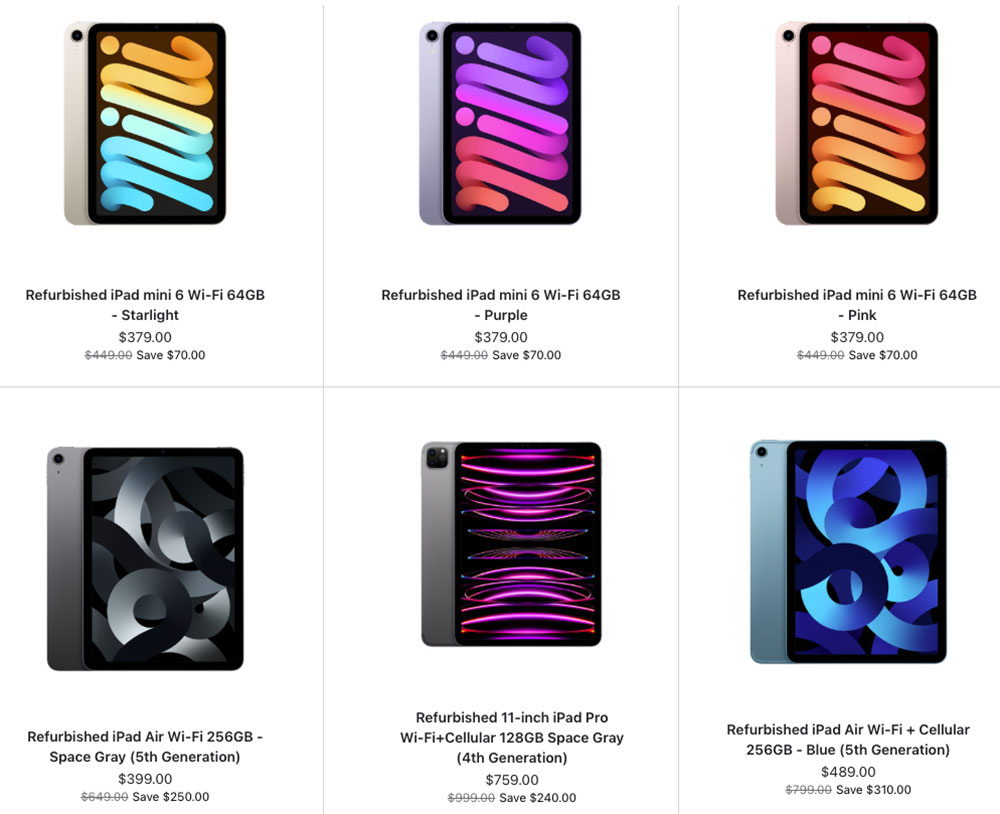
Apple refurbished iPads

Apple

Buying a refurbished iPad is one of the best ways to save money. You can often afford a model with more storage or even an iPad Pro for the price of a new entry-level iPad.

The key is to buy refurbished, not simply used. A properly refurbished iPad has been tested, repaired if necessary, and checked to ensure it works like new. A used iPad sold privately is typically sold “as is”, with no warranty, and could even be locked to the previous owner’s Apple ID.

Buy from Apple’s Certified Refurbished Store

The safest option is Apple’s Certified Refurbished Store. Every refurbished iPad is fully tested, fitted with a new battery and outer shell where required, cleaned, and repackaged with all original accessories. You also receive:

  • A one-year warranty, just like a new iPad.
  • The option to purchase AppleCare+.
  • Original accessories and packaging.
  • Prices are typically around 15% lower than buying new.

What to look for

If you’re buying from a third-party retailer, pay attention to a few key details:

  • Software support: Choose a model that will continue receiving iPadOS updates for several years. Older devices, such as the 2018 iPad Pro (3rd generation) and 2020 iPad (8th generation), no longer support iPadOS 27.
  • Storage: Aim for at least 128GB. Older 32GB and 64GB models can quickly run out of space with modern apps and games.
  • Condition: Check the retailer’s grading system so you know what cosmetic wear to expect.
  • Warranty: Buy from a seller that includes a warranty—ideally for at least one year.

Where to buy

Apple Certified Refurbished: The safest choice, with the same warranty and support as a new iPad.

Reputable refurbishers: Retailers such as Back Market, Best Buy, and Amazon Renewed often offer deeper discounts, but always check the condition grading and warranty before buying.

If you buy from a trusted retailer and choose a model that still has years of software support ahead of it, a refurbished iPad can offer excellent value while saving you a significant amount of money.

Do you need to upgrade your current iPad?

Whether it’s time to replace your iPad depends on four things: software support, performance, battery life, and whether you’re missing features you actually want.

Your iPad no longer receives updates

The most important reason to upgrade is when your iPad stops receiving software and security updates. Apple typically provides major iPadOS updates for around six to eight years, with security updates often continuing for a while afterwards. See: How long does Apple support iPads?

As long as your iPad still receives security updates, it’s generally safe to keep using. Once those updates end, however, you’ll eventually lose app compatibility and expose yourself to increasing security risks.

As of 2026, iPads with an A14 chip or newer, or any M-series iPad, support iPadOS 27. Older models, including the 2018 iPad Pro and 2019 iPad Air, have reached the end of major software support.

It feels slow or the battery no longer lasts

Performance and battery life naturally decline with age. If apps take a long time to open, crash frequently, or the interface feels sluggish even after restarting, your iPad may be struggling to keep up.

Which are the best retailers to buy an iPad from?

Aside from Apple (View the iPad in the Apple Store and View the iPad in the Apple Store U.K). There are a number of third-party reseller that frequently discount the different iPad models.

Best for Lowest Prices

Best for U.K. Buyers

Similarly, if the battery no longer lasts through a typical day or the iPad shuts down unexpectedly, it may be time to replace the device – or at least the battery.

You want Apple Intelligence

One of the biggest reasons to upgrade today is Apple Intelligence. Apple’s AI features require an M-series chip or an A17 Pro processor.
If you own the current entry-level iPad (A16) or an older model, you won’t be able to use features such as Writing Tools, Priority Notifications, or Clean Up in Photos.

When you probably don’t need to upgrade

If your iPad still runs the latest version of iPadOS, performs well, and meets your needs, there’s little reason to replace it.

Owners of the M1 iPad Air or newer, as well as recent iPad Pro models, are unlikely to notice a dramatic difference in everyday tasks by upgrading to the latest generation. Unless you need a specific new feature or substantially more performance, you’re usually better off keeping your current iPad for another year or two.

Which iPad to choose

User TypeBest iPadWhy
Budget buyers & casual usersiPad (A16)The most affordable entry point at $449 (new MSRP). Great for web browsing, email, streaming, and light tasks. However, it’s the only current iPad that does not support Apple Intelligence.
Students (most)iPad Air (M4)This is (as of July 2026) the top pick for students because it strikes “an excellent balance between performance, portability, and price” and supports Apple Intelligence. When Apple introduces the new iPad this may change. 
Students (budget)iPad (A16)A solid option for core tasks like note-taking and research, especially if you find it on sale below $300.
Students (art & design)iPad Pro (M5)Recommended for creative majors needing the OLED display, Apple Pencil Pro support, and maximum performance for demanding apps.
Commuters & travelersiPad mini (A17 Pro)The lightest iPad at just 293g. Its compact 8.3-inch screen is perfect for reading, note-taking, and slipping into a bag or large pocket.
Most people (all-rounder)iPad Air (M4)This is the best choice for the average user. It offers M4-level performance, a beautiful design, and a 13-inch option for those who want a large screen without paying Pro prices. When Apple introduces the new iPad this may change. 
Professionals & creativesiPad Pro (M5)The ultimate iPad with an M5 chip, Thunderbolt speeds up to 40Gbps, and a stunning display. If you’re a creative professional, the Pro is the iPad to get.
Kids (under 10)iPad (A16) or iPad miniThe standard iPad is the best value for younger children. The iPad mini’s smaller size might be easier for small hands to hold.
Teens & tweensiPad Air (M4)Offers more power for schoolwork and creative projects without the premium cost of the Pro. When Apple introduces the new iPad this recommendation may change. 
SeniorsiPad mini (A17 Pro)Its light weight makes it “easier to hold for extended periods”. The screen size of the standard iPad might suit those who require bigger text though. 
GamersiPad Pro (M5)The Pro’s 120Hz ProMotion display and M5 chip deliver the best gaming experience.

  •  

Best iPad Deals right now: iPad, iPad Air, iPad Pro & iPad mini discounts

Macworld

Whether you’re buying your first iPad, upgrading to a newer model, shopping for work, or looking for a gift, you’ll no doubt want to find the best deal.

Apple raised iPad prices in June 2026, making meaningful discounts harder to find than ever. That’s where we come in. At Macworld, we track iPad prices, comparing retailer offers with Apple’s current prices, previous pricing, and the lowest prices we’ve seen, so we can identify the iPad deals that are genuinely worth buying.

Apple rarely discounts iPads directly, apart from education pricing and its Certified Refurbished Store. However, retailers in the U.S., U.K., and elsewhere regularly offer savings throughout the year, with the biggest discounts often appearing during events such as Amazon Prime Day and Black Friday.

Our frequently updated deals tracker covers every current iPad, including the iPad mini, iPad Air, iPad Pro, and standard iPad. We monitor price changes and stock levels to help you spot genuine bargains before they disappear. Alongside the latest deals, you’ll also find buying advice explaining the differences between current and older models, potential pitfalls of buying previous-generation iPads, and whether today’s discounts are good enough or if you’re better off waiting. We also have a guide to the best Apple deals right now. 

Best iPad Deals July 2026

These are the best deals we are seeing right now.

U.S. deals

iPadDealNew MSRPOld MSRPLowest
A16, 128GB$427.99 Get the deal at Amazon $21 off$449$349$271.29
A16, 256GB$522 Get the deal at Amazon $27 off$549$449$349.72
A16, 512GB$712 Get the deal at Amazon $37 off$749$649$499
iPad miniDealNew MSRPOld MSRPLowest
A17 Pro, 128GB$574 Get the deal at Amazon $25 off$599$499$349
A17 Pro, 256GB$664 Get the deal at Amazon $35 off$699$599$479
A17 Pro, 512GB$871 Get the deal at Amazon $28 off$899$799$679
iPad AirDealNew MSRPOld MSRPLowest
M4, 11-inch, 128GB$700.77 Get the deal at Amazon $48 off$749$599$519.99
M4, 11-inch, 256GB$829.99 Get the deal at Amazon $19 off$849$699$609.99
M4, 11-inch, 512GB$1,019 Get the deal at Amazon $30 off$1,049$899$789
M4, 11-inch, 1TB$1,349 at Amazon$1,349$1,099$1,016.50
M4, 13-inch, 128GB$919.99 Get the deal at Amazon $29 off$949$799$699.99
M4, 13-inch, 256GB$1,019.99 Get the deal at Amazon $29 off$1,049$899$699.99
M4, 13-inch, 512GB$1,049 Get the deal at Amazon $200 off$1,249$1,099$999
M4, 13-inch, 1TB$1,477 Get the deal at Amazon $72 off $1,549$1,299$1,199
iPad ProiPad ProNew MSRPOld MSRPLowest
M5, 11-inch, 256GB$1,139 Get the deal at Amazon $60 off$1,199$999$799.91
M5, 11-inch, 512GB$1,329 Get the deal at Amazon $70 off$1,399$1,199$999.99
M5, 11-inch, 1TB$1,709 Get the deal at Amazon $90 off$1,799$1,599$1,399.99
M5, 11-inch, 2TB$2,181 Get the deal at Amazon $118$2,299$1,999$1,799
M5, 13-inch, 256GB$1,424 Get the deal at Amazon $75 off$1,499$1,299$1,149
M5, 13-inch, 512GB$1,499 Get the deal at Amazon $200 off$1,699$1,499$1,341
M5, 13-inch, 1TB$2,011 Get the deal at Amazon $88 off$2,099$1,899$1,723
M5, 13-inch, 2TB$2,449 Get the deal at Amazon $150 off$2,599$2,299$2,083.12

U.K. deals

iPadDealNew RRPOld RRPLowest
A16, 128GB£409 Get the deal at Amazon£429£329£299
A16, 256GB£525.17 Get the deal at Amazon£529£449£399
A16, 512GB£723.71 Get the deal at Amazon£729£649£579
iPad miniDealNew RRPOld RRPLowest
A17 Pro, 128GB£594.66 Get the deal at Amazon£599£499£399
A17 Pro, 256GB£694 Get the deal at Amazon£699£599£519
A17 Pro, 512GBOut of stock£899£799£739.97
iPad AirDealNew RRPOld RRPLowest
M4, 11-inch, 128GB£743.57 Get the deal at Amazon£749£599£578.99
M4, 11-inch, 256GB£842.83 Get the deal at Amazon£849£699£678.96
M4, 11-inch, 512GB£1,049 at Amazon£1,049£899££869.95
M4, 11-inch, 1TB£1,349 at Amazon£1,349£1,099
M4, 13-inch, 128GB£939 Get the deal at Amazon£949£799£768.99
M4, 13-inch, 256GB£1,041.41 Get the deal at Amazon £1,049£899£867.17
M4, 13-inch, 512GB£1,239.94 Get the deal at Amazon£1,249£1,099£1,060.09
M4, 13-inch, 1TB£1,549 at Amazon£1,549£1,299£1,253
iPad ProDealNew RRPOld RRPLowest
M5, 11-inch, 256GB£1,163.63 Get the deal at Amazon £35 off£1,199£999£929
M5, 11-inch, 512GBOut of stock£1,399£1,199£1,099
M5, 11-inch, 1TB£1,799 at Amazon £1,799£1,599
M5, 11-inch, 2TBOut of stock£2,299£1,999
M5, 13-inch, 256GB£1,496.62 Get the deal at Amazon£1,499£1,299£1,169.10
M5, 13-inch, 512GB£1,699 at Amazon£1,699£1,499£1,349
M5, 13-inch, 1TB£2,089 at Amazon£2,099£1,899£1,769
M5, 13-inch, 2TB£2,699 Get the deal (with nano glass) at Amazon£2,599£2,299£2,599

How we find the best iPad deals

Apple iPad A16 11

Britta O’Boyle

We identify the best iPad deals by combining our expert knowledge of Apple’s product lineup (which we have throughly review, and use daily) with specialized tools that monitor prices across a wide range of retailers. By tracking discounts over time, we understand what truly great deals look like and can quickly spot offers that deliver exceptional value.

In assessing deals, we look beyond the price tag to consider overall value. For example, while the M5 iPad Pro is a premium device, a substantial discount on a slightly older model may provide better value for many users. Likewise, we may highlight a strong deal on a basic iPad, pointing out that it can handle most everyday tasks for a fraction of the cost of a Pro model.

Because we understand Apple’s current iPad lineup, the features of previous generations, and what’s expected from future models, we’re well equipped to advise you on which iPad to buy and the best price to pay for it, especially in the wake of Apple’s price hikes.

Our process for identifying the top deals involves several key steps:

  1. We use specialized tools: We have tools that allow us to see the best deals across multiple resellers at any given time.
  2. Tracking historical prices: We track discounts and price drops throughout the year, so we know each model’s all-time low price. This helps us distinguish a genuine deal from a price that just looks good.
  3. Leveraging product expertise: Our extensive knowledge of the entire iPad lineup, including past generations and future expectations, allows us to assess the true value of a deal. For example, we consider whether a discount on an older model is significant enough to justify missing out on features available in a newer version.
  4. Monitoring key retailers: We constantly watch major retailers like Amazon and Walmart for bargains, especially during major sales events like Prime Day and Black Friday.

Is now a good time to buy a new iPad?

Prices are unlikely to come down significantly until Prime Day in October or Black Friday in November, but that’s not the only reason to wait. We also recommend reading the advice below to understand whether Apple is likely to update the iPad you’re considering. This can help you avoid purchasing an iPad shortly before a new model is released – a situation that often leads to regret, not only because a better version arrives, but also because retailers typically discount older models once an update occurs. However, if you’re hoping to get a deal on one of the newer models, be prepared to wait.

With that in mind, half of Apple’s iPad product line is due a refresh, with rumors indicating that a new iPad and iPad mini are coming before the end of 2026.

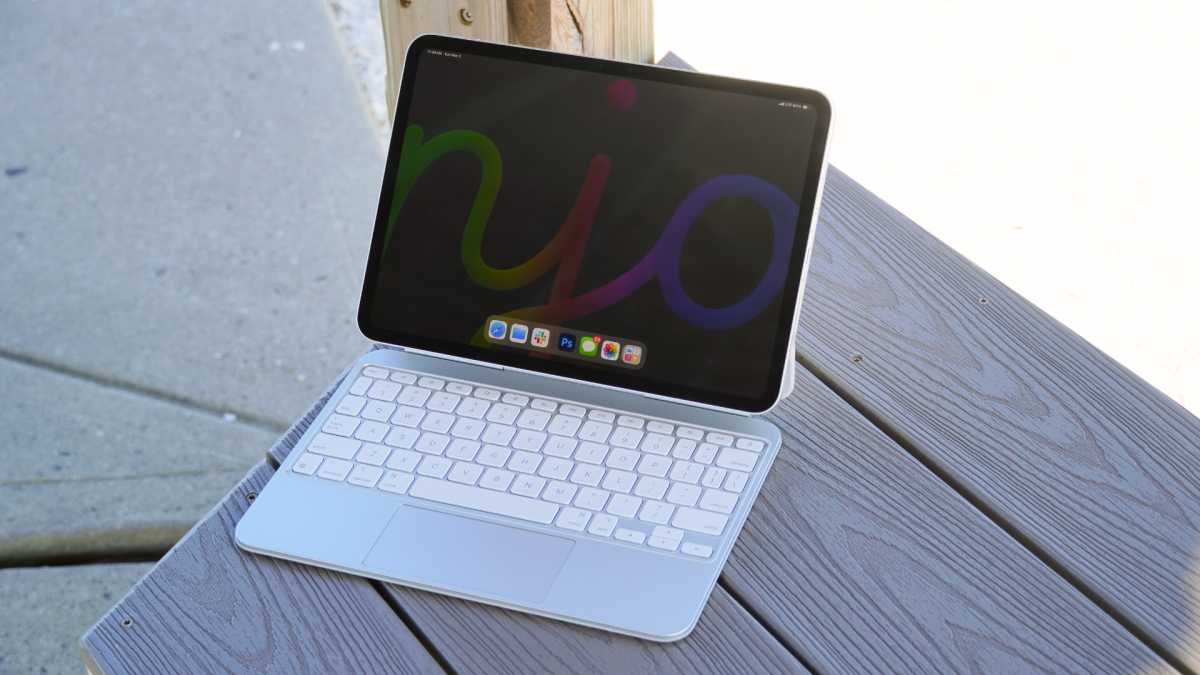
iPad Pro 11 M4 connected to Magic Keyboard

Brady Snyder / Foundry

Here’s a breakdown of the current iPad models to help you decide if now is the right time for you to buy:

iPad (A16): This is the cheapest iPad you can buy new from Apple, starting at $449/£429 (up from $349/£329) for the 128GB model. It was updated in March 2025, at which point Apple doubled the storage at the entry level without reducing the price (at that time), making it even better value for money – obviously that’s changed now that Apple’s pushed prices up by $100. Before choosing this iPad., there are important factors to consider. While the A16 chip delivers solid performance for daily activities, such as web browsing, streaming, light gaming, it doesn’t support Apple Intelligence (the suite of AI-powered features available on other current Apple products), plus the screen isn’t as high quality as the other iPads. If you want to ensure that your iPad is future-proofed we’d recommend spending a little more to get an alternative iPad, or waiting – a successor is anticipated in late 2026.

iPad mini (A17 Pro): The current model was released in October 2024 and was a significant upgrade, featuring Apple’s A17 Pro chip. This processor is powerful enough to support Apple Intelligence features, future-proofing the device for upcoming software innovations. The base model now starts with 128GB of storage, a welcome increase from the 64GB offered in previous generations. While the current iPad mini is a solid buy, there are rumors about a future model. Internal code leaks suggest a potential future update to an A19 Pro chip, which would offer a performance boost. We expect an update until later in 2026, but still recommend buying the current model at a good price.

iPad Air (M4): The current models, which feature the powerful M4 chip, were released in March 2026. We think the M4 iPad Air is the best choice for most people, striking a perfect balance between performance and price. It offers superb processing power, a premium lightweight design, and great battery life, making it a versatile device for everything from streaming and gaming to more demanding work. If you need a new iPad now we recommend the iPad Air as a great buy – if you can find it at a good price.

iPad Pro (M5): Now is an excellent time to buy a new iPad Pro; the current models with the M5 chip arrived in October 2025 and it is not expected to be updated again until 2027. The iPad Pro offers the most up-to-date technology on the ultimate iPad. Indeed, the M5 iPad Pro is considered the best tablet on the market, featuring a stunning Tandem OLED display, outstanding performance, and a super slim, lightweight design.

Release dates and expected refreshes aside, if you are wondering if there is a good time to shop for deals on a new iPad that’s a little more straightforward. The best time of year to get a deal is when the big sales happen, such as Black Friday in November or Amazon Prime Day sales in June or July and October. Some years there is also a Spring Big Deals event on Amazon. Those are when we see the biggest discounts, but if you can’t wait for one of those sales, don’t despair: we see price drops all year round and when we see a good deal we record it here.

Does Apple have sales?

The deals rarely come from Apple itself. While Apple will sometimes offer vouchers as an incentive to buy a new iPad (that’s Apple’s usual Black Friday giveaway), the company never discounts prices. Apple does sell refurbished iPads at a lower price though, so that might be something to consider.

If you are a student you can take advantage of Apple’s education discounts and save a little money on the full price of iPads (and Macs). And in the summer months Apple usually gives away Apple Pencils or AirPods with the sale of certain iPads (and Macs) to students in it’s Higher Education Sale.

Apple Back to School Sale
Apple gives away vouchers for Black Friday and some times as part of a “Back To School” sale in the summer months.

Apple

Best refurbished iPad deals

The deals you will see above are generally from Apple resellers rather than Apple itself, which very rarely drops the prices. Apple does, however, sell reconditioned iPads in its Certified Refurbished store. So you might be able to grab a bargain.

The iPads in Apple’s refurbished store may be ex-display stock, or they may have been returned to Apple due to a fault, but they are fully reconditioned now and come with a full year’s warranty. It’s not like buying secondhand.

The U.S. refurbished store has a selection that includes:

  • 10-inch iPad Air (5th generation), up to $200 off
  • 11-inch iPad Air (M2, M3), up to $130 off
  • 13-inch iPad Air (M2, M3), up to $210 off
  • 11-inch iPad Pro (4th generation), up to $410 off
  • 12.9-inch iPad Pro (6th generation), up to $450 off

Compared to the original price, you can save as much as $320 on a 12.9-inch iPad Pro.

In the U.K. you’ll find a similar selection of iPads available from Apple’s refurbished store. You’ll find the following:

  • iPad Air (5th generation, M2 & M3), up to £200 off
  • iPad mini (6th generation), up to £90 off
  • 11-inch iPad Pro (3rd generation, 4th generation), up to £680 off
  • 12.9-inch iPad Pro (5th generation, 6th generation), up to £450 off

Top refurbished deal: 11-inch, iPad Air M2, 256GB for £549, £100 off.

Another place to look is BackMarket US and BackMarket UK, which sells refurbished Macs and other Apple products. Amazon also has a certified refurbished store for Apple products, but we would advise against buying any products that are older than five years. Most of the products we see on the Amazon refurbished store are unfortunately very old.

We have an article that explains what you need to know about buying a refurbished iPad. It includes the best refurbished iPad resellers and lots of advice about how to find the perfect refurbished iPad.

OUR NUMBER ONE TIP: If you are buying an old refurbished iPad our number one recommendation is that you don’t buy one with less than 64GB storage – ideally, get 128GB or more.

There is a large refurbished market for the iPad. We’d recommend taking a look at these refurbished resellers for iPad offers:

U.S. refurbished resellers

U.K. refurbished resellers

We also have a guide to buying a refurbished iPhone.

Macworld’s top 5 tips for finding the best iPad deal

When you are searching for a deal keep the following points in mind and you should be happy with your purchase.

  1. Check the storage: Some older iPads only had 32GB or 64GB storage. We don’t think that’s enough. The good news is that Apple’s current iPad line up has 128GB storage or more, so, unless you are buying an older model, this won’t be an issue. Just make sure that if you see a deal on an old model with less storage it is priced accordingly. Some of the best deals are on higher capacity iPads.
  2. You probably don’t need cellular: You might intend to use your iPad when you are out and about. In that case spending more to get a model with cellular might appeal. Our opinion is that you can just hotspot from your iPhone to get on the internet from your iPad. You won’t need to pay for a data contract and your’ll also save yourself money on the price of the iPad itself. Check the deal you are looking at isn’t for a cellular model because a non-cellular deal will be even better!
  3. Consider refurbished: If you want a bargain and don’t mind that it’s not the latest model buying a refurbished iPad can be a great way to save money. We recommend using Apple’s refurbished store because every product is throughly tested before being sold, and you get a one year warranty with it. If you want to save more money, companies like BackMarket and Declutter. There’s more information about buying a refurbished iPad below.
  4. Shop around: If you want a deal then don’t shop at Apple! The best deals come from the various resellers who often battle it our to undercut each others prices for Apple products. Amazon is usually the best, but make sure to check the likes of Walmart, B&H and Best Buy in the U.S., and AO, Argos, Currys in the U.K. We have a list of the best places to buy an iPad below.
  5. Wait, if you can: If it’s not Black Friday or an Amazon Prime Sale keep in mind that there could be even better bargains coming. Also, if Apple is likely to be announcing new products soon, be aware that it may mean that the current range will soon be discounted even more.
iPads 2025

Apple

Which iPad should you buy?

The answer to this question really depends on what you need your iPad for.

I want the cheapest iPad you can buy

Consider the standard iPad. The cheapest iPad is the 128GB A16 iPad, which costs from $349 / £329. It’s a good option if you are likely your iPad is destined for general use, such as emails, one taking, web browsing, social networks, watching movies and reading books. It’s got a great sized screen and is light enough to pop in a bag and not feel weighed down.

Apple iPad A16 1
The iPad A16 is good, as long as you don’t mind the lack of Apple Intelligence

Britta O’Boyle

I’m for an iPad to use instead of a computer

If you are just planning to edit documents and spreadsheets, any iPad can be a good supplement for a computer. If you need something with a little more power then the iPad Air or iPad Pro might be a better option. Apple and other companies sell iPad cases that come with built in keyboards, so you can turn your iPad into a laptop. Read our round up of the best iPad keyboards.

Mokibo Fusion Keyboard For iPad Pro

Foundry

I want an iPad that won’t weigh too much

The iPad mini is a great choice if you value portability and power. Its compact 8.3-inch screen and is the lightest iPad you can get (weighing around 0.65 pound or 293g). This makes it perfect for travelers, commuters, or anyone who values a device that can easily fit in a bag or even a large pocket.

If you need a bigger screen the iPad Air is a good choice. The 11-inch iPad Air weighs just over 1 pound or 462g and is 6.1mm thick, making it comfortable to hold for extended periods and easy to take anywhere. What may surprise you is that the newest 11-inch iPad Pro is actually lighter and thinner than the 11-inch Air, at 444g and 5.3mm thick.

iPad Mini 7 2024 Review

Dominik Tomaszewski / Foundry

I want an iPad to use for gaming

If you are wanting to play the latest games on your iPad then the iPad Pro may be the one to choose. Other iPads will be able to play casual games, but to be sure of getting the power and graphics prowess necessary to play the latest games. The iPad Pro also offers a better screen with the 120Hz refresh rates that serious gamers will want.

However, even the A17 Pro chip in the iPad mini ensures that the latest games and apps run smoothly, making it a powerful portable console. The Liquid Retina display is sharp and vibrant, with the highest pixel density of any current iPad.

I want an iPad so I can draw

The iPad is a great device for artists. Any iPad, accompanied with an Apple Pencil or other iPad stylus, will allow you to draw using an app such as Adobe’s Sketchpad (now called Adobe Fresco) which can be used for free, but has in-app purchases.

If you are really serious about your art you may prefer an iPad Pro though, and you may even consider the nano-texture display option for less glare and reflections.

iPad Pro M4 med Apple Pencil

Petter Ahrnstedt

For Kids: The iPad mini is great option for Kids because its small, lightweight frame is easy for small hands to hold, and its power makes it a capable device for entertainment and learning.

For Seniors: The iPad mini’s light weight makes it easier to hold for extended periods.

For Students and Note-Takers: The iPad mini screen size is perfect for reading and taking notes, especially when paired with an Apple Pencil Pro or Apple Pencil (USB-C).


For more information read our full guides to the best iPad for students, best iPad for kids and best iPad for the elderly.

If you still aren’t sure read our guide that examines which iPad is best for you in more detail.

Where to get an iPad deal

You don’t have to buy directly from Apple. There are resellers that will sell you and iPad, and the best thing is that they frequently offer discounts, where Apple never does.

We recommend the stores below.

U.S. retailers

U.K. retailers

Apple has a number of Apple Premium Resellers who stock iPads in the U.K., and also offer other services, try the following:

Where to buy the iPad on contract

If you are looking to buy a cellular iPad, so you can always get on the internet, you may want to buy the iPad on contract from one of these networks:

U.S. network carriers

U.K. network carriers

  •  
❌