 Login
Login
How to lock WhatsApp Web on your computer


If you frequently use WhatsApp for voice and video calls, dealing with loud background noise is about to get much easier. A new software update is bringing system-level microphone controls directly into the active call screen. Instead of forcing you to swipe away from your conversation to find the right audio settings, the app now […]
The post WhatsApp Now Lets iPhone Users Switch Mic Modes During Calls appeared first on The Mac Observer.
A aplicação foi criada pela startup EdTech, criada por quatro alunos do Técnico e já reconhecida em vários prémios. Está disponível para experimentar gratuitamente.
The post Discovery usa Inteligência Artificial para combater a dislexia e cria um “karaoke” de leitura appeared first on Tek Notícias.
Sleep tracking on Apple Watch can make an invisible part of daily health easier to understand. Each morning, the watch may show sleep duration, stages, interruptions, overnight vitals and a score intended to summarize the night.
That information can be useful. It can also create a new habit of judging the entire day before getting out of bed.
One low score may make a person feel tired before noticing how they actually feel. A few minutes less deep sleep can become a source of concern. Going to bed can even start to feel like a test that must be passed rather than a normal biological process.
Apple Watch sleep data works better as a long-term observation tool than as a nightly verdict. The goal is not to collect perfect scores. It is to notice repeatable patterns and make small changes when those patterns match real-life problems.
Apple Watch estimates sleep using movement and signals collected while it is worn overnight. Depending on the model and available features, the Health and Sleep apps can show total sleep time, awake periods and estimates for core, deep and REM sleep.
The watch may also collect sleeping heart rate, respiratory rate, wrist temperature and other overnight metrics. The Vitals app compares several of these measurements with the user’s established typical range.
A sleep score compresses parts of the night into one number or category. Apple’s score considers factors including sleep duration, consistency and time spent awake. That makes it convenient, but convenience should not be confused with a complete medical interpretation.
The watch cannot know whether a stressful conversation kept someone awake, whether a child interrupted the night or whether the wearer woke feeling unexpectedly refreshed after fewer hours. It estimates physiological and behavioral signals. The person still supplies the context.
One night can be distorted by almost anything: travel, alcohol, illness, noise, a late meal, room temperature or a loose watch band. Even the position of the arm can affect sensor collection.
A weekly or monthly view is more useful because it reduces the influence of isolated nights. Patterns begin to emerge around bedtime consistency, total duration and changes in overnight vitals.
Health > Search > Sleep > select the weekly, monthly or six-month view
Look first at sleep duration and timing. These measurements are generally easier to interpret than small changes in individual sleep stages.
A person who repeatedly sleeps less on work nights may have a scheduling issue. Someone whose sleep becomes more fragmented after late caffeine may have found a useful connection. A consistently irregular bedtime may explain more than whether deep sleep moved by 12 minutes on Tuesday.
The data becomes valuable when it supports an observation that can lead to a realistic adjustment.
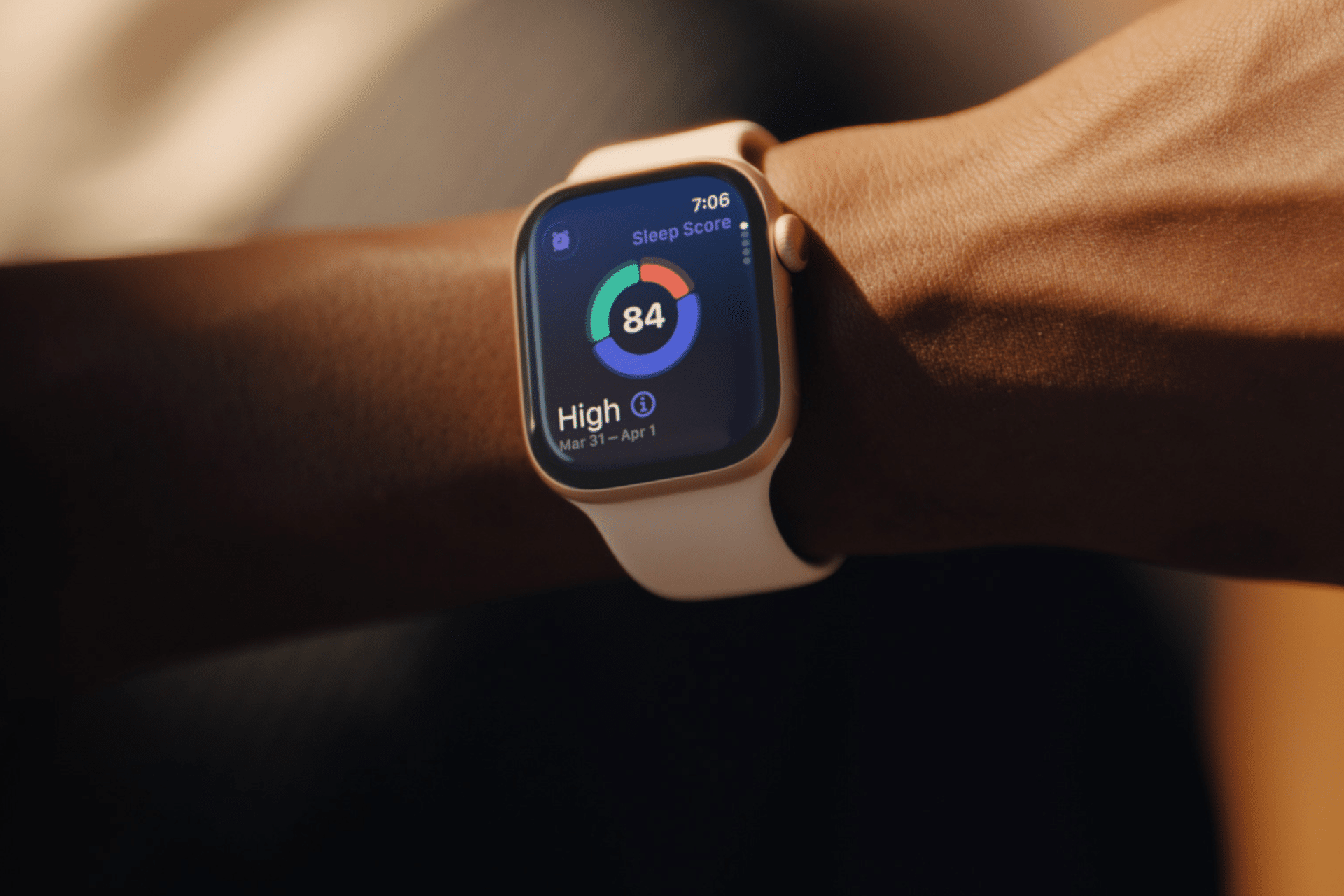
Core, deep and REM sleep are presented as distinct colored sections, which can make them appear more precise than they are. Apple Watch estimates these stages from signals available at the wrist. A clinical sleep study uses additional equipment and is designed for medical evaluation.
That does not make the stage information worthless. It means small nightly differences should not be overinterpreted.
A person does not need to increase deep sleep manually or achieve a perfect proportion of REM sleep. Sleep architecture changes naturally across age, stress levels, exercise, illness and different parts of the night.
Use stage data to notice substantial or persistent changes, not to compete with yesterday’s chart. Spending 15 minutes less in one estimated stage is not automatically a health problem.
Before opening the Sleep app, notice how the morning feels.
Was waking difficult? Is concentration normal? Is there unusual daytime sleepiness? Does the body feel recovered after exercise? Was the night interrupted for an obvious reason?
This brief self-check prevents the score from defining the experience. Someone may feel fine after a lower-rated night, while another person may feel exhausted despite receiving a favorable score.
The most useful interpretation combines both sources: subjective experience and device data. When they repeatedly agree, the pattern deserves attention. When they conflict for one night, there may be no reason to react.
The Vitals app can show whether overnight measurements such as heart rate, respiratory rate, wrist temperature and sleep duration fall within a typical range. It becomes more useful after the watch has collected enough nights to establish a personal baseline.
An outlier may reflect alcohol, medication, elevation, intense training or the beginning of an illness. It may also be an ordinary variation or imperfect reading.
Several unusual metrics appearing together may provide more context than one isolated number. Even then, Apple Watch data should not be used to diagnose a condition independently.
Persistent symptoms, breathing concerns, extreme daytime sleepiness or major changes in sleep should be discussed with a qualified healthcare professional. Bring the trend data if it helps describe what has been happening, but do not let the watch replace an evaluation.
The healthiest use of sleep tracking is to connect the data with actions a person can actually control.
A consistent bedtime may improve the pattern. Charging the watch before the evening makes tracking more reliable. Reducing late caffeine, adjusting the bedroom temperature or moving an intense workout earlier may also produce noticeable changes.
Health > Search > Sleep > Full Schedule & Options > Add Schedule
A schedule can provide Wind Down reminders and help keep bedtime more regular. It should remain a helpful structure rather than a rigid obligation. Life will occasionally interrupt it.
Choose one adjustment and observe it for a week or two. Changing five habits after one poor night makes it difficult to identify what helped.
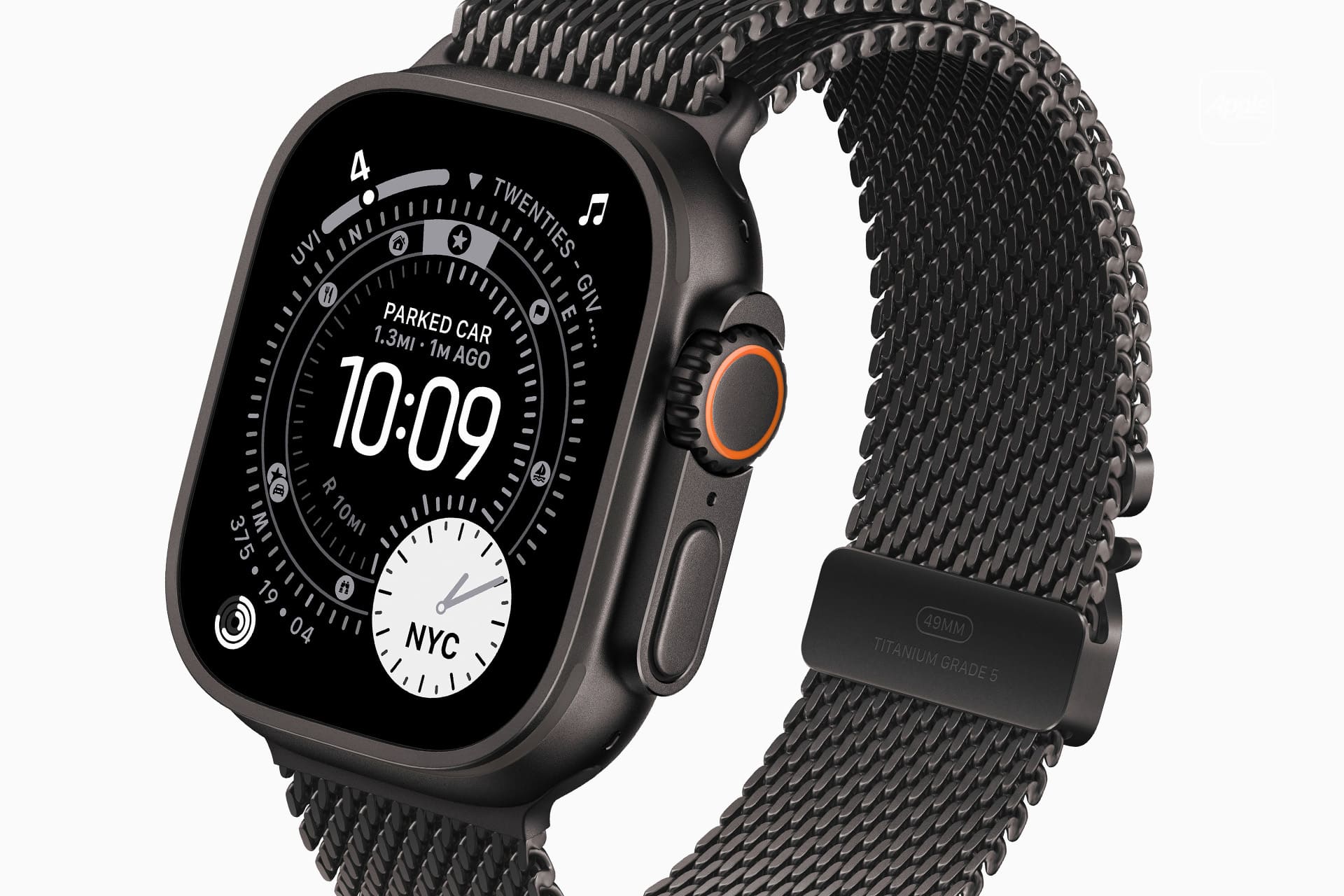
Some people become preoccupied with improving sleep data, repeatedly checking results or worrying that a low score guarantees a bad day. The anxiety can itself make falling asleep more difficult.
That is a sign to reduce exposure to the numbers.
Sleep tracking can be turned off temporarily, or the data can be reviewed only once per week. Another option is to avoid checking the score in the morning and examine trends at a neutral time later.
Watch app on iPhone > My Watch > Sleep
A break does not erase the knowledge already gained. A person who has learned that regular timing and less late caffeine improve sleep may no longer need a daily chart to confirm it.
The device should support rest, not supervise it.
A practical morning review can remain simple. Check whether the watch recorded the full night. Notice total duration. Consider whether the bedtime was typical. Look for any major change in overnight vitals, then move on.
There is rarely a need to analyze every stage, compare several apps or search for explanations after one ordinary variation.
Sleep tracking on Apple Watch is most useful when it reveals something that was difficult to see without data: a repeated shortfall in duration, an inconsistent schedule or a pattern linked to habits and recovery.
The score can summarize one night, but it cannot grade the person who slept through it. A healthier measure is whether the information helps create calmer nights, better days and fewer reasons to think about the watch after waking.
The post Sleep Tracking on Apple Watch Without Chasing Scores appeared first on AppleMagazine.
Três alunas da Faculdade de Medicina da Universidade de Lisboa usaram a experiência no curso de IA na Medicina para desenvolver uma aplicação que permite localizar stocks de medicamentos e fazer a reserva.
The post Ctrl + Alt + Cure: aplicação MedStock desenvolvida por alunas de Medicina quer resolver problema de acesso a medicamentos appeared first on Tek Notícias.
Entre a correria do dia a dia, arranjar ideias novas para brincar com os filhos nem sempre é fácil. Com Hearty, organize centenas de atividades por idade e categoria, para pais, avós e até professores usarem em casa.
The post Hearty: a app que dá aos pais ideias prontas para passar tempo de qualidade com os filhos appeared first on Tek Notícias.
Call forwarding on iPhone is a simple feature with a specific job: it sends incoming calls from your iPhone number to another phone number. That can be useful when you are traveling, using a temporary phone, separating work and personal calls, covering a business line or making sure important calls reach someone else when you cannot answer.
The feature is built into iOS, but it depends on carrier support. Apple notes that call forwarding can be set up on iPhone if cellular service is through a GSM network. If the service uses a CDMA network, users may need to contact the carrier for setup details. That means the option may not appear for every user, every carrier or every plan.
Settings > Apps > Phone > Call Forwarding
Turn on Call Forwarding, then enter the phone number where calls should be sent. When call forwarding is active, an icon appears in the status bar so the user can see that incoming calls are being routed elsewhere.
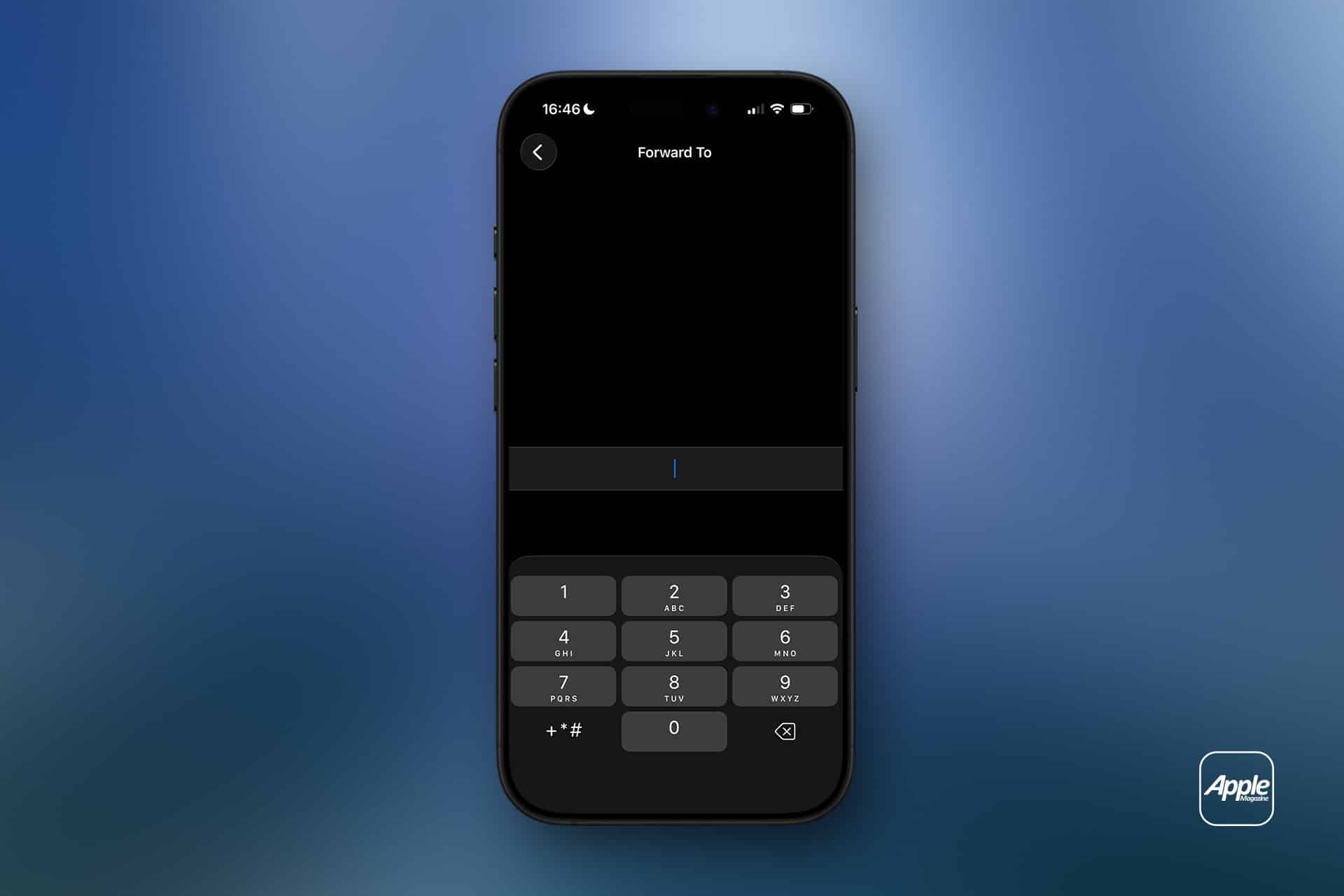
Call forwarding on iPhone does not move messages, FaceTime calls, app notifications or voicemail settings by itself. It only redirects standard cellular phone calls. If someone calls your iPhone number, the carrier routes that call to the number you entered.
That distinction is important. If you forward calls to another phone, text messages still arrive on the original iPhone unless other settings or services are involved. FaceTime calls may still ring on Apple devices signed into the same Apple Account. Messaging apps such as WhatsApp, Signal, Telegram or Messenger are unaffected.
Call forwarding is also different from Silence Unknown Callers, Focus modes or Do Not Disturb. Those features control how calls appear or interrupt you. Call forwarding changes where the call goes.
This makes the feature useful in a few common situations. A business owner can send calls to an office line. A traveler can forward calls to a local number. Someone with a damaged iPhone can temporarily send calls to another device. A freelancer can route calls to a partner during time off. A parent can forward calls to a spouse for a short period.
Use the full phone number, including area code. If forwarding to an international number, include the correct country code. After setting it up, test the feature from another phone. Do not assume it works until a test call rings at the forwarded number.
Settings > Apps > Phone > Call Forwarding > Turn off
After turning it off, test again. A quick call from another phone confirms whether incoming calls are back to normal.
If the Call Forwarding menu spins, fails to load or does not save the number, restart the iPhone and check cellular service. If the problem continues, contact the carrier because the setting depends on the carrier network.
Some users look for call forwarding and cannot find it. That usually means one of three things: the carrier does not expose the feature in iPhone settings, the plan does not support it, or the network requires carrier codes or account-level setup.
Apple’s guide says CDMA users should contact their carrier for call forwarding information. Some carriers also use special dialing codes for forwarding all calls, forwarding when busy, forwarding when unanswered or forwarding when unreachable. Those codes vary by carrier and country, so guessing is not a good idea.
The best path is to check the carrier’s support page or app. Many carriers let users manage forwarding from the account dashboard, especially for business lines or multi-line plans.
If the option is missing, the iPhone is not necessarily broken. The carrier may simply handle forwarding differently.
Call forwarding can affect voicemail behavior depending on the carrier and destination number. If the forwarded phone does not answer, the call may go to the voicemail of the forwarded number instead of the original iPhone voicemail. In some cases, carrier rules may still send it back to the original mailbox, but users should not assume that.
This is another reason to test. Call the iPhone from another number, let it ring, and see where the missed call lands. If the goal is to preserve the original iPhone voicemail, carrier support may be needed.
For work numbers, this can be especially important. A forwarded business call going to a personal voicemail greeting can look unprofessional. A personal call going to a shared office voicemail can create privacy problems. Check before relying on it.
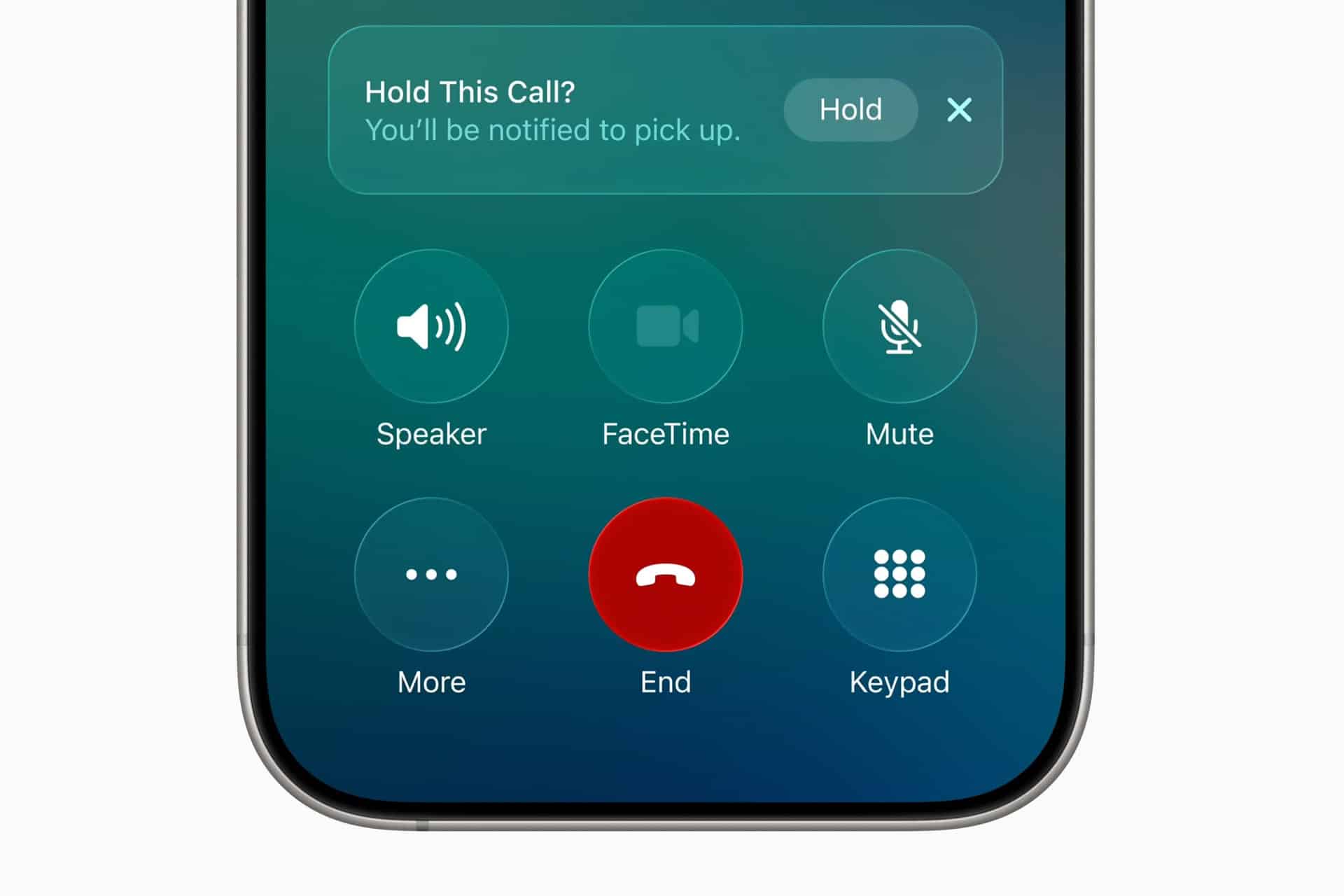
iPhone users with Dual SIM or eSIM setups should pay attention to which line is being forwarded. A personal line and business line can have separate carrier settings. Forwarding one does not automatically forward the other.
Settings > Cellular > Select the line you want to manage
Settings > Apps > Phone > Call Forwarding
The available settings may vary by carrier and line. If one line supports call forwarding and the other does not, that is usually a carrier difference, not an iPhone problem.
Dual SIM users should also test both numbers separately. Call the personal number, then call the business number, and confirm each behaves as expected.
Call forwarding works best when the goal is temporary coverage. It is useful during travel, device repairs, vacations, business handoffs, office moves, event coverage or times when another person needs to answer calls.
It can also help people who use a landline or desk phone during work hours. Calls can be forwarded from the iPhone to the office line, then turned off at the end of the day. The reverse can also work if the carrier supports it.
For small businesses, call forwarding can help avoid missed calls without adding a full phone system. A company can route calls to whoever is available. For individuals, it can be a quick fix when an iPhone battery is failing, a device is being repaired, or cellular reception is better on another phone.
The feature is less ideal as a permanent business phone solution. If multiple people need to answer calls, if calls need menus, if calls need recordings, or if voicemail needs to stay organized, a dedicated phone service may be better.
Call forwarding may create charges depending on the carrier, plan and destination number. Forwarding calls to an international number can be expensive. Forwarding to another domestic mobile number is usually simpler, but users should still check the plan.
Privacy also deserves attention. Once calls are forwarded, the person or device receiving them may hear personal, business or sensitive conversations meant for the original number. Do not forward calls to a shared phone unless that is intentional.
Before forwarding a work line to a personal number, check company policy. Some organizations do not allow business calls to be routed to unmanaged personal devices.

If call forwarding does not work, start with the basics. Confirm the iPhone has cellular service. Restart the device. Check that the forwarding number is entered correctly. Turn call forwarding off, wait a few seconds, then turn it on again.
Then test from another phone. A test call is the fastest way to know whether the carrier accepted the setting.
If calls still do not forward, check whether the carrier supports call forwarding through iPhone settings. Some carriers require account-level activation, carrier codes or a business calling feature. If the iPhone setting is missing or stuck, carrier support is usually the right next step.
Also check Focus modes and blocked numbers if the issue is not forwarding but missed calls. A call may fail to ring because of Focus, Silence Unknown Callers, a blocked contact, poor signal or voicemail settings rather than call forwarding.
Call forwarding on iPhone is easy to use when the carrier supports it. Open iPhone settings, turn on Call Forwarding, enter the destination number and test it. Turn it off when the temporary need is over.
The feature is most useful when it is deliberate and short-term. It can keep calls moving during travel, repairs, work coverage or busy periods, but it should be checked carefully because voicemail, costs and privacy can change once calls are routed to another number.
The iPhone makes the setting simple. The carrier decides how far that simplicity goes.
The post Call Forwarding on iPhone: How It Works appeared first on AppleMagazine.
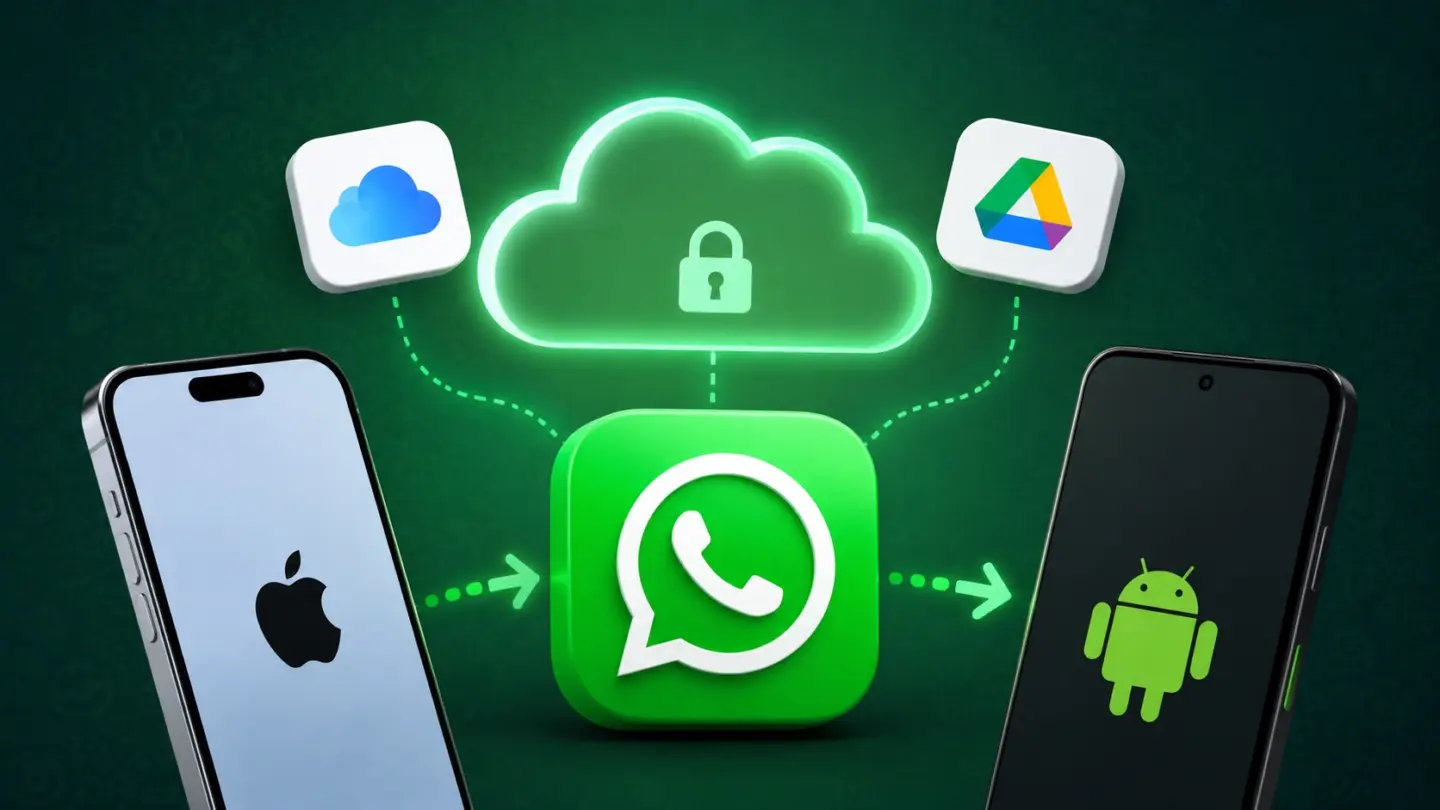
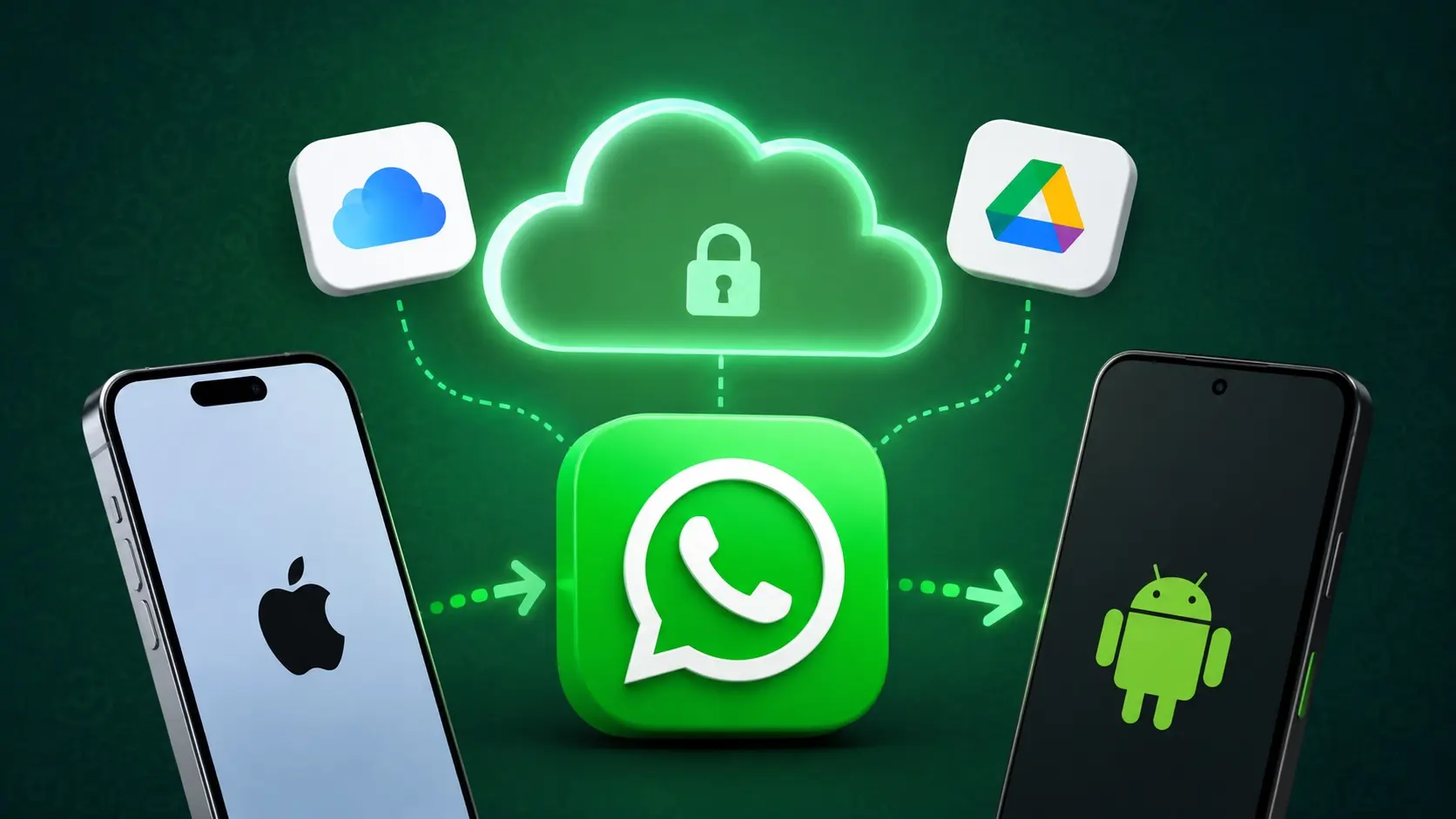
A future WhatsApp cloud backup service could free iPhone users from iCloud while making cross-platform chat transfers far less painful.
(via Cult of Mac - Your source for the latest Apple news, rumors, analysis, reviews, how-tos and deals.)
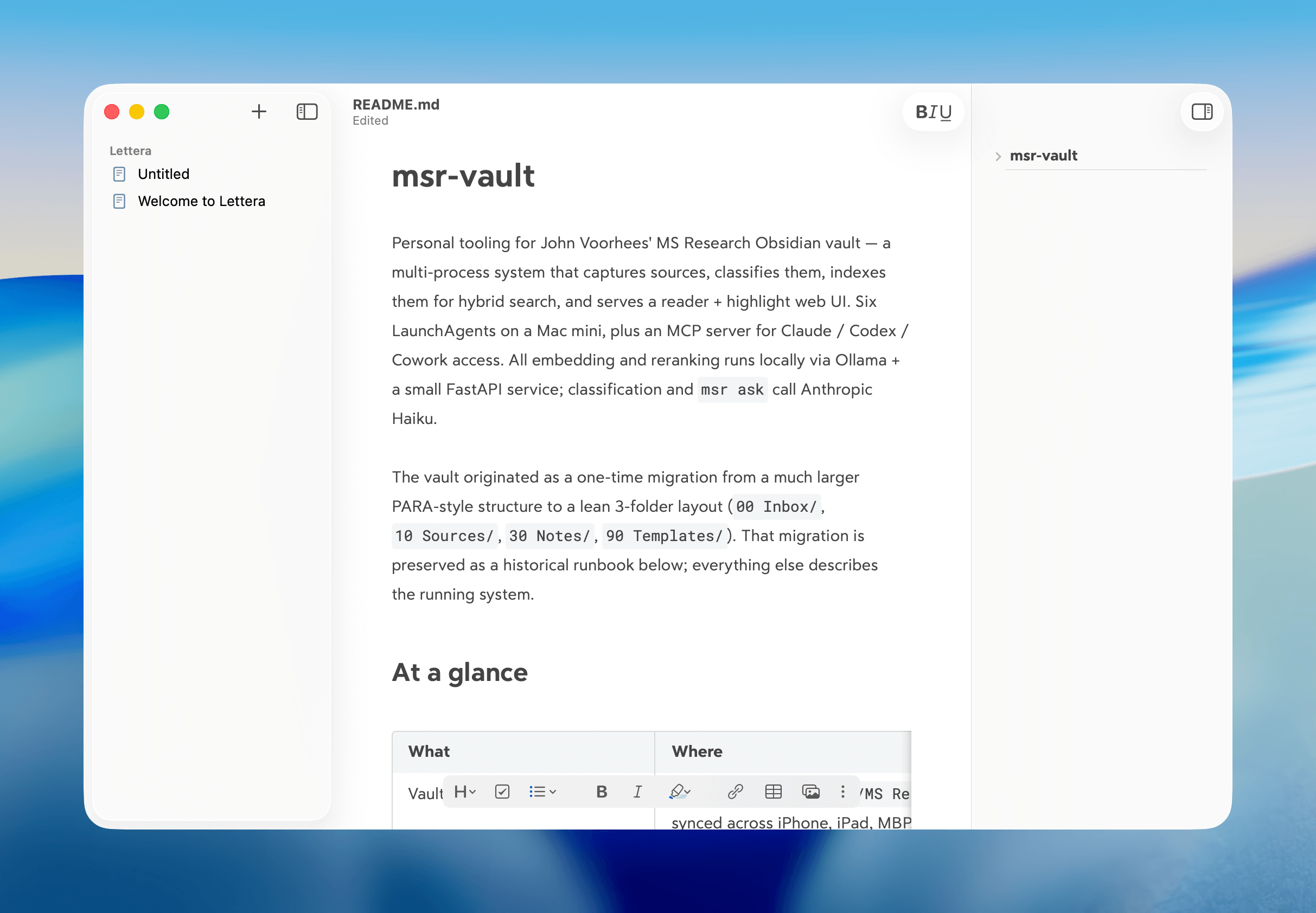
Today, the team behind note-taking app Bear announced the public beta of Lettera, a new Mac text editor, based on Panda, an earlier beta that was used to work out the Bear 2.0 text editing engine. That immediately caught my eye because I’ve been using Panda for months. In fact, it’s the default way I open Markdown files now.
What drew me to Panda was the automation work I’ve been doing with agents. I use the Superpowers plugin (which got an excellent 6.0 update this week) with both Codex and Claude Code, which generates plans, design documents, and specs as part of its process. Panda turned out to be a great way to read those documents because the Bear 2.0 UI is excellent, and with Panda, I could open any Markdown file as a standalone document that didn’t require importing it into Bear itself.
According to the Bear team’s post today, Lettera is designed to preserve Panda’s simple approach to Markdown files and extend it to the Mac’s file system:
Lettera works around your setup. Open a single file to read and edit it, or open a folder as your writing workspace…
That way, Lettera can be used as your default Markdown editor no matter where Markdown files are saved, which is how I’ve been using Panda, or as a text editor with a dedicated folder of working files in iCloud, which is a departure from Bear, which hides the file system from users. Other features will be familiar to anyone who has used Bear before, including its excellent Markdown rendering, versioning, a table of contents sidebar, and support for multiple export formats.
I’ve only just scratched the surface of Lettera, but I was already a fan of the more limited Panda, so I expect Lettera to quickly become the text editor I use for any writing that isn’t an article like this one, for which I’m still using Obsidian, thanks to its extensive plugin catalog.
You can download the beta of Lettera from the Bear post announcing the app.
 WhatsApp has started rolling out its new username feature, reports WABetaInfo. Some users who reserved their username have started receiving a notification that their username is active, and that they can now use it to send and receive messages to other users without revealing their phone number.
Controle fácil do microfone no WhatsApp iPhone para melhorar chamadas com modos como Voz Isolada e Amplo Espectro.
O post WhatsApp adiciona controle de microfone para iPhone com modos de voz isolada e amplo espectro apareceu primeiro em Blog do Edivaldo - Informações e Notícias sobre Linux.
YouTube Music testa álbum em tela cheia na tela de reprodução, trazendo visual mais moderno para o serviço de streaming.
O post YouTube Music testa álbum em tela cheia na reprodução de músicas apareceu primeiro em Blog do Edivaldo - Informações e Notícias sobre Linux.
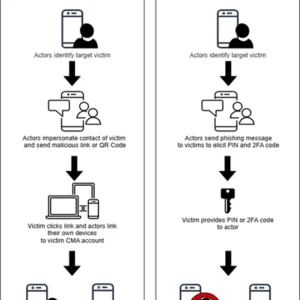
Federal authorities are offering a reward of up to $10 million for information leading to the identification or location of a Russian state cyber group that has compromised thousands of Signal and WhatsApp accounts belonging to investigative reporters and US government employees.
The operation has been active since at least March, when the FBI published an advisory warning of ongoing phishing campaigns targeting high-value targets by attackers associated with Russian intelligence services. Messages masquerading as automated support communications ask that users click a link or provide verification codes or account passcodes. In the event the user complies, they unknowingly link the attacker's device to their account or have their account completely taken over and are locked out.
© Getty Images
Google Messages lança chat oficial com chatbot para facilitar acesso às atualizações do app. Fique por dentro com interação prática.
O post Google Messages testa chat oficial com chatbot para novidades em tempo real apareceu primeiro em Blog do Edivaldo - Informações e Notícias sobre Linux.
Esqueça os bloqueadores de sites chatos e as notificações que ignora ao fim de dois dias. O Cat Gatekeeper tem uma abordagem diferente, e muito mais fofa, para o doomscrolling. Trata-se de um gato laranja “gorducho” que invade o ecrã e não sai de lá até a pausa acabar.
The post Cat Gatekeeper: a extensão que manda um gato “gorducho” invadir o seu ecrã quando passa tempo a mais nas redes sociais appeared first on Tek Notícias.
Além do Facebook e Instagram, os problemas estão a afetar outras plataformas da Meta, incluindo o Messenger. A empresa está a trabalhar para resolver as falhas, embora ainda sem avançar com uma explicação para o sucedido.
The post Problemas no Facebook e Instagram? Meta confirma que está a trabalhar para resolver as falhas no acesso appeared first on Tek Notícias.
O Mundial de Futebol começa hoje, 11 de junho, com 48 seleções em campo nos Estados Unidos, Canadá e México. A app oficial da FIFA 2026 é a companhia indispensável para acompanhar cada jogo e respetivos preparativos, seja em casa ou nas bancadas.
The post Mundial de Futebol FIFA 2026 é a aplicação oficial do maior evento desportivo do planeta que arranca hoje appeared first on Tek Notícias.
