Tired of clunky email triage on your iPhone? Avec’s swipe-based interface lets you quickly sort important messages from noise, using AI to prioritize what matters. It’s Gmail-only and iPhone-only for now, but IMAP support is promised and a desktop version is coming.
Now that the public beta for iOS 27 is available, even more iPhone and iPad users are going to be interested in experiencing the new operating systems while they’re under active development. And there’s good reason for this, iOS 27 and iPadOS 27 are both shaping up to be notable improvements to the operating systems, ... Read More
Apple has launched the public beta program for iOS 27, making the upcoming iPhone operating system available as a beta to all interested users. Beta system software tends to be buggier and less refined than final versions, and is generally best reserved for advanced users, but the public beta is fairly stable, and made available ... Read More
Apple has released iOS 27 beta 3 for iPhone users who are participating in the beta testing program. iPadOS 27 beta 3 is also available for iPad based beta testers. iOS 27 and iPadOS have an emphasis on performance, with improvements to general system performance, a slider for adjusting Liquid Glass intensity to the appearance, ... Read More
Durante décadas, los astrónomos han intentado comprender qué mecanismo impulsa el crecimiento de los agujeros negros supermasivos. Ahora, el telescopio espacial James Webb ha captado un fenómeno que nos acerca a la respuesta.
España y Argentina disputan la final del Mundial más grande, pero fuera del césped aparece otra trama: el regreso de EBRO, una fábrica recuperada en Barcelona y una alianza con tecnología china que resume los dilemas de la industria europea.
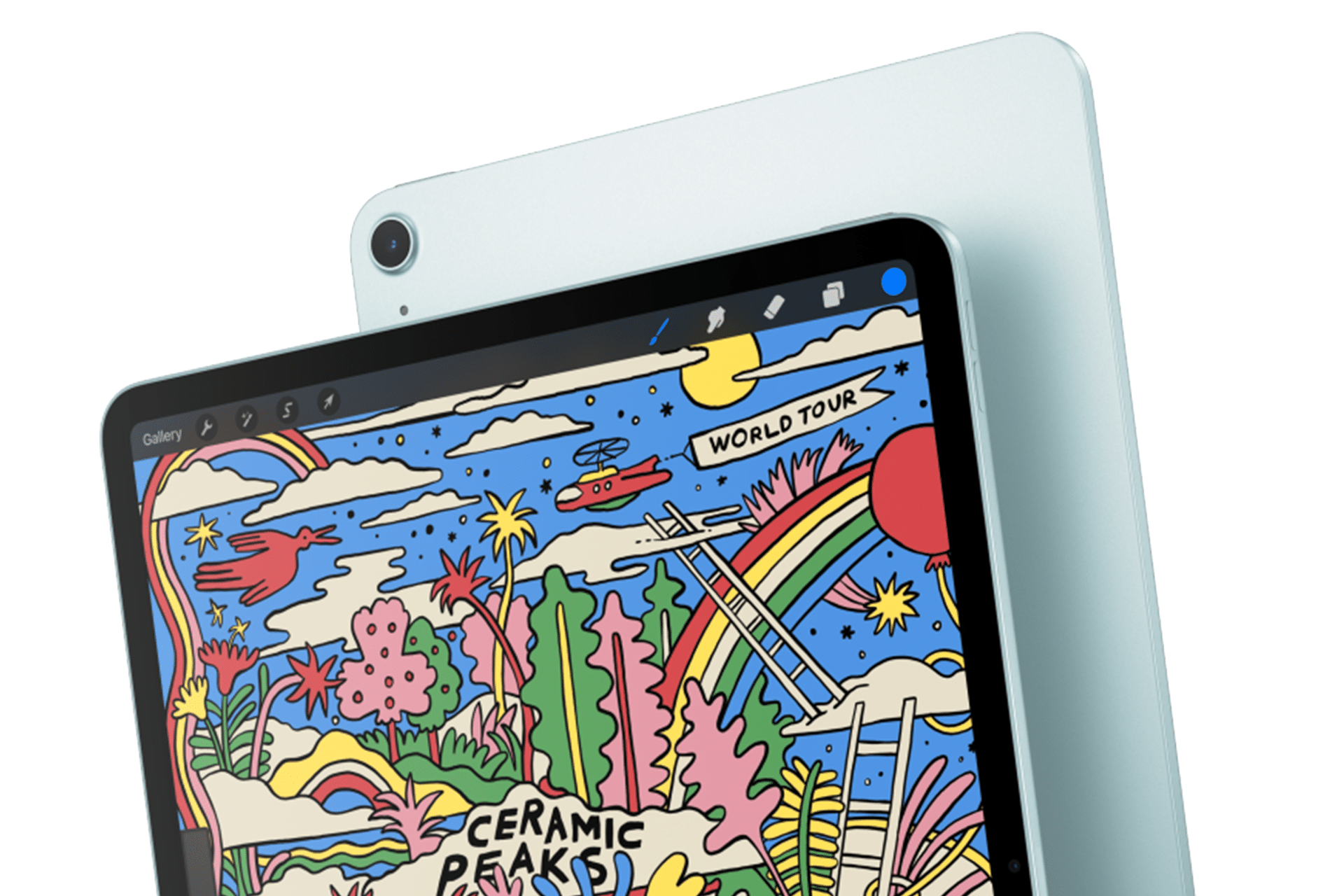
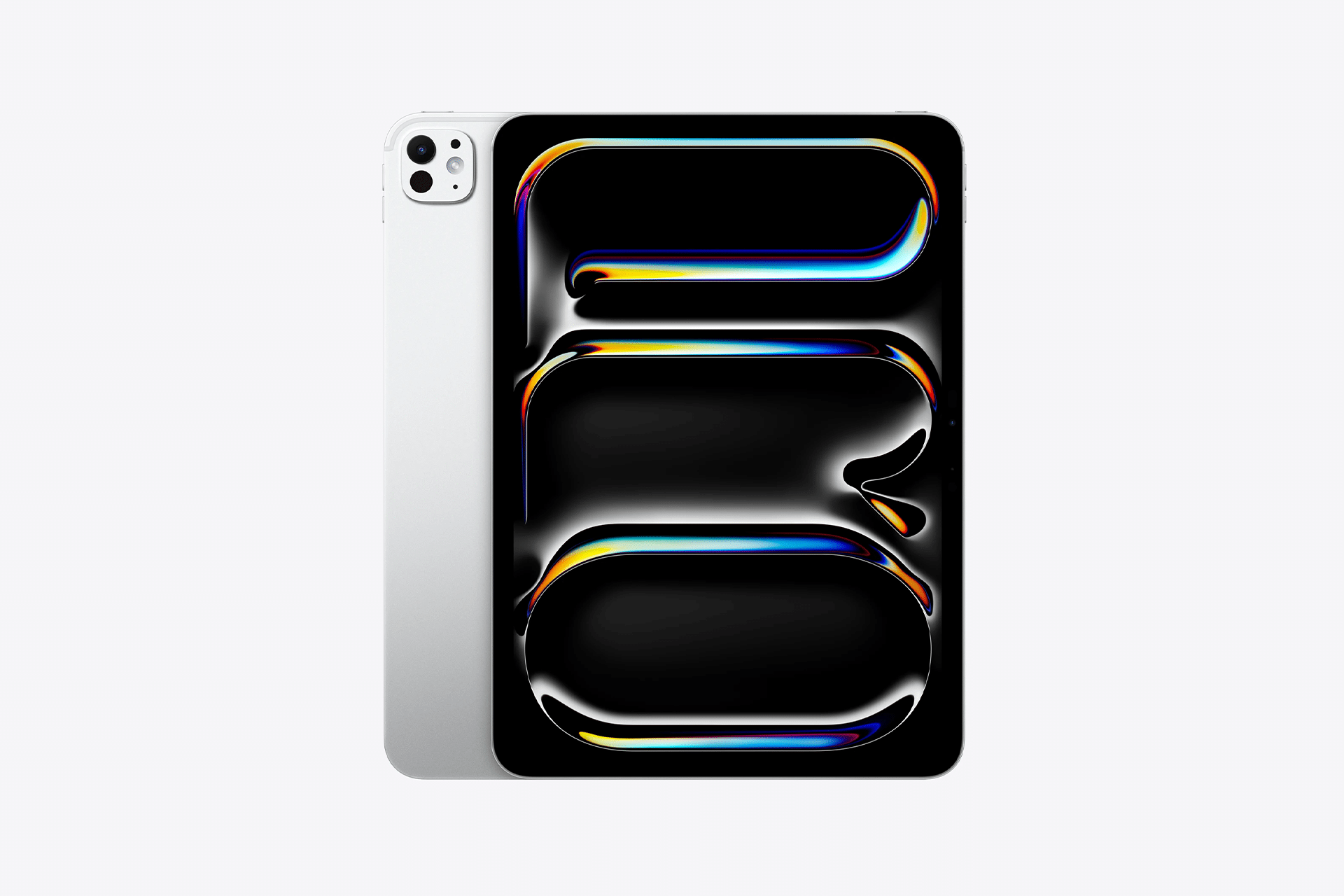
Apple’s next iPad lineup refresh could begin this fall with a new iPad mini, followed by updates across the rest of the tablet family during 2027. The reported schedule would give Apple a rolling series of launches rather than one event covering every iPad at once.
Bloomberg’s Mark Gurman reports that Apple is preparing replacements for the iPad mini, entry-level iPad, iPad Air and iPad Pro. The compact model is expected to arrive first, potentially as early as October, while the remaining tablets would follow over the next several months.
Apple has not announced any of the devices, and release timing can change. The report nevertheless gives prospective buyers a clearer picture of where each current model sits in its cycle. The first update could also bring one of the most requested display improvements to Apple’s smallest tablet.
iPad Lineup Refresh Starts With the Mini
The iPad lineup refresh is expected to begin with the iPad mini, which has received fewer updates than Apple’s larger tablets. The current design remains popular because it offers an 8.3-inch screen in a device small enough to hold comfortably with one hand, place in a small bag or use as a portable reading and note-taking tool.
The next model is reportedly moving to an OLED display. That would give the iPad mini deeper black levels, stronger contrast and more vivid color than its current LCD panel. OLED would be particularly noticeable when reading in dark environments, watching video or working with images.
The new display is expected to measure approximately 8.4 inches without producing a major change to the overall design. Apple may retain a 60Hz refresh rate rather than bringing the 120Hz ProMotion technology used by the iPad Pro. That could disappoint buyers hoping the mini would become a compact Pro model, but OLED alone would represent a visible upgrade.
Reports have also pointed to an A19 Pro chip. That would give the smaller tablet more performance for games, creative apps, Apple Intelligence and longer-term software support. The current iPad mini already occupies an unusual position between a reading device and a compact professional tool. A stronger chip and OLED screen would push it further toward the second category.
Price may become the less attractive part of the update. Apple could raise the starting cost as display and memory expenses increase. Buyers interested mainly in portability may accept a higher price, but the iPad mini would need to avoid moving too close to the iPad Air.
The Entry-Level iPad May Stay Familiar
Apple’s least expensive iPad is expected to receive a more modest update in early 2027. The company reportedly plans to preserve the current design while replacing the processor with a newer chip.
That would fit the role of the entry-level model. Apple uses it for education, families, basic productivity, streaming, games and first-time tablet buyers. A dramatic redesign could increase the cost without improving the tasks most customers use it for.
The processor update could bring Apple Intelligence compatibility, depending on the chip and memory configuration Apple chooses. The current model’s position outside some advanced AI features creates an increasingly visible separation from the rest of the lineup.
A newer chip would also extend the useful life of the device. Entry-level iPads are often kept for several years, passed between family members or deployed in schools and businesses. Long software support can be more valuable in that segment than a thinner body or new camera arrangement.
Anyone considering the current base iPad should decide whether price or longevity has greater value. The current model remains suitable for ordinary use, particularly when discounted. Buyers who want the longest possible support window may prefer to wait.
iPad Air Could Receive the Larger Display Upgrade
The iPad Air is also expected to receive an update in 2027, with OLED display technology reportedly planned for the range. That would narrow one of the most obvious visual differences between the Air and the iPad Pro.
Apple currently positions the Air as the balanced choice: stronger than the entry model, less expensive than the Pro and available in 11-inch and 13-inch sizes. It supports Apple Pencil Pro and Magic Keyboard while offering M-series performance for demanding apps.
An OLED display would make that value proposition more aggressive. The Air could offer improved contrast and image quality without requiring buyers to move to the Pro tier. Apple would still have several ways to distinguish the Pro, including ProMotion, brighter displays, thinner hardware, advanced cameras and newer processors.
The processor is likely to receive another M-series upgrade as well, though the exact chip remains uncertain. For most users, the Air already has far more processing power than routine tablet work demands. The screen may provide the stronger reason to wait.
The risk for Apple is pricing. OLED panels could push the Air upward, especially in the 13-inch configuration. If the gap between Air and Pro becomes too narrow, buyers may move directly to the flagship. Apple will need to preserve a convincing middle tier.
iPad Pro May Focus on Power and Accessories
The next iPad Pro is reportedly planned for spring 2027. Apple may use a new M-series processor while leaving the current thin design largely intact.
That would make the Pro refresh more evolutionary than transformative. The current generation already includes OLED displays, high-end performance, Face ID, ProMotion and support for Apple Pencil Pro and Magic Keyboard.
Apple is also reportedly preparing two updated Apple Pencil models. Those accessories could arrive alongside the next iPad Pro, with changes potentially related to battery design and regulatory requirements.
The larger question is what additional processor power will do for the tablet. iPadOS 27 has expanded multitasking and window management, but buyers continue to evaluate the Pro against MacBook models at similar prices. A faster chip alone will not settle that comparison.
Apple may rely more heavily on AI, professional applications and accessory integration to justify the update. The Pro has become a platform for illustration, video editing, music production, 3D work and specialized enterprise apps. New hardware needs to strengthen those uses rather than simply win another benchmark.
Should Buyers Wait?
The answer depends on the model. Prospective iPad mini buyers have the strongest reason to pause because the reported fall update could introduce a substantially better display within months.
Entry-level buyers can still consider the current iPad when pricing is attractive. Its expected replacement appears focused on performance rather than design. Waiting becomes more sensible for anyone who wants Apple Intelligence support or maximum longevity.
The current iPad Air remains a capable option, particularly for users who need a tablet now. OLED would improve the experience, but a 2027 release leaves a longer wait. The same logic applies to the iPad Pro. Its successor may be faster, though the existing model already covers demanding work comfortably.
Apple’s gradual schedule could keep the iPad in the hardware conversation from fall through spring. It also means there will be no single perfect moment when every model is equally new.
The iPad mini may open the cycle because it has the most obvious opportunity for visible improvement. After that, Apple can use the base iPad for reach, the Air for broader OLED adoption and the Pro for its latest silicon and accessories.
The tablet lineup is not expected to change all at once. It may instead evolve model by model, giving buyers repeated reasons to reconsider which iPad fits their needs.
Foot traffic to leafy green chains is falling, data shows. Still, a few brave souls who spoke to WIRED were determined to get their fix. “I honestly didn’t even think about” the risk of explosive diarrhea, one says.
I had a simple task that involved Apple Home. If you use Apple Home, you know what happened next. Tears, frustration, the arrival of batteries, paperclips pushed into hard-to-reach holes, many online searches, and—if you are lucky, as I was—success.
Siri, am I lazy?
My goal was straightforward: can I know if the garage door is open without going to look? Early in the pandemic, we occasionally forgot to close it. While there was a locked door between the garage and the house, it still felt like we were playing with fire, as someone could steal a bike or other lesser goodies from the garage.1 The garage is on our basement floor (ground level on one half of the house), and the last thing I enjoy doing at night is walking downstairs before bed to check the door.2
I purchased an Eve Door & Window Contact Sensor to have this capability reported by Apple Home, joining a growing set of HomeKit devices, including our front-door deadbolt. Because of our old-style single-piece swing-up garage door, I had a heck of a time finding the right place and right adhesive to stick the sensor where it was close enough for the two components to register.
The red-on-pink Characteristic is Shortcuts tells me it couldn’t read anything back from the sensor.
I spent enough time on the vagaries of physics and materials that I was probably more frustrated than I needed to be when I tried to make a workflow with the danged thing. An Automation wouldn’t work because I wanted an alert, not for the sensor to trigger other Home devices. A Shortcut should have worked, but after many hours of trying over weeks, I was unable to get anything reliable to happen. The Automation was quite simple: at 9 p.m., check the state of the sensor, and send me a message if the sensor shows Open rather than Closed. I left it in place and walked away for literally years.
After recently installing a back-driveway camera, I was determined to get this sensor online.3 First, I replaced the battery, which had died during my period of disinterest. The Eve sensor uses a weird, tiny battery: a 3.6V 1/2 AA (ER14250). After that arrived, using some better adhesive—thin-film 3M 468MP—I positioned the sensor pieces in a better location and more securely.
Now it should work! Except that after adding it, I saw Characteristic in red text on a pink background in Shortcuts. Some online research led me to reset the sensor by inserting a paperclip into a hole I hadn’t noticed. After re-pairing the sensor, I was in business! Or was I?! The sensor wasn’t responding, despite recent status updates.
Threading the sensor through the house needle
The working Shortcut tests for the garage door sensor‘s state being Open or Closed, and acts accordingly.
This led me to the next culprit: the garage is too far away (one floor and the other end of the house) from my Apple TV, which acts as a Matter controller, while the Eve sensor relies on Thread as its communication protocol. What’s a Matter controller?4 And what’s Thread?
Matter is an overarching standard, painstakingly developed even as low-power sensing devices and other equipment proliferated in silos. Matter enables Amazon Alexa, Apple Home, Google Home, and Samsung SmartThings devices to communicate across a network, regardless of the network transport medium (Ethernet, Thread, or Wi-Fi). This prevents you from needing ecosystem-specific hubs and lets manufacturers build to a common standard.
Thread fits into this mix as a low-power, wireless networking standard for sensors, allowing them to communicate their status without rapidly draining their batteries, as would happen with Wi-Fi.5 Apple initially supported Thread with a proprietary standard, HomeKit-over-Thread, and later added direct Matter support. The Eve sensor was just old enough that it was running on the older standard, but the Eve app allowed me to apply a firmware upgrade. I could then migrate the sensor to Matter, which seems to be more reliable.
Apple made things a little confusing here, too. The 1st-generation Apple TV 4K supports Matter, but lacks a Thread radio, so it can’t work with Thread-based devices. The 2nd generation added that radio, so you can do Matter over Thread. But then, with the 3rd generation, Apple bifurcated Thread hardware support: the 64 GB Wi-Fi only model lacks a Thread radio; you have to spend the now-whopping $249 for a 128 GB Wi-Fi + Ethernet version if you want to use Thread.
Failing an Apple TV 4K with Thread, you can use a Thread border router (TBR), which sometimes comes with sensor kits. This plugs into your network via Wi-Fi or Ethernet and bridges to the Thread network, allowing the Apple TV’s Matter controller to work with the Home app on your devices for automations, notifications, and so forth.
It’s that easy, folks. Sigh.
I do own a 3rd-generation Apple TV 4K with Wi-Fi + Ethernet, because I am a fancy man and a big spender, but I really wanted the reliability of plugging it into my Ethernet network. Yet, I couldn’t get the Eve sensor’s Thread radio to reach across my house to talk to the Apple TV. I bought a TBR, thinking it would solve the problem.
By the time the TBR was delivered, however, the garage door sensor magically connected via Thread to the Apple TV and has been rock solid. The TBR that arrived, on the other hand, I was unable to pair and get working, so back it goes for a refund.
Now my nightly Shortcut works! The only fly in that ointment is that the sensor status reports as Closed or Open in iOS and iPadOS, but as 0 (closed) or 1 (open) in the macOS Home app, in both macOS 26 and the beta of 27. I can live with running the Shortcut from my phone.
Shortcuts in macOS can’t seem to read the Home sensor’s text labels of Open and Closed, seeing 1 and 0 instead.
[Got a question for the column? You can email glenn@sixcolors.com or use/glennin our subscriber-only Discord community.]
Bikes were in short supply and sold at outrageous prices in the early pandemic, partly because supply chains to import new ones were halted. Then, there was a glut when life allegedly returned to normal. ↩
I mean, I don’t enjoy doing it as the final thing of the evening. English is complicated. The last thing I enjoy doing before bed is some crossword puzzles while listening to a podcast. ↩

 Login
Login