Seis anos depois do seu lançamento, a Reincubate enfim anunciou uma versão do Camo Studio para iOS, permitindo que os usuários realizem transmissões ao vivo para diferentes plataformas diretamente do iPhone, com o uso tanto da câmera frontal quanto das traseiras do aparelho.
Segundo a desenvolvedora, o suporte nativo ao iPhone permite importar as mesmas cenas, camadas e efeitos utilizados na versão de iPad, agora adaptados para a tela dos celulares:
Camo Studio for iPhone is here (and it's free!) so you can stream from anywhere. Use up to 2 cameras for just chatting, podcast, IRL streams & more, or capture and stream your mobile gameplay – all with just your iPhone.
O Camo Studio para iPhone está aqui (e é grátis!) para que você possa transmitir de qualquer lugar. Use até duas câmeras para conversas, podcast, transmissões IRL e mais, ou capture e transmita seu gameplay mobile – tudo apenas com o seu iPhone.
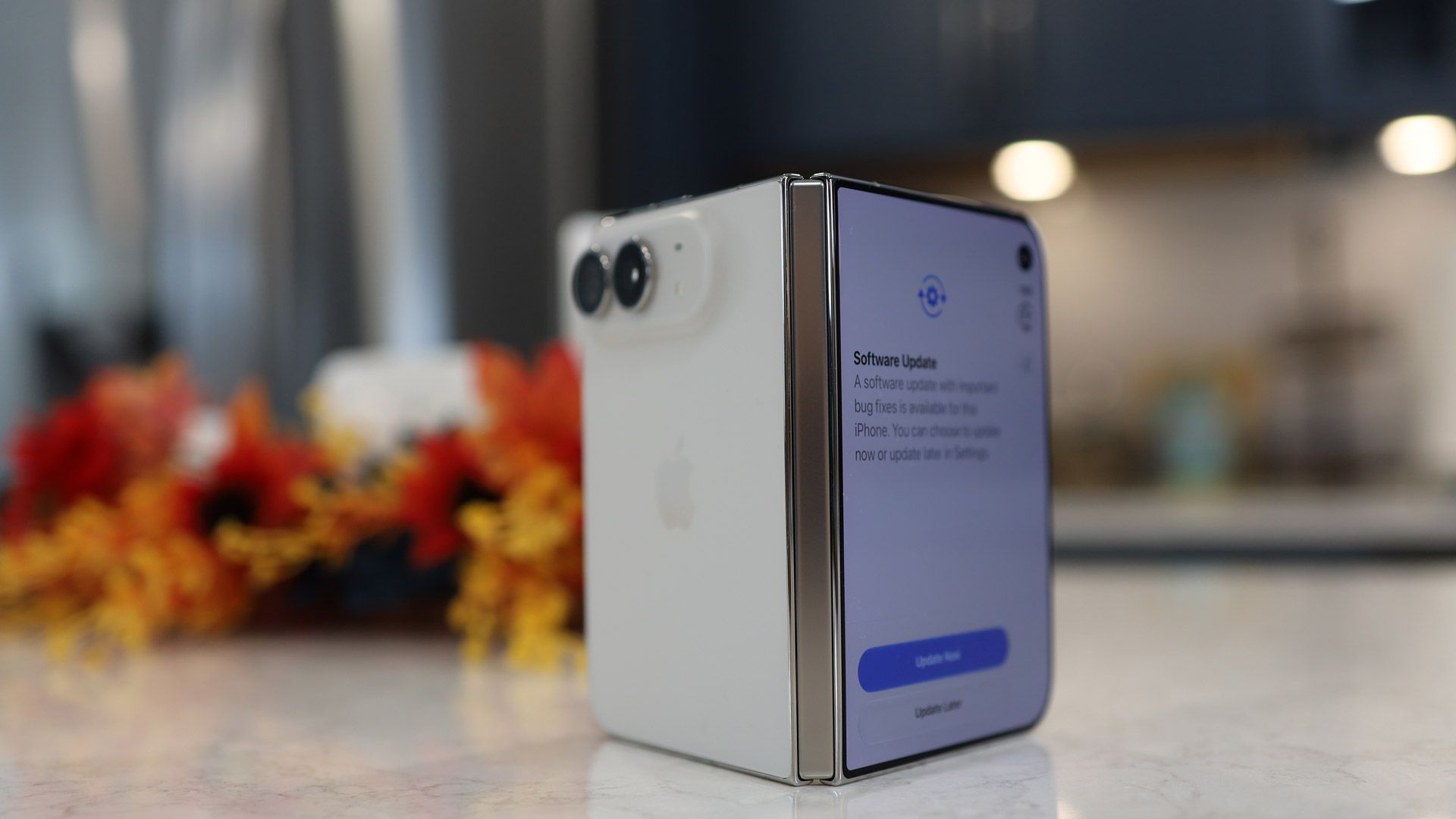
De acordo com o CEO e fundador da Reincubate, Aidan Fitzpatrick, o aplicativo já chegou “cuidadosamente otimizado” para o iPhone Duo, somando-se a uma lista crescente de apps que levaram o dobrável da Apple em conta no seu desenvolvimento.
Camo Studio is now on iPhone, thoughtfully optimised for iPhone Duo. Stream, create, record — all free. We hope you love it. ❤️ https://t.co/uTD6AtnYwl
Bom, meu celular começou a reiniciar toda hora, a cada 2 minutos. Achei que fosse a memória, apaguei tudo e não funcionou. Por fim, achei que fossem muitas telas abertas ao mesmo tempo, mas também não era… Não sei o que faço. Comprei esse celular em outubro de 2021.
Seu iPhone está reiniciando sozinho, sem aviso? Sem dúvida, é frustrante quando ele reinicia a cada poucos minutos, reinicia durante o uso de um aplicativo ou fica exibindo o logo da Apple repetidamente. Uma reinicialização inesperada pode interromper o uso do aparelho e até impedir que você o utilize normalmente. Esse problema pode ter diversas causas.
Neste artigo, apresentamos seis maneiras de resolver o problema de um iPhone que reinicia sozinho, desde soluções básicas até o reparo profissional do sistema iOS.
Por que o iPhone reinicia sozinho?
Entender as possíveis causas desse problema ajuda a escolher a solução mais adequada. Confira os principais motivos:
Falhas no iOS: erros no sistema ou arquivos corrompidos podem provocar reinicializações inesperadas.
Falhas nas atualizações de software: uma atualização do iOS interrompida ou malsucedida pode deixar o sistema instável.
Pouco espaço de armazenamento: a falta de espaço livre pode prejudicar as atualizações e o funcionamento normal do sistema.
Problemas com aplicativos: um aplicativo desatualizado ou incompatível pode causar falhas, especialmente se as reinicializações ocorrerem durante o uso dele.
Superaquecimento: o calor excessivo pode afetar o desempenho do aparelho e acionar mecanismos de proteção.
Problemas de hardware: uma bateria danificada, exposição a líquidos, uma queda recente ou defeitos em outros componentes internos podem provocar desligamentos e reinicializações repetidas.
Como resolver o problema de o iPhone reiniciar sozinho
Testamos e reunimos algumas soluções práticas a seguir. Recomendamos começar pelas opções mais simples. Se possível, faça um backup dos seus dados importantes antes de tentar procedimentos mais complexos.
Force a reinicialização do iPhone
Forçar a reinicialização pode ajudar quando o iPhone deixa de responder ou apresenta um travamento temporário do sistema. O procedimento não apaga seus dados pessoais e é uma boa primeira tentativa quando o aparelho entra em um ciclo de reinicializações.
Os passos variam de acordo com o modelo do iPhone.
iPhone 8 ou posterior, incluindo iPhone SE (2ª geração ou posterior)
Pressione e solte rapidamente o botão de aumentar o volume. Em seguida, pressione e solte rapidamente o botão de diminuir o volume. Por fim, mantenha pressionado o botão lateral até o logo da Apple aparecer na tela. Então, solte o botão.
iPhone 7 e iPhone 7 Plus
Mantenha pressionados simultaneamente o botão lateral e o botão de diminuir o volume. Continue pressionando ambos até o logo da Apple aparecer na tela.
iPhone 6s, iPhone SE (1ª geração) ou modelos anteriores
Mantenha pressionados simultaneamente o botão de Início e o botão lateral ou superior. Solte ambos quando o logo da Apple aparecer na tela.
Recarregue o iPhone e verifique se ele está superaquecendo
Uma bateria com carga extremamente baixa ou o calor excessivo podem fazer com que o aparelho reinicie inesperadamente. Por isso, verifique se o iPhone tem carga suficiente e está operando em uma temperatura normal.
Deixe o aparelho recarregando por pelo menos 30 minutos. Se estiver quente, coloque-o em um local bem ventilado e aguarde até que esfrie naturalmente antes de voltar a utilizá-lo.
Atualize o iOS e os aplicativos
Aplicativos desatualizados e falhas no iOS podem provocar travamentos e instabilidade no sistema. Se o iPhone continua reiniciando sozinho, verifique se há atualizações disponíveis.
Atualize o iOS
Abra Ajustes e acesse Geral » Atualização de Software. Se houver uma atualização disponível, confira os detalhes e toque em “Atualizar Agora” ou “Baixar e Instalar”, conforme as opções exibidas.
Mantenha o iPhone conectado à energia e a uma rede Wi-Fi confiável até que a atualização seja concluída.
Atualize os aplicativos
Abra a App Store no iPhone e toque na sua foto de perfil, no canto superior direito. Confira as atualizações disponíveis e toque em “Atualizar Tudo” ou atualize individualmente os aplicativos que possam estar relacionados ao problema.
Libere espaço de armazenamento no iPhone
Quando o armazenamento do iPhone está quase cheio, determinadas tarefas e atualizações de software podem falhar ou se tornar difíceis de concluir. Liberar espaço é uma medida útil para solucionar o problema, desde que ainda seja possível acessar o aparelho normalmente.
Para verificar o armazenamento, acesse Ajustes » Geral » Armazenamento do iPhone. Nessa tela, você poderá conferir quanto espaço está sendo utilizado e identificar aplicativos e conteúdos que podem ser removidos.
Resolva o problema de reinicializações do iPhone com o TunesKit iOS System Recovery
Se você já tentou as soluções básicas, mas o iPhone continua reiniciando sozinho, pode haver um problema mais complexo no sistema iOS que exija um reparo mais abrangente.
O TunesKit iOS System Recovery é um software para computadores desenvolvido pela TunesKit para corrigir problemas de software em iPhones e iPads. Entre os problemas que a ferramenta se propõe a resolver estão falhas na inicialização, dificuldades para entrar ou sair do modo de recuperação, erros durante atualizações, telas congeladas e outras falhas do sistema iOS.
O modo Standard Repair (Reparo Padrão) foi desenvolvido para solucionar problemas comuns do sistema sem apagar os dados do usuário.
Baixe, instale e abra o TunesKit iOS System Recovery no computador. Conecte o iPhone ao computador, selecione “iOS System Repair” e clique em “Start”.
Escolha “Standard Repair” entre os modos de reparo disponíveis. Esse é o modo recomendado para corrigir problemas relacionados ao software sem perda de dados.
Siga as instruções exibidas na tela para colocar o iPhone no Modo de Recuperação (Recovery Mode) ou no modo DFU (Device Firmware Update). Em seguida, baixe o pacote de firmware correspondente ao seu iPhone.
Clique em “Repair” para iniciar o reparo do problema de reinicializações. Mantenha o iPhone conectado ao computador até que o processo seja concluído. Depois, verifique se o aparelho inicia normalmente e se as reinicializações inesperadas pararam.
Verifique se há problemas de hardware
Se o iPhone continua reiniciando, a causa pode estar relacionada ao hardware, e não ao software do iOS. Uma bateria danificada, defeitos nos componentes de alimentação, exposição a líquidos ou danos internos podem provocar desligamentos inesperados.
Se suspeitar de um problema desse tipo, interrompa o uso do aparelho e procure assistência técnica especializada. Você pode entrar em contato com o Suporte da Apple ou procurar um Centro de Serviço Autorizado Apple para obter um diagnóstico mais preciso.
Conclusão
As reinicializações inesperadas do iPhone podem ter diversas causas, desde uma falha temporária de software até um problema mais sério de hardware. Comece pelas soluções básicas apresentadas neste artigo. Se o problema estiver relacionado ao software, o TunesKit iOS System Recovery pode ser uma alternativa para tentar corrigi-lo. Caso as reinicializações persistam, pode ser necessário procurar assistência técnica para realizar um diagnóstico do hardware.
O Stravaanunciou ontem uma série de novidades envolvendo a descoberta de rotas e a experiência dos usuários com mapas — algo que deverá facilitar a busca, o planejamento e o acompanhamento das melhores rotas em seu aplicativo.
As novidades foram projetadas para atender a necessidades de usuários que praticam atividades ao ar livre e incluem coisas como a possibilidade de pesquisar pelo nome da rua, pela rota, por ponto de interesse ou por termos contextuais.
O app também ampliou o seu catálogo de rotas e reformulou os cartões, que agora permitem avaliar melhor qual percurso seguir por meio de fotos e dados de atividades compartilhados por outros usuários.
Outra novidade são os mapas offline, que permitem continuar praticando uma atividade física mesmo sem acesso à internet. Também é possível iniciar e salvar treinos, que são enviados para os servidores do app quando a conexão é restabelecida.
Além desses recursos, já disponíveis, o Strava anunciou algumas melhorias que deverão ser lançadas em breve, como navegação por áudio, com instruções passo a passo ao seguir rotas durante trilhas, caminhadas e corridas.
O app também passará a exibir mais informações sobre as rotas, como etiquetas da comunidade e descrições dos percursos com detalhes adicionais validados pelas próprias atividades dos usuários do aplicativo.
Treinos de força guiados
Está prevista para as próximas semanas, para assinantes, a chegada de novos treinos de força desenvolvidos por personal trainers, com instruções guiadas por animações e acompanhamento em tempo real de séries e repetições.
Ao clicar em qualquer exercício, o usuário encontra orientações sobre a execução correta, dicas práticas e a indicação exata dos músculos acionados. Ao finalizar a sessão, cada exercício, série e repetição fica salvo nos detalhes da atividade, e o mapa muscular do usuário é atualizado para mostrar onde o esforço foi concentrado.
Com a promessa de oferecer novas séries de treinos até o fim do ano, o Strava anunciou que oferecerá outras formas de registrar os treinos de força, incluindo capturas de tela de rotinas em texto e a possibilidade de o usuário criar seu próprio treino.
O Code Drawer é um utilitário para códigos QR desenvolvido pela Megabits — e nosso destaque do dia.
Organize, armazene e exiba códigos QR e links em um único lugar, otimizando o acesso rápido a informações usadas com frequência. A proposta é simples e eficiente: centralizar os códigos de redes sociais, pagamentos, redes Wi-Fi e outros conteúdos, que normalmente exigem várias etapas para serem localizados, em um só lugar.
Crie códigos QR a partir de textos, links e conteúdos copiados para a área de transferência. Escaneie códigos com a câmera do dispositivo ou a partir de imagens já salvas. Outro destaque é a integração com o ecossistema da Apple: uma única compra pode ser utilizada no iPhone, iPad, Apple Watch e Mac, com sincronização automática via iCloud.
Suporte a widgets, Atividades ao Vivo (Live Activities) e atalhos fecha o pacote de recursos. Aproveite a oferta e baixe agora!
Abaixo outros jogos/apps que, juntos, somam mais de R$220 em descontos:
Jogos
Jogo de estratégia.
Puzzles.
Jogo de aventura.
Jogo de ação.
Aplicativos
Conversor de áudio.
Desenhos no ambiente digital.
Aproveite as ofertas e até amanhã! Lembrando que elas são sempre por tempo limitado, então é bom correr. 🤩
A Apple atualizou hoje os apps Pages, Numbers e Keynote com novidades voltadas principalmente aos assinantes do Apple Creator Studio.
Entre os destaques estão um assistente inteligente baseado em linguagem natural, novos conteúdos premium e, no caso do Keynote, suporte à importação e exportação de apresentações em um novo formato de arquivo aberto.
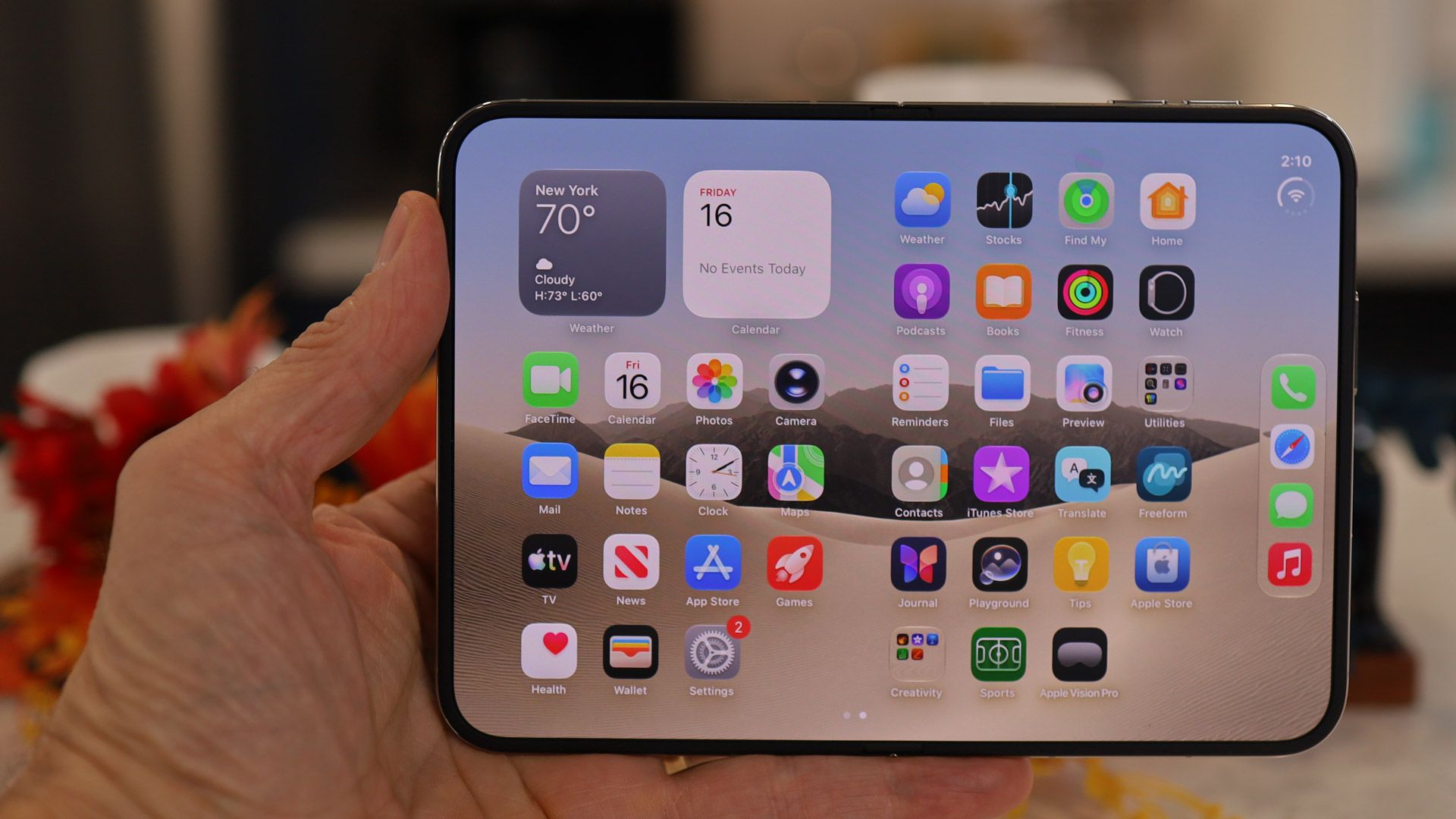
Além disso, os três agora podem aproveitar o maior espaço da tela aberta do iPhone Duo.
Assistente inteligente
Nos três aplicativos, o assistente inteligente — ainda em fase beta e apenas em inglês — permite executar tarefas por meio de comandos em linguagem natural, levando em consideração o conteúdo do documento, da planilha ou da apresentação em que o usuário está trabalhando.
No Pages, a ferramenta pode ajudar a iniciar e revisar textos, reorganizar conteúdos, ajustar o tom da escrita e gerar imagens e formas. Também é possível solicitar informações atualizadas sobre determinado assunto e incorporá-las ao documento.
Já o Numbers utiliza o recurso para ajudar a interpretar dados, criar tabelas, sugerir gráficos e elaborar fórmulas, além de pesquisar informações que possam ser incorporadas às planilhas.
No Keynote, o assistente pode gerar slides, criar notas para apresentações, produzir imagens e formas e ajudar a aprimorar o conteúdo e as animações. Assim como nos outros apps, também é possível pesquisar informações atualizadas para enriquecer o material.
Conteúdos premium
Os três aplicativos ganharam ainda novas coleções de conteúdos premium, incluindo modelos profissionais para documentos e planilhas e temas para apresentações. Os usuários também podem explorar o Content Hub, que reúne vídeos selecionados para adicionar elementos visuais e movimento aos seus projetos.
Novo formato de arquivo aberto
Uma novidade exclusiva do Keynote é o suporte, também ainda em versão beta, à importação e exportação de arquivos no formato KEYX. Trata-se de um formato aberto de intercâmbio que busca facilitar o uso de apresentações e de seus conteúdos fora do aplicativo da Apple.
Suporte ao iPhone Duo
Para completar, embora não tenha mencionado isso nas notas de versão, a Apple implementou suporte ao iPhone Duo nos três aplicativos, como notou o MacRumors.
Vale reforçar que o assistente inteligente — além de estar disponível apenas em inglês e exigir um dispositivo compatível com a Apple Intelligence — e os novos conteúdos premium são exclusivos para assinantes do Apple Creator Studio.
Para quem não é assinante, os updates incluem apenas melhorias gerais, correções de bugs e aprimoramentos de desempenho.
Depois de suspender o desenvolvimento do Arcno início do ano passado, a The Browser Company anunciou hoje que está encerrando de vez o funcionamento do seu outrora popular navegador, forçando usuários a migrar para alternativas como o Dia — outro browser da casa.
A empresa explicou no site oficial do Arc que o fim do suporte ao navegador acontecerá em fases, culminando na sua morte definitiva em 22 de dezembro (tanto no macOS quanto no Windows).
We've decided to sunset Arc on December 22, 2026.
That's not an easy sentence to write. We spent years building Arc and celebrating each and every release along the way: we have so much pride and love for what we made alongside the Arc community.
A partir de hoje, não é mais possível criar novas contas no Arc; em 23 de novembro, o recurso Browse for Me e outras ferramentas de inteligência artificial do navegador serão desativados, bem como a habilidade de “logar e sincronizar as suas abas”. Em 22/12, a The Browser Company também removerá o Arc Search do Google Play e desativará todas as contas de usuários.
Como comentamos no ano passado, a desenvolvedora abandonou o Arc para se dedicar ao Dia, que conta com um grande foco em IA. Na época, o diretor executivo da The Browser Company, Josh Miller, disse que sua equipe até considerou transformar o Arc em um navegador de código aberto, mas desistiu da ideia pois o kit de desenvolvimento de software (SDK, na sigla em inglês) do Arc ainda era valioso para a companhia.
Desde então, o Arc chegou a receber atualizações de segurança — algo que também será encerrado agora. Antes independente, a The Browser Company hoje é uma subsidiária da Atlassian (dona do Trello).
A Insta360lançou hoje o Insta360 Mic, adição intermediária à sua linha de microfones (que já inclui o Mic Air e o Mic Pro), contando com uma tela eink personalizável e armazenamento expansível via microSD.
Pensado para criadores de conteúdo que buscam recursos mais sofisticados de áudio sem investir em um modelo topo de linha, ele é ideal para vlogs do cotidiano, gravações de esportes nos fins de semana, viagens, transmissões ao vivo e conversas em grupo.
O painel eink customizável permite a inserção de logos, emojis, animais de estimação, paisagens ou elementos da identidade visual do criador.
Divulgação/Insta360
Para quem adquirir apenas o receptor, é possível utilizar o Insta360 Mic com as câmeras da fabricante (Insta360 X6, X5, Luna Ultra, Luna Pro, GO Ultra e Ace Pro 2), bem como com smartphones, tudo via Bluetooth. Outra alternativa para as gravações é o cartão microSD, que permite armazenar os áudios capturados pelo produto.
Com o cartão microSD inserido, o Mic é capaz de gravar áudios em ponto flutuante de 32 bits diretamente no transmissor e conta com um chip dedicado à supressão de ruído, baseada na NPU 1Neural processing unit, ou unidade de processamento neural. do microfone, que reduz sons ambiente com maior intensidade.
Divulgação/Insta360
O dispositivo tem dois modos de ganho automático: o Dynamic equilibra as variações de volume para manter a coesão sonora, enquanto o Auto ajuda a evitar a saturação de som. Ele conta ainda com três predefinições de timbre (Regular, Rich e Bright) para ajudar a preservar as características naturais da sonoridade captada.
Assim como o do Mic Pro, um único receptor do Mic se conecta a até quatro transmissores ao mesmo tempo, o que inclui produções com múltiplas câmeras (que podem receber o áudio de até dois receptores simultaneamente).
Divulgação/Insta360
De acordo com a fabricante, cada transmissor possui até 13 horas de bateria com uma única carga, enquanto a case de carregamento amplia essa autonomia para até 34 horas.
Preço e disponibilidade
O Insta360 Mic está disponível na loja oficial da Insta360, com a seguinte relação de valores (em dólares) para o Brasil:
Insta360 Mic (dois transmissores + um receptor): US$250;
Insta360 Mic (um transmissor + um receptor): US$140;
Um transmissor Insta360 Mic: US$80.
NOTA DE TRANSPARÊNCIA: O MacMagazine recebe uma pequena comissão sobre vendas concluídas por meio de links deste post, mas você, como consumidor, não paga nada a mais pelos produtos/serviços ao usar os nossos links de afiliado.
Notas de rodapé
1
Neural processing unit, ou unidade de processamento neural.
A Austrália é o mais novo país a ir atrás do controle que a Apple tem sobre a distribuição de apps no iOS e da forma como desenvolvedores processam transações em seus softwares.
Hoje, o Tribunal Federal da Austráliaordenou que a companhia abra seu sistema operacional para lojas de apps e sistemas de pagamento concorrentes, além de permitir que usuários baixem e atualizem softwares de maneira direta (como por meio de páginas na web).
A Justiça australiana ainda deixa claro que isso deve ser feito sem qualquer penalização aos desenvolvedores que optarem por plataformas de terceiros. Eles também precisam ter acesso às mesmas ferramentas disponibilizadas aos criadores que estão na App Store, além de estarem sujeitos aos mesmos termos.
Quanto aos sistemas de pagamento, a Maçã está proibida de obrigar desenvolvedores a listarem a plataforma de processamento da App Store ao lado de outros sistemas ou fazê-los informar suas vendas à Apple. A empresa também não pode impedi-los de oferecer seus apps por preços menores caso sejam adquiridos com ferramentas de terceiros, bem como condicionar a distribuição alternativa ao fato de os desenvolvedores oferecerem conteúdo comprado em outros locais pelo sistema de pagamento proprietário da Apple.
O Tribunal também se adiantou e barrou algumas das manobras adotadas pela Apple em outros mercados para continuar cobrando uma comissão sobre apps distribuídos fora da App Store. Segundo a ordem, a Maçã não pode cobrar taxas sobre compras feitas por meio de serviços de pagamento alternativos ou sites em aplicativos distribuídos fora da App Store. No caso dos apps disponibilizados via App Store, as taxas são limitadas a um valor equivalente ao cobrado por bens ou serviços físicos, com a adição de outros “custos razoáveis” que a Apple possa ter ao processar essas compras.
A Apple, por outro lado, ainda poderá realizar verificações de segurança e privacidade em apps distribuídos fora da App Store, bem como manter seu tradicional sistema de notarização — mas sem impor restrições ou obstáculos para a instalação de apps por meios alternativos. A fabricante do iPhone também terá o poder de remover ou desativar apps distribuídos fora da App Store caso ela detecte conteúdo impróprio, riscos de segurança ou receba uma ordem legal.
Por fim, a Apple não poderá impedir que lojas alternativas sejam pré-instaladas em iPhones, mas não será obrigada a permitir que plataformas concorrentes sejam distribuídas pela própria App Store.
Epic Games comenta ordem
À Reuters, a desenvolvedora de Fortnite — uma das maiores interessadas na abertura do iOS — disse que seu battle royale retornará à App Store australiana “ainda hoje” como consequência dessas mudanças.
Ainda de acordo com o Tribunal, essas regras começarão a valer em 1º de março do ano que vem. Embora possa pedir uma prorrogação judicial no início de fevereiro (o que levaria o prazo para 3 de maio), a Apple disse ao veículo que apelará da decisão, citando seus direitos de propriedade intelectual e a segurança da App Store.
A Assistência de Conectividade (Connectivity Assist) chegou aos iPhones e iPads com o iOS/iPadOS 27 — uma evolução do antigo recurso Assistência Wi-Fi.
Como o próprio nome indica, esse recurso ajuda você quando a rede Wi-Fi está instável ou lenta, usando dados celulares para melhorar a conexão.
Caso você se preocupe com o uso de dados celulares, talvez seja interessante desativar esse recurso. Mas, ainda que esse ajuste possa ser ativado e desativado para todo o sistema, a Apple também permite configurá-lo individualmente para cada rede — ou seja, você pode mantê-la habilitada em uma e desabilitada em outra.
Nesta quarta-feira, economize com nossa tradicional seleção de promoções na App Store!
O Retro Widget 3: Classic Snake é uma proposta que resgata a nostalgia dos celulares clássicos ao levar o jogo da cobrinha diretamente para os widgets do iPhone.
O visual, inspirado nos dispositivos dos anos 2000, reforça a sensação de nostalgia e agrada quem guarda boas lembranças daquela época. Além do clássico jogo, o app se destaca pela personalização dos widgets, que transformam a Tela de Início em um espaço divertido.
Aproveite a oferta e boa viagem no tempo! 🐍
Abaixo outros jogos/apps que, juntos, somam mais de R$70 em descontos:
Jogos
Encontre os emojis.
Gerencie sua equipe de corrida.
Boliche.
Puzzles.
Aplicativos
Fotos estelares.
Adesivos para o iMessage.
Aproveite as ofertas e até amanhã! Lembrando que elas são sempre por tempo limitado, então é bom correr. 🚀
A HAYLOU anunciou nesta semana o HAYLOU Velo, um novo smartwatch que combina design contemporâneo com recursos práticos para o dia a dia. Com uma estrutura de liga de zinco, carregamento sem fio e duas pulseiras intercambiáveis incluídas na caixa, o Velo oferece uma alternativa versátil para quem deseja um smartwatch que combine com seu estilo pessoal e sua rotina diária.
Uma tela brilhante e um design diferenciado
O Velo conta com uma tela AMOLED de 1,96 polegada, resolução de 410×502 pixels e brilho máximo de até 1.500 nits, trazendo cores vibrantes e detalhes nítidos no pulso, mesmo em condições externos com muita luz.
Divulgação/HAYLOU
Uma estrutura central de liga de zinco, vidro 2.5D e botões de liga de alumínio conferem ao relógio uma aparência limpa e contemporânea. Disponível nas cores preta e branca, o Velo foi desenhado para combinar com uma série de estilos do dia a dia.
Duas pulseiras, mais maneiras de usar
O Velo vem com duas pulseiras intercambiáveis: uma pulseira texturizada com padrão ondulado (para um visual diferenciado) e uma pulseira de silicone macio (para treinos e dias mais ativos). A troca entre elas permite aos usuários adaptar o relógio a diferentes roupas e ocasiões.
Divulgação/HAYLOU
A personalização continua na tela, com mais de 200 mostradores disponíveis online, suporte a mostradores personalizados, quatro layouts para o menu principal e cinco estilos visuais.
Recursos inteligentes para a conveniência diária
O Velo mantém os usuários conectados com chamadas via Bluetooth e notificações inteligentes, além de ferramentas úteis, como controles de música e câmera, assistente de voz e localização do celular. Os usuários de Android também podem responder a mensagens do WhatsApp diretamente pelo pulso.
Divulgação/HAYLOU
Com mais de 100 modos esportivos e monitoramento diário de atividades, o Velo foi construído para acompanhar os movimentos ao longo do dia, desde as atividades da rotina até os treinos.
Carregamento sem fio, menos complicações
O carregamento sem fio torna a recarga do Velo simples e conveniente. Sua bateria de 300mAh oferece até sete dias de uso, dependendo das configurações e do uso.
Divulgação/HAYLOU
Com classificação de resistência à água de 1ATM, o Velo foi projetado para lidar com respingos cotidianos e chuva leve, mas não é indicado para natação ou banho.
Preço e disponibilidade
O HAYLOU Velo estará disponível nas cores preta e branca por meio dos canais oficiais de venda da HAYLOU e de parceiros varejistas selecionados em todo o mundo. O preço de varejo estimado é de aproximadamente US$45, com o preço final variando de acordo com o mercado, o varejista e o período promocional.
A HAYLOU é uma marca global de tecnologia de dispositivos vestíveis inteligentes e áudio, comprometida em tornar a tecnologia cotidiana acessível. Por meio de produtos de áudio inteligente, dispositivos vestíveis e tecnologias práticas de saúde, a HAYLOU cria experiências confiáveis e agradáveis que ajudam as pessoas a levar vidas mais saudáveis, ativas e conectadas.
NOTA DE TRANSPARÊNCIA: O MacMagazine recebe uma pequena comissão sobre vendas concluídas por meio de links deste post, mas você, como consumidor, não paga nada a mais pelos produtos/serviços ao usar os nossos links de afiliado.
iOS dev course sales plummeted due to AI. It costs a lot of money to host my courses online and with sales at basically $0, I’ve cancelled that hosting.
This closes down the site which unfortunately removes access to the courses.
[…]
I’ve put my recent course on sale at a large discount so you can get it before it’s gone and I’ve made old courses available for free if you want to grab those too.
The school will be online until November 24th so you have a few weeks to download these videos at seanallen.teachable.com.
A OPPO acaba de anunciar os novos smartphones da linha Find X10 que chegam ao mercado internacional meses depois do lançamento na China. Elvis Zhou, CEO da OPPO Europe diz que há mais modelos na calha e define estratégia para ser alternativa à Apple e Samsung nos modelos premium.
Os mais recentes números da SpaceX mostram uma transformação no peso dos diferentes negócios da empresa de Elon Musk, com a IA a assumir um papel central no crescimento financeiro.
In the early days of the iPhone, seeing one in the wild, usually in a brave early adopter's hands, was like spotting a unicorn. The excitement was palpable. Over the years, though, as every smartphone has become a glass and metal slab, making it difficult to tell one iPhone release from another, the excitement has diminished. Where I used to keep my 'regular' iPhone review units out of sight, I now casually carry them around in a case, and no one is any the wiser.
That, though, is not the case with the iPhone Duo. In my effort to spend as much time using the new folding iPhone as possible, I carried it everywhere, including to a wedding party for my friend's son. My iPhone Duo test unit was somewhat disguised by being clad in a Taupe Folio with a Kickstand case, but as I held it aloft to photograph the newlyweds, the bride's eyes grew wide.
"Is that...?!"
My eyes darted from her to the phone in my hand, and I considered stuffing it back in my pocket, but I was intrigued by her reaction. I hadn't seen this level of interest and excitement in years.
I nodded wordlessly; the newlyweds started peppering me with questions, and as I folded and unfolded it, and they glimpsed the inner display, the bride's jaw dropped. She asked if I liked it. I mumbled, "Yes, I think so," without offering much more information.
I was determined to use the iPhone Duo's two external 48MP cameras to photograph the event, which meant this scenario repeated itself more than once.
It was obvious that, unlike every other iPhone of the last decade or so, the iPhone Duo could not travel incognito; people were, it seemed, intensely interested in Apple's first truly new iPhone form factor in basically forever.
The interest is warranted.
(Image credit: Lance Ulanoff / Future)
The iPhone Duo is not simply an iPhone folded in half. I'd argue it's only marginally an iPhone and more of a hybrid, splitting the difference between a sub-sized smartphone and a slightly larger, 8-inch iPad mini.
From the highly polished titanium frame to the curves and pitch-perfect tolerances, the iPhone Duo's design is Apple at its best, and while it doesn't reinvent the genre, the nano-texture finish on the main display cannily solved the chief folding phone complaint: that darn crease. It's not that the crease is completely gone, but in daily use it's virtually invisible. As an added bonus, that matte finish kills reflectivity in bright sunlight, and makes almost everything look better.
Apple includes four cameras, three of which are powerful enough to produce high-quality photos across a range of styles. I saw excellent color accuracy and low-light performance, and the ultra-wide camera feels expansive. The inner-display camera is, it appears, just 4MP, but it does a good job with casual selfies and FaceTime calls.
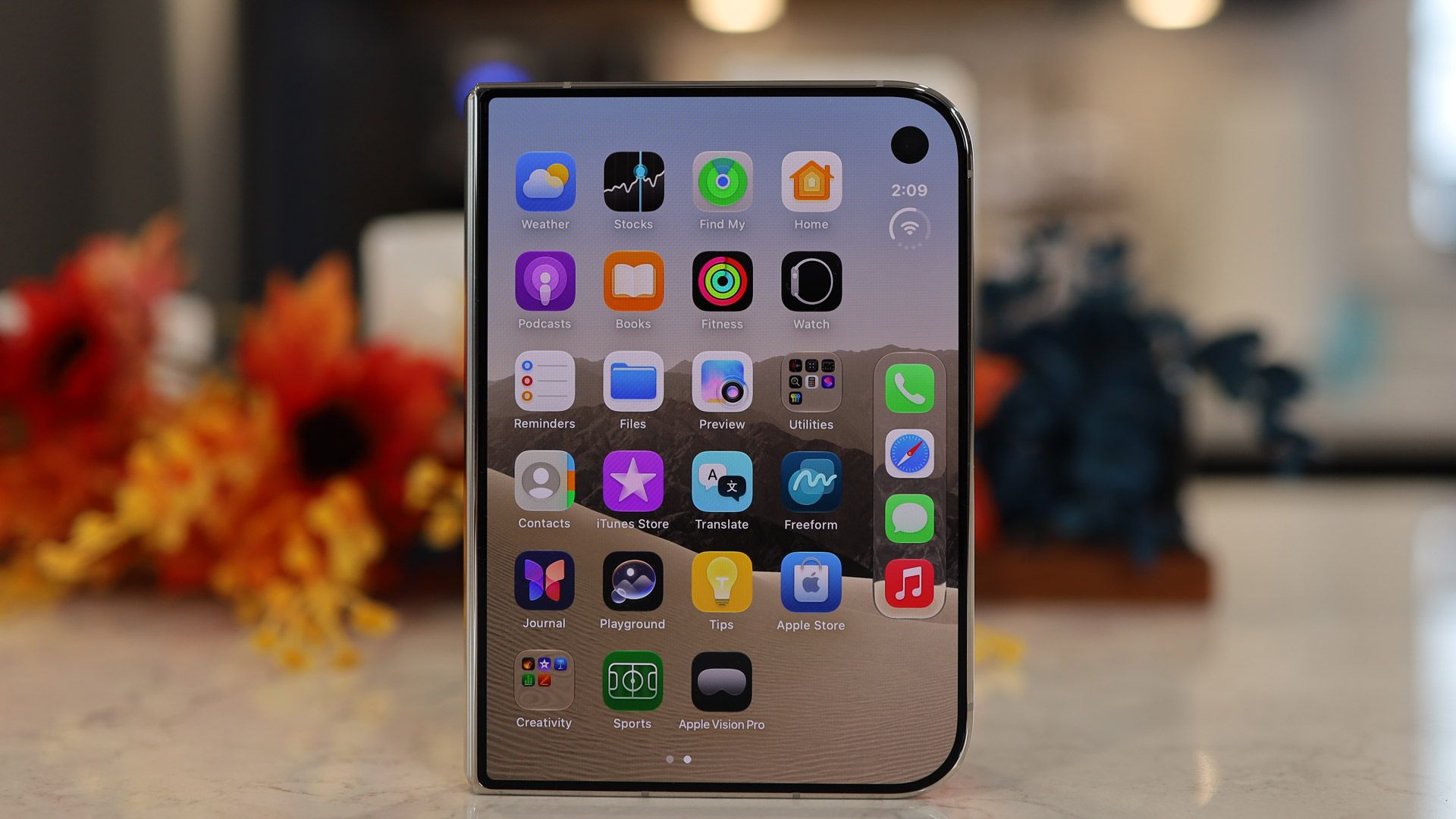
Apple has almost stuck the landing here, but there is a slight step backwards. I'm fairly certain its decision to move the status bar and dock to the right side of the 5.4-inch outer screen, and therefore shrink the width of most apps, will divide opinion. I like how this makes it easy to tap an app with your right thumb, but the remaining screen real estate makes some app experiences look and feel cramped.
Then there's the lack of Face ID on the cover screen, which means this is the first iPhone in ages that I have to use my finger to unlock.
I'm also less than thrilled that a nearly $2,000 / £1,999 phone starts with just 256GB of storage; although, to be fair to Apple, the $1,899.99 / £1,699 Galaxy Z Fold 8 also starts with the same amount.
Those small nits are like pointing out the missing eyelashes on the Mona Lisa, though. Overall, this is a fantastic entry into the folding phone space, offering the dual capabilities of a glanceable and attractive iPhone that fits in any pocket or hand, and a versatile 7.6-inch tablet.
Not everyone needs two screens in one device, or wants to pay as much as they would for a home appliance for their next smartphone; but for those who feel confined by the boundaries of a typical iPhone and want to do more in less space, the iPhone Duo, which starts out smaller than your average smartphone but unfolds to reveal an almost twice-as-large tablet display, is well worth your consideration.
Apple iPhone Duo review: Price and availability
From $1,999 in the US
From £1,999 in the UK
From $3,499 in Australia
Apple unveiled the iPhone Duo, its first folding phone, as its "one more thing" during the Surprise and Shine event on September 9, 2026.
The list price is $1,999 / £1,999 / AU$3,499 for the 256GB model, which is in line with most of its folding competitors from Samsung, Huawei, Motorola, and Oppo. It's available in storage configurations up to 2TB for $3,199 / £3,199 / AU$5,899.
The iPhone Duo is the most expensive iPhone Apple has ever made, but we should put this in context. Like most foldables, this is a two-in-one device: a pint-sized smartphone with a 5.4-inch 4:3 screen, and a 7.6-inch tablet. Unlike the Galaxy Z Fold 8, which has a similar passport-style shape, and even the Samsung Galaxy Z Fold 8 Ultra, which is a more conventionally sized and shaped foldable, the iPhone Duo's larger main screen supports digital pen input (this wasn't available for my testing period, but it's expected by November).
You may also be able to soften the price blow a bit with a trade-in; or you might want to look at Apple's leasing program, which will run about $57-to-$83 / £47 to £66.63 / AU$97.19 to over $161 a month for the base model.
In total, the iPhone Duo is probably better value than you think.
Apple iPhone Duo pricing
Storage
US price
UK price
AU price
256GB
$1,999.99
£1,999
AU$3,499
512GB
$2,199
£TBD
AU$TBD
1TB
$2,599
£TBD
AU$TBD
2TB
$3,199
£TBD
AU$TBD
Value score: 4 / 5
Apple iPhone Duo review: Specs
These are the key specs of the Apple iPhone Duo:
Dimensions:
Unfolded: 164.6 x 117.8 x 5.2mm, Folded: 84.1 x 117.8 x 11.3mm
Weight:
254g
Displays:
Main: 7.6-inch Super Retina XDR, Cover: 5.4-inch Super Retina XDR
Resolution:
Main: 1878 x 2670, Cover: 1398 x 2034
Refresh rate:
1-120Hz (main and cover)
Peak brightness:
3,000 nits
CPU:
A20 Pro
RAM:
12GB
Storage:
256GB, 512GB, 1TB, 2TB
OS:
iOS 27
Cameras:
48MP wide (f/1.6), 48MP ultra-wide (f/2.2)
Selfie cameras:
11MP Center Stage camera (f/2.2) outer, 4MP (f/1.8) inner
Battery:
4,800mAh (approximate)
Charging:
60W wired, 35W wireless
Colors:
Star White, Night sky
Apple iPhone Duo review: Design
Polished titanium
Exquisitely engineered hinge and folding operation
Unfolds flat
IP68
Thicker and heavier than nearest competition
No Face ID
'Satisfying' is the best way to describe the feeling of repeatedly opening and closing the iPhone Duo. It's as if Apple inadvertently created a digital fidget spinner — the more I carried around the iPhone Duo, the more I found myself absentmindedly folding and unfolding the phone.
Apple's exceptional engineering makes it possible to unfold the phone initially, with almost no effort (it almost springs open at the slightest intentional touch), before the internal torque kicks in to allow for the Duo to be opened to almost any angle between zero and 180 degrees (flat).
While you can't see the work that went into making this hinge, the effort is evident in every single touch and move. Inside are hundreds of magnets and other components that keep the phone securely closed, but never get in the way of an easy opening. More so than with any folding phone I've tested, the hinge essentially disappears when the iPhone Duo is unfolded flat.
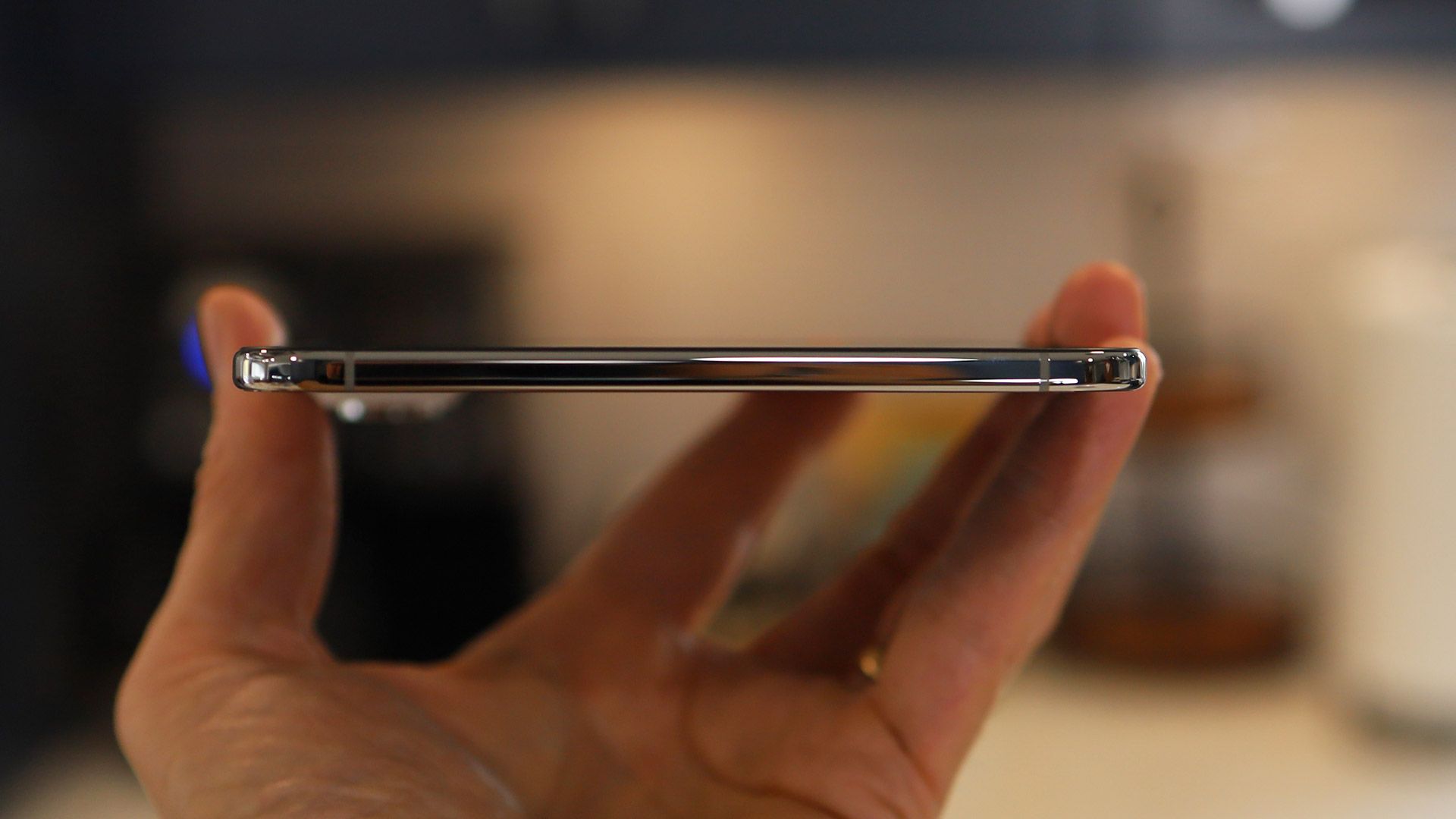
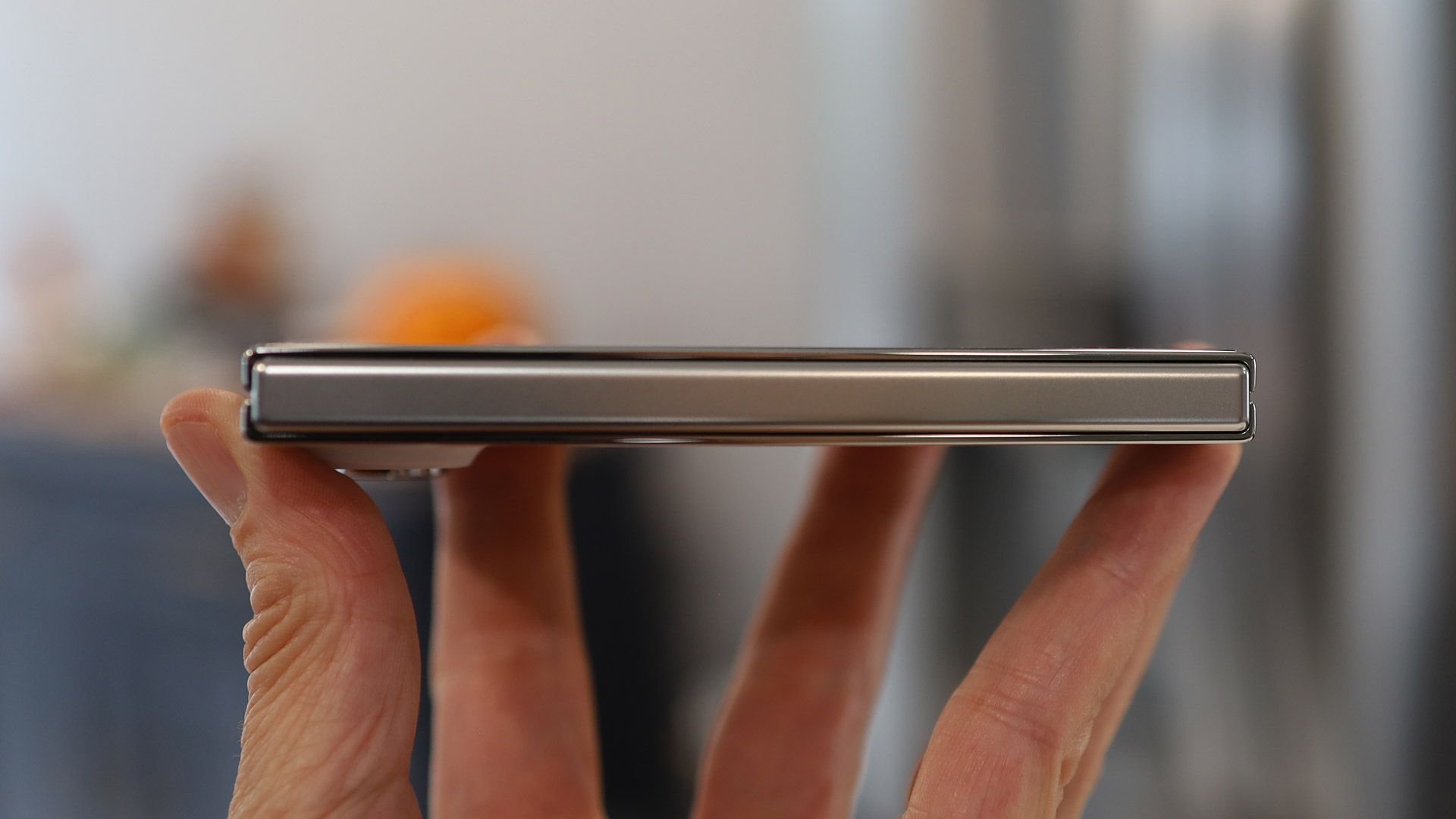
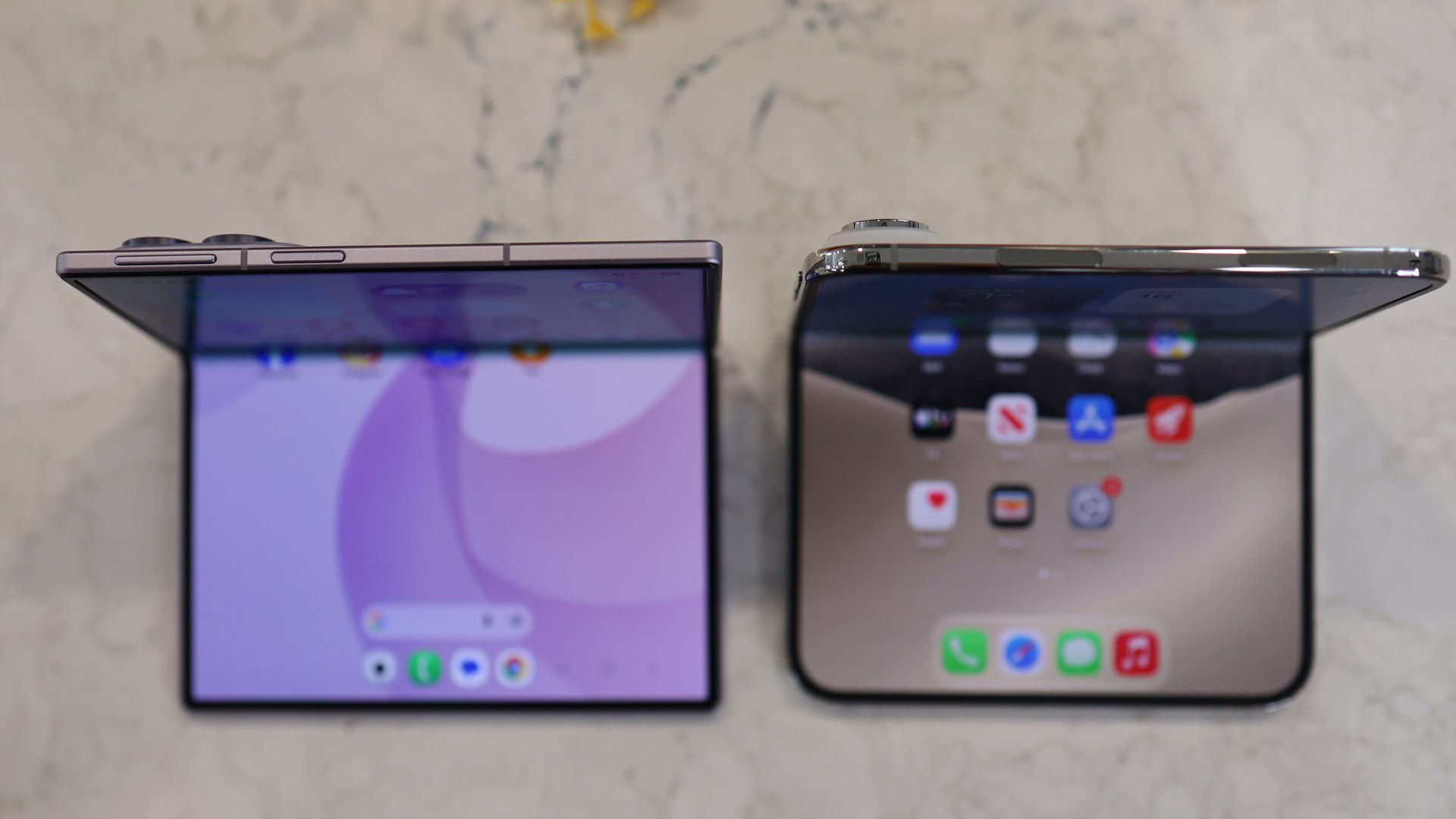
At 5.2mm thick, the fingerprint-attracting polished titanium iPhone Duo is the thinnest iPhone ever. At least that's how Apple markets it, but that's in tablet mode; I do like the sound of a 5.2mm-thick tablet. The 7.6-inch device is thinner than the 8-inch iPad mini (6.3mm). Folded, the iPhone Duo is 11.3mm thick, almost 2mm thicker than the folded Galaxy Z Fold 8. And at 254g, the iPhone Duo outweighs the Galaxy Z Fold 8 by a noticeable 53 grams. It's even slightly heavier than the iPhone 18 Pro Max, which weighs 249g.
The upshot of all this is that while the 4.64-inch by 3.31-inch folded iPhone Duo fits in even the smallest pocket, you will feel its heft, especially if you pop, say, a Folio with Kickstand case on it.
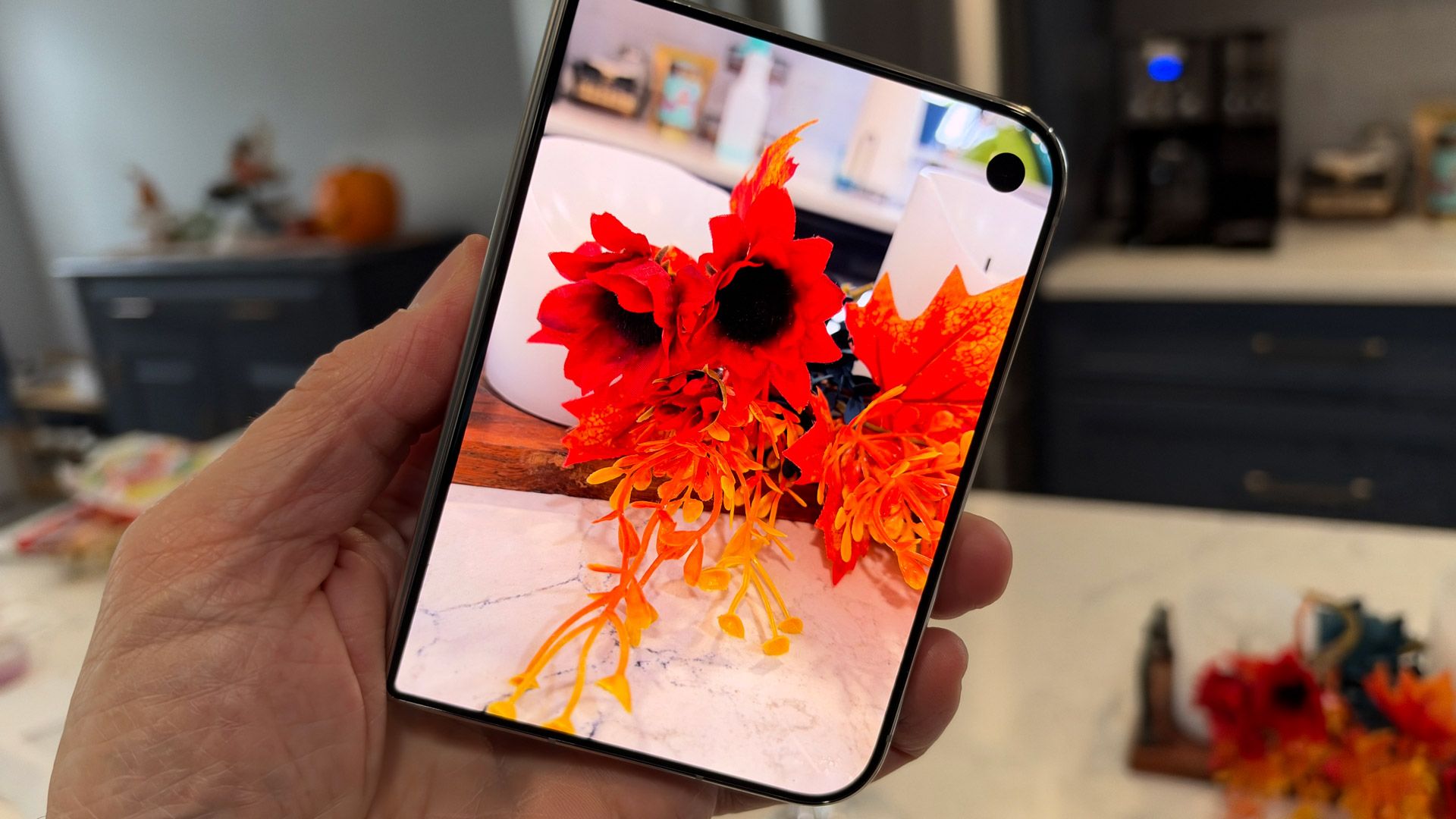
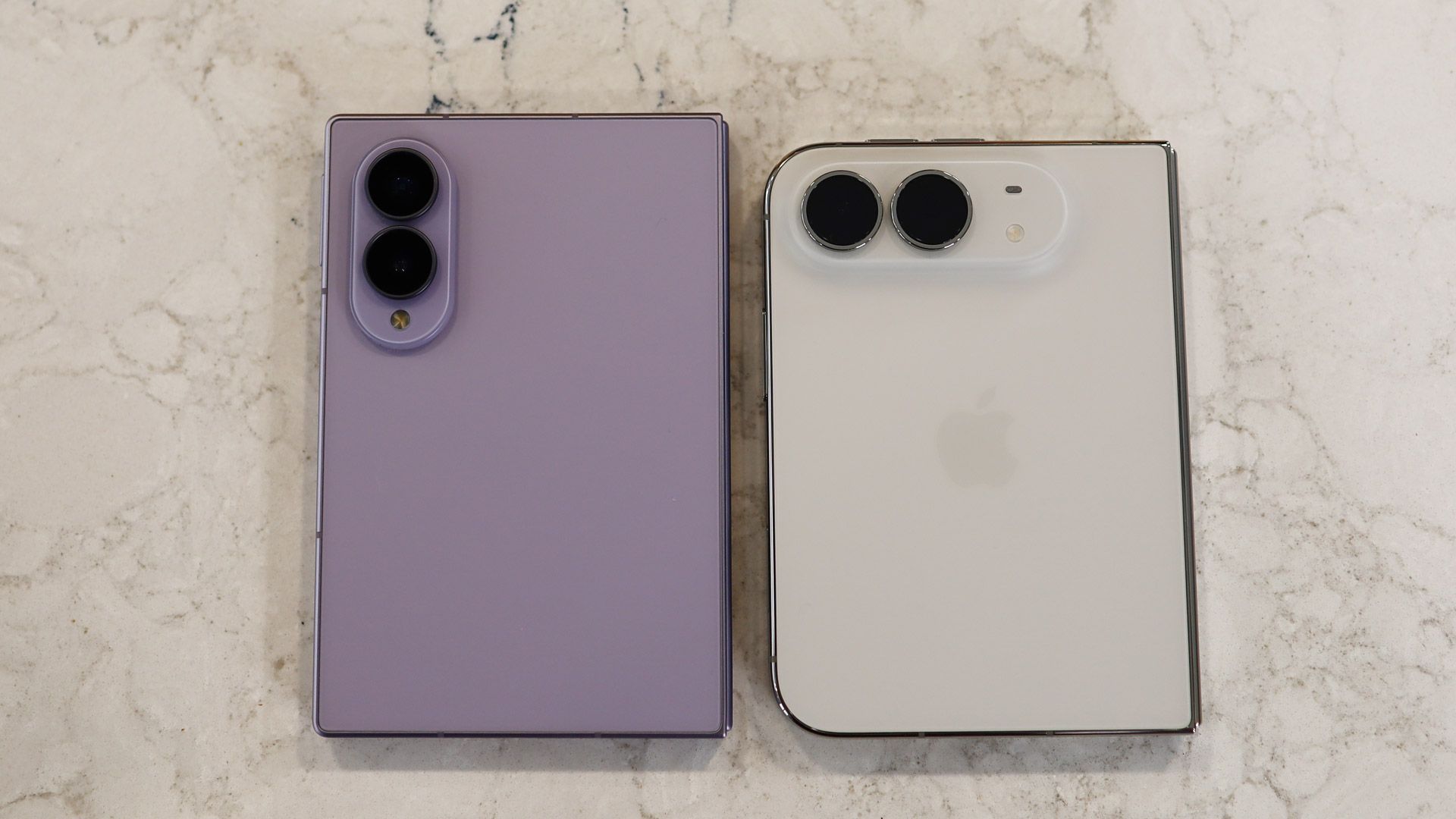
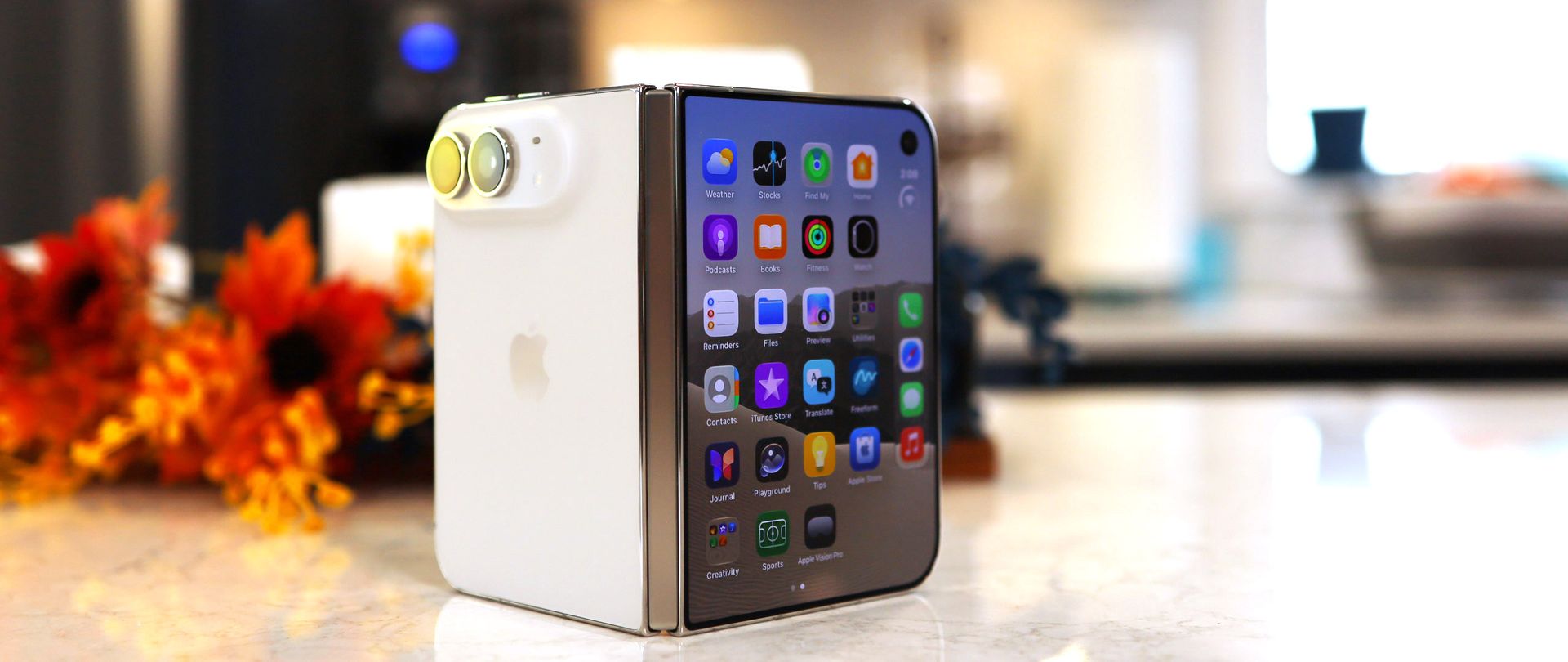
The iPhone Duo stands out in a way few iPhones have in recent years. Folded, it's closer to square than rectangular in shape, resembling a squat iPhone Pro Max. Plus, the asymmetry — flat and square on one side and curved on the other when folded — means the Duo cuts a unique profile among smartphones.
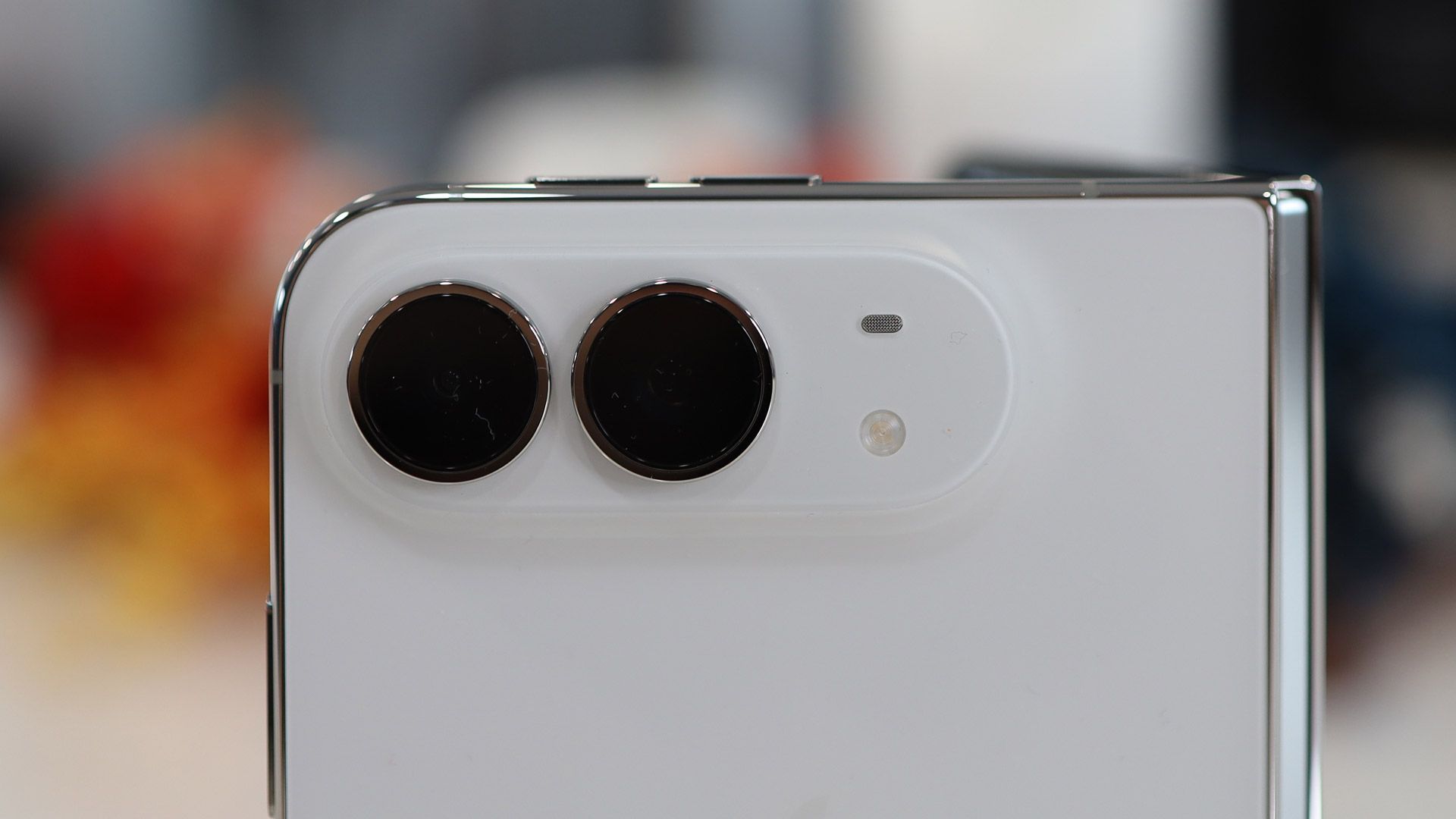
It does feel good in the hand, though the wider body might take some getting used to. I like the Ceramic Shield 2 front and back, especially the matte-finished back, which makes the Duo almost slip-from-your-hand-proof. The large dual-camera array bump is reminiscent of the iPhone Air, though the similarities end there.
(Image credit: Lance Ulanoff / Future)
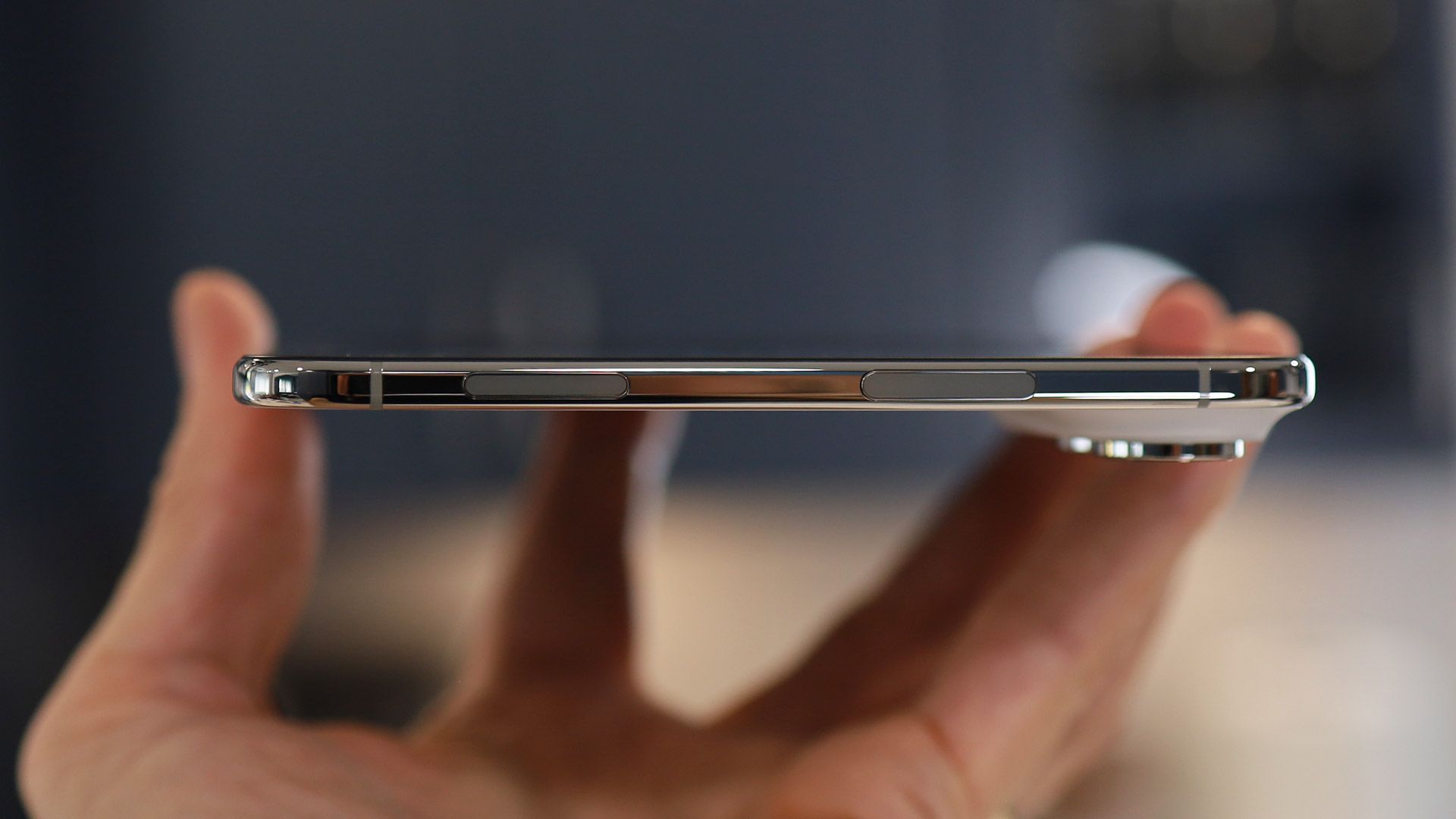
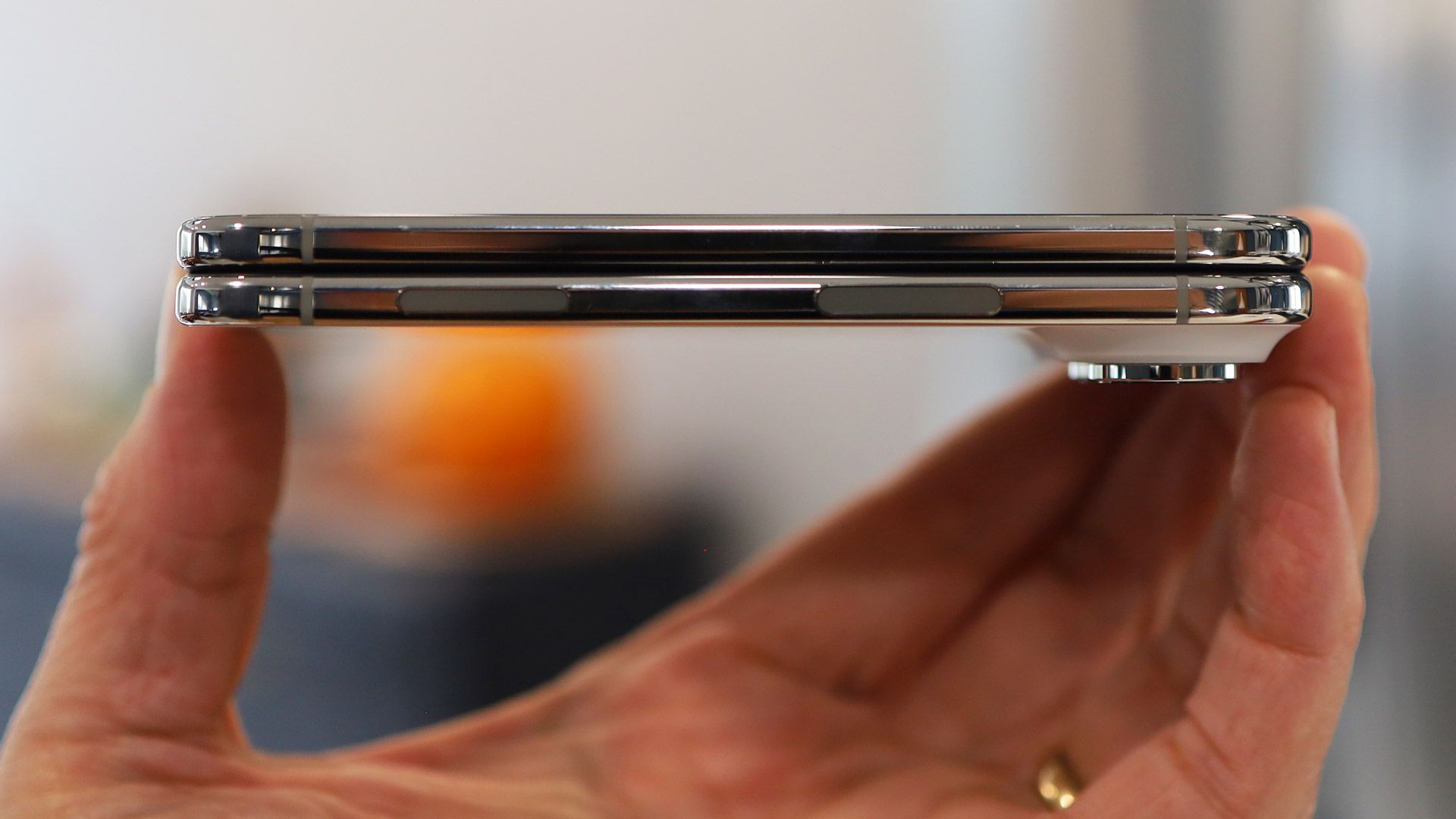
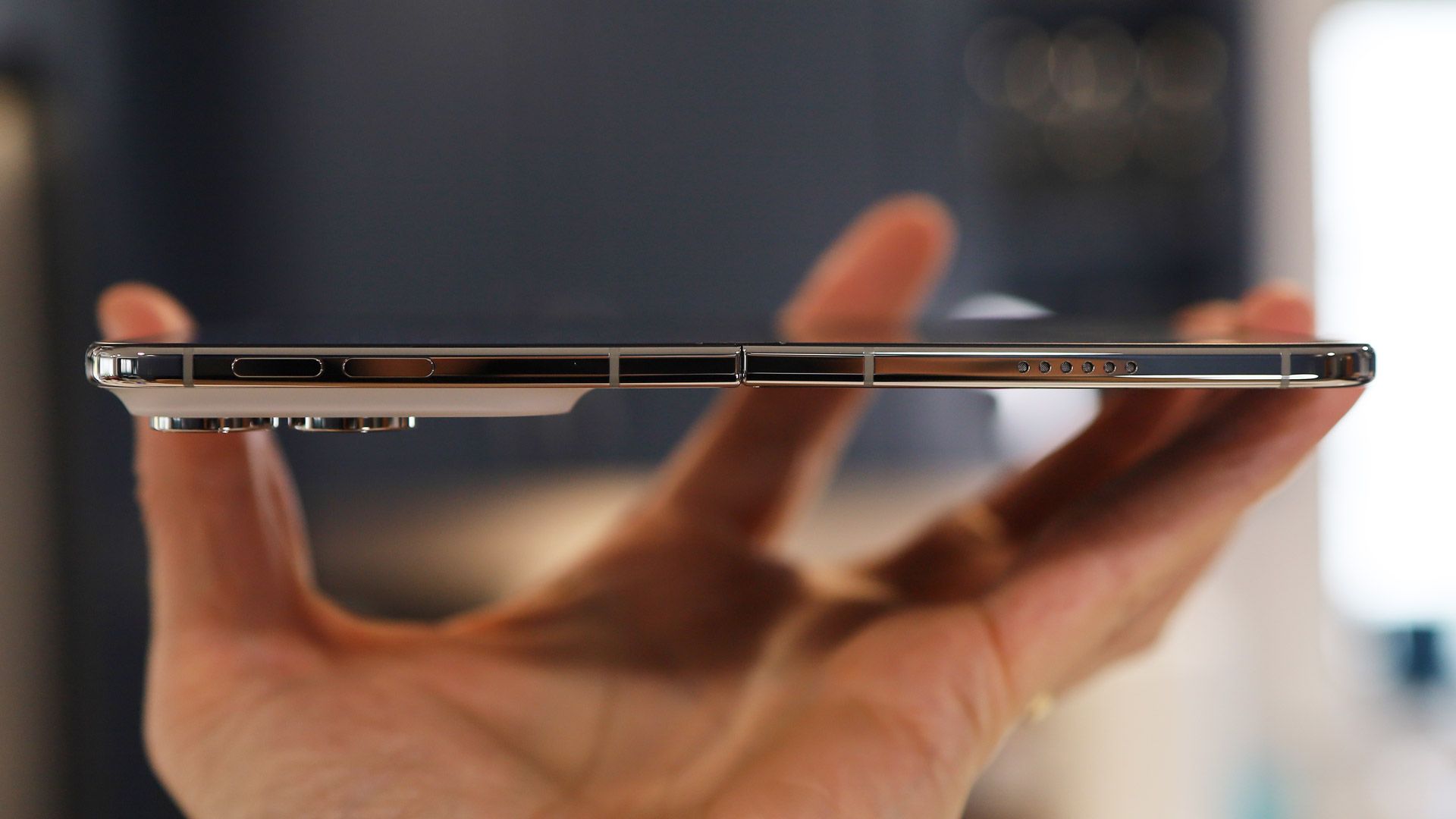
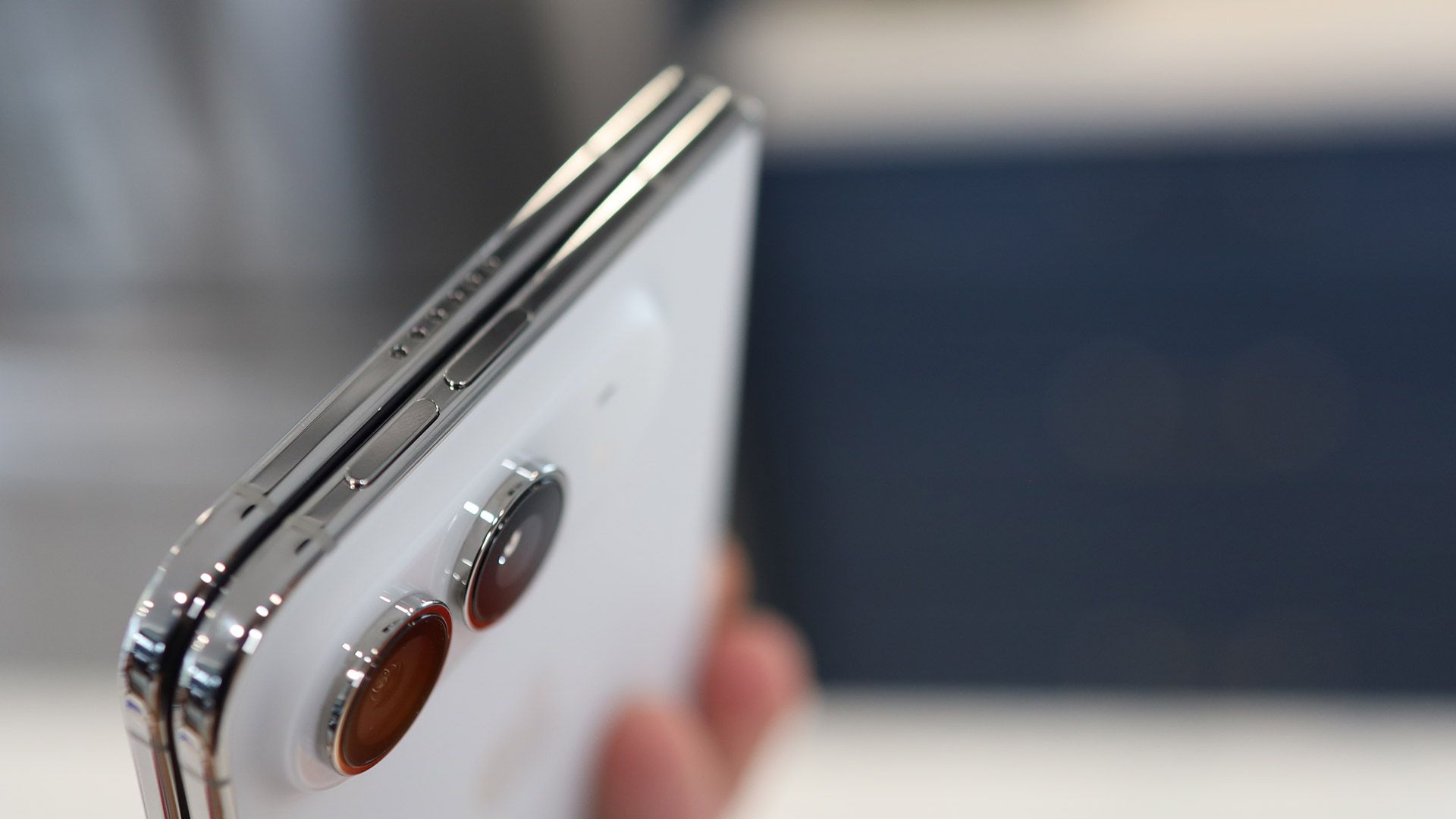
The volume buttons live on the top edge, another departure from the traditional iPhone, and indeed from smartphone design in general — I'm not sure I love that decision. On the right is the long Touch ID-enabled power/sleep/Siri AI button, and below that is the Action button. I often forget that last button exists on my iPhone 18 Pro Max, and I wonder if it was truly necessary here.
I appreciate the inclusion of Touch ID (I registered my index finger and thumb), but the lack of Face ID is frustrating — I had no idea how much I relied on it for quickly unlocking my phone until it wasn't there. Multiple times I've stared at the iPhone Duo's cover screen waiting for something to happen, forgetting that I have to intentionally touch the Touch ID button. A nearly $2,000 device lacking Apple's most powerful biometric security feature is close to unforgivable — I'll probably set up a workaround so that I can unlock the Duo via my Apple Watch.
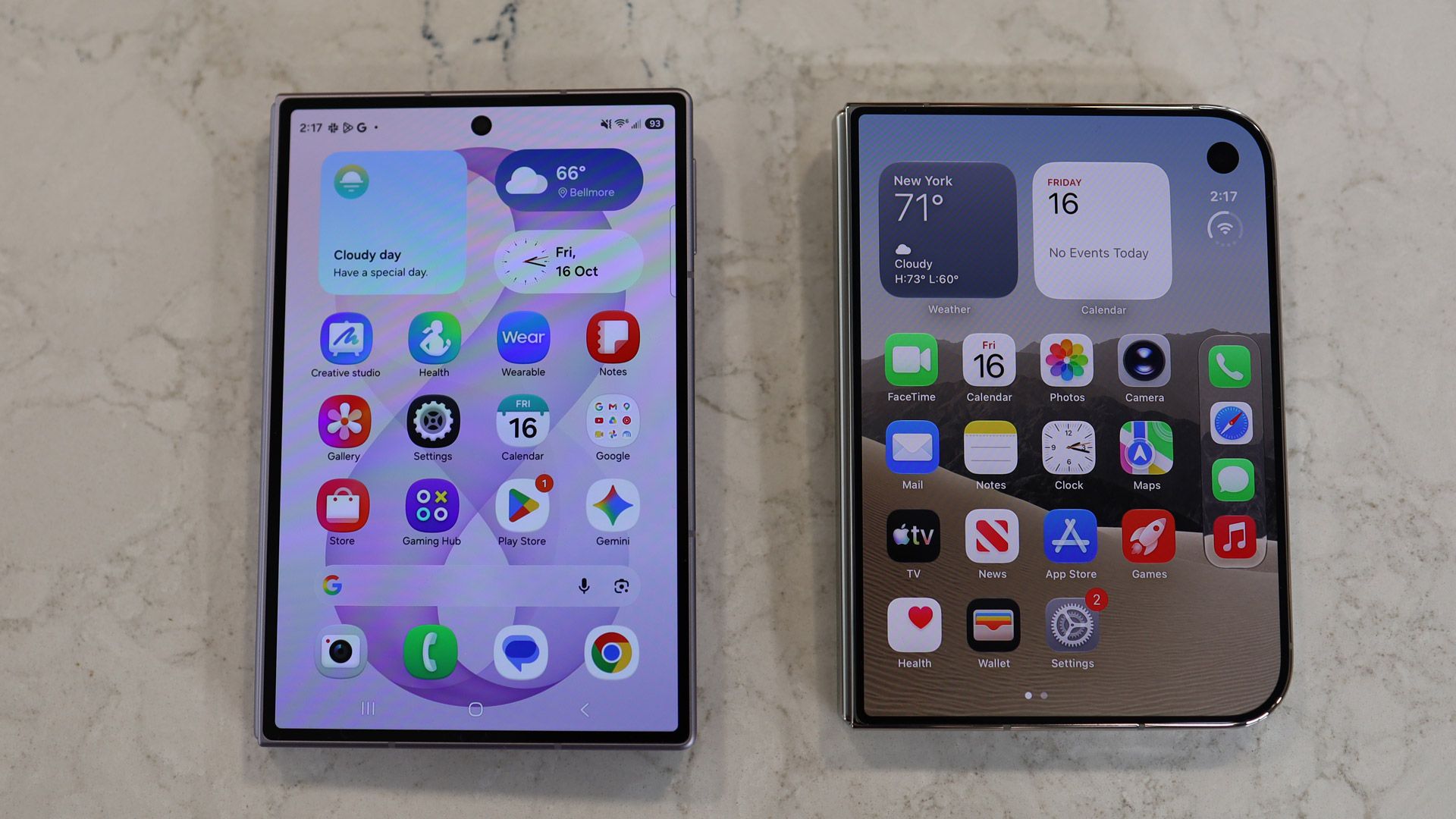
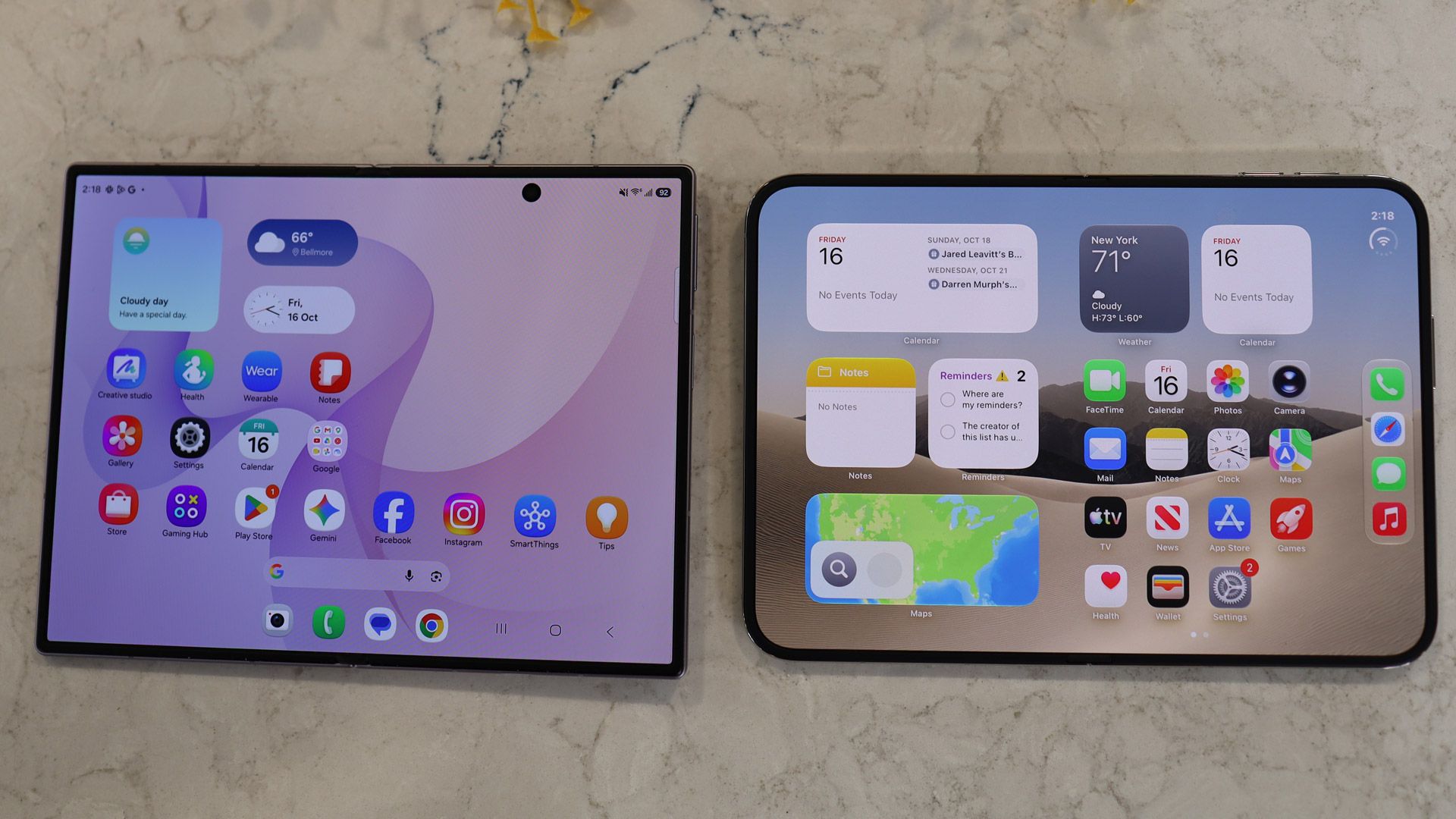
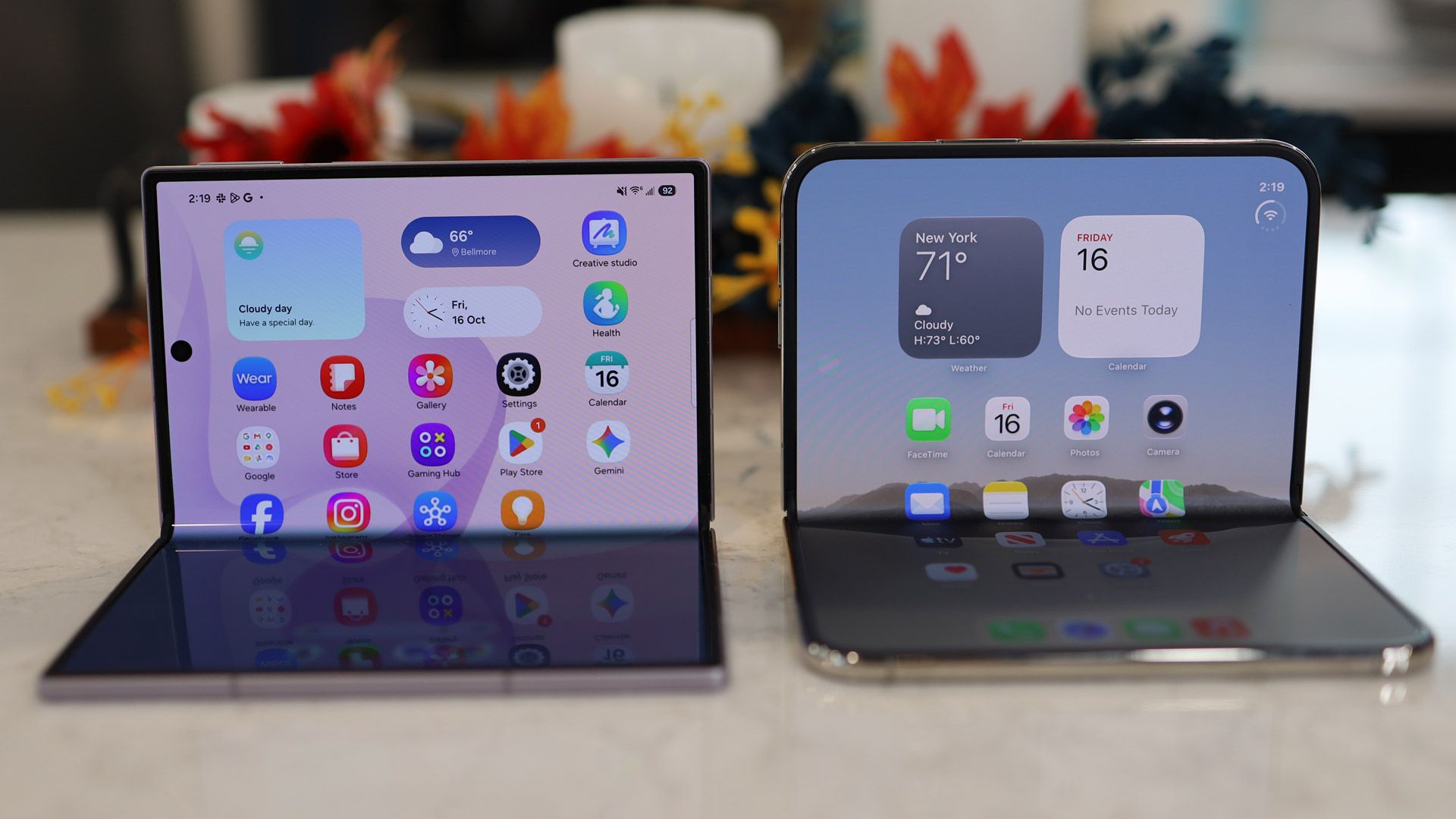
Samsung Galaxy Z Fold 8 on left, iPhone Duo on rightLance Ulanoff / FutureSamsung Galaxy Z Fold 8 on left, iPhone Duo on rightLance Ulanoff / FutureSamsung Galaxy Z Fold 8 on left, iPhone Duo on rightLance Ulanoff / FutureSamsung Galaxy Z Fold 8 on left, iPhone Duo on rightLance Ulanoff / FutureSamsung Galaxy Z Fold 8 on bottom, iPhone Duo on topLance Ulanoff / FutureSamsung Galaxy Z Fold 8 on left, iPhone Duo on rightLance Ulanoff / Future
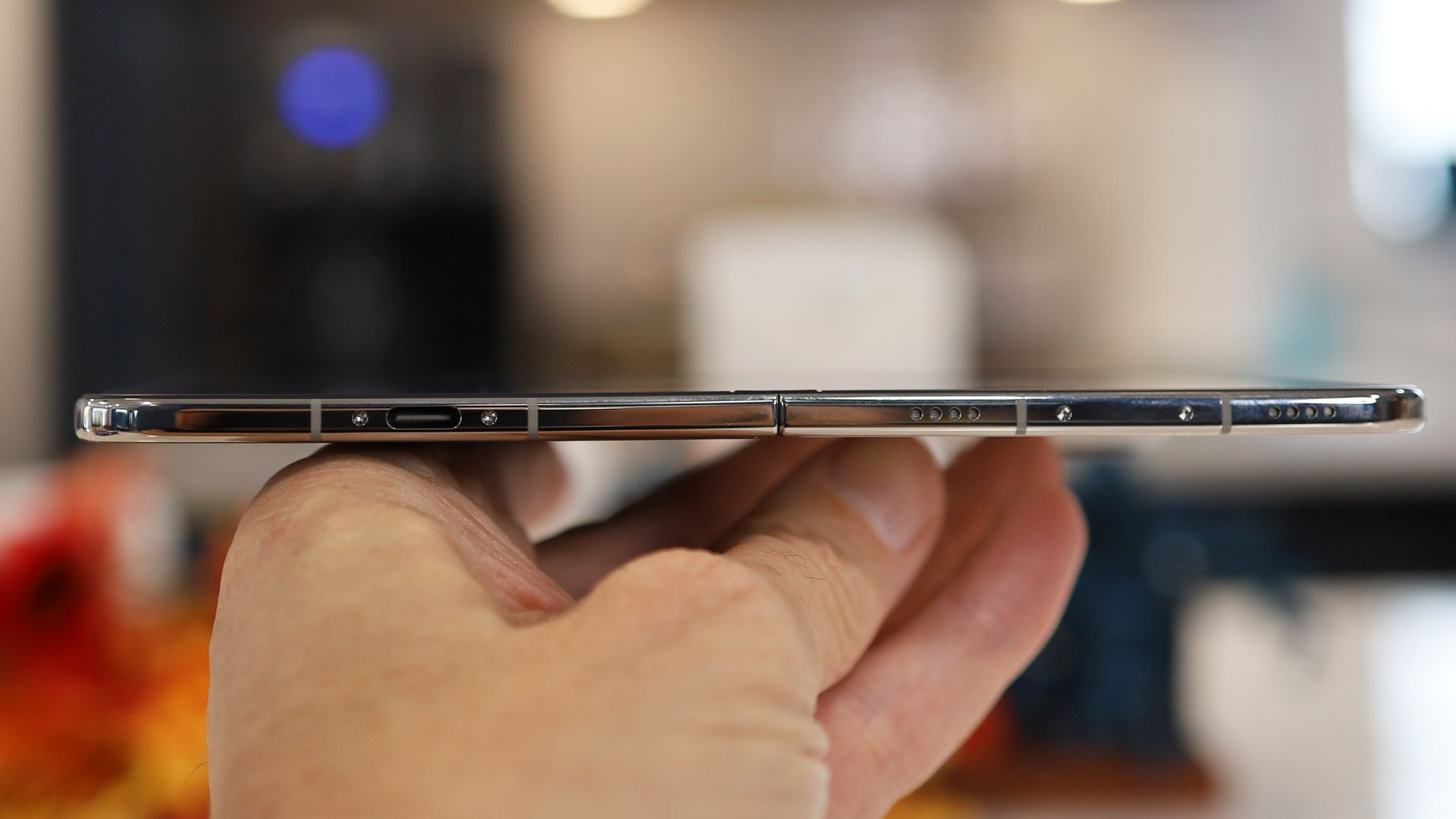
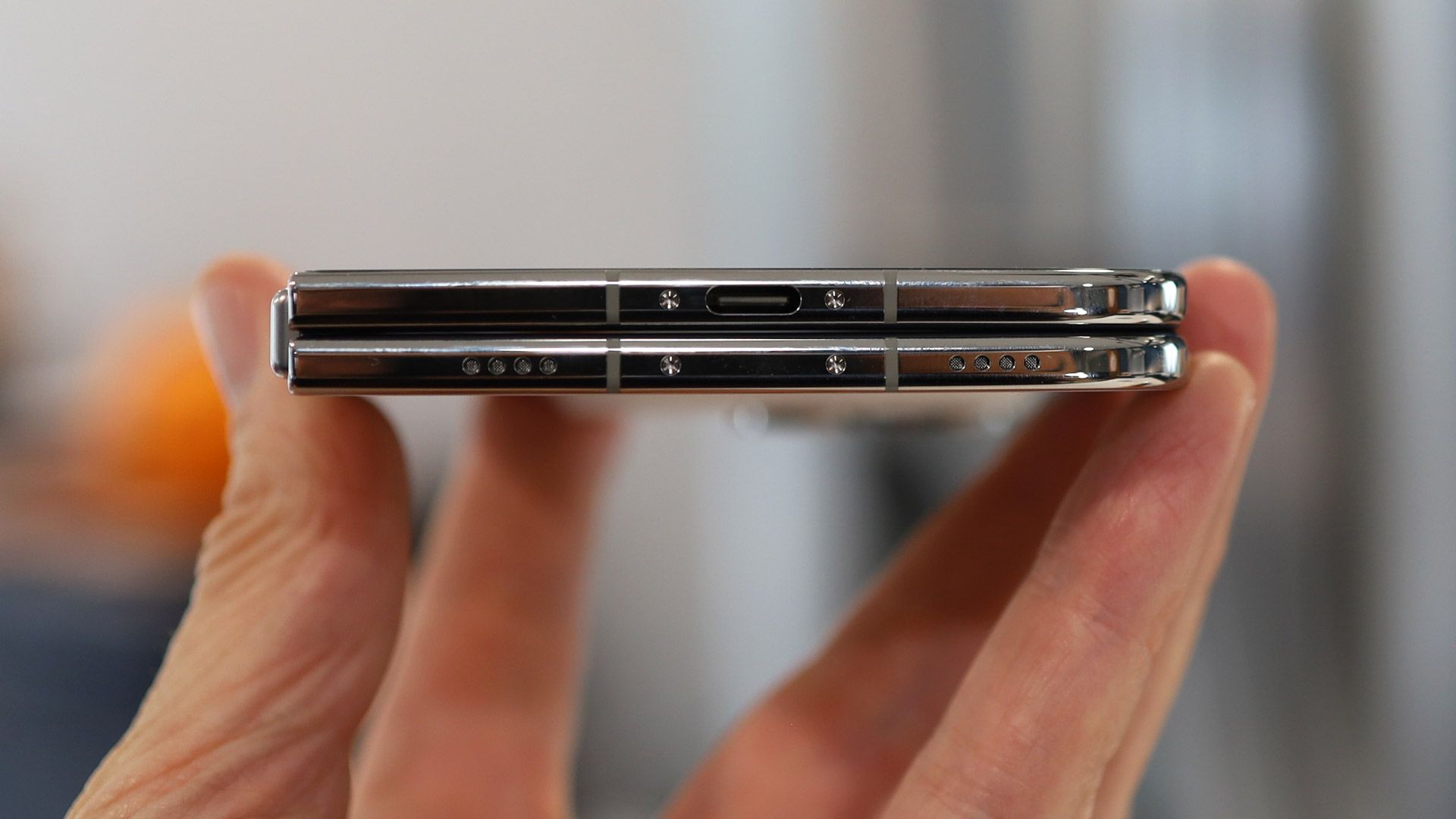
Along the bottom edge are the USB-C port (the phone ships with a charging cable but no power adapter), the speakers, and the mics.
Unfolded, the iPhone duo feels like a thin, compact tablet — I hesitate to say 'iPad' since the operating system is essentially iOS with some small adjustments for the new form factor.
Lance Ulanoff / Future
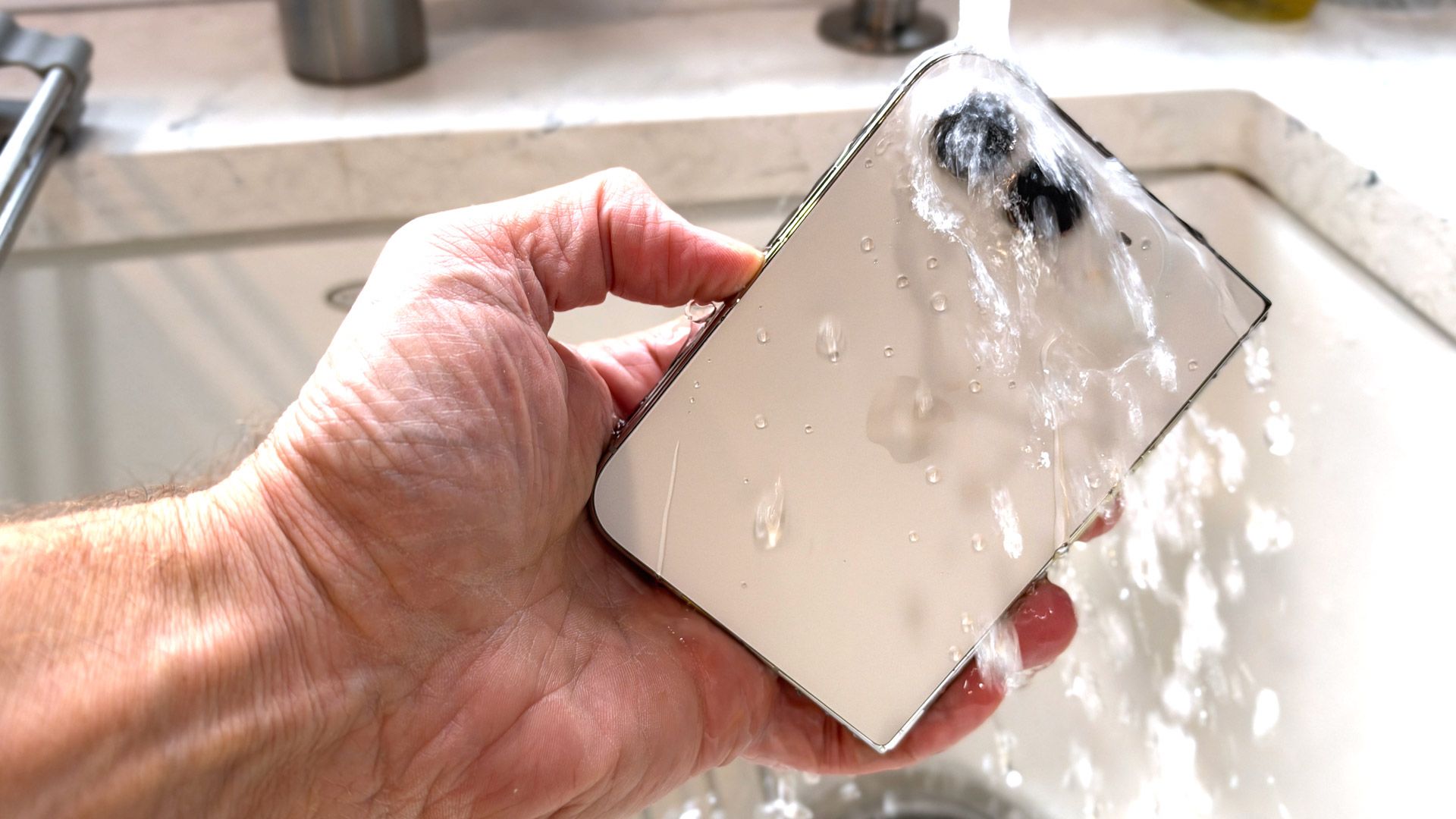
Remarkably, Apple comes out of the folding gate flourishing an IP68 rating, which means the iPhone Duo is protected against dust and even water. Naturally, I submerged the Duo under a running faucet, and it was none the worse for the experience.
Overall, I like the design and form factor, but it's different from a traditional iPhone, so it does take some getting used to. I struggled, for instance, to figure out the best way to hold the phone for photography. Do I need to turn it into landscape mode, or should I just hold it the way I hold a 'regular' iPhone? I do wonder how many will choose to unfold the phone, and shoot pictures in the same way they might with their iPad.
Design score: 4.5 / 5
Apple iPhone Duo review: Displays
(Image credit: Lance Ulanoff / Future)
Adorable and unusually shaped 5.4-inch cover display
Crease is canily hidden via a combination of expert engineering and a nano-etched display
Bright, sharp, fluid screens
Credit to Apple for not skimping on either of its iPhone Duo displays. Both the 5.4-inch outer and the 7.6-inch flexible inner screens are Super Retina XDR-class OLED panels, both with variable refresh rates up to 120Hz, always-on functionality, and up to 3,000 nits of brightness.
Both displays look impressively sharp, and actually offer slightly higher resolutions than the comparable displays on the Samsung Galaxy Z Fold 8.
The iPhone Duo's 5.4-inch cover display has a 2034 x 1398 resolution (compared to the Galaxy Z Fold 8 cover display's 1972 x 1248), and the 7.6-inch Inner display is 2670 x 1878 (compared to the Z Fold 8's 2448 x 1848 main display).
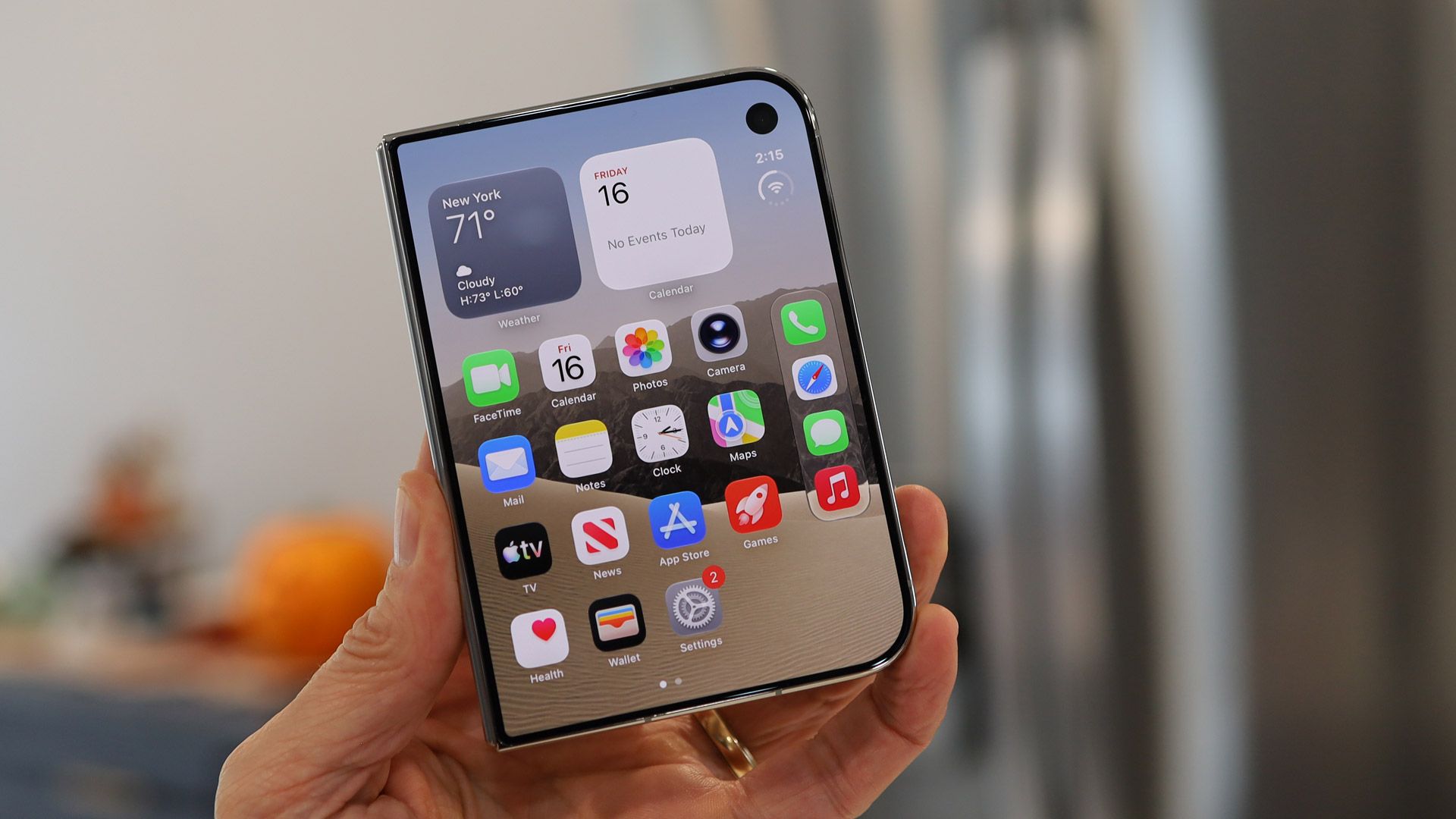
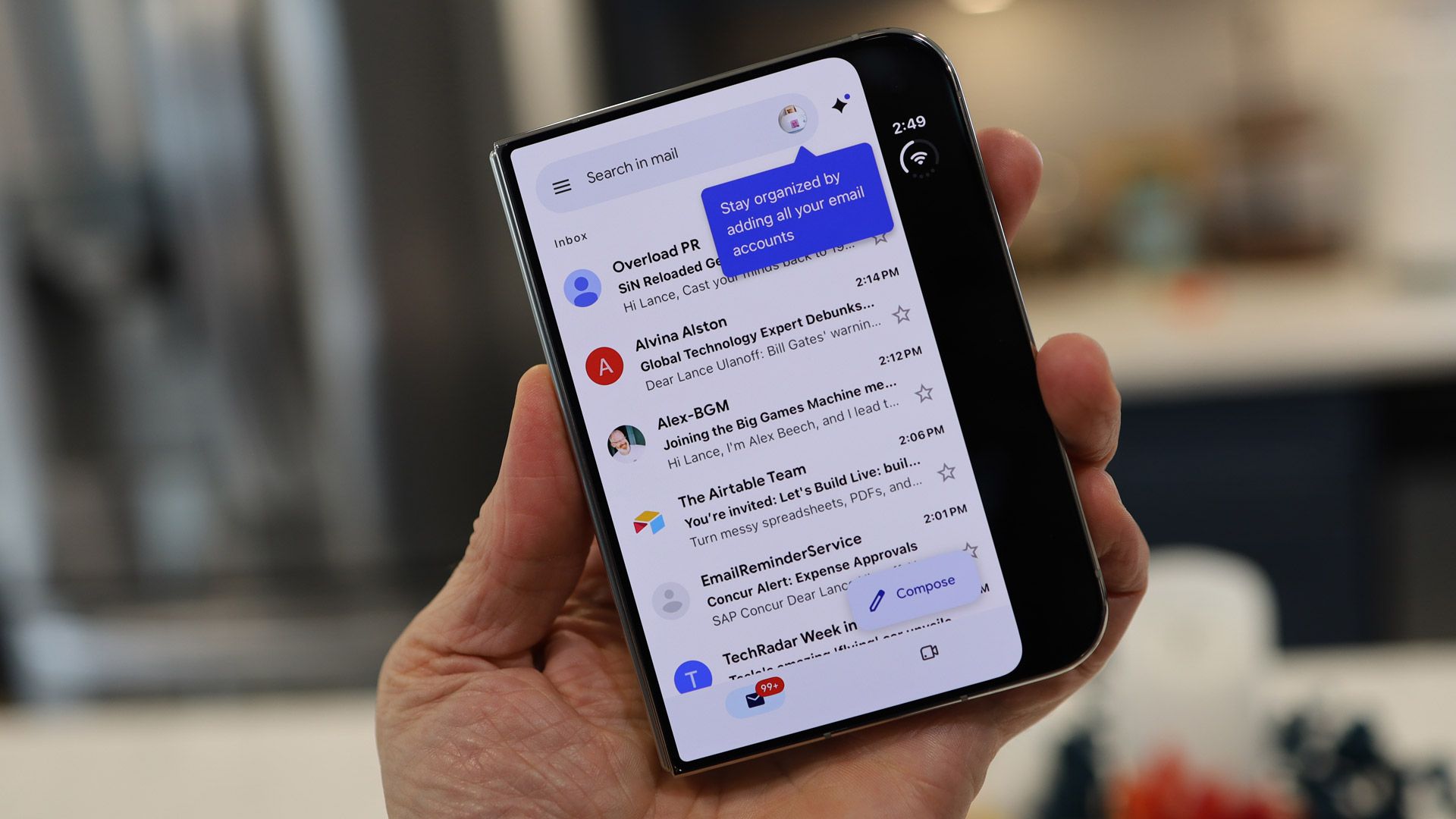
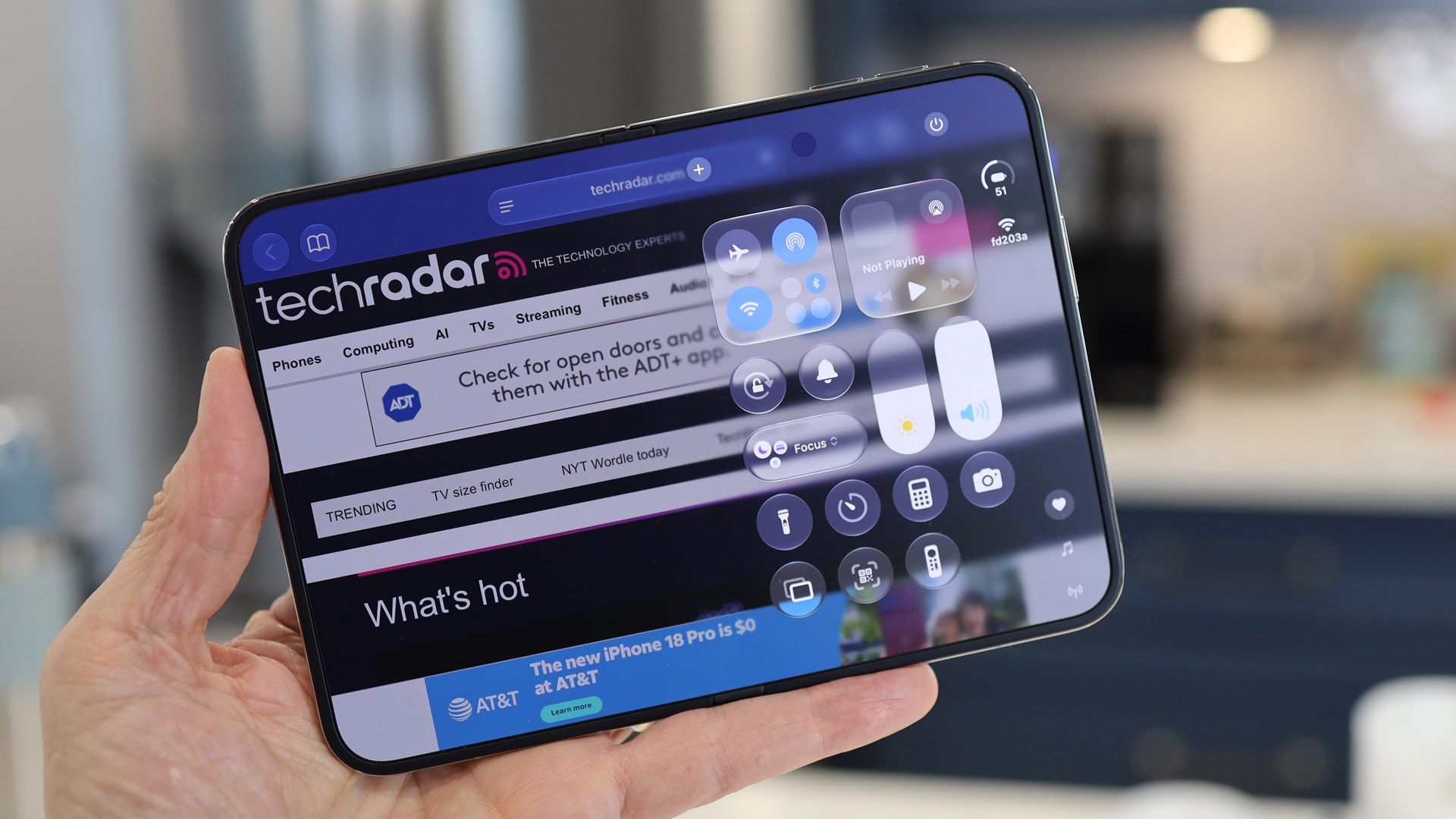
At first glance, the iPhone duo Cover screen is instantly recognizable as an iPhone, but close scrutiny reveals some interesting adjustments for the relatively short and wide display. First, the pill-shaped Dynamic Island sits in a vertical space along the right side, and when you look at the home screen, the dock is stacked vertically below the time and a status button (a single tap on it expands it to show connectivity and battery, and also drops down the full Control Center).
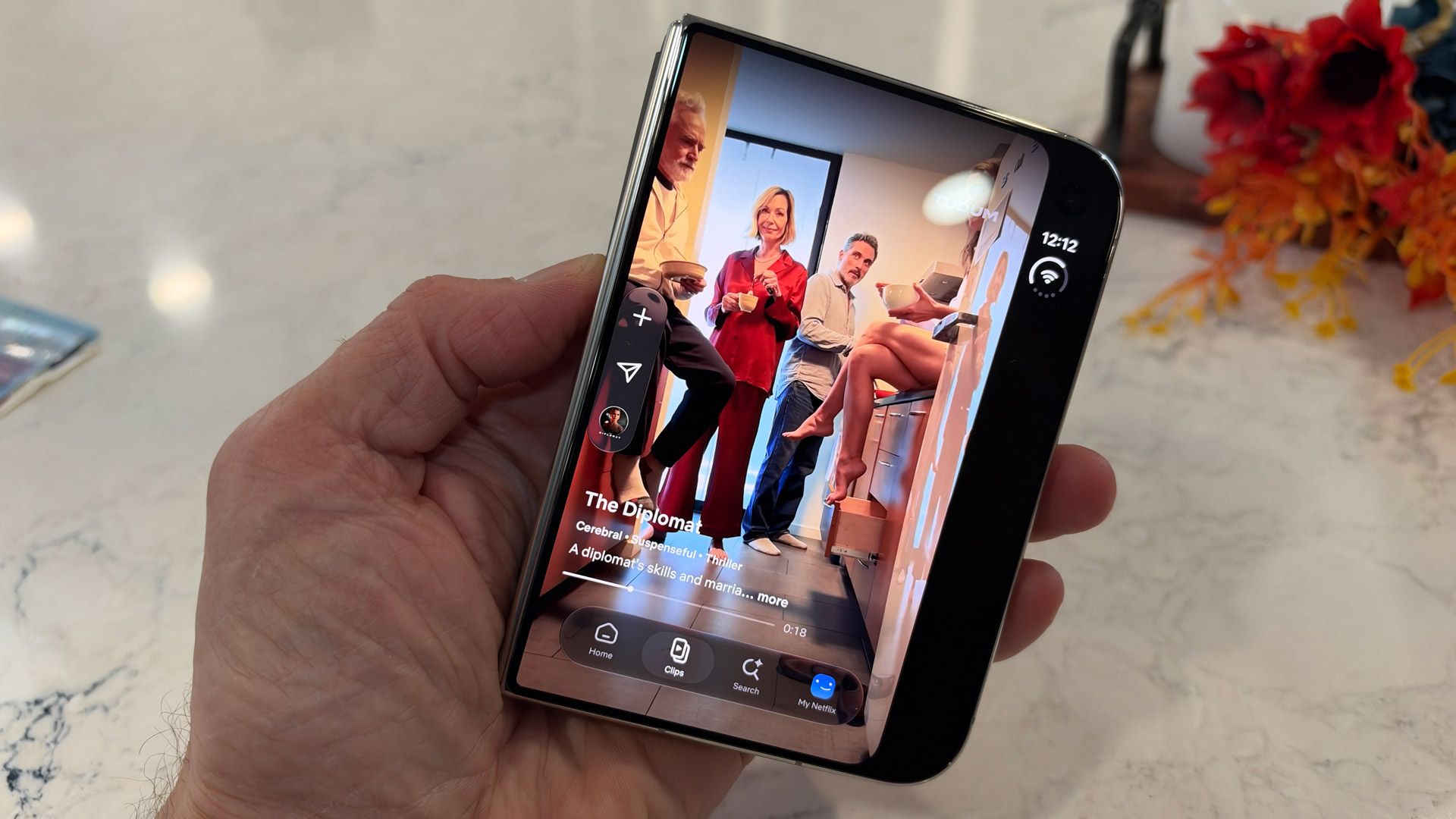
The Duo takes that right-hand space and rarely gives it up, which means that websites can look cramped in Safari, and some apps like TikTok, and even Apple's native ones, like Sports, can feel a bit squeezed. There are exceptions, like when you use the screen as a viewfinder in the Camera app, or look back at images in the Photo Gallery. In those cases, the imagery fills the entire screen.
(Image credit: Lance Ulanoff / Future)
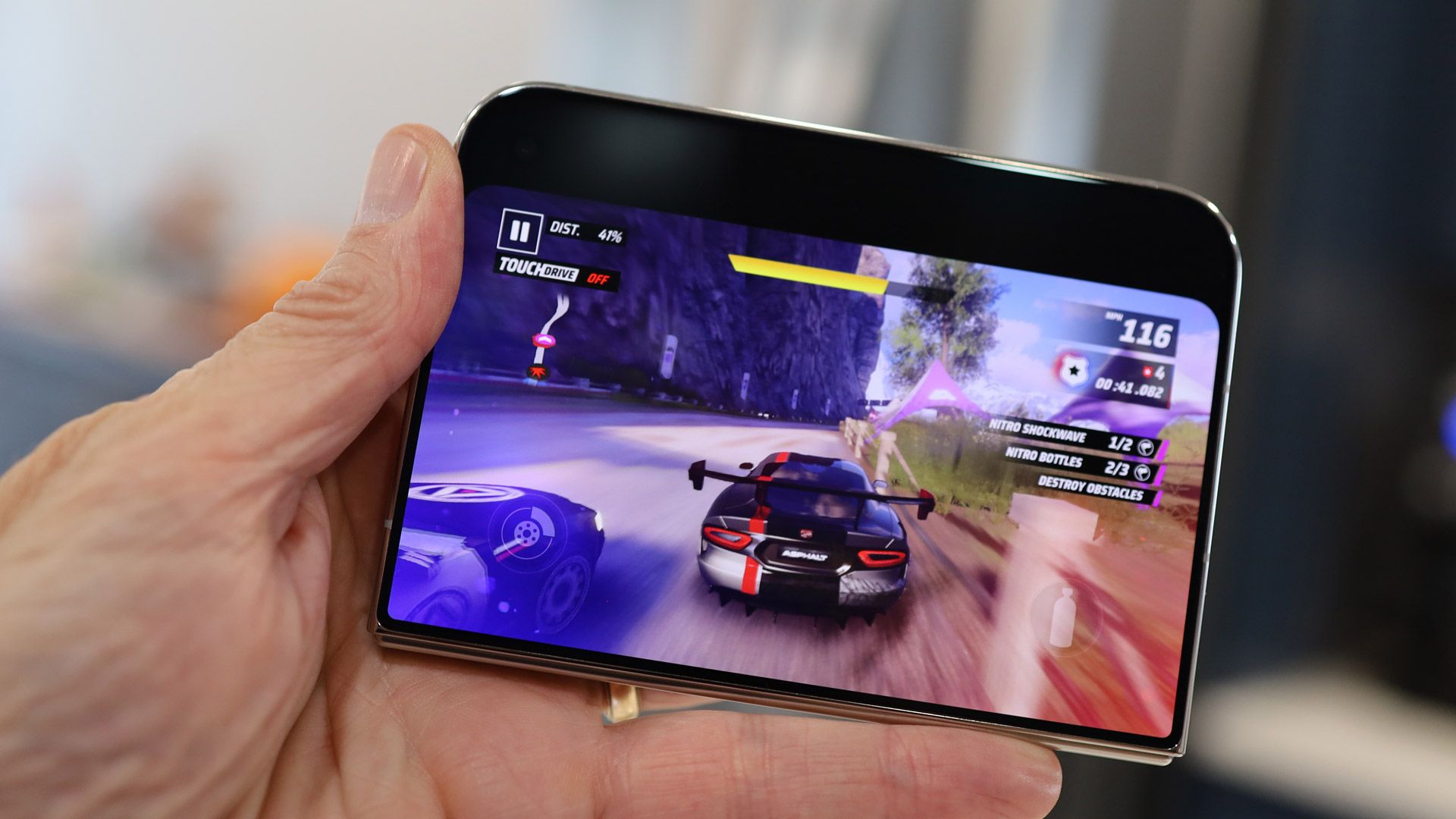
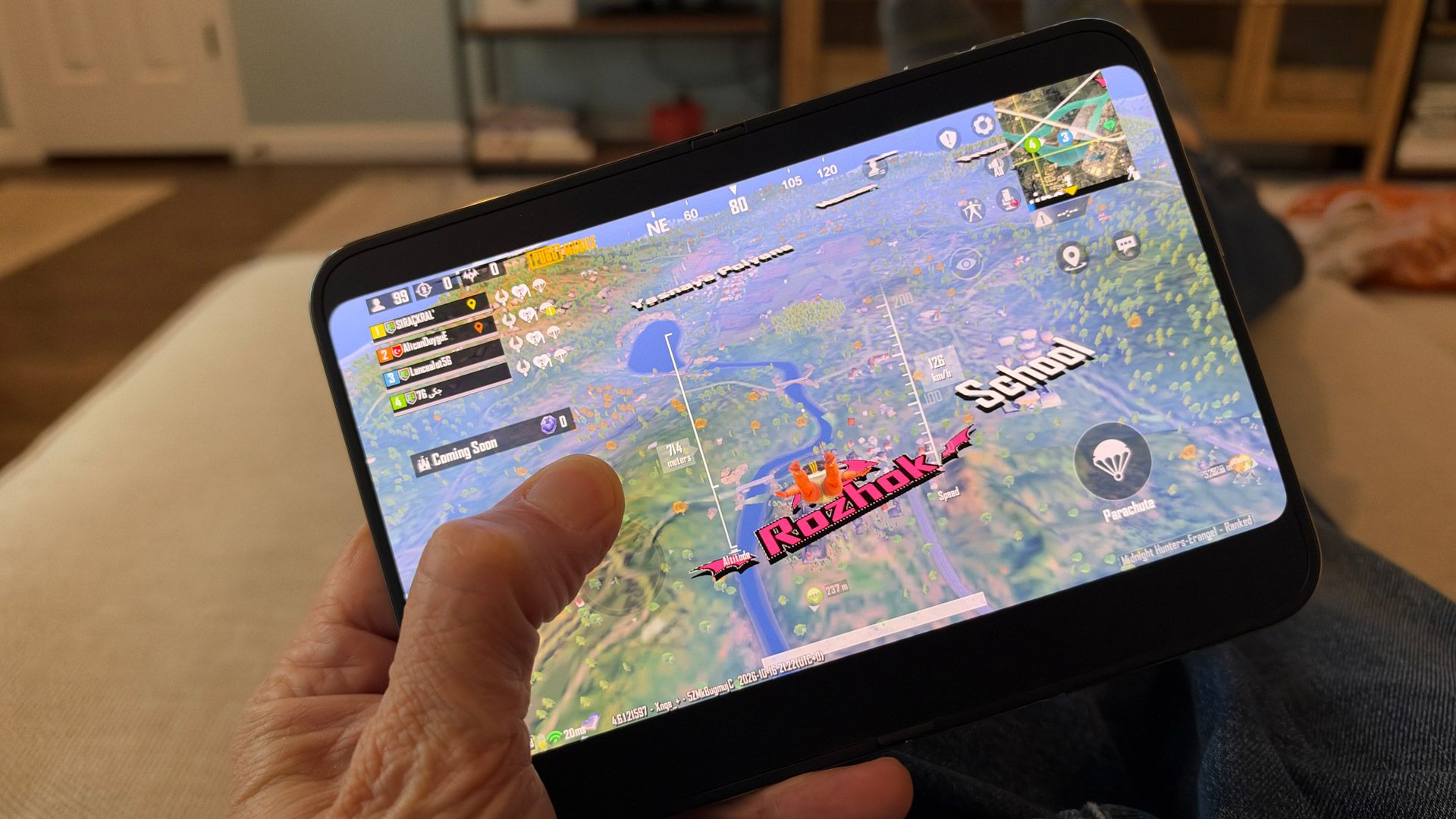
I'm less conflicted about the glorious main screen. It's big, it's responsive, and the matte, nano-texture covering almost completely hides the crease by dispersing any light bouncing off it, instead of directing it right back to your eyes. The display looks and feels perfectly flat, plus that matte covering kills all reflections, and makes every image look almost magazine-quality. It could be argued that a tiny bit of visual punch is lost in the texture, but I really enjoyed everything I viewed and did on the screen. It feels wonderful to the touch, and I had fun playing games like PUBG, browsing the web on a big screen, watching Netflix, reviewing and editing my photos, and multi-taking (more on that later).
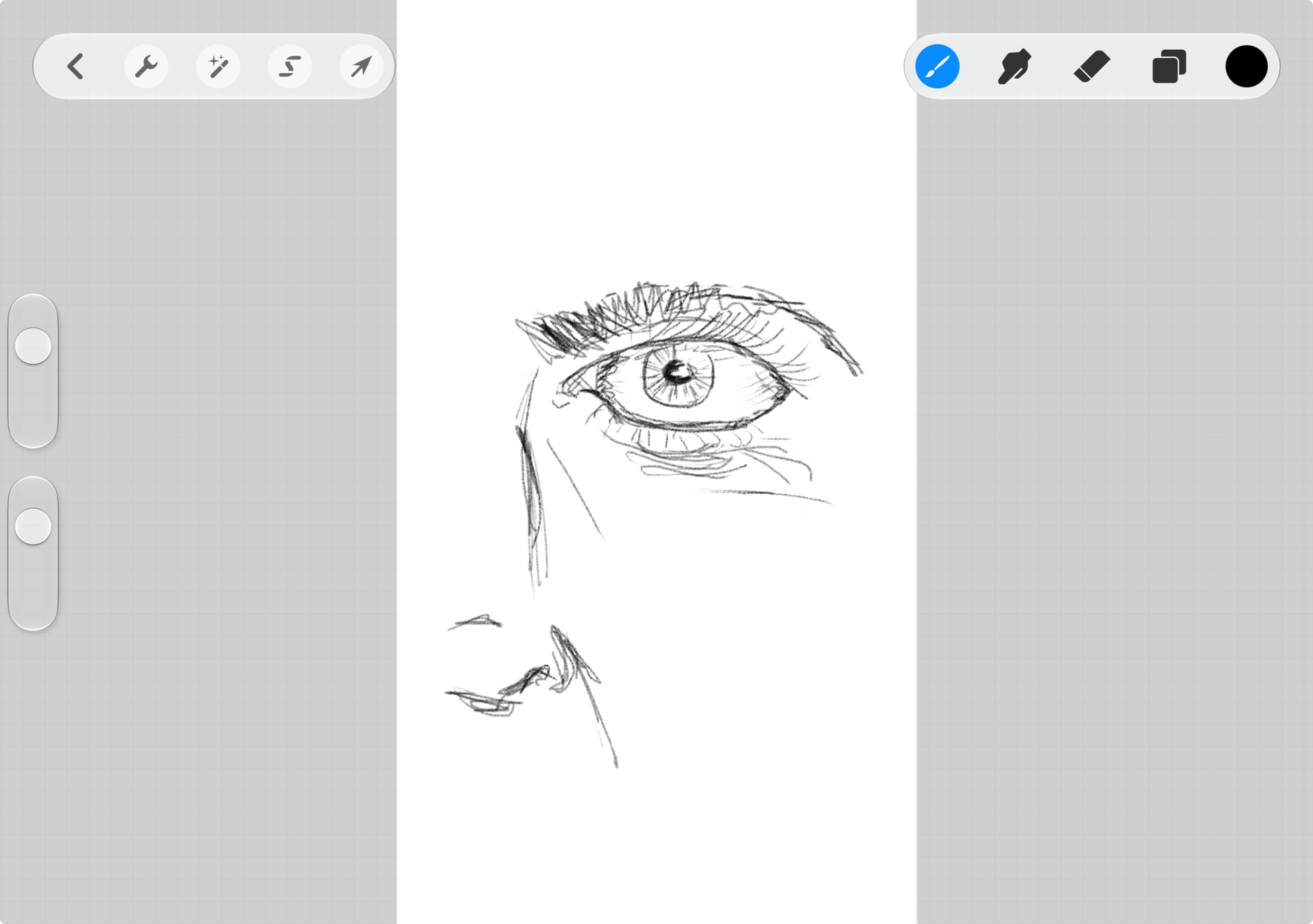
Unlike the Galaxy Z Fold 8 and 8 Ultra, the iPhone Duo's inner display supports a stylus, specifically the USB-C Apple Pencil. That support is not yet live, but I can't wait to start drawing on the Duo. I did attempt some Procreate Pocket sketches with my finger, and it didn't go well, which is mostly a me problem. However, I had slightly better luck with an analog stylus (see below).
(Image credit: Lance Ulanoff / Future)
Apple hides the 4MP inner FaceTime camera behind a handful of pixels, but they don't appear to have the exact same mix of matte and pixel density as the rest of the display, and as such are easy to spot. I wonder if Apple should have just gone with a standard, albeit smaller, cutout.
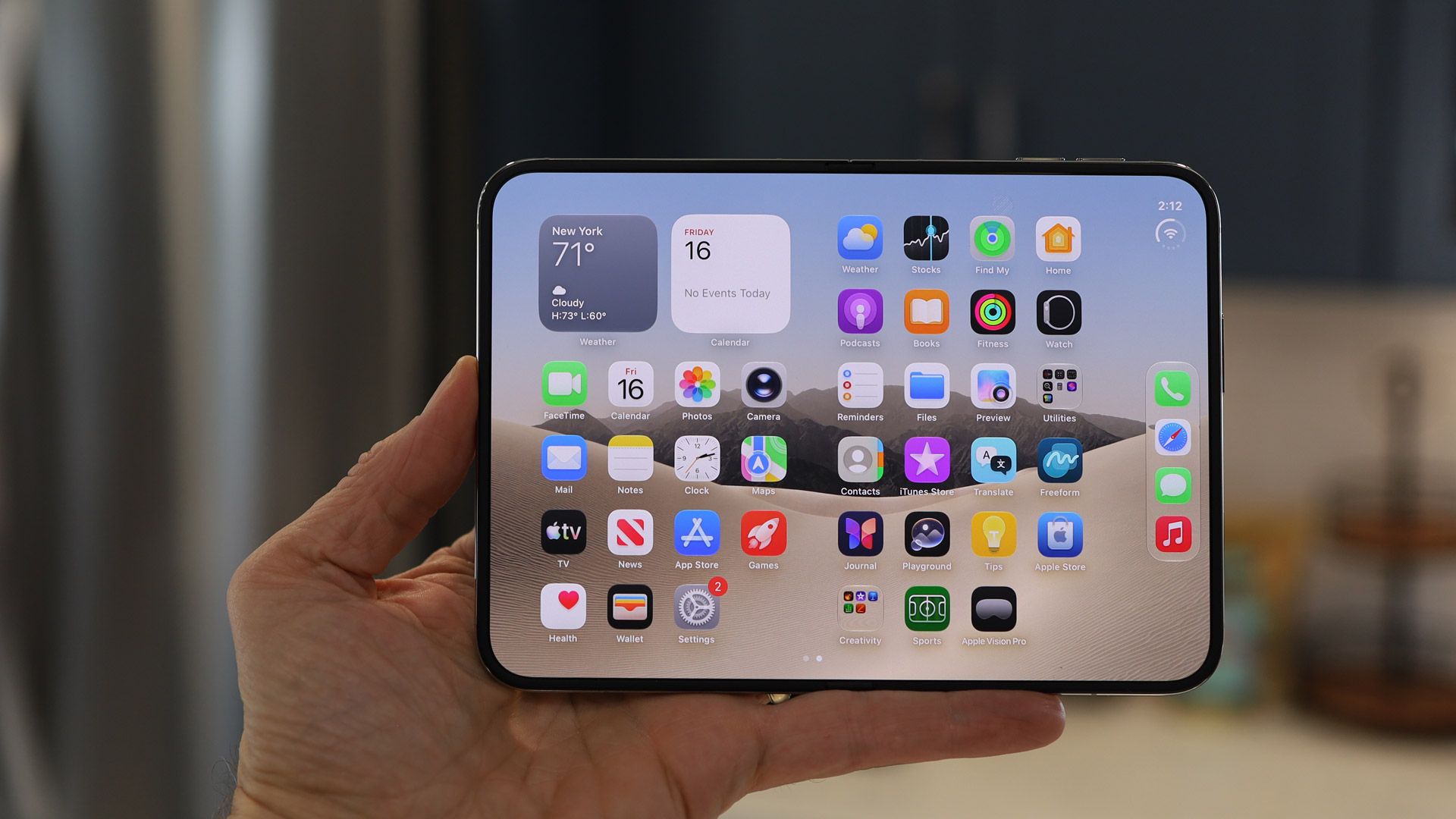
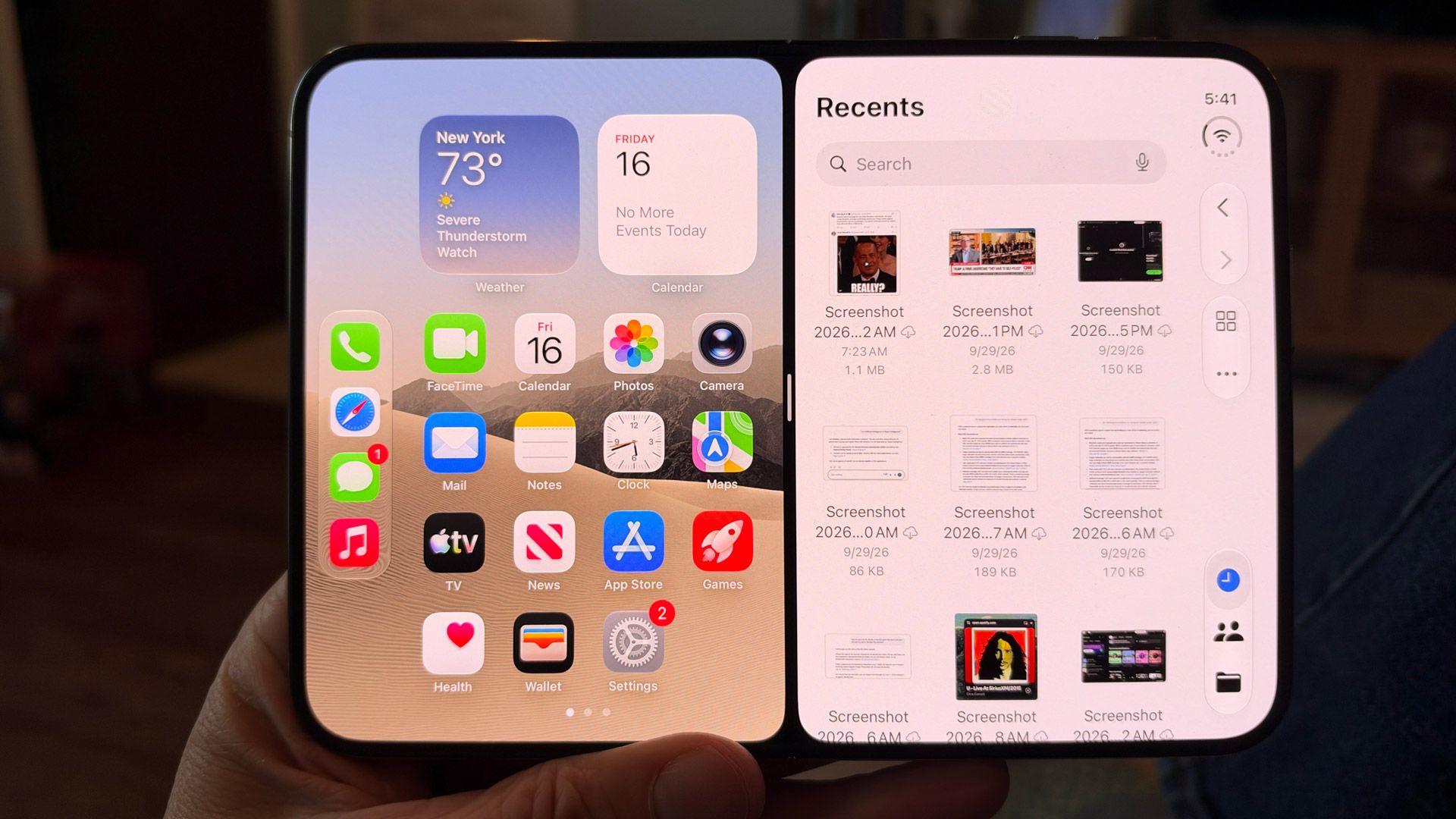
As on the cover display, Apple has positioned the status and dock vertically on the right side of the main display. I wonder why, in Tablet mode, Apple didn't simply copy the iPad and put this bar at the base of the screen. Still, I noticed that the dock disappears when you're in apps like Safari.
There's more to say about app compatibility with this platform, which I'll get into later in the Software section of this review.
(Image credit: Lance Ulanoff / Future)
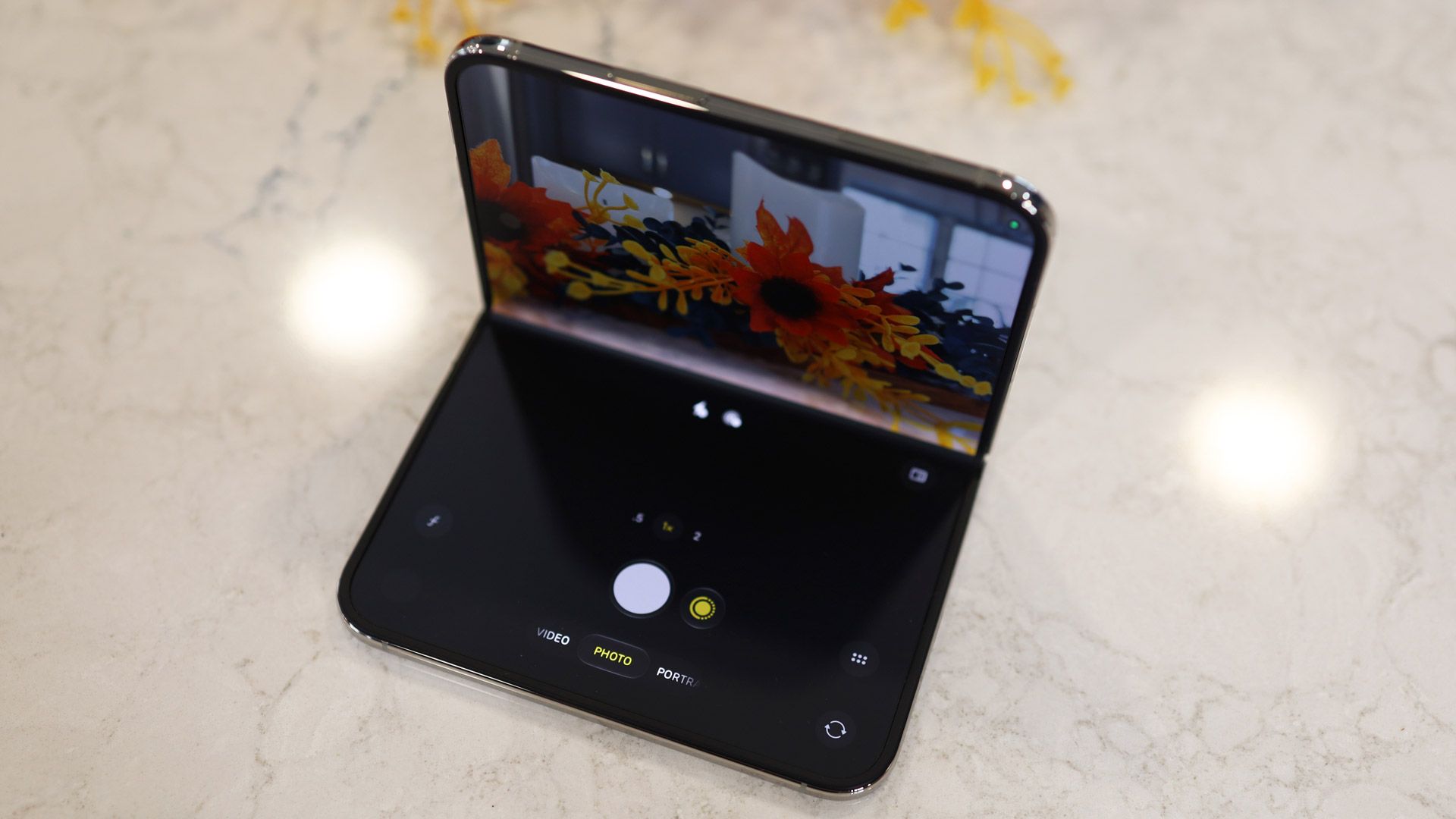
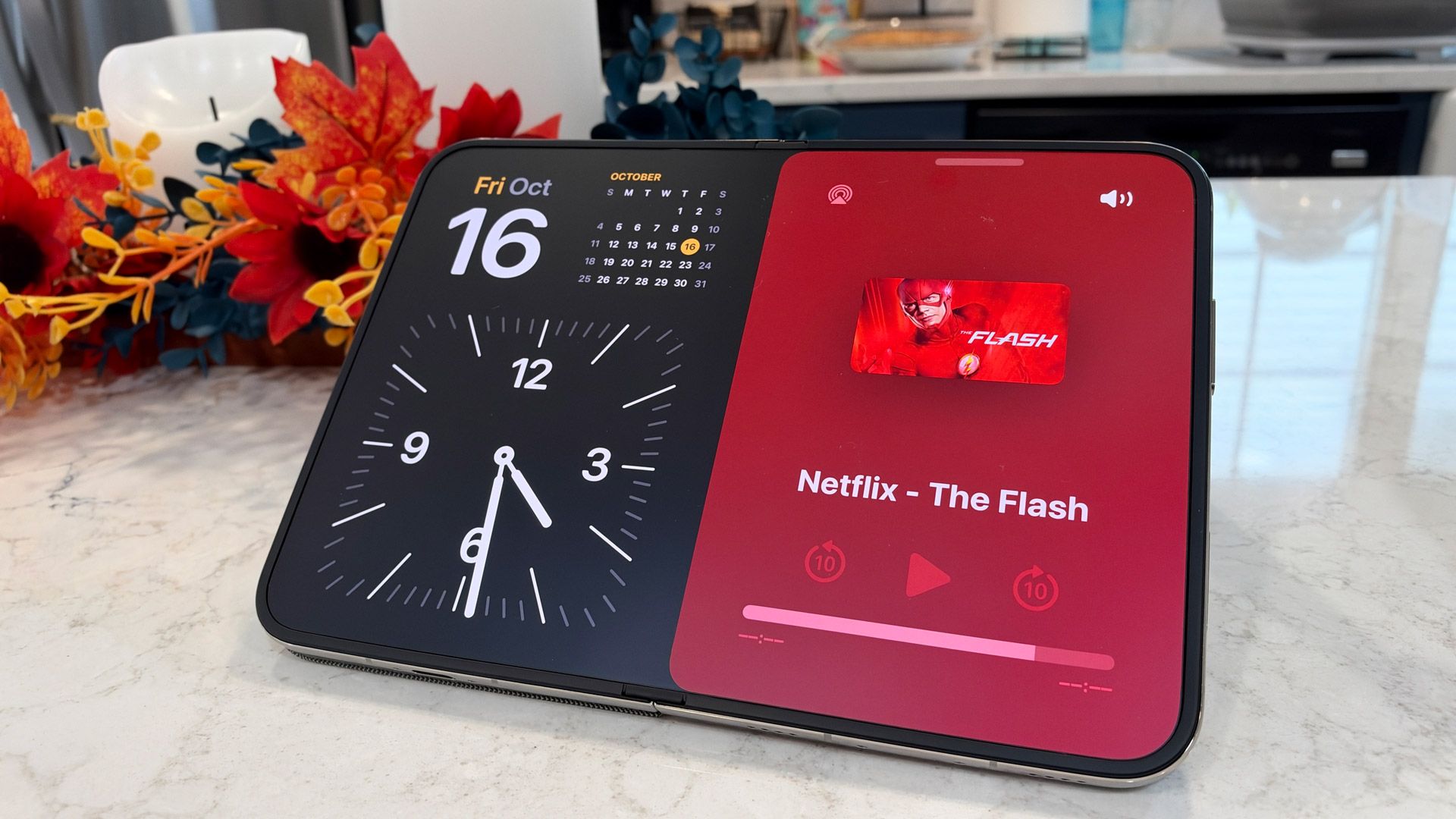
I especially like the redesigned Standby feature, which takes advantage of the Duo's multiple displays and foldable nature. You can prop up the phone like a tent and have the Standby display appear in landscape mode. If you flip the phone up so it's standing on your desk like an open book, the Duo knows to switch Standby to the inner display. At one point I popped the Duo onto my old Belkin MagSafe charger, and used it as a nightstand clock. It's so smart and useful.
What we have here are two excellent displays with a wide array of capabilities in one device. It's both a tiny iPhone and a mini tablet, with two screens that should please both the iPhone and iPad crowds. I have my reservations about the cover screen, but as an overall multi-display package, I'm impressed with the Duo.
Display score: 4.5 / 5
Apple iPhone Duo review: Cameras
Two strong 48MP cameras
Excellent 12MP Center Stage camera
Inner camera is lower-resolution but effective for FaceTime
No telephoto camera
It's been a long time since I've reviewed an iPhone on which camera considerations come second to design and mechanical engineering, but the excitement revolving around the iPhone Duo is about its folding capability, creaseless inner screen, and unique-among-iPhones form factor.
Even so, there's no indication that Apple has skimped on three of the four cameras. Yes, the inner camera is just a 4MP shooter that's primarily devoted to FaceTime calls, but the rest of the lenses — 48MP f/1.6 Main, 48MP f/2.2 ultra-wide, and 12MP f/2.2 Center Stage — are all excellent.
While I haven't had a lot of time with the iPhone Duo, I have managed to shoot in a variety of conditions and situations, pushing the cameras on speed, image quality, color, and low-light performance.
The two external cameras default to shooting at 24MP, which means each photo has effectively twice as much information per pixel (the process is called binning).
(Image credit: Lance Ulanoff / Future)
I was particularly impressed by the level of detail in the main-camera shots — just look at the specks of pollen on the marigold flower in the gallery below. That same image shows an exceptional balance of shadows and light; the sunlight bleed on the right does not overwhelm the exposure of the rest of the image.
In a challenging social-club environment, the main wide and ultra-wide cameras acquitted themselves nicely, making exposure adjustments to capture the moment without too much grain. Obviously, there was some motion blur, but I think it added to the emotional weight of the event.
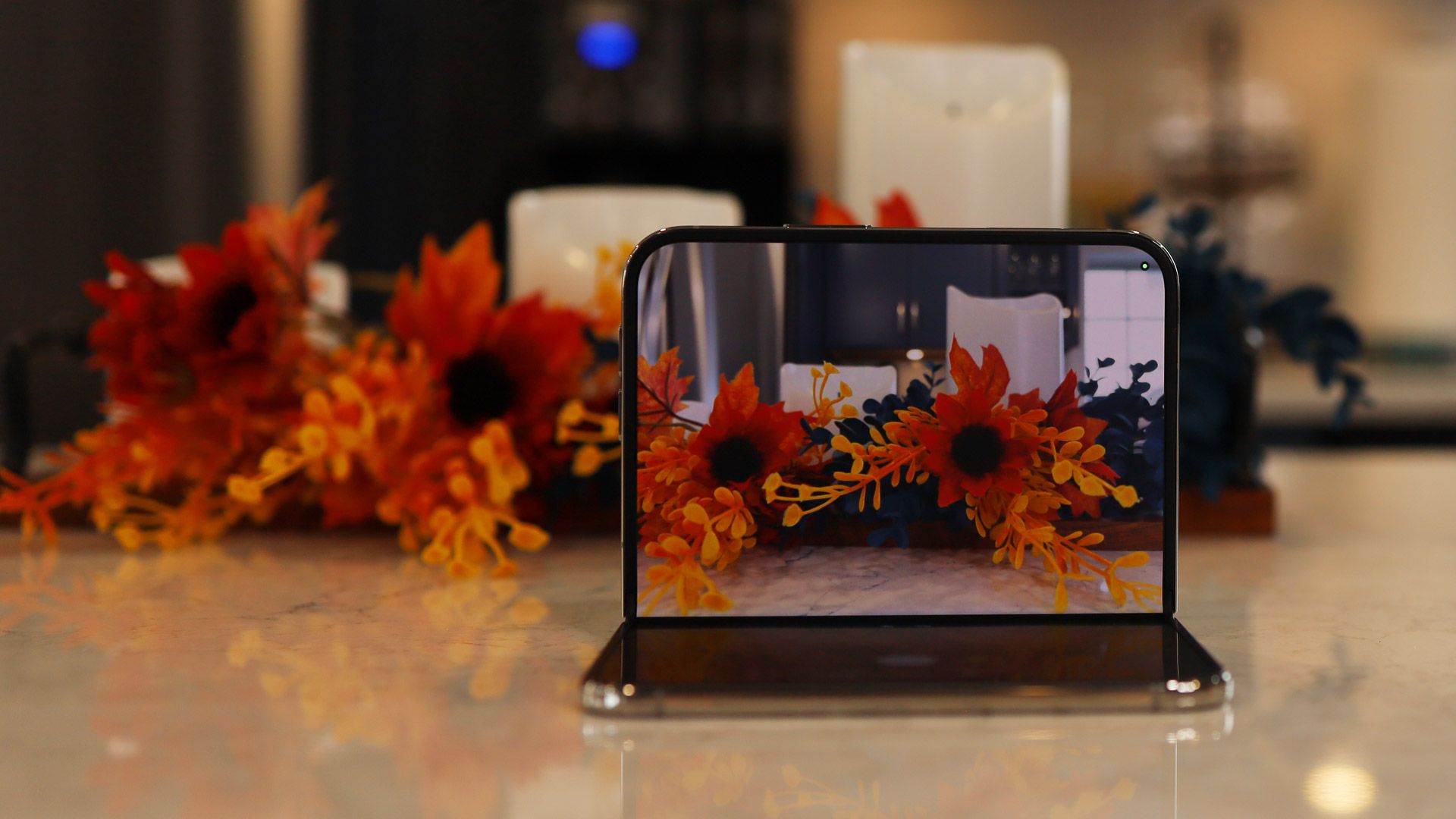
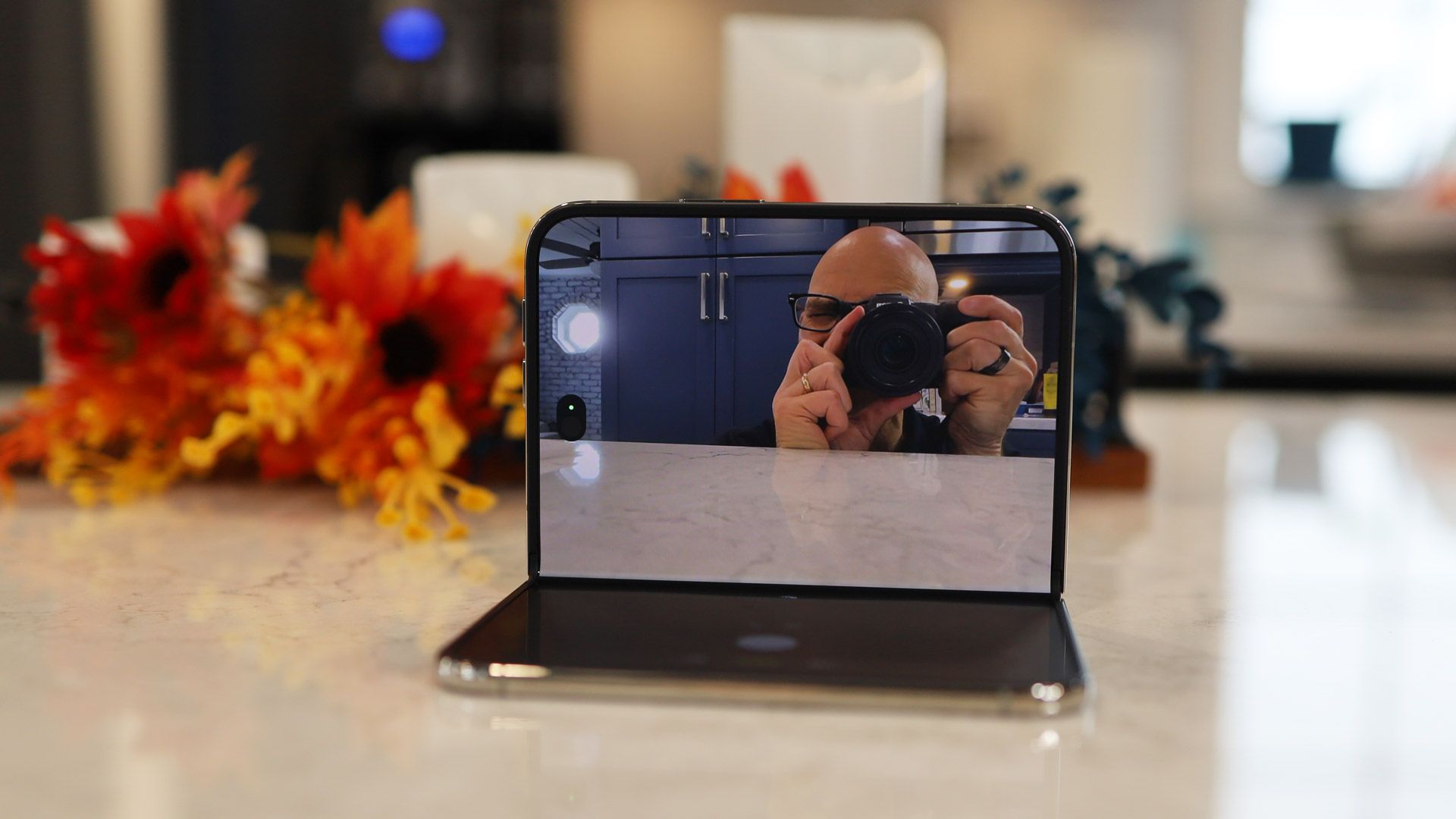
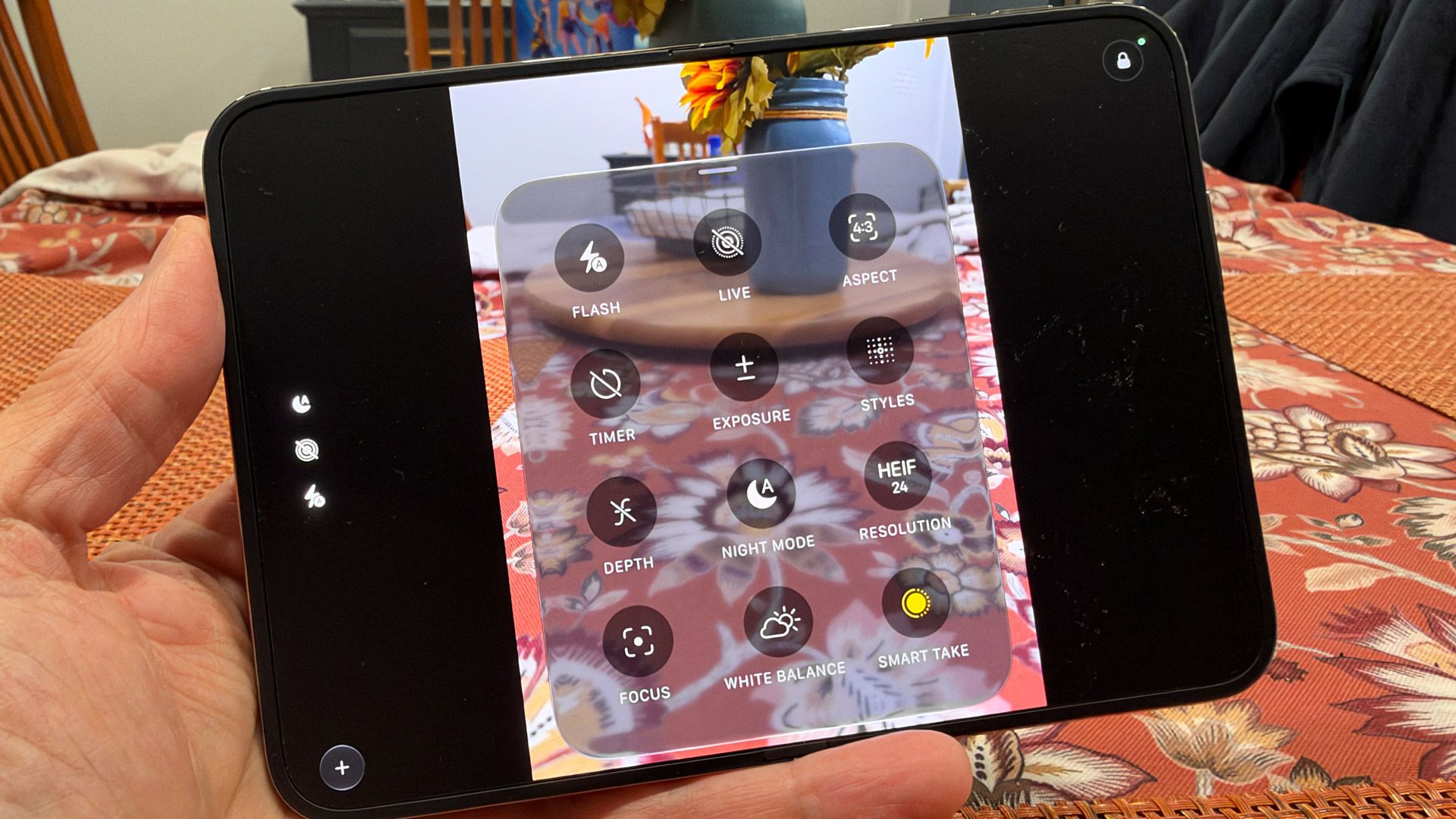
With the iPhone duo, Apple has introduced Smart Take, which I liken to your own personal fashion photographer. The setting lives under the grid menu (drawer) in the Camera app, and once it's on, you can set the phone folded at 90 degrees on a desktop, start posing in front of the camera, and Smart Take will capture the 'best shots.'
When I used it, I noted that while I was trusting the phone to take some decent photos of me, I couldn't see a display to keep track of what it was capturing (Smart Take is not supported on the 4MP inner camera). Still, I started striking poses, assuming that the camera would deem those best. It kind of worked, though I think Smart Take would work best if you're able to put the iPhone Duo up on a tripod or shelf to make sure the camera is closer to eye level.
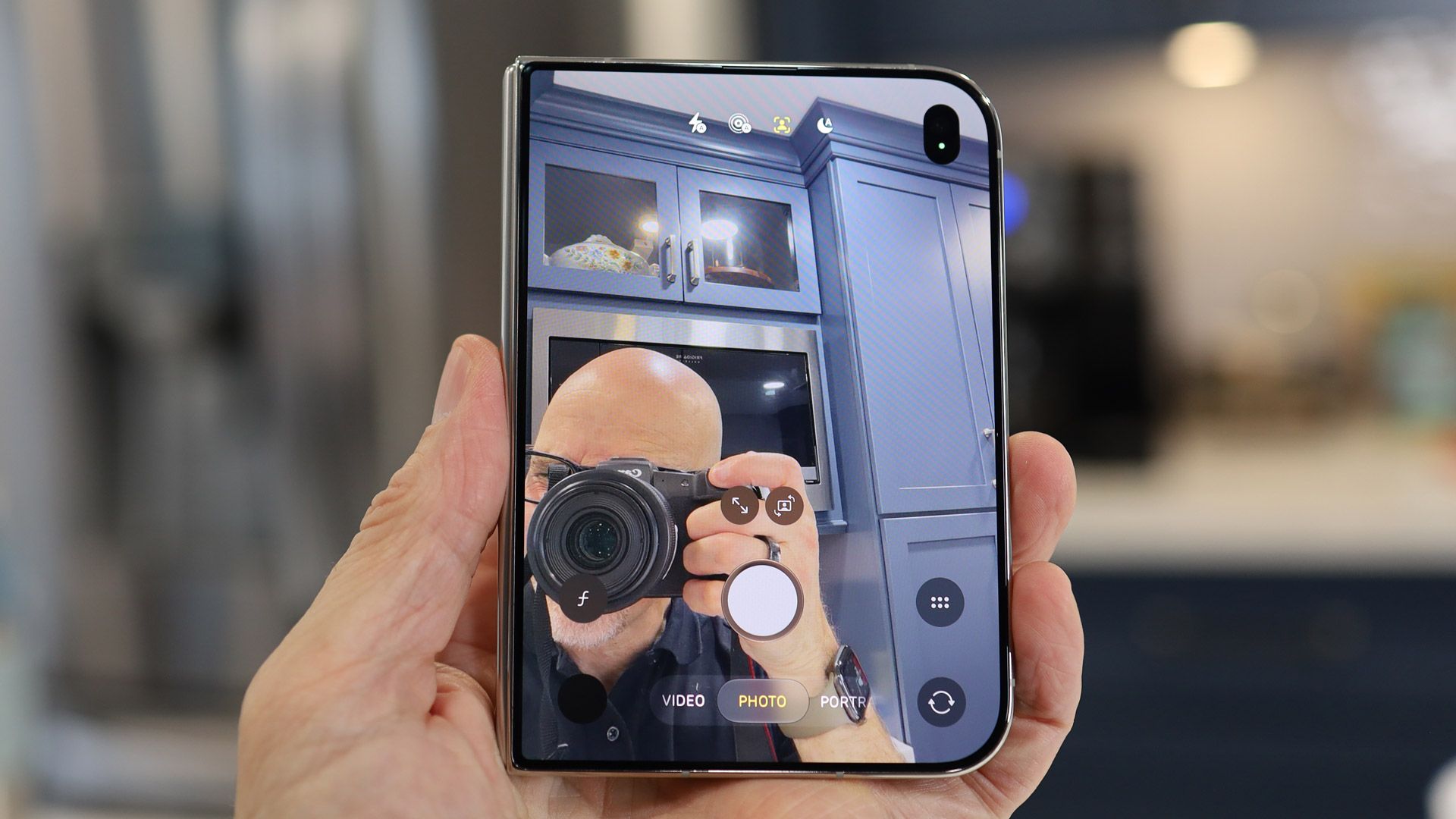
Similar to what we've seen on other foldable phones, Apple has included a camera mode, Duo Preview, that lets you use the best main or ultra-wide camera while still using the cover display as a viewfinder. It's a useful table-stakes feature that I'm glad Apple included, especially since the inner camera is so underpowered.
Apple says you get 2x effective optical zoom on the main camera, but that's a sensor crop. Yes, the pixels and image information will be real, but I prefer a proper zoom lens. To be fair, the iPhone Duo camera array is quite similar to the 50MP pair on the Galaxy Z Fold 8, which also lacks a telephoto lens.
(Image credit: Lance Ulanoff / Future)
I also used the cover screen Center Stage camera to shoot some portrait-mode selfies. They were, as you might expect, impressive (not the subject, just the brilliant bokeh).
The iPhone Duo's trio of high-quality cameras meets, in my estimation, the high watermark set by lenses on previous iPhones, including the iPhone 17 Pro (the 18 Pro models come with a variable aperture).
With the iPhone Duo, iOS officially means multiple things. Where it was once a smartphone platform, it's now a multi-hardware-configuration operating system that can, depending on where it's installed, fork appropriately.
Instead of the iPhone Duo unfolding and converting into an iPad, it remains steadfastly an iPhone with tablet-like capabilities. This has resulted in some odd decisions on Apple's part, like hiding some of the ever-present status-bar information, including battery life, and rotating and moving the dock. Even the iPad doesn't put the dock on the right-hand side.
On the cover screen, the status bar and dock placement cut into screen real-estate for some apps and browser experiences; this is less of an issue on the larger inner screen.
(Image credit: Lance Ulanoff / Future)
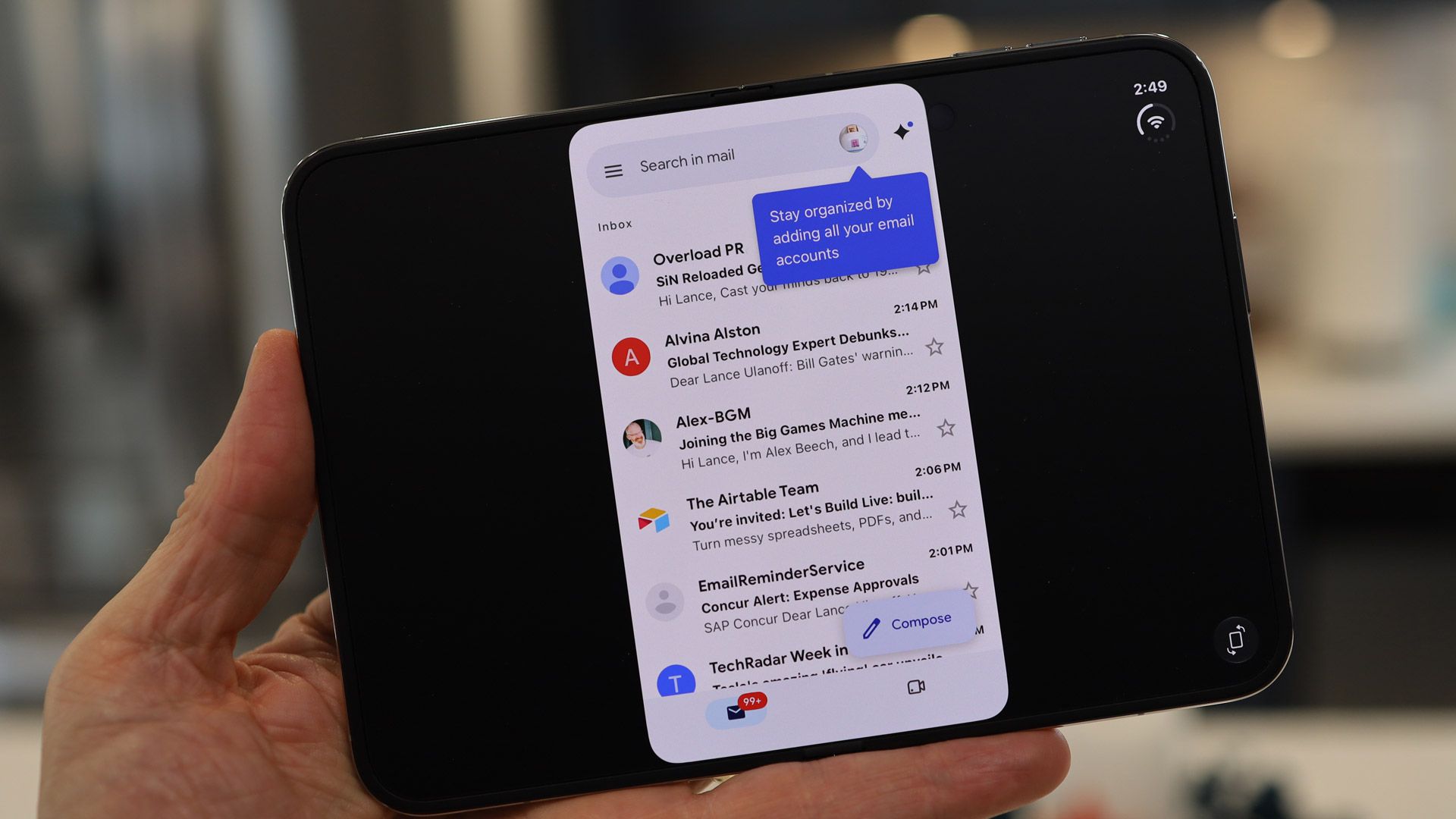
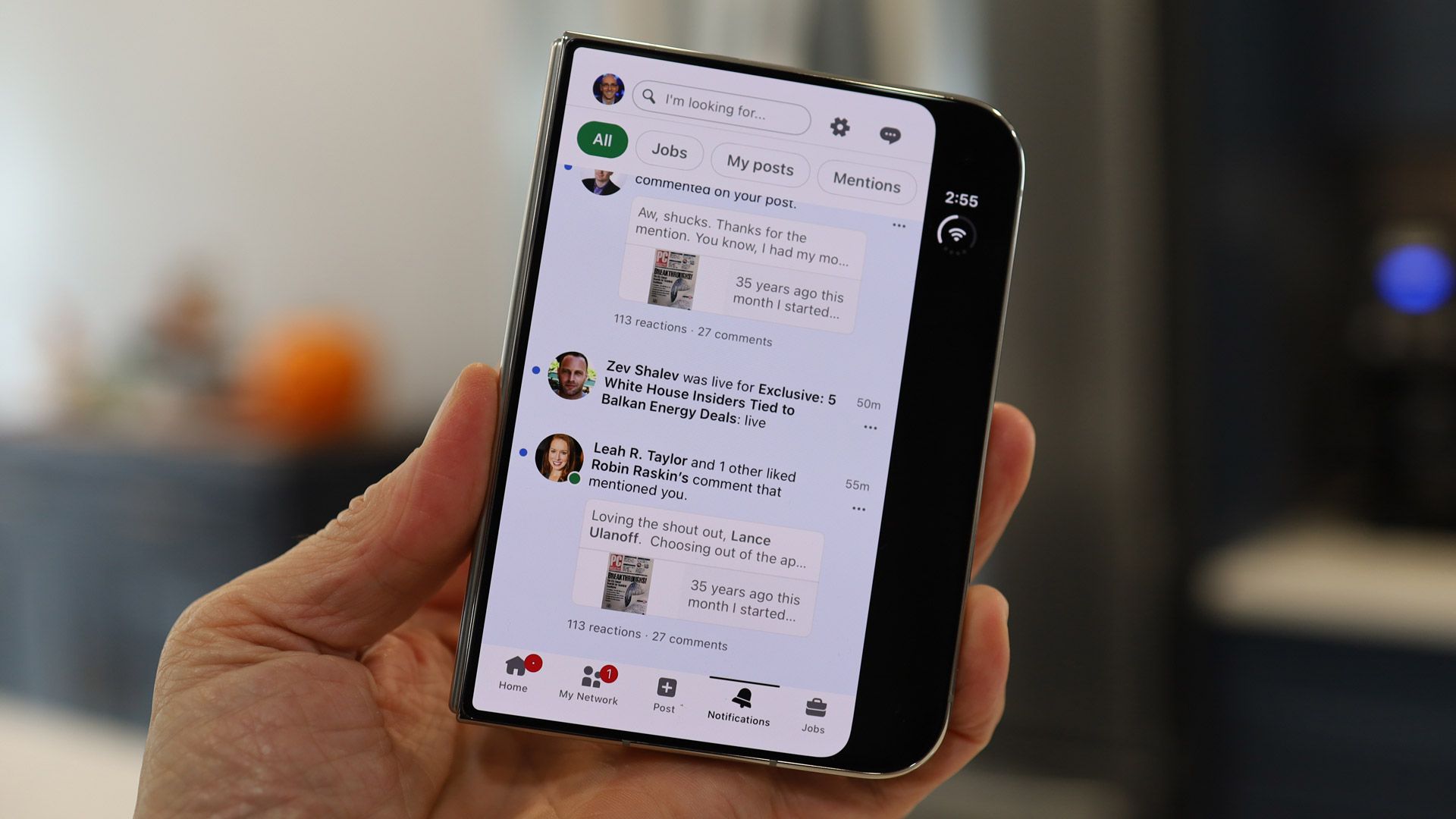
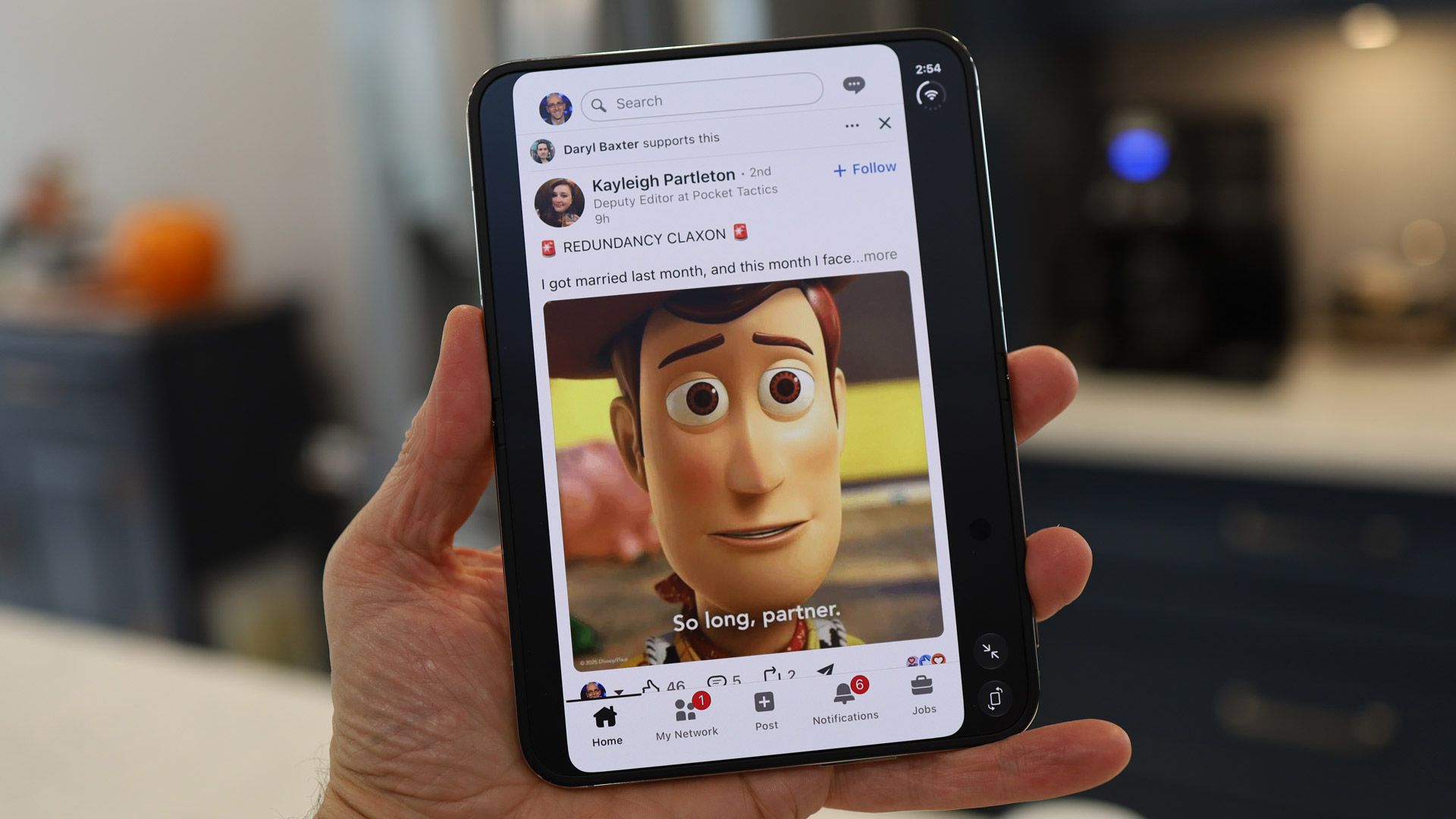
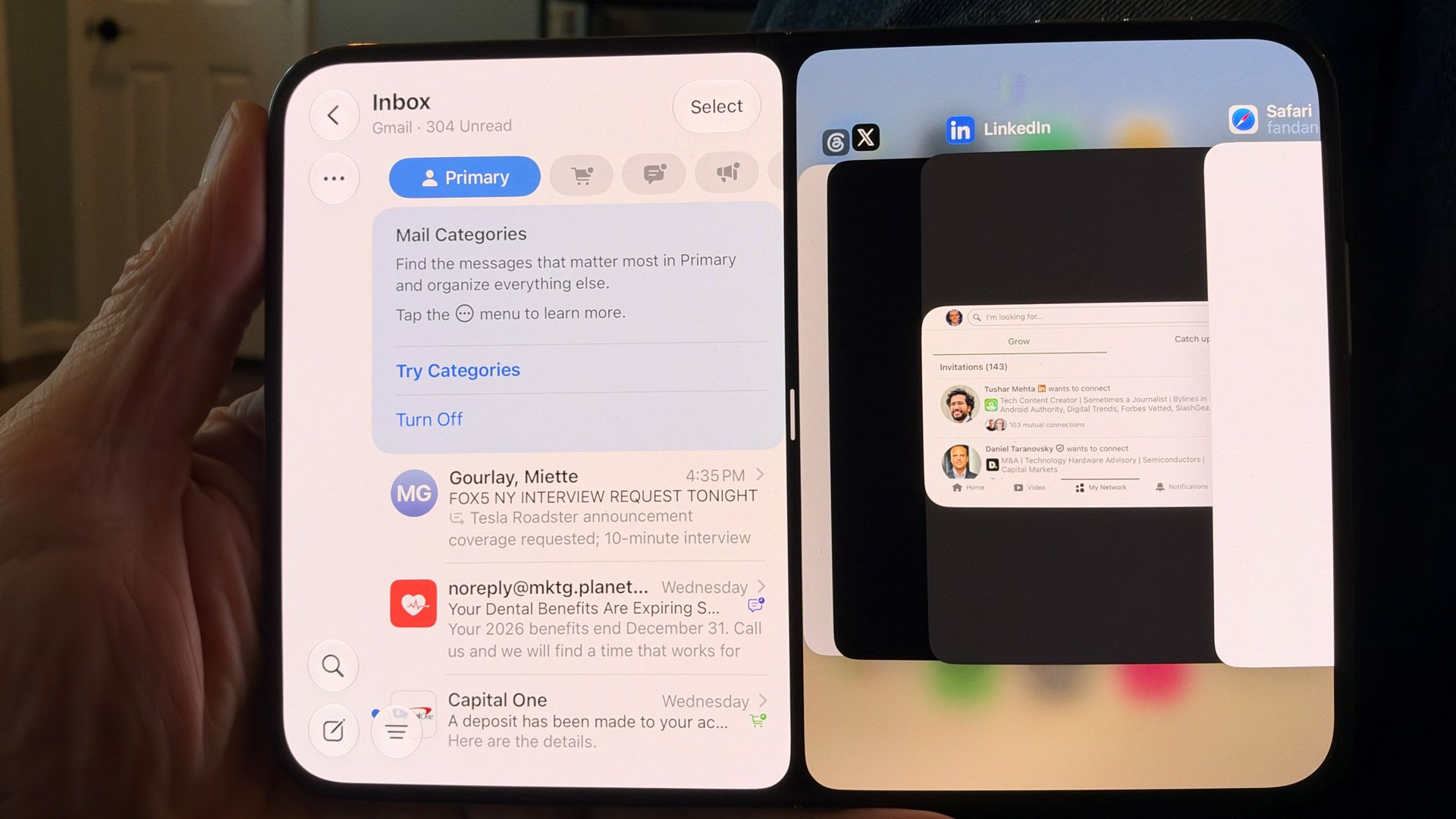
Since this is not pure-play classic iOS, there is some discontinuity in third-party app support. During my testing, Gmail and LinkedIn didn't look great. The former is stretched wide but doesn't fill the full depth of the display; LinkedIn floats in the middle.
For unoptimized apps, I did have the option of using the very iPad-like 2x zoom icon, which stretched the app to fit more of the screen. In some instances, apps appeared to work, but some features were broken. When I played Asphalt Legends on the inner display, tilt-to-steer was broken, though it worked perfectly on the cover display.
Some third-party apps, including Netflix (clips looked pretty good on the Cover display), and first-party apps like Safari and Messages, look great, and effectively use all the 7.6-inch display's real estate. There are even some apps that are already custom-designed to take advantage of the dual-display setup.
Lance Ulanoff / FutureLance Ulanoff / Future
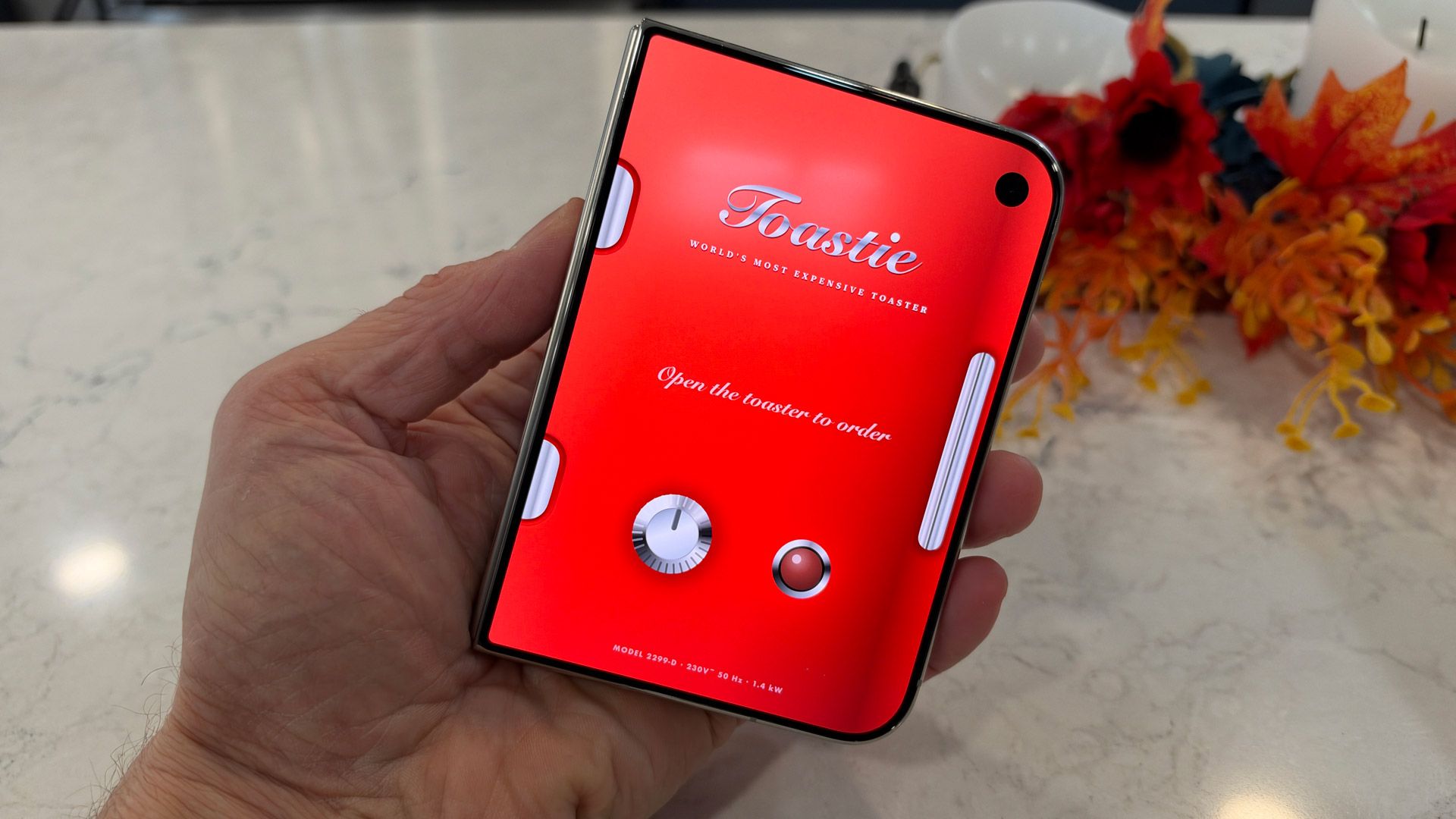
One of my favorites is a game called Toastie. On the inner screen, you butter your bread, add cheese and other ingredients, then hit grill, at which point you fold the phone closed, and it gently pulses for each second of cooking. You have to decide when to stop. To see your grilled cheese sandwich, you open the phone — I did this a half dozen times before I had a virtually edible sandwich.
Lane Ulanoff / FutureLane Ulanoff / Future
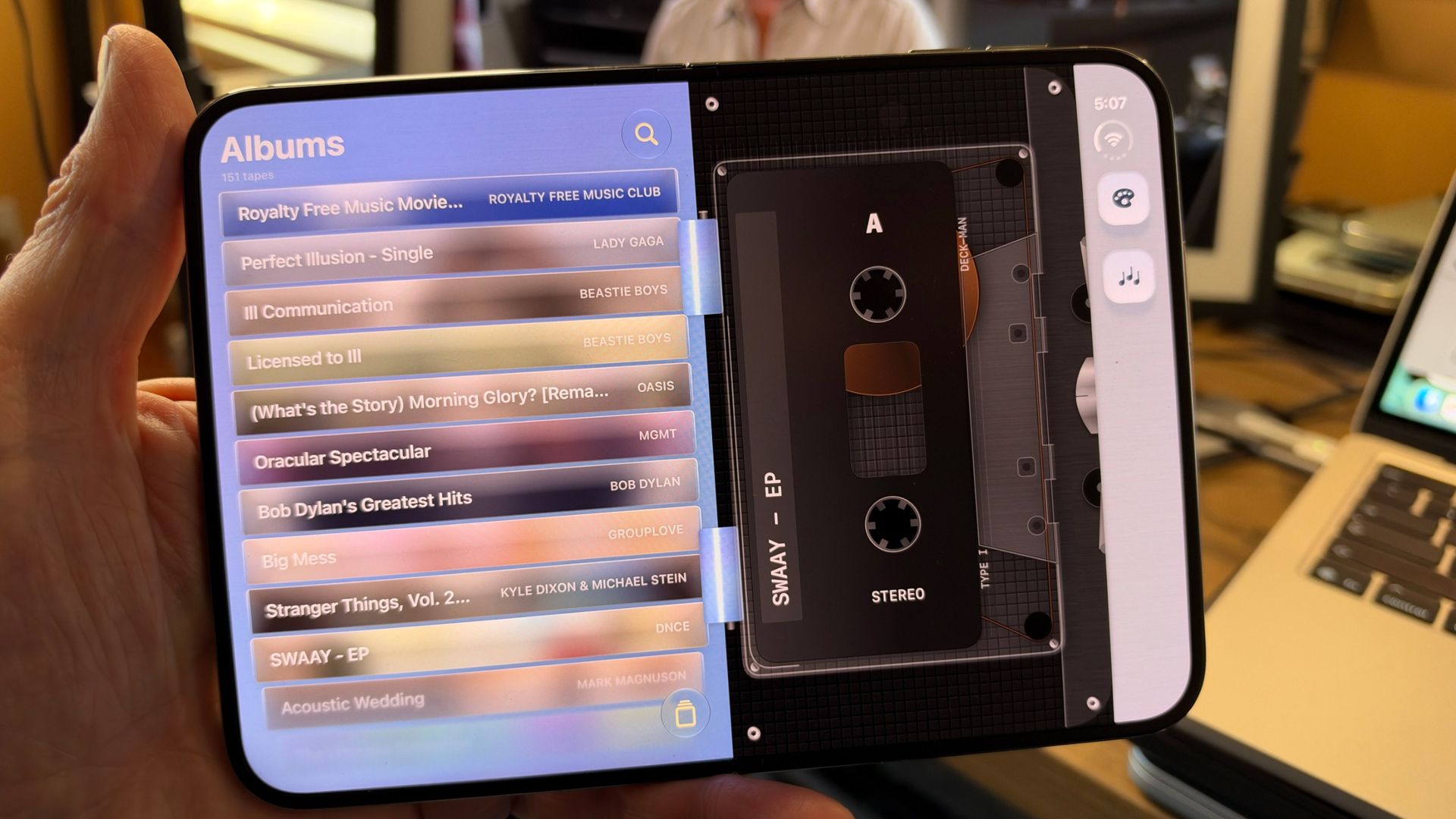
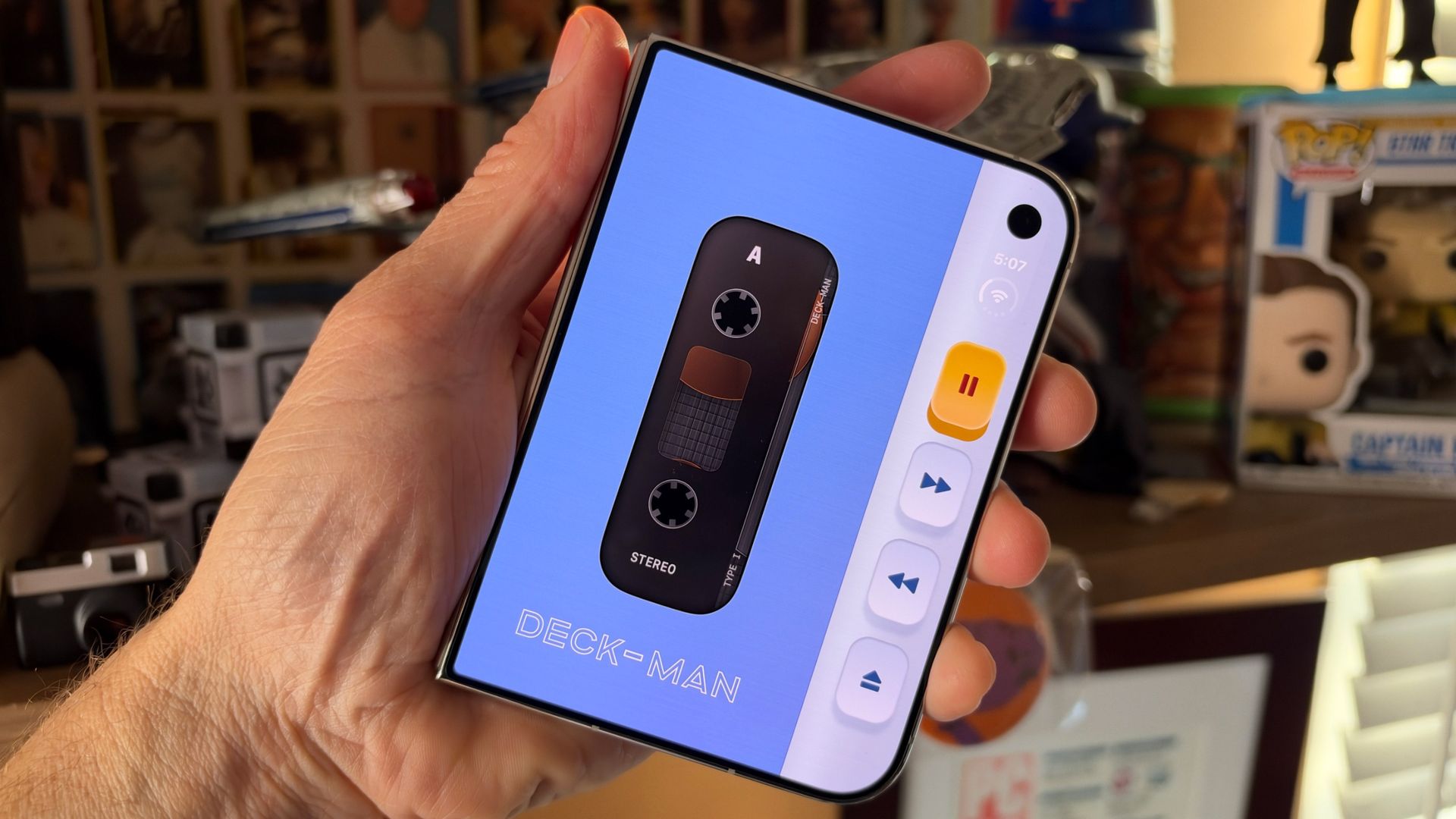
Deck-Man is also a cute concept; this turns your iPhone duo into a classic cassette tape player, complete with the static you hear when the player is on but not playing a tape. When the iPhone is open, you choose a cassette and virtually put it in the player, then you close the phone to access the player controls. I especially liked how "rewinding" the tape reproduced the classic sounds of a physical tape rewinding in an old-school player.
I also played Battle Fleet, which is a Battleship knockoff, and works well when you set up the phone in 90-degree opened desktop mode.
These are all clever apps, though I wouldn't argue that any are the Duo's 'killer app.'
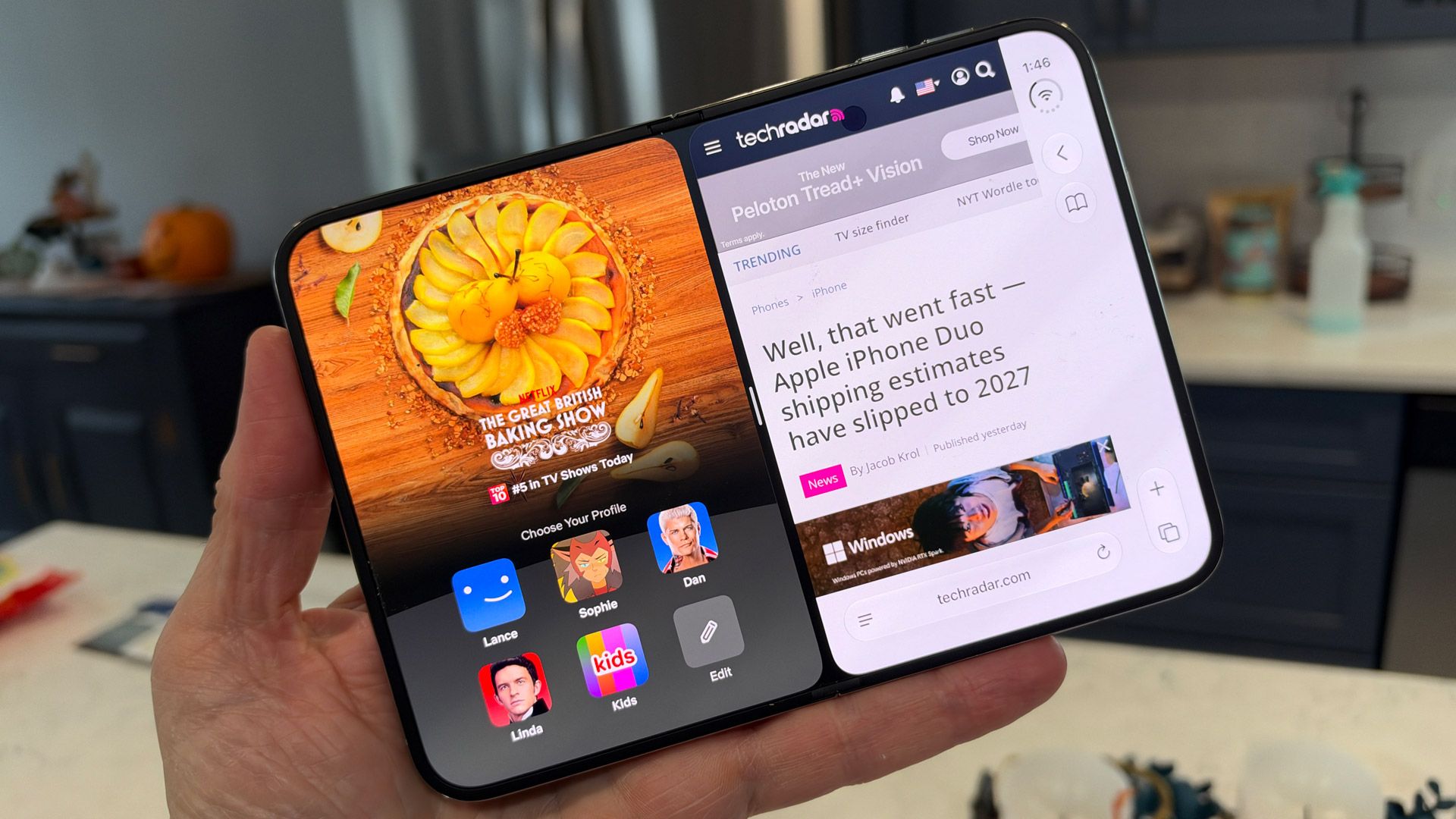
The 7.6-inch inner display is also a good canvas for multitasking. You split the screen by swiping up from the bottom of the display and slowly dragging an app left or right. Inside each pane, you can swipe up to choose a different app. I used this to have Messages and Safari side-by-side, and also for the drawing app Procreate on one side and a reference image from Safari on the left.
Unlike on the Galaxy Z Fold 8, you can't run three apps, though the iPhone Duo will let you add picture-in-picture video on top of two apps you have open.
The iPhone Duo is a good showcase for Apple's growing AI ambitions. Siri AI now knows more about me and my smartphone, so when I ask if there are any emails I should know about, it automatically accesses 'Priority Mail' in the Mail app, and quickly starts reading off the first crucial message. Siri AI is better at maintaining context, so I don't have to restate myself, but it's still not foolproof. I asked Siri where I had been yesterday, and it showed me a picture of myself and listed my age. Siri AI should, though, get better as it continues to index my system.
In general, iOS 27, which is more customizable that ever, has useful widgets and more powerful AI features, and is the perfect platform for Apple's biggest iPhone design leap. It may not have all the design elements right, and the app support is lagging a bit behind, but these are all minor, and I think easily adjustable or fixable, issues.
Software score: 4.5 / 5
Apple iPhone Duo review: Performance
Lance Ulanoff / FutureLance Ulanoff / Future
Powerful A20 Pro CPU
12GB RAM
Smooth performance across the board
Apple smartly put the same CPU, the 2-nanometer A20 Pro, in the iPhone Duo as it did in the iPhone 18 Pro and Pro Max. As a result, the performance on its first foldable device is equally impressive. In Future Labs benchmark tests, the A20 Pro on an iPhone Duo beat the Galaxy Z Fold 8's Qualcomm Snapdragon 8 Elite Gen 5 for Galaxy in Geekbench 7 single- and multi-core tests, and it also edged out the Qualcomm chip in most of our graphics tests. None of this was by a wide margin, and I'd challenge anyone to notice the difference in real-world scenarios. Still, it's nice to know that the Duo is cooking with gas, just like its Pro counterparts.
In my experience, the iPhone Duo is fast and fluid. Speaking of which, it's fun to start with some third-party apps on the cover screen, and then flip open the iPhone Duo to see the virtually seamless graphics handoff from the smaller display to the larger one. It's both a software and performance feat that nothing stutters or stalls in the handoff process.
(Image credit: Lance Ulanoff / Future)
The larger inner screen will probably encourage many to try even tougher tasks, like editing 40K 60fps video. I used CyberLink PowerDirector to do so, and while the system and app handled the task fine, the non-optimized app couldn't properly fill the 7.6-inch display.
The back of the phone, near the camera bump, can get a little warm during gaming and other CPU-intensive operations, like recording the aforementioned 4K video, but not uncomfortably so.
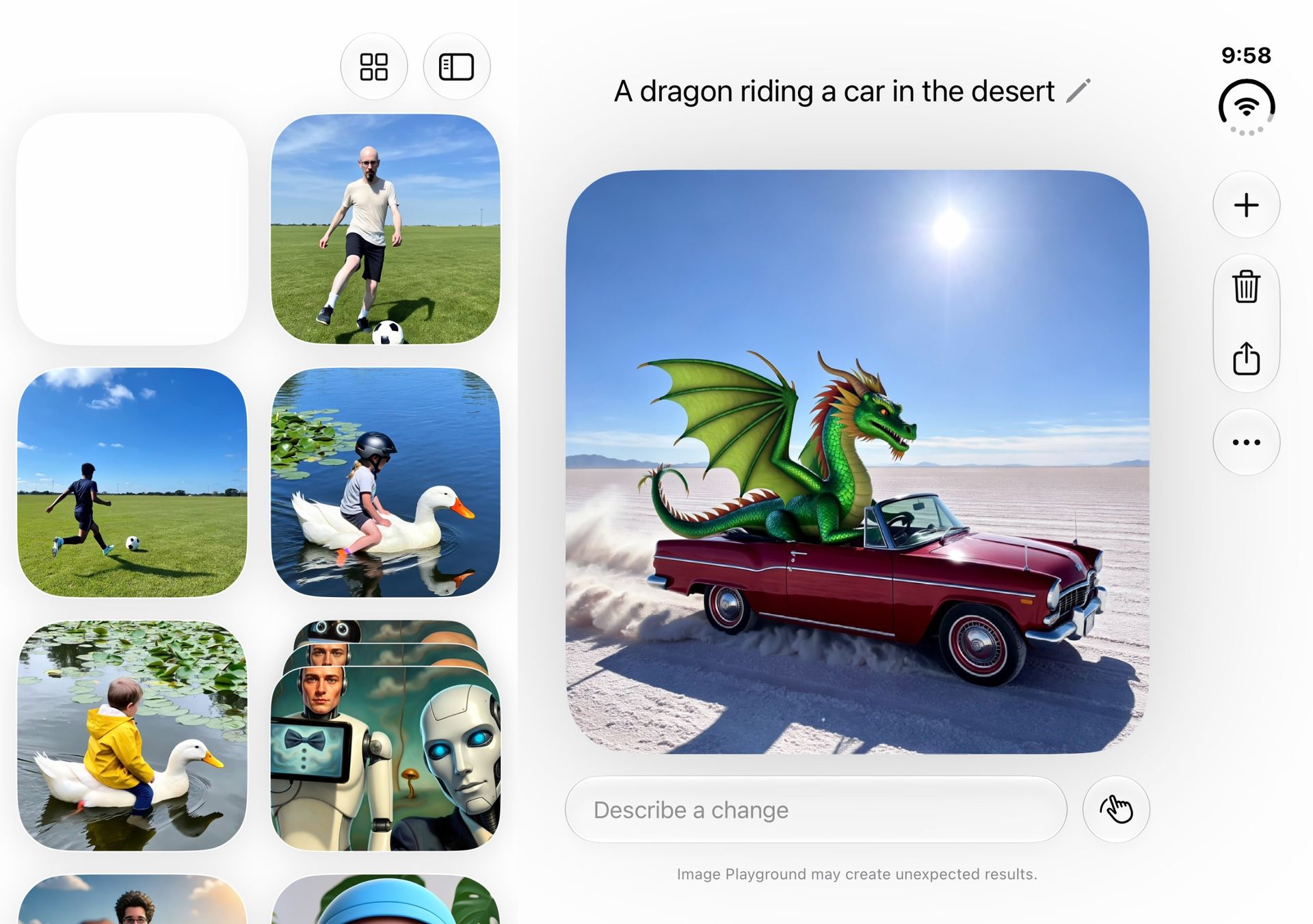
Apple's A20 and the 12GB of RAM on board seem well suited to local tasks like photo editing in Cleanup, and both realistic and fanciful image creation in Image Playground.
Apple's AI-powered image cleanup is getting really good. Look at how it removed this woman from a photo of my wife.Lance Ulanoff / FutureLance Ulanoff / FutureYou never know when you're going to need a dragon riding a car in the desert.Lance Ulanoff / Future
The iPhone Duo starts with 256GB of storage, which matches the Galaxy Z Fold 8. At this price, though, I think it should start with double that. You can expect strong connectivity across the board from the iPhone Duo. Inside is Apple's C2 modem for better 5G connectivity. Plus, there's support for WiFi 7, Bluetooth 6, and Messages via Satellite.
Apple iPhone Duo benchmark scores
Apple iPhone Duo
Geekbench 7.1 single-core
4007
Geekbench 7.1 multi-core
11363
3DMark Wild Life Extreme Unlimited
7171
3DMark Wild Life Extreme (fps)
45.3
3DMark Solar Bay Unlimited
16496
3DMark Solar Bay Unlimited (fps)
6.3
Performance score: 5 / 5
Apple iPhone Duo review: Battery
Solid all-day battery life
Fast wired charging
Apple reportedly squeezed a fairly large, almost 5,000mAh, battery into the iPhone duo, and is promising some pretty impressive battery-life numbers based on fairly specific types of usage. Video playback, which doesn't rely all that much on energy-draining resources, can, Apple claims, go for an eye-watering 44 hours, or 31 hours on the larger inner display.
In more varied use, Apple is claiming a full day of battery life on a charge. In my real-world tests I got around 14 hours, and in our more stringent Future Labs tests, we got 13 hours. That's commendable performance, but not as good as what the same Future Labs tests show for the Samsung Galaxy Z Fold 8, which managed 14.33 hours.
I still think the iPhone Duo's numbers are good, especially because my experience was easily cruising through a full day of phone activities, without any concern that I needed to plug in.
The phone supports fast charging and, with a 45W charger, I charged to 60% in 30 minutes. The MagSafe back also supports fast wireless charging.
Battery score: 4.5 / 5
Should you buy the Apple iPhone Duo?
Apple iPhone Duo scorecard
Attributes
Notes
Rating
Value
Most expensive iPhone ever but it's truly a two-in-one device and few will pay the full price upfront anyway, especially with the new leasing option.
4 / 5
Design
Beautifully designed and engineered foldable that makes the hinge and, virtually, hinge disappear. Wish it was thinner and lighter.
4.5 / 5
Displays
Sharp cover dsispl;ay and brilliant inner display that hides the crease and offered a beautiful matte finish. Everything looks good on it
4.5 / 5
Camera
Two strong 48MP lenses and an above average Center Stage selfie camera that all produce top-notch images. The inner camera is best for FaceTime only and we miss a true telephoto.
4.5 / 5
Software
Apple shows how iOS can also be a tablet platform without losing its iPhone essence. Siri AI is starting to live up to its promise. We need more app support and not a huge fan of Status and Dock placement.
4.5 / 5
Performance
An excellent A20 Pro CPU helps the iPhone Duo live up to its promises. There are zero lags, even when playing console-level games
5 / 5
Battery
All day battery life is virtually assured.
4.5 / 5
Buy it if...
You've been waiting for Apple to enter the folding race The iPhone Duo is pretty much everything you want or could dream of from a folding iPhone
You want two screens but also cuter and pocketable The iPhone Duo might be thicker and heavier than a Galaxy Z Fold 8, but it's right-sized for small hands and smaller pockets, and while the Galaxy Z Fold line is all flat edges and sharp corners, the iPhone Duo has curves.
You don't want to see a crease Apple now holds the crown for best crease concealer, hiding it under nano texture finish that makes it almost impossible to spot the crease unless you really look for it.
Don't buy it if...
You want an affordable smartphone The iPhone Duo is not just the most expensive iPhone; it's more expensive than the Galaxy Z Fold 8. Either way, think carefully before buying; not everyone needs two displays in one device.
You want a telephoto camera The iPhone Duo's main camera promises 2X optical equivalent zoom, but that's a sensor crop, which means there's no dedicated telephoto camera.
Apple iPhone Duo review: Also consider
Samsung Galaxy Z Fold 8
Samsung has adapted familiar elements to make a phone that's ready to fit your lifestyle with its practical size, excellent screens, and plenty of software and performance potential. It’s still costly, and the lack of some features seems extra disappointing given the price, but what’s here gels together in a wonderfully cohesive way.
This is currently our best flip-style foldable pick, and it might be the better device for you if you're looking for a foldable that can go the distance with its battery, and don’t mind only having a standard-sized phone screen when you open it up.
Considering the minimal price difference, you might be better off saving a little extra money and getting the full-fat fold experience with more screen space, a telephoto camera, and a longer-lasting battery. The Z Fold 8 Ultra isn't as well-suited to video, though.
11MP Center Stage camera (f/2.2) outer, 4MP (f/1.8) inner
10MP inner, 10MP outer
32MP
10MP inner, 10MP outer
Battery:
Approximately 4,800mAh
4,800mAh
4,500mAh
5,000mAh
Charging:
60W wired, 35W wireless
45W wired, 20W wireless
45W wired, 15W wireless
45W wired, 20W wireless
Colors:
Star White, Night sky
Lavender, Graphite, Cream, Mint (Samsung Store exclusive)
Pantone Mountain View
Violet Shadow, Graphite, Cream, Green Shadow (Samsung Store exclusive)
How I tested the Apple iPhone Duo
Why you can trust TechRadar
☑️ 100s of smartphones reviewed ☑️ 15 years of product testing ☑️ Over 16,000 products reviewed in total ☑️ Nearly 200,000 hours testing tech
I used the iPhone Duo for almost a week for everything from social media to Slack and email. I perused websites, watched videos, played games, followed maps and turn-by-turn directions, and took photos. In short, I tried ot use it as my primary device
Segundo os mais recentes dados da Teamlyzer, A Critical Techworks continua a ser a tecnológica mais pesquisada pelos profissionais de tecnologias em Portugal. A edição do terceiro trimestre do ano traz mudanças no topo da tabela, com a Revolut a entrar no pódio e várias empresas a subir posições no ranking.
Explore o potencial das câmaras do seu iPhone com o ProCamera. Esta app dá acesso a controlos manuais, captura em RAW e ProRAW e vídeo em 4K com ProRes. O download é gratuito, mas passado os período de teste, exige subscrição ou compra única.
… which simply returns tool, because the URL returned is relative to a base URL.
[…]
I’ve always found it not-completely-obvious to newcomers how to get a standard file path string from a file URL and this only makes it more confusing.
There are at least three issues here:
url.path returns an absolute path, but url.path(percentEncoded: false) returned a relative path as of his writing. I tested this on macOS 26, and now it returns an absolute path. The documentation now says, “This function will resolve against the base URL.” It seems the behavior of the method changed without it being documented when, so be careful if you’re deploying to a mix of OS versions.
percentEncoded has a default value of true, whereas path did not return an encoded string. In other words, url.path() and url.path are completely different. So this is another case where Apple updated the API but flipped the default—a good way to introduce bugs.
It’s not obvious how to get the full file system path out of a URL. With NSURL, url.path was natural and did the right thing. Now, the URL equivalent is deprecated.
The natural replacement, url.path(), is wrong. So is Xcode’s recommendation of url.(percentEncoded: false).
url.absoluteURL.path(percentEncoded: false) is correct but verbose.
url.absoluteURL.standardizedFileURL.path(percentEncoded: false) is possibly better but even more verbose.
FilePath(url)?.string uses a newer API but gives you an optional, even though for a file URL it should never fail.
This seems like such basic functionality, but there’s no API that’s the obvious right choice, concise, and ergonomic.
Seven years later, Apple Arcade hasn’t gone anywhere, and Apple itself hasn’t slowed its broader gaming efforts either. Between courting major publishers like Capcom to release their games on Mac to launching a proper gaming app, it’s clear that Apple still has its sights set on being a major player.
The latest example of that came this week as Apple launched an App Store event dubbed Indie Games Week. The week-long initiative saw Apple welcoming games like Vampire Crawlers to iOS and announcing an ambitious mobile version of No Man’s Sky. At the center of that push was Carson Oliver, the new head of App Store Worldwide following Phil Schiller’s sudden departure from the role this past August. The fact that one of his first acts in the role was spearheading an indie gaming showcase hints at where Oliver’s priorities might lie.
[…]
While Oliver sells the narrative with carefully worded precision, questions still linger around Apple’s wider gaming efforts. Continued investment in mixed reality gaming is uncertain given that Apple has reportedly cut down production of its Vision Pro headset due to underwhelming sales. And though Apple continues to court publishers and get games on iOS, we haven’t seen the full-throated support from major players like Capcom and Ubisoft in 2026 that was crucial to raising Apple’s gaming profile in 2023.
The odds of this change in standards causing a security breach and your messages being exposed seem unlikely, at least right now. But after scrolling through conversations and seeing what’s going on, I feel Apple has omitted important signals for users when iMessage suddenly stops being used during a conversation.
[…]
The impact of that hit me while revising my book: when iMessage isn’t available, Apple tells you only inline. Despite all the information Messages displays about iMessage being encrypted, the inverse state is faint. This kind of negative knowledge, or information about something not happening, can often be as important as something that does happen. A warning about a fuel tank approaching empty is the kind of information every driver (or pilot) needs, for instance. If you think end-to-end encryption—or Apple-based encryption—is critical for you, then a pop-up message or other warning is what you would expect.
[…]
If you’d like to prevent Messages from downgrading security, you have options, although they may not be fully desirable. All of these are managed on an iPhone at Settings: Apps: Messages. You can’t control these message settings from an iPad or Mac.
This recently happened to my mother, and it was very confusing for her. For unknown reasons, while at home on Wi-Fi, she got signed out of iMessage. But it was not clear to her that this had happened or that she should try to sign back in. She was not aware that the Messages app supports multiple protocols or what the different bubble colors mean. All she noticed was that certain messages (e.g. ones sharing files) would no longer send and that she was not receiving some of the messages that people were sending to her. She saw the inline warning about encryption and interpreted it as that the sender was using a newer form of encryption that her phone didn’t support, so maybe she needed to upgrade.
I went over to take a look and quickly figured out that she was signed out of iMessage, but I couldn’t fix it. I kept getting errors that iMessage couldn’t be activated, even after rebooting the phone. Eventually, much later and again for unknown reasons, activation succeeded.
My concern is that the Retry as Text Message toggle no longer exist. Just a couple of weeks ago my sister sent me an iMessage while I was flying. I was not reachable. Later she told me that messages turned from blue to green.

 Login
Login