❌

Reading view

Early iPhone Duo Reviews Highlight Display Strengths and Everyday Trade-Offs

Early iPhone Duo reviews are examining how Apple’s first foldable handles everyday tasks ahead of its October 23 launch. Reviewers describe an appealing inner display alongside adjustments involving one-handed use, authentication, and app layouts, providing a practical picture of where the design works well and where it asks users to adapt.

Evaluations published October 21 offer a more substantial picture than brief demonstrations, ahead of initial retail availability on OctobeIn a September 19 hands-on, Android Central’s Harish Jonnalagadda also highlighted the inner display’s coating. Those earlier impressions provide context for the October reviews, but came from a shorter session rather than extended everyday use.r 23. The emerging story combines an appealing inner display with practical questions about handling, applications, and the compromises involved in carrying one device that serves two roles.

The Matte Display Changes the Experience

The inner screen’s finish is becoming one of the most consistent points of interest. Apple’s official announcement describes a nano-textured polymer cover intended to reduce glare and minimize the visibility of the fold.

In his PetaPixel review, Jaron Schneider praises the reduction in reflections and says fingerprints are much less noticeable during normal use. He also acknowledges that people who dislike matte displays may not appreciate this one.

In a September 19 hands-on, Android Central’s Harish Jonnalagadda also highlighted the inner display’s coating. Those earlier impressions provide context for the October reviews, but came from a shorter session rather than extended everyday use.

That gives the comparison with existing foldables a more useful starting point than screen size alone. A larger panel matters less if reflections repeatedly interfere with what someone wants to see. Equally, a finish that one reader finds comfortable may disappoint someone who prefers the appearance of glossy glass.

The relevant difference is therefore partly experiential. Shoppers should examine text, photographs, and dark scenes under several lighting conditions rather than judging the screen from a promotional image.

Two foldable smartphones—the iPhone Duo in sleek silver and the A20 Pro in striking dark blue—are displayed side by side, each partially open, showcasing vivid mountain and desert landscapes on their vibrant iOS 27 screens.
Image Credit: Apple Inc.

A Folding Phone Still Has to Work Closed

Schneider’s assessment also exposes a practical tension: he finds the hardware exceptionally well made, yet describes difficulty with one-handed typing and adjusting his grip for Touch ID. His experience favors using both hands.

Those observations should remain attributed to the reviewer. Hand size, preferred grip, and familiarity can produce different reactions to the same device.

Nevertheless, they identify something worth testing before choosing a foldable. The closed phone will still handle quick messages, authentication, and tasks performed while standing or moving. Those interactions deserve as much attention as the impressive moment when the inner screen opens.

A useful demonstration would involve composing a message, reaching frequently used controls, unlocking the device, and then opening it to continue working. Comfort across that sequence reveals more than holding an unfolded phone briefly for a photograph.

Software Makes the Comparison More Complicated

Mark Spoonauer’s October 21 Tom’s Guide review praises the ease of using two applications together, but finds that applications without appropriate optimization can look poor. He also reports that rotating into portrait interrupts the side-by-side layout, which returns when the phone rotates back.

In that specific comparison, he notes that Samsung’s Galaxy Z Fold 8 keeps two narrow app windows visible in portrait.

This illustrates why “supports multitasking” is only the beginning of a useful comparison. What happens when the phone rotates, when someone switches tasks, or when an application encounters an unfamiliar shape can determine whether the extra space feels productive.

The Duo’s Split View limitations become more relevant when they interrupt a task already underway. The review describes a change in layout rather than the loss of the app pair, which returns when the device rotates back to landscape.

Buyers should check the applications they rely on most. A polished demonstration using selected software cannot establish that every banking app, editing tool, or work service will make equally effective use of the display.

Battery Testing Adds a Measured Reference Point

Tom’s Guide recorded 13 hours and 20 minutes in its web-browsing battery test, using the larger display, a 5G connection, and brightness set to 150 nits. The publication says it adapted the test to fill the Duo’s screen and ran it alongside the Galaxy Z Fold 8 and iPhone 18 Pro Max.

In that simultaneous comparison, the Galaxy Z Fold 8 lasted 10 hours and 6 minutes, while the iPhone 18 Pro Max reached 17 hours and 31 minutes. The Samsung phone had previously recorded 12 hours and 19 minutes, illustrating why results from different runs need context rather than being treated as fixed rankings.

The result provides a useful reference, rather than a promise about every owner’s day. It also demonstrates why a single competitive headline can oversimplify testing: the method, screen used, and comparison conditions belong alongside the number.

iPhone Duo reviews - A foldable iPhone Duo displaying a dashboard of widgets on the left screen and a messaging app thread on the right screen.
Image Credit: Apple Inc.

The Strongest Differences Are Practical

These accounts suggest that the Duo’s identity depends on how its screen finish, physical format, and software work together. They also reveal disagreement about whether those benefits outweigh the adjustments. Praise for construction does not automatically resolve concerns about grip or application behavior.

For prospective buyers, the useful question is which compromises fit their routine. Reading comfort, dependable access to work applications, and easy one-handed interactions may carry different weight for different people. The first reviews now provide concrete experiences to investigate, while long-term display and hinge durability still require longer observation.

The post Early iPhone Duo Reviews Highlight Display Strengths and Everyday Trade-Offs appeared first on AppleMagazine.

  •  

Review: Carrie is a triumphant remix with one major flaw

Carrie White, the telekinetic prom queen from hell, is one of the most beloved horror icons in popular culture. First introduced in Stephen King's 1974 novel, Carrie, the character was immortalized in director Brian De Palma's 1976 adaptation, widely regarded as one of the best horror films of all time. It's certainly one of the best King adaptations. So Mike Flanagan faced a massive challenge when he signed on to create an eight-episode miniseries for Prime Video based on the book, released just in time to mark the 50th anniversary of de Palma's film.

I was among the skeptics who questioned why a Carrie miniseries was even necessary, although as a diehard Flanagan fan ("Flana-fan"?), I was willing to give him the benefit of the doubt. If anyone has an affinity for smartly adapting horror in general, and King's work in particular, it's Flanagan. And you know what? With one (very big) exception, Flanagan pulls it off, giving us a richly textured version of the story that is as much about kindness and lost innocence as bloody, vengeful rage—although we get plenty of the latter, too.

(Many spoilers below for the novel and the 1976 film, but there are no major reveals for the new series until after the second gallery. We'll give you a heads-up when we get there.)

Read full article

Comments

© Prime VIdeo

  •  

ChatGPT Dots Gain Widget and New Shortcuts Actions

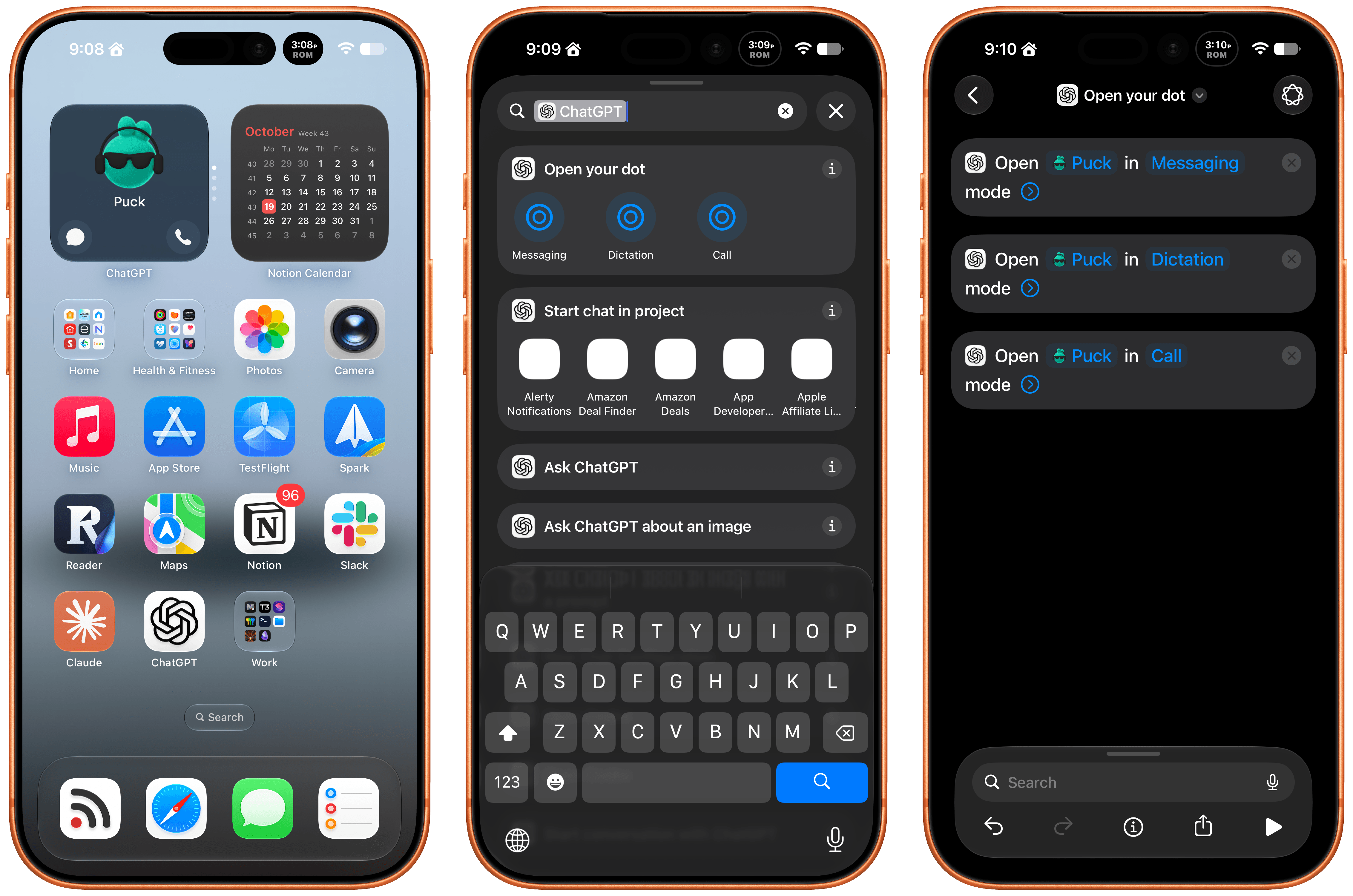
Late Friday, OpenAI updated the ChatGPT app on iOS and iPadOS with a new widget for your Dot and Shortcuts actions that let you control it three ways. The implementation is really well done and adds automation options worth considering.

First of all, the Dot widget is about as simple as it gets, but also very useful. I have the ChatGPT app set up to drop me into its Codex view because that’s typically how I use the app. I open Codex, check on a long-running project, and provide whatever input is necessary to keep things moving.

The problem I’ve run into is that I’ve been using my Dot, Puck, more and more to kick off research, ask one-off questions and check in on things like my email. Landing in Codex means tapping around more, which I can avoid now with ChatGPT’s new small-sized widget. The widget has two modes. The first simply shows your Dot’s avatar, and tapping on it opens your Dot’s message thread. However, if you edit the Dot, you can toggle on the “Show shortcut button” to display messaging and voice buttons beneath your Dot, adding the option to start a voice call with your Dot. As simple as this is, it’s been great to have the option to start in Codex via the ChatGPT app or check in with my Dot thread using the widget.

The other interesting feature is a trio of Shortcuts actions to message, dictate, or call your Dot. Each action has two parameters: the name of your Dot and how you want to communicate with it. That first parameter is an interesting one because tapping on it opens a list with your sole Dot in it because currently, you can only have one Dot. However, it also strongly suggests that the ability to set up multiple Dots is on the horizon, which OpenAI clearly telegraphed during its DevDay. After all, why have a parameter that opens a list unless there’s more than one choice?

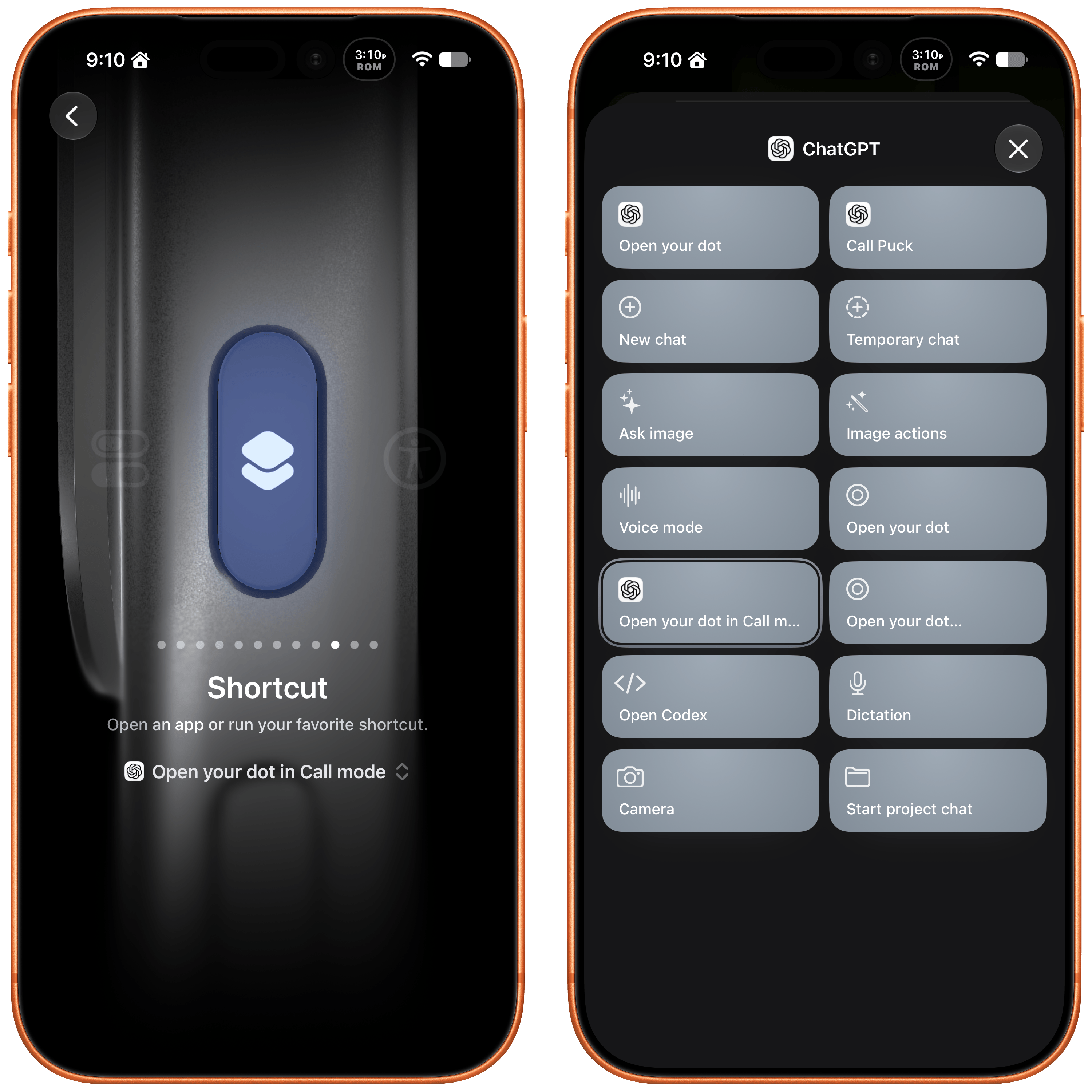
I've set my Action button up to call my Dot.

I’ve set my Action button up to call my Dot.

The actions can be used in your shortcuts, are accessible from Spotlight Search, and most interestingly can be tied to an iPhone’s Action button, allowing you to visit your Dot’s thread in any of three ways. I’ve set my Action button up to start a Dot call. I often think of tasks and have ideas for research topics when I’m out for a walk, and I want to see if having brief calls with my Dot is an effective way to get a jump on those ideas, so they’re waiting for me in ChatGPT when I get home.

These actions and widgets are an excellent addition to OpenAI’s app and a cut above Anthropic’s more barebones approach to widgets and Shortcuts. I would, however, like to see Dots integrated even deeper into Shortcuts. The Shortcuts actions only open your Dot thread in one of the three modes. I’d love to be able to connect Dots to other apps with actions that accept input from other sources and produce outputs that can be used in other actions.

While I’m making requests, I still think multiple Dots need to be supported sooner rather than later, and OpenAI needs to provide a better mechanism for switching between Macs if you use a Dot with multiple computers. Plus, Dots are still a little buggy, with scheduled tasks failing too often and for reasons that aren’t always clear.

That said, the latest update is worth checking out if you’ve found Dots helpful. The strength of Dots is that they’re everywhere you can access ChatGPT, and now with widgets and Shortcuts actions, getting to your Dot in each of those places is easier than ever.

  •  

The Surface Laptop Ultra delivers on most of Microsoft's promises

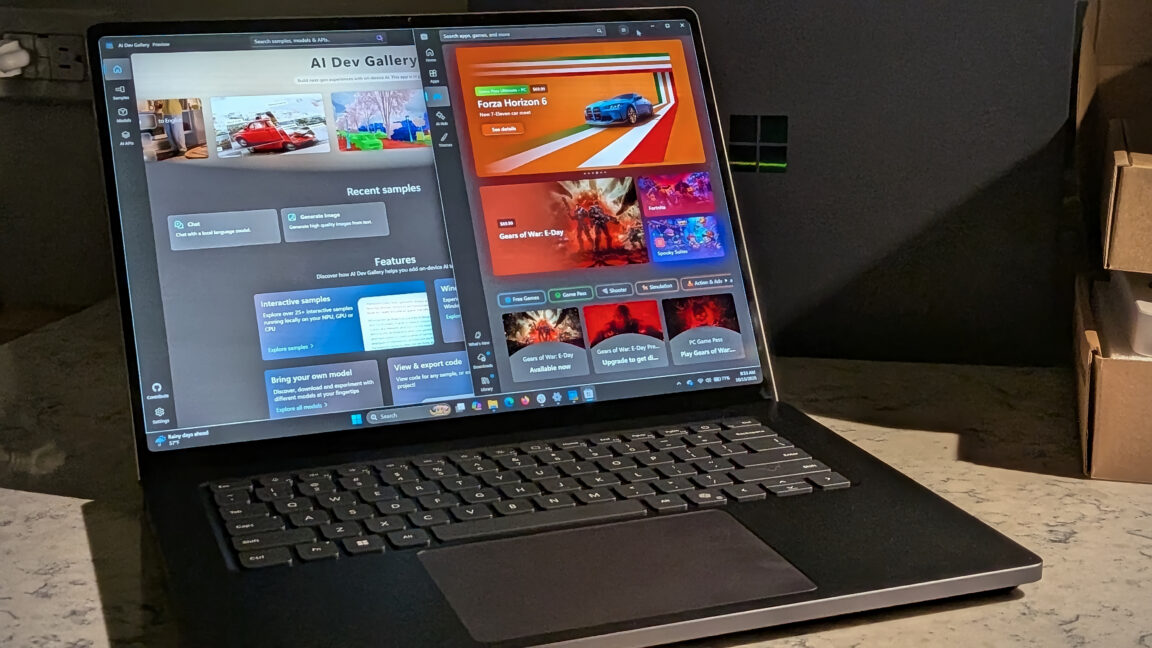
Over the past week, the laptop Microsoft sent me has been summarizing books and movies, generating images from my imagination, and running a 70-billion-parameter AI model that would be a stretch to fit on most laptops. It also played AAA games at a speed and fidelity I would have thought impossible on an ARM system just a year ago. Microsoft wants to sell you one computer for all of your needs, and for once that doesn't feel like total marketing fluff. Mostly.

Microsoft is throwing both arms around the new Nvidia RTX Spark platform with the Surface Laptop Ultra—and setting its sights on the would-be MacBook Pro buyer, or as the company called it, "a high performance audience." The bet is that rather than a gaming desktop for fun and a development laptop for work, buyers will pay more for one machine that does both.

The Surface Laptop Ultra arrives at a strange time in personal computing. Recent industry numbers showed a 20 percent drop in total PC shipments year over year in the third quarter of 2026. That's not just consumer purchasing either—that's across the board. Between the RAMpocalypse that has exploded consumer prices and an industry fixated on enterprise money, there hasn't been much new hardware to excite PC enthusiasts.

Read full article

Comments

  •  

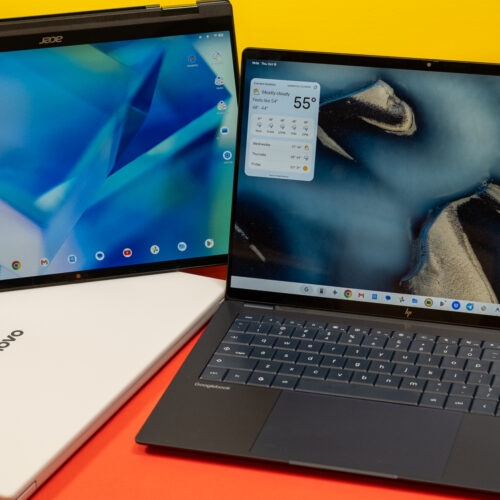
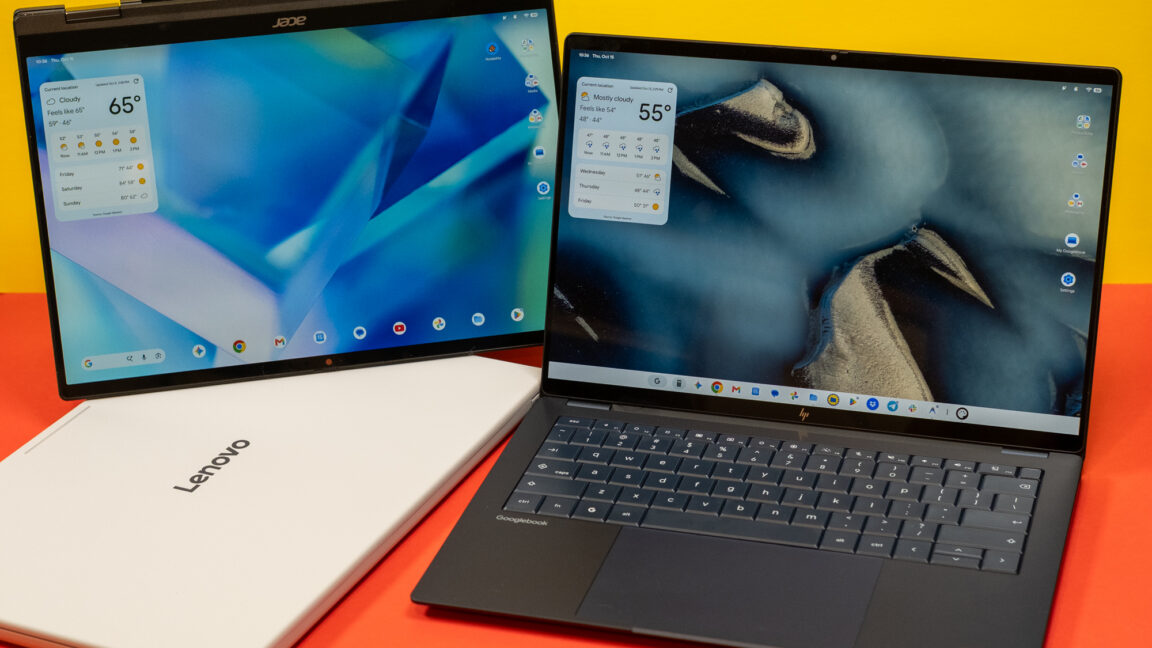
Googlebook review: Android on a laptop is still Android

Android was designed for phones, but that hasn't stopped Google from trying to adapt the OS and its apps to larger machines over the years. Googlebooks are just the latest attempt after tablets, Chromebooks, and foldables induced little change in how people interact with Android software. These new Android-powered laptops are designed to pick up where the web-focused ChromeOS left off, offering premium hardware and native support for Android apps.

Google sees Googlebooks as an alternative to Windows and macOS, but these platforms are entrenched with decades of software and UI conventions that keep users locked in. Googlebooks have to offer something very special to steal users away from either of the dominant operating systems.

For devoted Android phone users, there are some cool things in Googlebook OS, but the Android roots of these machines are impossible to miss. Sometimes it feels like using a Chromebook, and sometimes it feels like using a giant phone. It almost never feels like using a premium laptop, and that's the problem.

Read full article

Comments

© Ryan Whitwam

  •  

iPhone Air 1 year later: Why I’m waiting for iPhone Air 2

With the new iPhone Duo available on the 22nd and the iPhone 18 Pro / Pro Max midway last month, it breaks from the pattern of recent iPhone events where the entire year’s lineup is announced all at once. The iPhone Air and 17 are awaiting a refresh, rumored to arrive sometime in Spring 2027 […]

The post iPhone Air 1 year later: Why I’m waiting for iPhone Air 2 appeared first on Low End Mac.

  •  

Our Favorite Indie Apps for iOS 27, Vol. 3

We have another collection our favorite indie apps that take advantage of Apple’s latest OS features. Today, we’re highlighting: Haven, Structured, Capture, Scrappy, and Fin.

Haven

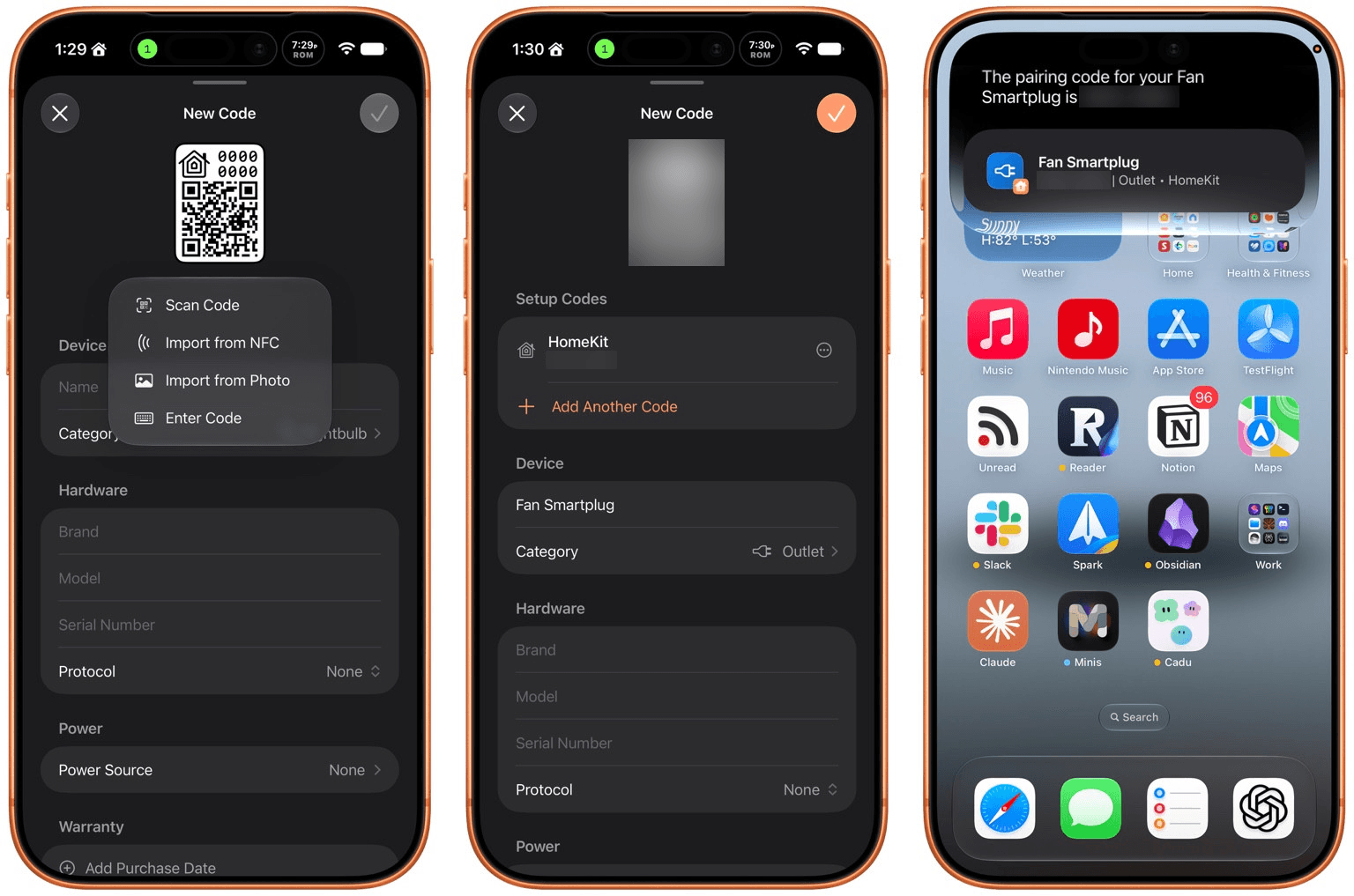
Haven is a HomeKit and Matter pairing code utility by João Franco for the iPhone, iPad, Mac, and Apple Watch that added Siri AI features this fall. The app is exactly what you want with this sort of utility because it makes storing codes for safekeeping fast and easy. Later when you need to re-pair a smart plug behind a couch or a lightbulb in a hard-to-reach spot, you’ll be glad you dropped the codes into Haven.

Retrieving codes is made even simpler, thanks to Haven’s Siri AI integration. Just ask for a code based on the name of your device in Haven, and Siri will fetch the code for you without opening the app. The feature works with both HomeKit and Matter codes and is compatible with natural language queries. The app also supports tagging and the ability to use Apple Intelligence to suggest a tag from among your existing tags.

In addition to the new Apple Intelligence and Siri AI features, Haven can track the home where your device is installed, its room, category, brand, model, serial number, protocol, power source, and status. You can mark items as favorites and add notes and attachments, like a photo of the device, too.

That’s a lot, which will appeal to the HomeKit nerds out there, but as a free download that offers unlimited pairing codes for just $6.99, it’s worth setting up Haven even if all you do is name your device, add the room where it’s located, and then search for it when needed via Siri. Siri AI is perfect for databases, and as anyone who is deep into the HomeKit world knows, a database is the best way to keep your smart home humming.

Structured

I had the pleasure of meeting the Structured team at WWDC this year. It was fun to walk through the app with them, learning about all their plans for the summer development season. But it’s been even more fun to actually play with the final product on the iPhone, iPad, Mac, and Apple Watch.

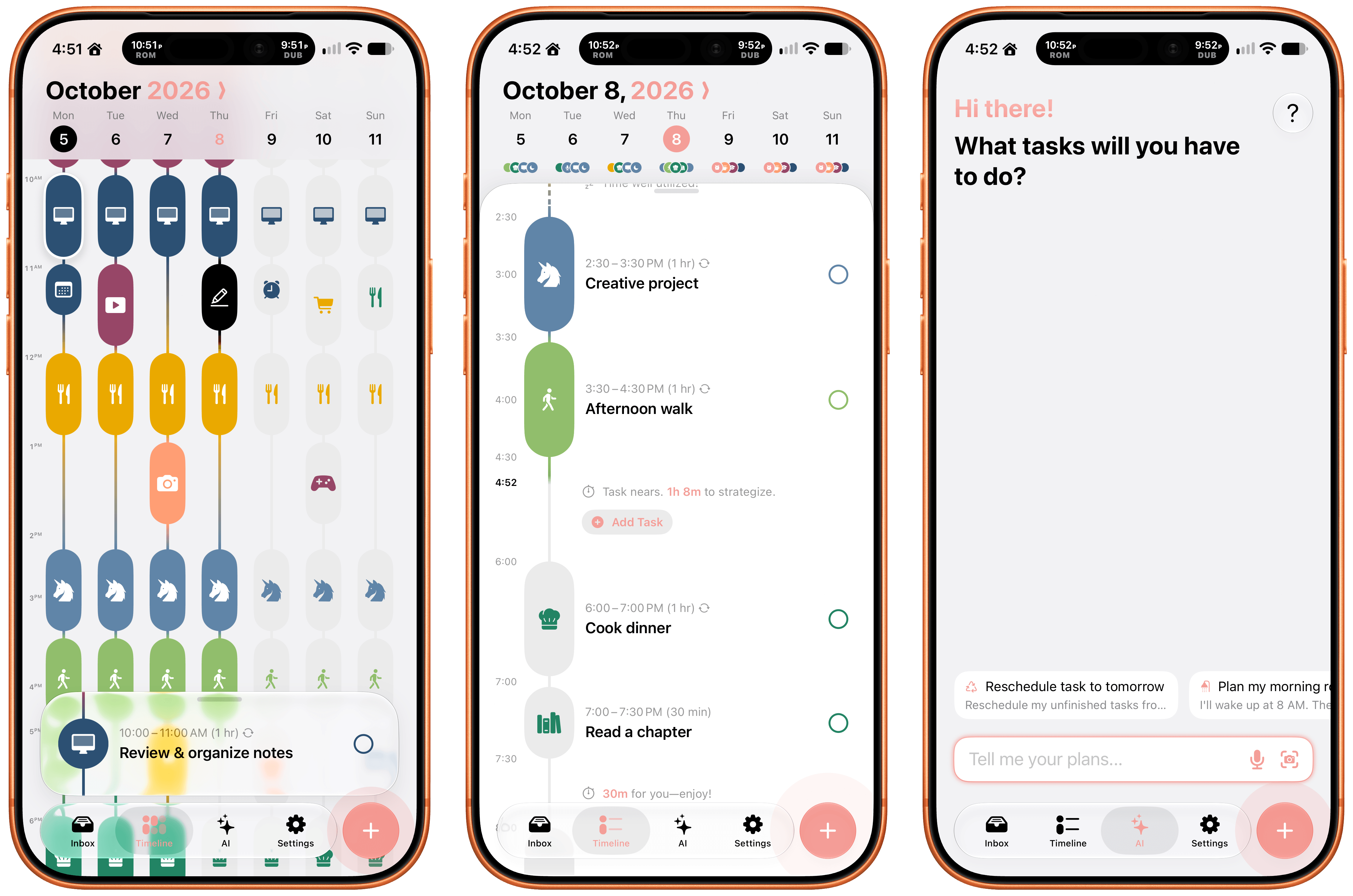
Structured is a day planning app with a beautiful and unique design that made it a finalist for both the 2025 iPad App of the Year Award and an Apple Design Award. I have a bad habit of overstuffing my workday, which is precisely the problem that Structured is designed to solve by visualizing your day and work on a timeline. The app can integrate with Reminders, your calendars, handle recurring tasks, start focus timers, and more.

As for Siri AI, Apple’s assistant can now assist Structured users with creating and editing tasks. There’s also a color prediction feature that’s in beta that learns from your past color choices to help suggest the color of a new task. Plus, Structured got a Liquid Glass update, which makes the app feel right at home among other modern apps without sacrificing the app’s simple design and legibility. If you need help organizing your day and want to see everything in one place, you can’t go wrong with Structured.

Scrappy

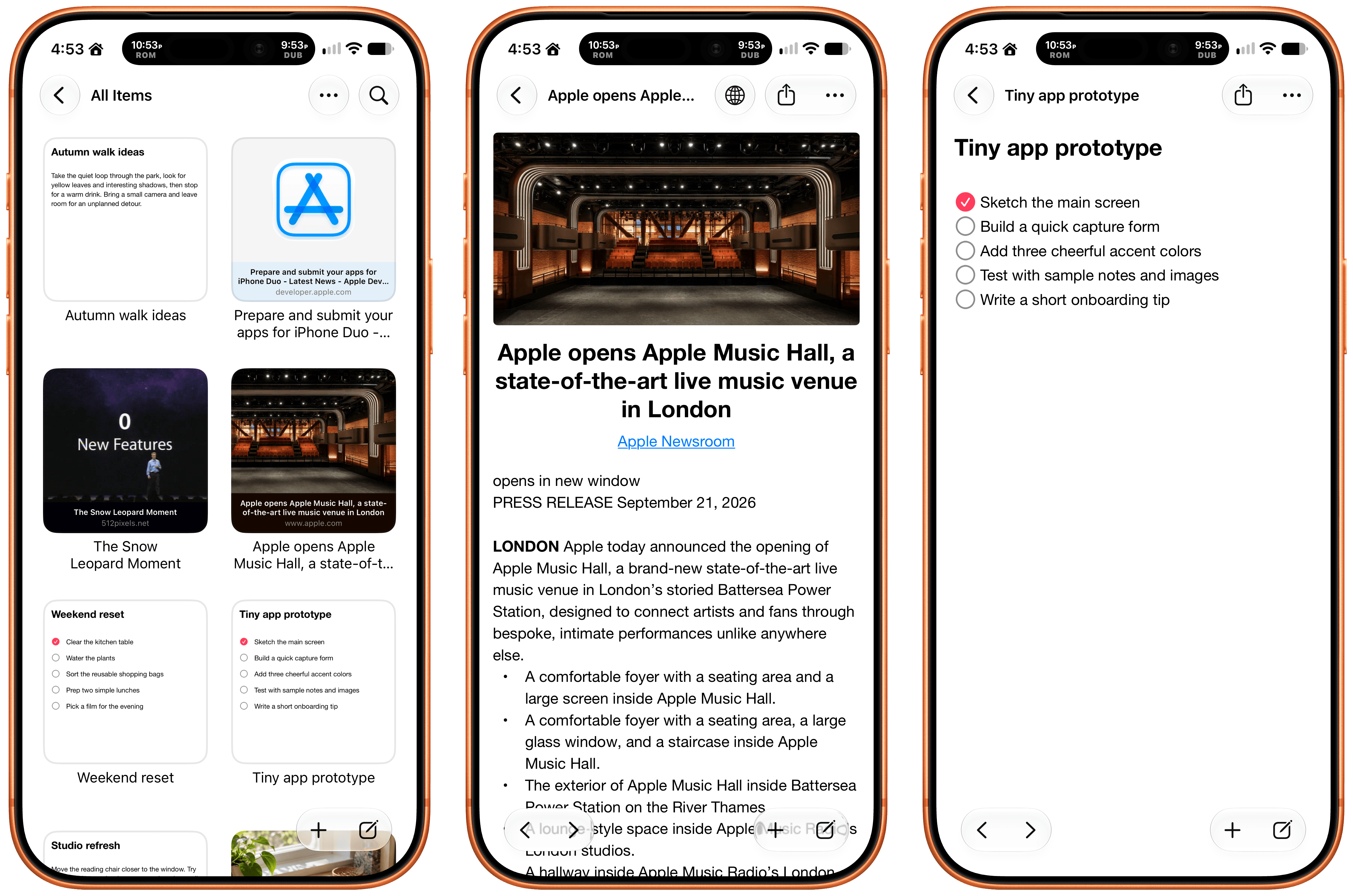
I’m always on the lookout for new ways to save random things I find on the Internet. I’m a digital hoarder by nature because you never can be sure when a link, image, or article that piques your curiosity will become something more in the future. The trouble is keeping these sort of bucket apps organized.

With Scrappy, by developer Steve Harris, you can save it all: notes, images, PDFs, links, videos, photos, screenshots, and more. Harris is also the developer of Keep It a notebook and document organizer app that we’ve covered on MacStories before. There are similarities between Keep It and Scrappy, but the thing that unique about Scrappy is that it’s much more visual.

The app, which works on iPhone, iPad, and Mac, puts a handy shelf just off the edge of your Mac’s screen where you can drag items, and across all platforms, it feautures fast search and smart lists. Plus, thanks to Siri AI, you can search and open what you’ve saved and create and edit notes. There are filtering and sorting options, along with an extraordinarily long set of Shortcuts actions that make the app uniquely suited for automation. Scrappy also has a wonderfully modern card interface that takes advantage of Liquid Glass, and it displays previews of links, images, and other content. There are lots of “bucket apps” on the App Store, but Scrappy is one of my favorites.

Capture

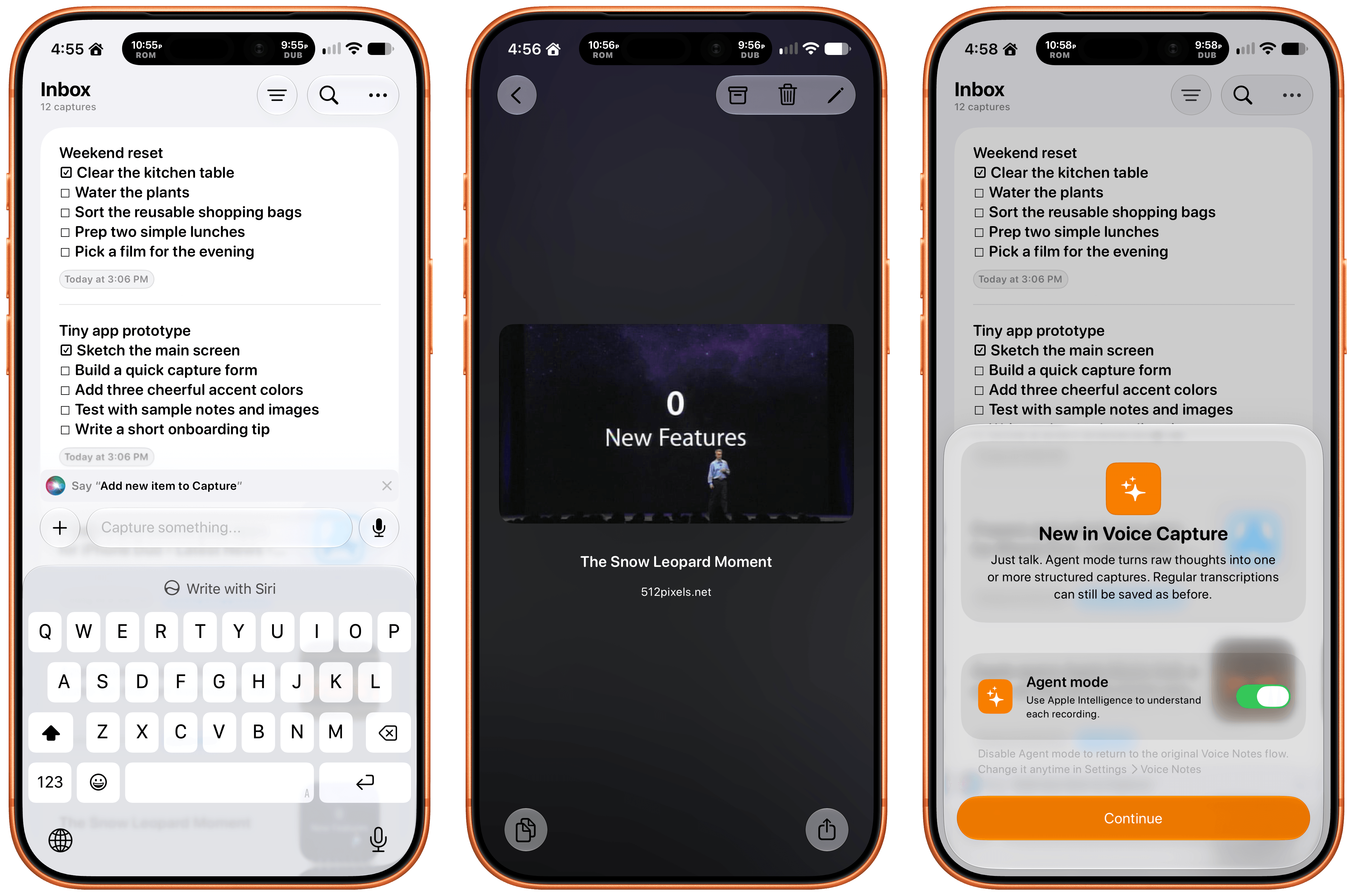
Apps like Capture are a unique obsession of mine as the online world relentlessly accelerates. Capture acts as an inbox for text, links, images, files, and tasks that works on the iPhone, iPad, Mac, Vision Pro, and Apple Watch. While you can store information in Capture long-term, it’s really meant to act as an inbox because the app has nearly 60 integrations with other third-party apps.

Capture has been building a deep library of integrations for a long time now, which I appreciate. It’s the sort of user-first approach that also made the app a perfect fit for App Intents. That integration makes it simple to find, create, and edit items with Siri. There is also an extensive set of Shortcuts actions, making the app a great fit for cross-app automations. Capture also offers creating, finding, and editing via Siri AI, note transcription using Apple’s on-device model, and a voice-based agentic mode.

Fin

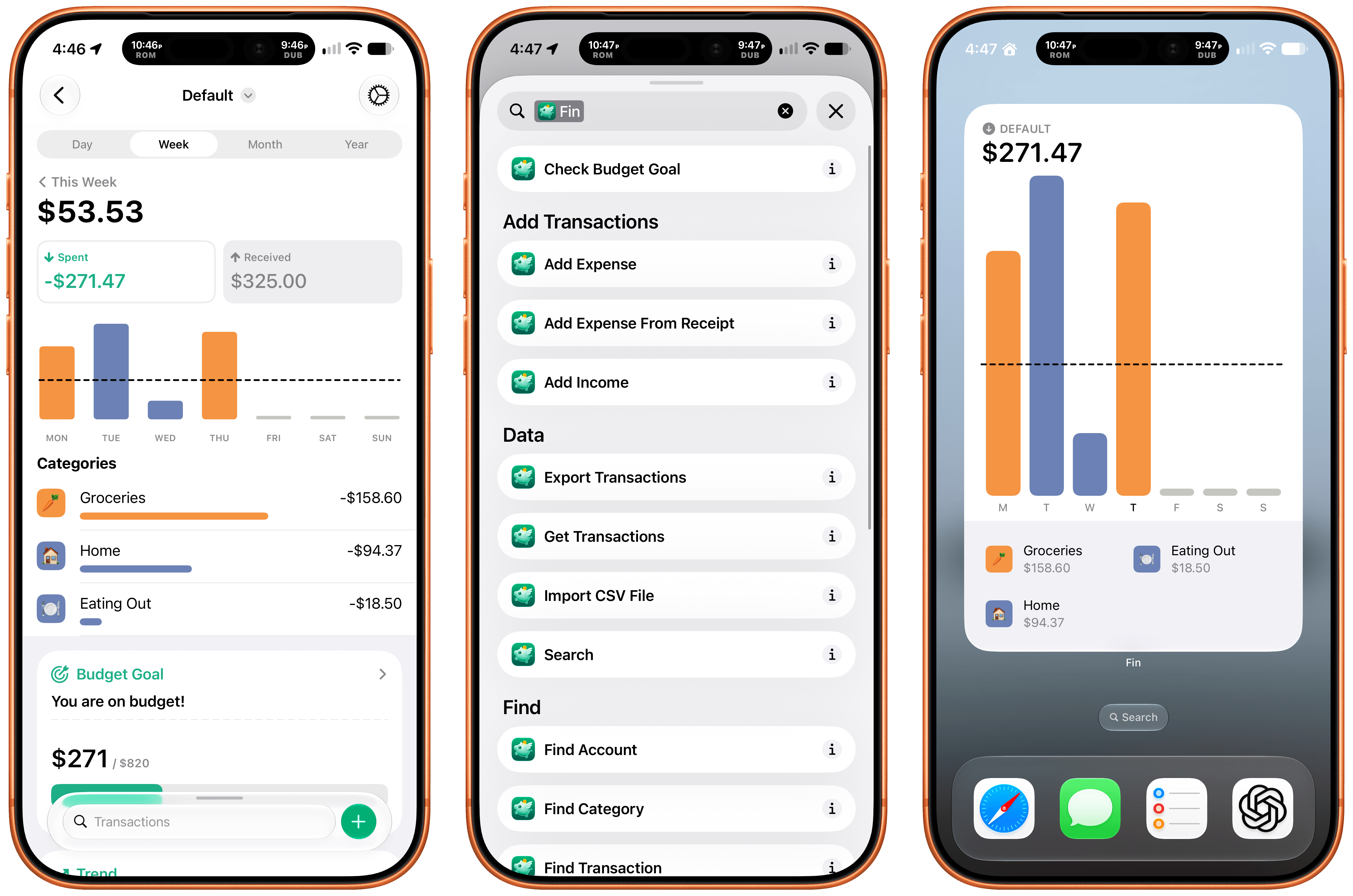
Finally, I want to shout out Fin, the personal budgeting app for iPhone, iPad, Vision Pro, and Apple Watch. Getting data into a budgeting app quickly and easily makes all the difference in the world when it comes to sticking to your budget. Fin excels at quickly recording and organizing your expenses in a clear, colorful interface that takes advantage of Apple’s modern design language.

With the latest version, Fin adds onscreen awareness that lets you ask Siri questions about what’s onscreen. The app also exposes transactions and accounts to Spotlight making it easy to pinpoint data in both. Plus, Fin lets you search, import, export, and add data to the app using Siri. There’s an extra large chart widget too. If you’re looking for a simple on-device way to privately manage your expenses, Fin’s a great choice.

  •  

Unboxings do iPhone Duo vazam antes da hora; veja os primeiros reviews

Se você rolou pelos feeds das principais redes sociais na manhã de hoje, percebeu que já começaram a pintar os primeiros reviews do iPhone Duo, cujo lançamento ocorrerá nesta sexta-feira (23/10).

Horas antes de o embargo cair, contudo, uma série de vídeos de unboxing e hands-on começaram a pipocar internet afora, nos dando uma chance de conferir o mais novo smartphone da Apple um pouco mais de perto.

Um dos veículos a divulgar vídeos do iPhone Duo foi o canal do YouTube Kingmi Mobile, que publicou não só um, mas dois vídeos de unboxing — um para o modelo na cor branco-estrela (star white) e outro para a versão na cor céu noturno (night sky):

Em um terceiro vídeo, o canal mostra elementos como o vinco e a câmera interna sob a tela do iPhone Duo com mais detalhes:

O dobrável também aparece em outros vídeos publicados em redes sociais como o X:

someone unboxed the iPhone Duo on TikTok 😭 pic.twitter.com/fxZTZbJS49

— Holly – I like tech (@AnxiousHolly) October 21, 2026

iPhone Duo saying hello 👋 pic.twitter.com/OClfIESbQO

— Maywrld (@maywrld01) October 20, 2026

Okay, someone from Russia has also got their hands on the iPhone Duo, and they’ve already unboxed and set-up the Phone! 😬

We can even see them using a UV torch on box to verify its originality…

Also, some games are still not optimised for the full-screen display yet 😭 pic.twitter.com/mVVWZwhWEQ

— Sunny (@sunnny1583) October 21, 2026

Can’t believe, someone already unboxed iPhone Duo before embargo lifts!! 😭 pic.twitter.com/NMPyEScGiu

— Ahmed (@itz_ahmedx) October 20, 2026

Primeiros reviews

Como dito, o embargo estabelecido pela Apple para a publicação de vídeos a respeito do iPhone Duo caiu às 9h da manhã, e as primeiras impressões acerca do dobrável já estão pipocando na internet.

Entre os criadores de conteúdo que puderam colocar as mãos no dobrável antecipadamente, estão os YouTubers Marques “MKBHD” Brownlee e Matti Haapoja, bem como a jornalista Joanna Stern (ex-Wall Street Journal) e o site The Verge:

Como era de se esperar em se tratando de um smartphone de primeira geração, as opiniões sobre o aparelho até agora têm sido um tanto mistas, embora elas tendam a pender para um lado mais favorável — o que indica que a Apple acertou na execução, ainda que haja espaço para melhorias.

Um dos aspectos mais elogiados do iPhone Duo até agora é, sem dúvida, a sua tela interna com o acabamento nano-texture, que torna a utilização do aparelho em ambientes externos muito mais confortável se comparado a outros dobráveis no mercado, os quais costumam vir com displays mais reflexivos. Essa vantagem, porém, tem como custo um pouco menos de definição na imagem, mas nada que atrapalhe a experiência.

Esse acabamento também ajuda a esconder o vinco, que ainda é perceptível a olho nu, mas raramente atrapalha o usuário ao realizar uma tarefa — inclusive ao digitar, já que o iOS divide o teclado em dois para afastar as teclas do vinco caso o usuário resolva escrever algo com o dobrável entreaberto.

A área maior da tela interna também abre espaço para outro recurso muito elogiado do iPhone Duo: o modo de tela dividida (Split View), que expande consideravelmente as possibilidades em matéria de multitarefa. A impossibilidade de abrir um terceiro app lado a lado, no entanto, tem sido citada como um ponto negativo do software.

O formato de passaporte do aparelho também contribui para essa experiência, além de facilitar o consumo de mídias como vídeos e filmes. Ele, no entanto, pode tornar difícil alcançar certos elementos da interface na tela externa com apenas uma mão, além de favorecer o uso com a mão direita no modo fechado.

Em termos de câmera, as opiniões têm sido bastante mornas — algo que era esperado, considerando o espaço limitado para as lentes. Sem controles profissionais, a câmera principal do iPhone Duo lembra bastante a única lente do iPhone 17e, que, apesar de não ser um smartphone topo-de-linha, já é capaz de capturar imagens muito competentes.

Talvez a área mais controversa do iPhone Duo seja o seu software, mas não por culpa da Apple, que parece ter feito um ótimo trabalho para tornar tudo suave e extremamente intuitivo, sendo a já clássica animação de abertura/fechamento do aparelho um símbolo disso. Apps de terceiros, no entanto, ainda sofrem com os vários formatos de tela do aparelho, o que tem resultado, na maioria dos casos, em bordas pretas e imagens esticadas — problemas que provavelmente serão consertados com o tempo, via atualizações de software.

Outro aspecto do iPhone Duo que virou alvo de muita especulação nos últimos meses foi a sua dobradiça, que parece já ter assumido o seu posto como uma das mais robustas do mercado. Stern, por exemplo, colocou o aparelho para abrir e fechar mais de 32.000 vezes com a ajuda de um robô; mesmo assim, ela não conseguiu notar uma diferença significativa na resistência da dobradiça.


Em pré-venda desde a última sexta-feira (16/10), o iPhone Duo já aparece com prazos de entrega extremamente elásticos em vários países, incluindo o Brasil, como comentamos aqui.

Vendido por US$2.000 nos Estados Unidos, o dobrável sai pela bagatela de R$22.000 no mercado nacional — isso em sua versão de entrada, com 256GB de capacidade.

iPhone Duo

iPhone Duo

Cores: branco-estrela ou céu noturno
Armazenamento: 256GB, 512GB, 1TB ou 2TB
R$ 21.999,00

NOTA DE TRANSPARÊNCIA: O MacMagazine recebe uma pequena comissão sobre vendas concluídas por meio de links deste post, mas você, como consumidor, não paga nada a mais pelos produtos/serviços ao usar os nossos links de afiliado.

  •  
  •  

The Specialized Diverge 4 Pro makes rough gravel your playground

When I make my yearly trip to Denver, I always bring my road bike. It's my annual chance to suffer on the kinds of gradients unavailable in the glacier-scoured lands of northeastern Illinois. In advance of this year's trip, Specialized hooked me up with its new gravel bike, the Diverge 4 Pro, so I brought it with me to challenge it in ways not possible on the fastidiously groomed gravel trails of suburban Chicago.

In contrast to the Specialized Turbo Creo 2 we reviewed a couple of years ago, the Diverge 4 Pro is strictly human-powered. Specialized calls it "the ultimate getaway vehicle," designed with input from off-road adventure riders, scientists, and racers. It's marketed as the only gravel bike you need for racing, adventure, and distance rides. While I can't speak to its racing performance, I can say the Diverge 4 Pro is a blast on any kind of gravel and does well enough on the road.

Priced at $8,249, the Diverge 4 Pro is designed for rough trails and technical descents, both of which unfolded below me at the summit of an is-it-gravel-or-is-it-single-track climb in Douglas County, Colorado. I took a deep breath, and down I went. The descent was rutted and slightly more technical than anything I'll ever run into around Chicago, but I had enough time on the bike to realize that if I had trouble on the descent, it wouldn't be the bike's fault.

Read full article

Comments

  •  

The iPhone 18 Pro’s big camera update is all about the small gains

Blue iPhone 18 Pro on blue background.
Ice cold. | Photo: Amelia Holowaty Krales / The Verge

Last week, Apple announced an iPhone unlike any it has made in the past. An iPhone that has seemingly already led several other phone manufacturers to pursue entirely different designs for their flagship products. A remarkably distinct device with the kind of "I can't believe they did that" software touches that Apple sometimes pulls off when it's at the top of its game.

That phone is not the iPhone 18 Pro.

The 18 Pro and Pro Max are in the unusual position of being the second-most interesting iPhones that Apple is launching this year. The foldable iPhone Duo stole the show at Apple's launch event, but it's not arriving until next month. …

Read the full story at The Verge.

  •  

Review: “Carl Sagan: We are Made of Star Stuff” by Clark R. Chapman

This is a new documentary film that had its world premiere at the 2026 Telluride Film Festival, held September 4-7. The director of this film, Nanette Burstein, is well known for her other biopics, including one featuring Hillary Clinton. This Carl Sagan film is roughly half about Sagan’s professional career and half about his personal […]
  •  
❌