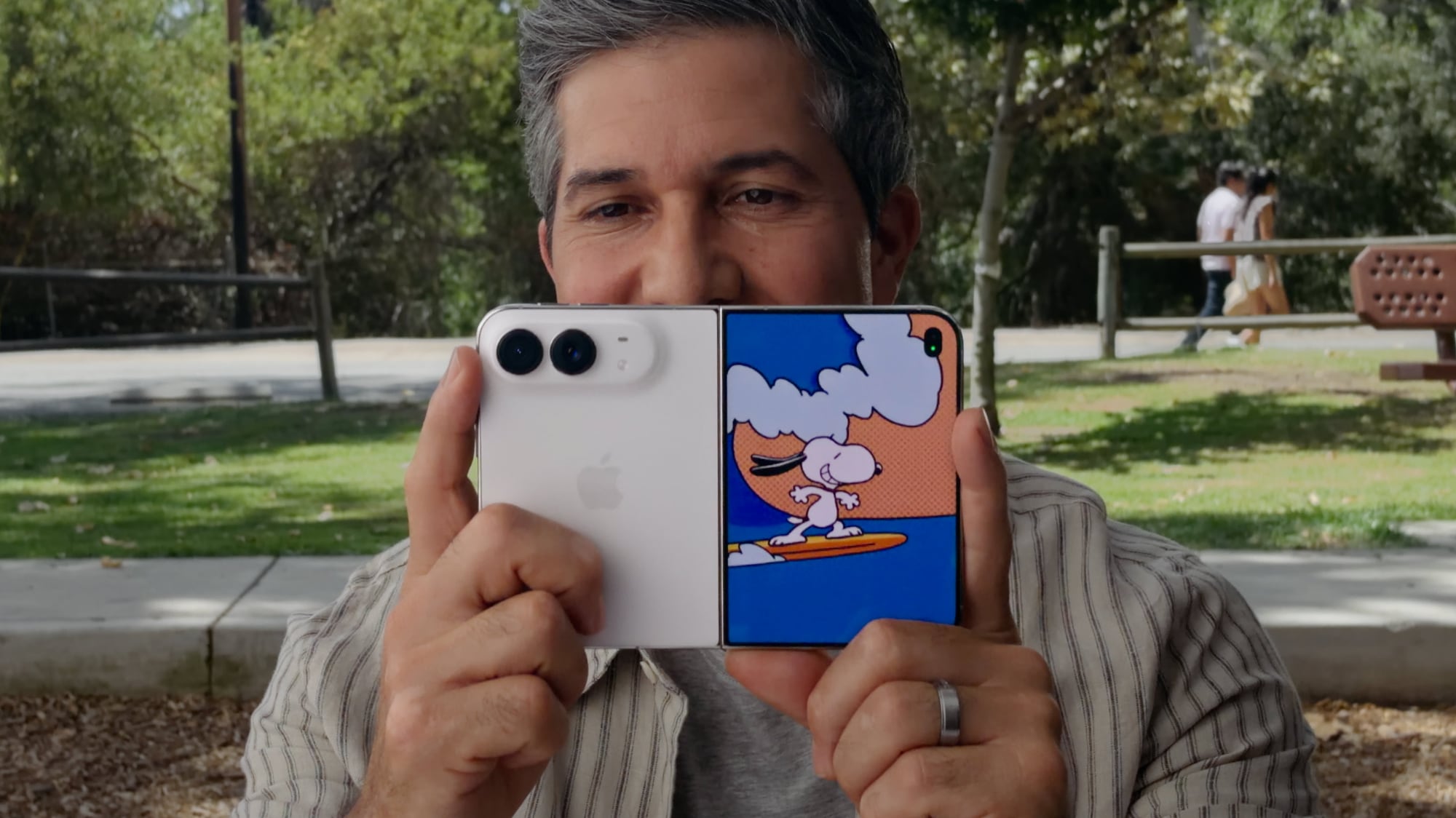
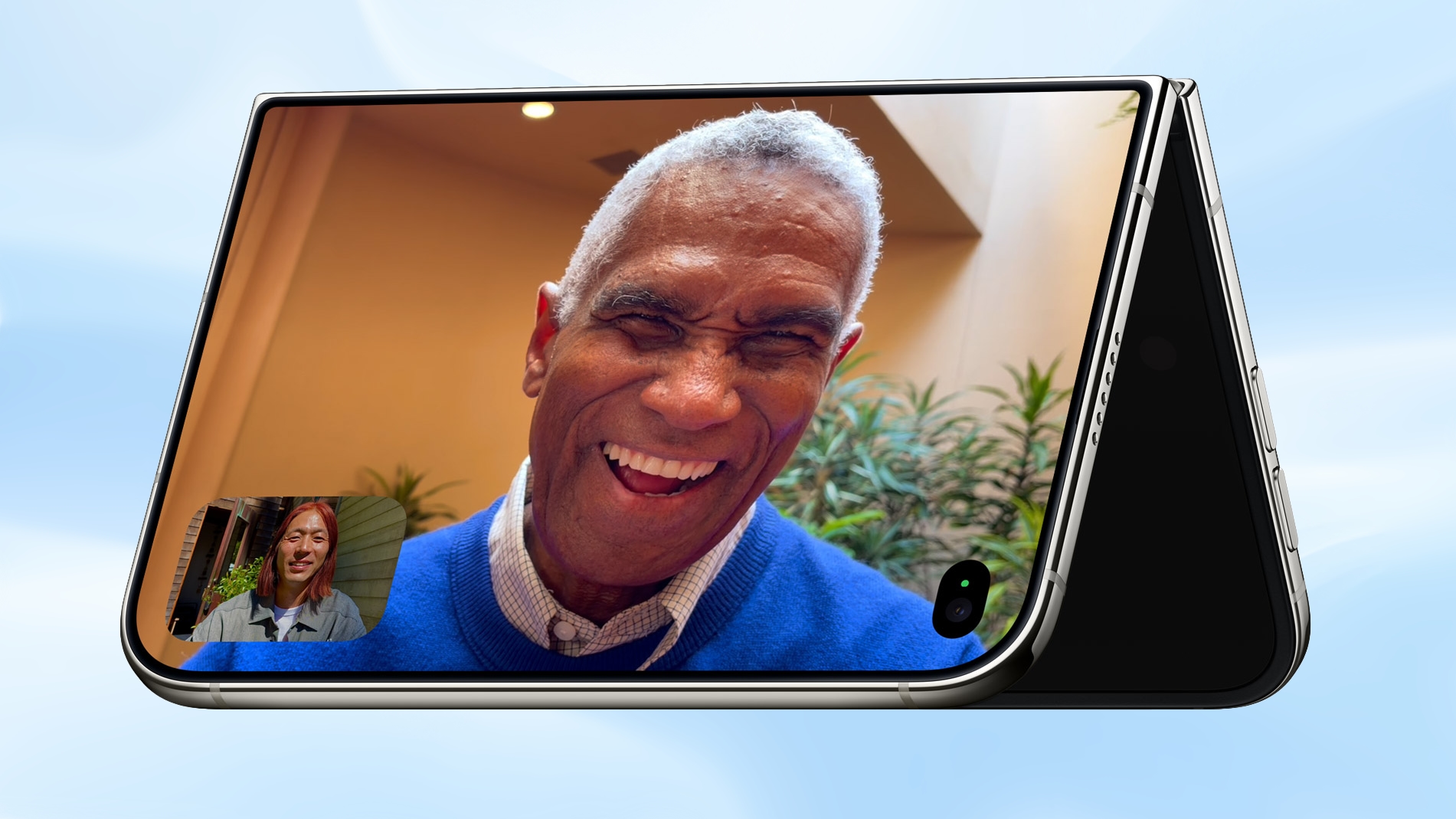
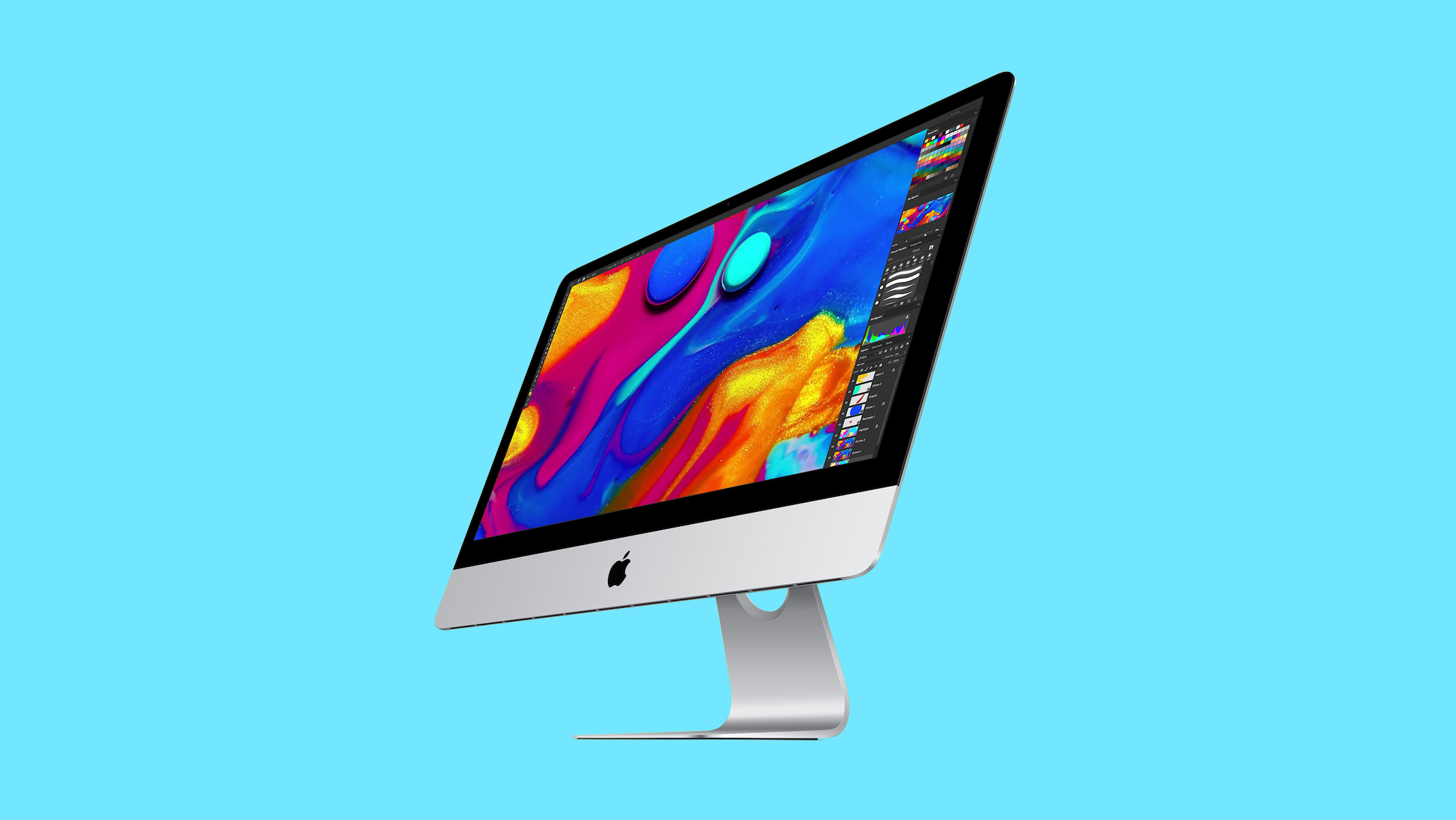
❌

Reading view

Does the iPhone Duo Run Hot? Here's What Reviews Found

Multiple iPhone Duo reviews covered the device's thermal properties, and reviewer opinions varied. Some found that it was just warm, while others thought it was running too hot at times.
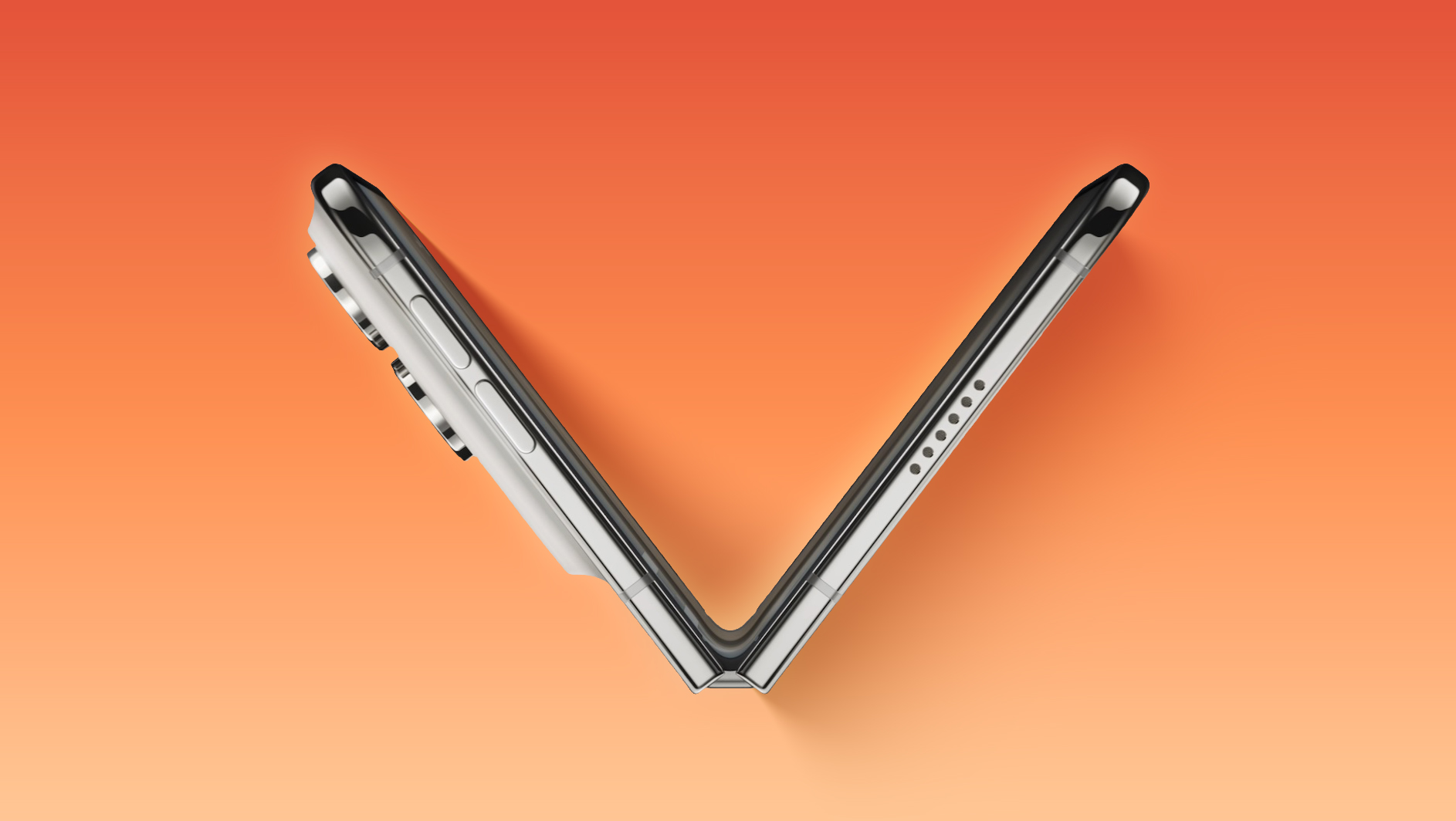

Joanna Stern said the back of the device got warm when using FaceTime and taking photos. She had to end a ‌FaceTime‌ call during testing because it got too hot. "Yeah, I'm gonna burn my hand off," she said. "This thing is getting really warm."

Apple told her the warmth was a sign of the iPhone Duo's thermal design moving heat away from the chip to keep performance up. "But to me, it just feels like the phone is really warm," she said.

The ‌iPhone Duo‌ has the same custom vapor chamber setup and A20 Pro chip as the iPhone 18 Pro, but the vapor chamber is thinner. Apple added a flexible graphite pipe in the hinge to transfer heat between the two halves, giving more surface area for heat dissipation.

The Verge said the ‌iPhone Duo‌ heats up when using the camera for a long time, especially if both displays are on for features like Duo Preview. "You can just feel the phone getting significantly hotter when this happens," reads the review. "The phone gets hot enough to start noticeably lagging after a while." The site also said it gets hot when running third-party apps, particularly video apps and apps from Google.

PetaPixel's review unit got warm when gaming, photo editing, or doing anything that stressed the processor, with the heat felt on the right side of the unfolded device.

Mrwhosetheboss did a 20-minute stress test with the ‌iPhone Duo‌ and ‌iPhone 18 Pro‌ Max. He found the ‌iPhone Duo‌ trapped heat inside when it was closed, and ‌iPhone Duo‌ performance was below the ‌iPhone 18 Pro‌ Max. When open, the ‌iPhone Duo‌ has a large high-resolution display that also affects performance. Mrwhosetheboss focused more on performance than heat, and said the difference between the ‌iPhone Duo‌ and ‌iPhone 18 Pro‌ Max isn't "massively" noticeable in day-to-day use.

HTX Studio did a 30-minute gaming test with the ‌iPhone Duo‌ and ‌iPhone 18 Pro‌ models. The ‌iPhone Duo‌ was 46.5°C, while the ‌iPhone 18 Pro‌ and Pro Max were at 43.8°C and 43.2°C, respectively. The ‌iPhone Duo‌ had a 20 percent lower frame rate than the ‌iPhone 18 Pro‌ models and it couldn't maintain 300 nits brightness, dropping to 185 nits.

9to5Mac said the ‌iPhone Duo‌ "runs a bit hotter than the ‌iPhone 18 Pro‌, but not in a way that impacts performance." Tom's Guide did a benchmark heat test and found that the ‌iPhone Duo‌ was able to spread heat evenly across the body of the device, but it was a few degrees hotter than the Galaxy Z Fold8 the site compared it to. The ‌iPhone Duo‌ scored 75.9 percent stability score on the 3DMark stress test, compared to 79 percent for the ‌iPhone 18 Pro‌ Max and 72 percent for the Z Fold8.

Gizmodo didn't find heat to be a problem, saying the vapor chamber "does a solid job cooling it down to prevent lag or slowdown" when apps use "all the CPU and GPU cores."

The ‌iPhone Duo‌ launches this Friday, so we don't have long to wait to see if heat is going to be a problem for the everyday user.
Related Roundup: iPhone Duo
Buyer's Guide: iPhone Duo (Buy Now)
Related Forum: iPhone

This article, "Does the iPhone Duo Run Hot? Here's What Reviews Found" first appeared on MacRumors.com

Discuss this article in our forums
  •  

Anthropic Launches Claude Duet, a Proactive AI Agent

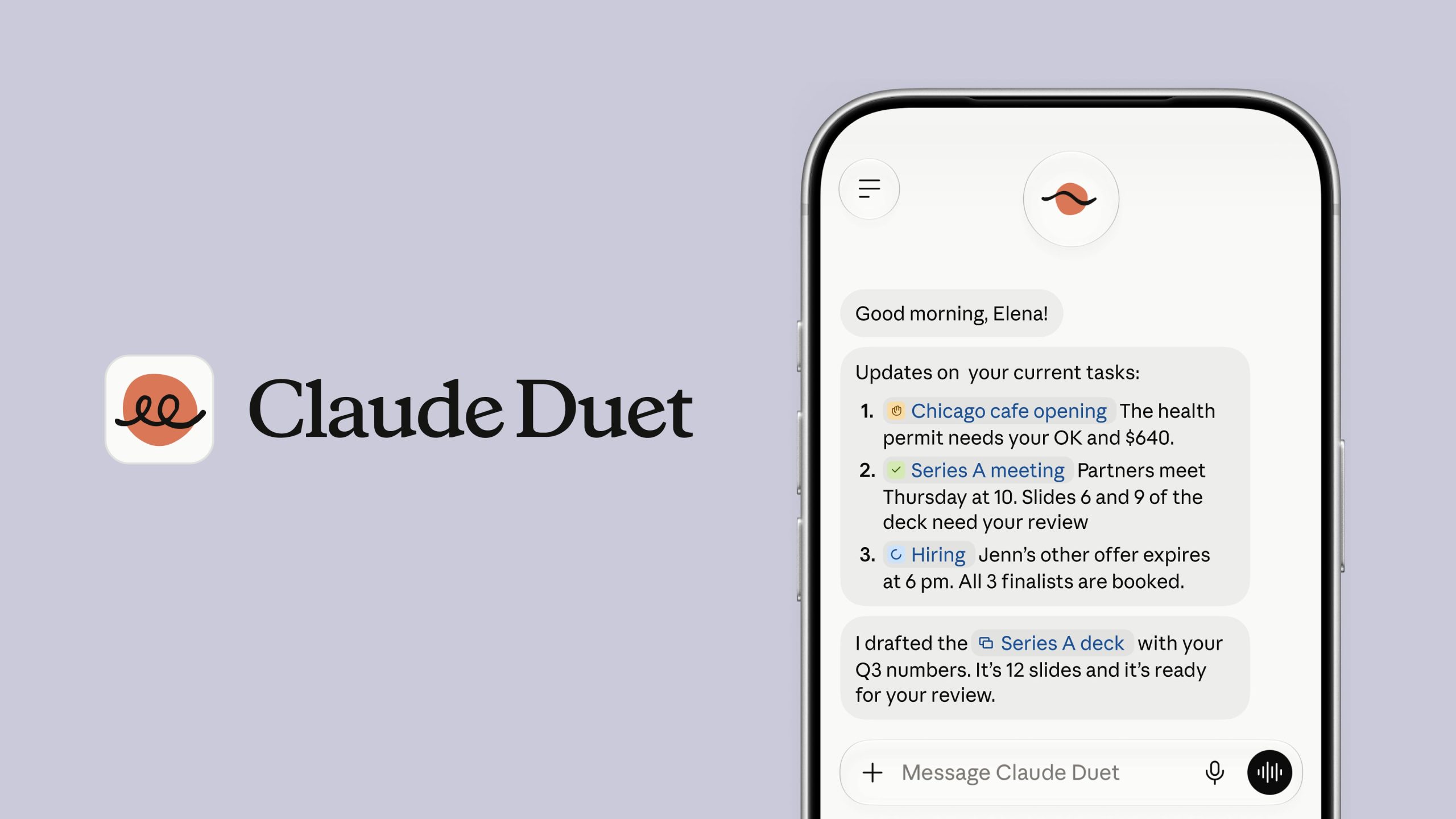
Anthropic today introduced Claude Duet, its answer to Meta's Muse agent and OpenAI's Dots agent. Like Dots and Muse, it is a proactive agent that "reaches out before you ask."


Claude Duet connects to your apps and suggests things that need your attention. It completes tasks and can work in the cloud without local access to a computer. As with Muse and Dots, Duet has a virtual machine with its own browser to complete tasks.

Anthropic says it built Duet for professionals and small business owners with too much to track, as those are the people most likely to find it helpful.

Duet is built around Opus 5.5. It sends a short brief each morning on important items from connected apps, then checks apps every few hours and sends an alert when something needs attention. It can complete simple administrative tasks or more complex tasks like building web apps. While the agent works on its own, it will get user approval before it takes actions like sending a message, making a payment, signing a document, or deleting a file.


It incorporates memory, skills, and connected apps from a Claude account, so there isn't much setup involved. Interactions happen in one ongoing thread instead of across different conversations.

Claude Duet does not see passwords or logins when given access to accounts, and it has a dedicated classifier and safety system prompt that checks each message and guards against sensitive information leaks.

Claude Duet is a standalone product that's available in a research preview right now with access granted via waitlist. It's limited to Pro and Max subscribers in the United States, and can be used via the web or a standalone Duet iOS app. Duet uses your existing Claude plan limits, and its background checks will count toward them.
This article, "Anthropic Launches Claude Duet, a Proactive AI Agent" first appeared on MacRumors.com

Discuss this article in our forums
  •  

What 32,000 Folds Did to the iPhone Duo's Hinge

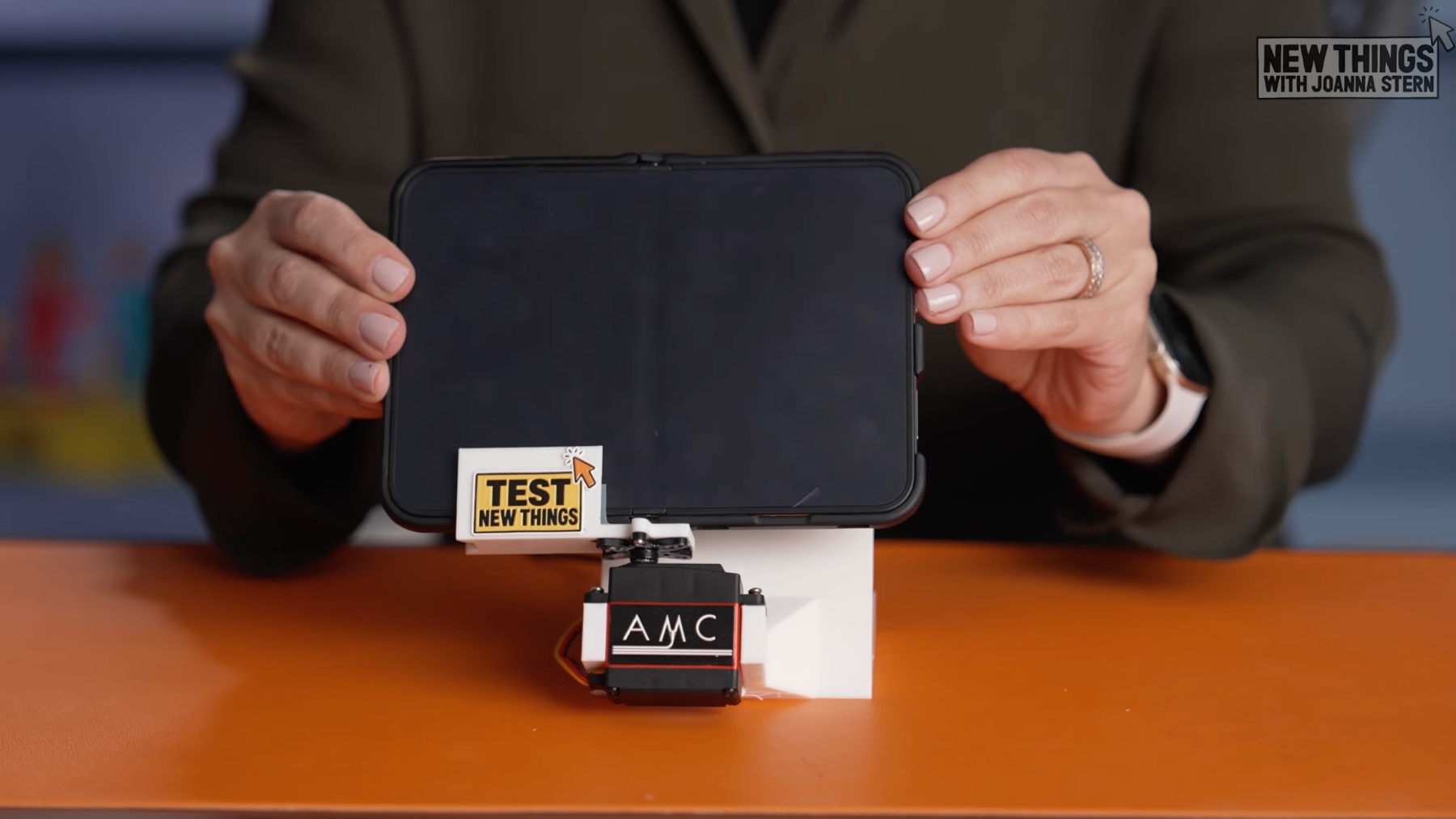
Apple hasn't shared iPhone Duo hinge tests or given a lifetime fold number like Samsung, but Joanna Stern used a custom device to subject her review unit to more than 32,000 folds over four nights.


Over the course of the testing, Stern said she thought it might be feeling looser as the number of folds increased, but her final conclusion was that she couldn't feel much of a change. A calibrated push-pull gauge used to take readings before and after the Duo fold test showed the hinge was actually stiffer than before.
But in everyday use, I really couldn't feel a difference. So, after 32,000 folds, it felt pretty much the same as day one, which is pretty darn impressive.

Stern didn't comment on whether the fold test caused the crease to be more visible, which can happen over time with other foldable devices. Her testing was done with a case on, and while the machine opened the Duo flat, it didn't close it all the way each time.


Samsung's foldable displays undergo official testing, and in 2025, the display used for the Galaxy Z Fold7 passed a 500,000-fold durability test. Samsung Display says that translates to over 10 years for average users folding their device about 100 times a day, or over six years for users who fold it more than 200 times daily.

Until Apple shares information on display and hinge durability, Stern's test is all we have to go on. It's unlikely to be the last unofficial folding stress test that we see over the next few weeks.

The full details on Stern's machine, including how it was built, can be found in her YouTube video, and she has more information in her review writeup.
Related Roundup: iPhone Duo
Buyer's Guide: iPhone Duo (Buy Now)
Related Forum: iPhone

This article, "What 32,000 Folds Did to the iPhone Duo's Hinge" first appeared on MacRumors.com

Discuss this article in our forums

  •  

iPhone Duo's Hidden FaceTime Camera Takes 'Trash' Photos

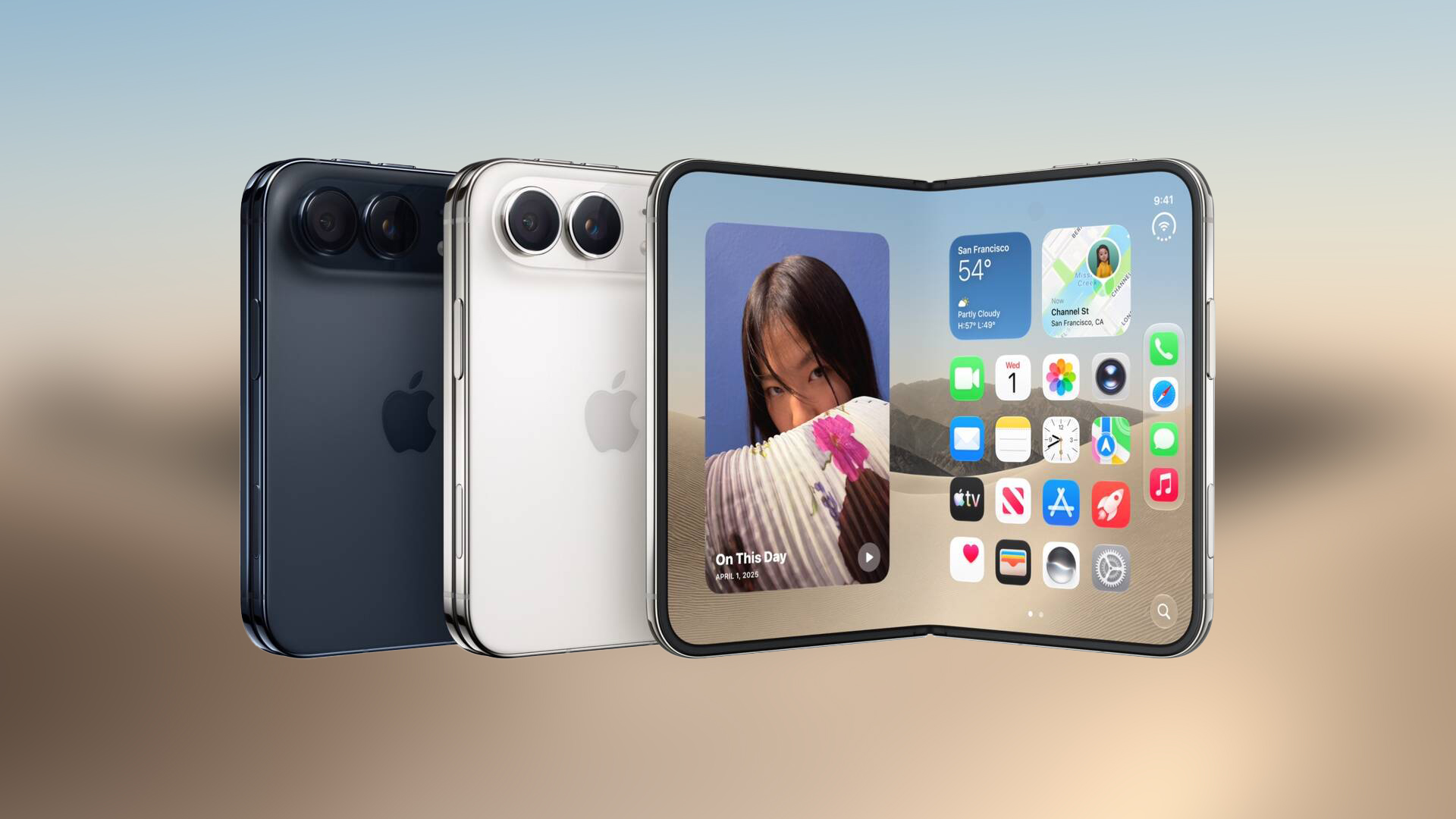
The iPhone Duo's inner screen has an under-display front camera that's largely hidden from view. It's the first time we've seen an under-display camera on an iPhone, and it turns out there's a reason Apple hasn't used the technology before.


Apple said the camera offers 1080p video recording, but didn't mention photo quality. Gizmodo said it's a 4-megapixel camera and described the photos as "low-res, washed out, and just not sharp at all." It's not good for selfies, and even video calls "look muddy."

Marques Brownlee said the camera is "very first gen" and that the photo quality is "trash." Samsung previously used under-display cameras but dropped them because of poor image quality. Brownlee speculates whether Apple will make the same decision in the future.

Reviewers say the camera is better at video than photos, and it does disappear into the background when you're using the phone, which is a plus.

The ‌iPhone Duo‌ has an alternative 12-megapixel front-facing camera on the outer display, which is much better for selfies, plus with the dual displays, you can use the rear cameras to take selfies. PetaPixel says that if you unfold the Duo and point it at yourself, there's an option to move the camera controls to the outer screen. With that setup, you can use the outer display as a viewfinder for the rear camera to take a selfie.

More ‌iPhone Duo‌ reviews can be found in our review roundup.
Related Roundup: iPhone Duo
Buyer's Guide: iPhone Duo (Buy Now)
Related Forum: iPhone

This article, "iPhone Duo's Hidden FaceTime Camera Takes 'Trash' Photos" first appeared on MacRumors.com

Discuss this article in our forums
  •  

iPhone Duo Tips Over on MagSafe Stands When Unfolded

Some upright MagSafe charger designs won't work well with the iPhone Duo when it's unfolded. As demonstrated by Mrwhosetheboss, the uneven weight of the ‌iPhone Duo‌ can cause it to tilt on a charger when it's open.


The ‌MagSafe‌ ring on the back of the ‌iPhone Duo‌ is only on one half, and some chargers don't have strong enough magnets to hold up the Duo with the extra weight on one side. iPhones do have an extra anti-rotation magnet at the bottom of the magnetic charging ring, but some chargers aren't designed to use it.

does this count as auto rotate https://t.co/cNCz73ud1P

— Arun Maini (@Mrwhosetheboss) October 21, 2026


On Reddit, some users pointed out that The Verge's Nilay Patel demonstrated the ‌iPhone Duo‌ charging horizontally on a ‌MagSafe‌ charger with no issue, so it may not be a universal problem.

Charging with the ‌iPhone Duo‌ open and in portrait orientation likely works, but it looks like the safest way to use upright ‌MagSafe‌ stands is with the ‌iPhone Duo‌ closed. A flat charger won't have the same rotation issue.

Companies will likely make wider stands with some kind of ledge to hold the Duo upright when unfolded, but if you plan to use the Duo on a desk, be aware that there will be positioning limitations with some ‌MagSafe‌ chargers.

The ‌iPhone Duo‌ launches on Friday, October 23.
Related Roundup: iPhone Duo
Tag: MagSafe
Buyer's Guide: iPhone Duo (Buy Now)
Related Forum: iPhone

This article, "iPhone Duo Tips Over on MagSafe Stands When Unfolded" first appeared on MacRumors.com

Discuss this article in our forums
  •  

Apple Support App Updated for iPhone Duo's Larger Display

Apple today updated its Apple Support app to add support for the iPhone Duo and iOS 27.1 (which the Duo ships with). Apple Support will now display properly on the ‌iPhone Duo‌'s wider screen, and it can be used alongside other apps in Split View.


‌iPhone Duo‌ reviews went live today, and poorly sized apps are a recurring complaint among reviewers. Apps that aren't updated for ‌iPhone Duo‌ are letterboxed, with thick black bars on each side.

Apple will continue adapting its apps for the device, and we should see plenty of third-party ‌iPhone Duo‌ app updates in the coming weeks. Any major change to screen size results in early hiccups, but a few months from now, ‌iPhone Duo‌ app compatibility will be largely fixed.

Apple Support is Apple's dedicated app for troubleshooting device issues and looking up support documents. It is a free download from the App Store. [Direct Link]
Related Roundup: iPhone Duo
Buyer's Guide: iPhone Duo (Buy Now)
Related Forum: iPhone

This article, "Apple Support App Updated for iPhone Duo's Larger Display" first appeared on MacRumors.com

Discuss this article in our forums
  •  

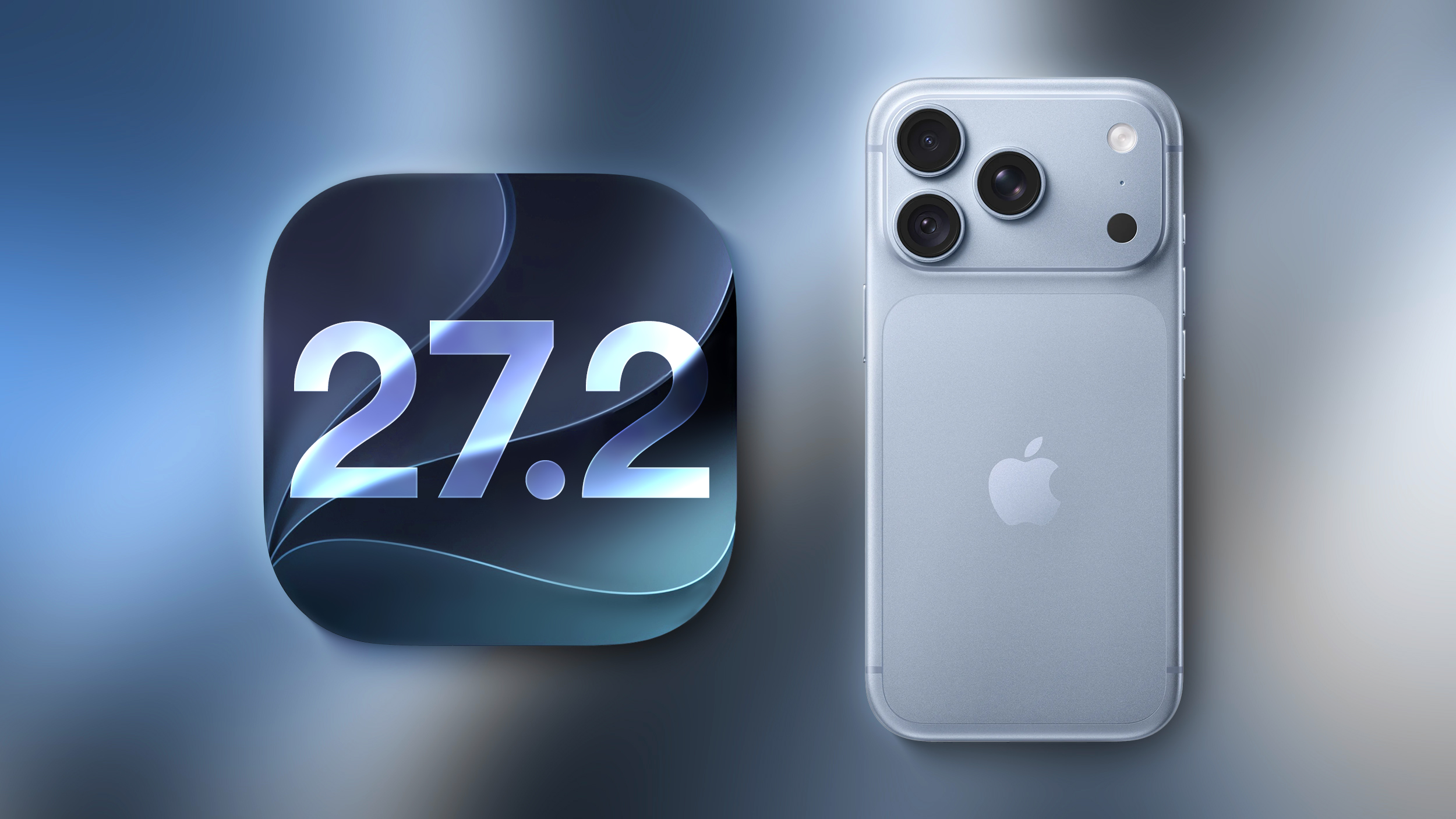
Everything New in iOS 27.2 Beta 1

Apple surprised us with the first beta of iOS 27.2 today instead of releasing an iOS 27.1 beta. Apple likely went straight to iOS 27.2 to keep iPhone Duo code under wraps for now, since we already know the ‌iPhone Duo‌ will ship with iOS 27.1 when it comes out in October.


This beta includes Apple's revamped Health app, new languages for Siri AI, and a handful of other useful tweaks.

Revamped Health App


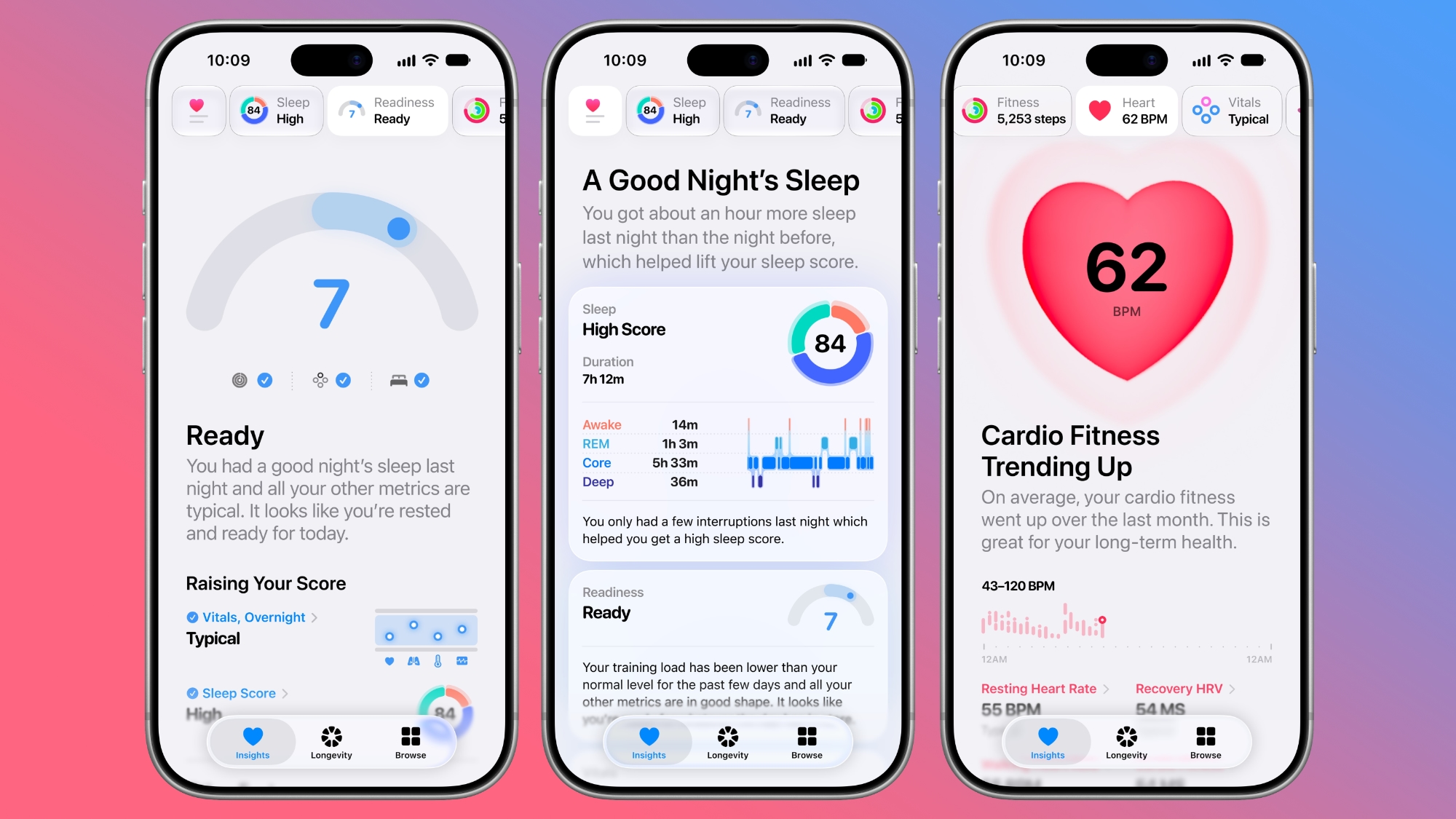
The iOS 27.2 beta includes the redesigned Health app Apple showed off at its September iPhone event. The new app is organized into three main tabs: Insights, Longevity, and Browse.


Insights includes your most recent and relevant health info, such as vitals, sleep score, heart rate, and Activity Rings. Longevity shows your health data over time, offering up a Health Age calculated from activity level, VO2 max, sleep time, and other metrics.


The Health Age feature uses in-app assessments that take advantage of the iPhone's camera. You can measure flexibility, strength, balance, and VO2 max. The revamped Health app is only available in U.S. English.

The Health app also has a new icon.

Call Context


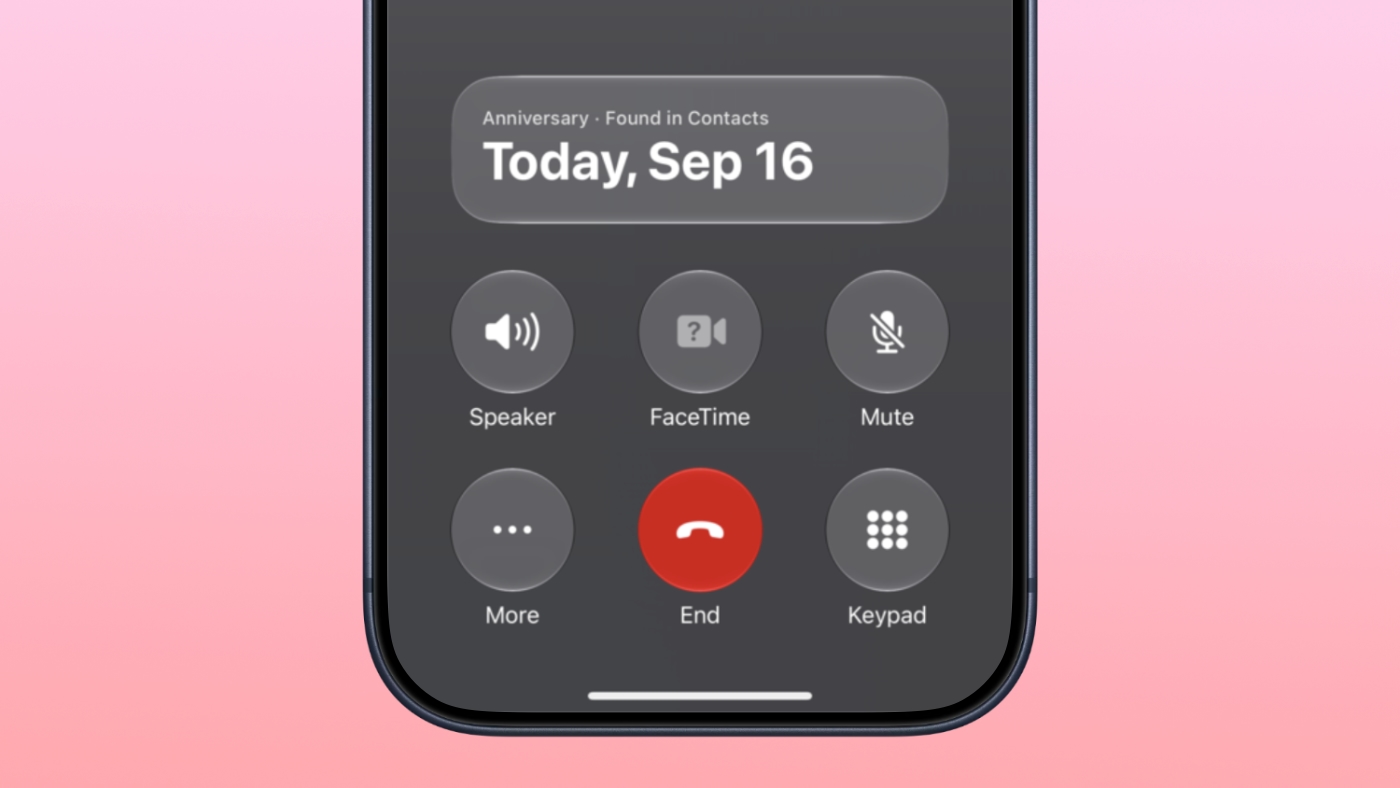
Apple added anniversary alerts to the Apple Intelligence Call Context feature. If you make a phone call to someone and you have an anniversary for them set in the Contacts app, you'll see a reminder in the Phone app.


CarPlay


There are themes for CarPlay Ultra that include options for wallpaper, gauge style, and color. Code suggests ambient lighting in supported vehicles will also match the color of the selected theme.

Siri AI Languages


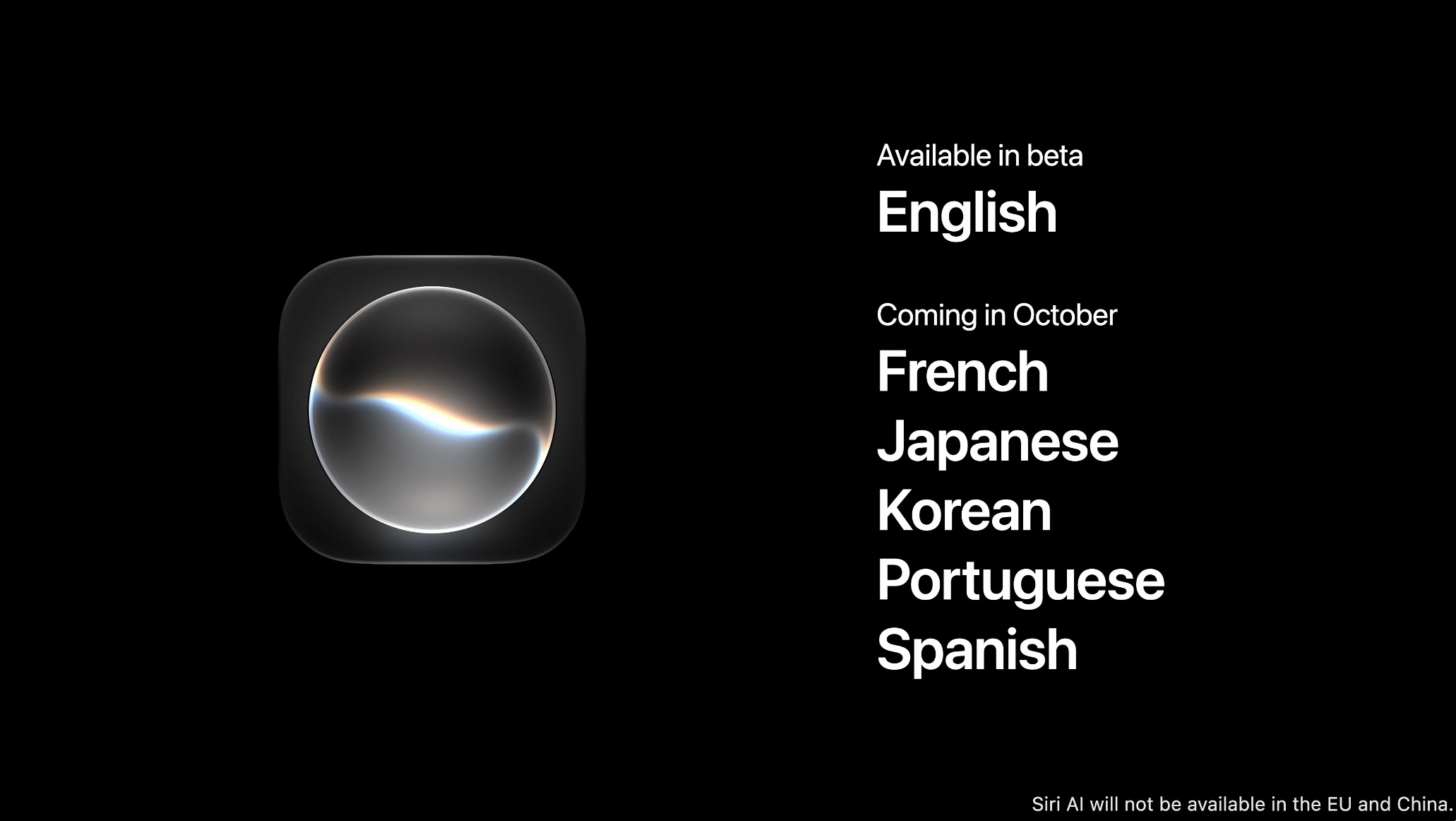
‌Siri‌ AI is available in French, Japanese, Korean, Portuguese, and Spanish in the iOS 27.2 beta.

Apple TV App


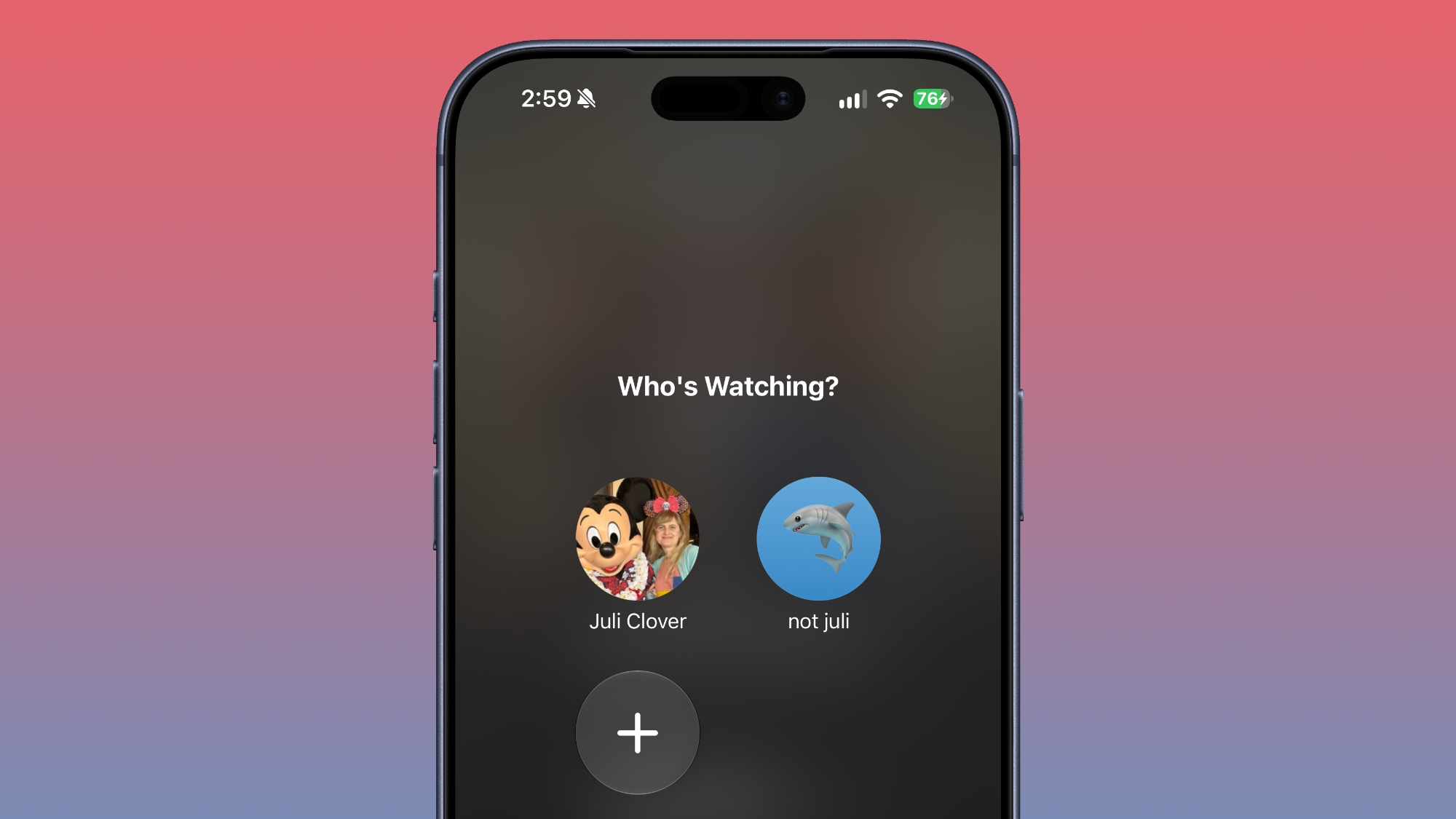
Apple extended Apple TV app profiles to the iPhone and iPad in iOS 27.2. ‌Apple TV‌ app users can create profiles in the account settings section, and then swap between those profiles. Profiles only require a name, profile rating, and information about whether the user is a child.


Creating an account for a child limits content to a PG rating by default, but there is a customize option for more granular control. Users can select age ratings for TV shows and movies that are appropriate for the child based on their age. Profiles are useful for parents that want to hand over an iPhone or ‌iPad‌ to a child to watch TV content while also restricting content that's not age-appropriate.

There's also a new option to turn on sign language interpretation when available. It can be toggled on in the TV app settings.

ASL FaceTime API


Back in May, Apple said it would add a new API to FaceTime allowing developers who make sign language interpretation apps to add a human interpreter to an ongoing video call.

That feature appears to be live in iOS 27.2.

Clock


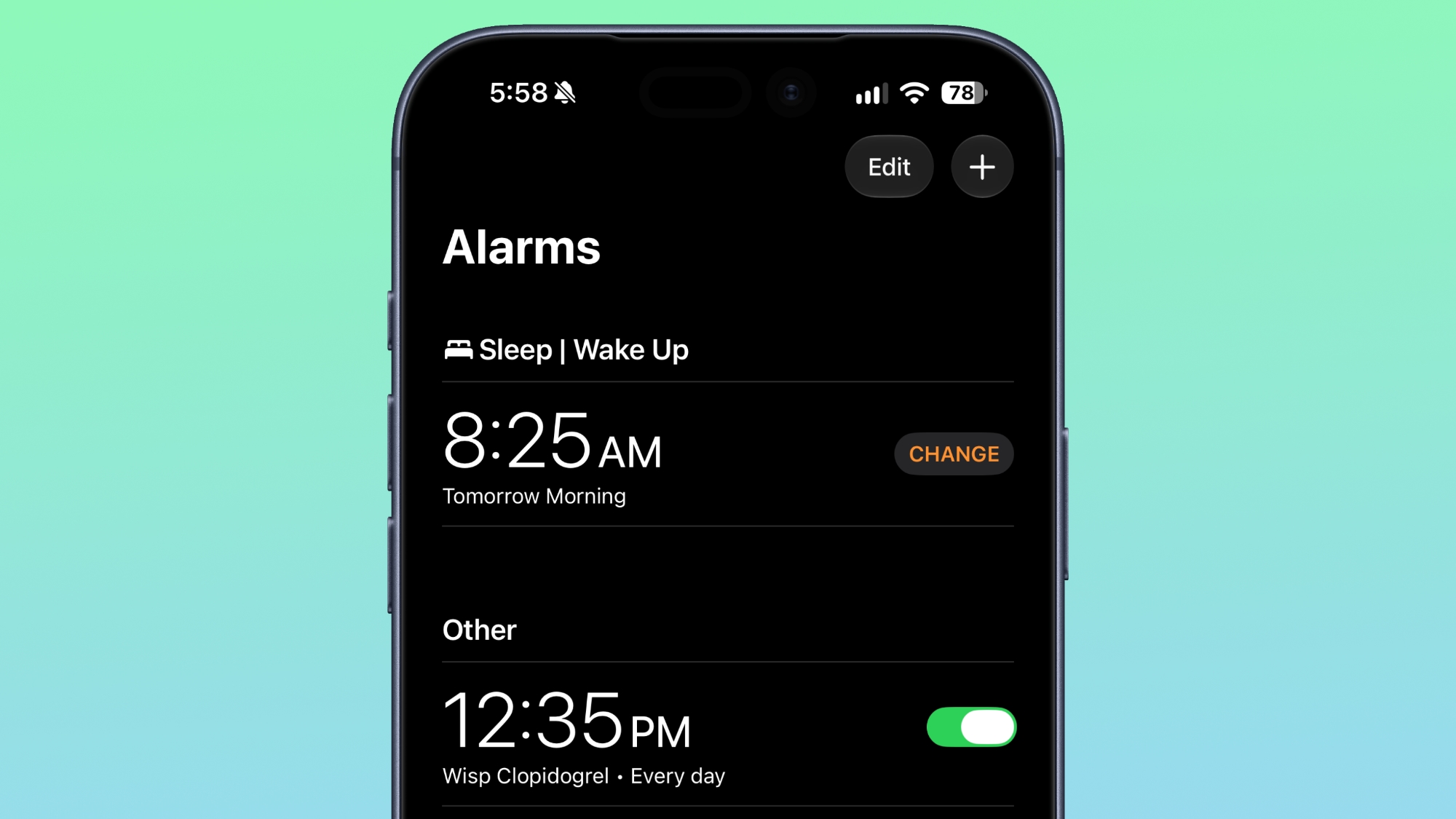
Apple tweaked how alarms appear in the Clock app. The a.m. and p.m. readouts are now smaller than the time.


Music


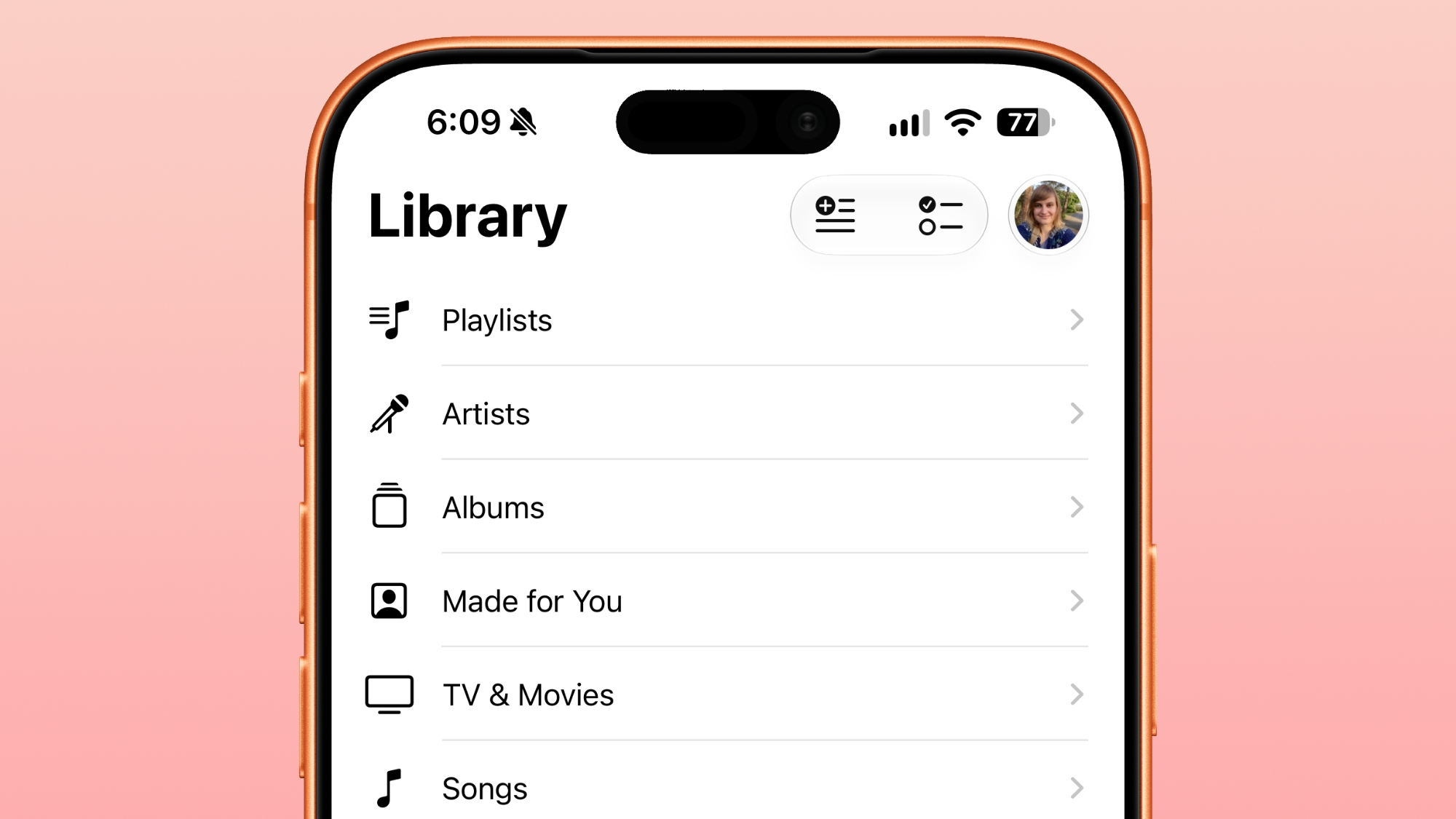
In the Music app, some of the red accents have been removed. The Play and Shuffle buttons in Library are black instead of red, as are all of the icons next to the Library sections.


Siri


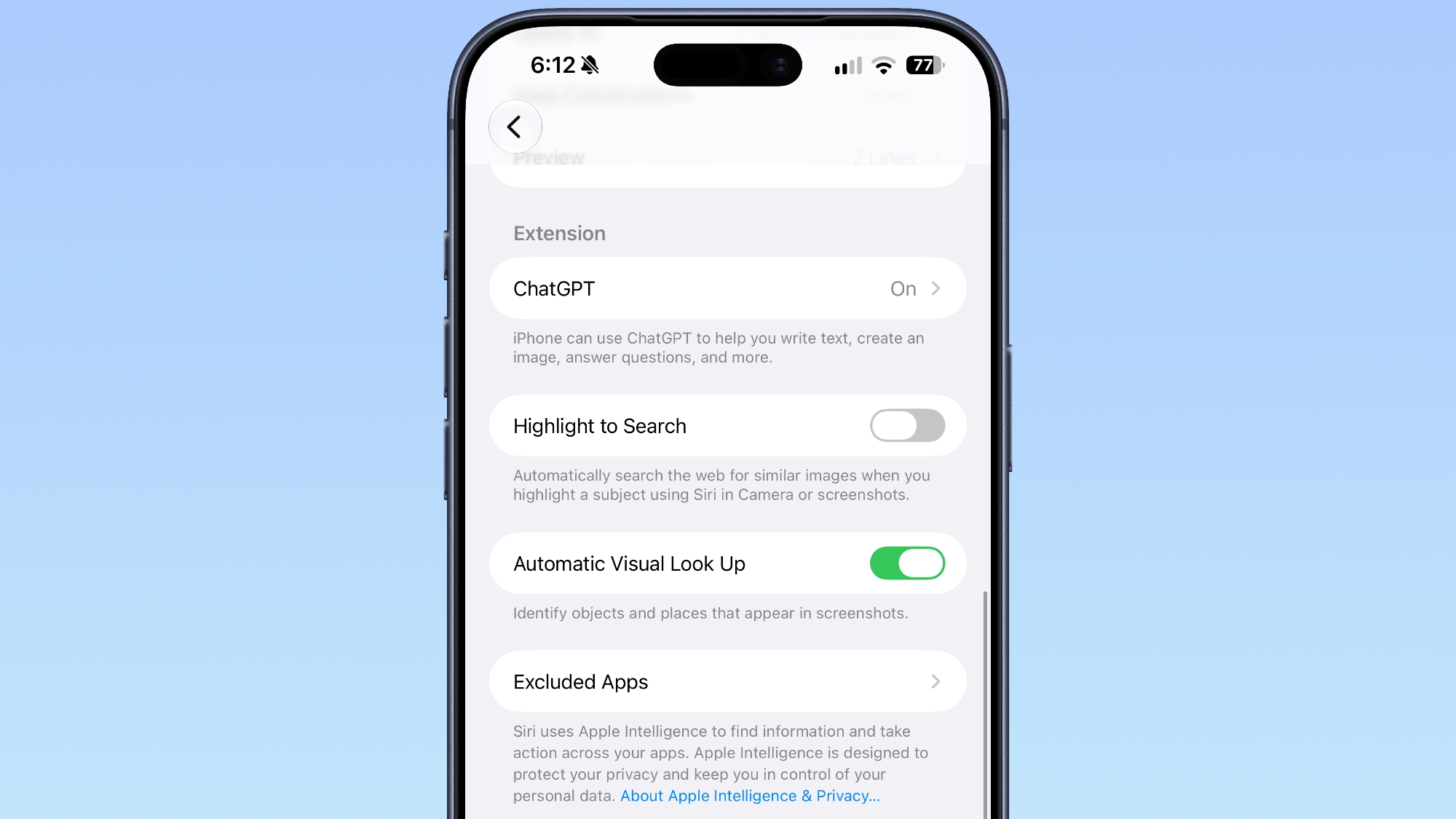
App Access in the ‌Siri‌ section of the Settings app is now named "Excluded Apps." Tapping on "Add Apps" brings up a list so multiple apps can be excluded at once. Apps previously had to be excluded one by one.


Adding an app to the Exclude list prevents it from showing up in ‌Siri‌, Search, and suggestions.

Podcasts


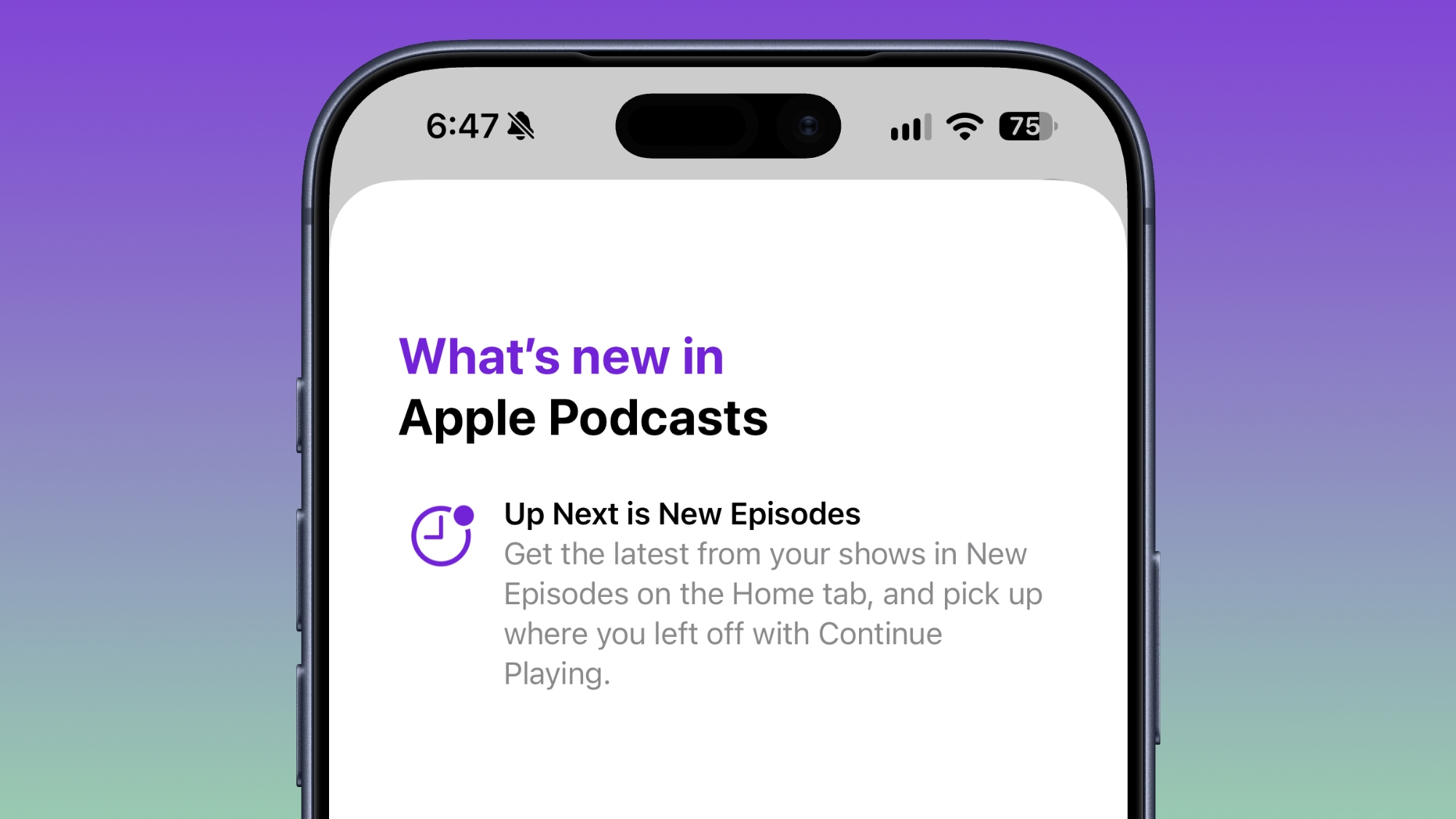
Apple renamed Up Next to New Episodes, with a Continue Playing option directly below it.


App Tracking Transparency


According to Apple's release notes for the update, App Tracking Transparency supports an alternative expanded prompt for EU users along with re-prompting on an annual basis. The alternative prompt is required for users in France, Germany, Italy, Poland, and Romania.
Related Roundups: iOS 27, iPadOS 27
Related Forum: iOS 27

This article, "Everything New in iOS 27.2 Beta 1" first appeared on MacRumors.com

Discuss this article in our forums
  •  

Tim Cook to Attend White House State Dinner for Xi Jinping

Apple executive chairman Tim Cook is expected to attend a White House state dinner for Chinese President Xi Jinping, reports Bloomberg.


Cook stepped down as Apple CEO and transitioned to executive chairman on September 1, with John Ternus taking over. Part of Cook's new role includes engaging with policymakers around the world.

U.S. President Donald Trump invited Cook, OpenAI CEO Sam Altman, and Nvidia CEO Jensen Huang, among others. The dinner will be held next week during Xi's visit to Washington.

Cook has attended multiple state dinners with Xi. Earlier this year, Xi held a state dinner for Trump in Beijing where Cook was present, and in 2015, Cook was seated next to Xi at a state dinner then-President Barack Obama hosted.
This article, "Tim Cook to Attend White House State Dinner for Xi Jinping" first appeared on MacRumors.com

Discuss this article in our forums
  •  

Hands-On With the Redesigned Health App in the iOS 27.2 Beta

With the iOS 27.2 beta, Apple is testing the new Health app that it previewed at its September iPhone event. The app has been entirely overhauled, with new Insights and Longevity tabs that give you more information on your health and fitness metrics.


The Insights tab shows your most recent health data, such as Activity Rings, heart rate, sleep score, and vitals. It'll eventually show personalized guidance, but that feature hasn't been added yet.

Apple Watch Series 12 and Ultra 4 owners will see a readiness score calculated from recent activity, vitals, and sleep score to help them decide whether to take a recovery day or push harder.

The Longevity tab looks at your health data over time to calculate your Health Age based on activity level, VO2 max, sleep time, and other metrics. It also uses fitness assessments you can do right on your iPhone to check flexibility, balance, and VO2 max.

Apple plans to offer a $119 laboratory panel from Quest Diagnostics, which will also contribute to the Health Age score. For now, you can upload your recent lab results.

Getting the most out of the Health app requires an Apple Watch or another fitness device that integrates with it.

While the Health app is being tested in the iOS 27.2 beta, it won't be part of the iOS 27.2 release. It will instead launch later this year.
Related Roundups: iOS 27, iPadOS 27
Related Forum: iOS 27

This article, "Hands-On With the Redesigned Health App in the iOS 27.2 Beta" first appeared on MacRumors.com

Discuss this article in our forums
  •  

iOS 27.2 Could Save Your Marriage

The iOS 27.2 beta that Apple released today adds a feature that reminds you it's your anniversary when you call someone, as long as you've added the date in the Contacts app.


On the date of your anniversary, when you go to call the person, you'll see a reminder that it's an important day so you don't forget to say something. The anniversary alert uses Call Context, a feature Apple added in iOS 27.

Call Context brings up information from emails and other sources when you place a phone call. If you place a call to an airline and you have an email with a flight confirmation number for that airline in the Mail app, it surfaces that confirmation number so you don't have to go digging for it.

In ‌iOS 27‌, Call Context works with birthdays, and it shows a fireworks animation when you're placing a call. iOS 27.2 adds anniversaries, but unfortunately, it doesn't come with a new animation.

The Call Context anniversary option draws from your Contacts app. To add an anniversary to a contact, open the Contacts app and select their name. Tap "Edit" in the corner, then tap "add date," and the first suggestion under date is anniversary.

You can also ask Siri AI to add the anniversary date to the person's contact card if you have a device that supports Apple Intelligence.

iOS 27.2 is in beta right now, and it is expected to launch in October.
Related Roundups: iOS 27, iPadOS 27
Related Forum: iOS 27

This article, "iOS 27.2 Could Save Your Marriage" first appeared on MacRumors.com

Discuss this article in our forums
  •  

Apple Seeds First macOS Golden Gate 27.2 Beta to Developers

Apple is testing the next macOS Golden Gate update, and developers can download the ‌macOS Golden Gate‌ 27.2 beta as of today. The beta comes just two days after Apple launched ‌macOS Golden Gate‌ 27.0.


Registered developers can download ‌macOS Golden Gate‌ 27.2 by opening up the System Settings app, clicking on General, selecting Software Update, and opting into ‌macOS Golden Gate‌ betas.

Apple removed two Apple Intelligence features from the launch version of ‌macOS Golden Gate‌, but said they would be coming back in a future software update. It's possible the features will return as soon as the 27.2 release.

Apple delayed Suggestions in Messages, a feature that lets the Messages app offer actions based on the context of conversations. If someone asks for a photo, Messages might suggest inserting it with a tap. If someone invites you to an event, Messages can suggest adding it to the Calendar app.

Apple also pulled the ‌Apple Intelligence‌ feature that automatically updates weak and compromised passwords using Safari.
Related Roundup: macOS Golden Gate
Related Forum: macOS Golden Gate

This article, "Apple Seeds First macOS Golden Gate 27.2 Beta to Developers" first appeared on MacRumors.com

Discuss this article in our forums
  •  

Apple Releases First iOS 27.2 Beta

Apple today seeded the first beta of an upcoming iOS 27.2 update to developers for testing purposes, with the update coming just two days after the iOS 27 launch. Apple also seeded an iPadOS 27.2 beta.


Registered developers can download the beta updates by opting in under Settings > General > Software Update and selecting the ‌iOS 27‌ developer beta.

Siri AI will be available in new languages later this year, and support could be added in iOS 27.2. Apple is adding French, Japanese, Korean, Portuguese, and Spanish in October.

Two Apple Intelligence features were removed from the launch version of ‌iOS 27‌, and those could also be reintroduced as soon as iOS 27.2. Apple delayed suggestions in Messages conversations and the option to automatically fix compromised and weak passwords using AI.

Apple also plans to debut a new Health app experience, and we could see that in the beta as well.

Apple releasing an iOS 27.2 beta ahead of a iOS 27.1 beta is a surprise, especially because the company plans to ship the iPhone Duo with iOS 27.1. Apple may be holding iOS 27.1 until the Duo comes out, just to keep the features under wraps. iOS 27.1 will add updated app layouts and features built for the iPhone Duo's two displays. The ‌iPhone Duo‌ will have a vertical dock, vertical Dynamic Island, new dual-screen app layouts, side-by-side app multitasking, and exclusive Camera app capabilities.

Since the ‌iPhone Duo‌ will launch on Friday, October 23 and will ship with iOS 27.1, Apple will need to release the iOS 27.1 update before then. If iOS 27.2 includes new ‌Siri‌ AI languages, it too will launch sometime during the month of October.
Related Roundups: iOS 27, iPadOS 27
Related Forum: iOS 27

This article, "Apple Releases First iOS 27.2 Beta" first appeared on MacRumors.com

Discuss this article in our forums
  •  

iOS 27.2 Adds Profiles to Apple TV App

With iOS 27.2 and iPadOS 27.2, Apple extended Apple TV app profiles to the iOS version of the app.


Apple brought ‌Apple TV‌ profiles to tvOS with tvOS 26.2, but the feature has been limited to the ‌Apple TV‌ until now.

‌Apple TV‌ app users can create new profiles in the account settings section, which can also be used to swap between profiles. Profiles only require a name, profile rating, and information about whether the user is a child.

Creating an account for a child limits content to a PG rating by default, but there is a customize option for more granular control. Users can select age ratings for TV shows and movies that are appropriate for the child based on their age

Profiles are a useful feature for a parent that wants to hand over an iPhone or iPad to a child to watch TV or movie content because it restricts what's available without impacting what the parent sees when signed into their own account.
Related Roundups: Apple TV, iOS 27, iPadOS 27
Buyer's Guide: Apple TV (Don't Buy)

This article, "iOS 27.2 Adds Profiles to Apple TV App" first appeared on MacRumors.com

Discuss this article in our forums
  •  

iOS 27.2 Adds Siri AI in New Languages

In the iOS 27.2 beta, Apple Siri AI is available in new languages, including French, Japanese, Korean, Portuguese, and Spanish.


In the launch version of iOS 27, ‌Siri‌ AI is limited to English.

Apple previously said that new ‌Siri‌ AI languages would be coming in October, so that likely means iOS 27.2 will see an October launch.

Related Roundups: iOS 27, iPadOS 27
Tag: Siri
Related Forum: iOS 27

This article, "iOS 27.2 Adds Siri AI in New Languages" first appeared on MacRumors.com

Discuss this article in our forums

  •  

iOS 27.2 Beta Previews New Apple Intelligence Health App

The first beta of iOS 27.2 includes Apple's redesigned Health app, giving developers a chance to try out the features ahead of launch later this year.


Apple's developer notes for the feature say the Health app is being tested in this beta, but it won't be in the launch version of iOS 27.2. It will instead come later in the year.

The Health app will incorporate Apple Intelligence to turn data and metrics collected by the Apple Watch into personalized guidance. Here are the new features we can expect:

  • Insights - The Insights tab offers an Apple Intelligence-generated summary of timely information like your latest sleep metrics or a new peak in VO2 max. There are options to get custom advice on readiness, fitness, heart health, and more in the For You section.

  • Personal Guidance - Personal guidance is part of the Insights tab. It knows what's important to you, and will make relevant suggestions. Apple says if you're working on your cardio, you might see a suggestion to incorporate intervals into your morning run. Recommendations adapt to each user and their data.

  • Readiness - The new Apple Watch models calculate a readiness score that takes into account recent activity, vitals, and sleep score. It gives a 0–10 score with recommendations on activity level. Readouts include Recover, Pace Yourself, Ready, or Go For It. Info is shown on the watch, in the Fitness app, and in the Health app's Insights tab.

  • Fitness - Insights incorporates your daily activity and it updates throughout the day.

  • Vitals - The Vitals option in the Health app has new overnight views and daytime views. HRV is incorporated as a metric, offering a better look at your ability to recover from stress. It measures overall HRV and recovery HRV.

  • Longevity - There is a new Longevity tab in the Health app. It uses metrics from your iPhone and Apple Watch to assess overall health across heart health, sleep, mental wellbeing, movement health, metabolic health, hearing, and nutrition. The section shows you how well you're doing in each category, and how each metric is classified against the latest clinical guidance.

  • Health Age - Health Age is part of the Longevity tab. It uses metrics like VO2 max, resting heart rate, HRV, sleep, and biomarkers from blood work to determine how your health metrics compare to your actual age. It will help you figure out what habits make the biggest impact on your health, and how you can improve.


At-home health assessments like a VO2 max test will be coming to the Health app, taking advantage of the iPhone's camera to track your movements as you follow instructions from a trainer. There will be in-depth physical assessments for measuring flexibility, strength, balance, and movement mechanics in addition to VO2 max.

Apple also plans to eventually offer U.S. users the option to buy a bloodwork panel from Quest that covers more than 50 biomarkers. The test is priced at $119, and users will be able to order it right in the Health app.

Not all of the new features are going to be available in the beta. CNET says ordering labs, personalized health info in the Insights tab, and personalized recommendations will not be available until later in the year. Features are going to roll out progressively.
Related Roundups: iOS 27, iPadOS 27
Related Forum: iOS 27

This article, "iOS 27.2 Beta Previews New Apple Intelligence Health App" first appeared on MacRumors.com

Discuss this article in our forums

  •  

Apple Releases First watchOS 27.2, tvOS 27.2 and visionOS 27.2 Betas

Alongside new betas of iOS 27.2, iPadOS 27.2, and macOS Golden Gate 27.2, Apple has released the first betas of watchOS 27.2, tvOS 27.2, and visionOS 27.2. The betas come two days after the 27.0 software updates were released.


Registered developers can download the betas through the Settings app on each device.

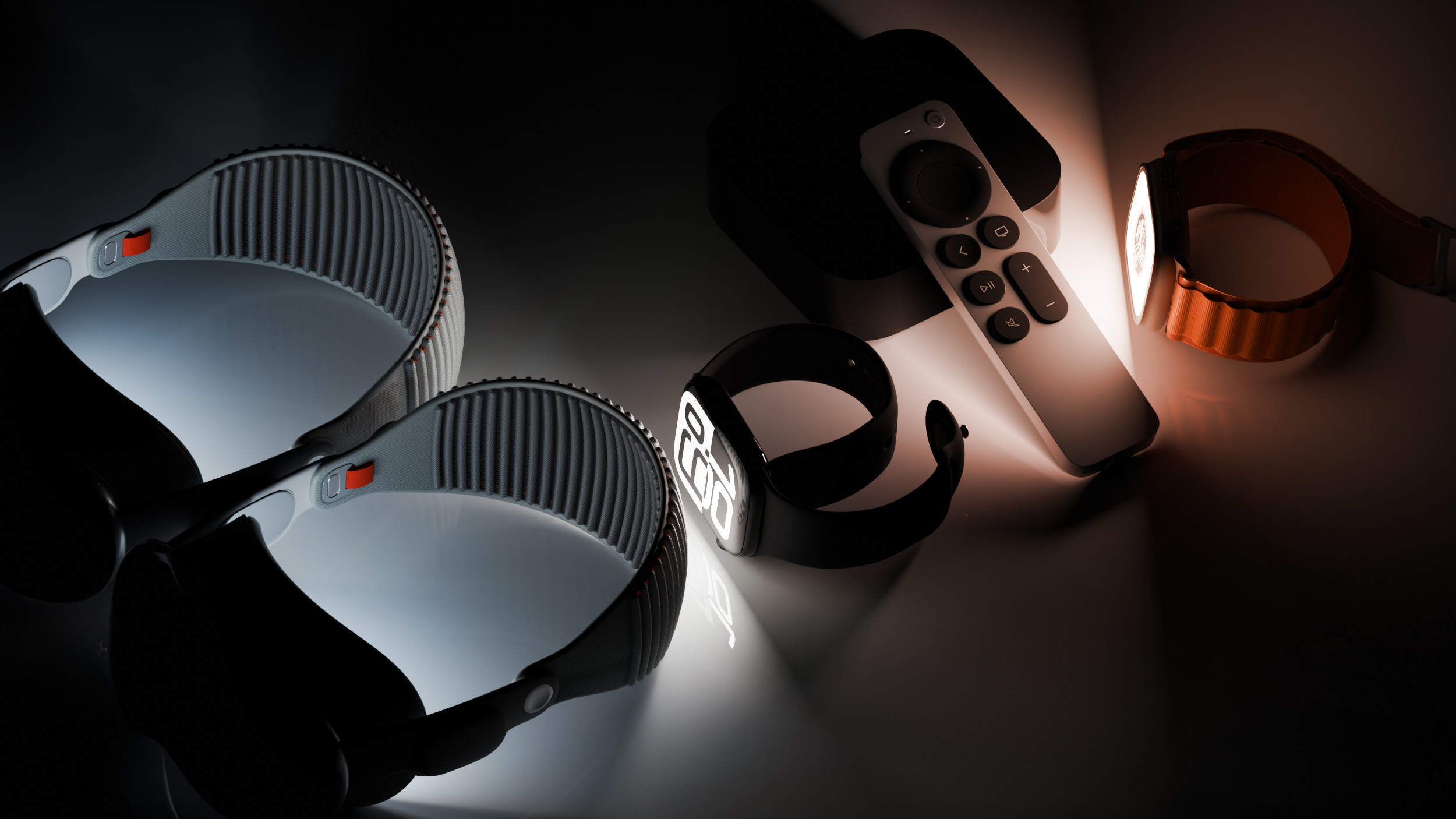
Two new Apple Intelligence features are coming to the Apple Watch Series 12 and Apple Watch Ultra 4 in late 2026, and Apple could start testing them as soon as watchOS 27.2. Live Rewind will allow users to double-press the Digital Crown to get a transcription of what was said in the last 15 seconds, while Siri Recap will turn conversations users have had during the day into high-level notes.

There's no word on what's being added in visionOS 27.2 and tvOS 27.2, but Apple is expected to introduce a new version of the Apple TV 4K with ‌Siri‌ AI support sometime before the end of the year.
This article, "Apple Releases First watchOS 27.2, tvOS 27.2 and visionOS 27.2 Betas" first appeared on MacRumors.com

Discuss this article in our forums
  •  

Apple Details How Reference Image Proves a Photo is Real

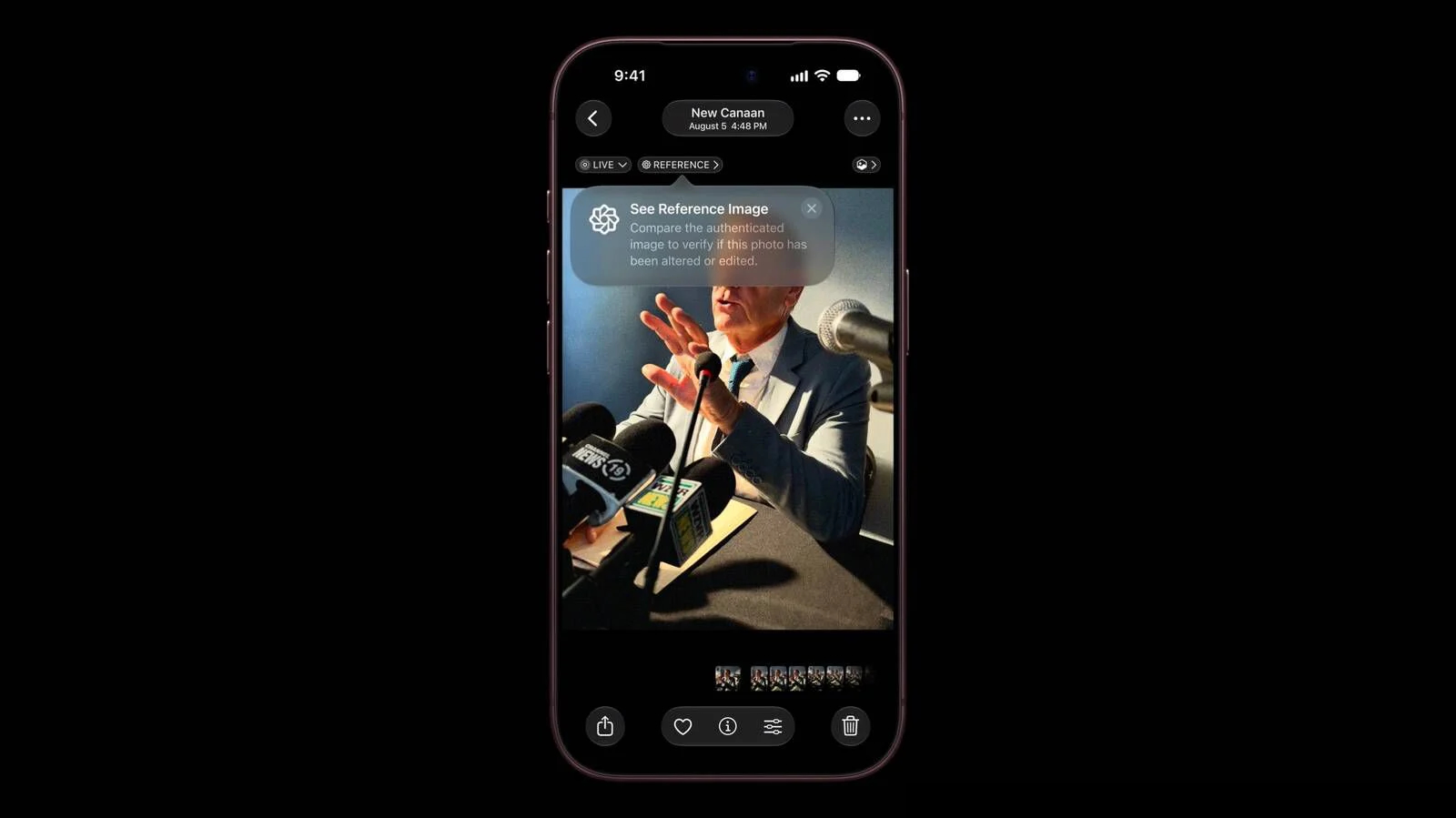
The iPhone 18 Pro models support Apple Reference Image, a way to verify that a photo was taken with an iPhone and hasn't been edited. Apple says it's a method to prove that something actually happened and wasn't AI-generated, likening the feature to a digital film negative.


Apple Reference Image offers a trustworthy, scalable guarantee that a reference image is what it claims to be: a real photograph, captured by a real sensor in an iPhone camera, at a specific time. It sets a new standard for verifiable digital photography.

Apple introduced Apple Reference Image when debuting the ‌iPhone 18 Pro‌ and Pro Max, and today the company shared more information on how the feature works on its Security Research blog.

Apple Reference Image boots the camera sensor into a specialized reference mode. The mode instructs the sensor to cryptographically sign pixel data immediately after capture, and the sensor firmware is prevented from modifying the data. Other authentication systems don't sign images until the end of the software processing pipeline, which Apple says leaves images vulnerable to tampering attacks.

Apple Reference Image creates a "secure digital negative" protected from software compromise alongside a standard editable photo. The negative is stored on-device and includes pixel data, sensor metadata, and cryptographic timestamps with lower and upper bounds. When a user decides to "develop" the negative for verification, it is sent unprocessed to Private Cloud Compute. Private Cloud Compute runs the steps needed to render the image in a secure, private, and verifiable environment.

Apple says the feature resists data injection attacks, compromised operating systems, hardware attacks, and cryptographic attacks. Apple believes Apple Reference Image is the only image provenance system with quantum-secure defenses. In case the system is breached, there is a revocation option. Private Cloud Compute calculates a confidence score for each image, and Apple can revoke individual photos or an entire sensor if fraud is detected.

To safeguard photographers, Apple Reference Image avoids using an explicit, public credential for photographers, and it prevents public association between different photos taken by the same sensor. The confidentiality of the image is protected, including from Apple.

Apple Reference Image is opt-in and is limited to the Main camera sensor.

More information on the ins and outs of Apple Reference Image can be found in Apple's full blog post.
This article, "Apple Details How Reference Image Proves a Photo is Real" first appeared on MacRumors.com

Discuss this article in our forums
  •  

What the iPhone Duo's Camera Can and Can't Do

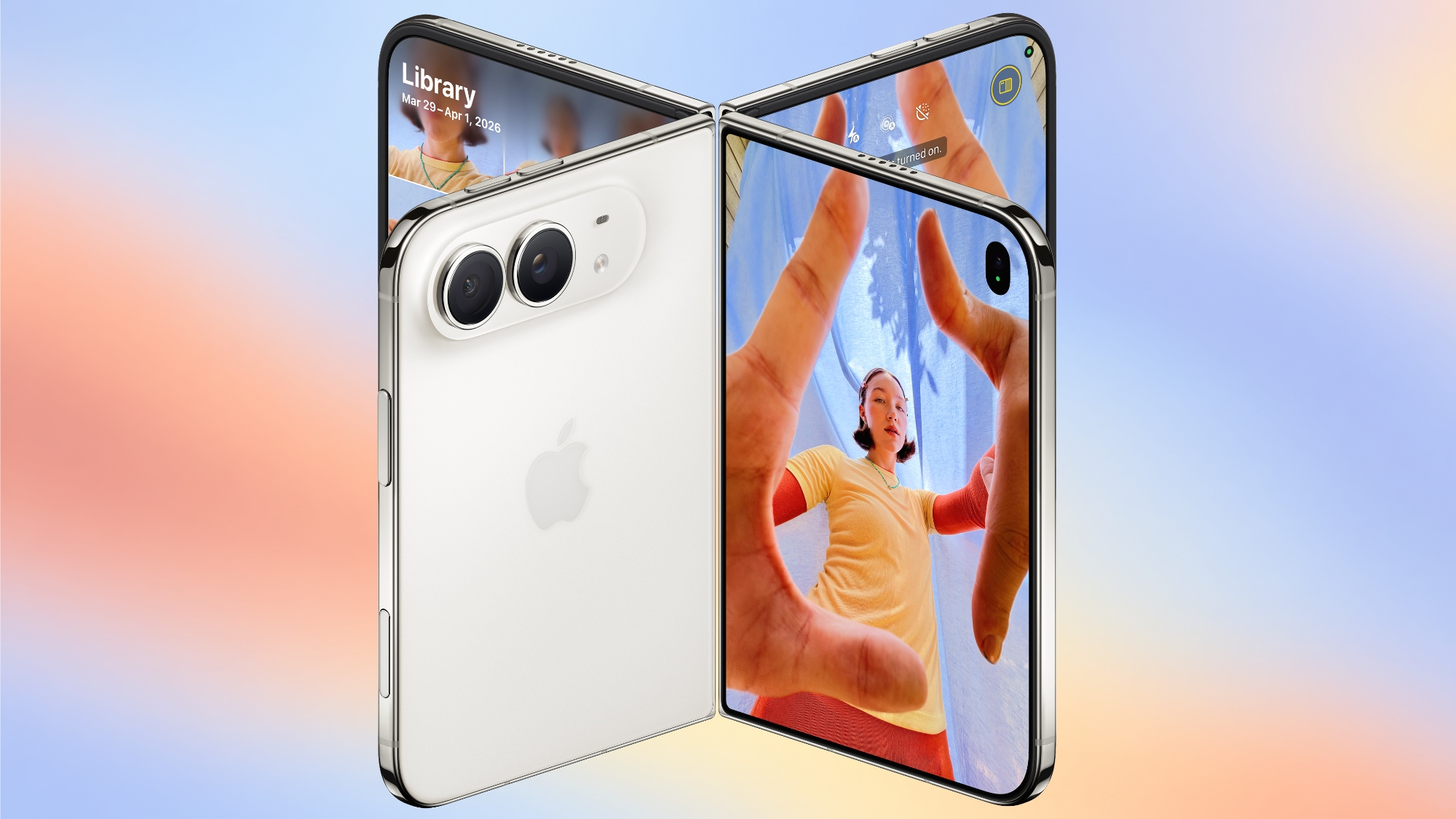
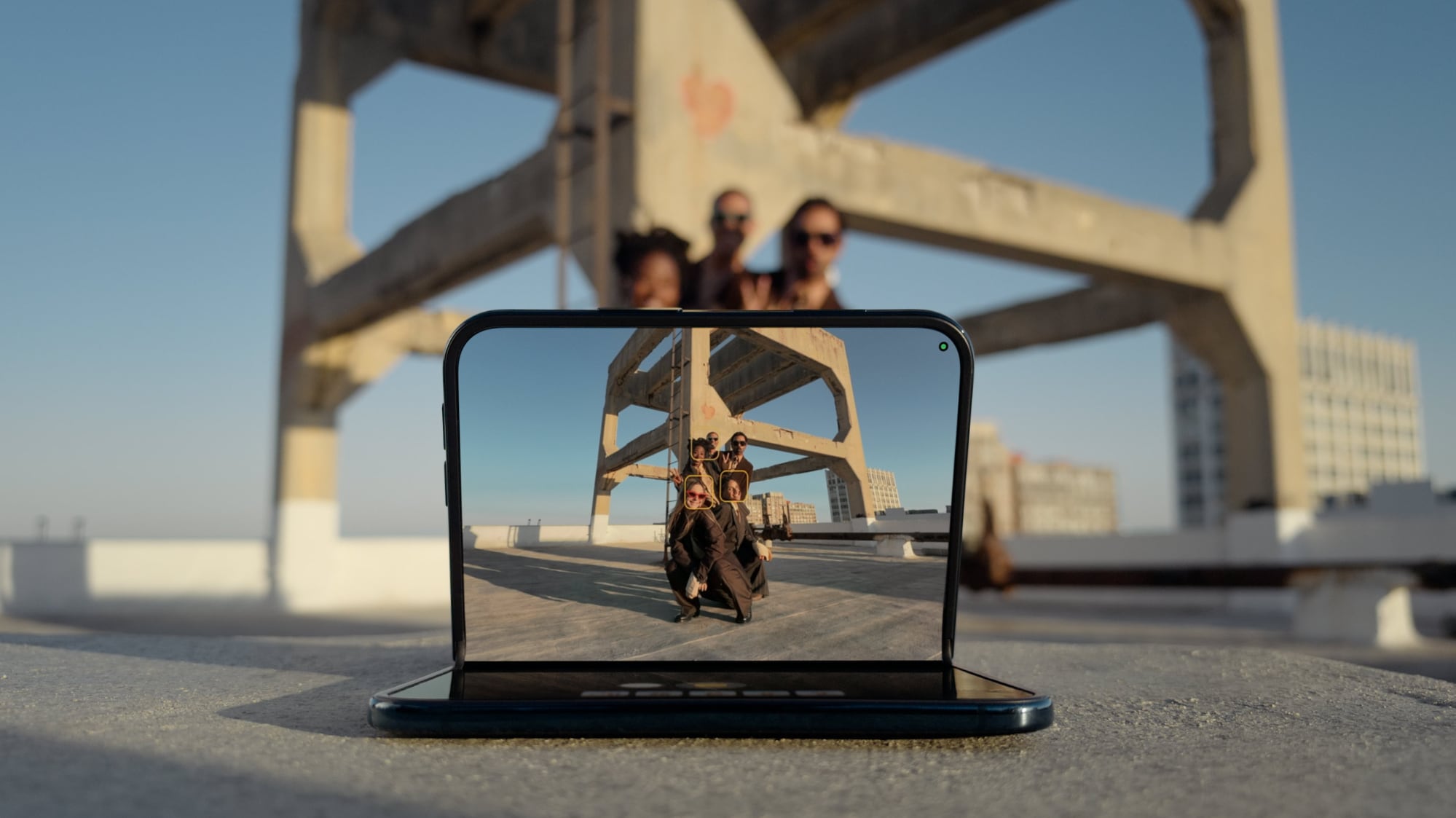
To take advantage of the iPhone Duo's dual-display design, Apple is introducing new Camera app features that are unique to the foldable iPhone.


Smart Take


Smart Take uses AI to determine when everyone (including the iPhone owner) is ready for a group shot, so no one has to use a timer or stay out of the picture to capture the image.


You can prop up the ‌iPhone Duo‌ in a half-folded orientation, get in frame, and then wait for the group shot to be taken.

Kid Cue


Kid Cue shows little Peanuts animations to children so they look at the camera when you're taking a photo.


Duo Preview


With Duo Preview, the Camera app shows a live preview of the shot on both displays, so the subject you're taking a photo of can make adjustments.


Duo FaceTime


Nearby friends can participate in a FaceTime call using the outer display while the iPhone owner uses the inner display, so nobody has to crowd around the iPhone or pass it around to get on video.


Duo ‌FaceTime‌ is not the same as Dual Capture, which records video with both the front and rear cameras. Duo ‌FaceTime‌ specifically uses the outer display to allow another person to join in on a call.

Unique Form Factor Features


The ‌iPhone Duo‌ can be used in multiple orientations, including when it's half-folded. The Duo stands up on its own, for taking ‌FaceTime‌ calls and recording video without holding it.


The folding mechanism acts like a built-in tripod and stand, so it's also useful for selfies and long exposures. You can also capture selfies with the higher-quality 48MP rear camera while using the outer display as a viewfinder, which isn't something you can do with a slab iPhone.

Camera Hardware


The ‌iPhone Duo‌ has a "Dual Fusion" two-camera setup with a 48MP Main camera. It's basically the same camera that's in the iPhone 17 (not the 17 Pro), offering 26mm 24MP images by default, along with 12MP 2x "telephoto" images at 52mm.

The camera supports sensor-shift optical image stabilization, but not the second-generation version available in the Pro models. It also does not support spatial photos or the ProRAW format.

It also includes a 48MP Ultra Wide camera with a 13mm focal length and macro capabilities. Since there's no Telephoto lens, the ‌iPhone Duo‌ is limited to 2x optical-quality zoom in, 2x optical zoom out, and digital zoom up to 10x for images.

Other Camera Capabilities


Like the iPhone 18 Pro and Pro Max, the ‌iPhone Duo‌ supports the latest Photographic Styles, which adds texture and grain parameters.

Video


Smart focus tracking is a feature new to the ‌iPhone Duo‌ and the ‌iPhone 18 Pro‌ models. It uses AI to keep a subject in focus at all times, and pick up subject tracking if the subject exits the frame and then reappears.

The Duo supports 4K Dolby Vision video recording at up to 120 fps, and Cinematic mode for recording videos in 4K Dolby Vision at up to 60 fps. For the first time, Cinematic mode effects can be added to a video after capture on the Duo and ‌iPhone 18 Pro‌. Apple also says there's improved low-light video on the Duo when recording at 1080p.

Time-lapse video recording with stabilization up to 4K Dolby Vision is a new ‌iPhone 18 Pro‌ and ‌iPhone Duo‌ option. It's especially useful on the ‌iPhone Duo‌ because you can record a stable video without the need for a tripod.

Front Camera


The ‌iPhone Duo‌'s outer front-facing camera is 12MP, not 18MP like the ‌iPhone 17‌ and ‌iPhone 18 Pro‌ models. It otherwise has the same features.

The inner display has a 1080p ‌FaceTime‌ camera that's under the display.

Missing Camera Features


Compared to the ‌iPhone 18 Pro‌ and Pro Max, the ‌iPhone Duo‌ has a more rudimentary camera system. It lacks many features available on the Pro models.

  • Telephoto lens

  • Pro Controls

  • Apple Reference Image

  • Variable aperture

  • Second-generation sensor-shift optical image stabilization

  • Adaptive True Tone flash

  • Spatial photos and video recording

  • ProRAW

  • ProRes

  • ProRes RAW

  • Genlock

  • Apple Log 2 video recording

  • Studio-quality four-mic array


Launch Date


The ‌iPhone Duo‌ will be available for pre-order on October 16, and it will launch on October 23. Pricing starts at $1,999.
Related Roundup: iPhone Duo
Related Forum: iPhone

This article, "What the iPhone Duo's Camera Can and Can't Do" first appeared on MacRumors.com

Discuss this article in our forums
  •  

Apple's Last Intel 21.5-Inch iMac is Now Vintage

Apple today added the 2019 4K iMac to its list of vintage products, which means repairs can only be done if Apple has the parts available.


Products are added to the vintage list five years after they were last distributed for sale, and they're moved to the obsolete list at the seven-year mark. Vintage products can be repaired at Apple Stores and by Apple Authorized Service Providers if the parts are available, but that's not guaranteed. Devices that are obsolete are not eligible for repair and Apple no longer makes repair components.

The 2019 iMac preceded the colorful, redesigned M1 ‌iMac‌ that came out in 2021. The machine featured a 21.5-inch Retina 4K display and the standard silver ‌iMac‌ design. The base model was equipped with an Intel Core i3 processor, 8GB RAM, and a 1TB hard drive. Pricing in 2019 started at $1,299.

The 2019 27-inch ‌iMac‌ that was sold alongside the 21.5-inch model was added to the vintage list in July 2025, but Apple sold the smaller model for a longer so it didn't previously qualify as vintage.
Related Roundup: iMac
Buyer's Guide: iMac (Don't Buy)
Related Forum: iMac

This article, "Apple's Last Intel 21.5-Inch iMac is Now Vintage" first appeared on MacRumors.com

Discuss this article in our forums
  •  

AirPods 5 Hands-On: Better Noise Cancellation, Lower Price

After Apple introduced the AirPods 5 last week, we got a set to take home and review. We've been testing the AirPods 5 for the last week and have some initial thoughts.


The ‌AirPods 5‌ have the same overall design and fit as the AirPods 4, so they're just as comfortable as the prior-generation model.

Active Noise Cancellation has been improved through new internal acoustic architecture, and it's surprisingly good. The ‌AirPods 5‌ don't have silicone ear tips so you might not expect ANC to work as well as earbuds with a tighter fit, but there is a noticeable improvement over the ANC version of the AirPods 4.

Apple says the ‌AirPods 5‌ use low-noise microphones and a new compressor tuned for open-ear ANC. The compressor is tuned to a wider frequency range and can react faster than before when conditions change. Sound is measured for the left and right ears independently, correcting for fit leaks to further improve ANC.

Sound quality on the ‌AirPods 5‌ was muddier than on the AirPods Pro 3, especially in the low mids. iOS 27 has custom EQ, though, which allows for adjustments. The ‌AirPods 5‌ support Adaptive Audio and Transparency, so they have most of the same audio features as the ‌AirPods Pro 3‌.

Apple used to limit ANC to the higher-end version of the AirPods 4, but with the ‌AirPods 5‌, it's universal. You can now get AirPods with ANC for just $129. There's an upgraded model with a Wireless Charging Case, an extra hour of battery life, and swipe-based controls on the stem for $149. The base model has four hours of battery with ANC, while the upgraded version offers five hours.

Live Translation, Adaptive Audio, Conversation Awareness, and other features that were previously limited to the higher-end AirPods 4 model are now on all models. Dust and water resistance has improved, and the AirPods have an IP57 rating, so they'll hold up better to sweat and moisture exposure.

With the ANC upgrade and the price drop, the ‌AirPods 5‌ are an excellent value. If you've been hesitant to get AirPods because of the price, this is the version to get. People who have AirPods Pro or AirPods 4 with ANC don't need to upgrade, but it's a big improvement if you have older AirPods.

The ‌AirPods 5‌ are available for pre-order and will launch on Friday, September 18.
Related Roundup: AirPods 5
Buyer's Guide: AirPods (Buy Now)
Related Forum: AirPods

This article, "AirPods 5 Hands-On: Better Noise Cancellation, Lower Price" first appeared on MacRumors.com

Discuss this article in our forums
  •  
❌