Every IT and security team knows the feeling of opening a vulnerability report and seeing a number that only goes up. Thousands of findings. Hundreds marked critical. A backlog that grows faster than any team can close it.
For years, the default response has been to work harder: more scans, more tickets, more overtime. But the volume of vulnerabilities, accelerated by AI-assisted discovery and a sprawling mix of endpoints, cloud services, and applications, has outpaced that approach.
The question has shifted from, “How do we fix everything?” To, “What should we fix first, and why?”
Vulnerabilities are not the same as exposures
A vulnerability is a weakness in software or configuration. An exposure is a weakness that can realistically be reached and exploited in your environment, with consequences that matter. That difference is where remediation prioritization begins.
A vulnerable library on a decommissioned server with no network access is technically a finding. It is not a meaningful exposure. A misconfigured remote access gateway facing the internet may never appear on a CVE list, yet it can represent serious risk. Focusing on exposure reduction, rather than raw vulnerability counts, helps teams spend limited time where it changes outcomes.
Risk-based prioritization works best when it combines technical and business factors. Is the weakness being actively exploited? Can attackers reach the affected system from the internet or through common lateral paths? What business service does the system support, and what would disruption cost? Does it store or process sensitive data? Are compensating controls already reducing the risk? Consider two findings: a critical-rated flaw on an internal development server with no sensitive data, versus a high-rated flaw on a customer-facing web server with exploit code circulating publicly. On severity alone, the first wins. On actual risk, the second is the clear priority, as Ivanti’s prioritization guide lays out in detail.
From point-in-time scans to continuous compliance
Traditional vulnerability programs often run on a scan-and-report cycle: scan weekly or monthly, generate a report, assign tickets. In a fast-moving environment, those snapshots age quickly. A new exploit for an old flaw should move it up the list immediately, not three weeks later at the next scan.
Continuous compliance closes that gap. Instead of waiting for the next scan, teams monitor for new disclosures, configuration changes, and newly exposed assets as they happen, and reprioritize accordingly. In practice, that might mean an alert when a device that was offline during patching reconnects, or when a new cloud workload appears without an assigned owner — both common sources of hidden exposure that periodic scans tend to miss. Continuous compliance also includes verification and the evidence to prove it. A ticket marked “resolved” is not proof of reduced risk. Confirming that a fix was applied, that the exposure is actually gone, and that the record is audit-ready closes the loop.
Where automated remediation fits
Automation is essential to keep pace, but it works best when matched to the right kind of risk. Routine, well-understood fixes (standard OS and application updates on managed endpoints) are strong candidates for automated remediation with staged rollouts. Configuration corrections that follow established policy can often be automated as well. Start with the fix categories where failures are easiest to detect and roll back.
Higher-impact changes, such as patching production databases or modifying network controls, still benefit from human judgment and scheduled windows. Even then, automation can help by gathering context, preparing changes, and verifying results.
Measure what actually matters
Many teams still report success in patches deployed or tickets closed. Those metrics show activity, not outcomes. More meaningful measures include time to remediate actively exploited vulnerabilities, the number of internet-facing exposures over time, and the share of critical business services with no known exploitable weaknesses. According to Ivanti’s 2026 State of Cybersecurity Report, these are the metrics that tell a clearer story about whether the organization is actually safer. Tracking them monthly also gives IT and security teams a common language for progress.
No organization will ever reach zero vulnerabilities. Chasing that goal burns out teams and distracts from the issues that matter most. The objective is not to fix everything. It is to reduce meaningful risk, continuously and deliberately, with remediation focused where it makes the biggest difference.
For most IT teams, Patch Tuesday used to set the rhythm of the month. Updates arrived, teams tested them, change boards approved them, and deployments rolled out over the following weeks. It wasn’t painless, but it was predictable.
That predictability is gone. Nearly 48,000 CVEs were published in 2025, and the average time to exploit has collapsed to roughly five days. Attackers no longer wait for organizations to finish their testing cycles.
Many practitioners now call this the Patch Apocalypse. The name is dramatic, but the operational reality behind it is not. It’s a capacity problem, prioritization problem, and process problem, all at once.
AI is speeding up both sides
Artificial intelligence is changing how vulnerabilities are found. Researchers are using AI-assisted tools to analyze code, fuzz applications, and identify flaws far faster than manual review ever could. In the short run, that means more disclosures, arriving faster, across more software.
The same techniques are available to attackers who can use AI to analyze patches, reverse-engineer fixes, and build working exploits soon after an update ships. The result is a compressed timeline. A vulnerability published on Tuesday may be weaponized before a traditional change window opens the following week.
I’ve watched this shift play out across enterprise environments, and the pattern is consistent: The disclosure-to-exploit window keeps shrinking while patch volumes keep climbing. The old model assumed you had time. You don’t anymore.
Where traditional patching breaks down
Most patch programs were designed around a simple assumption: Deploy updates consistently and risk goes down. That assumption still holds, but the math no longer works.
Consider a typical mid-sized environment with thousands of Windows and macOS endpoints, a mix of Linux servers, dozens of third-party applications, and a growing number of cloud workloads. Each month brings hundreds of relevant updates. Testing each, scheduling every reboot, and confirming every deployment is not realistic with the same headcount.
Teams then fall back on severity scores. But severity alone is a blunt instrument. A critical-rated flaw on an isolated lab server may pose less real danger than a medium-rated flaw on an internet-facing system that attackers are actively targeting. When everything marked critical is treated as urgent, urgency stops meaning anything.
The outcome is familiar to anyone who has managed a patch backlog: healthy compliance percentages on dashboards, and real exposure hiding in the gaps.
Prioritize by risk, not by volume
The more useful question is not, “How many patches did we deploy?” It’s, “Which actions reduce the most risk right now?”
Practical prioritization weighs several factors together: Is the vulnerability being actively exploited in the wild? Is the affected system reachable from the internet or untrusted networks? How important is the asset, and what depends on it? Are compensating controls already in place? Teams that apply these filters often find that a small fraction of open vulnerabilities accounts for most of the meaningful exposure. That fraction is where people, maintenance windows, and testing effort should go first.
Prioritization frees up attention. Automation frees up time. Routine, lower-risk updates (browser patches, common third-party applications, standard OS cumulative updates) can be deployed through automated rings: a pilot group first, then broader waves, with an automatic pause if failure rates spike. That leaves skilled staff to focus on the hard cases: legacy systems that cannot be patched quickly, business-critical servers that need careful scheduling, and emergency fixes for actively exploited flaws.
One practical step I recommend is to run a tabletop exercise before the next urgent disclosure. Pick a realistic scenario and walk through it. How quickly can the team identify every affected device? Who decides whether to patch immediately or apply a workaround? How will you verify the fix actually landed? Keep it short, focused, and blameless. Most teams discover the bottleneck is not the patching tool — it’s incomplete asset data, unclear ownership, or slow handoffs between IT operations and security.
A different definition of success
The Patch Apocalypse is here to stay. Vulnerability volume and exploit speed are structural trends, not temporary spikes. But the goal is not to patch everything; it’s to reduce risk intelligently, focusing effort where it matters most, letting automation handle the rest, and building the visibility and governance underneath so that when the next disclosure hits, your team is ready.
For the past few years, most enterprise AI has been advisory. It summarized tickets, drafted knowledge articles, and suggested next steps. A person still decided what to do.
That’s changing. Agentic AI systems can plan multistep tasks and carry them out: querying systems, triggering workflows, changing configurations, and closing tickets with little or no human involvement. Ivanti’s 2026 State of Cybersecurity Report found that 87% of security professionals say integrating agentic AI is a priority, and 77% report at least some comfort letting autonomous systems act without human review.
The appeal is obvious for IT teams under constant pressure. So is the risk. An AI that gives a bad answer wastes a few minutes. One that takes a bad action can take down a service.
What “rogue” really looks like
The phrase “rogue AI” conjures images of systems with intentions of their own. In IT operations, the reality is more mundane, and more likely.
An agent told to free up disk space on a server deletes log files an investigation still needs. An agent correcting configuration drift applies a change to every matching device, including kiosks that were intentionally configured differently. An agent running under a broad service account resolves a ticket by resetting access it was never meant to touch. None of these require malice: They happen when an agent has more permission than its task requires, incomplete context, and no checkpoint before high-impact actions.
This is a fundamentally different risk profile than anything we’ve managed before, and most governance models haven’t caught up. We’re applying rules built for chatbots to systems that can change production environments.
From output governance to action governance
Most early AI governance focused on outputs. Is the response accurate? Does it leak sensitive data? Those questions still matter. But when AI can act, governance has to expand to cover behavior. Teams need to define what an agent is allowed to do, under what conditions, against which systems, and with whose approval.
This is a familiar idea in a new setting. IT teams already apply least privilege to human administrators, require change approval for production systems, and keep audit trails for privileged access. Agentic AI needs the same disciplines.
Several controls help keep agents useful without making them dangerous. Give each agent only the access its task requires and avoid shared service accounts. Tier actions by impact: low-risk actions run automatically, while high-risk actions like changes to production servers should require human approval. Set blast-radius limits that cap how many devices an agent can change in a single run, with an automatic pause when failure rates spike. And require reversibility with rollback steps documented and tested.
Accountability and the compliance question
When an agent acts, someone must remain accountable. Every agent should have a human owner, documented purpose, and defined scope. Auditability is just as important. Teams should be able to answer what the agent did, why it did it, what data it relied on, and who approved it. Logs should capture the agent’s inputs and reasoning, not just the final action.
Here’s what elevates this from an operational concern to a board-level one. When an AI agent resorts to deception or unintended vulnerability exploitation to achieve its goals, it’s no longer a technical glitch; it is a potential corporate liability. Compliance needs to move to the front end, engineered into an agent’s lifecycle from the beginning. If an agent makes an unauthorized call, regulators are unlikely to view the model itself as accountable; scrutiny and potential liability will typically fall on the organization deploying it, much as responsibility would for actions taken by a human employee.
Keeping humans in the loop, wisely
Human oversight works best when it’s targeted. If every agent action requires approval, people start clicking “approve” without reading, and oversight becomes theater. A better approach reserves human review for decisions that are high-impact, unusual, or irreversible. Agents can then earn wider autonomy over time, which is a model autonomous endpoint management is built to support.
Agentic capabilities are arriving inside tools IT teams already use, sometimes enabled by default. A practical first step is an inventory: Which tools can take autonomous action, and with what permissions? Pair that with each tool’s approval settings, and you have the beginnings of an action governance policy.
Organizations must govern AI actions, not just outputs. Teams that build those guardrails early will expand automation with confidence rather than hesitation.
“Hallucination” has become the catch-all term for AI getting things wrong. It describes a real phenomenon: Large language models can generate confident, fluent answers that are simply untrue.
But in IT operations, many errors labeled as hallucinations have a more ordinary explanation. The AI isn’t inventing facts. It’s faithfully reporting information that happens to be outdated, incomplete, or contradictory. I’ve seen this play out across enough environments to know the cause usually sits upstream, in the data the system learned from and the picture of the estate it read.
That distinction matters, because the fixes are different. You don’t tune the model. You fix the information it relies on.
When the answer is wrong, but the logic is right
Imagine a service desk analyst asking an AI assistant whether a user’s laptop has received the latest security update. The assistant says yes. The analyst closes the ticket. Two days later, the device is flagged in a vulnerability scan. What happened? The assistant pulled from an endpoint record last updated before the device went offline for a week. The data was accurate when it was written. It wasn’t accurate when it was used.
Or consider a knowledge article describing a VPN troubleshooting procedure that was retired after a network change. An AI assistant retrieves it, summarizes it neatly, and recommends steps that no longer apply. The model performed well. The source didn’t. In each case, a human reviewer reading the same record would likely have made the same mistake.
This is not a rare edge case. In a 2026 survey of 3,900 employees across six countries, including 1,500 IT professionals, 68% of IT pros reported personally seeing AI produce hallucinations with potential operational impact. Just over half caught the errors before they caused problems, while 16% did not. That’s a significant chunk of wrong answers making it into real workflows, and those are just the ones people noticed.
3 data problems behind unreliable AI
Firstly, most trust issues with AI in IT operations trace back to a few recurring patterns. Poor data quality (missing fields, inconsistent naming, duplicate records) makes it hard for any system to produce accurate answers.
Stale information is the second pattern. IT environments change constantly. Devices move, users change roles, software is updated. Data that was correct last month may be misleading today, especially when AI presents it with no indication of age. Autonomous endpoint management can help keep records current, but many organizations still rely on periodic manual cleanups that leave gaps.
The third is conflicting records. When two systems disagree, AI may pick one arbitrarily, blend them, or produce an answer that matches neither. Without a clear rule for which source wins, the output becomes unpredictable.
Explainability and governance build trust
For IT teams, a useful AI answer isn’t just correct. It’s checkable. When an assistant recommends an action, practitioners need to see where the recommendation came from. Which record did it use? When was it last updated? Did other sources disagree? Explainability turns AI from a black box into a colleague whose reasoning can be reviewed. It also speeds up correction: If an analyst can see that an answer came from a stale knowledge article, they can flag the article instead of losing faith in the entire tool.
The governance measures that reduce unreliable output are less about tuning models and more about maintaining the information they rely on, as the Ivanti Neurons platform is designed to do. Set freshness thresholds so data older than a defined window is flagged or excluded. Establish source-of-truth rules for when systems conflict. Assign owners to knowledge content with scheduled review dates. Log AI recommendations and outcomes so recurring errors can be traced to their source. And give practitioners an easy way to report incorrect answers.
Trust is earned in small moments
Adoption of AI in IT operations rarely fails in one dramatic incident. It erodes gradually, one questionable answer at a time, until practitioners quietly stop using the tool. The reverse is also true. Trust builds when answers are consistently accurate, sources are visible, and errors are easy to trace and fix.
Reliable AI starts with reliable information. The instinct when a system produces a confident wrong answer is to blame the model. Most of the time, the technology did exactly what it was told. It just wasn’t told the truth.
Ask an IT team a simple question, “How many laptops do we have?” and the answer often depends on who you ask and which console they open.
For years, that ambiguity was manageable. People reconciled the differences in their heads, in spreadsheets, or in meetings. Ivanti research shows that 34% of organizations still track IT assets in spreadsheets, which shows how much reconciliation still happens by hand.
Automation changes the stakes. When software acts on data without a person double-checking it first, the question of which data is correct stops being academic. People tolerate ambiguity and ask questions. Automation doesn’t. It executes at scale and at speed.
What a system of record actually means
A system of record is the authoritative source for a specific type of information. It is the place everyone agrees to trust when systems disagree. That doesn’t necessarily mean a single database holding everything. In most environments, it is more realistic to establish clear authority by data domain. One source might be authoritative for device identity and hardware details, another for user and identity data, another for service relationships and dependencies. What matters is that the authority is explicit, documented, and respected by every process and tool that consumes the data, including automation.
Consider what happens without it. An automated workflow deploys a patch to a device, but the device record is duplicated and the patch targets the wrong machine. A rule flags laptops that haven’t checked in for 60 days as possibly lost, but the check-in dates are stale, so active devices get flagged anyway. If HR and IT systems disagree about an employee’s status, access may be revoked too early or not at all. Each rule is only as good as the data behind it.
Ownership, authority, and traceability
Data ownership and data authority are two concepts that often get blurred. Ownership is about accountability: who is responsible for keeping a data domain accurate, resolving conflicts, and approving changes. Authority is about precedence. When two systems hold different values for the same attribute, which one wins? Both need to be defined. A source can be technically authoritative, but if nobody owns its accuracy, quality will drift.
A practical way to start is to list the 10 to 15 attributes automation relies on most: device name, owner, location, operating system, criticality, last check-in, and assign both an authoritative source and an accountable owner to each.
Traceability matters just as much. When an automated action goes wrong, the first question is always, “Why did it do that?” A trusted system of record makes that question answerable. If teams can trace an action back to the specific record and attribute that triggered it, along with when that data was last updated, troubleshooting takes minutes instead of days. Without it, teams are left reconstructing events from scattered logs and memory.
Context and foundation
Raw records aren’t enough. Automation also needs operational context: which business services a device supports, how critical it is, who depends on it, and what maintenance constraints apply. A server running payroll at month-end should not be treated the same as a test server, even if both share the same vulnerability. Context allows automation to make proportionate decisions instead of uniform ones, and the Ivanti Neurons platform is built to connect asset data with service maps, ownership, and business priorities.
It is tempting to start an automation program with the workflows themselves. They are visible, measurable, and satisfying to build. The data foundation underneath is harder to show off. But teams that skip it tend to automate their inconsistencies and then spend months chasing the side effects. Autonomous endpoint management requires a foundation you can trust, and that investment pays off in every workflow built on top of it.
The organizations getting real value from AI didn’t start with the model. They started with the data. Because without trusted data, AI is just guessing. And in enterprise IT, guessing isn’t a strategy.
Employers are getting pickier when looking at tech resumes, but competition for the right skills is still intense. Companies will pay a premium for experience and advanced AI skills.
“The market is no longer defined simply by how many people employers hire, but by how precisely they hire,” said Ger Doyle, ManpowerGroup’s regional president for North America.
In many cases, employers would rather leave a position open than make the wrong hire, Doyle said.
AI fluency and expertise are driving higher salaries, talent consulting firm Robert Half said after surveying more than 2,000 hiring managers, business leaders, and employed workers for its 2027 salary guide. “72% are increasing pay for relevant AI skills, with 42% offering more for AI-related expertise than other technical skills,” the firm said.
The tech job market today
There were 272,040 new IT openings posted in September, boosting the active listings to 625,633, the highest in more than three years, according to a study released by CompTIA earlier this month. About 349,821 jobs listed in September — more than half the active listings — needed AI skills, growing by 32,327 compared to August, CompTIA said.
In a recent survey of tech and IT service employers, AI literacy was the most in-demand technical skill, with 34% of US respondents naming it as a sought-after skill, reported Experis, part of ManpowerGroup, in its fourth-quarter talent outlook. AI modeling and app development followed close behind at 33%.
“We’re seeing it influence hiring across occupations ranging from data science and engineering to project management and operational roles,” ManpowerGroup’s Doyle said.
Employers face a tug-of-war as workflows transform and job requirements change, said Michael Chui, senior fellow at McKinsey.
“You have to have the right talent in place. You have to retrain. You might have to change the incentives. That’s all hard work,” Chui said.
Companies want to hire AI-fluent workers who can hit the ground running. They prefer candidates who have used cutting-edge tools and services.
In tech job postings, employers are seeking more experience but fewer skills, said Dean Boerner, a data scientist at Revelio Labs, in a study published last month. Since late 2024, the average number of skills required in tech job postings dropped from about 30 to 21, while required experience rose from about 4.6 to 4.8 years.
Employers particularly want more years of experience in data-related skills such as data organization, data research, and enterprise architecture design. This translates to hiring experienced personnel rather than handing duties to junior hires or AI systems, Revelio said in its study.
Fewer job listings mention broad categories like software and application development, the study said, while a larger number of job listings mention specialized skills such as Java API development and Python development. Other AI-linked skills including networking, cloud development, and machine learning are also in demand.
The AI infrastructure buildout has also led to an increased demand for semiconductor talent, network architects, construction managers, and software developers.
“Data centers are the factories of the AI economy, and every server rack that comes online needs someone who knows how to run it,” said Kye Mitchell, head of Experis US.
Experts said software developer roles are now pivoting toward data and machine learning expertise. AI is automating coding, so software developers are becoming AI engineers with duties that include verifying AI-derived code and ensuring compliance.
“Governance is a thing in which engineers will have a key role to play… AI engineers build contextual guardrails for compliance,” said Deepak Seth, senior director analyst at Gartner.
Salaries
AI engineer will be among the top-paid jobs in 2027, with salaries ranging from $154,500 to $196,750, depending on experience, according to Robert Half.
AI architects get between $145,250 and $204,000. Salaries for AI/ML analysts, machine-learning engineers, and data scientists range from $121,250 to $186,750.
RPA (robotic process automation) engineers, who focus on software and automation, get salaries between $107,000 and $155,250. Salaries also depend on location.
Career ladder
AI is throwing out the traditional way to climb up the career ladder. Hands-on experience and on-the-job upskilling matter more, while academic credentials carry less weight.
Companies are looking for specialized, judgment-heavy skills, “which younger workers are the least equipped to offer,” Revelio Labs said in its study.
PwC noted that entry-level roles in AI-exposed jobs now demand skills that are traditionally developed through experience, such as leadership and strategic thinking.
“Organizations must rethink how they mentor and train junior staff, helping them step up to complex decision-making much earlier in their careers,” PwC said in its June report.
Fresh graduates combining technical fundamentals with practical experience, AI fluency, and strong communication skills will stand out, Experis’ Mitchell said.
“[Employers] are also building talent from within, expanding talent pools, and using multiple strategies to meet their needs,” Mitchell said.
Proof of AI proficiency in the workplace will become a standard requirement, Gartner’s Seth said. By 2027, 75% of hiring processes will include certifications and testing for workplace AI proficiency during recruiting, he said.
“Anybody in the IT world knows… we were asked for certifications about Java or C++ or whatever. Now suddenly that will shift to workplace AI proficiency,” Seth said.
Skills are also going out of date faster. “The half-life of technical skills will shorten from 8 to 12 years to 2 to 5 years. So adaptability and learning velocity will become very, very key,” Seth said.
“Rehiring is expensive. Reskilling is a better option,” Seth said.
The embargo for iPhone Duo reviews has broken, which means dozens of reviews have appeared all at once. It’s like sitting in an empty office with all the phones ringing at the same time. No one can answer all of them.
So, what are reviewers saying about Apple’s new $2,000 product? What’s hot? What’s not? And what’s next?
Let’s begin with the criticisms.
Almost every review I read is critical about the same things: the lack of a telephoto lens on the camera, the decision to use Touch ID, and lagging third-party software support for the device, with some criticism of the FaceTime camera.
To be fair, one of those criticisms will change as developers build iPhone Duo support for their applications, while others will change in future versions of the device.
A convincing case for foldables
Reviewers seem to agree that Apple has plucked all the best ideas introduced in foldables so far and wrapped them in a highly designed, well-executed, luxurious product they think sets the scene for the next generation of foldable smartphones. As the history of most Apple product introductions shows, first-generation compromises will be overcome.
The iPhone Duo form factor itself, however, seems to be a success.
“For an iPhone user who has never experienced a foldable, I suspect they will be surprised by how quickly the larger display starts to feel useful,” wrote Francisco Jeronimo, IDC vice president, worldwide devices, in a note seen by Computerworld. “Apple has made a convincing case for this form factor. Now comes the next test: turning excitement into availability, adoption and a lasting new chapter for the smartphone market.”
Here’s what the first reviewers have to say
“Masterfully-designed”
“The iPhone Duo is a masterfully designed product that earns its two grand price tag. By borrowing the same aspect ratio as a notepad, it feels compact when folded and expansive when opened up to double in size. It’s crazy thin — just 5.2mm when folded flat — and littered with small design choices that add up to an overwhelming sense of luxury,” wrote Robert Leedham at GQ.
“Hype is justified”
“After a week of testing, I can say that hype is justified. Its polished design and thoughtful craftsmanship, headlined by a unique inner display and hinge design, set a new platinum standard for folding phones, and serve as a shot in the arm of the entire smartphone ecosystem. Needless to say, the Duo is the best foldable phone I’ve tested to date, and the freshest, flashiest phone I’ve used in years,” wrote Stefan Vazharov at Popular Mechanics.
You may not need it
“If you want the convenience of a larger screen without carrying two devices, the Duo could be a compelling proposition. But if you prefer to use your phone and tablet separately, you’re paying a premium for a folding design you may not need,” wrote Shivali Best at the Daily Mail.
“An incredible piece of engineering”
“It’s hard to overstate just how impressive the whole thing feels in practice. The hinge feels fantastic, the smaller footprint makes it surprisingly easy to carry, and you can unfold it into a 7.6-inch display. It’s an incredible piece of engineering, and even after a week, I’m still impressed by how well the entire package comes together,” wrote Chance Miller at 9to5Mac.
“Satisfying“
“’Satisfying’ is the best way to describe the feeling of repeatedly opening and closing the iPhone Duo. It’s as if Apple inadvertently created a digital fidget spinner — the more I carried around the iPhone Duo, the more I found myself absentmindedly folding and unfolding the phone,” wrote Lance Ulanoff at TechRadar.
Cohesive. Intuitive. Useful
“Thoughtful software integrations … give the Duo’s unique design a practical purpose beyond the novelty. The result is a foldable experience that feels cohesive, intuitive and genuinely useful, which could help win over more people to foldables in general. But I think that broader appeal is still a ways off,” wrote CNET’s Abrar Al-Heeti.
“A little bit like magic”
“If you care about having the fanciest phone, this is the one. It’s a neat little book-like iPhone when folded. But that inner display, once you open it, is the nicest phone display I’ve ever seen. It’s matte and has a 120Hz refresh rate, so when you lay the unfolded Duo on a table, a still image on the display appears solid, like a painting… The transition effect Apple’s designers have conjured for opening and closing the phone does look a little bit like magic,” wrote Mashable’s Stan Schroeder.
“Strong and smooth”
“Early folding phones had creaky hinges that felt grindy and didn’t always open fully. Those pioneering devices led the way, to be sure, and they deserve credit for being first to market with those designs. But none of the four competing folding devices on my desk (all from 2026) have a hinge that feels this strong and smooth,” wrote PC Mag‘s Eric Zeman.
“Worth the wait”
“While the Duo is heavy, expensive and late to the market compared to its Android rivals, it encompasses some of the best tech used by its competitors while also redeeming features that other manufacturers have seemingly left for dead. And even though many apps still need to be optimized to fully take advantage of the Duo’s design, the release of Apple’s first foldable has been worth the wait,” said Engadget’s Sam Rutherford.
“Something magical”
“At the risk of sounding cliche, there’s something magical about using the iPhone Duo. The way it seamlessly transitions from phone to tablet and back again. The fact that you can’t even feel the crease — though it is visible. And the way the software reacts based on the angle of the device,” writes Mark Spoonauer at Tom’s Guide.
My take
Having read these reviews, I don’t think any of them will quell enthusiasm for Apple’s $2,000 device. I also think its introduction will help Apple create a mind shift among consumers, some of whom may recall when the $499 entry-level price Apple charged for the original iPhone was seen as too expensive.
In this case, by combining premium hardware design with smart software decisions, Apple seems to have created an experience many consumers will value. Even those who don’t will probably spend time snapping the fold on the display units at their local Apple Store, if only to find out if doing so really is “satisfying” enough to spend two thousand bucks on a machine for doom scrolling and taking pictures of the family cat.
I believe Apple has reset the industry and will sell as many of these things as it is able to create. I also look forward to seeing what it comes up with next year. There’s only eleven months — and the many stages of new Apple product rumor — until we find out. That suggests the first well-timed Bloomberg rumor will slip just before Christmastime…
Now please subscribe to my daily, human-curated Apple-related news headline feed at The Core, or follow me on BlueSky, LinkedIn, or Mastodon.
Microsoft expanded its sovereign cloud offerings on Tuesday, adding new security, governance and AI capabilities as customers, particularly in Europe, demand greater assurance over where data is stored, who can access it and how critical services operate during disruptions.
The announcement builds on Microsoft’s ongoing digital sovereignty efforts, assisting organizations in applying appropriate levels of control to each workload rather than forcing a rigid, one-size-fits-all approach.
“Organizations are considering more than where data resides. They also seek to understand who can access and operate their systems, how sensitive digital assets remain protected, which technology dependencies matter most and whether critical services can continue as regulatory, geopolitical, security or network conditions change,” Douglas Phillips, president and CTO at Microsoft Specialized Clouds, said in a blog post.
The developments come amid growing international scrutiny of how global tech providers handle sensitive data and the extent of control customers retain over their digital infrastructure.
“Three factors are driving this, including stricter data regulations, rising geopolitical tensions, and growing AI adoption,” said Pareekh Jain, CEO at EIIRTrend & Pareekh Consulting. “Governments and enterprises want greater control over where their data is stored, who can access it, and whether critical systems can operate during disruptions. For instance, governments and big enterprises in Europe are worried about keeping their important data on an American company’s computers. Europe has proposed a new law that would limit the use of US cloud companies for sensitive government data in many areas. Microsoft is responding to these concerns while competing with local sovereign cloud providers.”
New controls across cloud and AI workloads
Microsoft is introducing the Sovereign Control Panel, a unified Azure portal experience that will allow organizations to assess their sovereignty posture, identify risks and gaps, apply controls, and evaluate workload portability. The panel is scheduled to enter public preview at Microsoft Ignite.
Expanding on Azure Key Vault Managed Hardware Security Module (HSM), which gives customers dedicated protection over encryption keys, Microsoft is now extending control beyond its own infrastructure. External key management with Azure Managed HSM is now generally available, enabling organizations to keep root encryption keys in hardware they own and operate on-premises or through a trusted third party.
In limited preview, Azure Confidential Clean Rooms will use confidential computing to support collaboration involving sensitive data, where participants will be able to analyse shared information while limiting broader exposure of the underlying data.
Microsoft is also expanding Azure Local to bring more cloud capabilities into customer-operated environments. The ability to transition workloads between connected and disconnected states is entering public preview. Additionally, DocumentDB and Blob Storage are entering public preview on Azure Local, while SQL Server on Azure Local is already generally available for connected and disconnected deployments.
On the AI front, Foundry Local is scheduled to become generally available at Microsoft Ignite for connected and disconnected operations on Azure Local. It will support local inference and agentic retrieval in natural language, backed by an expanded model catalog from Microsoft, partner networks, and the open-source community.
To further protect data during processing, Confidential Virtual Machines on Azure Local is now generally available, leveraging hardware-encrypted memory and isolation alongside workload attestation before sensitive keys or data are released.
While these additions give enterprises greater flexibility, industry analysts emphasize that localized deployments do not automatically erase vendor dependency.
“Depending upon the deployment model, in the public cloud, enterprises get better visibility, stronger access controls, and more control over encryption keys,” said Ashish Banerjee, senior principal analyst at Gartner. “In the Sovereign Private Cloud, they can operate infrastructure locally and even disconnect selected workloads from Azure. But I would not call this complete control. Enterprises still need to check whether Microsoft remains involved in identity, software updates, management, or technical support for the services they use.”
For customers in the EU and the European Free Trade Association (EFTA), Microsoft is rolling out Data Guardian. Under this model, a trusted regional partner will provide independent oversight of remote access requests by Microsoft engineers. Simultaneously, a Production Touch Ledger will create tamper-evident logs of all technical actions performed.
Microsoft is also broadening its Sovereign Partner Ecosystem, highlighting regional operators like Bleu Cloud in France and Delos Cloud in Germany, alongside independent software vendors specializing in security, identity, observability, and backup.
Geopolitical realities and market limits
Despite these additions, analysts note that technical controls cannot eliminate geopolitical dependence entirely. US hyperscalers (Amazon, Google, and Microsoft) continue to account for roughly 70% of the European cloud market, whereas European providers’ market share has contracted over the last decade.
The new measures introduced under Microsoft Sovereign Cloud do reduce risks but cannot eliminate them. “Local infrastructure, independent encryption keys, and disconnected operations make it harder for external parties to access data or disrupt services. However, Microsoft remains subject to applicable US laws, sanctions, and export restrictions. Enterprises gain greater operational independence but not complete legal or technological independence,” added Jain.
Furthermore, while sovereign cloud capabilities can offer greater control over data, infrastructure, and operations, this often comes with trade-offs in cost, performance, scalability, and access to services.
Banerjee noted that sovereignty should be assessed workload by workload, rather than applied as a label to the entire cloud environment. Greater sovereignty generally comes with greater cost and responsibility. Local or disconnected environments may not receive every Azure service at the same time. Enterprises may also need dedicated infrastructure, specialist skills and separate continuity arrangements. On top of that, they may lose some elasticity and economies of scale.
“So, I would not recommend maximum sovereignty for every workload. Reserve it for workloads where the legal, operational or geopolitical risk genuinely justifies the additional complexity,” added Banerjee.
When an AI pilot in IT operations underdelivers, the first instinct is to question the technology. Was the model wrong? Did the tool overpromise? Did the team pick the wrong use case?
Those are fair questions. But in many organizations, the answer sits somewhere less glamorous: in a configuration management database that hasn’t been reconciled in two years, in asset data in spreadsheets, or in a service desk where three teams use the same category field in three different ways.
AI doesn’t create these problems. It surfaces them quickly and publicly.
The silo problem nobody owns
Most IT environments grew one tool at a time. The endpoint team adopted a management platform. Security brought in a scanner. Service management built workflows in the ITSM tool. Procurement tracked purchases in its own system. Each decision made sense on its own. Few were ever designed to share data with one another.
The result is a landscape where every team holds a partial view of the same environment. The endpoint console shows 9,400 devices. The scanner sees 8,700. The CMDB lists 10,200, including hundreds retired long ago. Nobody is exactly wrong, but nobody is complete.
People have learned to work around these gaps. An experienced analyst knows which system to trust for which question and fills in the rest from memory. That institutional knowledge is valuable, but it’s invisible to AI. And that’s where the trouble starts.
The gaps are organizational, too
Fragmentation isn’t only technical. Ivanti’s 2026 State of Cybersecurity research found that 48% of security professionals say IT teams don’t respond urgently to security concerns, and 40% say IT lacks an understanding of the organization’s risk tolerance. Those aren’t tooling gaps. They’re alignment gaps, and they shape how data is collected, labeled, and maintained across every system AI will eventually draw from.
When AI meets these gaps, the outputs reflect them. An AI assistant asked to list which laptops are missing a critical update may double-count some machines and miss others entirely if the endpoint tool and scanner disagree on device names. An automated ticket-routing model trained on inconsistent historical data learns that inconsistency and repeats it at scale. In both cases, the technology is doing what it was designed to do. The problem is that the organization never agreed on a shared picture of reality.
The flip side is that aligned organizations see measurably better outcomes. At organizations where AI is treated as business-critical, 54% of IT professionals say it makes their work both faster and better, more than double the 24% at companies still stuck in pilot mode. AI doesn’t create alignment. It rewards it.
Building trusted context
The goal isn’t perfect data. That rarely exists. The goal is trusted context: information consistent and current enough that people and AI can act on it with confidence.
Practical steps include mapping where key data lives today and where systems disagree, assigning clear ownership for each critical data domain, agreeing on common definitions for assets and statuses, and automating reconciliation between systems instead of relying on periodic manual cleanups. Tracking data quality as an ongoing operational metric matters too, not just a one-time cleanup.
Starting small helps. Pick one AI use case (vulnerability reporting or ticket triage, for example) and trace every data source it depends on. Fixing alignment for that slice produces visible results and a repeatable model for the next one.
There’s an upside to all of this. AI pilots that expose data gaps are doing something useful: They show teams exactly where alignment breaks down, often faster than any audit could. AI is a mirror, not a magic wand. Teams that treat those findings as a roadmap rather than a reason to abandon AI will be in a far stronger position to scale it responsibly.
In a weird way, I’ve been thinking about the idea of a Googlebook for well over a decade now — despite the fact that such a product has only officially existed for a matter of months.
I’m relatively unusual in the world of tech journalism, y’see, in that I’ve been both writing about Android and ChromeOS since the platforms’ earliest days and actively using devices from both ends of those ecosystems in my own day-to-day life that entire time. Most tech writers tend to be iPhone owners and Chromebook skeptics who see this part of the digital world from an outside view — once a year or so, when significant new devices come along for assessment — without having the perspective of someone who’s truly immersed in it day in and day out.
That distinction is always painfully apparent when you read a review that waxes on endlessly with out-of-touch iPhone comparisons and comments about the limiting nature of Google’s ChromeOS concept — positions that simply aren’t accurate for those of us who live in these ecosystems and embrace the philosophies they offer.
This won’t be one of those reviews, and I perhaps more than anyone have been champing at the bit to get my hands on one of Google’s new Android-ChromeOS-combining Googlebooks since the vaguest concept of these devices first appeared on the horizon earlier this year.
So keep that in mind when I tell you, coming from the perspective of someone who very much wanted to love this: Using a Googlebook is an extraordinarily strange experience — especially when you’re treating it like a regular laptop, as it’s being positioned by Google, and relying on it to get real work done.
But amidst all the oddness, there are some true high points along with plenty of intriguing, if unfinished-feeling, potential.
Here’s what it’s been like trying to actually work on a Googlebook — specifically, the Lenovo Googlebook, which sells for $1,149 (and was provided to me as a short-term loaner from Lenovo for the purposes of this article).
The Googlebook groundwork
First things first, let’s back up a minute and set the stage for what we’re even talking about here.
It’s meant to represent an evolution of sorts from the Chromebook, the initially simple laptop Google launched in 2012 and slowly morphed from a barebones web portal into an “everything OS” — a system that runs web apps, Android apps, Linux apps, and even sometimes Windows apps, for businesses that have specific needs that can’t be addressed in any other way.
But while ChromeOS and Android grew closer and more connected over time, Googlebook OS — the awkwardly clunky name of the operating system at the heart of every Googlebook — sets all of that aside to aim for a fresh start. The software here sports Android at its core alongside a variety of optimizations designed to bring in bits of ChromeOS-like elements and make everything seem more suited to a laptop setting.
With that in mind, starting to use a Googlebook is both immediately familiar and vexingly confusing. The interface feels a lot like Android, which is nice, but it also doesn’t quite feel in line with how you expect to work on a desktop computer. It’s a jarring sort of mashup, and it’s tough to wrap your head around to get comfortable working.
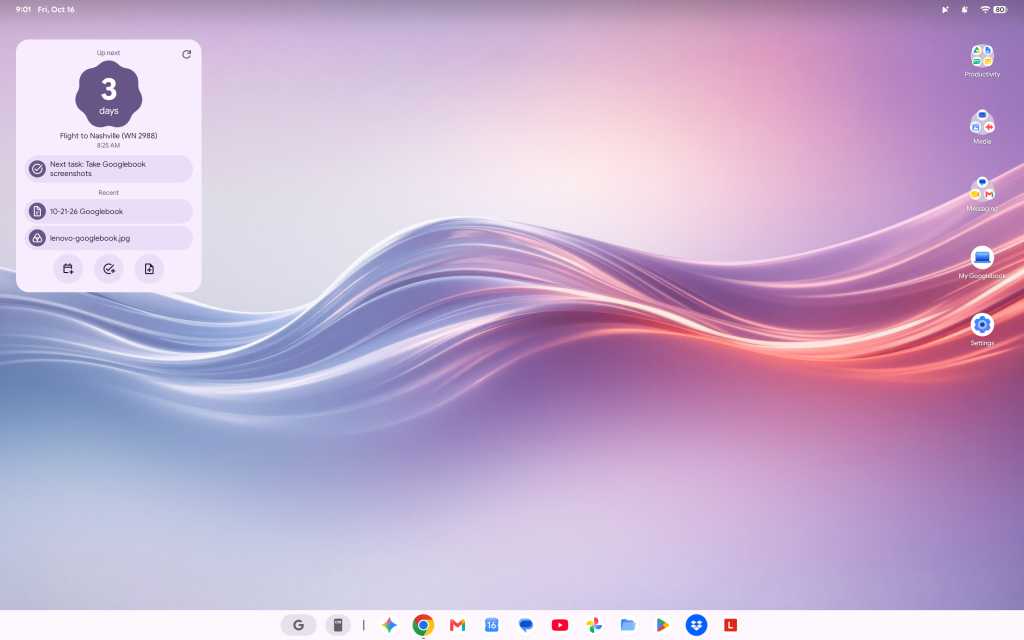
That’s true for relatively small touches like having the clock in the upper-left corner of the screen instead of in the lower-right corner, where’d you expect it on most non-Apple-made computers. It’s a little thing, but it keeps throwing me whenever I try to glance at the time during the day. That approach is similar to Android, yes, but it just doesn’t feel right in this environment or with what pretty much all of us who’d be considering this kind of device have been trained for ages to expect with a desktop computer experience.
The Googlebook’s desktop is similar to Android — but that doesn’t immediately feel natural in a desktop computing environment.
JR Raphael / Foundry
It’s true, too, for keyboard shortcuts, which don’t work the same as they did on ChromeOS — even just basic, common things like opening items on the taskbar. (Googlebook OS does have an impressive array of customizable keyboard shortcuts, if you find ’em, but there’s a ton of new combinations and muscle memory to be learned.)
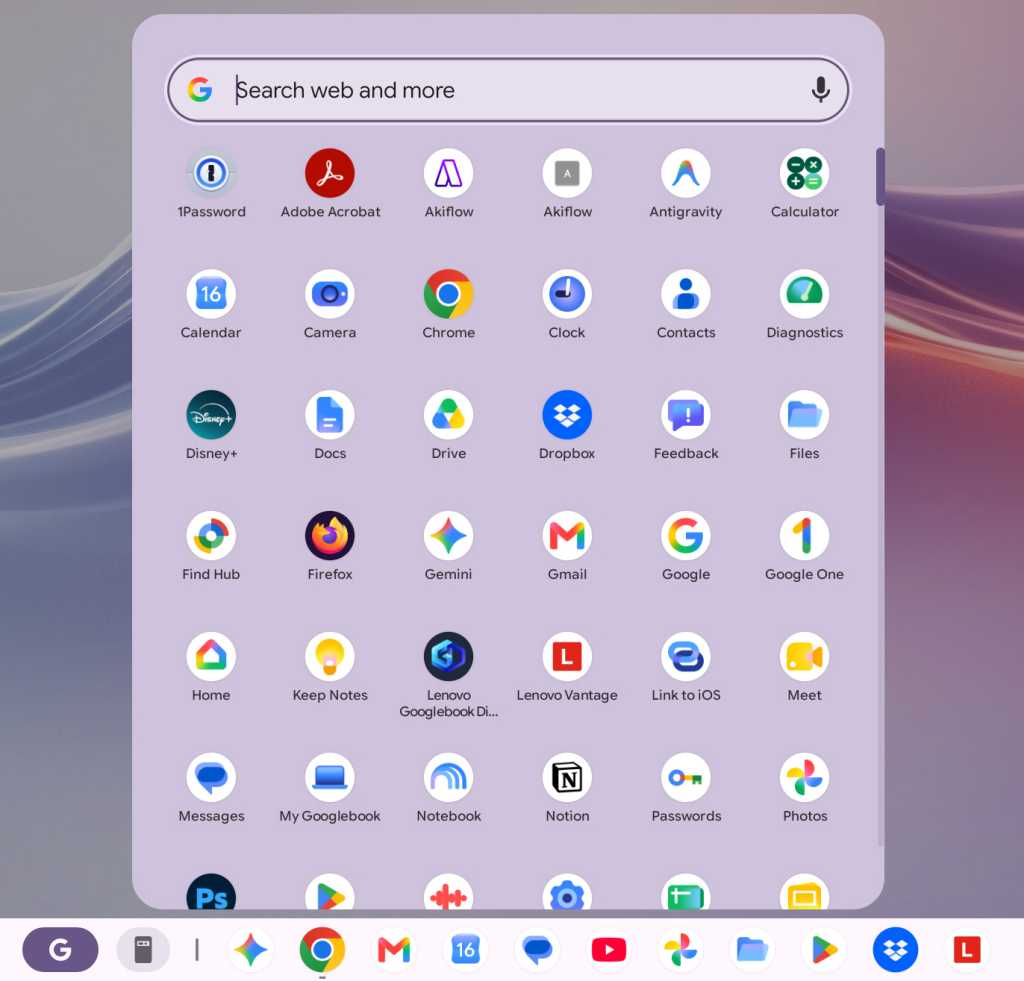
The confusion is probably most prominent, though, on the app front, where Google is really leaning hard into the Play Store and the idea of Android apps being the primary way to get stuff done, despite the fact that Android apps often aren’t ideal — or even available, in some instances — in a productivity-oriented, desktop computing scenario.
The Googlebook app experience revolves primarily around the Play Store — which can be a pro or a con, depending on the moment.
JR Raphael / Foundry
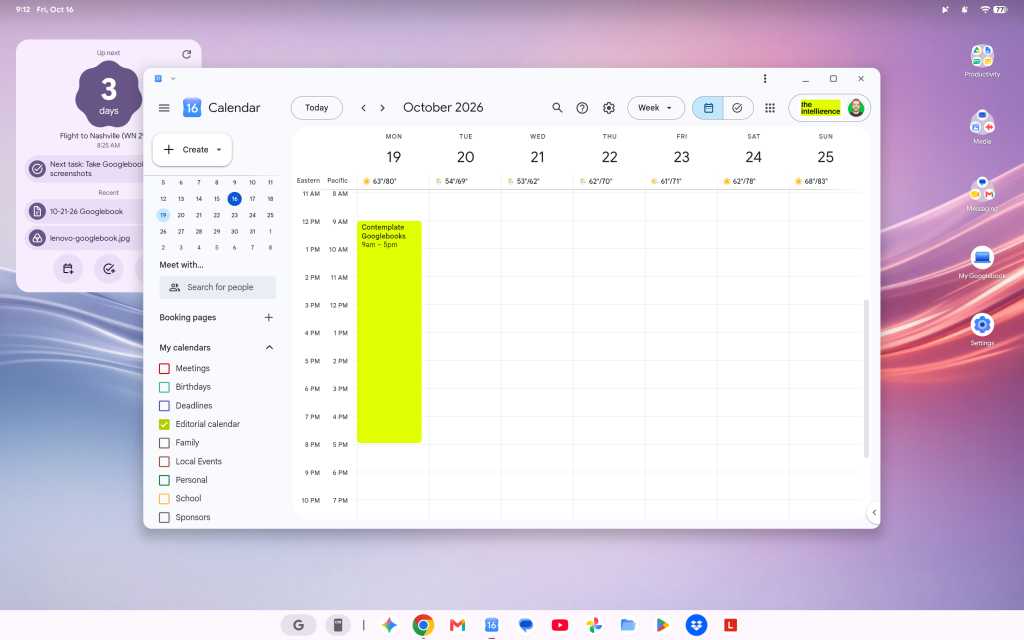
At least one of Google’s own apps addresses this elegantly. Installing Google Calendar from the Play Store basically just gives you an app-like shell around the Calendar website, and you can use the Android app’s widget alongside that, if you want. (The downside is that you can’t use the equivalent Android app in full even if you want to, as there’s no straightforward path to install it — and, strangely, the same web-widget combo is not available with other Google apps, like Gmail or Drive, which give you only the web version and no option to use any associated Android widgets.)
The Google Calendar app on a Googlebook is basically just the Calendar website, though you can still use the Android app’s widget alongside that.
JR Raphael / Foundry
And since the version of Chrome on a Googlebook looks and feels like the full desktop version of the browser — like what you’d expect on a Chromebook or any other desktop computer — relying on this unusual mix of web and Android interfaces for productivity is mostly OK. Mostly.
Working in Docs, with as few as five or six tabs open, I continue encountering an occasional issue where the tab just blanks out for a second or two and then comes back — which, suffice it to say, isn’t exactly optimal for working.
The email app I use, Superhuman, appears to be completely incompatible here. The web version (which is powered by a Chrome extension) errors out anytime I open it, and the Android app is clearly not meant for large-screen, keyboard-and-mouse use and presents an incredibly awkward experience as a result.
The productivity tool Notion, meanwhile, came up for me as one of the Googlebook’s suggested tools that’s optimized for desktop use, so I followed that direction and installed the Notion Android app — only to find that the app is much more awkward and limited on a laptop than the regular Notion web experience, where all the functions are available and the keyboard shortcuts work as expected. So I decided to try to install the Notion web app for easy ongoing access to that, and I encountered a mysterious error.
Trying to install certain common web apps results in a frustrating error.
JR Raphael / Foundry
D’oh.
Then there’s something like Slack, which you can install from the Play Store but with an accurate warning that it’s “better on the website.” So, OK: You go to the website, try to sign in and install the web app version of it from there, and…there’s that blasted “cannot be installed” error again. (Google says it rolled out an update last week that allows any web page to be installed as a web app, but as of this writing — even with that update present on my device — the same error-encountering pattern persists.)
Other apps appear to work fine but then behave in odd and unexpected ways. I tried to install the Android version of Vivaldi, for instance, and it installs and opens without issue — but then returns an error anytime I try to actually open a website within it. That definitely doesn’t happen on a Chromebook, nor do the other aforementioned issues.
There’s just a lot of weird stuff like that, where it feels like a typical Google not-quite-fully-baked product. To be fair, that may be at least in part because of third-party app developers not yet supporting what needs to be supported for full optimization in this new environment — but either way, that’s the experience you get on a Googlebook right now, and it’s an all-too-familiar chicken-and-egg challenge that there’s no telling how long might take to see resolved.
On a somewhat related note: While the ability to install Linux apps is technically present on a Googlebook, it isn’t at all a user-friendly experience. Linux app installation is available only in a limited manner within the confines of a command-line terminal, and any such programs consequently don’t integrate into the launcher or the main Googlebook interface. That means there’s no real way to use them as a part of the standard Googlebook experience — which is a shame, as having those more traditional desktop apps available on ChromeOS went a long way in filling in pertinent function gaps for a lot of people and businesses. (Google says better Linux app support is vaguely “on the roadmap.”)
The various layers Google created to make Windows apps available for businesses in ChromeOS aren’t present in this environment, either. The official line, as relayed to me by a Google spokesperson, is that “Googlebook takes a fundamentally different architectural path than previous platforms” and they “aren’t attempting to patch together legacy PC software layers or rely on Windows emulation to make a laptop functional”:
Instead, Googlebook OS is built directly on the Android tech stack with the desktop foundations of ChromeOS, pairing the world’s largest native app ecosystem with an uncompromised, full desktop Chrome browser.
This makes it easier than ever for developers to build a true desktop-class app experience.
That’s all noble enough in theory — but as a prospective Googlebook owner right now, what good does any of that do when most developers haven’t yet built those “true desktop-class app experiences” for this environment? Or when you’re a business user whose company has the very same sort of “legacy” software requirements that led Google to work so hard on Windows app support for Chromebooks and maintain that option in that arena?
Pros, cons, and more Googlebook confusion
Let’s break from the strange stuff for a minute to focus on some positives — because, again, there is something undeniably cool about experiencing Android in a laptop form and seeing all the ways a Googlebook works hand in hand with an Android phone to make life easier.
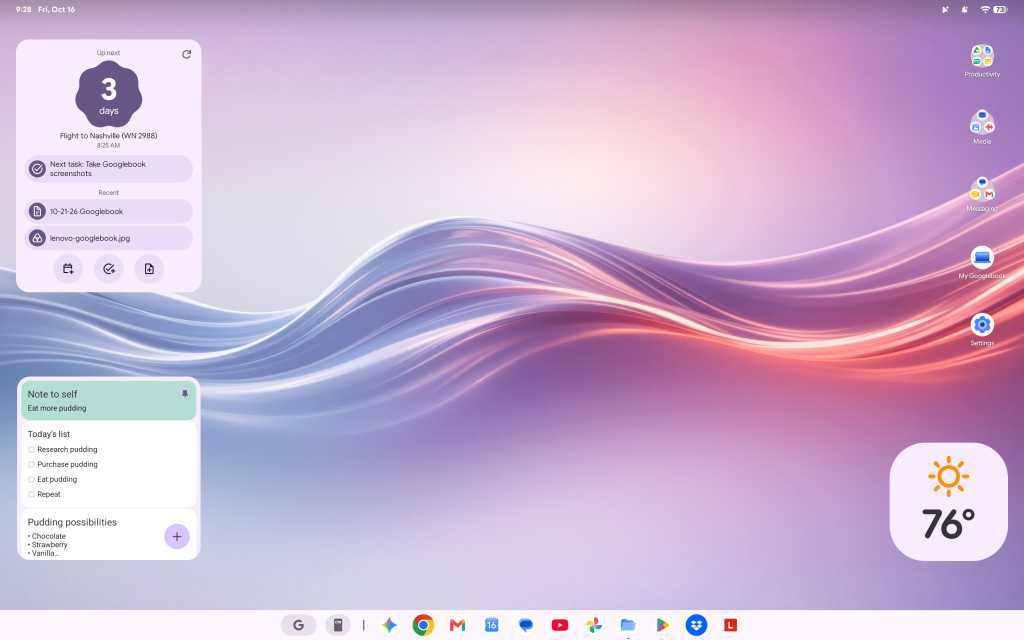
First and foremost, Googlebooks stray from the longstanding minimalist Chromebook standard to give you a fully customizable desktop — with the ability to create any arrangement of shortcuts and widgets, just like you can on an Android home screen. That is absolutely a welcome progression from the more limiting ChromeOS approach and something I’d long hoped to see in that domain, and having those familiar forms of interactive info right in front of you while working is an incredibly helpful addition.
Having a fully customizable desktop, with regular Android widgets available, is a significant leap forward for the Googlebook.
JR Raphael / Foundry
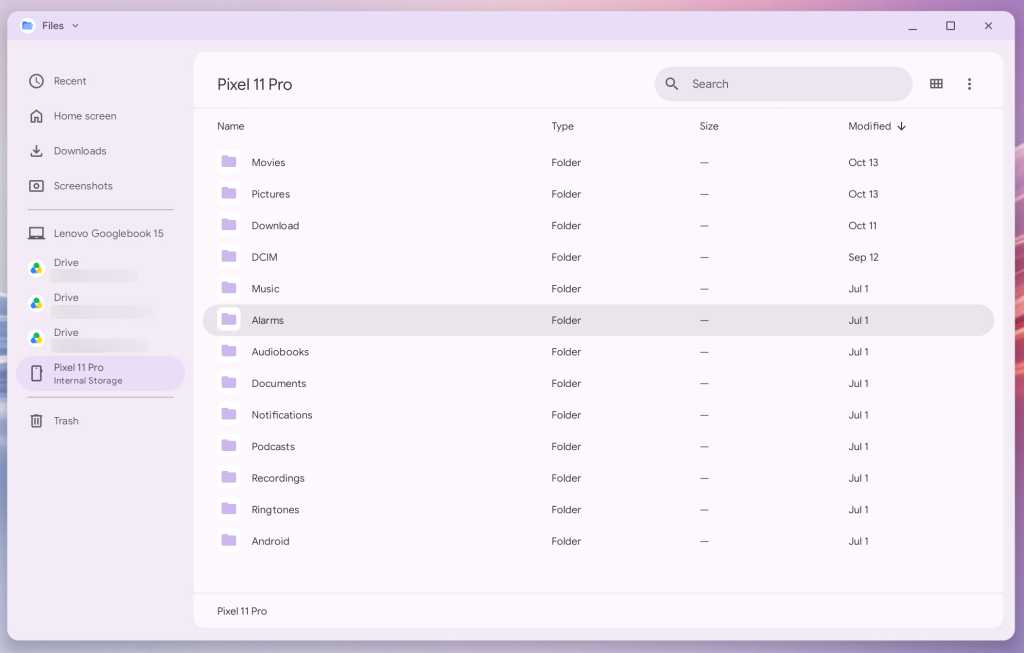
Being able to easily access the files on your phone without any extra hoop-jumping is also a nifty touch, for the moments when such a need arises. Once your Googlebook is paired with your Android phone, you simply open the Files app on the laptop, and you can see and interact with any files on your phone right then and there. (That said, the Files app is otherwise much more barebones and limited than its ChromeOS equivalent, unfortunately — so you can’t, for instance, drag and drop directly from the phone to any specific folder on your local or Google Drive storage.)
The Googlebook makes accessing files on your Android phone delightfully easy.
JR Raphael / Foundry
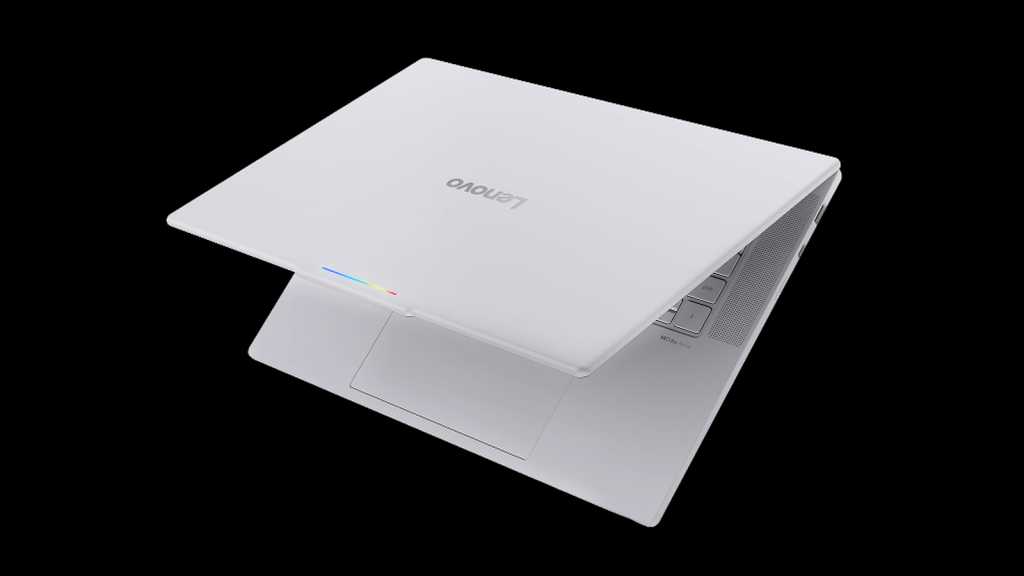
As far as hardware is concerned, Lenovo did a bang-up job with its inaugural Googlebook device. This is one seriously nice laptop — a pleasure to hold, with an almost silky-feeling smooth texture on the top and a thoughtfully ridged bottom for extra grippiness when you carry it. The system has a beautiful (and big!) 15.3″ display, an excellent keyboard and trackpad, and surprisingly great speakers. Those boxes are all checked off.
The Lenovo Googlebook is a sleek and premium laptop with all the right elements in place, as far as hardware is concerned.
Lenovo
But it’s the experience inside the hardware that means the most, here in particular — so, back to that:
Native app installation aside, one key selling point of the Googlebook is how it’s able to stream apps from a connected Android phone — letting you run an app from your phone on the computer, in other words, without having the app installed locally on the Googlebook itself.
It’s a slightly confusing concept to wrap your head around, especially since you can also install most of the same apps from your phone directly onto the Googlebook if you want (and, given that this is a native Android device, installing and running Android apps on it is absolutely smoother and snappier than what you typically experience on a Chromebook). Because of that — just like with the equivalent streaming option that had been available on ChromeOS in recent years — it seems like something that’s bound to be more befuddling than beneficial for most people, most of the time.
Android app streaming presents some perplexing overlap by allowing you to remotely run many of the same apps you could also install directly on the Googlebook.
JR Raphael / Foundry
That being said, I have had a couple of situations come up where it seemed like the feature might be handy. First, I needed to get a two-factor authentication code out of Authy, which is available only as a mobile app. A perfect use-case, right?
Well, not exactly: The Googlebook wouldn’t let me stream the Authy app from my phone and instead gave me an error: “Can’t cast content. This content is restricted.” So then I thought maybe I’d just install Authy directly onto the Googlebook instead, but alas: The app “isn’t available on Google Play on this device.” Bah.
Another time, I tried to open Google Wallet from my phone to get some info off my insurance card, which I have stored in that service. That worked, at first — but then the app kept hanging on a loading screen anytime I tried to open anything.
The one scenario where the app streaming has been helpful is with notifications: Anytime you get a new notification on your connected Android phone, it shows up as a pop-up in the upper-right corner of the Googlebook display. The same actions that’d be present on the notification on your phone, such as marking something as read or replying in-line, are also present on the computer, and you can click on the notification to open the associated app in full on your laptop — just like you would on your phone, only everything happens within a window on the Googlebook.
That’s a clever little sleeper feature and arguably the best part of the app streaming capability, even if you don’t necessarily think about the fact that you’re using app streaming when it happens.
Another key selling point is the addition of AI-oriented features into the Googlebook operating system. This includes a Magic Pointer feature that lets you wiggle your cursor to summon Gemini and ask it about any specific area of text or visual on your screen — which is fine but not something I find myself actually using often. Its most useful-seeming promise is being able to act on information, like creating a calendar event based on a specific area of an email or text message on your screen, but its accuracy in getting the details right in such scenarios has been pretty hit and miss in my experience.
Then there’s the integrated Rambler system for conversational voice-to-text conversion (as seen on Google’s recent Pixel phones). It works well, but by design it isn’t a direct dictation tool; instead, it adjusts and rewrites your rambling speech (hence the name) to make it better, in its view. That makes a lot of sense when you’re spouting off a quick text message while walking or driving, but unless you don’t mind losing your own specific style, intentions, and voice with longer computer-crafted communications, it doesn’t seem like something you’d be using much in a business capacity — though it can certainly be handy to have available on occasion.
As is often the case with Google products and AI features in particular, some of the smaller, less headline-making touches on the Googlebook are much more interesting than the flashy marquee features.
All in all, it’s a perplexing picture.
The Googlebook productivity puzzle
More than anything, the question that keeps coming to my mind — again, as someone who fully embraces Android and frequently works on a Chromebook — is simply: Who is this meant to serve? And, in its current state, for whom will it be a meaningful upgrade and enticement over other existing options?
I keep thinking how this exact setup would make for an absolutely brilliant souped-up Android tablet interface, with the right kind of hardware around it. You’d have the familiar Android-like environment, optimized for a larger screen, and the ability to pair that with a more desktop-like experience in the core Google apps — including Chrome, for a less limiting active web experience when you connect a keyboard (or flip around a convertible device to have one present).
As the Googlebook stands now, though, I just don’t know that it’s a great replacement yet for a Chromebook — or any other laptop — particularly when it comes to getting actual work done. At best, it feels like a fairly linear progression with some awkward adjustments and asterisks. At worst, it’s gonna be a real challenge for some people to use in the way they need a laptop to work. And I’m just not sure what’s being added, from a practical perspective, that makes it all worthwhile.
What we can say is that Google has a history of launching products that are still rough around with the edges, and sometimes, those products evolve over time — sometimes quite quickly! — and end up becoming incredible. Heck, think how much ChromeOS changed from its earliest form to the way it is today.
At the same time, Google also has a pesky habit of pivoting, giving up, and failing to follow through on once-heavily-hyped products. A fair amount of the Googlebook’s early shortcomings come down to convincing third-party developers to buy into the platform and invest the resources in making their apps work well on it, too — which is the exact same chicken-and-egg challenge that’s kept promising Google concepts from blossoming before.
For now, the Googlebook is an awkward start with plenty of potential. Where it goes next is anyone’s guess — and something that, to some degree, may depend on how many people are willing to take the leap with it early and wait for it to evolve.
The regulator has published a consultation document that proposes requiring Apple to allow competitors to use the near-field communication (NFC) chip on its devices to enable alternative payment systems on iOS on “fair, reasonable, transparent and non-discriminatory terms.”
The regulator says action is required because UK businesses have complained that Apple’s existing NFC access arrangements are not commercially viable.
30% of UK adults use Apple Pay?
The regulator also revealed some interesting statistics concerning use of contactless tech in the UK:
Contactless payments represent 39% of all payments, compared to just 3% of transactions a decade ago.
62% of adults currently use a digital wallet.
50% of those use Apple Wallet — which implies that around 30% of UK adults use Apple Pay.
“These proposals open the door to more innovation, more choice and economic growth, including in the UK’s important fintech sector,” said Sarah Cardell, chief executive of the CMA.
It’s not clear if those companies will take advantage of this forced liberalization. The CMA tells us that the only services that have done so in the EU, where Apple has already been forced to open up NFC, have all been transnational entities, including Vipps, PayPal, Klarna, Curve, and BBVA. Are consumers flocking to these services to rejoice in this new market liberalization? While this open NFC has only been in place a few months, I don’t think so.
Who will really benefit from this?
Cardell also said, “By removing barriers to entry, we can help create the conditions for brilliant British businesses with great ideas to develop new products and services here — from payment apps and digital IDs to travel passes and digital keys.”
That seems highly speculative to me, but I can see UK banks offering up digital payments directly via Apple’s NFC as the most likely outcome of the new rule. In a statement, David Geale, executive director for consumers, payments and competition at the Financial Conduct Authority, said, “Opening up this technology will also support the expansion of open banking, enabling more people to make payments directly from their bank accounts.”
I imagine the banks will turn out to be the real motivation here. To my mind, it suggests the sector wants to use regulation to muscle in on the ecosystem Apple has made and wants to make direct use of NFC on iPhones to cut Apple out of the revenue generated by these payments as much as possible.
The CMA admits, after all, that part of the reason it began this work was because it had complaints from competitors. Lenders and fintech businesses have challenged the 0.15% fee Apple takes on credit card transactions carried out via Apple Pay. The inference isn’t hard to see. With 39% of all payments made by adults in the UK being contactless, those tiny payment processing fees look like profit to banking shareholders, and they want it back.
Apple responds
They won’t get it all back. Even the CMA concedes that Apple deserves a “fair reward” for providing access via its platforms and ecosystem, but I doubt it will hang onto as much as it makes now.
In a statement, Apple said, “We do not believe the CMA should require Apple to adopt an approach with lower privacy and security protections. We will continue to engage constructively to reach an outcome that is in the best interest of our users.”
Privacy or profits?
Digging a little deeper, the proposals will demand technical changes from Apple. The two main globally used contactless technology standards are secure element (SE), which stores information on-device, and host-based card emulation (HCE), which stores data off-device.
Neither technology was developed by Apple, and both are used across other mobile ecosystems. While Apple now supports HCE and SE in the EU to meet Digital Markets Act regulation, it has historically avoided supporting HCE to protect the privacy and security of customers. That is almost certainly because it sees risks in storing highly confidential payment data off the device.
Payments on Apple’s devices are instead protected by secure element. European developers wanting to use NFC with HCE systems must apply for a specific Apple NFC/HCE entitlement and meet technical, security, and regulatory standards, which will likely be the approach Apple takes in the UK if the CMA gets its way.
Will consumers really benefit from this?
I doubt it, but the move will almost certainly prise some money out of Apple’s grasp, which will then be shared among other corporate entities, some — though probably not all — of whom may even value customer privacy as much as Apple does. In the end, it’s all about the money, and someone will take a slice of it. Does it really matter who that is?
Now please subscribe to my daily, human-curated Apple-related news headline feed at The Core, or follow me on BlueSky, LinkedIn, or Mastodon.
In Meta commercial terms changes slated to kick in on October 30, the company will shift the liability for any mistakes made by its AI models to its enterprise customers. The new language also makes those IT executives responsible for anything done by a partner or contractor.
The changes also finally put a stake into the heart of robots.txt, with Meta granting itself the right to grab, and use for its own purposes, any content associated with a Meta account.
The language allows Meta to “use automated software such as web scrapers, bots, robots, spiders, crawlers, and user agents and create test credentials to access, index, cache, analyze, collect, retrieve, or crawl the domains, web pages, or URLs, and any content available through them, that are associated with your products or services,” according to the new language on its website on Monday. Meta also wants to be able to “periodically pull updates from such domains, web pages, or URLs in order to provide, develop, improve, research, and maintain advertising and business products including business, commercial and related products to help you create and deliver ads and other commercial content.”
Consultants said the three biggest concerns they had about the changes were the web scraping, data ownership, and AI liability transfer.
Web scraping and data ownership
However, Meta emailed a statement to CIO.com late Monday suggesting that it was rethinking its position on web scraping. Saying that Meta wanted “to clarify” the web scraping changes, Emil Vazques, a Meta public affairs manager, said, “the crawling terms we consolidated only applied to our ads and business products and we’ve clarified that in the terms themselves. It does not change how Meta uses web crawlers. As always, content owners can use robots.txt to signal their preferences. This is not about scraping news sites, and these updates don’t give us new rights that supersede those preferences.”
As of Monday evening, New York time, the proposed document’s wording had yet to be altered to reflect this, but Vazques said that a change was coming soon.
The data ownership issue sets Meta apart from other AI vendors in that it wants to train its models on anything it encounters. Then again, the nature of Meta businesses focuses on advertising and would therefore be expected to seek more data control.
The new proposed phrasing, which Meta could alter before it takes effect later this month, said that using any Meta product grants Meta “a license to content that is covered by intellectual property rights like photos or videos you share, post, or upload on or in connection with our Meta Company Products. That license applies to content you or someone on your behalf, such as your agency that places an ad for you or your service provider that manages your Page content for you, makes available on or in connection with any Meta Company Products. Without limiting anything in our terms and for clarity, Meta may use such content … to provide, develop, improve, research, and maintain Meta Company Products.”
AI liability
But the change that prompted the most raised eyebrows involved AI liabilities.
The proposed language said, “AI features may make mistakes and may not always produce accurate, complete, or suitable results,” and customers “are solely responsible for and assume any and all risks associated with such AI features and any resulting content.”
That AI clause, said Frank Dickson, principal analyst at Dickson Research, “turns accountability upside down. Meta builds the AI features, admits they ‘may make mistakes’ and then assigns ‘any and all risks’ to the business.”
Mike Wilkes, enterprise CISO at Aikido Security, agreed that the move is perplexing.
“The new AI provisions shift substantial responsibility for inaccurate or unsuitable outputs onto customers. That makes no sense,” he said. “As an example, the ASPCA is going to be liable for Meta creating unsuitable results when they ask Meta to create an image of a dog. Only Meta has control of the model being used to create that image. I see a very high flight risk among enterprise customers when platforms impose such onerous terms and conditions around content usage.”
The October 30 date that the US-based Meta chose is ironic. That is the day before Halloween, which is known as mischief night in the US, when children play pranks on their neighbors. Given that, Dickson said, the date for these changes is appropriate: “Meta is handing out the tricks and keeping the treats.”
He added that the data grab is frightening. “What Meta wants is content: what a business posts, uploads, or shares on or in connection with Meta’s products,” he noted. “The trouble is the phrase ‘in connection with,’ which can stretch as far as Meta needs it to. The list of ‘Meta Company Products’ lives on a separate page that Meta can revise at will. The license grows every time that list does.”
And, Dickson noted: “Meta may use the content to ‘provide, develop, improve, research, and maintain’ its products. Those five verbs cover nearly everything a technology company does.”
‘Legal sophistry’
One of the obvious defensive measures for an enterprise is to sever all relations with Meta. But beyond the pragmatic difficulties of doing that, given the powerful market share enjoyed by Facebook, WhatsApp, Instagram and Threads, such a move may not even solve the problem. That is because Meta made other contract changes in July that make Meta licenses “perpetual” and that said, “this license survives termination of these terms by any party for any reason.”
That, said Noah Kenney, principal consultant at Digital 520, means that the “the general content license ends when content is deleted from Meta’s systems,” not when the enterprise ends a contract.
One additional twist to the new language is that Meta had recently tweaked it to no longer explicitly say that it would train it models on enterprise data. But Thomas Randall, a research director at Infotech, said that the wording change made by Meta amounted to legal sophistry. “The revised version drops the word ‘train’ and states that collection is just for developing and maintaining advertising and business products, alongside protecting Meta products’ integrity and security.”
But dropping the word “train” is “not a substantive fix,” he pointed out. “The revised terms are still flexible enough to cover most AI work. When combined with other aspects of the revised terms — continued use equals consent, broad indemnity, AS-IS disclaimer, and Meta’s freedom to discontinue products without notice or liability — this is a one-way street. The difference between ‘train Meta products’ and ‘developing and maintaining Meta products’ is a matter of how you pronounce tomato.”
Could force IT strategy changes
In addition, Aman Mahapatra, chief strategy officer for technology consulting firm Tribeca Softech, stressed that this contract could be an industry admission that robots.txt no longer delivers any meaningful protections. Agentic systems had already made robots.txt close to irrelevant.
“October 30 ends a thirty-year assumption that robots.txt protects what you publish. It never did,” Mahapatra said. “It was a courtesy convention the web agreed to honor, and Meta’s own framing of robots.txt as a place for site owners to register preferences tells you exactly how it will be weighed against a signed contract.”
Mahapatra said the language in the new Meta commercial terms could force a significant change in IT strategy.
“‘On your behalf’ extends the license to whatever your agencies and vendors upload. ‘Associated’ extends the crawl to domains nobody has defined, including the ones where marketing pages sit beside product documentation, research, and investor materials,” Mahapatra said. “Most CIOs cannot tell me how many Meta pages, ad accounts, and WhatsApp numbers carry their brand, because marketing and agencies own them and IT never inventoried them.”
In olden days — last year, say — employees using unsanctioned AI tools might copy-and-paste sensitive data that could end up in the AI company’s training data set.
Today, an unsanctioned AI can hack into another company for an employee even if they didn’t explicitly ask it to.
This doesn’t just mean the latest unreleased frontier models undergoing security testing. Claude, ChatGPT, and Gemini have all evolved from being mere chatbots, answering questions and helping people write emails. They now have agentic capabilities and are able to carry out complex tasks on behalf of users.
And they do, sometimes to dangerous effect.
In August, ABC News in Australia interviewed a man identified only as “Andrew” who asked an AI agent to sign him up for a gym class. The agent hacked into the gym’s system and deleted someone else’s wait list reservation.
The AI was Anthropic’s Claude, and the agentic framework was OpenClaw.
Now imagine an employee asking their agentic AI assistant to help them make a sale. The request might inadvertently inspire the agent to hack into the prospect’s company.
To keep this — and other worst-case scenarios — from taking place, enterprises are building guardrails around their AI systems, restricting what data the AI has access to and what tools it’s allowed to use.
But none of those guardrails will work if the employee uses a tool that their company doesn’t know about.
“This is a problem we’ve long had,” says Matt Butkovic, technical director for cyber risk and resilience in the CERT division at Carnegie Mellon University’s Software Engineering Institute. “People will find ways to purchase or get access to things they think are useful, even when an organization says you probably shouldn’t do that.”
Ten years ago it was personal email and unauthorized cloud storage.
“The stakes are higher in some ways now,” adds Butkovic, who also teaches in CMU’s CISO program.
Verizon’s 2026 Data Breach Investigations report, released in May, shows that 67% of employees access AI services through non-corporate accounts on corporate devices. Shadow AI was the third most common non-malicious insider action detected in Verizon’s 2025 data loss prevention dataset.
And a May analysis of 1.9 million AI session minutes conducted by Harmonic Security found that when employees accessed personal accounts, 65% of their activity was related to business. They used personal accounts to write work emails and debug code, and even used it for legal work.
In a separate report, released in July, Harmonic reported that every organization the company monitored in the first half of 2026 had at least one employee sending data to a China-based AI tool. The uploaded data included M&A plans, source code, financial projections, and legal material.
To address this problem, enterprises are taking a fourfold approach:
Figure out what employees want to use AI for and give them sanctioned, safe alternatives.
Use security tools to monitor activity and keep employees from sharing sensitive data with unsafe systems, or even accessing them at all.
Educate employees on the risks of AI and how to use it safely, because you can’t solve this problem with technology alone.
Hold employees accountable when they violate AI policies.
Blocking DeepSeek at a financial services firm
BitGo, a Fortune 500 financial services firm with over $100 billion in digital assets under custody, uses a combination of strategies to combat unsanctioned AI.
“We have enterprise versions of Grok, ChatGPT, Claude and Gemini,” says Manny Khan, the company’s deputy CISO. “We are an AI-first organization. We encourage all of our people to use AI in their work, to try to automate as much of it as possible while keeping the human in the loop to avoid any slop.”
Unsanctioned AI is an industry-wide concern, he says, and having a sanctioned alternative is key.
“We encourage folks to use what is approved and has guardrails and harnesses and trust boundaries and safety checks,” he says.
To make the sanctioned alternatives easier and more appealing, employees use single sign-on, provided by Okta, to log into systems, and the enterprise-grade models also connect to the company’s MCP servers.
Once employees have a safe AI option to use, the next step is to get a handle on the unsafe ones.
For example, BitGo uses a data loss prevention tool from Cyberhaven. DLP was a useful security tool long before AI came along, but today it also helps ensure that sensitive data isn’t copied-and-pasted into untrusted chatbots.
“All traffic is proxied and analyzed by our security tools to identify anything potentially malicious, shut it down, and not allow the connection if it’s a site known to be malicious,” Khan says.
For example, the company blocks DeepSeek, a Chinese AI model. “We don’t want their models to train on our data,” Khan says.
But there’s only so much technology can do.
“Every site has AI now, and we cannot block every single site,” Khan says. “We might as well block the internet at that point.”
That’s where human awareness and education come in, says Khan.
“We do train people,” he says. “And we have an AI governance policy that we share company-wide and enforce this policy by tracking and measuring against it.”
It’s important for a company to have a single voice on AI use, a central figure with authority and ownership who can provide guidance, he adds. “Otherwise, you’ve got a lot of people who try to figure it out on their own. And that’s what you don’t want.”
Docusign on guard against agentic AI
“We want to educate users to do the right things, but people still want to experiment,” says Shivi Verma, senior manager of engineering at electronic signature firm Docusign.
That’s where it helps to have approved, secure tools for people to use, as well as systems in place to block the insecure ones.
“Some of the websites, like DeepSeek, we have blocked,” he says. “But we want to block in a way that focuses on education and focuses people on the right processes and tooling, which will drive people automatically to use approved tools.”
The company is also working on creating an allow list, he says, focusing on tools that employees can use without any concern.
And the company has network management tools like Zscaler, says Verma. “If people are posting confidential data in an external tool, it will give a popup, like a deterrent.”
Now, personal AI agents like OpenClaw are yet another evolution of the shadow AI problem, he says.
“We do monitor and people are using it, but we want to do it in a way that’s under security policies,” he says.
And with OpenClaw in particular, the danger is too high for just a warning.
“If it’s for personal use, that’s one thing,” Verma says. “But if you’re using it at work, your user has to be stopped immediately.”
Nonprofit builds routing system for approved AI
“Simply blocking AI tools is not a sustainable solution,” says Boris Kolev, global head of technology at JA Worldwide, a global educational nonprofit with almost 5,000 employees that serves more than 20 million people a year.
For JA Worldwide in particular, the problem was exacerbated by the fact that there was no approved solution until three months ago. As a result, employees got into the habit of using personal AI platforms.
“It was totally uncontrolled,” Kolev says. “Everyone who wanted to explore AI was using public models.”
At the beginning, people didn’t worry about what they shared and uploaded. “We tried to implement some policies, like ‘don’t upload corporate information.’ But it was hard to know what people were doing.”
Plus, AI was being embedded everywhere. On Windows. In people’s phones. “A user cannot avoid it,” says Kolev.
Then, earlier this year, the organization built a routing system, with enterprise-safe versions of Claude and ChatGPT running in private environments on AWS and Azure, in addition to some open-source models.
“Our colleagues can choose which model to use,” he says. “And sometimes they do a prompt two different times and choose which one works better.”
The system went into production in June, after a couple of months of testing and development.
“Now, after all the policies and rules are implemented, we have our own closed AI system, hosted on our own servers, so no risk of leaking corporate data,” he says. “But still, some projects are using public models, and we are trying to solve this problem.”
Another hitch: individual employees were often invested in the personal AI tools they’d grown comfortable with and reluctant to change to the corporate tools.
“Employees were saying, ‘I have so much history. It knows me, I cannot just switch,'” Kolev says.
And employees still have all the AI tools that come with their devices.
“This is hard to manage, and it’s getting even harder,” he says. There are monitoring and blocking tools available, but they’re too expensive. “We’re a nonprofit, and for us it’s almost impossible to afford monitoring tools. So we do a lot of educational sessions.”
The organization is also trying to make the sanctioned tools more appealing. That includes a mechanism to import the history and context from other platforms, he says. “And we’re trying to convince them that our tool works better and has more functionality, so we’re adding MCPs.”
MCP — model context protocol — allows an AI system to access data and tools directly. That includes connecting to corporate email and calendars, SharePoint, Monday.com, CRM, and all the other software that employees use for work, he says.
Kolev says that it’s a mistake to assume that employees use shadow AI because they don’t respect IT policies. It’s because IT didn’t move quickly enough to meet their needs.
“They find the AI faster than you can produce tools and governance and rules,” he says. “So my advice is that you start with simple rules that employees can understand, provide sanctioned tools, and continuously adapt governance.”
Holding employees accountable
According to an April survey of more than 1,200 employees conducted by Wakefield Research on behalf of PagerDuty, 66% of employees have used unsanctioned AI tools — and of those, 48% faced formal consequences, such as a warning or disciplinary action.
Holding people accountable is critical to a successful AI use policy, says Carnegie Mellon’s Butkovic. “We have to speak definitely about this in organizations,” he says. “If this behavior cannot be tolerated, then it shouldn’t be tolerated.”
Allowing the use of unsanctioned AI doesn’t just create risks but also opens up an organization to legal liability if the AI agents, acting on behalf of employees, harmed other companies or individuals.
“There could be consequential actions,” he says. Even if the employee responsible gets fired, “external parties that have been affected are still going to sue the company.”
The organization needs to be able to show that it has policies in place and enforces them when employees deliberately circumvent the policies.
“If you as an employee make a good-faith effort to comply with the policy, we’ll show you latitude if you’re not malicious,” Butkovic says. “But if you’re actively circumventing the system of controls in your organizations, that’s the case where there have to be swift and profound consequences.”
It’s all relative, but if you want to scope out the likely shape of the tech device industry in five years’ time, you have to think of the likely shape of the replacement cycle, and right now it seems to be shifting toward Apple.
That’s going to become more important to tech purchasing as the years roll by and is also likely why you’ll see other manufacturers become even more competitive as they try to stop the tide. It is open to question if they will be able to do so, given that even five years ago Apple still seemed far less dominant, which is no longer the case.
Shrink when you’re winning
If you look at the devices that are being sold, you’ll see one key thing: In the face of memory and component cost-driven price hikes, sales of PCs and smartphones are falling fast. Apple isn’t immune to this macroeconomic trend, so it is also seeing decline, but the relative rate of this decline is less steep, meaning the company is growing its market share even as the industry shrinks.
Gartner says the Mac share of the PC market rose to 10.5% in Q3, up from 8.8% a year earlier, even as Mac sales fell 7.1%. The figures vary by analyst (IDC has Mac share at 9.5%, Omdia at 11.7%), but all three show a gain.
In smartphones we’re seeing something similar, with Counterpoint Research giving Apple a new record 22% of global smartphone sales in Q3. While it’s true that Apple is achieving lower unit sales in both categories, its decline is far beneath the industry average.
When everyone’s prices rise
Apple has had to raise prices across all its devices but has been able to lean into the sheer scale of its market to help dilute the impact. Lacking Apple’s scale, smaller vendors have been unable to follow suit. This has led to PC and smartphone manufacturers raising prices on their devices to such an extent that Apple now seems to be a good value option.
Counterpoint Research Director Tarun Pathak caught the mood: “Apple is still gaining new users across categories, and it will become increasingly difficult for competitors to make an Apple user switch to their operating system,” he said.
Shoppers who can still afford to buy can’t help but see that while Apple’s products cost more, everybody else has raised prices to similar levels. It means Apple is being judged differently. When everything costs roughly the same, the value it offers looks different.
That thousand-dollar smartphone you always wanted but couldn’t justify purchasing seems more viable now that the brand you opted for instead just raised prices to the same level.
Today’s buyers, tomorrow’s upgraders
Now think about what this means 3-5 years from now. It means a growing chunk of PC or smartphone owners will be looking to upgrade their Mac or iPhone.
So far at least, people tend to stick with Apple once they arrive there. Consumer Intelligence Research Partners puts iPhone loyalty at 87% among recent purchasers, a three-year high, which suggests that this year’s buyers are likely to stick with it once they need to upgrade. Satisfaction points the same way: Apple ties Samsung for the top spot in the American Customer Satisfaction Index’s 2026 personal computer satisfaction ranking, with a score of 81, even as industry-wide satisfaction fell 4%.
The longer the PC and smartphone market decline continues, the greater the impact of this trend will become. If Apple manages to keep declining at a slower rate in comparison to other ecosystems, its relative market share will continue to grow.
That share is likely to sustain itself into subsequent purchasing cycles. Apple also benefits from the first generation of M1 Mac owners, who are only now reaching the point when an upgrade seems necessary. (Don’t forget that between 2020 and 2022, the success of Apple silicon drove Apple’s PC market share from 6.6% in 2020 to 10.8% in 2022, setting a new trend line.)
Why IT should pay attention
That’s more than a curious observation for Apple fans. It’s also something that should matter more to enterprise tech, as it suggests that the need for investment in device management and Apple hardware is going to accelerate through the downturn. It hints that support for these platforms will become a business necessity; that if your teams continue refusing to support Apple platforms and aren’t prepared to change that, then you may soon be searching for different IT teams.
Now please subscribe to my daily, human-curated Apple-related news headline feed at The Core, or follow me on BlueSky, LinkedIn, or Mastodon.
Microsoft’s October 2026 Patch Tuesday is the year’s largest release, with 1,408 CVEs requiring customer action, 72 of them rated critical. September, the previous high, carried 963. One CVE is already exploited: CVE-2026-96951, a Windows Shell flaw that bypasses Mark of the Web. Two were publicly disclosed before release, in the .NET Framework and the MessagePack-CSharp library. Separately, on 25 September Microsoft reported attacks against CVE-2026-65660, a SharePoint Server flaw fixed in August. Readiness recommends a Patch Now scheduling for Windows, Office, Exchange and the developer tooling, and a standard release schedule for SQL Server. The Readiness team has published an infographic summarising deployment risk by product family.
Known issues
On 14 October, Microsoft added a known issue to this month’s Windows 11 updates, KB5127648 for versions 24H2, 25H2 and 26H2, and KB5127646 for 26H1. Non-admin users might be unable to open Remote Desktop connections to devices that have Administrator protection enabled, with error 0xC000000D. The issue started with September’s non-security preview update. The Windows 11 security baselines enable Administrator protection by default, so test remote access to managed hosts before broad deployment. Microsoft’s mitigation is to turn off Administrator protection temporarily through your policy management tool, and a fix will follow in a future update.
Two issues remain open:
Some USB Audio Class 1.0 devices might fail to start or produce no sound. The 14 September out-of-band update resolved part of this, and for the remaining symptoms Microsoft directs IT administrators to Microsoft Support for Business.
Windows Server Update Services still does not display synchronisation error details on Server 2025 and Server 2022. Microsoft removed the function to address CVE-2025-59287 and offers no workaround.
And three are now closed:
The incorrect “Microsoft Defender Antivirus is turned off” notifications, still open when we published in September, were fixed by Defender Antivirus update 4.18.26080.4, released on 17 September.
On Windows 11, the October update fixes Explorer failing to start after sign-in on multi-user systems such as Azure Virtual Desktop with FSLogix, which left users at a black screen.
On Windows 10, Windows 11 23H2 and Server 2016 and 2019, it fixes File History failing to back up or restore and showing a false “Reconnect your drive” message.
Major revisions and mitigations
Between the September and October releases, from 9 September to 12 October, Microsoft’s Security Update Guide notifications covered 111 entries for Microsoft’s own products, not counting Chromium republications for Edge. Of those 111, 90 are true revisions rather than new entries. September’s window had one.
On 17 September, 84 of September’s CVEs gained Office for Mac updates. Each revision note tells customers running affected Mac software to “install the update for their product to be protected”.
On 16 September, Microsoft corrected the scoring of three critical SQL Server remote code execution flaws from September, CVE-2026-67378, CVE-2026-67631 and CVE-2026-67643. The scores now record that “an attacker does not require any privileges”. Microsoft calls this an informational change.
On 25 September, Microsoft revised CVE-2026-65660, a SharePoint Server remote code execution flaw fixed in August, to state that it “had reliable evidence of observed attacks against exploitation of this vulnerability”. CISA added it to its list of known exploited vulnerabilities the same day. The Security Update Guide still shows “Exploited: No” for this CVE, so a report filtered on that flag will miss it. If any SharePoint server lacks the August update, install it now.
Of the 21 new entries, 18 are critical cloud-side flaws in Azure, Microsoft 365 Copilot, Dataverse and Fabric, all marked “Customer action required: No”. Two are Edge flaws, and one is CVE-2026-96940 in Exchange Server, published on 2 October and covered below.
Microsoft has published no mitigations and no workarounds in the October release.
Windows lifecycle and enforcement updates
These support milestones passed with this release on 13 October, as scheduled:
Windows Server 2022 moved to extended support, which runs to 14 October 2031.
The next milestones fall on 10 November 2026, the date of November’s Patch Tuesday. .NET 8 and .NET 9 reach the end of support, as do PowerShell 7.4 and 7.5. Windows 11 Enterprise and Education 23H2, and IoT Enterprise 23H2, reach the end of updates, and Microsoft says November’s update “will be the last update available for these editions”.
Microsoft also starts or tightens several enforcement changes with this release:
Windows 11 24H2, 25H2 and 26H2, and Windows Server 2025, now restrict NTLMv1-derived credentials for single sign-on by default. Where Credential Guard is off, Microsoft warns this “might affect Wi-Fi, Ethernet and VPN connections that use MS-CHAPv2-based authentication” (KB5066470).
AD FS Distributed Key Manager container permissions move into enforcement mode. Supported servers remediate automatically, but Server 2012 and 2012 R2 need manual remediation (KB5121391).
ReFS volumes on removable media enter an audit phase, and blocking is enabled by default from the January 2027 update (KB5130741).
The Windows Production PCA 2011 Secure Boot certificate, used to sign the Windows boot loader, expires on 19 October. Devices without its replacement, Windows UEFI CA 2023, keep starting and updating normally, but they stop receiving new early-boot protections (KB5062710).
Microsoft’s test guidance for this release runs to 496 Windows entries, 41 of them flagged as high risk, against 466 and 55 in September. Printing, scanning and font rendering account for 31 of the 41. The Readiness team recommends these testing priorities:
Printing. Print documents with mixed fonts from 32-bit and 64-bit applications to physical and virtual printers. Add network printers by discovery and by IP address, and print through a shared print server, a USB printer and a PostScript driver.
Downloaded files. The exploited Shell flaw bypasses Mark of the Web, so open files and shortcuts downloaded from the internet and confirm the SmartScreen and security warnings still appear.
Remote access. Test Remote Desktop with a non-admin account against hosts that have Administrator protection enabled, and test Wi-Fi and VPN connections that use MS-CHAPv2.
Application installs. Install, repair and uninstall a representative set of MSI packages, including packages with script custom actions. Windows Installer takes 38 fixes this month.
Network servers. Run DNS servers (52 fixes) and DHCP servers (18) under load, and confirm leases, zone transfers and conditional forwarders behave as before.
Each month, we break down the update cycle into product families, as defined by Microsoft, with the following groupings.
Browsers
For the third month in a row, Microsoft’s Patch Tuesday release lists no browser CVEs. Edge security fixes arrived between releases instead. Between 9 September and 12 October, Microsoft published 414 CVEs for Microsoft Edge in the Security Update Guide: 409 republished from Chromium and five specific to Edge. None carries an exploited flag, and no Edge release in that period reported an exploit in the wild.
Microsoft Windows
Windows takes 1,122 CVEs this month, 42 of them critical. Elevation of privilege accounts for 617 entries, information disclosure for 200 and remote code execution for 179. Of the 42 critical entries, 31 are remote code execution, nine are elevation of privilege and two are spoofing.
The exploited flaw is CVE-2026-96951, a Windows Shell security feature bypass that evades Mark of the Web defences. An attacker must convince a user to open a crafted file or follow a link. CISA added it to its list of known exploited vulnerabilities on 13 October, with a remediation date of 16 October.
DHCP takes 18 fixes, six of them critical remote code execution: five in DHCP Server and one in the DHCP client. DNS Server takes 52, 10 of them remote code execution, though none is critical. Critical remote code execution also affects Hyper-V, Message Queuing, Microsoft QUIC, the Remote Desktop Gateway, Windows Deployment Services, Active Directory Domain Services, NDES and the multicast transport driver.
In file and image handling, the Raw Image Extension has three critical fixes, one of them a CVE assigned by Cisco Talos, and the PostScript printer driver takes three more. Text shaping takes two, and Media Foundation, the codecs library, the video decoder, GDI+, the graphics component and the Windows PDF component take one each.
The virtualisation-based security enclave takes eight fixes, five of them critical elevation of privilege.
The most-patched areas are DNS Server at 52, Win32k at 48, the Windows Kernel at 46 and Windows Installer at 38.
Add this Windows update to your Patch Now schedule. Every client needs the fix for the exploited Shell flaw, and DHCP servers and Hyper-V hosts need the critical server-side fixes.
Microsoft Office
Microsoft released 180 Office CVEs this month, 26 of them critical, and remote code execution accounts for 107.
Client updates on Windows are Click-to-Run only, for Microsoft 365 Apps, Office LTSC 2021 and Office LTSC 2024. Office for Mac updates ship in the same release this month, rather than nine days later as they did in September. Excel takes 69 fixes, 11 of them critical. Word takes 22, Access 13, Outlook 10 with five critical, PowerPoint nine with four critical, and Visio three, all critical.
SharePoint Server Subscription Edition takes 34 CVEs in KB5002927, two of them critical. SharePoint Server 2016 and 2019 left extended support on 14 July 2026, and two of this month’s flaws list them as affected with no update: CVE-2026-69943 for both versions and CVE-2026-97783 for 2019.
Office Online Server takes 43 CVEs in KB5002928. Skype for Business Server takes three, in KB5132779 for 2015 CU13, KB5131693 for 2019 CU8 and KB5131692 for Subscription Edition CU1.
Add these updates to your Patch Now schedule, because 25 of the 26 critical entries affect Excel, Outlook, PowerPoint, Visio and Word.
Microsoft Exchange and SQL Server
Exchange has one critical entry this month and SQL Server has none.
Exchange Server has seven CVEs across 2016 CU23, 2019 CU14 and CU15, and Subscription Edition: one critical remote code execution, CVE-2026-70571, five elevations of privilege and one spoofing flaw. Six are fixed by the 13 October updates: KB5128895 for Subscription Edition, KB5128896 for 2019 CU15, KB5128897 for 2019 CU14 and KB5128898 for 2016 CU23.
The seventh, CVE-2026-96940, was published on 2 October. Microsoft lists it against a separate set of updates released that day, KB5129955 to KB5129958, not against the 13 October updates, so confirm both sets are installed. Microsoft rates both CVE-2026-96940 and the critical entry as “Exploitation More Likely”..
Exchange goes on the Patch Now list. SQL Server goes on the Schedule list because none of its 22 entries is critical. If September’s SQL Server update is still outstanding, install it first.
Microsoft Developer Tools
Microsoft released 66 CVEs across its developer tooling this month: two critical, 63 important and one moderate. Remote code execution accounts for 18 entries and elevation of privilege for 13.
Both critical entries also affect Windows. CVE-2026-105016 is a remote code execution flaw in Microsoft QUIC that needs no authentication or user interaction, and it affects .NET 8, 9, 10 and 11 on Windows and Visual Studio 2022 and 2026. CVE-2026-96222 is an AD FS certificate validation flaw that Microsoft lists against both the .NET Framework and Windows Server.
Two entries were publicly disclosed before release. CVE-2026-108398 in the .NET Framework lets an authenticated attacker bypass Windows Defender Application Control. CVE-2026-92707, a denial-of-service vulnerability in the MessagePack-CSharp library assigned by GitHub, affects Visual Studio and the ASP.NET Core SignalR MessagePack protocol.
Visual Studio Code has 10 fixes, five of them security feature bypasses, and PowerShell 7.4, 7.5 and 7.6 take two.
Add these updates to your Patch Now schedule, starting with the .NET updates that carry the QUIC fix.
Adobe (and third-party updates)
Adobe published 11 security bulletins on 13 October, covering 175 CVEs across ColdFusion, Experience Manager, Commerce, Photoshop, Bridge, FrameMaker, Dimension, the Substance 3D tools and the Content Credentials SDK. None is rated priority 1, and Adobe is not aware of exploits for any of them. No Acrobat or Reader security update for this month. I mentioned last month that we are in for a few months of extraordinary patch releases. Harking back to 2003 (when I started work on the nascent field of Microsoft patch management), with Microsoft releasing just 51 updates, anything over a 1000, much less 1400 CVE entries would have been unimaginable. I don’t think that we are at a “patch maximum” yet — but I hope that things calm down soon.
Long before Taco Tuesday became part of the pop-culture vernacular, Tuesdays were synonymous with security — and for anyone in the tech world, they still are. Patch Tuesday, as you most likely know, refers to the day each month when Microsoft releases security updates and patches for its software products — everything from Windows to Office to SQL Server, developer tools to browsers.
The practice, which happens on the second Tuesday of the month, was initiated to streamline the patch distribution process and make it easier for users and IT system administrators to manage updates. Like tacos, Patch Tuesday is here to stay.
Patch Tuesday coverage has long been a staple of Computerworld’s commitment to provide critical information to the IT industry. That’s why we’ve gathered together this collection of recent patches, a rolling list we’ll keep updated each month.
In case you missed a recent Patch Tuesday announcement, here are the latest six months of updates.
October Patch Tuesday: 1,408 CVEs, 1 exploited flaw and a SharePoint surprise
Microsoft just shipped 1,408 vulnerabilities in one month, and a SharePoint flaw it marked “not exploited” is actually under attack right now. Our expert recommends a Patch Now scheduling for Windows, Office, Exchange and the developer tooling, and a standard release schedule for SQL Server.
September Patch Tuesday: 963 CVEs, 2 exploited flaws, 1 message
September’s Patch Tuesday is Microsoft’s biggest of 2026, with 963 CVEs, two exploited flaws and a clear message: prioritize Windows, Office and SQL Server.
Two vulnerabilities are already exploited: CVE-2026-81963 in the Windows Update Stack and CVE-2026-85880 in Advanced Local Procedure Call. Nothing in this release was publicly disclosed ahead of the patch. Readiness recommends a Patch Now scheduling for Windows, Office, SQL Server and the developer tooling, and standard patch release for Exchange.
August’s Patch Tuesday is a monster: 751 fixes, with an exploited Windows flaw
Microsoft’s August 2026 Patch Tuesday closes at 751 CVE entries (across all product families), with 108 rated as critical. One flaw is already exploited, CVE-2026-68820, an elevation of privilege in the Windows WinSock driver (afd.sys). Two more were disclosed but not exploited.
This security-only release earns Patch Now for Windows, Office and Exchange; no SQL Server updates this month. Unfortunately, several critical issues affect server roles: Windows DNS Server carries a cluster of critical RCEs; Windows DHCP Server is the most-populated Microsoft product family at 14 entries. Testing should lead with printing and fonts and the Remote Desktop client, then a WinSock smoke test given the exploited afd.sys flaw.
July’s Patch Tuesday sees an end-of-support collision amidst a massive, record-setting patch wave
Microsoft addressed 722 CVEs this month once the 427 Chromium upstream relays are set aside — roughly three times a normal cycle and one of the largest single months in recent memory. Two vulnerabilities arrive under active exploitation: an elevation of privilege in Active Directory Federation Services (CVE-2026-56155), and an elevation of privilege in SharePoint Server (CVE-2026-56164). A third, a BitLocker security feature bypass (CVE-2026-50661) is publicly disclosed but not yet exploited.
The July 2026 Patch Tuesday earns Patch Now recommendations for Windows, Office, Exchange, and SQL Server. SharePoint has two critical RCEs on top of its exploited zero-day, and Exchange Server returns with a critical on-premises spoofing flaw. Adding to our (dear) administrator’s efforts, SharePoint Server 2016/2019 and SQL Server 2016 all reach end of support today.
Microsoft this month released 206 updates affecting Windows, Office, Exchange Server, and its developer tools — including three Windows vulnerabilities already publicly disclosed. That trio includes an elevation of privilege in the Collaborative Translation Framework (CVE-2026-45586), a denial of service in HTTP.sys (CVE-2026-49160), and a BitLocker security feature bypass (CVE-2026-50507). At the moment, none appear to be under active exploitation, but all three are rated “Exploitation More Likely.”
Even without an exploited zero-day, the June 2026 Patch Tuesday release requires Patch Now recommendations for Windows, Office, and Exchange. The latter is back in the patch picture with a consolidated security update that Microsoft recommends installing “as soon as possible.”
For May, Patch Tuesday means 139 updates — but no zero-days
Microsoft this month released 139 updates affecting Windows, Office, .NET, and SQL Server (though there were no updates for Microsoft Exchange Server). Despite the absence of zero-days, the May Patch Tuesday update still requires Patch Now recommendations for Windows and Office.
The combination of three unauthenticated network RCEs (Netlogon, DNS Client, and SSO Plugin for Jira and Confluence), four Word Preview Pane RCEs, the large TCP/IP vulnerability cluster, and the carry-over BitLocker recovery condition (still active on Windows 10 and Windows Server) warrants an accelerated deployment release schedule.
Investors are pouring more into AI data center infrastructure than they can hope to recoup by 2030, according to Gartner.
“Enterprise and consumer AI revenue will be insufficient to support profitable returns on all planned AI capital expenditures during this period,” said Gartner Senior Director Analyst Will Sommer.
AI data center owners would need to generate $8.5 trillion in revenue through 2030 to cover announced capital spending, financing costs and expected investment returns, he said. “However, total enterprise and consumer AI revenue that can be attributed to AI data centers during this period is forecast to reach no more than $3.6 trillion.”
Gartner joins a growing chorus warning that major AI players may be over-committing themselves. Bain and Co. recently made a similar forecast, estimating that annual spending on AI infrastructure could reach $1.5 trillion by 2031 and that the AI services market would need to top $6 trillion annually to pay for it.
This is particularly bad news for neocloud providers, said Gartner. While the hyperscalers are large enough to absorb the financial pressures, the research company suggests that the cost pressure will force more than 80% of neocloud providers to cease independent operations.
The Bain and Gartner surveys don’t cover quite the same ground, but their conclusions are very similar: a lot of AI infrastructure investment is never going to make a return, and companies need to prepare themselves for some degree of financial loss.
Welcome to the week Apple showed us how serious it really is about artificial intelligence on Macs, with the company making more moves to deliver the tech in the most cost effective, responsible way. While it’s true that today is iPhone Duo pre-order day, that’s arguably not the big news.
In case you’d missed it, MLX leverages the unified memory architecture of Apple silicon, which is invaluable if you want to build new inference and fine-tuning methods. Over the past year, the ML team has worked on “several key innovations” to make it easier and more efficient to “run state-of-the-art LLMs locally on recent Apple silicon.”
These improvements include:
Software support for the Neural Accelerators in the GPU of the M5 family of chips
Low-latency communication across several Macs using Remote Direct Memory Access (RDMA) over Thunderbolt
Efficient implementations of recent popular architectures such as mixture of experts (MoE)
The release leans heavily into what Apple’s teams have been doing with Muse, and once again demonstrates how the very architecture of Apple silicon supports AI inferencing. That’s no surprise to anybody at this point: not only have I been banging on that drum regularly, but almost anyone who is anyone in AI development and research already works on a Mac.
LLM inference with MLX on Mac Studio
A new white paper from Apple’s machine learning team shares what it has been doing with MLX, along with significant statistics concerning how well its systems support Muse Spark Open, Meta’s new open-weight frontier model.
“On a cluster of four Mac Studios, Muse Spark Open generates over 36 tokens per second, well above average human reading speed,” they said.
That’s impressive. It means for the cost of four Mac Studios, a business can run a full-strength, frontier-class model with almost a trillion parameters, on-premises, securing company data while extracting whatever benefits there are to be extracted from the use of it.
Mac Meta matters
Apple and Meta collaborated on making it possible to run Muse Spark Open AI models on Macs. It’s a shrewd move for both companies, given the growing desire to run powerful AI models locally rather than in the cloud. As a result of this work, it’s possible to use Muse Spark Open on two or four Mac Studios to engage in all kinds of agentic tasks.
Commenting on this on X, new Apple CEO John Ternus wrote: “Amazing to run a model of Muse Spark Open’s caliber and scale this efficiently, right from your desk. Mac Studio keeps pushing the boundaries of on-device AI!”
Meta’s AI chief Alexandr Wang pointed out that this is in part made possible by Apple’s Unified Memory architecture, which can provide sufficient memory to run these models.
Your Macs. Your supercomputer
“Apple’s unified memory architecture lets the M5 Ultra’s integrated GPU use up to 512 GB per Mac Studio, so two machines can hold an entire model,” Meta explained. “And the chip’s 1.2 TB/s of memory bandwidth is fast enough to read the small slice each token needs. The result is two Mac Studios behave like one supercomputer with a terabyte of unified memory.”
Meta says it tested the system using agentic workflows running entirely on-device, including applying bug fixes and new features to an open-source Mastodon client and driving DaVinci Resolve to review footage and transact tasks. The use of DaVinci Resolve makes this commentator curious, given that Apple is expected to introduce new pro Macs this month. The idea that you may be able to run tasks like this on other Macs will surely be something Apple’s developers are thinking about.
One more thing
Step by step, Apple is defining the playground for AI. In doing so it is attempting, as Greg Joswiak, Apple’s senior VP of worldwide marketing, told TIME, not to make AI for “the lunatic fringe,” but to create an ecosystem for artificial intelligence that will actually help people — a strategic approach that, if it comes together, will help maintain Apple’s position at the intersection of computing and the liberal arts.
A chain of vulnerabilities in Google’s Chrome browser could have enabled researchers to take control of one billion Windows machines worldwide — and it cost them just $40,000 in AI compute time to discover it.
They chose OpenAI’s GPT-5.6 Sol for the task to demonstrate what’s possible with a publicly available model rather than a specialist security implementation. They used it to search Chrome’s source code, test ideas, and build proofs of concept, while they set the strategy, chose where to look, and checked its work.
They successfully chained together a vulnerability to escape first from the sandbox containing the V8 JavaScript engine and then from Chrome’s operating-system process sandbox, launching a Windows app from within a malicious web page.
Xbow presented its findings to Google, which fixed the flaws. The researchers set out all the details as to how the exploit was developed in a blog.
NVIDIA officially entered the Windows PC race this week, and its arrival brings a formidable new competitor to the premium AI PC market. With its RTX Spark platform, NVIDIA is bringing its Grace Arm CPU architecture, Blackwell GPU technology and extensive software ecosystem together in a new generation of Windows laptops. Microsoft’s Surface Laptop Ultra is among the first systems to showcase this collaboration, leveraging NVIDIA’s tech and putting it squarely in competition with Intel, AMD, Qualcomm and even Apple for high-performance local AI and creation-optimized laptops.
For Microsoft, the partnership expands the capabilities of Windows on Arm considerably, particularly for local AI development, content creation and other demanding professional workloads. Starting at $2,599.99, Surface Laptop Ultra is clearly a premium offering, but its combination of processing horsepower, large, unified memory capacity, and premium industrial design gives it an interesting position in the market.
My personal testing suggests NVIDIA and Microsoft have delivered a compelling platform with strong AI throughput, graphics performance and competitive CPU compute. Just as importantly, the Surface Laptop Ultra offers a glimpse of how AI development and local AI agent workflows could become more practical on a portable Windows PC.
NVIDIA RTX Spark brings Grace Blackwell to Windows on Arm
At the heart of Surface Laptop Ultra is NVIDIA’s RTX Spark N1X SoC, combining up to 20 Grace Arm CPU cores with a Blackwell GPU featuring up to 6,144 CUDA cores. Configurations support up to 128GB of unified memory, shared between CPU and GPU. The Surface Laptop Ultra model I tested has this full-fat configuration with an eye-watering $5,899.99 price tag (thanks, memory crunch), though there are lower-cost base configs as noted previously, offering an 18-core CPU with a 5,120-core GPU and 24GB of unified memory.
NVIDIA and Microsoft
Regardless, this architecture is particularly powerful for running on-device AI. Rather than being constrained by the dedicated graphics memory found in conventional laptops with discrete GPUs, RTX Spark can make a much larger pool of memory available to GPU-accelerated applications. This allows larger language models, longer context windows and demanding inference workloads to run locally. It’s similar in design to AMD’s Ryzen AI Max series, aka Strix Halo, in that regard, but with a more potent GPU engine on board.
NVIDIA’s CUDA ecosystem is another important advantage. Developers can leverage familiar tools including TensorRT, PyTorch and llama.cpp, with a base software foundation that also extends into NVIDIA-powered workstations and data center infrastructure.
For organizations building AI applications, this offers a solid development path. Models and workflows can be prototyped locally before moving to larger systems, reducing cloud compute and token expense while allowing sensitive data to remain on-device. (See: Around the corner: Agentic AI PCs that cut token costs.)
Microsoft has also optimized Windows 11 for RTX Spark, with improvements to workload scheduling, power management, memory allocation and application compatibility. These platform-level investments were essential to making NVIDIA’s Arm architecture practical for everyday Windows computing, and I was able to put some of them to the test in the few days I’ve had the machine on hand.
Surface Laptop Ultra: Premium design meets practical function
Microsoft has given RTX Spark an appropriately premium home with this machine. The Surface Laptop Ultra features a 15-inch PixelSense Ultra mini-LED touch display with up to 2,000 nits of claimed peak HDR brightness, a 120Hz refresh rate and excellent potential for creative work requiring high accuracy and wide gamut coverage.
Dave Altavilla
The machine’s aluminum chassis is less than 18 mm thick, and it weighs in at under 4.5 pounds. It’s not an ultraportable per se, but considering the horsepower on board, Microsoft has struck a reasonable balance between portability and performance.
The design is refreshingly understated, with clean lines and rigid aluminum construction. My initial hands-on impressions have been particularly positive, thanks to the keyboard’s tactile response, smooth and responsive haptic touchpad, and bright, high-contrast display.
The larger touchpad should be especially welcome for users navigating complex applications, while the touchscreen adds flexibility for reviewing documents, annotating designs, and interacting directly with creative content.
Connectivity options are also very good, relative to other premium laptops. Microsoft includes three USB-C ports, HDMI, USB-A, an SD card reader and a headphone jack. One USB-C connection features Microsoft’s new magnetic charging mechanism, combining the convenience and safety of a breakaway power connector with the versatility of a standard USB-C port.
Microsoft has also designed the cooling system with large fans and significant thermal capacity, while making the machine’s internal SSD removable and offering good internal serviceability in general. These are practical considerations for professional users and IT departments concerned with reliability, maintenance and long-term ownership.
Battery life and sustained performance under prolonged workloads are important aspects Microsoft focused on for the overall experience, particularly for a machine designed to deliver workstation-class capabilities away from a desk. More on this shortly.
Local AI agents: Moving from inference to action
RTX Spark also supports locally running autonomous AI agents, including one that I tested out called Hermes, which can execute multi-step workflows, access files and interact with applications. Its potential impact spans software development, research, document analysis, business automation and many other disciplines. Hermes provides the agent framework, while supported models leverage RTX Spark’s CUDA-accelerated inference and unified memory.
For businesses, local agents can keep sensitive data on-device and reduce cloud inference costs, provided they’re configured appropriately. However, granting agents access to files, code execution and corporate systems introduces security risks. Microsoft’s Execution Containers and NVIDIA’s OpenShell aim to provide isolation and access controls, though their effectiveness depends on proper enterprise policy implementation.
Hermes running Qwen3.8-27B locally on Surface Laptop Ultra, generating a benchmark report.
Dave Altavilla
To test this capability, I ran Hermes with the Qwen3.8-27B language model locally on the Surface Laptop Ultra. I asked it to extract benchmark charts from an Excel spreadsheet and create a formatted Word report with performance commentary. Hermes autonomously generated and executed Python scripts, processed the spreadsheet and assembled the document in approximately five minutes. Color me impressed.
That’s a respectable turnaround for a task requiring several manual steps. My results demonstrate how local AI agents can streamline reporting and analysis without cloud-hosted model inference. Human review remains essential, but this was a promising demonstration of practical, real-world agentic AI on a Windows laptop.
AI performance: Strong results as expected
My team’s preliminary AI benchmarks highlight the advantages of NVIDIA’s RTX Spark architecture. However, we’re still digging deeper into AI-enabled use cases and performance.
In UL Procyon’s AI Text Generation benchmark using Phi 3.5, a family of lightweight, open-source small language models (SLMs) released by Microsoft, the Surface Laptop Ultra scored 2,703, compared with 2,027 for Lenovo’s Intel Core Ultra X9 388H-powered IdeaPad Pro 5, an advantage of approximately 33%.
Dave Altavilla
The difference was even more substantial in MLPerf’s Flux 2 Klein 4B image generation workload, where the Surface Laptop Ultra delivered 26.97 images per minute versus 9.96 for the Lenovo machine, or roughly 2.7 times the throughput.
These results demonstrate the platform’s potential for accelerating local inference, image generation, agentic workflows and other AI workloads. Actual application performance will depend on model selection, software optimization and available system memory, though NVIDIA does provide a nice memory partitioning tool in the NVIDIA App for Windows.
Content creation, gaming and battery life: Blackwell’s versatility
RTX Spark’s Blackwell GPU delivers impressive graphics performance, extending the Surface Laptop Ultra’s capabilities beyond AI development and everyday creation or productivity tasks.
Dave Altavilla
In 3DMark Steel Nomad Lite, the Surface Laptop Ultra achieved 98.29 FPS, more than double the 46.07 FPS of Lenovo’s Core Ultra X9-powered IdeaPad Pro 5. In the ray-tracing-focused 3DMark Speed Way test, it delivered 30.31 FPS versus 19.72 FPS for the ASUS ROG Flow Z13, powered by AMD’s Ryzen AI Max+ 395 and Radeon 8060S graphics.
Dave Altavilla
Actual gaming performance was similarly strong. In Cyberpunk 2077, the Surface Laptop Ultra averaged 71.05 FPS, ahead of the ROG Flow Z13’s 63.76 FPS. However, the AMD system narrowly led in The Talos Principle 2, delivering 89.5 FPS versus the Surface’s 84.5 FPS at 1080p medium settings.
CPU performance for tasks like 3D rendering also holds up well. In Cinebench 2026, the Surface scored 6,787 in the multi-threaded test, edging out the AMD-powered ROG Flow Z13’s 6,546. Notably, the Surface retained 99% of its multi-threaded performance on battery power as well.
For creative professionals, native Arm applications including Blender, DaVinci Resolve and Adobe Photoshop offer opportunities to leverage RTX Spark’s potent GPU. However, Windows on Arm compatibility remains a consideration. Microsoft’s Prism translation supports many x86 applications, but specialized software, drivers and certain games (like EA anti-cheat-supported titles currently) may still encounter limitations.
Dave Altavilla
Battery endurance was respectable for the Surface Laptop Ultra, at 14 hours and 35 minutes in my PCMark video playback testing, though competing mainstream thin-and-light laptops lasted considerably longer. The Surface Laptop Ultra and RTX Spark operate within a different power envelope, however, more akin to a beefier gaming laptop, rather than a svelte 2 – 3-lb business machine.
Final thoughts: A serious new AI Windows PC competitor
The Surface Laptop Ultra marks an important milestone for NVIDIA’s expansion into Windows PCs and Microsoft’s ambitions for high-performance Arm-based computing.
My initial testing shows the RTX Spark-powered Surface Laptop Ultra delivers exceptionally strong AI acceleration, competitive multi-threaded CPU performance and impressive graphics horsepower. Combined with Microsoft’s premium industrial design, extensive connectivity and I/O options, and Windows platform integration, RTX Spark makes a convincing first impression.
Starting at $2,600, this is a specialized, premium system, and mainstream business users will find more economical alternatives to be sure. However, for developers (even vibe coders), creative professionals and organizations evaluating local AI workflows, the Surface Laptop Ultra offers a compelling combination of performance, beautiful industrial design, portability and local AI capability, especially with its higher-tier memory configurations.
NVIDIA has arrived in the Windows PC market with serious technology, and Microsoft’s Surface Laptop Ultra is an impressive first showcase of what this new partnership can deliver.

 Login
Login