With artificial intelligence (AI) data centers consuming electricity at a growing rate, identifying a sustainable computing solution to offset these massive community and environmental disruptors is proving critical.
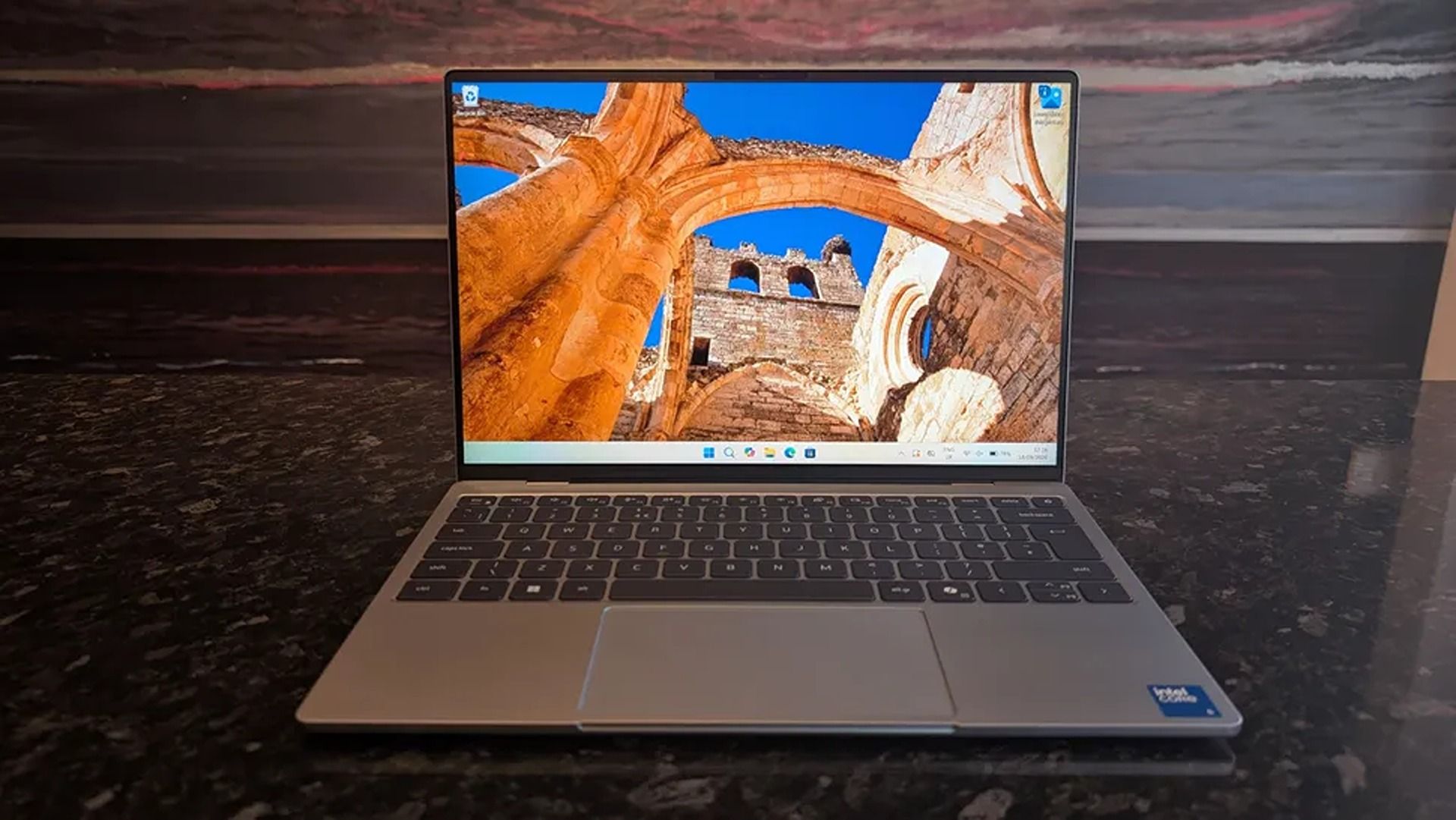
2026 saw the release of the familiar Dell XPS 13, a 'new' laptop designed to be the ultimate, affordable gateway for first-time PC users thanks to its respectable performance, long-lasting battery life, high-quality build, and general reliability.
"The Dell XPS 13 returns as an excellent Windows-based answer to the MacBook Neo. It’s an excellent option for students or mainstream users who don’t need more CPU or GPU muscle." — Matt Safford, Managing Editor, Tom's Hardware
They don't make those comments lightly because the Dell XPS 13 has plenty of features to help it live up to the hype and make it an easy recommendation for beginner PC users, students, and workers.
These include a strong battery life of nearly 15 hours per charge, a 13.4" 3K Touchscreen with 2560x1600 resolution and a 120Hz refresh rate to provide crisp and detailed images and videos, and a solid, thin 0.5 inches thick chassis weighing in at 2.2lb for easy portability.
On top of that, the Dell XPS 13 has a solid and responsive keyboard, a pair of Thunderbolt 4 ports to plug in useful accessories, an IR sensor for facial recognition, great-sounding speakers, Wi-Fi 7 support for faster and more stable internet connections, and decent performance for casual use and mid-level intensive workflows thanks to its Intel Core 5 Series 3 320 CPU and 16GB of RAM.
Can it's RAM and SSD be swapped with different ones?
The Dell XPS 13 laptop's RAM can't be removed and swapped for a different one due to being soldered, so you will need to decide how much RAM it gets during checkout.
Its SSD, however, can be swapped out with a different one, and the Dell XPS 13 supports up to 4TB of storage.
Is it worth waiting until Black Friday?
In the past, we'd recommend waiting until Black Friday for a chance at a better discount, as laptops are usually discounted to their lowest by then.
However, with the ongoing RAM crisis hiking the prices of laptops further and further, who's to say that the Dell XPS 13 won't have a good price by then, even with a Black Friday discount?
With that in mind, it's still worth using Best Buy's 26% discount for the Dell XPS 13 now in case things get worse, especially if you're in a hurry for a high-quality, beginner-friendly laptop.
Join us on Reddit at r/WindowsCentral to share your insights and discuss our latest news, reviews, and more.
There have been few laptops that have completely blown us away with exceptional design, long battery life, and a smooth Windows experience quite like ASUS' Zenbook A14, and it saw a massive upgrade this year with a refresh outfitted with Qualcomm's Snapdragon X2 Elite processor.
Normally, the ASUS Zenbook A14 with its $1,349.99 price tag can seem like a hard sell compared to its cheaper (yet very capable) Snapdragon X Plus predecessor (usually $939.00 — $969.99), and its premium-grade Zenbook A16 sibling with its powerful X2 Elite Extreme CPU ($1,599.99 — $1,899.99).
Thankfully, with this 26% discount, the Zenbook A14 with Snapdragon X2 Elite is now at a smarter price of $999.99 at Best Buy, compared its siblings.
"At a glance, it might feel like the Zenbook A14 didn't change at all, but upgrading to the Snapdragon X2 Elite gave it a massive CPU performance bump." — Ben Wilson, Senior Editor
The Snapdragon X2 Elite logo on the ASUS Zenbook A14. (Image credit: Ben Wilson | Windows Central)
For starters, ASUS' Zenbook A14 laptop with Snapdragon X2 Eliteoffers vastly superior performance for casual use and heavy workloads compared to its 2025 Snapdragon X Plus predecessor, while also outperforming Apple's M5 chip.
Additionally, this laptop also earned high praise from us for its exceptional battery life of 17 hours per charge, crisp 14-inch OLED display that runs at 1920x1200 resolution with a max refresh rate of 60Hz, and vast selection of USB4, HDMI 2.1, and USB-A ports.
Plus, this version of the ASUS Zenbook A14 laptop also has Wi-Fi 7 support for faster and more stable wireless internet connections.
So, if you're looking for a lightweight, compact Windows laptop that will make mincemeat out of CPU-heavy apps and workflows, then the ASUS Zenbook A14 laptop with the Snapdragon X2 Elite CPU will serve you well in the office or school.
Will my everyday apps and old devices work with it?
Most everyday apps will function on the ASUS Zenbook A14, but older devices like legacy printers or scanners may have compatibility issues with the laptop's Qualcomm Snapdragon ARM-based processor. So make sure you check these older devices before using them on the ASUS Zenbook A14.
Is the RAM and SSD upgradeable?
The ASUS Zenbook A14's 16GB RAM is soldered, so it can't be removed and swapped with a larger one. You will need to select how much RAM it will have during checkout (16GB or 32GB). Its 512GB SSD, on the other hand, can be swapped out with a larger one up to 4TB of space.
Is it worth waiting until Black Friday for a better deal on this laptop?
It depends on your situation and wants. If you can hold out for a few weeks for a chance at a better discount, I'd recommend waiting until Black Friday.
However, if you're in a hurry for a new premium-level laptop for work and are afraid the ongoing RAM crisis will drive the price of this laptop to unaffordable levels in the future, then I'd say take the Asus Zenbook A14 now while its 26% discount is hot (and making its price slightly more on par with the 2025 model).
Join us on Reddit at r/WindowsCentral to share your insights and discuss our latest news, reviews, and more.
It was just a few days ago that I was unboxing the new ASUS ROG XBOX Ally X20, which went on sale just five days ago on October 15th, and now both the handheld ($1,299) and the $2,499 bundle (handheld + XREAL glasses, dBrand skin) are sold out at both Best Buy and ASUS.com.
Indeed, I'm not even saying they sold out today, but rather that today was the first day I checked to see if there was any inventory left. Going by a Reddit thread, it appears it sold out sometime yesterday or Sunday.
That's a very impressive metric, when you consider the pricing here. The current ROG XBOX Ally X is available for $999, while this refreshed model (which is better in every way) is $300 more. And the $2,500 bundle is also no joke, especially for what many would consider a secondary gaming PC.
Sure, we can attribute this to limited production and a finite inventory on hand, but it’s worth noting that preorders began almost two months ago on August 25th, giving ASUS ample time to prepare for demand.
And we know there was demand. Looking at our internal numbers for click-throughs, we saw back in August an unusually high amount of interest in the ROG XBOX Ally X20, more than you might expect from the most expensive ROG Ally to date.
A lot of this goes back to what I've been saying for years: Gaming is one of the few price-proof areas in tech, practically insulated from the harsh economic realities that many people are facing, on top of the overall higher prices attributed to AI-driven demand for RAM and NAND (storage).
ASUS
ROG Xbox Ally X20
A refined celebration of ASUS’s gaming legacy, the Ally X20 Anniversary Edition pairs its upgraded Ryzen AI Z2 Extreme chip with a vibrant 7.4‑inch OLED HDR display and a boosted 80 Wh battery. It’s a sleeker, more efficient Windows gaming handheld built to mark the milestone with sharper visuals, quieter thermals, and longer play sessions.
Whether a recession, a pandemic, a RAM shortage, or a crypto mining craze (remember that?), gamers are almost always willing to fork over big bucks to have the latest gear. It's one reason that, despite some of the doom-and-gloom over PC sales in the last decade, gaming PCs grew year-over-year consistently.
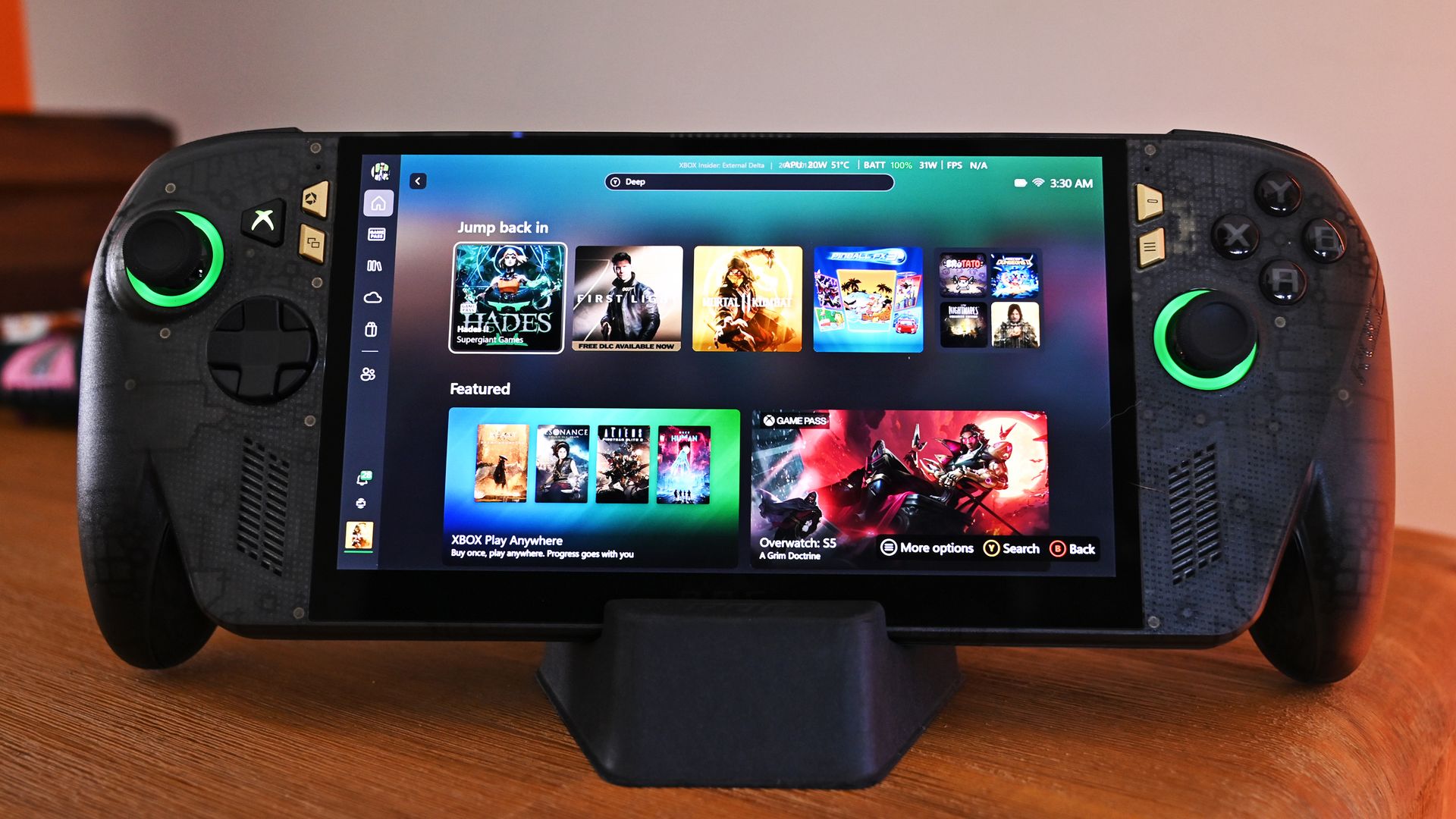
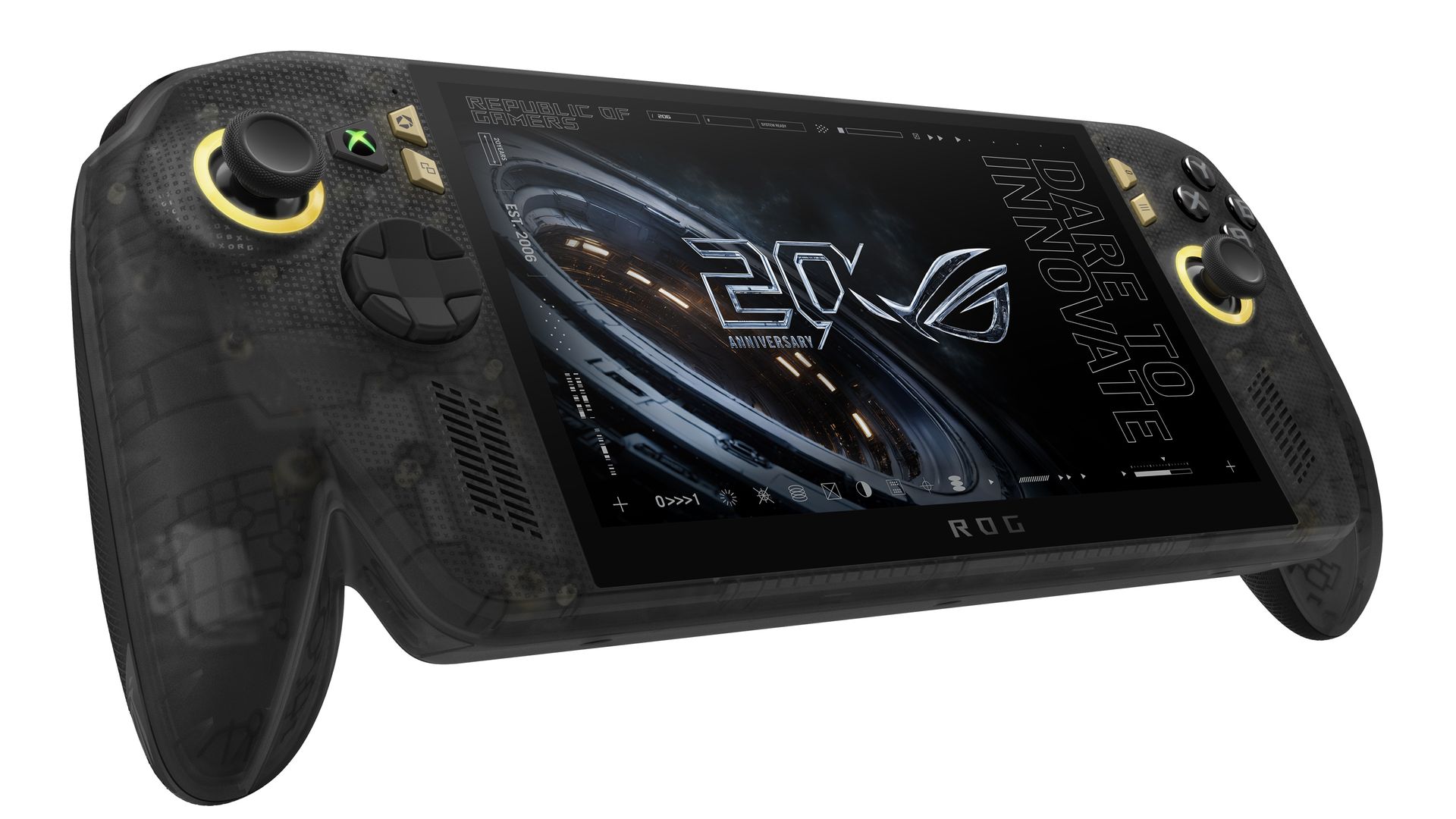
Front view of the ROG Ally X20 handheld, which is in very high demand. (Image credit: Daniel Rubino)
If you haven't followed this story closely, you'd be forgiven for thinking this is just a simple refresh of last year's XBOX Ally X, albeit with an OLED panel replacing the IPS.
That ... would be way oversimplifying it.
Yes, the same AMD Z2 Extreme and 24GB of RAM are here (albeit slightly faster memory), so overall performance is very much the same, but ASUS basically completely rebuilt this entire device with all new components. In fact, I've been documenting all the changes that I've noticed and collected from talking to ASUS and from past press events.
So, here's what's actually new:
Larger 7.4-inch OLED panel (up from 7.0 IPS)
1,400 nits peak HDR (no HDR before)
600 nits peak SDR (was 500 before)
Dolby Vision support
Corning Victus + DXC anti-reflection coating
Smaller bezels
Redesigned airflow channel specifically for cooling the OLED panel
Completely redesigned PCB USB4 ports
Upgraded fan and heatsink fins for better cooling
Hybrid metal dome switches for a more tactile D-pad
Transforming D-pad
TMR joysticks (Hall-effect style)
LEDs increased from 2 to 4 per stick
Quieter, more tactile ABXY buttons
Realigned shoulder buttons
Smoked black translucent housing
Rubberized ergonomic grips
Upgraded microSD Express slot (up to ~1 GB/s)
And this translates into a major real-world difference in terms of fit and finish, as well as overall enjoyment of the device, which is why so many people are praising the build quality.
While Intel's G3 Extreme trounces AMD in performance, the overall gaming experience on the ROG XBOX Ally X20 is very likely the best of any handheld. Plus, a faster AMD or newer Intel chip would have driven the price up even further (see MSI's $1,800 Claw).
Of course, the one pain point is still ... Windows 11. At least for the out-of-the-box experience (OOBE), but we'll talk about that another time. Once you're set up, the Ally X20 is top-tier.
ROG XBOX Ally X20 is getting great reviews
(Image credit: ASUS)
It's worth noting that reviews, both professional and from consumers, have been near-universal in their acclaim for the ROG XBOX Ally X20.
Yeah, Best Buy only has 10 reviews posted, but it's a solid 5.0 across the board, with some noting, "This is the single most refined PC handheld ... I’ve tried." and "it might be the best quality handheld device in the market," and "ASUS Definitely hit it out of the park with this one."
Going by more professional reviews, IGN says the OLED takes the machine "to a completely new level" and argues that the extra $300 is"absolutely worth it" if you have the cash. Notebookcheck is similarly effusive, calling the OLED a "game changer" and describing the image quality as "simply stunning."
And one of my favorite YouTube channels, 128KB, dedicated to handheld gaming, also gave high praise (you can see the podcast embed above).
That kind of word of mouth goes a long way, and ASUS seems to have quite a hit on its hands despite the current market circumstances.
Of course, my review is coming out shortly, but spoiler alert: I don't differ much from most of the other conclusions. Sure, "The X20 should have been the original Ally X last year" is a common theme, but OLED displays this small with variable refresh were hard to come by in 2025, so ASUS went with what it could mass-produce at the time.
The Ally X20 selling out across every configuration shows just how aggressively ASUS has captured the handheld gaming PC conversation. This launch isn’t a blip or a lucky surge; it’s a clear sign that ASUS understands what Windows handheld buyers want and is willing to push the category forward faster than anyone else.
When a premium bundle disappears instantly, it tells you the audience is hungry, confident, and ready to invest in hardware that feels genuinely next‑gen. ASUS, in my opinion (and others'), set a new bar, and the rest of the industry now has to decide whether it can keep up with the pace ASUS just established.
Anyway, let me know in the comments what you think about the state of handheld gaming in 2026, and whether the ROG XBOX Ally X20 is on your radar (if it comes back in stock).
ASUS
ROG Xbox Ally X20 Bundle
Twenty years of ROG innovation, marked by the limited ROG Edition 20 lineup in an exclusive colorway. The ROG XBOX Ally X20 Bundle carries that celebration forward, pairing the handheld with the ROG XREAL R1 Edition 20 Gaming AR glasses to create a complete gaming setup that travels with you.
Join us on Reddit at r/WindowsCentral to share your insights and discuss our latest news, reviews, and more.
Xbox turns 25 this year, and if you're going to commemorate a quarter-century of one of gaming's most recognizable brands, slapping a green logo onto some existing hardware isn't going to cut it.
Thankfully, Razer didn't phone it in.
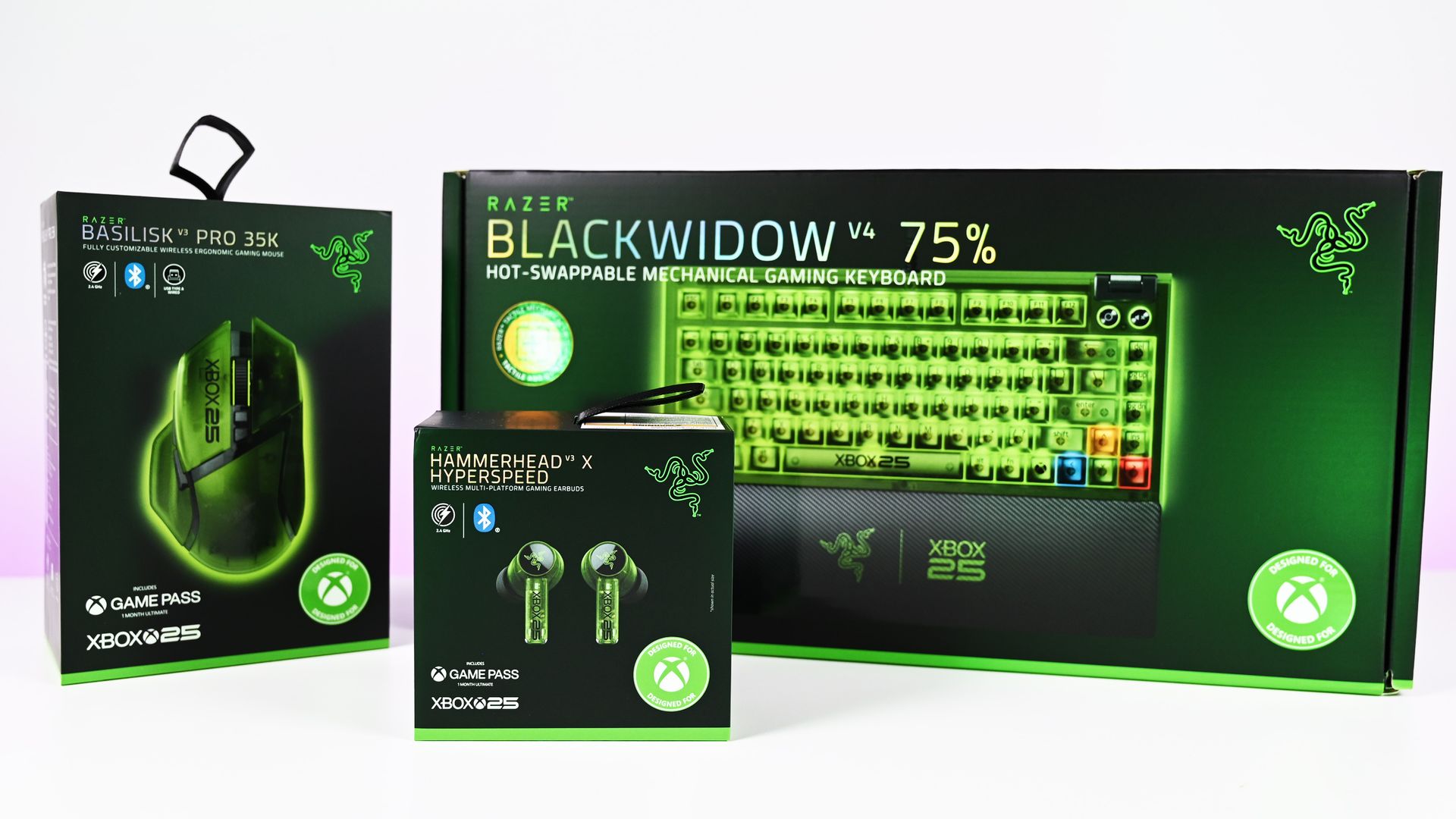
The new Razer | XBOX 25 Anniversary Collection (now available) takes three existing Razer products, the BlackWidow V4 75%, Basilisk V3 Pro 35K, and Hammerhead V3 X HyperSpeed, and transforms them with translucent green shells, Xbox detailing, and some fantastic use of RGB lighting. Razer officially announced the limited-edition collection in August, describing it as a collaboration with Xbox celebrating 25 years of the brand.
I've now spent some time with all three, and there's one product that immediately stands above the rest.
The keyboard is ridiculously good.
The BlackWidow V4 75% is the star of the show
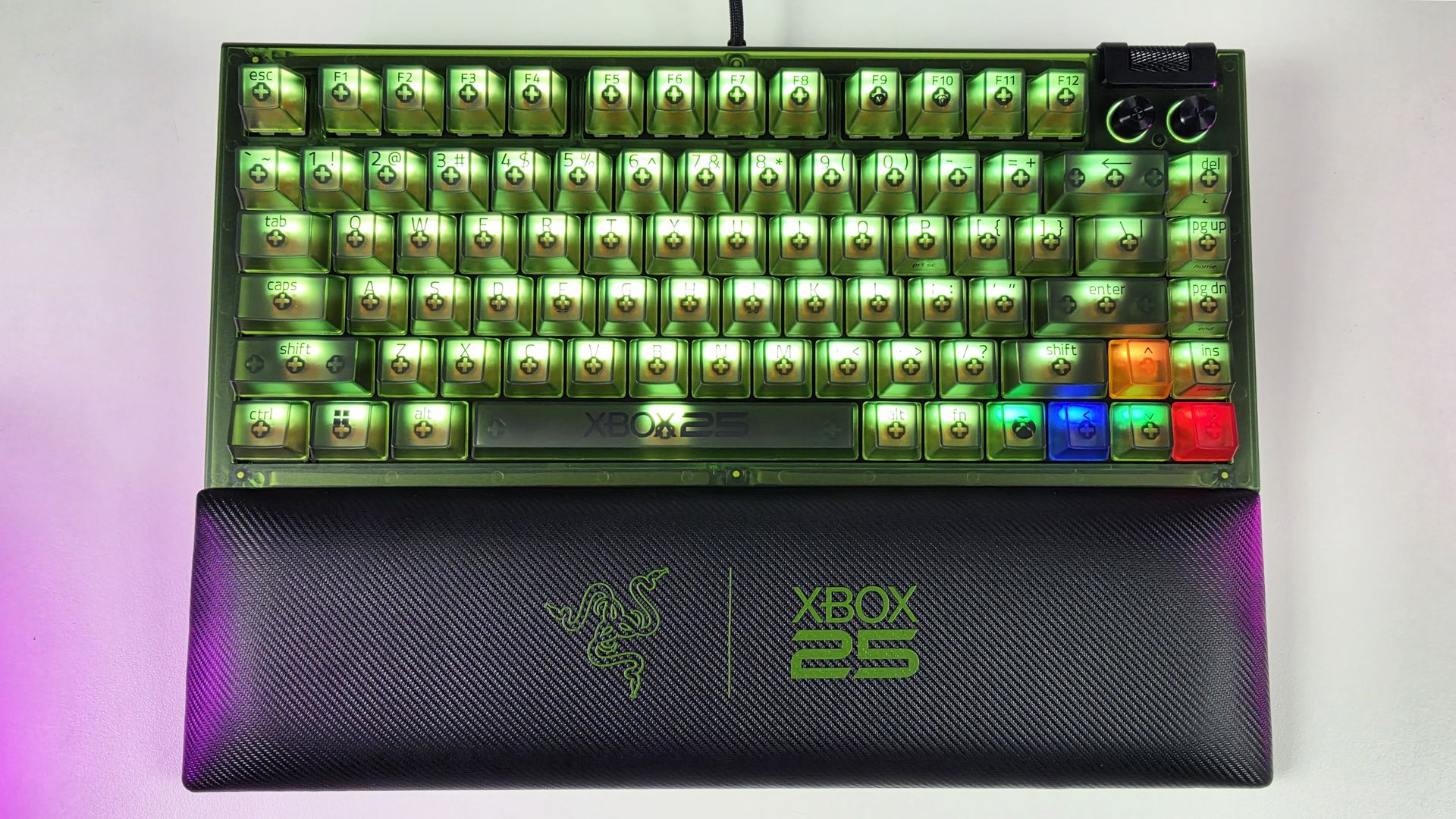
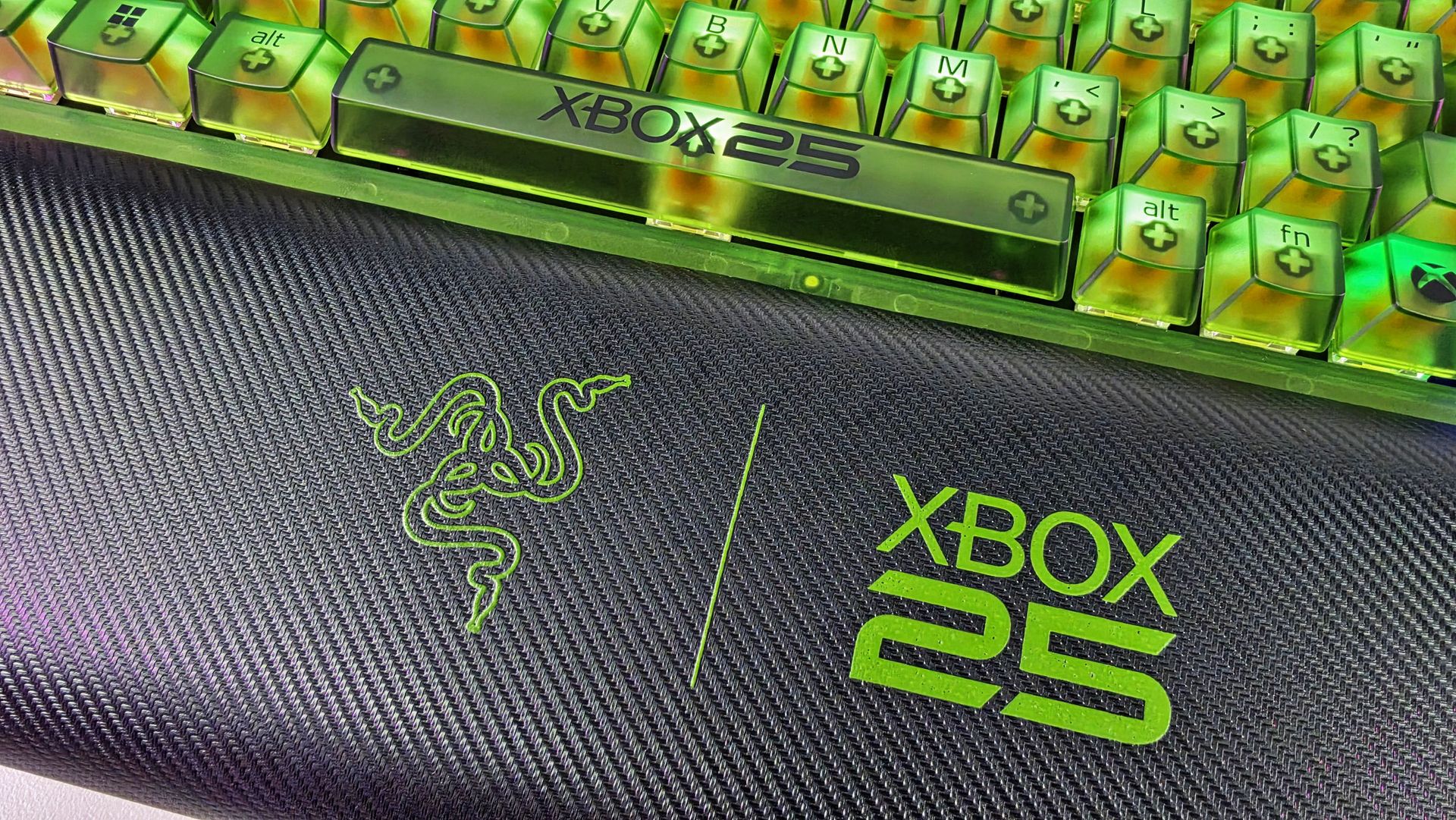
Top-down view of the Razer BlackWidow V4 75% Xbox 25th Anniversary keyboard and wrist rest. (Image credit: Daniel Rubino)
If I could only buy one thing from this collection, it would unquestionably be the BlackWidow V4 75%.
It's absolutely awesome-looking in person.
The translucent green chassis and keycaps make exceptionally good use of Razer's Chroma lighting because you're not simply seeing RGB through the legends. The light spills through the translucent structure of the keyboard itself, illuminating the switches and keys and giving the whole thing this glowing, almost radioactive Xbox-green appearance.
My photos don't really do it justice. I've generally kept mine predominantly green for obvious reasons, but you aren't locked into the Xbox color scheme. Razer Chroma gives you full RGB customization, including per-key lighting, while the keyboard also has two-sided underglow.
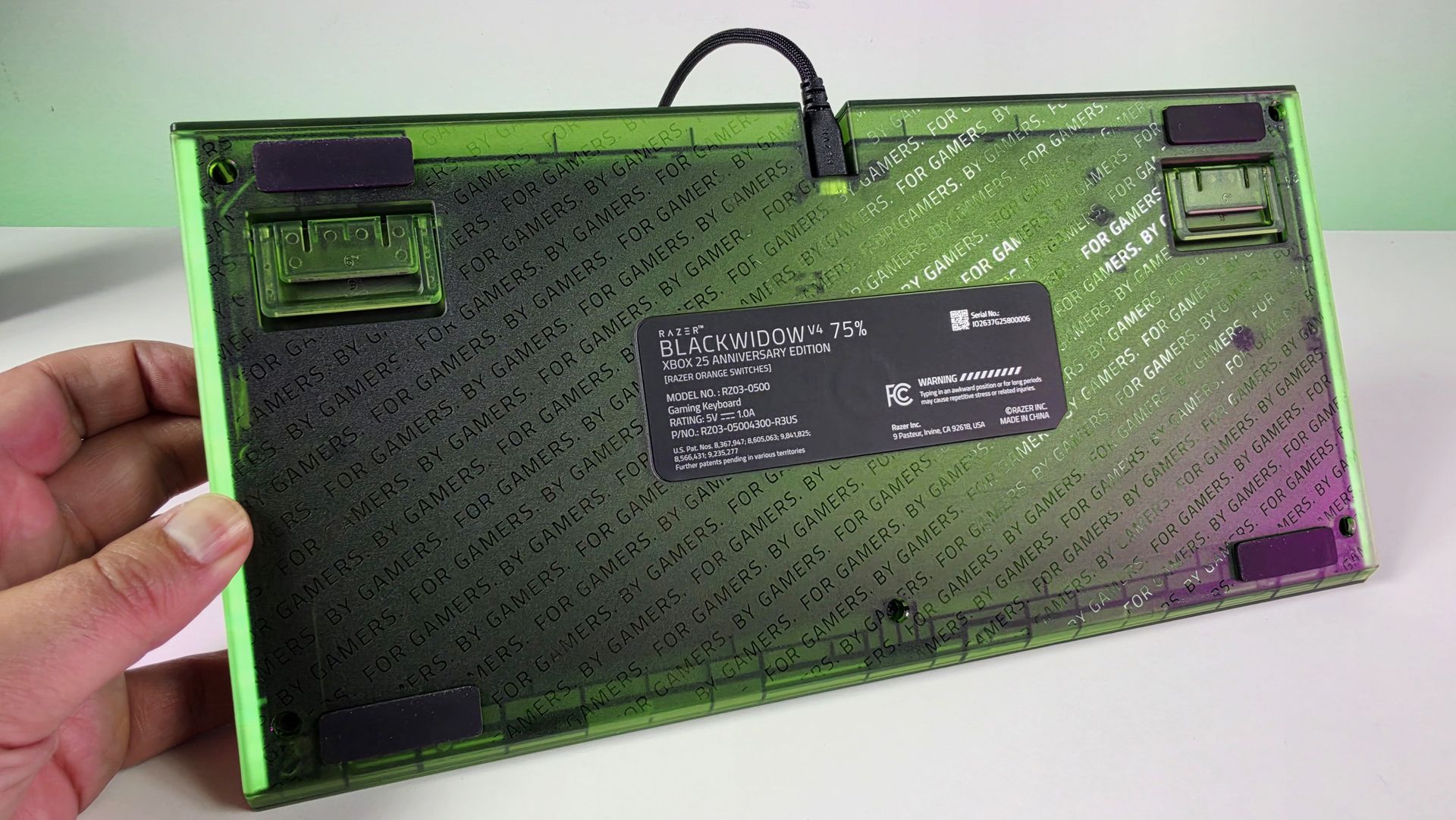
Even the bottom of this keyboard looks great. (Image credit: Daniel Rubino)
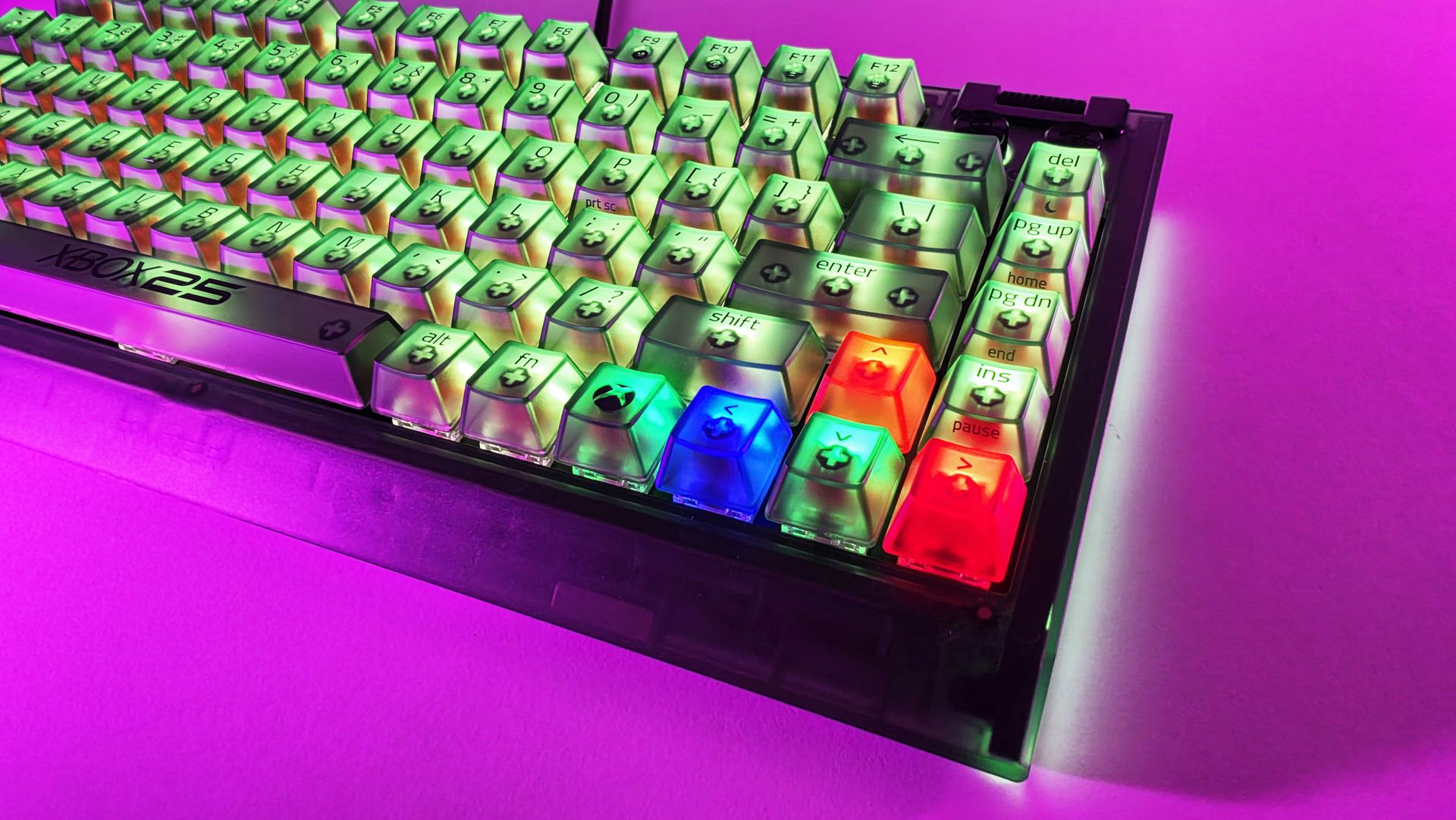
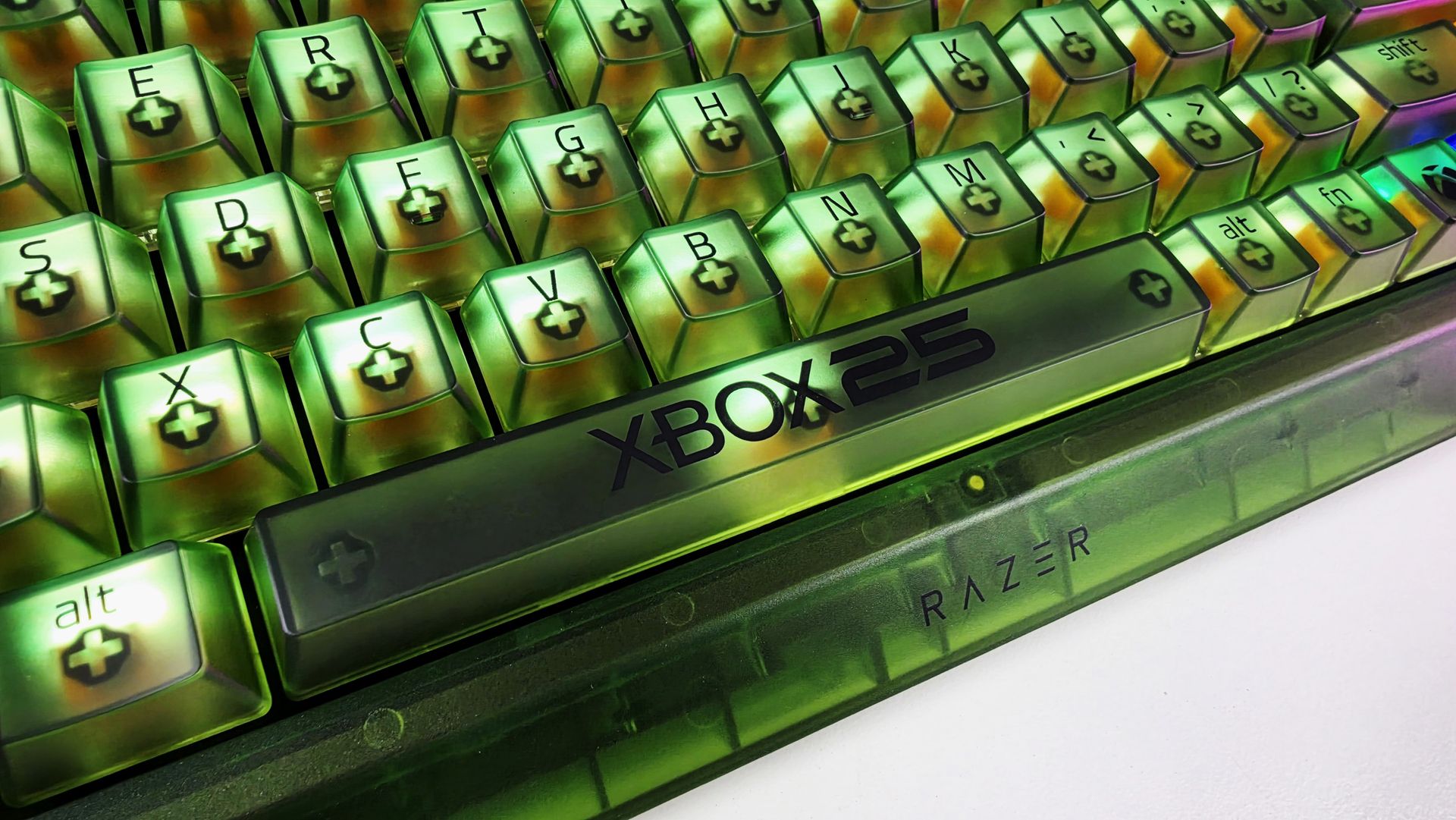
There are some lovely smaller touches, too. The spacebar carries the XBOX 25 branding; there are Xbox-inspired symbols scattered across the keycaps, and the familiar ABXY colors appear around the arrow cluster. Razer has even included a dedicated Xbox key for opening Game Bar.
But perhaps my favorite finishing touch is sitting in front of the keyboard.
Sure, you can customize the RGB using Synapse, but out of the box, I love the default color profile. (Image credit: Daniel Rubino)
The included magnetic wrist rest has Razer and XBOX 25 branding prominently printed on it in green, and that's the type of detail that pushes this beyond feeling like a basic special-edition colorway. It completes the look.
Even the wrist rest gets some branding love. (Image credit: Daniel Rubino)
Razer uses its Orange Tactile Switches Gen-3 here, while retaining the BlackWidow V4 75%'s hot-swappable design.
At $209.99 on Razer.com, it's admittedly not cheap. But if I'm buying something specifically because it's a limited Xbox 25th-anniversary edition, I want it to actually feel special. This does.
BLACKWIDOW V4 75%: $209.99 If you’re looking for more customization and immersion, meet your XBOX enthusiast needs with a compact, hot-swappable mechanical keyboard featuring Razer Chroma RGB and Razer Orange Tactile Mechanical Switches Gen‑3.View Deal
The Basilisk V3 Pro 35K completes the look
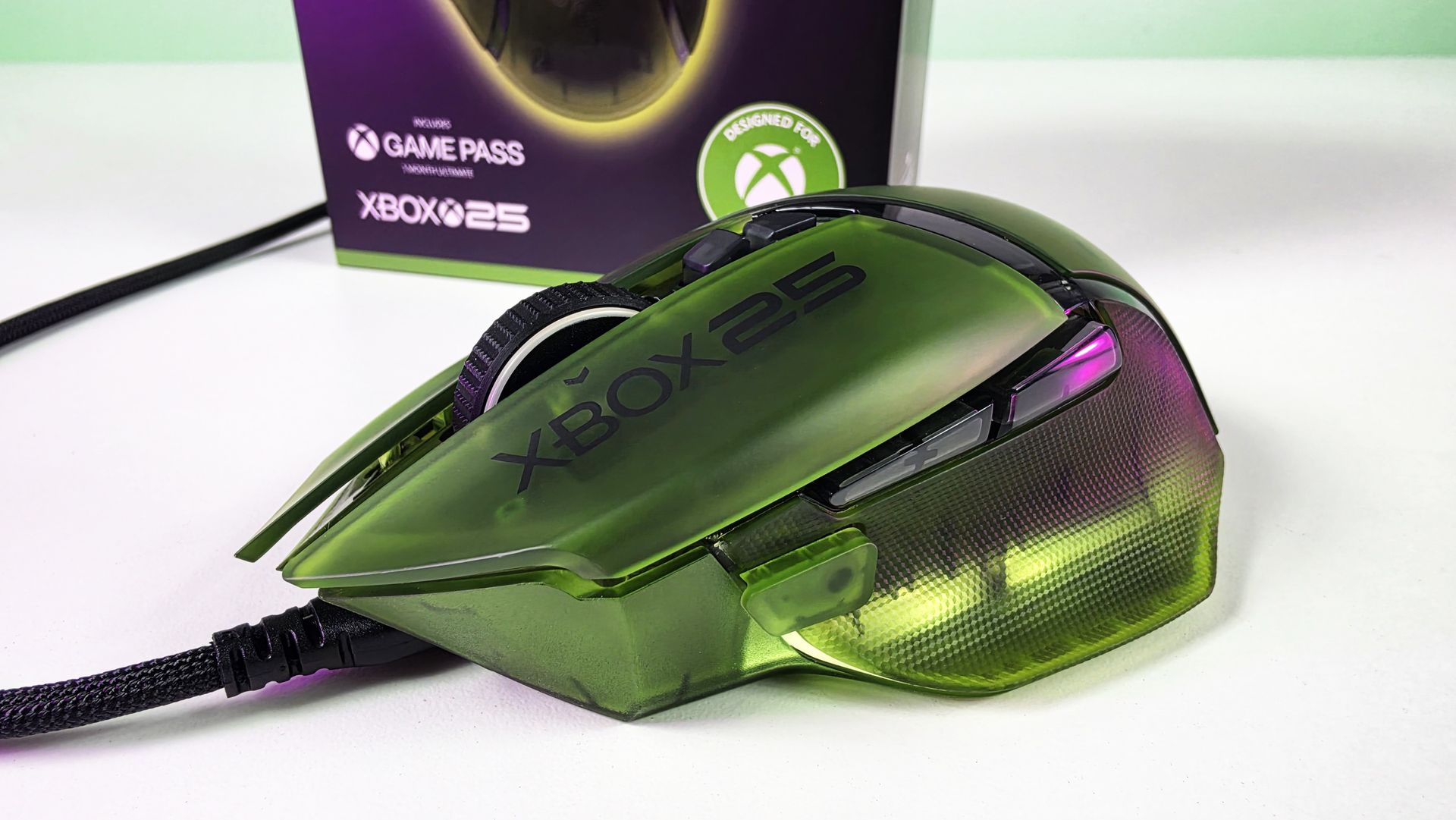
Arguably one of the best combo gaming and ergo mice around, the Basilisk V3 Pro 35K in translucent green looks superb. (Image credit: Daniel Rubino)
I'm already a fan of the Basilisk line, and underneath the translucent green makeover, this remains a very capable wireless gaming mouse. You get Razer's Focus Pro 35K Optical Sensor Gen-2, HyperScroll Tilt Wheel, 13 customizable controls, HyperSpeed Wireless connectivity, and Chroma RGB.
Razer lists up to 140 hours of battery life over HyperSpeed Wireless as well.
However, once again, it's the execution of the anniversary design that makes the difference.
(Image credit: Future)
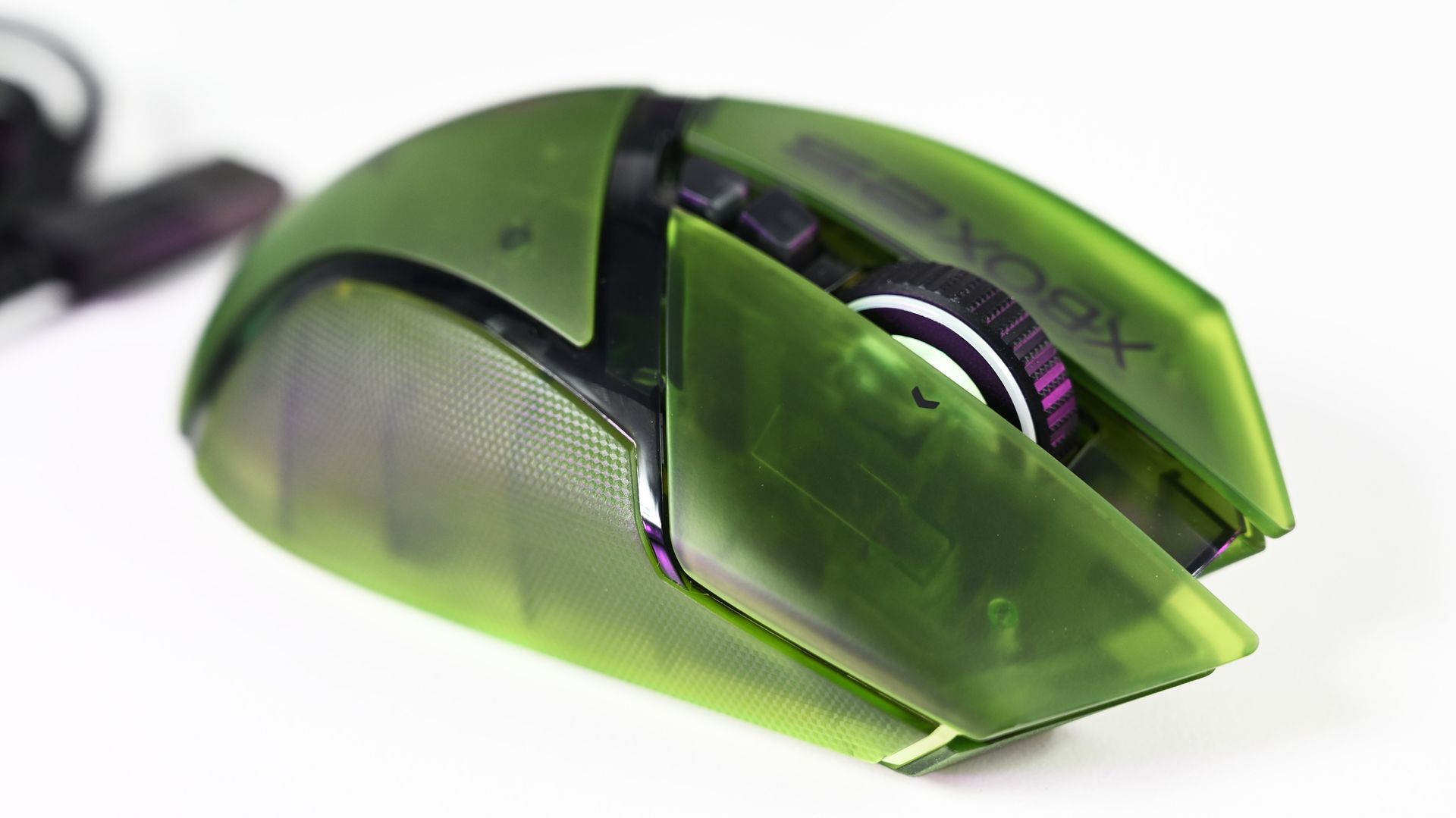
The translucent green upper shell lets you see hints of the mouse's internal structure, while XBOX 25 branding runs down the side. RGB lighting beneath the mouse creates a bright green glow that makes it look fantastic beside the BlackWidow.
Honestly, if you're getting the keyboard, you really should just get the mouse too (sorry about your wallet).
Close-up top view of the Razer Basilisk V3 Pro 35K Xbox 25th Anniversary gaming mouse featuring a translucent green shell and Xbox 25 branding. (Image credit: Future)
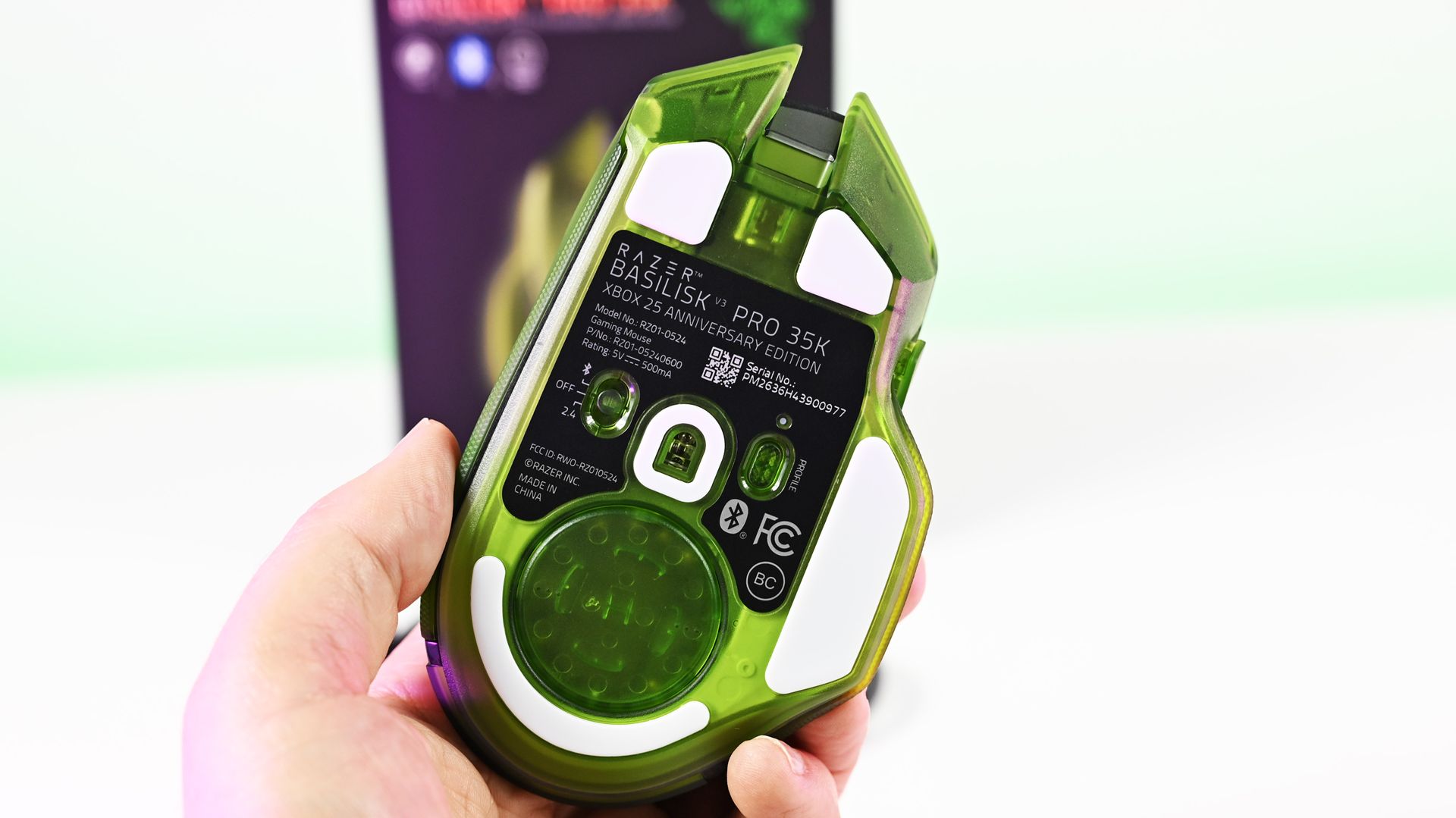
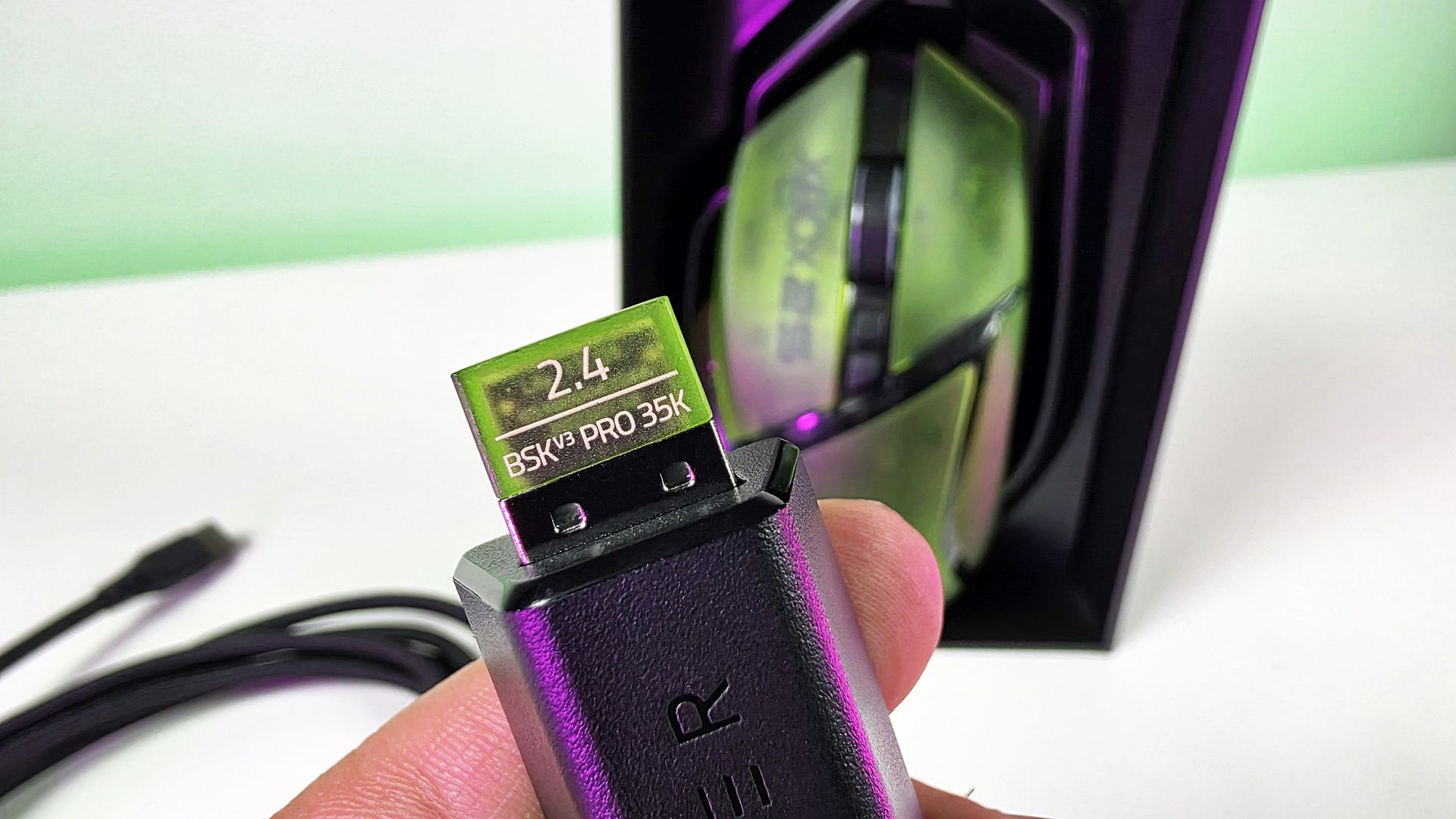
There's even a translucent green 2.4GHz wireless dongle! Nobody needed to do that. Razer did it anyway, and that's precisely my point about this collection. Everywhere I look, there's another little bit of attention to detail.
This was completely unecessary, but Razer really went all out for the theme here🫡. (Image credit: Daniel Rubino)
The Basilisk costs $179.99 on Razer.com. Yes, Razer has subsequently moved the Basilisk family forward, so you're not buying the newest generation simply because this is a new Xbox edition. But considering what you're really paying for here, namely an excellent mouse transformed into a collectible anniversary design, I'm not going to complain too much.
BASILISK V3 PRO 35K: $179.99 Packed with cutting-edge technology, unleash your full potential with an XBOX-themed RGB gaming mouse that redefines the boundaries of performance, customization, connectivity, and control.View Deal
The Hammerhead V3 X HyperSpeed does exactly what it needs to
(Image credit: Daniel Rubino)
Finally, there are the Hammerhead V3 X HyperSpeed earbuds.
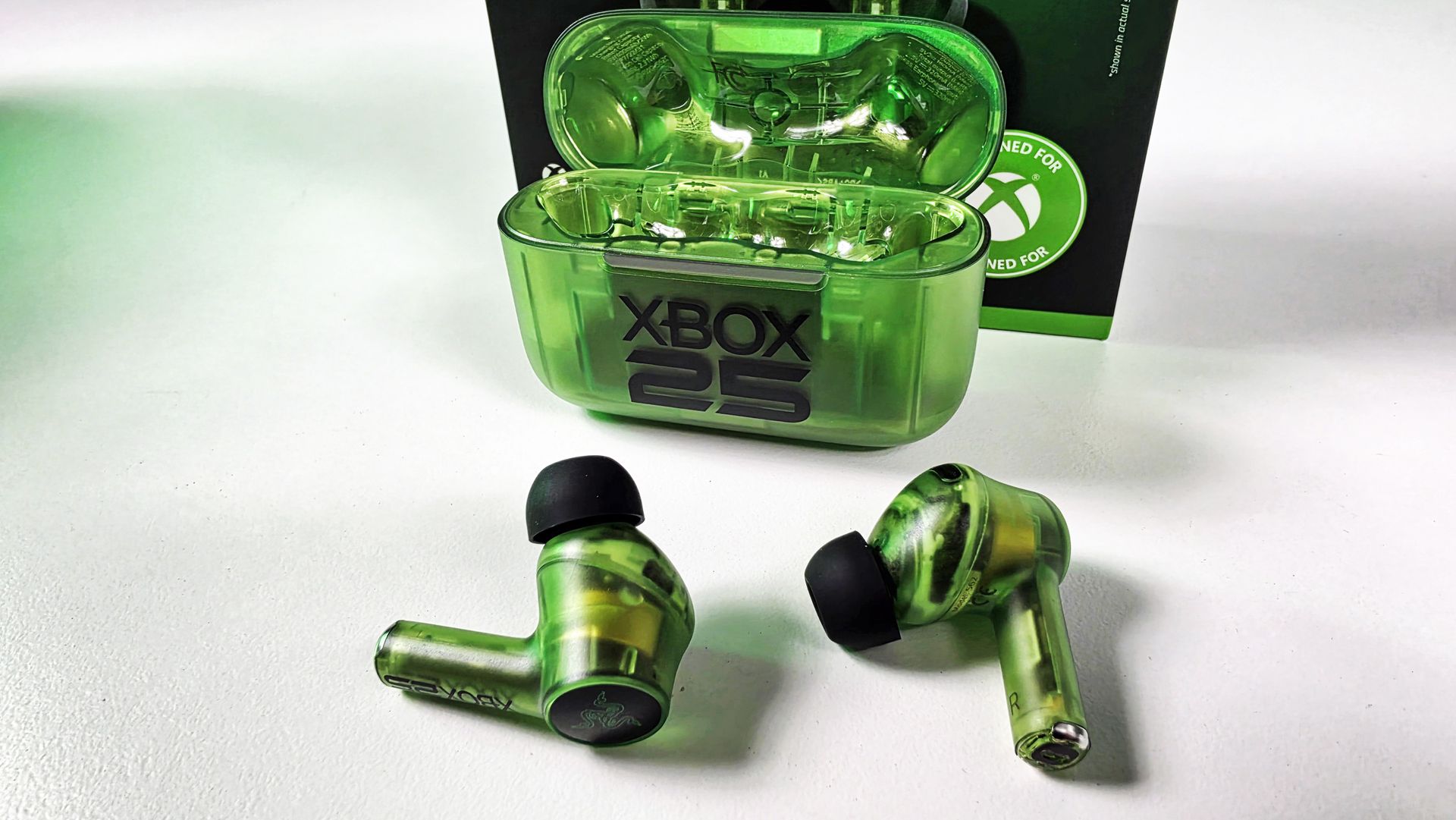
I've been using these with my ASUS Xbox Ally X, where they've made a great little companion for handheld gaming. They sound great, and the transparent green design is wonderfully nostalgic without looking cheap.
The earbuds themselves are translucent right down through the stems, while the charging case gets the same treatment with a large XBOX 25 logo across the front. It's distinctive without Razer needing to reinvent the product underneath.
(Image credit: Daniel Rubino)
To be clear, I'm not sure what else Razer could have done here.
These support both Razer HyperSpeed Wireless over 2.4GHz and Bluetooth 5.3, including Razer SmartSwitch, alongside up to 35 hours of total battery life. They're also IPX4-rated, and Razer lists surround-sound support across Xbox and PC.
At$119.99 on Razer.com, they're also the least expensive route into the collection.
HAMMERHEAD V3 X HYPERSPEED: $119.99 Experience seamless audio with the ultimate wireless gaming earbuds. Equipped with Razer HyperSpeed Wireless, Razer SmartSwitch Dual Wireless, and THX Spatial Audio, stay connected, competitive, and fully immersed on Xbox and beyond.View Deal
This is how you do an anniversary collection
(Image credit: Future)
The three anniversary models carry roughly a $10 to $20 premium over their standard counterparts, depending on the product. That's the sort of "special edition tax" I can live with when I'm actually getting something special in return.
And, in my opinion, Razer really went over the top here.
There's a consistency across all three products that makes them feel like an actual collection, rather than three unrelated products that happen to share a logo and color. Put the BlackWidow and Basilisk together on a desk, and they look fantastic.
The translucent green plastic immediately evokes Xbox, while the XBOX 25 logos, custom keycaps, ABXY colors, wrist-rest embroidery, RGB implementation, and even that ridiculous little green wireless dongle demonstrate that somebody cared about sweating the details.
🤌It's so cool looking! (Image credit: Daniel Rubino)
And that's ultimately why I like these so much.
Razer started with some of its best hardware rather than using Xbox's anniversary to dress up cheaper peripherals, and then went far enough with the aesthetic changes that they feel genuinely unique.
The Razer | XBOX 25 Anniversary Collection is available to order from October 20, with the BlackWidow V4 75% at $209.99, Basilisk V3 Pro 35K at $179.99, and Hammerhead V3 X HyperSpeed at $119.99.
These are limited edition, so don't be shocked if they sell out.
If I were choosing only one, I'd take the BlackWidow without hesitation. (But let's be honest: the keyboard and mouse belong together.)
A+ from me, Razer. This is how you do anniversary hardware.
Hit me up in the comments if you have any questions while I still have these on hand! And you can follow the rest of our XBOX 25 coverage as we round out 2026.
Join us on Reddit at r/WindowsCentral to share your insights and discuss our latest news, reviews, and more.
That document outlines how long each Surface device will receive driver and firmware updates.
The support window for the Surface Laptop Ultra is not surprising. In fact, it's perfectly in line with other Surface devices. Microsoft splits its driver and firmware lifecycle into two different categories: devices released before January 1, 2021 and devices released on or after January 1, 2021.
Devices that shipped before 2021 receive at least four years of driver and firmware updates. All Surface PCs in that category have already reached the end of the driver and firmware lifecycle.
The Surface Laptop Ultra will continue to receive driver and firmware updates until October 16, 2032. Microsoft is quite specific about its lifecycles. For context, the newly launched Surface Pro 12-inch and Surface Laptop 13-inch will only receive driver and firmware updates until October 13, 2032.
Surface Laptop Ultra owners will need to make sure their PC is running a version of Windows 11 from the prior 30 months to continue to receive driver and firmware updates.
Even when a device reaches the end of its driver and firmware lifecycle, it will continue to receive Windows 11 updates.
Firmware is low-level software built into hardware components, while drivers allow Windows to communicate with those parts. Driver and firmware updates keep everything running smoothly. They can fix hardware bugs, battery drain, and security flaws behind the scenes.
Six years is a fair time for a PC to receive driver and firmware updates. Generally, the biggest bugs and issues should be sorted by the end of the Surface Laptop Ultra's driver and firmware lifecycle.
Built around the NVIDIA RTX Spark platform with an N1X CPU, RTX GPU, and up to 128GB of unified memory, the Surface Laptop Ultra hits new performance heights for power users. It's all contained in a gorgeous chassis with a mini-LED display and tons of ports.
Join us on Reddit at r/WindowsCentral to share your insights and discuss our latest news, reviews, and more.
Black Friday is right around the corner, but that doesn't mean you have to wait for a discount on laptops if you need one to clear last-minute deadlines at work or get caught up before heading to school.
For example, the HP Omnibook X Flip 2-in-1, with its crisp 16-inch display, all-day battery, and next-gen performance, is currently on sale with a 25% discount for $1,199.99 at Best Buy.
"The OmniBook X Flip 16 is a great all-rounder. It's well built, lovely to use, and the balance of power and stamina make for a laptop that's as happy sitting on a desk as it is coming on your travels. And whether it's work or play, the OLED touchscreen is a delight." ~ Sashua Muller, freelance journalist,
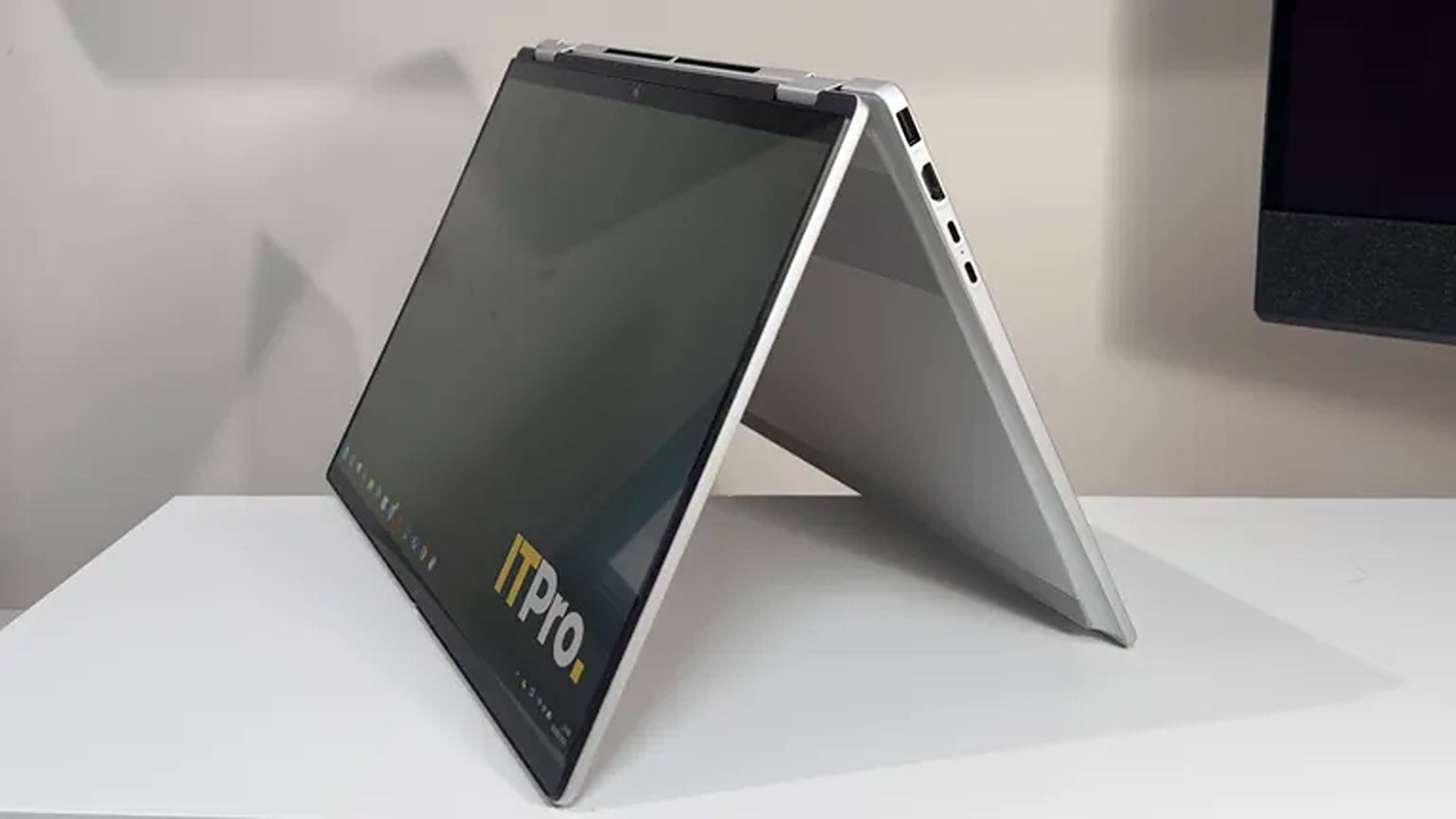
The HP Omnibook X Flip's Tent Mode (Image credit: ITPRO (Sashua Muller) | HP)
This configuration of the HP Omnibook X Flip 2-in-1 is the total package when it comes to casual use and productivity efficiency thanks to its AMD Ryzen AI 7 445 CPU, 16GB RAM, and 1TB SSD, offering fast performance when running programs, transferring files, or simply booting up.
It also features a 16" 2K OLED Touchscreen that delivers vibrant colors with 100% DCI-P3 coverage for accurate colors and 120Hz adaptive refresh rates to deliver smooth visuals.
On top of that, the HP Omnibook X Flip features an NPU with 50 TOPS to help perform local AI tasks, a smart hybrid build that can swap between laptop, tent, reverse, and tablet modes, and a massive battery life of 15 hours before needing a recharge.
Is it good for AAA gaming?
No, the HP Omnibook X Flip 2-in-1 laptop struggles to run intensive AAA games like Cyberpunk 2077 due to its limited integrated graphics card that was meant for workflow tasks rather than gaming. This isn't a gaming laptop.
Can I upgrade it's RAM?
No, the RAM is soldered into the HP Omnibook X Flip 2-in-1 laptop's motherboard so it can't be upgraded with a different one.
Should I wait until Black Friday for a better deal?
Often, I would suggest waiting until Black Friday for a chance at a bigger discount on laptops. However, with the RAM crisis constantly raising the prices of all things tech-related, there's a chance the HP Omnibook X Flip 2-in-1 laptop's price will rise so high that not even Black Friday discounts will make it affordable. With that in mind, it may be a good idea to take advantage of this discount while it lasts, if it suits your budget.
Join us on Reddit at r/WindowsCentral to share your insights and discuss our latest news, reviews, and more.
RTX Spark is NVIDIA's new local AI-focused Windows PC platform, combining Blackwell RTX graphics and Grace CPU technology into a single processor that brings secure LLMs, high-end creative workflows, and gaming performance to laptops and desktops. With that, NVIDIA positions RTX Spark as a new generation of Windows PCs, with Surface Laptop Ultra as the flagship device.
OEMs are also on board, with RTX Spark laptops launching alongside Microsoft's Surface from brands like HP, Dell, ASUS, and MSI. Our team at Windows Central has followed NVIDIA's efforts closely since its inception and has since gone hands-on with its wave of launch devices. This is everything we know so far about RTX Spark and what we expect to see in the future.
The panel compares the M5 Pro Mac mini and Mac Studio, examining performance, pricing, upgrades, and video rendering capabilities. They also discuss Android app compatibility problems on Google’s new computers, Meta’s controversial Muse AI collecting personal relationship information, Facebook’s continuing relevance for content creators, and ChatGPT’s new virtual clothing try-on capabilities.
The flagship Alexa Tablet 12 Pro starts at $499.99 with 8GB of RAM and 128GB of storage, aiming to rival the iPad Pro at a significantly lower price point. It features a MediaTek Dimensity 8400 chip, a 12-inch display with an adaptive refresh rate of up to 120Hz and a 3:2 aspect ratio, a 6.5mm-thick aluminum body, Wi-Fi 6E, and quad Dolby Atmos speakers. Amazon claims that the device has up to 16 hours of video playback.
A $549.99 version adds a “Nanomatte” display, using precision-etched glass developed with Corning to reduce glare. Higher configurations offer up to 16GB of RAM. Unlike Apple’s nano-texture display option, which requires a 1TB or 2TB iPad Pro, Amazon’s matte finish is available with 128GB of storage.
[…]
The Alexa Tablet 11 starts at $329.99 with 8GB of RAM and 64GB of storage, offering an 11-inch 2.5K display with a 90Hz refresh rate. A 128GB version costs $379.99. The smaller Alexa Tablet 8 starts at $229.99 with an 8.7-inch display, 4GB of RAM, and 64GB of storage.
Amazon has dropped the Fire branding in favor of Alexa, and the new Alexa Tablets are now Google-certified Android devices.
Throughout the history of Fire Tablets, Amazon downplayed its use of Android. They ran Android apps from the company’s Appstore platform, but there was no Google integration with “Fire OS.” However, Amazon shut down its app store last year. The new Alexa Tablets run full-fledged Google-y versions of Android with the Play Store and all the apps you’d expect.
So the question is if these new Amazon Alexa Tablets can do what the previous Android tablets never could in tailoring software for the form-factor. I remain skeptical of that but perhaps stock Android plus some good Amazon + Alexa+ (as well as Prime Video) integration will be good enough?
[…]
The screen – namely the fact that it's a matte texture – sounds interesting[…]
Apple has confirmed an issue causing a “small number” of iPhone 18 Pro Max devices on AT&T to lose cellular service.
Apple released software and carrier updates to prevent the issue from affecting additional users, but the company tells 9to5Mac that devices that have already lost service will require a hardware replacement.
It’s only a problem for AT&T customers. No such problems on Verizon or T-Mobile.
[…]
It’s only the 18 Pro Max, not the regular 18 Pro. The salient fact here is that the only iPhone 18 Pro models that use Qualcomm cellular modems, rather than Apple’s own C2 modem, are 18 Pro Max devices in the U.S..
[…]
I’d love to understand how a software update can prevent existing devices from being affected, but a software update cannot restore service to existing devices that have already been affected.
It could be as simple as a power calculation geared towards devices with Apple’s C2 modems.
[…]
The other weird variable seems to be AT&T—out of the three US carriers, AT&T is the only one with a lot of the 3.45GHz 5G band in use[…] Most AT&T MVNOs like Cricket, U.S. Mobile, Gigs-based services, and H2O still use 5G NSA on AT&T and it seems they haven’t gotten the new carrier bundles on 18 Pro Maxes.
[…]
Because of those things, my working theory is that an 18 Pro Max on AT&T was connecting to 5G SA and when it was on that unique 3.45GHz band (maybe trying to hold on to spotty service?), it would basically cook its modem and there’s no fix other than replacement.
The all-new 6-inch Kindle is the most pocket-sized Kindle we’ve ever made. With 16GB of storage, up to 6 weeks of battery life, and 30% faster book opening than the previous release, it is lighter and features a new seamless flush-front design. This required rethinking how the display, front light, and touch layers are assembled and bonded. We’re also introducing edge-to-edge color across the entire family. The housing is made from recycled materials with a 100% recycled cobalt battery. Starting at $149.99 and available in Ube and Graphite.
[…]
The all-new Kindle Paperwhite is thinner and lighter than the previous lineup, waterproof with an adjustable warm light for comfortable reading at any hour, and up to 12 weeks of battery life on a single charge. The Paperwhite display uses an oxide-thin film transistor backplane and is the largest Kindle Paperwhite display with the highest contrast ratio—delivering deep blacks and crisp text, and images that pop off the screen, whether you’re reading in bright sunlight or under the covers at night. The Signature Edition adds aluminum rear housing, 32 GB of storage, an auto-adjusting front light, pogo pin dock charging, and double tap to turn pages—all while remaining thinner than the previous version.
Kevin Keith, Amazon’s vice president of devices, said the company is using “Cap” (capacitive) touch technology and haptics to create what he describes as a “dead zone.” As a reader grips the Kindle, the device detects where a finger is resting and adjusts the touch-sensitive area accordingly.
Amazon announced a range of new accessories on Thursday. And one of them, a $34.99 remote called the Kindle Click, caught our eye.
The Kindle Click is a compact Bluetooth remote designed to let readers turn pages without touching their Kindle.
[…]
Amazon also announced other accessories as part of the new Kindle family, including a magnetic cover with physical page-turn buttons and a charging dock stand for the Kindle Paperwhite Signature Edition and Colorsoft Signature Edition.
I still wish for the return of built-in page-turn buttons, but the new Page Turn Cover is the best news on this front in a while. Unfortunately, it adds bulk, costs $80, and doesn’t work with the base Kindle or the regular Paperwhite.
The Paperwhite Signature Edition is $249.99, and Amazon is offering me $50 off if I “Upgrade” my old Oasis by October 8. This isn’t explained very well, but it sounds like you keep the old device, and it doesn’t get bricked. There’s a separate 20% + $5 offer for a “Trade-In” where you do give up the old device. There’s a bundle with the Page Turn Cover and the Sling Bag, but there doesn’t seem to be a bundle with just the cover.
I admit that I find it somewhat shocking that even a basic e-reader costs $170 these days, but here we are.
[…]
I gotta say that I don’t love that Amazon has decided that to use page-turn buttons, you need to pay $80 and keep your Kindle in a case. But at least they’re finally offering an option. (For the record, Kobo’s Libra Colour is priced similarly to the Paperwhite Signature Edition and has buttons right on it, no case required. It’s the e-reader I use the most these days.)
It replaces standard Qi wireless charging with a pogo pin dock system[…]
I’ve been looking at various options with page-turn buttons and not really finding anything that I like compared with my dying Oasis:
The Oasis has built-in buttons and weighs 131g. (This doesn’t count the cover; I don’t like reading with the cover attached.)
The 2026 Paperwhite Signature is 229g without the buttons. I couldn’t find the weight for the Page Turn Cover, but it’s got to be at least 100g.
The BOOX Palma 2 is 170g and has a weird phone shape, with the buttons on the side.
The BOOX Go 7 is 195g. It looks OK hardwarewise (a bit wide), but I’ve read mixed stuff about the software. Its Kindle app experience may be a bit worse, but you also get access to other apps.
The Kobo Libra Colour is 200g. I don’t want color and would prefer something narrower.
I want page-turn buttons, but probably not as much as I’d prefer a smaller size. I’m leaning towards just getting the base 2026 Kindle at 140g. It has the same size screen as the Oasis but with warmer color.
I’ve perhaps made the mistake of purchasing most of my content from Amazon. But their system does work very smoothly across all my devices, and the hardware alternatives are not as compelling as I expected.
Update (2026-10-15): I ended up getting the base Kindle, and it’s been great. It’s a bit heavier than the Oasis, but the shape is easier to fit into a pocket. It’s much faster than I was used to, and I no longer have to think about battery life.
September brought a return to a more normal schedule for TV+ Talk,, a new Foreshadowing Tech exploring science fiction’s influence on real-world communication devices, and several website improvements. Chuck highlights new subscription, contributor, and social media pages, discusses continuing coverage of AI, Apple Intelligence, hardware and software, and provides the monthly Support Report. http://traffic.libsyn.com/maclevelten/MV26269.mp3 Show […]
A while ago I experimented with an iPhone 3Gs and a color diffraction grating, just see what different lights would look like through the filter; no art intended. One experiment led to another, and suddenly a series of photos with an LED flashlight turns into a new Photoshop project. (Above: Also seen on “about […]
Se você rolou pelos feeds das principais redes sociais na manhã de hoje, percebeu que já começaram a pintar os primeiros reviews do iPhone Duo, cujo lançamento ocorrerá nesta sexta-feira (23/10).
Horas antes de o embargo cair, contudo, uma série de vídeos de unboxing e hands-on começaram a pipocar internet afora, nos dando uma chance de conferir o mais novo smartphone da Apple um pouco mais de perto.
Um dos veículos a divulgar vídeos do iPhone Duo foi o canal do YouTube Kingmi Mobile, que publicou não só um, mas dois vídeos de unboxing — um para o modelo na cor branco-estrela (star white) e outro para a versão na cor céu noturno (night sky):
Em um terceiro vídeo, o canal mostra elementos como o vinco e a câmera interna sob a tela do iPhone Duo com mais detalhes:
O dobrável também aparece em outros vídeos publicados em redes sociais como o X:
Como dito, o embargo estabelecido pela Apple para a publicação de vídeos a respeito do iPhone Duo caiu às 9h da manhã, e as primeiras impressões acerca do dobrável já estão pipocando na internet.
Entre os criadores de conteúdo que puderam colocar as mãos no dobrável antecipadamente, estão os YouTubers Marques “MKBHD” Brownlee e Matti Haapoja, bem como a jornalista Joanna Stern (ex-Wall Street Journal) e o site The Verge:
Como era de se esperar em se tratando de um smartphone de primeira geração, as opiniões sobre o aparelho até agora têm sido um tanto mistas, embora elas tendam a pender para um lado mais favorável — o que indica que a Apple acertou na execução, ainda que haja espaço para melhorias.
Um dos aspectos mais elogiados do iPhone Duo até agora é, sem dúvida, a sua tela interna com o acabamento nano-texture, que torna a utilização do aparelho em ambientes externos muito mais confortável se comparado a outros dobráveis no mercado, os quais costumam vir com displays mais reflexivos. Essa vantagem, porém, tem como custo um pouco menos de definição na imagem, mas nada que atrapalhe a experiência.
Esse acabamento também ajuda a esconder o vinco, que ainda é perceptível a olho nu, mas raramente atrapalha o usuário ao realizar uma tarefa — inclusive ao digitar, já que o iOS divide o teclado em dois para afastar as teclas do vinco caso o usuário resolva escrever algo com o dobrável entreaberto.
A área maior da tela interna também abre espaço para outro recurso muito elogiado do iPhone Duo: o modo de tela dividida (Split View), que expande consideravelmente as possibilidades em matéria de multitarefa. A impossibilidade de abrir um terceiro app lado a lado, no entanto, tem sido citada como um ponto negativo do software.
O formato de passaporte do aparelho também contribui para essa experiência, além de facilitar o consumo de mídias como vídeos e filmes. Ele, no entanto, pode tornar difícil alcançar certos elementos da interface na tela externa com apenas uma mão, além de favorecer o uso com a mão direita no modo fechado.
Em termos de câmera, as opiniões têm sido bastante mornas — algo que era esperado, considerando o espaço limitado para as lentes. Sem controles profissionais, a câmera principal do iPhone Duo lembra bastante a única lente do iPhone 17e, que, apesar de não ser um smartphone topo-de-linha, já é capaz de capturar imagens muito competentes.
Talvez a área mais controversa do iPhone Duo seja o seu software, mas não por culpa da Apple, que parece ter feito um ótimo trabalho para tornar tudo suave e extremamente intuitivo, sendo a já clássica animação de abertura/fechamento do aparelho um símbolo disso. Apps de terceiros, no entanto, ainda sofrem com os vários formatos de tela do aparelho, o que tem resultado, na maioria dos casos, em bordas pretas e imagens esticadas — problemas que provavelmente serão consertados com o tempo, via atualizações de software.
Outro aspecto do iPhone Duo que virou alvo de muita especulação nos últimos meses foi a sua dobradiça, que parece já ter assumido o seu posto como uma das mais robustas do mercado. Stern, por exemplo, colocou o aparelho para abrir e fechar mais de 32.000 vezes com a ajuda de um robô; mesmo assim, ela não conseguiu notar uma diferença significativa na resistência da dobradiça.
Em pré-venda desde a última sexta-feira (16/10), o iPhone Duo já aparece com prazos de entrega extremamente elásticos em vários países, incluindo o Brasil, como comentamos aqui.
Vendido por US$2.000 nos Estados Unidos, o dobrável sai pela bagatela de R$22.000 no mercado nacional — isso em sua versão de entrada, com 256GB de capacidade.
iPhone Duo
Cores: branco-estrela ou céu noturno Armazenamento: 256GB, 512GB, 1TB ou 2TB
NOTA DE TRANSPARÊNCIA: O MacMagazine recebe uma pequena comissão sobre vendas concluídas por meio de links deste post, mas você, como consumidor, não paga nada a mais pelos produtos/serviços ao usar os nossos links de afiliado.
A Apple lançou na semana passada, após anos de espera, uma nova Apple TV 4K — mais precisamente, a quarta geração do produto.
Abaixo, vamos conferir como a nova Apple TV 4K se compara ao modelo anterior, de terceira geração, lançado em 2022.
Design
De relance, ambos os modelos têm virtualmente o mesmo visual, formato e cor. Para não dizer que absolutamente nada mudou, a luz indicadora de status branca está agora centralizada na parte frontal da nova Apple TV 4K.
Divulgação/Apple
Na ponta do lápis, o modelo mais recente tem algumas ligeiras mudanças nas dimensões.
Já o Siri Remote que acompanha ambos os modelos tem as mesmas dimensões (136mm de altura, 35mm de largura e 9,25mm de espessura), com exceção do peso: 69,6g na versão mais recente e 66g na anterior.
Especificações
Uma das principais mudanças é, naturalmente, um novo chip. A nova Apple TV 4K conta com o A19, o mesmo que estreou nos iPhones 17 no ano passado. A Apple TV 4K de terceira geração, por sua vez, trazia o chip A15 Bionic, lançado em 2021.
A Apple afirma que o novo chip “oferece desempenho de CPU 1Central processing unit, ou unidade central de processamento. até 50% mais rápido e de GPU 2Graphics processing unit, ou unidade de processamento gráfico. até 2x mais rápido”, o que resulta em “maior responsividade, navegação mais ágil e animações mais fluidas”. O A19 também inclui um novo decodificador AV1 dedicado, que possibilita “streaming de alta qualidade e maior eficiência, consumindo menos largura de banda”.
Divulgação/Apple
Em matéria de armazenamento, enquanto a Apple TV antiga possuía opções de 64GB (modelo Wi-Fi) e 128GB (modelo Wi-Fi + Ethernet), a nova Apple TV 4K vem apenas com 128GB — a versão de 64GB, portanto, saiu de cena.
Ademais, com relação à memória, a nova Apple TV 4K tem 8GB, ante os 4GB no modelo anterior.
Recursos
Entre os recursos, o destaque vai para a Siri AI, que permitirá funções como “compreensão de contexto pessoal, amplo conhecimento geral e a capacidade de realizar ainda mais ações em aplicativos em todo o sistema”.
Embora a Siri AI estreie na nova Apple TV 4K, ela também chegará aos modelos de segunda e terceira gerações. Ainda assim, é de se esperar que a assistente tenha uma resposta mais rápida no hardware mais recente com o chip A19.
Divulgação/Apple
Uma melhoria exclusiva da Apple TV 4K de quarta geração é a inclusão de um conjunto de três microfones com isolamento de voz integrado ao próprio aparelho, o que permite interações sem o uso das mãos, como chamar a assistente dizendo “Siri” ou “E aí, Siri”, sem a necessidade de ter o controle remoto por perto.
Além disso, se você tem vários HomePods em casa ou planeja investir bastante no ecossistema de casa inteligente da Apple, a Apple TV 4K de quarta geração traz um novo recurso de som surround.
Divulgação/Apple
Com o HomePod mini 2 ou o HomePod de segunda geração, a Apple TV 4K permitirá uma experiência de som surround com quatro alto-falantes. Segundo a Apple, “os quatro alto-falantes trabalham em conjunto com a Apple TV 4K para reconhecer de forma inteligente suas posições no ambiente, permitindo que o timing e os níveis de áudio sejam calibrados automaticamente para o espaço”.
Siri Remote
Embora o Siri Remote não tenha sofrido mudanças externas, como vimos acima, ele foi atualizado para funcionar com o recurso Buscar (Find My) com a Busca Precisa (Precision Finding).
Com isso, ao perder o Siri Remote, você poderá receber orientações passo a passo para chegar até ele. Ademais, graças a um novo alto-falante integrado, você pode até reproduzir um som no controle para ajudar a encontrá-lo.
Divulgação/Apple
Ainda que venha com a Apple TV 4K de quarta geração, o novo Siri Remote é compatível com modelos mais antigos da set-top box.
Conectividade
No que diz respeito à conectividade sem fio, a Apple TV 4K de quarta geração tem suporte a Wi-Fi 7 (uma evolução em relação ao Wi-Fi 6 do modelo anterior), Bluetooth 6 (ante o Bluetooth 5.0) e Thread (anteriormente limitado ao modelo de 128GB).
Acredita-se que essas atualizações decorram da inclusão do chip sem fio N1, da Apple, embora isso não tenha sido confirmado oficialmente.
Além disso, a porta Gigabit Ethernet agora vem de fábrica na Apple TV 4K de quarta geração. Anteriormente, a porta não estava presente no modelo básico de 64GB.
Preço
Talvez uma das diferenças mais pertinentes entre o novo modelo e seu antecessor seja o preço: no Brasil, a nova Apple TV 4K custa R$3.600 (US$300 nos Estados Unidos e 350€ em Portugal).
Trata-se de um aumento considerável ao levar em conta que o modelo anterior partia de R$2.500 no Brasil (US$200 nos EUA e 170€ em Portugal).
Já disponível em pré-venda (exceto no Brasil, pois ainda precisa ser homologada pela Anatel), a Apple TV 4K chegará às lojas em 13 de novembro.
Apple TV 4K (3ª geração)
Armazenamento: 64GB ou 128GB Conectividade: Wi-Fi ou Wi-Fi + Ethernet
NOTA DE TRANSPARÊNCIA: O MacMagazine recebe uma pequena comissão sobre vendas concluídas por meio de links deste post, mas você, como consumidor, não paga nada a mais pelos produtos/serviços ao usar os nossos links de afiliado.
Notas de rodapé
1
Central processing unit, ou unidade central de processamento.
2
Graphics processing unit, ou unidade de processamento gráfico.
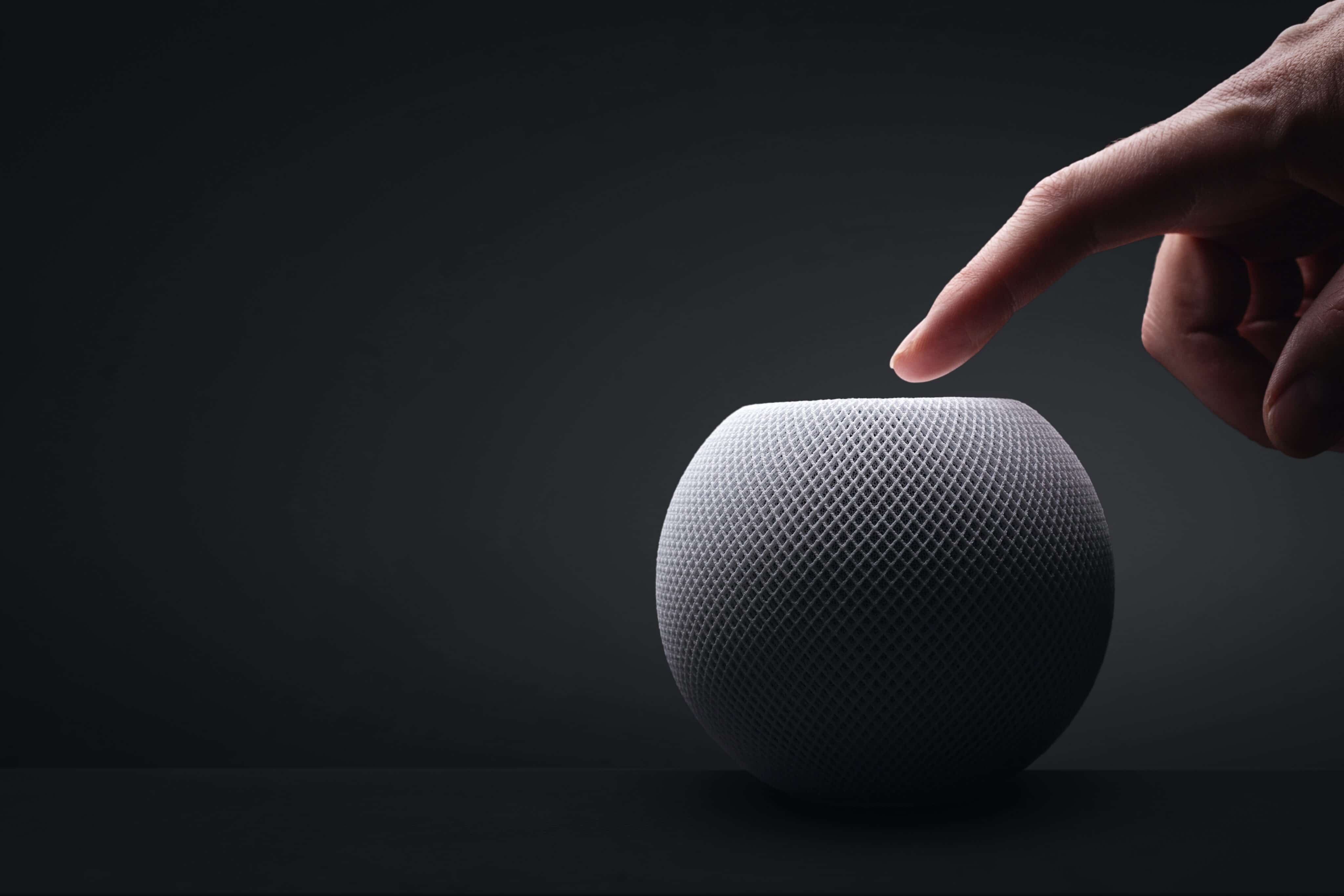
Anunciado na semana passada, o HomePod mini 2 traz algumas novidades bastante interessantes, como o suporte à Siri AI e um processador atualizado. Ainda assim, como ele se parece bastante com o seu antecessor (principalmente em termos de design), é possível que algumas pessoas ainda estejam confusas quanto às melhorias promovidas pela Apple.
Se você é uma delas, saiba que está no artigo certo! A seguir, vamos passar por todas as diferenças entre o HomePod mini de primeira geração e o HomePod mini 2 — assim, você poderá decidir qual dos dois modelos comprar ou se vale a pena trocar o seu.
Design e dimensões
Aqui você vai encontrar mais semelhanças do que diferenças entre as duas gerações da caixa de som inteligente, que contam com o mesmo visual geral, introduzido em 2020, com novas cores adicionadas em 2021 e posteriormente em 2024.
Divulgação/Apple
Com um corpo esférico envolto por uma malha colorida, ambos os modelos têm 84,33mm de altura e 97,9mm de largura, com diferença apenas no peso, menor no HomePod mini 2: 335g (ante os 345g do modelo de primeira geração).
Como dito, as cores do HomePod mini de primeira geração já foram atualizadas algumas vezes, e o modelo chegou a ser vendido nas opções branca, amarela, laranja, azul e meia-noite. O HomePod mini 2, por sua vez, pode ser adquirido nas cores branca, rosa, verde, azul e meia-noite.
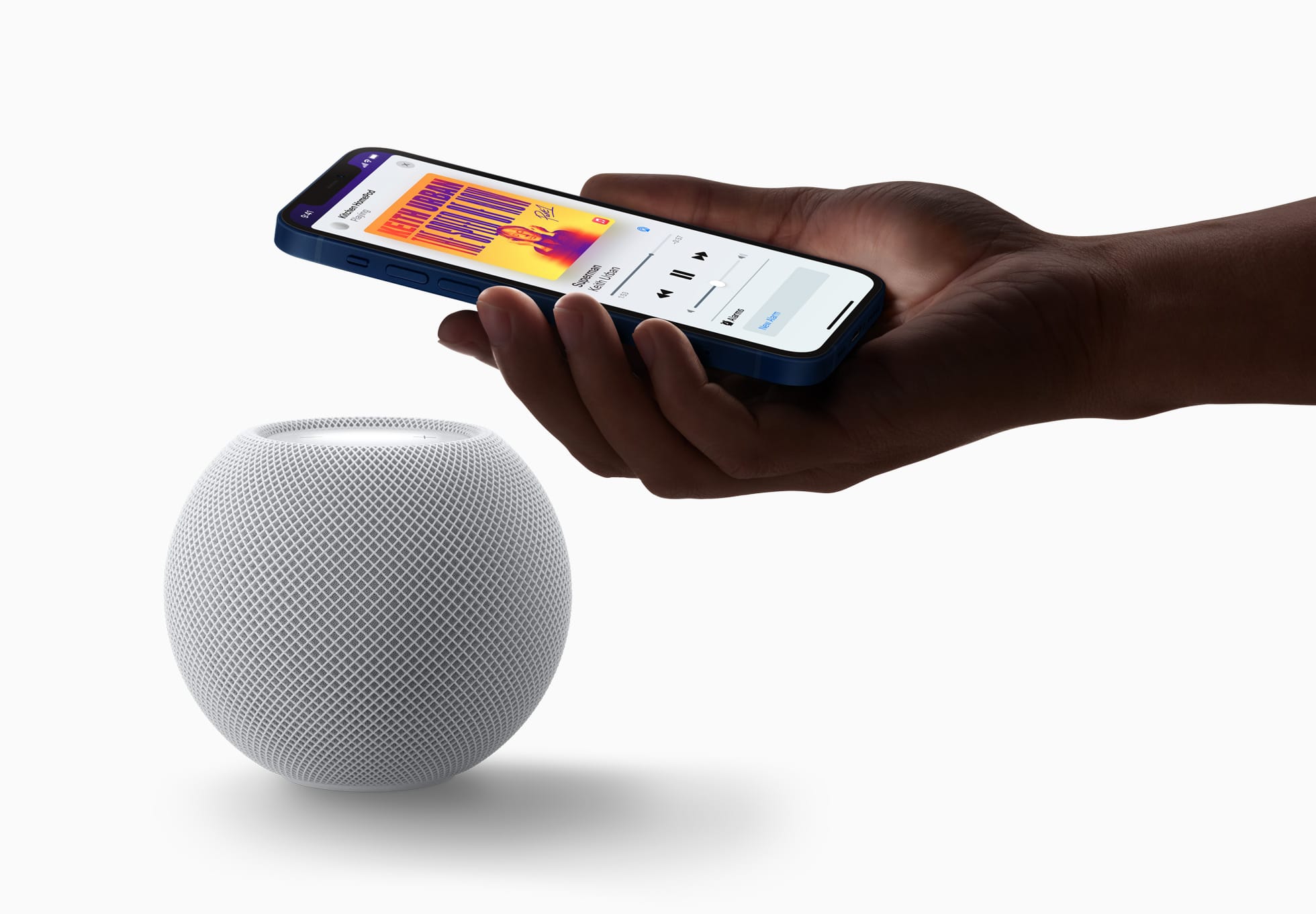
Ambos os modelos seguem vindo com uma superfície circular retroiluminada com botões de “+” e “-” para ajuste rápido de volume.
A Apple disponibilizará o recurso Brilho do Som (Sound Glow), que faz essa superfície pulsar e brilhar em tempo real de acordo com a música que está tocando, para todos os modelos do HomePod mini e para o HomePod de segunda geração.
Divulgação/Apple
Tecnologia de áudio
Nesse quesito temos algumas mudanças bem curiosas de uma geração para a outra, embora pouco tenha mudado do ponto de vista de hardware.
O que ambos os modelos têm:
Driver de alcance completo e dois radiadores passivos para graves profundos e frequências altas nítidas;
Guia de onda acústica personalizada para um campo sonoro de 360º;
Tecido acusticamente transparente;
Áudio computacional para ajustes em tempo real;
Reconhecimento de Som para alarmes de fumaça e monóxido de carbono;
Áudio multiambiente com AirPlay;
Compatibilidade com setups de áudio estéreo.
O que apenas o HomePod mini 2 tem:
Compatibilidade com som surround quando emparelhado a uma Apple TV 4K;
Pode ser usado como caixa de som para Macs;
Chip S10.
Divulgação/Apple
Em termos de hardware de áudio, o HomePod mini de primeira geração leva vantagem em apenas um item: o número de microfones. Enquanto o modelo mais antigo vem com quatro microfones embutidos “para Siri em distâncias grandes”, o HomePod mini 2 vem com “apenas” três.
É possível, no entanto, que a Apple esteja compensando a ausência de um microfone no novo modelo com as novas capacidades de software viabilizadas pelo chip S10, bem mais moderno do que o S5 do HomePod mini de primeira geração.
Fontes e controles de áudio
Aqui, nada mudou. Ambos os modelos podem reproduzir áudio das seguintes fontes:
Apple Music;
Compras do iTunes;
Biblioteca de Música do iCloud com uma assinatura do Apple Music ou do iTunes Match;
Serviços de música de terceiros;
Estações do Apple Music Radio ou episódios sob demanda;
Estações de rádio do TuneIn, do iHeartRadio ou do Audacy;
Apple Podcasts;
Resumos de notícias;
AirPlay (iPhone, iPad, iPod touch, Apple TV 4K ou Mac).
Também é possível controlar a reprodução ao:
Tocar uma vez na parte superior para reproduzir/pausar;
Tocar duas vezes seguidas para pular;
Tocar três vezes seguidas para voltar;
Tocar e segurar para invocar a Siri;
Tocar nos botões de “+” e “-” para aumentar ou diminuir o volume.
O HomePod mini 2 vence com facilidade nesse quesito: é o único compatível com a versão “turbinada” da assistente virtual da Apple, a Siri AI.
De acordo com a Apple, além de ajudar em tarefas mais simples como enviar mensagens, controlar a reprodução e configurar lembretes, a Siri AI também pode conversar mais naturalmente, responder dúvidas sobre o mundo real com base em buscas na web e recomendar músicas de maneira mais precisa. Ela ainda leva mais o contexto em conta e processa a maioria das solicitações no próprio dispositivo.
O HomePod mini de primeira geração segue com a versão antiga da Siri, capaz de lidar com comandos mais básicos.
Conectividade e sensores
Tanto o HomePod mini de primeira geração quanto o HomePod mini 2 são compatíveis com descoberta ponto a ponto, para acesso fácil de convidados, e com redes Thread, além de contarem com um chip de banda ultralarga para recursos que dependem da proximidade de outros aparelhos, como iPhones.
Divulgação/Apple
Já o modelo mais antigo tem Wi-Fi 4 (802.11n) e Bluetooth 5, enquanto a nova versão conta com Wi-Fi 6E (802.11ax) e Bluetooth 6. Ambos os modelos vêm com sensores de temperatura e umidade.
Preço e disponibilidade
Já disponível em pré-venda, o HomePod mini 2 será lançado em 30 de outubro por US$150 (US$20 a mais do que o modelo anterior) nos Estados Unidos e em outros países selecionados.
Assim como seu antecessor, o novo HomePod mini também segue sem uma previsão de lançamento no Brasil ou em Portugal — quem sabe isso mude com o lançamento dos sistemas 27.2 e com a chegada da Siri AI em português.
Divulgação/Apple
Ambos os HomePods mini vêm com um cabo USB-C e um adaptador bivolt de 20W na caixa, além da documentação regulamentar, é claro.
NOTA DE TRANSPARÊNCIA: O MacMagazine recebe uma pequena comissão sobre vendas concluídas por meio de links deste post, mas você, como consumidor, não paga nada a mais pelos produtos/serviços ao usar os nossos links de afiliado.

 Login
Login