❌

Normal view

WebKit IP and DNS Leaks Affecting Proxies and Private Relay

10 August 2026 at 20:44

Talal Haj Bakry and Tommy Mysk (Mastodon, Hacker News, MacRumors, Mac Power Users):

WebKit-based browsers on iOS and macOS can be configured to route all web traffic through proxy servers, which is how Tor browsers on iOS and our own Psylo work. We found three WebKit features — DNS prefetching, WebAuthn Related Origin Requests, and WebTransport — that bypass the configured proxy and send traffic directly from the device, which exposes the user’s real network. The same leaks also affect Apple’s iCloud Private Relay.

[…]

It must be noted that VPNs are not affected, since they tunnel the device’s entire network traffic at the system level.

[…]

We’ve addressed all three leaks in Psylo 1.3.1[…] Passkeys and WebTransport have legitimate uses, so both can be re-enabled at any time through per-silo toggles. This keeps Psylo leak-free out of the box, while users who need one of these features on a given site can opt in explicitly, with a clear understanding of the trade-off.

Psylo:

In an ideal world, we’d report the issues to Apple, they acknowledge the issue, and ship a fix in a timely manner. Unfortunately, our past experience with Apple tells us that reporting this issue would involve months of delays, inconsistent communication, and in some cases, denying the issue’s impact entirely.

We weren’t willing to wait months, or upwards of a year, sitting on bugs that undermine the core privacy guarantees of Psylo and iOS Tor browsers while saying or doing nothing.

[…]

Should we knowingly leave our users exposed while waiting for a system-level fix? We didn’t think that was acceptable or fair to our users. Or should we quietly ship our own mitigations without telling anyone? We didn’t think that was acceptable either. Security fixes deserve transparency, especially when they involve tradeoffs.

Psylo:

Soon after we published the blog, we sent a link to the blog and demo website to Apple in a security report to make them aware of it. Now the report is already in the status “We’re planning to address the issue you reported.” and a fix is planned for Fall 2026 🤯🤯🤯

Mysk:

It used to take months and months to reach this status. We got there in less than 24h

Running to the press always helps…

Previously:

Update (2026-08-11): Ben Lovejoy (MacRumors):

A class action lawsuit accusing Apple of false advertising, misrepresentation, and fraud has now been filed by Clarkson Law Firm – the same lawyers who previously obtained a $250M settlement over the delayed launch of Siri AI.

macOS 26.6.1

7 August 2026 at 22:25

Juli Clover (release notes, security, no enterprise, no developer, full installer, IPSW):

macOS Tahoe 26.6.1 fixes a vulnerability that could allow an attacker to authenticate to Screen Sharing without valid credentials.

See also: Adam Engst and Mr. Macintosh.

Previously:

Update (2026-08-14): Bill Toulas:

In an update to the initial advisory, the Dutch agency said it received a report indicating that the vulnerability is being exploited in the wild in attacks where port 5900 is exposed to the internet.

According to the NCSC, the attacker obtained root access to the system and deployed a Monero cryptocurrency miner.

Update (2026-08-20): Edovia (tweet, MacRumors):

The vulnerability, identified as CVE-2026-65400, could allow an attacker on the network to authenticate to Screen Sharing without valid credentials. Reports now indicate that the vulnerability has been actively exploited on Macs where Screen Sharing was accessible from the Internet.

[…]

[We] strongly recommend that all Screens users install the latest macOS updates as soon as possible.

[…]

For users who want to further restrict access to Screen Sharing, Screens can connect to a Mac through an SSH tunnel instead of exposing the Screen Sharing service directly.

Illinois Photos.app People Album Lawsuit

6 August 2026 at 20:30

Anurag Chawake:

Apple faces a $32.5 billion lawsuit over how its Photos app scans and stores faces. A federal judge cleared the case to proceed as a class action late last month, allowing millions of Illinois iPhone owners to join.

The case has been years in the making, and Apple has fought to shut it down at nearly every turn. Now it heads back to the court, with the company’s privacy practices on trial.

[…]

Court records have shown that the update applies to users with iCloud Photos turned on. Those accounts also need to use at least 10GB of storage and contain at least 5,000 photos and videos. Plaintiffs say all this amounts to collecting biometric data without consent, putting Apple squarely at odds with Illinois law.

Again, I find it odd that features are apparently gated based on the capacity of your iCloud account rather than the available storage.

Malcolm Owen:

The lawsuit accuses Apple of collecting biometric data without user consent in the Photos app, reports The Times. It is alleged that Photos uses facial recognition technology to scan individuals who appear in images, creating a “faceprint” for each person in the photo library.

After collecting enough samples, an algorithm is allegedly used to identify the iPhone user. That data is then stored on the iPhone within the Photos app.

I don’t see what the issue is here. My understanding is that it only uploads vectors after you’ve opted in by enabling iCloud Photos and manually assigning names. Also, the vectors don’t seem like the sort of biometric information that the law was meant to protect.

Brian Webster:

Assuming things are working properly, what should happen is that the people you have specifically named and the photos you have specifically verified sync their info via iCloud. However, the actual face detection for the rest of the photos is done on a per device basis and is not synced via iCloud, primarily for security/privacy reasons.

So, when you first set up a new device, it will pull down the names and info for the photos where you have identified a particular person, but then it still needs to go through the entire library on-device, identify the faces in each photo, and compare them to the synced information to tell which person is in which photo. So once it’s done, you should end up with mostly the same photos identified as each person, but each device still needs to do its own face detection locally.

Confidential Apple Files in iCloud

4 August 2026 at 19:59

Juli Clover:

The way Apple combines work and personal iCloud accounts left some employees able to access confidential documents after departing the company, reports The Information. The site spoke to more than half a dozen former Apple employees who were unknowingly left with access to sensitive content.

[…]

Apple told The Information that the OpenAI lawsuit is unrelated to any files left available on iCloud and that it does not pursue legal claims against former employees who accidentally have Apple documents in their personal iCloud accounts.

[…]

In a now-settled legal dispute, chip company Rivos claimed Apple intentionally lets former employees retain access to files “as part of a planned effort to generate a pretextual basis to sue the employees and their new employer for ‘stealing’ Apple material.” In the Rivos case, an employee was targeted for keeping work files in his personal iCloud account.

Andrew Orr:

The documents included confidential material such as plans for product launch events. The former employees said they made no effort to retain access and unexpectedly found the files mixed with their personal iCloud data.

The problem reportedly grew from Apple’s practice of encouraging employees to connect their personal Apple IDs to company-funded iCloud storage.

[…]

Apple also relied heavily on iMessage for workplace conversations and file sharing before rolling out Slack around 2019. Former employees could retain old iMessage conversations and attachments, while Apple could terminate their Slack access when they left.

John Gruber (Mastodon):

If you use your personal Apple ID, you get a magic “Apple Work” folder in iCloud Drive. When you leave Apple, that “Apple Work” folder disappears. But any other files or folders that were shared with you that were outside that magic folder are still in your iCloud Drive, because it’s still your personal iCloud account.

[…]

You still have the same Apple ID account, even though you no longer have an employee @apple.com email account. Overall, this is a humane way of dealing with digital identity. Your Apple ID account is you, the person, not “example@icloud.com”, one specific unique email address. And you, the person, may well have multiple email addresses — all of which can be associated with your one Apple ID account. That makes Apple IDs more nuanced and complicated than a simple mapping of one email address = one account. And it obviously makes access restrictions more complicated.

Yesterday, OpenAI released messages to show that Apple employees (with permission) retained access to the departing employee’s personal iCloud account so that they could access work files that were stored there. It’s just a mess that both the software and corporate policy encourage mixing everything in one account.

Eric Schwarz:

As many things I know about Apple, this whole thing both makes perfect sense and feels absolutely bonkers.

Previously:

NSPasteboard Crashes When Handling File Promises

3 August 2026 at 21:35

Wade Tregaskis:

NSPasteboard mutates itself simultaneously from the main thread and the global concurrent Dispatch pool, w.r.t. to its internal type cache. This is surprisingly trivial to reproduce (sample code below) by just dropping, e.g. a file promise (such as by opening a PNG in Preview, revealing the thumbnails sidebar, and then dragging the thumbnail onto the sample project’s window).

[…]

Since this bug causes semi-random memory corruption, it manifests in a large number of ways – not all of which are all that helpful.

[…]

SwiftUI’s onDrop(of:isTargeted:perform:) method makes no claims or promises as to what thread / queue it executes the closure on, and in fact according to the anonymous Apple engineer it never executes the closure on the main thread.

Now, while that may be the intent, the reality of that is wrong – in my experience it always executes the closure on the main thread (which makes a lot of sense to me as drag-and-drop event handling in AppKit has always been on the main thread in practice).

Apple also told him that NSPasteboard is not safe to use outside the main thread, even though that’s not documented, it’s not @MainActor, and Apple’s own code does do that.

Pastebot 3 for Mac

31 July 2026 at 19:31

John Voorhees:

What sets Pastebot 3 apart is its addition of deep automation tools. Not only does the update add MCP support, making it an excellent tool to use with Claude or ChatGPT/Codex, but it includes a brand new CLI that you or an agent can use from Terminal or incorporate into scripts you build.

[…]

New filters have been added that allow you to transform clippings using text transformations and even shell scripts. Using the ability to script custom filters, I’ve begun adding a few of my own to Pastebot for things like adding and removing bullets from multiple lines of text.

I’ve long been aware of this app but hadn’t paid much attention because I’m happy using LaunchBar as my clipboard and snippet manager. LaunchBar has some transformations built-in, and I’ve built up a collection of my own scripts, but it’s appealing that Pastebot comes with so many out of the box.

From Pastebot’s main UI, you can select multiple items at once and right-click to add them to a Stack, or you can pick them one at a time in any order you’d like. As you select items, they’re numbered in the order you’ll paste them into a document using a keyboard shortcut. It’s an excellent feature for filling out forms or copying data from one spreadsheet to another.

Juli Clover:

There are also rule-based Smart Pastebins for automatic organization, like every link or image copied from Safari. Smart Pastebins can be filtered by clipping size, type, file extension, creation date, text, text length, and more. Multiple parameters can be combined for detailed filtering, and custom notes can be added to clippings to make them easy to find via search.

[…]

Tapbots says Pastebot 3 was built to work with Apple's Universal Clipboard feature, and when enabled and active, anything you copy on your iPhone is saved in Pastebot automatically.

John Gruber:

Chief among my favorite features:

  • Remembers up to 1,500 clippings (up from a mere 1,000 in v2).
  • Syncs via iCloud. If I copy something on one Mac, it’s in my Pastebot history on my other Macs.
  • That sweet Tapbots UI.

Marcus Mendes:

Importantly, Pastebot 3 requires macOS 26 Tahoe or later and comes with a 14-day free trial. Users can buy the app directly from Tapbots for $39 or subscribe through the App Store for $2.99 per month or $24.99 per year.

[…]

The direct purchase includes one year of updates, with additional years available for $19 each. Users who stop paying for updates can continue using the latest version covered by their purchase. Pastebot 2 owners can also get a $12.99 upgrade discount by entering their existing license key at checkout.

scottybee:

They are not offering any upgrade path for MAS customers. The reason they stated was “upgrade pricing has always been our way of thanking people who bought directly from the site.”

Paul Haddad:

I generally try to avoid complaining about App Store review, since I do think they have a really hard job to do. But I’m about 2 more PB3 rejections from just giving up.

Previously:

Paste and Match Style Is Not the Answer

31 July 2026 at 19:31

Marcin Wichary:

The problem is that PAMS is drunk with power and flattens everything on its way[…]

That includes:

  • emphasis by italics or bolding
  • links
  • bulleted and numbered lists
  • strike-through text
  • headlines

None of these are “style.” This is actual information that should not be removed.

Sometimes, Paste and Match Style is what you want, but I like when apps also provide other options, as he discusses. For example, the Omni apps now offer Paste and Merge Styles.

Previously:

Acorn 8.6

30 July 2026 at 20:21

Gus Mueller (release notes):

  • A new brushing engine that has been rewritten using Metal shaders. It includes an option for “velocity thinning”, where the faster you draw your brush strokes, the thinner the lines.
  • A new acorn shell tool that you can use to send JavaScript to Acorn, as well as start an MCP server. So if you’ve got a favorite LLM you like to use, you can now use it to drive Acorn. The JavaScript section of the release notes are a good read if you’re interested in that. In addition:
    • The JS API has also been updated with examples for most calls.
    • The shell tool has a -jsio argument which lets you do things like:
      echo "acorn.takeLayeredScreenshot();" | acorn -jsio
  • Big ML models (used for Select Subject and Super Resolution Scaling) are now downloaded on demand. If AI isn’t your thing, they won’t take up any space on your Mac.

I feel lucky that Acorn is enough for me.

Chris Person:

Very few software companies outside of Microsoft have the kind of leverage over entire industries. Premiere, Photoshop, Illustrator, InDesign, Lightroom and After Effects are all load bearing to some extent within their respective fields despite the fact that many people I know loathe using them.

Via Nick Heer:

I have said it before and I will say it again: if I had known the path Adobe’s software would eventually go down, I might very well have picked a different career.

Previously:

Dropping Manifest V2 Extensions

30 July 2026 at 20:21

Sayan Sen (Hacker News):

For a while now the transition away from Manifest V2 (MV2) to MV3 has been on-going and it looks like it is entering its final phase of deprecation, at least, in the case of Google Chrome. A recent discussion thread in the w3c WebExtensions Community Group GitHub repo has highlighted how the latest and upcoming versions of the most popular browser are expected to be its final releases with support for MV2 extensions.

[…]

Here is a rundown of the changes coming in the final such releases of Chromium releases:

Other Chromium-based browsers like Opera and Microsoft Edge could soon follow suit too. Although it is not specified, Edge began disabling uBlock Origin back in February, and Opera could also stop the functioning of MV2 add-ons, even though it had committed to support MV2 for longer in October 2024.

Google:

Aug 31st 2026: All remaining Manifest V2 extensions removed from the Chrome Web Store

Previously:

Update (2026-09-02): Web Iterate (Hacker News):

Google today reached the final milestone in a browser-extension transition that has been years in the making, all remaining Manifest V2 extensions were removed from the Chrome Web Store.

Chrome Browser Default at the Top of the Mac App Store

29 July 2026 at 21:45

Jeff Johnson (Mastodon):

Released less than a month ago by an unknown developer, Chrome Browser Default has somehow become a top download in the United States Mac App Store, alongside well-known developers Amazon, WhatsApp/Facebook/Meta, and Microsoft[…]

[…]

Chrome Browser Default is the top search result for “Google Chrome” in the Mac App Store. Chrome itself is distributed as a direct download from Google, outside the Mac App Store. Notice also that the Chrome Browser Default app icon resembles the Google Chrome app icon[…]

Both the name and icon violate Apple’s guidelines, and the preview images are not actually screenshots of the app. The App Store is great for distributing apps that piggyback on the names of popular apps. They’d be hard to find with a regular Web search, but in the App Store they appear at the top.

The app appears to do what the description says it does, though it’s quite primitive and likely vibe-coded. I can add rules, but I couldn’t find a way to edit or delete added rules, which is ridiculous. The developer’s privacy policy is on GitHub in a repository where most of the commits were co-authored by Claude.

[…]

At the bottom is a section that shows, allegedly, what “People are Saying” about the app. Yet none of these 5-star reviews are from the App Store. According to Google Search, the reviews are not from anywhere on the web.

Jeff Johnson:

This app is no longer available in the Mac App Store.

[…]

I have no idea why the Dutch name “Standaard Browser Wisselen” appears in the alert, because the App Store Purchased section says “Chrome Browser Default,” and my only Mac system language is English (US). The name of the developer in the App Store was Chinese, 立花 卢.

[…]

My suspicion is that Apple, not the developer, removed the app from the App Store, which explains why I can’t download it. Whether this removal was triggered by my blog post or by App Store user reports, I don’t know.

Craig Grannell:

Doesn’t say amazing things for the Mac App Store that I find it faster to search for something in a search engine than within the MAS itself. And that’s when I already know the name of what I’m looking for.

Previously:

Tahoe Contact Posters

29 July 2026 at 21:44

I continue to have problems with Contacts in Tahoe. The latest issue is that the Messages app constantly displays a banner showing that one of my contacts has updated her poster. I don’t want to use it; I want to keep the photo that I chose. But clicking the × button does not dismiss the New poster available from [Person] banner. It remains anchored atop that conversation.

Sidenote: I hate that it wants me to click Update Contact but that the image shown is the old photo. How can I commit to the new photo without even knowing what it looks like? How can I undo if I don’t like it?

Sidenote 2: I’m also getting repeated Siri found an event banners in Messages, but they go away after about three clicks. They’re extra annoying because (unlike above) they animate in again each time I dismiss them, and they’re for events that are already on my calendar.

I thought maybe I could fix things by going into the Contacts app. Unfortunately, the Contact Photo & Poster button there is inoperative. Sometimes it flickers when I click it. Sometimes nothing happens at all. Sometimes after clicking the button it will open the photo chooser sheet for the next contact that I view.

I just want a single setting to let me choose my own photos. I never want to use a poster or be notified that one has changed.

Ben Lovejoy:

Ternus, said he was committed to building on the company’s momentum in the entertainment business when he takes the helm of the iPhone maker in September […]

“I think we have such tremendous momentum right now in ​Apple TV,” Ternus told Reuters on the red carpet at the premiere of the fourth season of Ted ​Lasso. “There’s so many amazing shows, so many amazing characters and stories, and so we’re just going to keep building on the momentum.”

Have we seen any indication yet that he cares about software?

Previously:

macOS 26.6

28 July 2026 at 20:20

Juli Clover (release notes, security, enterprise, developer, full installer, IPSW):

According to Apple’s release notes for the update, macOS Tahoe 26.6 includes security fixes for the Mac and it optimizes Spotlight for the release of macOS 27.

Mr. Macintosh:

Additionally a fix addressed where some notifications incorrectly displayed deprecation notices for some apps identified as Intel processor only. Also addressed was that HDR screenshots might appear garbled when sent in Messages.

Mr. Macintosh:

The macOS Tahoe 26.6 update breaks the all‑time record for CVEs patched in a single macOS release, with a total of 155.

Here’s a look back at how many CVEs were patched in each Tahoe update so far.

See also: Hacker News.

Howard Oakley:

Patrick Wardle has also drawn attention to a change in the leaf certificate used to sign Apple binaries to “macOS Software Signing”, where previously it was just “Software Signing”.

Previously:

EagleFiler 1.9.21

27 July 2026 at 21:11

EagleFiler 1.9.21 is a maintenance release of my Mac digital filing cabinet and e-mail archiving app. It can now capture the selected messages from MailMaven, including all their metadata, and can link back to the original message. The capture key now works with the Helium browser, and importing from Mariner Paperless and Microsoft Outlook is improved as well.

  • There was an interesting regression caused by the fact that macOS now implements pop-up menus using separate windows (NSPopupMenuWindow) that post their own notifications for becoming key and for resigning key status.

  • Encrypted libraries need to be converted to APFS, since a future version of macOS will drop support for CoreStorage. You can do this now, or it’s possible that we’ll be able to offer an automatic converter in a future version.

  • There were more problems with PyObjC importing symbols, this time generic Swift classes that have angle brackets in their names. I had previously added more precise imports to skip over these symbols, which aren’t needed anyway, so it’s a mystery why a few users were still seeing this problem despite using the same macOS versions as everyone else. In any case, I adjusted the PyObjC importer to hopefully avoid problems with all such symbols, even if Apple adds more in future versions.

  • macOS Tahoe introduced a bug displaying custom folder icons, which was finally fixed in macOS 26.4.1.

Previously:

MailMaven 1.2

27 July 2026 at 21:11

SmallCubed:

AppleScript support makes it possible to automate message processing and connect Maven with other applications such as Hookmark, EagleFiler, Filemaker, and DEVONthink. Almost anything you normally do by interacting with MailMaven’s interface, such as searching for messages, tagging, filing, flagging, and composing, can now be automated.

[…]

AppleScript makes it possible to control Maven using the natural language capabilities of AI assistants such as Claude and ChatGPT via a MCP server. […] To connect AI assistants to Maven, we have developed a basic MCP server that implements over 25 end points. This can be downloaded and installed from our MailMavenMCP repository on GitHub. With the MailMavenMCP you can instruct your assistant to access and process messages without the need to write any AppleScript. For example, if you want a summary of the conversation you are reading, simply instruct the assistant to “Summarize the conversation of the currently selected message in MailMaven”.

The AppleScript support is really impressive. It’s extensive and thoughtfully designed and implemented, with performance in mind:

A query is a temporary AppleScript-based smart mailbox that can are used to locate and examine/manage messages.

Using queries is much faster than iterating through messages in mailboxes because it uses Maven’s internal mechanism for locating messages that smart mailboxes use.

Depending on the scope and nature of an iterative search which can take seconds, if not minutes to process, queries are almost instantaneous. Moreover, queries have the ability to sort messages and filter duplicates.

[…]

Scripts can be performed from Maven’s inbox, outbox, and keystroke rules via the Run AppleScript Rule action.

I’m excited to see a new app leaning into this old technology, which remains unsurpassed. EagleFiler is already taking advantage of the AppleScript support to enable importing messages (with all their metadata) just by pressing a hotkey. I also expect it to enable some great new features in future versions of SpamSieve.

Previously:

MacOS Tahoe 26.6 Update Released for Mac

27 July 2026 at 20:32

Apple has released MacOS Tahoe 26.6 for Mac users running the Tahoe operating system. The update is primarily focused on security fixes, and includes 8 new Emoji icons. Don’t expect any major changes or features, as those are instead arriving in the currently under beta MacOS 27. For Mac users running MacOS Sequoia and MacOS ... Read More

The post MacOS Tahoe 26.6 Update Released for Mac appeared first on OS X Daily.

Advertising Cognitive Dissonance

24 July 2026 at 19:09

John Gruber (Mastodon):

This to me is proof that Apple leadership is suffering from cognitive dissonance over their slide into advertising. They’re conflating cause and effect. The Apple brand stands for high-quality superior user experiences because the devices and software Apple makes traditionally deliver high-quality superior user experiences. The work Apple ships is what makes the brand what it is. But now they’re stricken with the mindset that it’s the Apple brand that makes something a high-quality superior experience.

[…]

If you refuse to admit that the ads make these services worse, you also can’t admit that there’s a reason to offer an ad-free experience. So the thinking is something like “Apple always focuses on the user experience, and never deliberately makes the user experience worse. Therefore, if an Apple service shows ads, those ads are high quality and don’t detract from the quality of the product or the experience of using it. Therefore, there’s no reason to offer users a paid ad-free tier, because there’s no reason to want to avoid Apple’s ads.”

What a brand stands for can change over time. It’s eventually determined by the products, not the mantras.

  • “It just works.”
  • “A thousand no’s for every yes.”
  • “What happens on your iPhone, stays on your iPhone.”
  • “Music runs deep in Apple’s DNA.”
  • “Design is how it works.”

Manton Reece (2010):

I feel bad admitting it, because some of my friends are betting on iAd revenue to feed their family, but I’m just not on board with Apple running an advertising network. I don’t want to see ads in my apps, and I don’t want Apple to ever lose even a little of what it means to be a product-driven company.

Previously:

Update (2026-07-28): John Gruber (Mastodon):

The whole thing is funny because at a fundamental level we all just know in our bones that Apple never even considered putting “Intel Inside” stickers on Macs.

[…]

Apple still treats its hardware with that level of respect. With reverence. iPhones don’t even say “iPhone” on the hardware. No model or serial numbers. No small print. Just an Apple logo on the back.

[…]

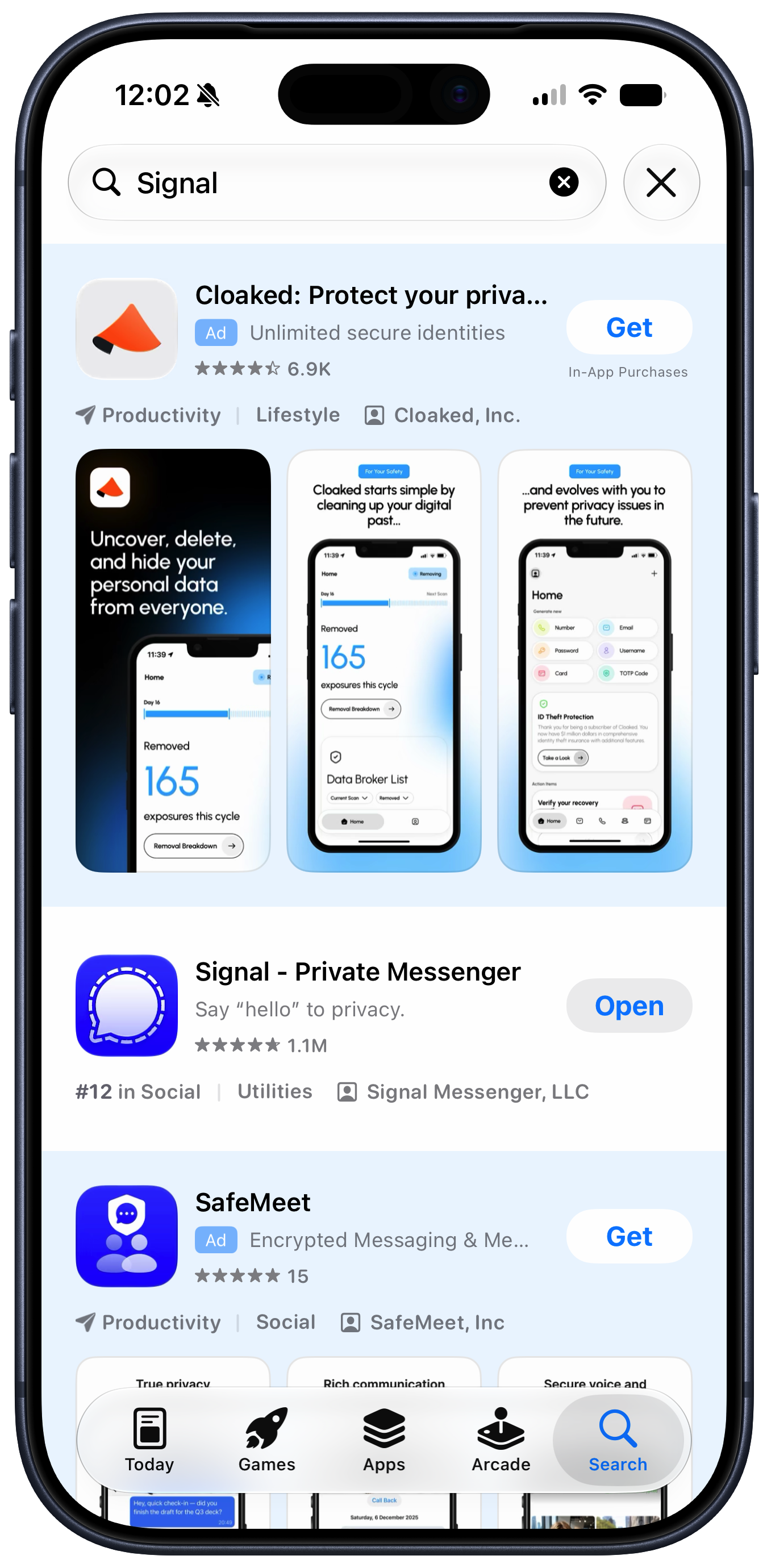
Putting themselves in customers’ shoes today, how many ads do Apple’s executives want stuck in the results when they search for an app in the App Store? We know the honest answer. But the answer evidenced by the actual App Store is “Two really big ones, including one in the first spot.”

At least you could peel off the stickers.

Jason Snell:

While Apple can spin adding ads to Apple Maps as a revolutionary new way for businesses to be discovered, it’s telling that its initial announcement was hidden inside a press release about an entirely different product, and introduced as “Enhanced Discoverability in Apple Maps.” Those choices show that this isn’t something Apple is actually proud of—and that the people in charge of communicating and explaining Apple’s decisions to the world are at odds with those who are making the decisions about expanding revenue.

[…]

To this day, you’re confronted with an ad for Creator Studio every time you create a new document in those apps, and their default toolbars contain buttons that won’t work unless you subscribe to the bundle. As a result, Apple has essentially turned its free productivity suite—software that was designed to enhance the inherent value of Apple’s products—into a freemium package with upsell to a creative professional subscription bundle that’s irrelevant (and a terrible value!) for most of its existing users.

[…]

There are many more examples. Using notifications to promote subscriptions and badging the Settings app to push AppleCare plans are among the ways Apple has chosen to intervene in the user experience to drive revenue. I’m actually not opposed to the idea that Apple should communicate opportunities for its customers to get more out of their devices—but it should be careful not to cross the line into actively annoying those customers. If someone doesn’t want to see what you offer, you need to accept that and go away—not keep needling them. Apple often falls on the wrong side of that line.

[…]

It makes me wonder if the people making these decisions at Apple have lost track of the Apple brand and what it stands for.

John Gruber:

What Snell’s column makes clear is that the incremental revenue Apple is gaining from putting shitty ads in its software comes at a price. They’re withdrawals from Apple’s brand equity. And I would argue that the value they’re detracting from the brand far out-values the dollar amount they’d padding to Apple’s bottom line.

[…]

If your competitors’ stores all smell like dogshit, don’t aim to have the store that smells the least like shit. Aim to have a store that smells pristine. “Our stores only carry a vague whiff of dogshit” is not insanely great.

Hotelling’s Law, like I was saying.

Adam Chandler:

This is not an “update”. This is an advertisement.

Update (2026-07-29): John Gruber:

The people haven’t changed, but Apple has. Strong leaders inevitably shape the personality — the spirit — of organizations over time. Apple in 2011 was peak Steve Jobs Apple. Apple in 2026 is peak Tim Cook Apple. But it was Cook who popularized the “you’re not the customer, you’re the product” argument against “free with ads” online services. But that was in 2014.

Marcin Wichary:

“Slippery slope” is a perfect term. But I wanted to add something here. In my experience, in the realm of UI, there is no middle notch. I’ve seen it time and time again… the moment you open the door to One, Infinity starts exerting its pull[…]

Previously:

Update (2026-08-03): Jon Snader:

I HATE, HATE, HATE having ads pop up when I’m trying to do something else. It’s bad enough on Web sites where at least they have the excuse of having to make money some how but it rises to intolerable when they put them up on a device I’ve already paid for.

The annoyance is reason enough to dislike Apple’s ads but for me the worst thing is that they’re corrupting and inevitably lead to the user being replaced by the advertiser as the customer.

Update (2026-08-05): John Gruber:

Only search engines that agree to pay Apple for the traffic are in the list, and there’s no option for users to add custom ones.

Tyler Hall:

It says a lot about modern Apple that I can’t find an unsubscribe link in this marketing email.

John Gruber:

Apple News ads have been going down the toilet for years, but it didn’t used to be literal.

How to Hide an Update in the Mac App Store

24 July 2026 at 19:07

Jeff Johnson:

Although you can hide and unhide apps in your App Store purchase list, it turns out that hiding an app in the App Store purchase list does not hide the app in the updates list! I honestly can’t figure out the benefit of hiding an app in the App Store. The list of your purchased apps—a misnomer, as the list includes free apps—is practically unusable anyway: you can neither sort nor search the list. Maddeningly, the Mac App Store sorts your purchased apps by date of first install rather than by name, so it’s difficult even to scan the list manually to find a specific app.

[…]

You can clear the Updates list in the Mac App Store by deleting some cache files on disk, but that’s at best a momentary solution. The unwanted update will return eventually, or immediately if you use the Reload Page (⌘R) command.

A more lasting solution is, counterintuitively, to install the update. The trick is that you can keep more than one copy of a Mac App Store app on disk.

I wonder how long you can keep using the old version. You won’t be able to download it again. You can save a backup, but as some point a certificate will expire or you’ll get a new Mac and need a new receipt file. In theory, the store should be able to fetch one for you, but I wouldn’t rely on that long-term.

Previously:

Recording the iPhone Screen With a Mac

24 July 2026 at 19:07

Marcin Wichary:

This instruction is a fever dream of three weird things in sequence:

  • What on earth is “QuickTime”?
  • I am recording with a player?
  • Why can’t I choose the option [“New Screen Recording”] that describes exactly what I want to do?

[…]

It’s noticing this kind of complexity, places where an easy way was chosen, design debt accumulated, and things got simply too weird. Apple allowed three weird things to accumulate here.

It makes sense in terms of the history and how the technology works, but from a clean slate one might expect this functionality to be in the Screenshot app, Screen Sharing, iPhone Mirroring, or perhaps even Finder.

Previously:

Whisper and SpeechAnalyzer

22 July 2026 at 21:34

Om Malik (2023):

One of the key advantages of MacWhisper, as it utilizes the Whisper technology, is its superior accuracy in transcriptions compared to other services I have used. I was an early adopter of Rev.com and eventually switched to Otter.ai, for which I paid approximately $100/year. However, I have since canceled my subscription.

[…]

After comparing the audio transcripts from MacWhisper and Otter, I found that while Otter’s formatting is superior, there is hardly any difference in the transcriptions. I started with the free model, which was sufficient for my needs, and eventually upgraded to the large models. Nowadays, I primarily use MacWhisper to transcribe my voice memos, which I then import into Lex.Page.

Bon Adamson:

Whisper, which is made by OpenAI, has the distinct advantage of allowing you to transcribe audio in almost any language you may ever need to. For the time being, Otter can only transcribe English. The benefits of better accuracy and accurate punctuation that the service already holds over Siri hold up across other languages as well. If you’re looking to transcribe non-English audio accurately, Whisper is definitely the best option available on Mac.

Dan Moren:

By taking advantage of OpenAI’s Whisper framework, Audio Hijack can now take any audio it’s recording and generate a text transcript. While this process was possible before—see Jason’s lengthy post about his workflow—it required a lot of fiddling and several different tools to accomplish; it’s certainly a lot easier to simply drop Audio Hijack’s block into your existing session. If you record multiple sources, it can even appropriately label each one—though if you record multiple people via one input, say the other end of a Zoom call, it can’t distinguish between the various participants.

Inscribe (2026, Hacker News):

Apple’s new SpeechAnalyzer is the most accurate on-device speech engine we tested. It beat every Whisper model we ship, including Whisper Small, on both the clean and the noisy half of LibriSpeech, while running roughly three times faster than Small. And the API it replaces, SFSpeechRecognizer, came last on clean speech: behind even Whisper Tiny, a 40MB model.

[…]

The new API cuts word error rate by 3.5 to 4x on the same audio: from 9.02% to 2.12% on clean speech, and from 16.25% to 4.56% on noisy speech. There is no accuracy trade-off to weigh; the new API wins everywhere we measured, and it produces punctuated, cased text where the legacy engine’s output is rougher.

[…]

All five engines ran comfortably faster than real time: between roughly 12x and 40x on the M2 Pro, meaning an hour of audio transcribes in about 1.5 to 5 minutes on-device. SpeechAnalyzer was about 3x faster than Whisper Small per second of audio while beating it on accuracy.

Yuki:

SpeechAnalyzer’s ReportingOption.fastResults reads like a knob you’d reach for when you want to trade power for latency. That framing is what cost me the afternoon.

[…]

If a recording matters — and in a notes app, a lost meeting is the worst thing that can happen to a user — then the container you write while recording has to be PCM in CAF. Not m4a, and not AAC-in-CAF either.

[…]

AVAudioEngine’s inputNode silently ignores your device selection

[…]

I wanted summarization to run on-device. Everything else in Nib’s transcription path does, the audio never leaves the machine, and it would have been a much cleaner story to tell.

But 4,096 tokens for the Foundation Models isn’t enough.

Previously:

CrashStealer

22 July 2026 at 21:34

Thijs Xhaflaire (via Ric Ford):

Jamf Threat Labs discovers and investigates CrashStealer, a C++ macOS infostealer that impersonates Apple's crash-reporting framework to harvest browser credentials, cryptocurrency wallets and keychain data, encrypting stolen files with AES-GCM before exfiltrating them to a remote command-and-control server.

[…]

Unlike the payload it eventually installs, the dropper is properly code signed and notarized: it is a universal (arm64 and x86_64) binary signed with the Developer ID Emil Grigorov (WWB7JA7AQV), has hardened runtime enabled, and carries a stapled notarization ticket. Notably, the disk image itself is signed as well, not just the application inside it, which is uncommon in malicious DMG delivery where the container is typically left unsigned.

[…]

That file supplies the curl command the dropper runs next. Staging the first hop on a trusted developer domain keeps the initial network activity inconspicuous.

[…]

[The script] clears extended attributes on the staged bundle with xattr -cr, makes the inner binary executable, strips the payload's existing signature and re-signs it ad-hoc (codesign --remove-signature followed by codesign -s - --force --deep --no-strict), registers it with Launch Services via lsregister -f, and finally launches it in the background with open -g -n.

Previously:

❌