Enterprise-sized businesses spend, on average, 28 percent of their software budgets on unwanted upgrades, migrations, and licensing changes. Often, those firms' IT heads think those changes are detrimental.
Those results are according to a survey of 2,018 chief information officers and senior IT decision-makers at companies with at least 10,000 employees that Origina commissioned for its report, “The Software Tax.” About half of the respondents (1,011) are from the US, and the rest are from the United Kingdom. All respondents worked at companies with at least $1 billion in annual revenue.
Keep in mind that Origina provides maintenance for various enterprise software. Its report points to independent software maintenance as a way for IT leaders to regain control over software budgets, illustrating its potential bias. A third-party research consultancy, Censuswide, conducted the survey.
Apple’s upcoming “Pro and Tell” event sparks speculation about new MacBook Pro models, while iPhone Duo preorders raise questions about shipping delays and retail availability. The panel discusses Apple’s $5 trillion valuation, why HomeView won’t launch in the European Union, and the anticipated arrival of Affinity Studio on iPad, including how it could transform creative workflows and provide yet another powerful alternative to Adobe Creative Cloud.
Windows 11 is cutting some Copilot features on the right-click menu
At the same time, a Microsoft exec said that "AI has already helped our design team accelerate significantly"
The exec added that "we're even seeing designers contribute directly to code fixes" and this has caused quite a stir online with anti-AI pushback
Windows 11 is getting tweaked to cut back on Copilot functionality, while at the same time, a Microsoft exec has admitted that the operating system's design team are using AI to help them – which has provoked something of a reaction, as you might expect.
First up, the move to cut back on AI, which as Windows Latest reports consists of stripping out some Copilot options from Windows 11's context menu, the one which pops up when you right-click on a file or folder.
In a post on the Microsoft 365 Message Center, the company explained: "We're retiring the OneDrive Copilot Summarize, Create FAQ, Compare Files, Ask a question, Explain image, Explain images, Compare images, Extract text actions from the File Explorer context menu."
These are Copilot actions which are tied to OneDrive, then, that folks who don't use Microsoft's cloud storage wouldn't have seen anyway.
You can still reach these options using the 'Ask Copilot' icon in the right-click menu, so overall, this is a streamlining change for the better (albeit one that some users won't even realize has happened).
It's not being implemented right away, but from mid-November, and by the end of the year, these options will have disappeared from Windows 11's context menu.
Now for the more controversial development that Windows Latest also noticed, namely a comment from a Microsoft executive on X. Diego Baca, who is VP of Design for Windows, posted in reply to a comment pushing for "Windows design unification" (better consistency) and using AI to help to that end.
Baca observed: "On AI agents, 100% agree. I'm not the best person to speak to the engineering side, but AI has already helped our design team accelerate significantly. We're even seeing designers contribute directly to code fixes that improve craft, consistency, and quality. That's exciting progress, and we're only getting started."
The key part of this that's getting picked up on social media is the admission that AI is being used by the Windows 11 design team to ensure tasks are completed more swiftly, and that it's helping designers to contribute code fixes. As you might guess, there are some unhappy people out there due to this admission.
Analysis: a chorus of noticing
(Image credit: Phovoir / Shutterstock)
As noted, the reaction on Reddit has been predictably full of barbs and withering fire at Microsoft. This upvoted post complains: "We noticed [the use of AI in coding], the rapid decline in quality, every patch bricking at least some devices, major releases bricking entire fleets, and the introduction of major security vulnerabilities that are easily exploitable makes it clear the codebase is being vibecoded with insufficient code review and testing."
In fact, there's quite a chorusing of "we noticed" or "we know" regarding Microsoft turning to AI in coding, as well as the inevitable "slop" accusations, including the likes of: "And this is how Linux goes mainstream, not because it becomes better, but because Microslop becomes unusable thanks to AI integrations." (I should note that as you may have seen, Linux has its own controversies with AI, but that's a whole other story).
At any rate, I think we need to dig down a bit into the meaning of Baca's statement here. When the exec says, "AI has already helped our design team accelerate significantly," it's a pretty broad statement – perhaps referring to assistance on the design brainstorming front more than coding.
Yes, designers may "contribute directly to code fixes" now with the help of AI, but how often is that really happening? I'm guessing not that much, and that this work is more about simple interface tweaks and polish than anything, and this code will be passed to software engineers to be fully checked and reviewed – the main hope being it saves a bit of time. There's a lot of the Windows interface to fix, after all.
I think the hostility here is a bit unfair given that Baca is just trying to be honest about what Microsoft is doing, and I don't think the reality is that Windows 11's interface is suddenly being vibe-coded (by AI) to any great extent. What's happening is that Windows 11 users are jumping on this and venting because they're fed up of too many bugs, and that has nothing to do with the design team.
For me, this is about Microsoft's broader failure with Windows 11 bug testing and flaky updates, which isn't something you can lay at the door of AI as such. Rather, this is about the overall QA (quality assurance) processes which aren't picking up these problems and sorting them out before release (whether any given bug was introduced by AI, or not).
This is what's really the root cause of the outbursts on social media here, and the comments about patches going wrong and general unreliability. And this is what Microsoft really needs to fix, and fast – it remains the biggest problem with Windows 11 that needs addressing.
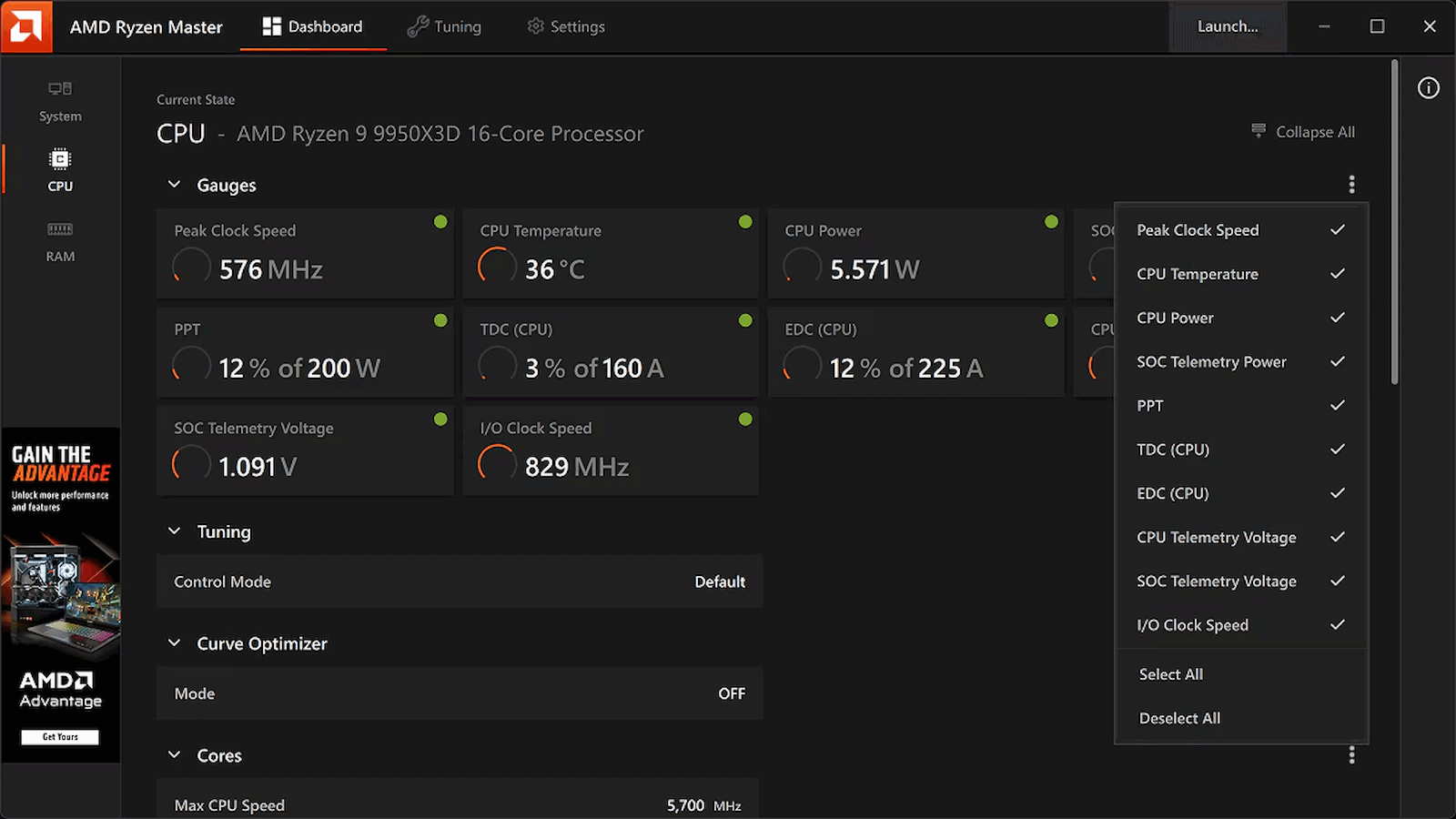
While Windows overclockers have spent years lazily sliding UI controls to adjust frequency curves and tweak voltages inside Ryzen Master, Linux users have largely had to treat their CPU tuning like an archaeological dig into the opaque veil of UEFI/BIOS firmware. Well, rejoice, Linux users, as AMD has officially published a fresh set of patches for the Linux kernel introducing AOD (AMD Overclocking Driver) support for Ryzen processors, Phoronix reports.
Instead of forcing developers to reverse-engineer closed-source firmware hooks or rely on messy, machine-specific ACPI workarounds, this new kernel driver is a direct pipeline to AMD's platform adjustments. By exposing core tuning capabilities straight through the standard sysfs interface, AMD is laying down an official, upstreamed foundation for software-level CPU management.
Right out of the gate, the driver handles platform-level SMT toggling, memory clock visibility, and power tunables. That's right: you can now toggle Simultaneous Multithreading (SMT) dynamically through this driver interface. That works through the CPU hotplugging mechanism and acts as a clean alternative to passing the old 'nosmt' boot parameter to the kernel. The new driver also allows real-time monitoring of memory clocks, and initial power controls are being wired up, too.
This tool isn't available on Linux, and may never be, but at least its functions will be soon. (Image credit: AMD)
Now, if you're expecting a polished, one-click official AMD application equivalent to Ryzen Master for Linux, just pump the brakes. AMD is following its open-source amdgpu graphics driver playbook here, building the kernel plumbing and then leaving the user-space presentation layer entirely up to the community. That means you're going to have to wait for utilities like CoreCtrl to build out interfaces for this new driver, but it shouldn't be long now before that work gets underway in earnest.
This approach is arguably a better fit for the Linux philosophy anyway. Because the controls are being exposed via clean kernel sysfs nodes, it won't be long before independent developers integrate these knobs into powerhouse open-source monitoring and tuning suites, or even write dedicated desktop environment extensions specifically for the purpose of tweaking Ryzen processors.
The new patches are currently winding their way through review on the mailing lists, meaning mainstream kernel integration is on the horizon. For a DIY enthusiast who loves squeezing every last MHz out of silicon while maintaining a fully open-source software stack, this is easily the most exciting hardware-enablement milestone I've seen in a long time.
Android 17 QPR3 Beta 2 has added a toggle to require PIN/fingerprint authentication before anyone can touch Airplane Mode, Wi-Fi, Bluetooth, or Mobile Data on a locked phone.
Non-security tiles like Flashlight, Auto-rotate, and Battery Saver stay unlocked and accessible without extra friction.
The latest Android 17 beta release also resolves random reboots, system crashes, Bluetooth pairing failures, idle battery drain, and buggy internet tiles.
Google is finally giving Pixel owners a way to stop thieves from disabling their phone’s connectivity right from the lock screen.
The new security feature is coming in Android 17 QPR3 Beta 2, which will let users require authentication before anyone can toggle Wi-Fi, Bluetooth, mobile data, or airplane mode. It's a small change, but it could make a stolen phone a little less useful to whoever walks away with it.
This update, which came on October 20 with build number DP11.261002.005, does more than just fix a number of bugs. The Android Beta team says on Reddit that it also fixes intermittent device crashes and unexpected reboots, Bluetooth pairing failures, excessive idle battery drain, and issues with the Internet Quick Settings tile. Below is the complete list of issues fixed in the latest beta round.
Cellular data, MMS, and hotspot services fail to connect on Dish Network. (Issue #537736046)
Screen recording freezes and stops capturing frames after screen rotation. (Issue #541325203)
System UI, fonts, and apps render at an abnormally small scale regardless of configured display size settings. (Issue #563321433)
Display turns black and becomes unresponsive after ending a phone call. (Issue #564953545)
Terminal app fails to launch the Linux development environment virtual machine after installation. (Issue #551657934)
Wi-Fi Aware fails to establish subsequent data paths with a no interfaces available error after releasing an accept-any responder network request during connection confirmation. (Issue #550726291)
Paired watch continues to ring after an incoming call is answered on the phone. (Issue #564594780)
Airbnb app fails to connect when attempting to send messages. (Issue #563024453)
Quick Settings Bluetooth subtitle is misaligned to the right. (Issue #559417120)
Bluetooth pairing fails due to a connection timeout when attempting to pair with a device. (Issue #563675080)
VoLTE, VoNR, and Wi-Fi calling are unavailable on the IT&E network. (Issue #556432987)
High idle battery drain caused by motion sensors remaining active after using Face Unlock or the camera. (Issue #568078965)
Wi-Fi Calling unavailable on the OXIO network. (Issue #563089593)
(Image credit: Nicholas Sutrich / Android Central)
A more interesting addition is the connectivity restriction, as noted in a few replies to the Reddit post. Sometimes thieves can disable a phone’s network connections from the lock screen, making it more difficult for owners to track down a lost device. It’s another hurdle to force you to unlock before changing these settings, though it obviously won’t prevent all theft or ensure recovery.
To enable it, go to Settings > Security & privacy > Device unlock or Settings > Display & touch > Lock screen, then turn Lock Quick Settings connectivity on. Once enabled, you must unlock the device before you can change any of the four protected connectivity settings.
Google is also leaving common shortcuts like flashlight, auto-rotate, and Battery Saver accessible, so the security feature doesn’t relegate the lock screen to a glorified clock. Locking each and every Quick Settings tile would be way too limiting for those who enjoy shortcuts without unlocking their phone. So it’s a more targeted way to protect the settings that could interfere with connectivity and tracking.
Android 17 QPR3 Beta 2 is available for eligible Pixel devices enrolled in Google’s Android Beta Program. As with any beta software, users should expect the possibility of bugs and avoid installing on a device they can’t afford to have misbehave.
Microsoft expands Project Perception with dynamic permissions, continuous risk scoring, and automated safeguards for AI agents. Here's what's confirmed and what remains untested.
The rise of AI technology in the last couple of years has been phenomenal. Now, it seems that every piece of technology in your home or on your person is powered by some kind of intelligence that wants to help. But, how many of them are actually useful when it comes to getting stuff done? Most are great at answering questions, which can be helpful, although the promise seemed to be that these assistants could get on with the tasks you didn’t want to do yourself. Well, MacPaw is about to change that with the introduction of its Eney AI assistant, one that’s purpose built for action rather than just talk.
One Interface that works across multiple apps
With many jobs these days involving tasks that are handled by different apps, it can be time-consuming having to switch around to do simple things. Whether that’s opening your email, calendar, messages apps or just having to delve into Finder to track down a document or file you’re after. These constant changes can not only interrupt your flow, but also increase the chances of being sidetracked by the many other things vying for your attention.
Eney looks to address this issue by giving you just one interface through which you can tell it to handles these tasks. Thanks to its support for third-party apps, you just open Eney, make the request (in natural language, so you don’t have to learn any prompts) then the assistant will take care of the rest. No getting sucked into a group chat, email chain or other distraction, just fast and efficient actions that allow you to carry on with your work.
MacPaw
It’s not just basic tasks either, as Eney can handle multi-step actions across the apps you already have, without constantly requiring your attention. Whether you need it to send a quick message in Gmail, attach a file from Google Drive, or update your team on Slack, Eney can quickly make it happen.
An intelligent, proactive assistant with privacy built-in
Alongside helping you to find files, draft emails, and plenty of other useful activities, Eney also acts as an intelligent assistant that’s there to ensure you don’t miss important meetings or tasks. There are several workflows (automated tasks) built-in that require no assembly by you but which can instantly boost your productivity. Helpful things like a morning catch-up on all the news relevant to your interests or responsibilities, a review of your week, planning the day ahead, all of which is automatically delivered to you by Eney. It can also join you on meeting calls, transcribe the conversation, then present you with a summary and action points.
MacPaw
The proactive nature of Eney means that it’s always on the lookout for important dates and tasks in your calendar, messages or email, which it can then bring to your attention ahead of time so you don’t miss deadlines or be unpleasantly surprised by something you should have done. It’s like having a top-class PA that lives on your Mac.
As Eney is created by the same people that brought you CleanMyMac, it’s no surprise that you can also ask it to clean up your desktop, organise your downloads, and remove clutter from your file system so things run smoothly.
Of course, with all that responsibility, you’ll want to know that your data is safe and secure. That’s why the on-device nature of Eney is so important. The software is built to process data on your Mac, keeping your personal files and information local rather than sending it to an online server.
MacPaw
Try Eney for free on your Mac
If you want to take your productivity to the next level, then you can download Eney to your Mac today and take the free 14-day trial. You don’t need to give any payment details and the trial is fully functional, so you can see how Eney really works. Once the 14 days are up (or you exhaust the 10,000 included credits) you can sign up to a monthly subscription for as little as $14.99 (around £11.20), which you can cancel at any time.
AI is meant to improve our lives, not make them more complicated. With Eney, this might finally be true.
Software developers will need to get their kicks from becoming code coaches of AI, professors of prompt engineering, and masters of their domain. So says Pratik Wadher, chief technology officer at Kaseya, who oversaw a team of codesmiths rewriting software across the company’s managed services portfolio, which spans remote monitoring and management, backup and recovery, cybersecurity, and automation. “The goal is unifying our data, unifying our API, but as we are starting to also look at the product portfolio that we have, we're trying to understand what are the patterns that we can use to consolidate the product workflows,” he tells The Register. Storage is a good example. The basic workflows involve reading and writing data to storage arrays, Kaseya's own cloud environment, or the racks run by hyperscalers. The team re-architected the back end of its storage products so the storage engine reads and writes to any kind of storage from ZFS to S3. “This is where AI helps,” Wadher claims. “Fundamentally we have accelerated that piece of re-architecture.” Since joining Kaseya in September 2025, the CTO has been trying to simplify what he admits can be a “confusing” number of individual products. “The storage layer that we've been writing, we re-architected and wrote it in six weeks. And that's the actual writing, implementing and testing the code. There are years of domain expertise behind understanding how we want to write it.” In the process, Kaseya used Anthropic coding agents to help a human write the spec. The meatbags at Kaseya then iterated on it and peer-reviewed it with critique agents, before the AI generated the code. Anthropic’s Claude is becoming the “de facto standard” for writing code at Kaseya. “When I look at my engineers, it's not how I used to write code. It's almost like I'm manipulating these agents, but the best engineers are still critical, because you have developed a lot of experience in understanding what you need to do,” Wadher says. Does this take the fun out of coding? Yes and no, he claims. Mirroring the wider industry, some Kaseya engineers are embracing the new approach and some are more “hesitant.” “The fun part of coding is going to be the design, the architecture, the thinking. Writing code is fun but I don't think it's [the] fun [part]. The fun part is having the code run, seeing what it can do, and then tweaking it and changing it. If you can accelerate that and start seeing the results, I think that, for me at least, that would be the fun part: seeing the impact.” Developers must become proficient prompters and “you need the domain expertise,” he adds. “If you’re just using AI to generate code I don’t think you’re going to be useful and I don't think the code you're writing is going to be useful.” Some Reg readers and some of the article-writing vultures may disagree. There is a clear split happening in the world of FOSS, for example, where some projects want only human-written code and others take what they describe as a more pragmatic view of AI tools. AI is already forcing change upon the tech sector. Research last year suggested the number of graduates starting a career in technology is plunging with certain functions being subsumed by agents. “I think basic tasks will be done by AI, so you're not going to need that,” Wadher says. “The skills that will be extremely important are critical thinking and writing. “The worst part of coding, [the thing] engineers hate is writing the documentation. Well, guess what? That is going to become even more critical now. Being able to write clear, concise design specifications, the functional specifications, is going to be extremely important. The good thing is that you’ll now have an [AI] partner that can do this with you and you can iterate with this partner. “I would say the new code is the spec. That's what you're going to check into GitHub now, because you want to make sure that the spec you wrote is going to generate the same type of code now over and over again. I have seen variances." ®
Google's new Noto 3D emojis, introduced with Android 17 and the Pixel 11 series, are starting to reach older phones.
A Reddit user reports receiving the redesigned emojis on their Pixel 6a, possibly through a system update.
The rollout appears limited for now, while Google has confirmed plans to bring the new emojis to all Android phones.
Google appears to be rolling out its new Noto 3D emojis to older Android phones.
With the launch of Android 17 and the Pixel 11 series, Google introduced a new emoji design language. Android users have complained for years that emojis on the platform look rather plain and bland, especially compared to what competitors offer. But with Android 17, Google introduced its new Noto 3D emoji design, bringing more depth and a three-dimensional look to emojis.
Google says the new emojis feature more depth and dimension, making them better at expressing emotions and giving them a more distinctive look. Until now, these emojis have largely been exclusive to the new Pixel 11 series, but it looks like Google is finally starting to bring them to older Android phones as well.
As spotted by a user on Reddit (via 9to5Google), the new Noto 3D emojis have reportedly started appearing on the Pixel 6a. The user says their emoji selection has been updated to show the new designs and believes the change arrived through a system update rather than a Gboard update.
(Image credit: RKBDI on X)
Google has so far kept the new emojis exclusive to the Pixel 11 series, but this report suggests the company may have started expanding their availability to older Pixel phones.
That said, the rollout doesn't appear to be widespread just yet. We checked both the Pixel 9a and Pixel 9 Pro running the latest Android 17 software, and neither device has received the new emojis, even after installing the latest Google Play system update.
Still, with at least one user reporting that the new emojis have appeared on their older Pixel, there's a chance Google has started a gradual rollout that could reach more devices over the coming days or weeks.
Google has already announced plans to make the new emoji designs available across its apps and on devices from several Android manufacturers, including Nothing, Lenovo, Xiaomi, Oppo, OnePlus, Vivo, Honor, Motorola, and more.
Google announced that it's bringing Gemini's Personal Intelligence to vehicles.
The feature mirrors the experience in AI Mode or on your phone, as the AI can connect to your Workspace apps, Gmail, Photos, Search, and more for tailored help that matters to you.
Gemini can pick up old conversations with you through Personal Intelligence, and it can look for restaurants to eat and bring directions straight to your car's display.
None of this works without your permission, and Google says drivers remain in control of what they share.
Sorry, Microsoft: Apparently Gemini is your new copilot.
This afternoon (Oct. 20), Google announced that Gemini's Personal Intelligence is rolling out for Android Auto. The post states Personal Intelligence does nothing without your express permission. But once given, the feature will mirror the experience you'd receive on your Android phone.
Google states that connecting Personal Intelligence opens access to Gmail, Photos, Maps, Search, Workspace apps, and more. Gemini will tailor its responses to your voice queries using your data as its knowledge base. Since Personal Intelligence is connected to your Gmail (if given permission), users can ask whether their flight is on time and what their gate number is. Google says drivers won't have to do much else.
The AI will dive into your emails and find that information for you. What's more, since Personal Intelligence is arriving in vehicles, Google says Gemini can "suggest curated dinner stops" along the driver's route when asked. If you're a vegetarian, Google says Gemini can tailor its responses for your needs.
Driving got a little easier
Gemini's Personal Intelligence can surface important details about your flight while the driver remains focused on the road. (Image credit: Google)
Another key feature is users can "pick up where they left off" with Gemini. If you asked Gemini about a coffee shop, the next time you get into your car, you can bring it up. Google states Gemini will resurface those details for you and create a route in Maps to get you there.
Google says your privacy remains at the center of this feature, and you don't have to share anything if you don't want to. Personal Intelligence will arrive for cars with Google built-in "in the next few months." For users with this feature already set up on their phone, you won't have to do much once it hits your car.
If you haven't set it up, Google says you can do so from Gemini's settings.
Google has been bringing Gemini's Personal Intelligence to more places since its arrival in January. Most recently, the company added the feature to AI Mode. It works the same as you'd expect on your phone through the Gemini app and, as announced today, for Android Auto. Users can ask Gemini about specific questions that pertain to them or their situation. If you're looking for meal ideas but you have an allergy, for example, Gemini would tailor its responses.
What's more, you can ask Gemini to find information about your car's tires. The AI would look into your photos to find them and search for relevant information.
Enterprises say nearly a third of their software budgets goes on upgrades, migrations, and licensing changes they wouldn't have chosen, according to research suggesting that keeping vendors happy has become an expensive business. The study, conducted by Censuswide for software support provider Origina and published with Thinkers50, surveyed 2,018 senior IT decision-makers in the US and UK. Respondents put the average share at 28 percent. And customers aren't necessarily getting anything better for their money. Some 95 percent of respondents said they had paid for at least one vendor-driven change in the past three years despite expecting worse reliability, performance, or value. The most recent vendor-driven change cost respondents' organizations an average of $12.87 million. Origina calls this the "software tax," but unlike most taxes, it comes with the added pleasure of potentially making your IT systems worse. The costs don't stop at software either. According to the survey, 91 percent of respondents said their organizations had retired working hardware in the past three years to meet software support deadlines, sacrificing an estimated 1.65 years of remaining useful life on average. Then there's the small matter of finding people to carry out all these supposedly essential changes. Some 84 percent said experienced engineers were regularly diverted from other projects to handle vendor-driven upgrades and migrations. That leaves less time for the work businesses actually want done, including the AI projects that software vendors themselves have spent the past few years telling everyone they urgently need. Asked about the last time an AI or data project was delayed, paused, or canceled, 90 percent said vendor-driven costs contributed at least moderately. While customers might be tempted to tell their suppliers where to stick their next upgrade, many apparently don't feel they have much choice. Some 76 percent said they have little negotiating leverage with their major software vendors. Origina founder and CEO Tomás O'Leary reckons customers have been backed into a corner. "When the alternative to an unwanted upgrade is losing support on systems the business runs on, saying yes is often a rational response. That's exactly the problem," he said. "The market has left some of the most experienced technology leaders in the world with little room to refuse, and that cost shows up in budgets, in engineering time and in innovation that never gets funded." The findings also suggest that IT bosses are getting rather fed up with the arrangement. Some 91 percent backed legislation that would give enterprise software customers protections comparable to those enjoyed by long-term residential tenants, while 82 percent supported software maintenance requirements similar to EU hardware repairability rules. Origina has a commercial interest in the argument: it sells independent support for enterprise software, offering customers an alternative to vendors' own maintenance and upgrade arrangements. Still, the findings suggest plenty of customers feel they're spending millions following their suppliers' priorities rather than their own. ®
In a weird way, I’ve been thinking about the idea of a Googlebook for well over a decade now — despite the fact that such a product has only officially existed for a matter of months.
I’m relatively unusual in the world of tech journalism, y’see, in that I’ve been both writing about Android and ChromeOS since the platforms’ earliest days and actively using devices from both ends of those ecosystems in my own day-to-day life that entire time. Most tech writers tend to be iPhone owners and Chromebook skeptics who see this part of the digital world from an outside view — once a year or so, when significant new devices come along for assessment — without having the perspective of someone who’s truly immersed in it day in and day out.
That distinction is always painfully apparent when you read a review that waxes on endlessly with out-of-touch iPhone comparisons and comments about the limiting nature of Google’s ChromeOS concept — positions that simply aren’t accurate for those of us who live in these ecosystems and embrace the philosophies they offer.
This won’t be one of those reviews, and I perhaps more than anyone have been champing at the bit to get my hands on one of Google’s new Android-ChromeOS-combining Googlebooks since the vaguest concept of these devices first appeared on the horizon earlier this year.
So keep that in mind when I tell you, coming from the perspective of someone who very much wanted to love this: Using a Googlebook is an extraordinarily strange experience — especially when you’re treating it like a regular laptop, as it’s being positioned by Google, and relying on it to get real work done.
But amidst all the oddness, there are some true high points along with plenty of intriguing, if unfinished-feeling, potential.
Here’s what it’s been like trying to actually work on a Googlebook — specifically, the Lenovo Googlebook, which sells for $1,149 (and was provided to me as a short-term loaner from Lenovo for the purposes of this article).
The Googlebook groundwork
First things first, let’s back up a minute and set the stage for what we’re even talking about here.
It’s meant to represent an evolution of sorts from the Chromebook, the initially simple laptop Google launched in 2012 and slowly morphed from a barebones web portal into an “everything OS” — a system that runs web apps, Android apps, Linux apps, and even sometimes Windows apps, for businesses that have specific needs that can’t be addressed in any other way.
But while ChromeOS and Android grew closer and more connected over time, Googlebook OS — the awkwardly clunky name of the operating system at the heart of every Googlebook — sets all of that aside to aim for a fresh start. The software here sports Android at its core alongside a variety of optimizations designed to bring in bits of ChromeOS-like elements and make everything seem more suited to a laptop setting.
With that in mind, starting to use a Googlebook is both immediately familiar and vexingly confusing. The interface feels a lot like Android, which is nice, but it also doesn’t quite feel in line with how you expect to work on a desktop computer. It’s a jarring sort of mashup, and it’s tough to wrap your head around to get comfortable working.
That’s true for relatively small touches like having the clock in the upper-left corner of the screen instead of in the lower-right corner, where’d you expect it on most non-Apple-made computers. It’s a little thing, but it keeps throwing me whenever I try to glance at the time during the day. That approach is similar to Android, yes, but it just doesn’t feel right in this environment or with what pretty much all of us who’d be considering this kind of device have been trained for ages to expect with a desktop computer experience.
The Googlebook’s desktop is similar to Android — but that doesn’t immediately feel natural in a desktop computing environment.
JR Raphael / Foundry
It’s true, too, for keyboard shortcuts, which don’t work the same as they did on ChromeOS — even just basic, common things like opening items on the taskbar. (Googlebook OS does have an impressive array of customizable keyboard shortcuts, if you find ’em, but there’s a ton of new combinations and muscle memory to be learned.)
The confusion is probably most prominent, though, on the app front, where Google is really leaning hard into the Play Store and the idea of Android apps being the primary way to get stuff done, despite the fact that Android apps often aren’t ideal — or even available, in some instances — in a productivity-oriented, desktop computing scenario.
The Googlebook app experience revolves primarily around the Play Store — which can be a pro or a con, depending on the moment.
JR Raphael / Foundry
At least one of Google’s own apps addresses this elegantly. Installing Google Calendar from the Play Store basically just gives you an app-like shell around the Calendar website, and you can use the Android app’s widget alongside that, if you want. (The downside is that you can’t use the equivalent Android app in full even if you want to, as there’s no straightforward path to install it — and, strangely, the same web-widget combo is not available with other Google apps, like Gmail or Drive, which give you only the web version and no option to use any associated Android widgets.)
The Google Calendar app on a Googlebook is basically just the Calendar website, though you can still use the Android app’s widget alongside that.
JR Raphael / Foundry
And since the version of Chrome on a Googlebook looks and feels like the full desktop version of the browser — like what you’d expect on a Chromebook or any other desktop computer — relying on this unusual mix of web and Android interfaces for productivity is mostly OK. Mostly.
Working in Docs, with as few as five or six tabs open, I continue encountering an occasional issue where the tab just blanks out for a second or two and then comes back — which, suffice it to say, isn’t exactly optimal for working.
The email app I use, Superhuman, appears to be completely incompatible here. The web version (which is powered by a Chrome extension) errors out anytime I open it, and the Android app is clearly not meant for large-screen, keyboard-and-mouse use and presents an incredibly awkward experience as a result.
The productivity tool Notion, meanwhile, came up for me as one of the Googlebook’s suggested tools that’s optimized for desktop use, so I followed that direction and installed the Notion Android app — only to find that the app is much more awkward and limited on a laptop than the regular Notion web experience, where all the functions are available and the keyboard shortcuts work as expected. So I decided to try to install the Notion web app for easy ongoing access to that, and I encountered a mysterious error.
Trying to install certain common web apps results in a frustrating error.
JR Raphael / Foundry
D’oh.
Then there’s something like Slack, which you can install from the Play Store but with an accurate warning that it’s “better on the website.” So, OK: You go to the website, try to sign in and install the web app version of it from there, and…there’s that blasted “cannot be installed” error again. (Google says it rolled out an update last week that allows any web page to be installed as a web app, but as of this writing — even with that update present on my device — the same error-encountering pattern persists.)
Other apps appear to work fine but then behave in odd and unexpected ways. I tried to install the Android version of Vivaldi, for instance, and it installs and opens without issue — but then returns an error anytime I try to actually open a website within it. That definitely doesn’t happen on a Chromebook, nor do the other aforementioned issues.
There’s just a lot of weird stuff like that, where it feels like a typical Google not-quite-fully-baked product. To be fair, that may be at least in part because of third-party app developers not yet supporting what needs to be supported for full optimization in this new environment — but either way, that’s the experience you get on a Googlebook right now, and it’s an all-too-familiar chicken-and-egg challenge that there’s no telling how long might take to see resolved.
On a somewhat related note: While the ability to install Linux apps is technically present on a Googlebook, it isn’t at all a user-friendly experience. Linux app installation is available only in a limited manner within the confines of a command-line terminal, and any such programs consequently don’t integrate into the launcher or the main Googlebook interface. That means there’s no real way to use them as a part of the standard Googlebook experience — which is a shame, as having those more traditional desktop apps available on ChromeOS went a long way in filling in pertinent function gaps for a lot of people and businesses. (Google says better Linux app support is vaguely “on the roadmap.”)
The various layers Google created to make Windows apps available for businesses in ChromeOS aren’t present in this environment, either. The official line, as relayed to me by a Google spokesperson, is that “Googlebook takes a fundamentally different architectural path than previous platforms” and they “aren’t attempting to patch together legacy PC software layers or rely on Windows emulation to make a laptop functional”:
Instead, Googlebook OS is built directly on the Android tech stack with the desktop foundations of ChromeOS, pairing the world’s largest native app ecosystem with an uncompromised, full desktop Chrome browser.
This makes it easier than ever for developers to build a true desktop-class app experience.
That’s all noble enough in theory — but as a prospective Googlebook owner right now, what good does any of that do when most developers haven’t yet built those “true desktop-class app experiences” for this environment? Or when you’re a business user whose company has the very same sort of “legacy” software requirements that led Google to work so hard on Windows app support for Chromebooks and maintain that option in that arena?
Pros, cons, and more Googlebook confusion
Let’s break from the strange stuff for a minute to focus on some positives — because, again, there is something undeniably cool about experiencing Android in a laptop form and seeing all the ways a Googlebook works hand in hand with an Android phone to make life easier.
First and foremost, Googlebooks stray from the longstanding minimalist Chromebook standard to give you a fully customizable desktop — with the ability to create any arrangement of shortcuts and widgets, just like you can on an Android home screen. That is absolutely a welcome progression from the more limiting ChromeOS approach and something I’d long hoped to see in that domain, and having those familiar forms of interactive info right in front of you while working is an incredibly helpful addition.
Having a fully customizable desktop, with regular Android widgets available, is a significant leap forward for the Googlebook.
JR Raphael / Foundry
Being able to easily access the files on your phone without any extra hoop-jumping is also a nifty touch, for the moments when such a need arises. Once your Googlebook is paired with your Android phone, you simply open the Files app on the laptop, and you can see and interact with any files on your phone right then and there. (That said, the Files app is otherwise much more barebones and limited than its ChromeOS equivalent, unfortunately — so you can’t, for instance, drag and drop directly from the phone to any specific folder on your local or Google Drive storage.)
The Googlebook makes accessing files on your Android phone delightfully easy.
JR Raphael / Foundry
As far as hardware is concerned, Lenovo did a bang-up job with its inaugural Googlebook device. This is one seriously nice laptop — a pleasure to hold, with an almost silky-feeling smooth texture on the top and a thoughtfully ridged bottom for extra grippiness when you carry it. The system has a beautiful (and big!) 15.3″ display, an excellent keyboard and trackpad, and surprisingly great speakers. Those boxes are all checked off.
The Lenovo Googlebook is a sleek and premium laptop with all the right elements in place, as far as hardware is concerned.
Lenovo
But it’s the experience inside the hardware that means the most, here in particular — so, back to that:
Native app installation aside, one key selling point of the Googlebook is how it’s able to stream apps from a connected Android phone — letting you run an app from your phone on the computer, in other words, without having the app installed locally on the Googlebook itself.
It’s a slightly confusing concept to wrap your head around, especially since you can also install most of the same apps from your phone directly onto the Googlebook if you want (and, given that this is a native Android device, installing and running Android apps on it is absolutely smoother and snappier than what you typically experience on a Chromebook). Because of that — just like with the equivalent streaming option that had been available on ChromeOS in recent years — it seems like something that’s bound to be more befuddling than beneficial for most people, most of the time.
Android app streaming presents some perplexing overlap by allowing you to remotely run many of the same apps you could also install directly on the Googlebook.
JR Raphael / Foundry
That being said, I have had a couple of situations come up where it seemed like the feature might be handy. First, I needed to get a two-factor authentication code out of Authy, which is available only as a mobile app. A perfect use-case, right?
Well, not exactly: The Googlebook wouldn’t let me stream the Authy app from my phone and instead gave me an error: “Can’t cast content. This content is restricted.” So then I thought maybe I’d just install Authy directly onto the Googlebook instead, but alas: The app “isn’t available on Google Play on this device.” Bah.
Another time, I tried to open Google Wallet from my phone to get some info off my insurance card, which I have stored in that service. That worked, at first — but then the app kept hanging on a loading screen anytime I tried to open anything.
The one scenario where the app streaming has been helpful is with notifications: Anytime you get a new notification on your connected Android phone, it shows up as a pop-up in the upper-right corner of the Googlebook display. The same actions that’d be present on the notification on your phone, such as marking something as read or replying in-line, are also present on the computer, and you can click on the notification to open the associated app in full on your laptop — just like you would on your phone, only everything happens within a window on the Googlebook.
That’s a clever little sleeper feature and arguably the best part of the app streaming capability, even if you don’t necessarily think about the fact that you’re using app streaming when it happens.
Another key selling point is the addition of AI-oriented features into the Googlebook operating system. This includes a Magic Pointer feature that lets you wiggle your cursor to summon Gemini and ask it about any specific area of text or visual on your screen — which is fine but not something I find myself actually using often. Its most useful-seeming promise is being able to act on information, like creating a calendar event based on a specific area of an email or text message on your screen, but its accuracy in getting the details right in such scenarios has been pretty hit and miss in my experience.
Then there’s the integrated Rambler system for conversational voice-to-text conversion (as seen on Google’s recent Pixel phones). It works well, but by design it isn’t a direct dictation tool; instead, it adjusts and rewrites your rambling speech (hence the name) to make it better, in its view. That makes a lot of sense when you’re spouting off a quick text message while walking or driving, but unless you don’t mind losing your own specific style, intentions, and voice with longer computer-crafted communications, it doesn’t seem like something you’d be using much in a business capacity — though it can certainly be handy to have available on occasion.
As is often the case with Google products and AI features in particular, some of the smaller, less headline-making touches on the Googlebook are much more interesting than the flashy marquee features.
All in all, it’s a perplexing picture.
The Googlebook productivity puzzle
More than anything, the question that keeps coming to my mind — again, as someone who fully embraces Android and frequently works on a Chromebook — is simply: Who is this meant to serve? And, in its current state, for whom will it be a meaningful upgrade and enticement over other existing options?
I keep thinking how this exact setup would make for an absolutely brilliant souped-up Android tablet interface, with the right kind of hardware around it. You’d have the familiar Android-like environment, optimized for a larger screen, and the ability to pair that with a more desktop-like experience in the core Google apps — including Chrome, for a less limiting active web experience when you connect a keyboard (or flip around a convertible device to have one present).
As the Googlebook stands now, though, I just don’t know that it’s a great replacement yet for a Chromebook — or any other laptop — particularly when it comes to getting actual work done. At best, it feels like a fairly linear progression with some awkward adjustments and asterisks. At worst, it’s gonna be a real challenge for some people to use in the way they need a laptop to work. And I’m just not sure what’s being added, from a practical perspective, that makes it all worthwhile.
What we can say is that Google has a history of launching products that are still rough around with the edges, and sometimes, those products evolve over time — sometimes quite quickly! — and end up becoming incredible. Heck, think how much ChromeOS changed from its earliest form to the way it is today.
At the same time, Google also has a pesky habit of pivoting, giving up, and failing to follow through on once-heavily-hyped products. A fair amount of the Googlebook’s early shortcomings come down to convincing third-party developers to buy into the platform and invest the resources in making their apps work well on it, too — which is the exact same chicken-and-egg challenge that’s kept promising Google concepts from blossoming before.
For now, the Googlebook is an awkward start with plenty of potential. Where it goes next is anyone’s guess — and something that, to some degree, may depend on how many people are willing to take the leap with it early and wait for it to evolve.
The new Siri AI architecture is about more than just answering more questions or having a back-and-forth conversation. It’s about being able to move data between Apple devices, securely and privately, to perform AI tasks elsewhere.
In much the same way as your iPhone can send an AI task that’s too big for it (along with the data needed to complete it) to a Private Cloud Compute server, so too can Apple accessories and products send requests to your iPhone. It’s how the HomeView works with everyone in the house, how the Apple Watch Series 12 will provide its “audio intelligence” features, and how existing Apple TV 4K boxes will get Siri AI support.
At first, we thought perhaps you would need the new $299 Apple TV 4K to get access to Siri AI. Then we found out that the 2nd-gen and 3rd-gen Apple TV 4K boxes will get it as well.
It’s going to do this by sending Siri AI requests to your iPhone, as long as it’s nearby, logged in to the same account, and has been unlocked recently.
That sounds a lot like how HomeView is going to work. Ask Siri to turn on lights, and it just does it. Ask it anything that has to do with your messages, calendar, or any other personal info, and it sends that along to your (nearby, logged in, recently unlocked) iPhone. Apple did its best not to show the iPhone in any of its HomeView marketing material, but make no mistake—an iPhone is a critical part of the experience.
Not pictured: The nearby iPhone all this calendar info comes from.
Foundry
HomeView even goes a step further and uses your iPhone as a hub for audio and video apps that aren’t installed on it, running them via CarPlay directly from your iPhone.
When the Apple Watch Series 12 was released last month, it shipped without a key feature: Audio Intelligence. This ability to summarize conversations and “rewind” the last 15 seconds of speech doesn’t even really use the watch. It uses your iPhone.
The Series 12 and Ultra 4 create a secure and private wireless link with your iPhone, which does all the AI stuff, pulling in Private Cloud Compute where necessary, and then returning the info to your Apple Watch via that link again.
When Live Rewind and Siri Recap come to the new Apple Watches, they’ll run on your iPhone.
Apple
So by the end of this year, Apple will have four products on the market: existing Apple TV 4K (2nd and 3rd gen) boxes, HomeView, and the new Apple Watches, that all rely on a link to your iPhone to process any Siri AI request more complicated than starting a timer or turning off a light.
Future products as iPhone extensions
Back in 2001, Steve Jobs introduced the concept of the Digital Hub, with a central device (the Mac) that “added value” to the other gadgets in our lives, including CD players, MP3 players, and cellphones. Now it’s Apple’s cellphone that is at the center of the new digital hub. It now seems obvious that future AI-powered products from Apple are going to need an iPhone to work.
Whether it’s AirPods with cameras, smart glasses, or a more powerful robotic HomeView, the device itself will do minimal processing to figure out what the request is. Very basic requests will be handled on-device. Requests that need to know anything about you or access your data will get routed to your iPhone, where all that info can be handled securely and privately. If the task is too big for your iPhone, it will send it to a Private Cloud Compute server along with the relevant data, where a much bigger processor and AI model can take care of it and then immediately delete everything associated with it.
Apple has been speaking about the benefits of local AI processing for quite some time now, but no phone or laptop is powerful enough for today’s best AI models, so it built a scheme to send AI requests from your iPhone or Mac to the cloud.
Now, the same principle is being extended in the other direction: Building “edge” accessories that do even less AI processing than your iPhone, but connect to it when they need to.
This allows Apple to build smaller, lighter, and relatively cheaper devices that can still access the company’s latest AI features. And it helps future-proof those devices as Siri AI evolves. It means your HomeView or AI-powered AirPods should get smarter as your iPhone gets smarter instead of being stuck with the limited AI processing available in a $299 smart display circa 2026.
Apple doesn’t directly tell us exactly how its products work, most of the time. But it’s a nice idea to think that you might update your iPhone in a few years, providing access to all new AI capabilities, and that your Apple Watch, HomeView, smart glasses, or other products will gain new capabilities in the process.
A tipster discovered that Android Auto could bring full work profile support, mirroring what users experience on Android phones.
Android Auto could roll out "Work Accounts" sometime in the future, delivering notifications and more from a user's work profile.
A recent Android Auto update brought a refined Play Store with curated apps and more, as well as upgraded YouTube playback.
A dip into Android Auto's app code suggests Google is working on bringing full work profile support to drivers.
Tipster AssembleDebug and Android Authority discovered a new feature in the works for Android Auto called "Work Account." It's speculated that this would work similarly to how work profiles operate on your Android phone. Users can separate their profiles, keeping work-related apps and things in their own corner. The tipster discovered that Google is working on a Work Account toggle inside Android Auto's Quick Settings.
When toggled, users would begin receiving notifications on their car's display while driving. The feature may also display a briefcase icon on Android Auto's home screen so you know it's been enabled.
Much of what Work Account will support and do is still under speculation. AssembleDebug states that the feature isn't working properly; only the icons are present in their deep dive. However, the tipster assumes Work Account would support Google Meet and potentially other Workspace apps.
Better driving experiences
(Image credit: Android Authority)
For the good, Android Auto recently rolled out a redesigned Play Store with new apps and improved YouTube playback. The Play Store is now much easier to browse on your car's display. Google also included "featured picks, new releases, and curated collections." On YouTube's side, videos will automatically switch to audio-only when you start driving.
This keeps drivers involved in what they were doing, but minus the distracting elements videos tend to have.
On the downside, October got off to a rocky start for drivers. The funny thing is this issue had been going on for months. Users on Reddit said that Android Auto wouldn't alert them about incoming notifications if their foldable was closed. The reports involved the Motorola Razr series quite heavily, forcing users to open their foldables for proper functionality.
Motorola and Google were aware and started reaching out to users to help fix it.
Can AI-powered vibe coding challenge established software companies? Photocraft and other Adobe application clones spark a discussion of their capabilities, legal questions, and the possibility of creating customized software. A live download offers a closer look at the applications. The conversation also explores the Swift Angels developer meetup, LinkedIn’s growing importance for professional networking, and generational differences in technology.
I’ve been following a project on Reddit for a month by u/ButtonClean9403, in which they’re porting Chrome 117/Chromium over to PowerPC, and with a beta download link available a few days ago, I just stumbled into it this morning. It’s a dream becoming true. More than a compiled-for-PPC Chromium, this is a full port with […]
Google is automatically linking your phone number to every signed-in account on Android, including secondary work and alternate profiles.
Surprise verification emails are raising privacy concerns. Users say they received notifications without explicitly opting in.
You can disable automatic verification under Settings > Google > All services > Phone number verification, though some users report the setting switches itself back on.
Google is automatically linking phone numbers on Android to every Google account signed in on that same device, even if they are secondary work accounts or alternate profiles. The feature is meant to keep Google services running smoothly, but its default-on nature is raising questions about how much control users actually have over their personal information.
Some users took to Reddit to report that they're getting surprise emails from noreply-phone-verification@google.com saying their numbers have been verified (via TechRadar).
The setting allows Google and mobile carriers to periodically re-verify numbers, according to Google’s official documentation. The process enables services such as account recovery, RCS messaging, emergency features, and Quick Share. The problem is that the setting also links those numbers to every Google account signed in on the device.
That could be a problem for anyone that consciously splits out personal, work, and disposable accounts. Another relationship that a user may want to keep separate between profiles is a phone number associated with a secondary account. And since the feature doesn’t require an explicit opt-in prompt, users might not know anything has changed until they get a verification email.
Back on Reddit, users shared their experiences and theorized about why the process occurs on its own. You can fortunately check the setting yourself. Head over to Settings > Google > All services > Phone number verification and disable "Verify phone numbers automatically." Menu labels may vary slightly depending on the device.
But some users also say the setting sometimes turns itself back on after being turned off.
It's worth noting that just turning it off will not delete the current links. Go to the Personal Info page of your Google Account, select Contact info > Phone, and delete your number from any accounts you don’t want it to appear on.
Google says it is for practical reasons. But convenience is no substitute for informed consent. The company hasn’t said why it made such a sharp turn or if it plans to reverse it, officially. Until then, it’s up to you to repeatedly babysit your privacy settings and scrub your number from accounts where it doesn’t belong.
Android Central has contacted Google for comment and will update this story when we hear back.
Microsoft’s October 2026 Patch Tuesday is the year’s largest release, with 1,408 CVEs requiring customer action, 72 of them rated critical. September, the previous high, carried 963. One CVE is already exploited: CVE-2026-96951, a Windows Shell flaw that bypasses Mark of the Web. Two were publicly disclosed before release, in the .NET Framework and the MessagePack-CSharp library. Separately, on 25 September Microsoft reported attacks against CVE-2026-65660, a SharePoint Server flaw fixed in August. Readiness recommends a Patch Now scheduling for Windows, Office, Exchange and the developer tooling, and a standard release schedule for SQL Server. The Readiness team has published an infographic summarising deployment risk by product family.
Known issues
On 14 October, Microsoft added a known issue to this month’s Windows 11 updates, KB5127648 for versions 24H2, 25H2 and 26H2, and KB5127646 for 26H1. Non-admin users might be unable to open Remote Desktop connections to devices that have Administrator protection enabled, with error 0xC000000D. The issue started with September’s non-security preview update. The Windows 11 security baselines enable Administrator protection by default, so test remote access to managed hosts before broad deployment. Microsoft’s mitigation is to turn off Administrator protection temporarily through your policy management tool, and a fix will follow in a future update.
Two issues remain open:
Some USB Audio Class 1.0 devices might fail to start or produce no sound. The 14 September out-of-band update resolved part of this, and for the remaining symptoms Microsoft directs IT administrators to Microsoft Support for Business.
Windows Server Update Services still does not display synchronisation error details on Server 2025 and Server 2022. Microsoft removed the function to address CVE-2025-59287 and offers no workaround.
And three are now closed:
The incorrect “Microsoft Defender Antivirus is turned off” notifications, still open when we published in September, were fixed by Defender Antivirus update 4.18.26080.4, released on 17 September.
On Windows 11, the October update fixes Explorer failing to start after sign-in on multi-user systems such as Azure Virtual Desktop with FSLogix, which left users at a black screen.
On Windows 10, Windows 11 23H2 and Server 2016 and 2019, it fixes File History failing to back up or restore and showing a false “Reconnect your drive” message.
Major revisions and mitigations
Between the September and October releases, from 9 September to 12 October, Microsoft’s Security Update Guide notifications covered 111 entries for Microsoft’s own products, not counting Chromium republications for Edge. Of those 111, 90 are true revisions rather than new entries. September’s window had one.
On 17 September, 84 of September’s CVEs gained Office for Mac updates. Each revision note tells customers running affected Mac software to “install the update for their product to be protected”.
On 16 September, Microsoft corrected the scoring of three critical SQL Server remote code execution flaws from September, CVE-2026-67378, CVE-2026-67631 and CVE-2026-67643. The scores now record that “an attacker does not require any privileges”. Microsoft calls this an informational change.
On 25 September, Microsoft revised CVE-2026-65660, a SharePoint Server remote code execution flaw fixed in August, to state that it “had reliable evidence of observed attacks against exploitation of this vulnerability”. CISA added it to its list of known exploited vulnerabilities the same day. The Security Update Guide still shows “Exploited: No” for this CVE, so a report filtered on that flag will miss it. If any SharePoint server lacks the August update, install it now.
Of the 21 new entries, 18 are critical cloud-side flaws in Azure, Microsoft 365 Copilot, Dataverse and Fabric, all marked “Customer action required: No”. Two are Edge flaws, and one is CVE-2026-96940 in Exchange Server, published on 2 October and covered below.
Microsoft has published no mitigations and no workarounds in the October release.
Windows lifecycle and enforcement updates
These support milestones passed with this release on 13 October, as scheduled:
Windows Server 2022 moved to extended support, which runs to 14 October 2031.
The next milestones fall on 10 November 2026, the date of November’s Patch Tuesday. .NET 8 and .NET 9 reach the end of support, as do PowerShell 7.4 and 7.5. Windows 11 Enterprise and Education 23H2, and IoT Enterprise 23H2, reach the end of updates, and Microsoft says November’s update “will be the last update available for these editions”.
Microsoft also starts or tightens several enforcement changes with this release:
Windows 11 24H2, 25H2 and 26H2, and Windows Server 2025, now restrict NTLMv1-derived credentials for single sign-on by default. Where Credential Guard is off, Microsoft warns this “might affect Wi-Fi, Ethernet and VPN connections that use MS-CHAPv2-based authentication” (KB5066470).
AD FS Distributed Key Manager container permissions move into enforcement mode. Supported servers remediate automatically, but Server 2012 and 2012 R2 need manual remediation (KB5121391).
ReFS volumes on removable media enter an audit phase, and blocking is enabled by default from the January 2027 update (KB5130741).
The Windows Production PCA 2011 Secure Boot certificate, used to sign the Windows boot loader, expires on 19 October. Devices without its replacement, Windows UEFI CA 2023, keep starting and updating normally, but they stop receiving new early-boot protections (KB5062710).
Microsoft’s test guidance for this release runs to 496 Windows entries, 41 of them flagged as high risk, against 466 and 55 in September. Printing, scanning and font rendering account for 31 of the 41. The Readiness team recommends these testing priorities:
Printing. Print documents with mixed fonts from 32-bit and 64-bit applications to physical and virtual printers. Add network printers by discovery and by IP address, and print through a shared print server, a USB printer and a PostScript driver.
Downloaded files. The exploited Shell flaw bypasses Mark of the Web, so open files and shortcuts downloaded from the internet and confirm the SmartScreen and security warnings still appear.
Remote access. Test Remote Desktop with a non-admin account against hosts that have Administrator protection enabled, and test Wi-Fi and VPN connections that use MS-CHAPv2.
Application installs. Install, repair and uninstall a representative set of MSI packages, including packages with script custom actions. Windows Installer takes 38 fixes this month.
Network servers. Run DNS servers (52 fixes) and DHCP servers (18) under load, and confirm leases, zone transfers and conditional forwarders behave as before.
Each month, we break down the update cycle into product families, as defined by Microsoft, with the following groupings.
Browsers
For the third month in a row, Microsoft’s Patch Tuesday release lists no browser CVEs. Edge security fixes arrived between releases instead. Between 9 September and 12 October, Microsoft published 414 CVEs for Microsoft Edge in the Security Update Guide: 409 republished from Chromium and five specific to Edge. None carries an exploited flag, and no Edge release in that period reported an exploit in the wild.
Microsoft Windows
Windows takes 1,122 CVEs this month, 42 of them critical. Elevation of privilege accounts for 617 entries, information disclosure for 200 and remote code execution for 179. Of the 42 critical entries, 31 are remote code execution, nine are elevation of privilege and two are spoofing.
The exploited flaw is CVE-2026-96951, a Windows Shell security feature bypass that evades Mark of the Web defences. An attacker must convince a user to open a crafted file or follow a link. CISA added it to its list of known exploited vulnerabilities on 13 October, with a remediation date of 16 October.
DHCP takes 18 fixes, six of them critical remote code execution: five in DHCP Server and one in the DHCP client. DNS Server takes 52, 10 of them remote code execution, though none is critical. Critical remote code execution also affects Hyper-V, Message Queuing, Microsoft QUIC, the Remote Desktop Gateway, Windows Deployment Services, Active Directory Domain Services, NDES and the multicast transport driver.
In file and image handling, the Raw Image Extension has three critical fixes, one of them a CVE assigned by Cisco Talos, and the PostScript printer driver takes three more. Text shaping takes two, and Media Foundation, the codecs library, the video decoder, GDI+, the graphics component and the Windows PDF component take one each.
The virtualisation-based security enclave takes eight fixes, five of them critical elevation of privilege.
The most-patched areas are DNS Server at 52, Win32k at 48, the Windows Kernel at 46 and Windows Installer at 38.
Add this Windows update to your Patch Now schedule. Every client needs the fix for the exploited Shell flaw, and DHCP servers and Hyper-V hosts need the critical server-side fixes.
Microsoft Office
Microsoft released 180 Office CVEs this month, 26 of them critical, and remote code execution accounts for 107.
Client updates on Windows are Click-to-Run only, for Microsoft 365 Apps, Office LTSC 2021 and Office LTSC 2024. Office for Mac updates ship in the same release this month, rather than nine days later as they did in September. Excel takes 69 fixes, 11 of them critical. Word takes 22, Access 13, Outlook 10 with five critical, PowerPoint nine with four critical, and Visio three, all critical.
SharePoint Server Subscription Edition takes 34 CVEs in KB5002927, two of them critical. SharePoint Server 2016 and 2019 left extended support on 14 July 2026, and two of this month’s flaws list them as affected with no update: CVE-2026-69943 for both versions and CVE-2026-97783 for 2019.
Office Online Server takes 43 CVEs in KB5002928. Skype for Business Server takes three, in KB5132779 for 2015 CU13, KB5131693 for 2019 CU8 and KB5131692 for Subscription Edition CU1.
Add these updates to your Patch Now schedule, because 25 of the 26 critical entries affect Excel, Outlook, PowerPoint, Visio and Word.
Microsoft Exchange and SQL Server
Exchange has one critical entry this month and SQL Server has none.
Exchange Server has seven CVEs across 2016 CU23, 2019 CU14 and CU15, and Subscription Edition: one critical remote code execution, CVE-2026-70571, five elevations of privilege and one spoofing flaw. Six are fixed by the 13 October updates: KB5128895 for Subscription Edition, KB5128896 for 2019 CU15, KB5128897 for 2019 CU14 and KB5128898 for 2016 CU23.
The seventh, CVE-2026-96940, was published on 2 October. Microsoft lists it against a separate set of updates released that day, KB5129955 to KB5129958, not against the 13 October updates, so confirm both sets are installed. Microsoft rates both CVE-2026-96940 and the critical entry as “Exploitation More Likely”..
Exchange goes on the Patch Now list. SQL Server goes on the Schedule list because none of its 22 entries is critical. If September’s SQL Server update is still outstanding, install it first.
Microsoft Developer Tools
Microsoft released 66 CVEs across its developer tooling this month: two critical, 63 important and one moderate. Remote code execution accounts for 18 entries and elevation of privilege for 13.
Both critical entries also affect Windows. CVE-2026-105016 is a remote code execution flaw in Microsoft QUIC that needs no authentication or user interaction, and it affects .NET 8, 9, 10 and 11 on Windows and Visual Studio 2022 and 2026. CVE-2026-96222 is an AD FS certificate validation flaw that Microsoft lists against both the .NET Framework and Windows Server.
Two entries were publicly disclosed before release. CVE-2026-108398 in the .NET Framework lets an authenticated attacker bypass Windows Defender Application Control. CVE-2026-92707, a denial-of-service vulnerability in the MessagePack-CSharp library assigned by GitHub, affects Visual Studio and the ASP.NET Core SignalR MessagePack protocol.
Visual Studio Code has 10 fixes, five of them security feature bypasses, and PowerShell 7.4, 7.5 and 7.6 take two.
Add these updates to your Patch Now schedule, starting with the .NET updates that carry the QUIC fix.
Adobe (and third-party updates)
Adobe published 11 security bulletins on 13 October, covering 175 CVEs across ColdFusion, Experience Manager, Commerce, Photoshop, Bridge, FrameMaker, Dimension, the Substance 3D tools and the Content Credentials SDK. None is rated priority 1, and Adobe is not aware of exploits for any of them. No Acrobat or Reader security update for this month. I mentioned last month that we are in for a few months of extraordinary patch releases. Harking back to 2003 (when I started work on the nascent field of Microsoft patch management), with Microsoft releasing just 51 updates, anything over a 1000, much less 1400 CVE entries would have been unimaginable. I don’t think that we are at a “patch maximum” yet — but I hope that things calm down soon.
Long before Taco Tuesday became part of the pop-culture vernacular, Tuesdays were synonymous with security — and for anyone in the tech world, they still are. Patch Tuesday, as you most likely know, refers to the day each month when Microsoft releases security updates and patches for its software products — everything from Windows to Office to SQL Server, developer tools to browsers.
The practice, which happens on the second Tuesday of the month, was initiated to streamline the patch distribution process and make it easier for users and IT system administrators to manage updates. Like tacos, Patch Tuesday is here to stay.
Patch Tuesday coverage has long been a staple of Computerworld’s commitment to provide critical information to the IT industry. That’s why we’ve gathered together this collection of recent patches, a rolling list we’ll keep updated each month.
In case you missed a recent Patch Tuesday announcement, here are the latest six months of updates.
October Patch Tuesday: 1,408 CVEs, 1 exploited flaw and a SharePoint surprise
Microsoft just shipped 1,408 vulnerabilities in one month, and a SharePoint flaw it marked “not exploited” is actually under attack right now. Our expert recommends a Patch Now scheduling for Windows, Office, Exchange and the developer tooling, and a standard release schedule for SQL Server.
September Patch Tuesday: 963 CVEs, 2 exploited flaws, 1 message
September’s Patch Tuesday is Microsoft’s biggest of 2026, with 963 CVEs, two exploited flaws and a clear message: prioritize Windows, Office and SQL Server.
Two vulnerabilities are already exploited: CVE-2026-81963 in the Windows Update Stack and CVE-2026-85880 in Advanced Local Procedure Call. Nothing in this release was publicly disclosed ahead of the patch. Readiness recommends a Patch Now scheduling for Windows, Office, SQL Server and the developer tooling, and standard patch release for Exchange.
August’s Patch Tuesday is a monster: 751 fixes, with an exploited Windows flaw
Microsoft’s August 2026 Patch Tuesday closes at 751 CVE entries (across all product families), with 108 rated as critical. One flaw is already exploited, CVE-2026-68820, an elevation of privilege in the Windows WinSock driver (afd.sys). Two more were disclosed but not exploited.
This security-only release earns Patch Now for Windows, Office and Exchange; no SQL Server updates this month. Unfortunately, several critical issues affect server roles: Windows DNS Server carries a cluster of critical RCEs; Windows DHCP Server is the most-populated Microsoft product family at 14 entries. Testing should lead with printing and fonts and the Remote Desktop client, then a WinSock smoke test given the exploited afd.sys flaw.
July’s Patch Tuesday sees an end-of-support collision amidst a massive, record-setting patch wave
Microsoft addressed 722 CVEs this month once the 427 Chromium upstream relays are set aside — roughly three times a normal cycle and one of the largest single months in recent memory. Two vulnerabilities arrive under active exploitation: an elevation of privilege in Active Directory Federation Services (CVE-2026-56155), and an elevation of privilege in SharePoint Server (CVE-2026-56164). A third, a BitLocker security feature bypass (CVE-2026-50661) is publicly disclosed but not yet exploited.
The July 2026 Patch Tuesday earns Patch Now recommendations for Windows, Office, Exchange, and SQL Server. SharePoint has two critical RCEs on top of its exploited zero-day, and Exchange Server returns with a critical on-premises spoofing flaw. Adding to our (dear) administrator’s efforts, SharePoint Server 2016/2019 and SQL Server 2016 all reach end of support today.
Microsoft this month released 206 updates affecting Windows, Office, Exchange Server, and its developer tools — including three Windows vulnerabilities already publicly disclosed. That trio includes an elevation of privilege in the Collaborative Translation Framework (CVE-2026-45586), a denial of service in HTTP.sys (CVE-2026-49160), and a BitLocker security feature bypass (CVE-2026-50507). At the moment, none appear to be under active exploitation, but all three are rated “Exploitation More Likely.”
Even without an exploited zero-day, the June 2026 Patch Tuesday release requires Patch Now recommendations for Windows, Office, and Exchange. The latter is back in the patch picture with a consolidated security update that Microsoft recommends installing “as soon as possible.”
For May, Patch Tuesday means 139 updates — but no zero-days
Microsoft this month released 139 updates affecting Windows, Office, .NET, and SQL Server (though there were no updates for Microsoft Exchange Server). Despite the absence of zero-days, the May Patch Tuesday update still requires Patch Now recommendations for Windows and Office.
The combination of three unauthenticated network RCEs (Netlogon, DNS Client, and SSO Plugin for Jira and Confluence), four Word Preview Pane RCEs, the large TCP/IP vulnerability cluster, and the carry-over BitLocker recovery condition (still active on Windows 10 and Windows Server) warrants an accelerated deployment release schedule.

 Login
Login